seat memory VOLVO S90 2018 Owner´s Manual
[x] Cancel search | Manufacturer: VOLVO, Model Year: 2018, Model line: S90, Model: VOLVO S90 2018Pages: 640, PDF Size: 11.37 MB
Page 189 of 640
SEATS AND STEERING WHEEL
* Option/accessory.187
Using stored memory in a poweredfront seat
The memory function can be used to store the settings for the seat, door mirrors and head-up display *.
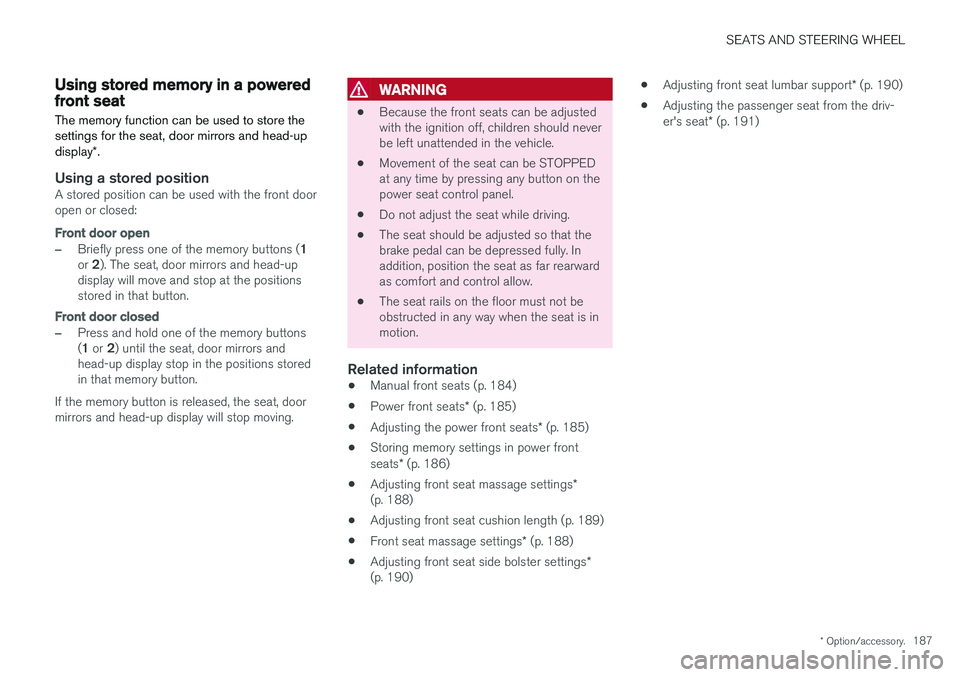
Using a stored positionA stored position can be used with the front door open or closed:
Front door open
–Briefly press one of the memory buttons ( 1
or 2). The seat, door mirrors and head-up
display will move and stop at the positions stored in that button.
Front door closed
–Press and hold one of the memory buttons ( 1 or 2) until the seat, door mirrors and
head-up display stop in the positions stored in that memory button.
If the memory button is released, the seat, doormirrors and head-up display will stop moving.
WARNING
• Because the front seats can be adjusted with the ignition off, children should neverbe left unattended in the vehicle.
• Movement of the seat can be STOPPEDat any time by pressing any button on thepower seat control panel.
• Do not adjust the seat while driving.
• The seat should be adjusted so that thebrake pedal can be depressed fully. Inaddition, position the seat as far rearwardas comfort and control allow.
• The seat rails on the floor must not beobstructed in any way when the seat is inmotion.
Related information
• Manual front seats (p. 184)
• Power front seats
* (p. 185)
• Adjusting the power front seats
* (p. 185)
• Storing memory settings in power front seats
* (p. 186)
• Adjusting front seat massage settings
*
(p. 188)
• Adjusting front seat cushion length (p. 189)
• Front seat massage settings
* (p. 188)
• Adjusting front seat side bolster settings
*
(p. 190) •
Adjusting front seat lumbar support
* (p. 190)
• Adjusting the passenger seat from the driv-er's seat
* (p. 191)
Page 190 of 640
SEATS AND STEERING WHEEL
* Option/accessory.
188
Front seat massage settings *
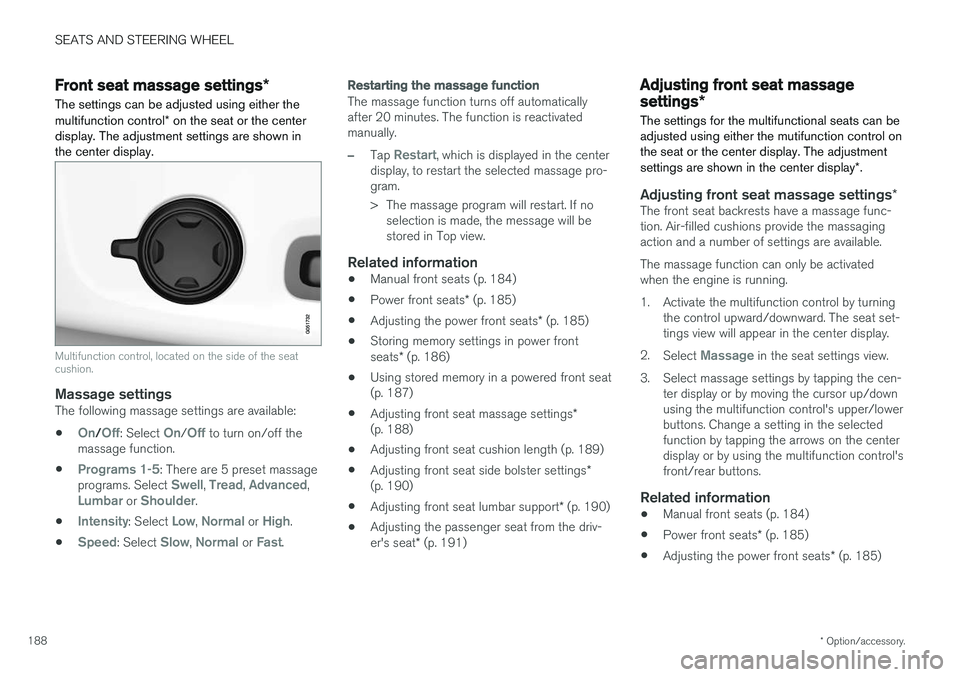
The settings can be adjusted using either the multifunction control * on the seat or the center
display. The adjustment settings are shown in the center display.
Multifunction control, located on the side of the seat cushion.
Massage settingsThe following massage settings are available:
•
On/Off: Select On/Off to turn on/off the
massage function.
•
Programs 1-5: There are 5 preset massage
programs. Select Swell, Tread, Advanced,Lumbar or Shoulder.
•
Intensity: Select Low, Normal or High.
•
Speed: Select Slow, Normal or Fast.
Restarting the massage function
The massage function turns off automatically after 20 minutes. The function is reactivatedmanually.
–Tap Restart, which is displayed in the center
display, to restart the selected massage pro- gram.
> The massage program will restart. If no selection is made, the message will be stored in Top view.
Related information
• Manual front seats (p. 184)
• Power front seats
* (p. 185)
• Adjusting the power front seats
* (p. 185)
• Storing memory settings in power front seats
* (p. 186)
• Using stored memory in a powered front seat (p. 187)
• Adjusting front seat massage settings
*
(p. 188)
• Adjusting front seat cushion length (p. 189)
• Adjusting front seat side bolster settings
*
(p. 190)
• Adjusting front seat lumbar support
* (p. 190)
• Adjusting the passenger seat from the driv- er's seat
* (p. 191)
Adjusting front seat massage
settings *
The settings for the multifunctional seats can be adjusted using either the mutifunction control onthe seat or the center display. The adjustment settings are shown in the center display *.
Adjusting front seat massage settings *The front seat backrests have a massage func- tion. Air-filled cushions provide the massagingaction and a number of settings are available. The massage function can only be activated when the engine is running.
1. Activate the multifunction control by turning
the control upward/downward. The seat set- tings view will appear in the center display.
2. Select
Massage in the seat settings view.
3. Select massage settings by tapping the cen- ter display or by moving the cursor up/down using the multifunction control's upper/lowerbuttons. Change a setting in the selectedfunction by tapping the arrows on the centerdisplay or by using the multifunction control'sfront/rear buttons.
Related information
• Manual front seats (p. 184)
• Power front seats
* (p. 185)
• Adjusting the power front seats
* (p. 185)
Page 191 of 640
SEATS AND STEERING WHEEL
* Option/accessory.189
•
Storing memory settings in power front seats
* (p. 186)
• Using stored memory in a powered front seat (p. 187)
• Adjusting front seat cushion length (p. 189)
• Front seat massage settings
* (p. 188)
• Adjusting front seat side bolster settings
*
(p. 190)
• Adjusting front seat lumbar support
* (p. 190)
• Adjusting the passenger seat from the driv- er's seat
* (p. 191)
Adjusting front seat cushion length
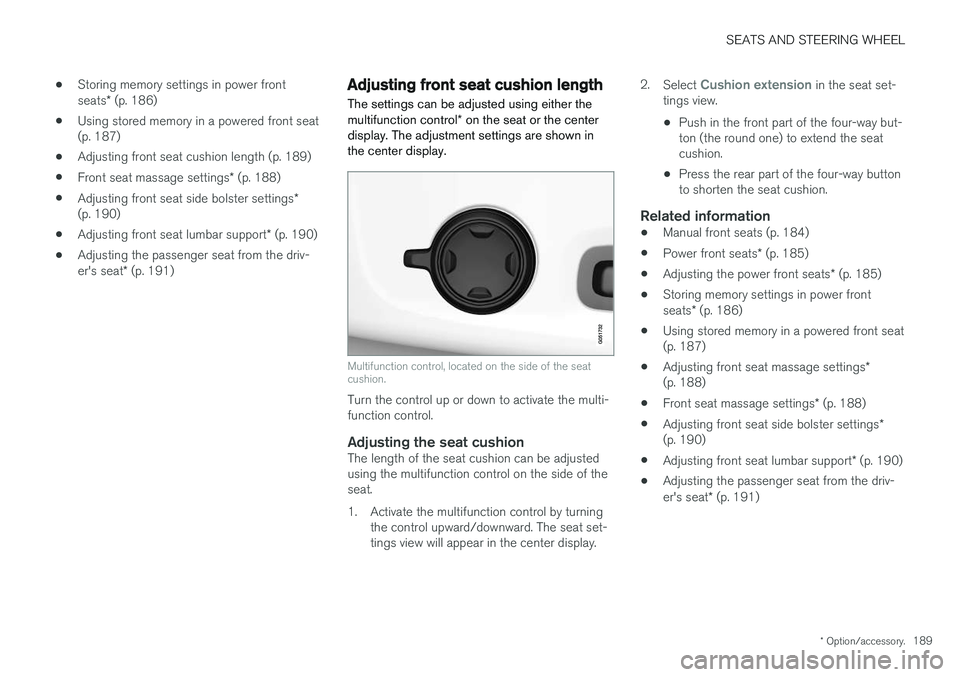
The settings can be adjusted using either the multifunction control * on the seat or the center
display. The adjustment settings are shown in the center display.
Multifunction control, located on the side of the seat cushion.
Turn the control up or down to activate the multi- function control.
Adjusting the seat cushionThe length of the seat cushion can be adjustedusing the multifunction control on the side of theseat.
1. Activate the multifunction control by turning the control upward/downward. The seat set- tings view will appear in the center display. 2.
Select
Cushion extension in the seat set-
tings view.
• Push in the front part of the four-way but- ton (the round one) to extend the seatcushion.
• Press the rear part of the four-way buttonto shorten the seat cushion.
Related information
• Manual front seats (p. 184)
• Power front seats
* (p. 185)
• Adjusting the power front seats
* (p. 185)
• Storing memory settings in power front seats
* (p. 186)
• Using stored memory in a powered front seat (p. 187)
• Adjusting front seat massage settings
*
(p. 188)
• Front seat massage settings
* (p. 188)
• Adjusting front seat side bolster settings
*
(p. 190)
• Adjusting front seat lumbar support
* (p. 190)
• Adjusting the passenger seat from the driv- er's seat
* (p. 191)
Page 192 of 640
SEATS AND STEERING WHEEL
* Option/accessory.
190
Adjusting front seat side bolster
settings *
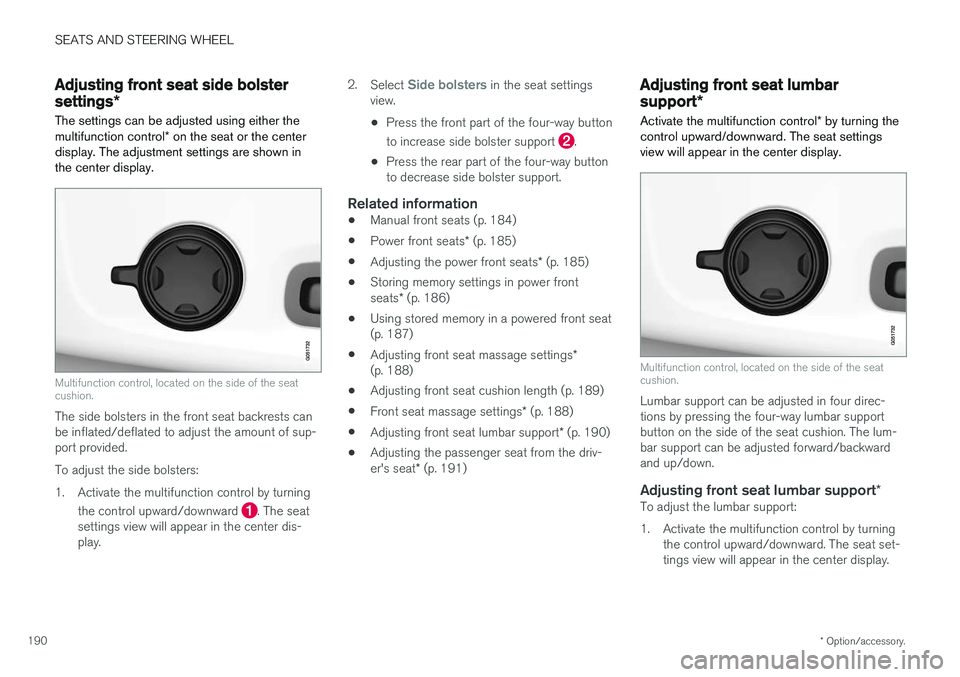
The settings can be adjusted using either the multifunction control * on the seat or the center
display. The adjustment settings are shown in the center display.
Multifunction control, located on the side of the seat cushion.
The side bolsters in the front seat backrests can be inflated/deflated to adjust the amount of sup-port provided. To adjust the side bolsters:
1. Activate the multifunction control by turning
the control upward/downward
. The seat
settings view will appear in the center dis- play. 2.
Select
Side bolsters in the seat settings
view.
• Press the front part of the four-way button to increase side bolster support
.
• Press the rear part of the four-way button to decrease side bolster support.
Related information
• Manual front seats (p. 184)
• Power front seats
* (p. 185)
• Adjusting the power front seats
* (p. 185)
• Storing memory settings in power front seats
* (p. 186)
• Using stored memory in a powered front seat (p. 187)
• Adjusting front seat massage settings
*
(p. 188)
• Adjusting front seat cushion length (p. 189)
• Front seat massage settings
* (p. 188)
• Adjusting front seat lumbar support
* (p. 190)
• Adjusting the passenger seat from the driv- er's seat
* (p. 191)
Adjusting front seat lumbar
support *
Activate the multifunction control * by turning the
control upward/downward. The seat settings view will appear in the center display.
Multifunction control, located on the side of the seat cushion.
Lumbar support can be adjusted in four direc- tions by pressing the four-way lumbar supportbutton on the side of the seat cushion. The lum-bar support can be adjusted forward/backwardand up/down.
Adjusting front seat lumbar support *To adjust the lumbar support:
1. Activate the multifunction control by turning
the control upward/downward. The seat set- tings view will appear in the center display.
Page 193 of 640
SEATS AND STEERING WHEEL
}}
* Option/accessory.191
2.
Select
Lumbar in the seat settings view.
• Press the four-way button (the round but- ton) up/down to move the lumbar supportupward/downward.
• Press the front part of the four-way buttonto increase lumbar support.
• Press the rear part of the four-way buttonto decrease lumbar support.
Related information
•
Manual front seats (p. 184)
• Power front seats
* (p. 185)
• Adjusting the power front seats
* (p. 185)
• Storing memory settings in power front seats
* (p. 186)
• Using stored memory in a powered front seat (p. 187)
• Adjusting front seat massage settings
*
(p. 188)
• Adjusting front seat cushion length (p. 189)
• Front seat massage settings
* (p. 188)
• Adjusting front seat side bolster settings
*
(p. 190)
• Adjusting the passenger seat from the driv- er's seat
* (p. 191)
Adjusting the passenger seat from
the driver's seat *
The front passenger seat can be adjusted from the driver's seat.
Activating the functionThe function is activated via the function view in the center display:
Tap the
Adjust Passenger
Seat button to activate.
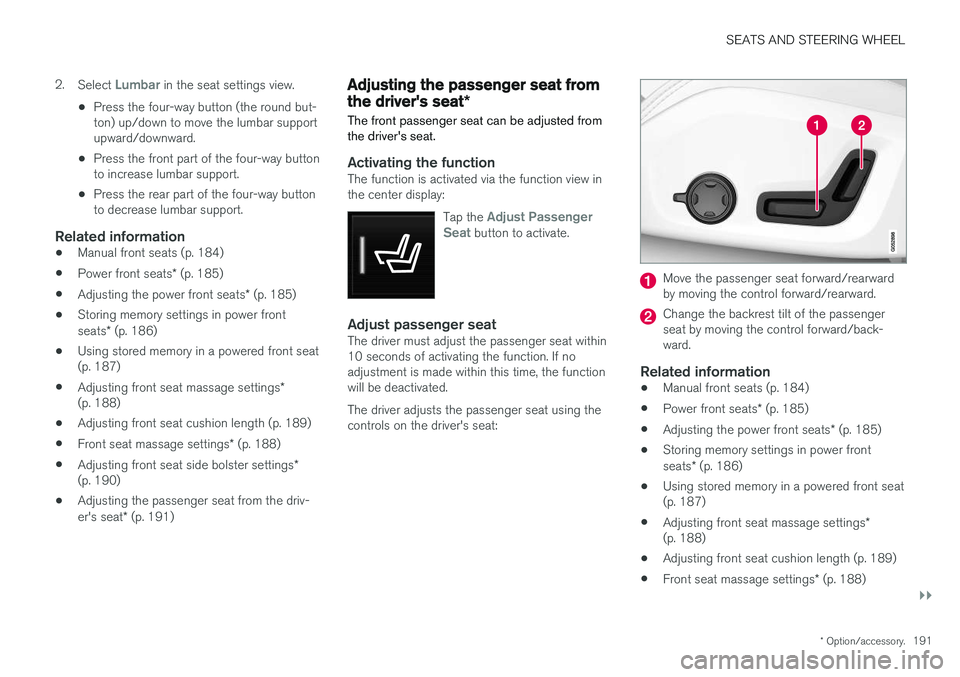
Adjust passenger seatThe driver must adjust the passenger seat within 10 seconds of activating the function. If noadjustment is made within this time, the functionwill be deactivated. The driver adjusts the passenger seat using the controls on the driver's seat:
Move the passenger seat forward/rearward by moving the control forward/rearward.
Change the backrest tilt of the passenger seat by moving the control forward/back-ward.
Related information
• Manual front seats (p. 184)
• Power front seats
* (p. 185)
• Adjusting the power front seats
* (p. 185)
• Storing memory settings in power front seats
* (p. 186)
• Using stored memory in a powered front seat (p. 187)
• Adjusting front seat massage settings
*
(p. 188)
• Adjusting front seat cushion length (p. 189)
• Front seat massage settings
* (p. 188)
Page 629 of 640
INDEX
627
F
Federal Clean Air Act 548
Ferry transport 422
Flat tire 530
Flooded road 426
Fluids, volumes 606, 620
Fluids and oils 619, 620 Fog lightsfront 157
rear 158
Four-C 422 Front seat blower 220
climate 208
heating 210, 211
temperature 222
ventilation 212
Front seat manual 184
Front seats, power 185 adjusting passenger seat from driver's
seat 191
adjusting seat 185
Lumbar support 190
massage 188, 189
memory function 186, 187
multifunction control 188, 189, 190
Side bolsters 190
Fuel 428Travel Link service 463
Fuel filling 427
Fuel gauge 85
Fuel requirements 428, 429Fuel tank volume 620
Fuse box 578Fuses below the glove compartment 583
general 578
in engine compartment 580
in trunk 586
replacing 579
G
Gasoline grade 428 Gauge
fuel gauge 85
Gear indicator 412Gear selector positions automatic transmission 408
Glass laminated/reinforced 166
Glove compartment 541
Gracenote ® 469
Grocery bag holders 544
Gross vehicle weight 615
GSI - Gear shift indicator 412
Guide lines for Park Assist Camera 377
H
Handbrake 401, 402
Hand wash 596Hard disk space 496
Hazard warning flashers 160
HD radio 452
Head-up display 140 activate and deactivate 142
cleaning 591
replacing windshield 558
settings 142
Heated washer nozzles 180 Heating Seats 210, 211
steering wheel 214, 215
windows 218, 219
high beams 154, 155
High engine temperature 431
Page 633 of 640
INDEX
631
Passing assistance 293, 310
personal information (Privacy Policy) 34
Phone 478
changing to another 482
connect 479
connect automatically 481
connect manually 481
delete 483
disconnect 482
phone call 483, 485
text message 484
voice control 145
Pilot Assist 300, 303, 304, 305, 306, 308, 310, 311, 312, 313
pass 310
pinch protection 166 resetting 167
PIN code 491
Polishing 596
Position lights 152
Power 617
Power folding door mirrors 173
Power panoramic roof 174
Power save mode 432
Power seats 185
Power trunk lid 251
Power windows 168, 169 pinch protection 166
Pressure wash 599
Privacy Policy 34
Private locking 255 activation/deactivation 255
PROPOSITION 65 WARNING 433
R
Radar sensor 287, 315 limitations 316
Radar unit 315
Radio 448 changing radio waveband and radio sta-
tion 449
HD radio 452
RBDS 452
search radio station 450
settings 451 SiriusXM ® Satellite radio 456, 457, 458
start 449
voice control 146
Radio favorites 451
Rain sensor 180, 181
Rain sensor's memory function 181
Rear camera 375, 376, 377, 379, 380, 382, 383
Rear door sun shade 170
Rear seat adjusting backrest tilt 192 Adjusting passenger seat from rear
seat 192
blower 221
climate 208
heating 211
temperature 223
ventilation 213
Rear sensors 370, 371, 372, 373, 374 Rearview/door mirrors dimming 172
heating 219
interior 171
Rearview mirror 171 dimming 172
Rear window heating 219
sun shade 170
Recalls 45
Recommendations when driving 425
Recommendations when loading 543
Recovery 437
Page 634 of 640
INDEX
632Red Key 238
settings 239
Refrigerant 558 climate system 620
Refueling filling 427
fuel filler door, fuel flap 427
Remote immobilizer 242
Remote key 229 battery replacement 234
connecting to driver profile 137
detachable key blade 240
loss 238
Range 233
Remote updates 551
Reporting safety defects 44
Resetting door mirrors 173
Resetting settings 133 change of owner 132
Driver profile 137
Resetting trip odometer 88
Road Sign Information 346, 347, 348 limitations 350
operation 347, 348, 349, 350
Road trip 425
Roll Stability Control 263
Roof load, max. weight 615
RSC (Roll Stability Control) 263
Run-off Mitigation 362, 363
S
Safety 42 pregnancy 43
Safety belt, see Seat belt 47
Safety defects, reporting 44
Safety mode 61 starting/moving 62
Sealing compound 530
Seat, see Seats 184
Seat belt reminder 51
Seat belts 47 Automatic locking retractor/Emergency
locking retractor 65
buckling/unbuckling 48
pregnancy 43
seat belt reminder 51
seat belt tensioner 50
securing child restraint systems 67, 69, 71
Seat belt tensioner 50 resetting 51
Seats heating 210, 211
manual front seat 184
memory function front seat 186, 187
power front seats 185
ventilation 212, 213
whiplash protection 46
Sensors air quality 201
climate 197
Sensus connection and entertainment 30
Sensus Navigation 348
Service position 605
Service program 548
Set time interval 282
settings 133 Categories 134
contextual 131
resetting 133
settings menu 133
Shiftlock 411 deactivate 411
Side airbag 59
Side Impact Protection System 59, 60
SIM card 491
SIPS (Side Impact Protection System) 59, 60Sirius Satellite radio Travel link 460