ABS VOLVO S90 2020 Quick Guide
[x] Cancel search | Manufacturer: VOLVO, Model Year: 2020, Model line: S90, Model: VOLVO S90 2020Pages: 643, PDF Size: 13.68 MB
Page 386 of 643

||
STARTING AND DRIVING
384
WARNING
If the warning symbols for both brake fault and ABS fault are lit simultaneously, theremay be a fault in the brake system.
If the brake fluid reservoir level is nor- mal when this occurs, drive carefully tothe nearest workshop to have thebrake system checked - an authorizedVolvo workshop is recommended.
If the brake fluid has fallen below theMIN
level in the brake fluid reservoir,
the vehicle should not be driven untilthe brake fluid has been filled. The rea-son for the brake fluid loss must bechecked.
Related information
Brake Assist System (p. 384)
Auto-hold brakes (p. 389)
Hill Start Assist (p. 390)
Braking on wet roads (p. 384)
Braking on salted roads (p. 385)
Maintenance of the brake system(p. 385)
Brake lights (p. 157)
Brake Assist System The brake enhancing system, (BAS 3
), helps
increase braking force and can thereby reduce braking distance.
The system monitors the driver's braking hab- its and increases braking force when neces-sary. Braking force can be increased up to thepoint at which the ABS intervenes. The func-tion is deactivated when pressure on the brakepedal is decreased.
NOTE
When BAS is activated, the brake pedal will go down slightly more than usual.Press (hold) down the brake pedal as longas necessary. When the brake pedal is released, all brak- ing ceases.
Related information
Brakes (p. 383)
Braking on wet roads
Prolonged driving in heavy rain without brak- ing may cause braking effect to be slightlydelayed the first time the brakes are applied.
This may also occur after washing the vehicle. It will then be necessary to apply greater pres-sure to the brake pedal. You should thereforemaintain a greater distance to the vehicleahead. Firmly apply the brakes after washing the vehicle or driving on wet roads. This helpswarm up the brake discs, enabling them to drymore quickly and protecting them against cor-rosion. Consider the current traffic situationwhen braking.
Related information
Brakes (p. 383)
Braking on salted roads (p. 385)
3
Brake Assist System
Page 401 of 643

STARTING AND DRIVING
}}
* Option/accessory.399
All Wheel Drive (AWD) *
All-wheel drive (AWD 8
), also called four-
wheel drive, means that power is distributed to all four wheels, which improves traction.
To achieve the best traction, power is auto- matically directed to the wheels that have thebest grip. The system continuously calculatesthe need for torque to the rear wheels, andcan immediately redistribute up to half of theengine's torque to the rear wheels. All-wheel drive also has a stabilizing effect at higher speeds. In normal driving conditions,most of the engine's power is directed to thefront wheels. When the vehicle is stationary,all-wheel drive is always activated in prepara-tion for maximum traction during acceleration. All-wheel drive reacts differently depending on which drive mode is selected.
Related information
Drive modes
* (p. 399)
Transmission (p. 391)
Drive modes
*
Drive modes affect the vehicle's driving cha- racteristics in different ways to enhance andsimplify the driving experience in certaintypes of situations.
Drive modes enable easy access to the vehi- cle's many functions and settings in differentdriving situations. The following systems areadapted to help optimize driving characteris-tics in each drive mode: Steering
Engine/transmission/all-wheel drive
*
Brakes
Shock absorbers
Instrument panel
Start/Stop function
Climate control settings
Select the drive mode that is adapted to the current driving conditions. Keep in mind thatnot all drive modes are available in all situa-tions.
Available drive modesWhen the engine is started, the vehicle will be in Comfort mode and the start/stop function
will be activated. Drive mode can be changed once the vehicle is started, e.g. to
Individual
mode. Once Individual mode is selected, you
can adjust settings to personal preferences, e.g. to show the tachometer.
Comfort
Comfort is the vehicle's default mode. This
setting offers driving comfort, light steering and soft suspension. In
Comfort mode, no tachometer will be dis-
played in the instrument panel 9
.
Eco
Adapt the vehicle for more fuel-efficient and eco-friendly driving with Eco mode.
In this mode, the Start/Stop function is acti- vated and certain climate settings arereduced. When driving in
Eco mode, an ECO gauge
indicating how economical the driving is will be displayed in the instrument panel.
8 All Wheel Drive
9 Only applies to vehicles with 8-inch instrument panels.
Page 408 of 643

STARTING AND DRIVING
406
Deactivating the Start/Stop function
In certain situations, it may be advisable to turn the Start/Stop function off.
To turn off Start/Stop, tap theStart/Stop function button
in the center display's Func- tion view. The indicator lightin the button will go outwhen the function has beenturned off.
The function will remain turned off until:
it is reactivated
the drive mode is changed to
Eco.
Related information
Driving with the Start/Stop function (p. 404)
Conditions for the Start/Stop function(p. 406)
Conditions for the Start/Stop function
Certain conditions must be met for Start/ Stop to function.
If any condition is not met, this will be indi- cated in the instrument panel.
The engine does not auto-stopThe engine will not auto-stop if: The vehicle has not reached a speed of ca 10 km/h (6 mph) after starting.
After several auto-stops, the speed mustagain exceed approximately ca 10 km/h(6 mph) before the next auto-stop.
The driver has not fastened the seatbelt.
The engine is not running at its normaloperating temperature.
The ambient temperature is underapproximately -5 °C (23 °F) or overapproximately 30 °C (86 °F).
Windshield heating is activated.
The climate system settings and theactual climate in the passenger compart-ment differ.
The vehicle is in reverse.
The driver is making large steering wheelmovements.
The road gradient is very steep.
The hood is open.
Driving at high altitude and the engine hasnot reached its normal operating tempera-ture.
ABS has been activated.
Hard braking (even if the ABS system hasnot been activated).
Many starts during a short period of timehave triggered the starter motor's over-heating protection.
The exhaust system's particulate filter isfull
A trailer is connected to the vehicle's elec-trical system.
The transmission is not running at its nor-mal operating temperature.
The gear selector is in mode
M (±
).
If traffic conditions allow it (for example ina traffic jam).
The engine does not auto-startThe engine will not auto-start after an auto-stop if:
The driver is not wearing a seat belt, thegear selector is in the
P position and the
driver's door is open. The engine must bestarted normally.
Page 410 of 643
STARTING AND DRIVING
* Option/accessory.
408
Leveling control * and suspension
Self-leveling and suspension functions are controlled automatically.
Rear leveling control keeps the rear section of the vehicle at the same height regardless ofload. Leveling control may also remain activewhen the vehicle is parked.
Shock absorbers (Four-C)On vehicles equipped with Four-C, the shockabsorbers are adapted to the selected drive mode and the current vehicle speed. Theshock absorbers are normally set to help opti-mize comfort and are adjusted continuouslyaccording to the road surface and the vehicle'sacceleration, braking and cornering.
TransportingWhen transporting the vehicle on a ferry, trainor truck, only secure (lash) the vehicle aroundthe tires, not using any other parts of the chas-sis. Changes in the pneumatic suspension
may occur during transport, which couldadversely affect the lashing and result in dam-age.
Symbols and messages in driver display
Symbol Message Meaning
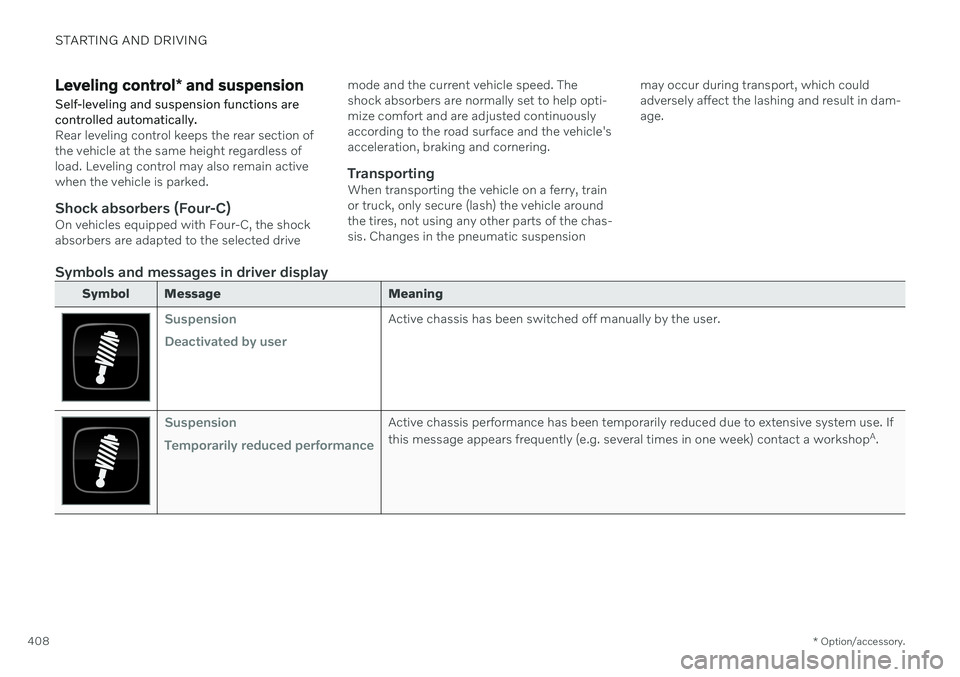
Suspension Deactivated by userActive chassis has been switched off manually by the user.
Suspension Temporarily reduced performanceActive chassis performance has been temporarily reduced due to extensive system use. If this message appears frequently (e.g. several times in one week) contact a workshop
A
.
Page 415 of 643

STARTING AND DRIVING
413
Slippery driving conditionsTo help optimize traction and roadholding, Volvo recommends using snow tires on allwheels whenever there is a risk of snow or iceon the road.
NOTE
Certain countries require use of winter tires by law. Not all countries permit the use ofstudded tires.
Practice driving on slippery surfaces under controlled conditions to learn how the vehiclereacts.
Related information
Snow tires (p. 521)
Snow chains (p. 522)
Braking on salted roads (p. 385)
Braking on wet roads (p. 384)
Filling washer fluid (p. 607)
Start battery (p. 567)
Replacing windshield wiper blades(p. 605)
Refilling coolant (p. 556)
Driving through standing water
It may be necessary to drive the vehicle through standing water, e.g. deep puddles orflooding on the road. This must be done withgreat caution.
The vehicle can be driven through water up to a depth of 25 cm (9 in) at no more than walk-ing speed. Be particularly careful when drivingthrough flowing water. When driving through standing water, drive slowly and do not stop the vehicle. When youhave passed the water, press lightly on thebrake pedal and check that the brakes arefunctioning properly. Water, mud, slush, etc.can make the brake linings slippery, resultingin delayed braking effect. If the vehicle is equipped with contacts for an electric heater or trailer coupling, cleanthese after driving in water or mud.
Do not allow the vehicle to stand in waterup to the sills any longer than absolutelynecessary. This could result in electricalmalfunctions.
CAUTION
Engine damage could occur if water enters the air cleaner.
If water enters the transmission, thelubricating ability of the oils is reducedand the service life of these systems isshortened.
Damage to any component, engine,transmission, turbocharger, differentialor its internal components caused byflooding, vapor lock or insufficient oil isnot covered under warranty.
If the engine stalls while the vehicle isin water, do not attempt to restart it.Have the vehicle towed out of thewater to a workshop. An authorizedVolvo workshop is recommended. Riskof engine failure.
CAUTION
Because it can be difficult to determine the water depth, Volvo recommends not driv-ing through standing or running water. Thedriver is always responsible for operatingthe vehicle in a safe manner and adheringto all applicable laws and regulations.
Related information
Recovery (p. 425)
Page 511 of 643
WHEELS AND TIRES
}}
* Option/accessory.509
Recommended tire pressure
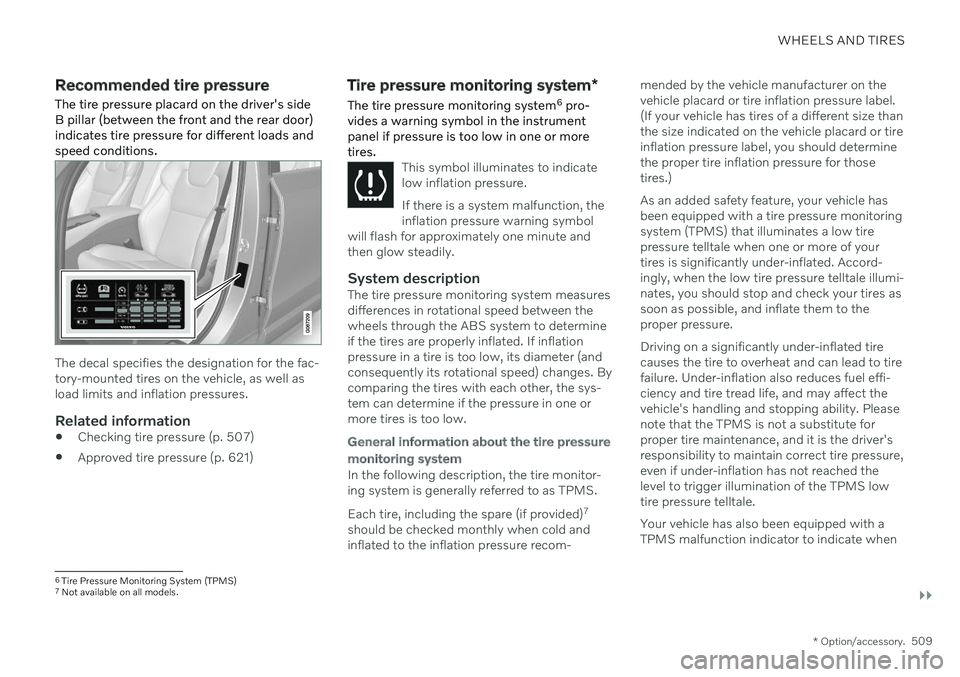
The tire pressure placard on the driver's side B pillar (between the front and the rear door)indicates tire pressure for different loads andspeed conditions.
The decal specifies the designation for the fac- tory-mounted tires on the vehicle, as well asload limits and inflation pressures.
Related information
Checking tire pressure (p. 507)
Approved tire pressure (p. 621)
Tire pressure monitoring system
*
The tire pressure monitoring system 6
pro-
vides a warning symbol in the instrument panel if pressure is too low in one or moretires.
This symbol illuminates to indicate low inflation pressure. If there is a system malfunction, the inflation pressure warning symbol
will flash for approximately one minute andthen glow steadily.
System descriptionThe tire pressure monitoring system measures differences in rotational speed between thewheels through the ABS system to determineif the tires are properly inflated. If inflationpressure in a tire is too low, its diameter (andconsequently its rotational speed) changes. Bycomparing the tires with each other, the sys-tem can determine if the pressure in one ormore tires is too low.
General information about the tire pressure monitoring system
In the following description, the tire monitor- ing system is generally referred to as TPMS. Each tire, including the spare (if provided) 7
should be checked monthly when cold and inflated to the inflation pressure recom- mended by the vehicle manufacturer on thevehicle placard or tire inflation pressure label.(If your vehicle has tires of a different size thanthe size indicated on the vehicle placard or tireinflation pressure label, you should determinethe proper tire inflation pressure for thosetires.) As an added safety feature, your vehicle has been equipped with a tire pressure monitoringsystem (TPMS) that illuminates a low tirepressure telltale when one or more of yourtires is significantly under-inflated. Accord-ingly, when the low tire pressure telltale illumi-nates, you should stop and check your tires assoon as possible, and inflate them to theproper pressure. Driving on a significantly under-inflated tire causes the tire to overheat and can lead to tirefailure. Under-inflation also reduces fuel effi-ciency and tire tread life, and may affect thevehicle's handling and stopping ability. Pleasenote that the TPMS is not a substitute forproper tire maintenance, and it is the driver'sresponsibility to maintain correct tire pressure,even if under-inflation has not reached thelevel to trigger illumination of the TPMS lowtire pressure telltale. Your vehicle has also been equipped with a TPMS malfunction indicator to indicate when
6
Tire Pressure Monitoring System (TPMS)
7 Not available on all models.
Page 548 of 643

||
MAINTENANCE AND SERVICE
* Option/accessory.
546
NOTE
Data downloading can affect other services such as transfer data, e.g. web radio. If theaffect on other services is experienced asproblematic, the download can be interrup-ted. Alternatively, it may be appropriate toswitch off or cancel other services.
NOTE
An update can be interrupted when the ignition is switched off and the vehicle isleft. However, the update does not have to be completed before the vehicle is left as theupdate is resumed the next time the vehi-cle is used.
Updating all system software–Select Install all at the bottom of the list.
To avoid displaying a list, select
Install all viaSystem updates.
Updating individual system software–Select Install to choose the software you
would like to download.
Canceling software download–Tap the checkbox in the activity indicator that replaced Install when the download
began. Note that only a download can be cancelled. An installation cannot be cancelled once it hasbegun.
Deactivating the background search for software update
Automatic searching for software updates is activated as the default factory setting, but thefunction can be deactivated. 1.
Tap
Settings in the center display's Top
view.
2. Tap
SystemDownload Center.
3. Tap to deselect
Auto Software Update.
Related information
Download Center (p. 545)
Internet-connected vehicle
* (p. 480)
Navigating in the center display's views (p. 112)
Vehicle status The vehicle's general status can be displayed in the center display along with the option to schedule service 3
.
The Car Status app is started
from the center display's App view and has four tabs:
Messages - status messages
Status – checking engine oil level and
AdBlue level 4
TPMS - tire inflation pressure check
Appointments - appointment information
and vehicle information 3
.
Related information
Handling messages saved from the instru- ment panel (p. 105)
Checking and filling engine oil (p. 555)
Tire pressure monitoring system
* (p. 509)
Scheduling service and repairs (p. 547)
Sending vehicle information to the work-shop (p. 548)
Navigating in the center display's views(p. 112)
Page 580 of 643

||
MAINTENANCE AND SERVICE
* Option/accessory.
578
Function Ampere Type
Passenger-side headlight, LEDB
15 Micro
– – Micro
––
MCaseA
–
–
MCaseA
Headlight washers
* 25
MCaseA
Washer fluid pump
25
MCaseA
Transmission control module; Electric gear selector
15 Micro
Horn20 Micro
Alarm siren* 5 Micro
Brake system control module (valves, parking brake)
40
MCaseA
Brake control with 48 V battery 30
MCaseA
Wipers
30
MCaseA
–
–
MCaseA
–
–
MCaseA
–
–
MCaseA
Brake system control module (ABS pump)
40
MCaseA
–
–
MCaseA
Page 596 of 643

||
MAINTENANCE AND SERVICE
* Option/accessory.
594
WARNING
Never use more than one inlay mat at a time on the driver's floor. If any othertype of floor mat is used, remove theoriginal mat from the driver's seat floorbefore driving. All types of mats mustbe securely anchored in the attach-ment points in the floor. Make sure thefloor mat does not impede the move-ment of the brake pedal or acceleratorpedal in any way, as this could be aserious safety hazard.
Volvo's floor mats are specially manu-factured for your vehicle. They must beproperly secured in the attachmentpoints in the floor to help ensure theycannot slide and become trappedunder the pedals.
Related information
Cleaning the interior (p. 591)
Cleaning the center display (p. 591)
Cleaning fabric upholstery and ceiling liner(p. 593)
Cleaning the seat belt (p. 593)
Cleaning leather upholstery
* (p. 594)
Cleaning the leather steering wheel(p. 595)
Cleaning interior plastic, metal and woodsurfaces (p. 595)
Cleaning leather upholstery
*
Only use cleaning agents and car care prod- ucts recommended by Volvo. Clean regularlyand treat stains immediately. It is importantto vacuum before using a cleaning agent.
Volvo's leather upholstery * is treated to pro-
tect its original appearance. Over time, sun- light, grease, dirt, etc. could break down theprotective layer. This could result in scratchesand cracking. Leather upholstery * is a natural product that
changes and acquires a beautiful patina over time. Regular cleaning and treatments arerequired to preserve the qualities and color ofthe leather. Volvo offers a comprehensiveproduct, Volvo Leather Care KitWipes, forcleaning and treating leather upholstery.When used as directed, it helps preserve theleather's protective coating. For optimal results, Volvo recommends clean- ing and applying protective cream one to fourtimes a year (or more often as needed). VolvoLeather Care Kit 951 0251 and Volvo LeatherSoftener 943 7429 are available for purchaseat Volvo retailers.
Cleaning the leather upholstery1. Apply the leather cleaner to a damp sponge and squeeze it until the cleanerfoams. 2. Move the sponge in circular motions to
apply the foam to the stain.
3. Dampen the stain thoroughly with the sponge. Let the sponge absorb the stainand do not rub.
4. Dry the stain using a soft towel and let the leather dry completely.
Protecting the leather upholstery1. Apply a small amount of leather protectorto a cloth and then apply the protector tothe leather using light circular movements.
2. Let it dry for approximately 20 minutes. > Protecting the leather upholsterymakes it better able to withstand sun-light's harmful UV rays.
Related information
Cleaning the interior (p. 591)
Cleaning the center display (p. 591)
Cleaning fabric upholstery and ceiling liner(p. 593)
Cleaning the seat belt (p. 593)
Cleaning floor mats and inlay mats(p. 593)
Cleaning the leather steering wheel(p. 595)
Cleaning interior plastic, metal and wood surfaces (p. 595)
Page 597 of 643
MAINTENANCE AND SERVICE
}}
* Option/accessory.595
Cleaning the leather steering wheel
Only use cleaning agents and car care prod- ucts recommended by Volvo. Clean regularlyand treat stains immediately. It is importantto vacuum before using a cleaning agent.
Leather needs to breathe. Never cover the leather steering wheel with a plastic protector.Volvo Leather Care Kit 951 0251 and LeatherSoftener 943 7429 are recommended forcleaning the leather steering wheel. First,remove dirt, dust, etc. with a damp sponge orcloth.
CAUTION
Sharp objects such as rings could damage the leather on the steering wheel.
Treating stains on the steering wheel:Type 1 (ink, wine, coffee, milk, sweat or blood)
–Use a soft cloth or sponge. Wipe the steering wheel using a solution of 5%ammonia. For blood stains, mix approxi-mately 2 dl (1 cup) of water with 25 g(one ounce) of salt and wipe the stain.
Type 2 (grease, oil, sauces or chocolate)
1. Same procedure as for Type 1 stains.
2. Finish by wiping the wheel with an absorbent paper or towel. Type 3
(dry dirt or dust)
1. Remove the dirt/dust using a soft brush.
2. Same procedure as for Type 1 stains.
Related information
Cleaning the interior (p. 591)
Cleaning the center display (p. 591)
Cleaning fabric upholstery and ceiling liner (p. 593)
Cleaning the seat belt (p. 593)
Cleaning floor mats and inlay mats(p. 593)
Cleaning leather upholstery
* (p. 594)
Cleaning interior plastic, metal and woodsurfaces (p. 595)
Cleaning interior plastic, metal and wood surfaces
Only use cleaning agents and car care prod- ucts recommended by Volvo. Clean regularlyand treat stains immediately.
A lightly dampened microfiber cloth is recom- mended for cleaning interior details and surfa-ces. These cloths are available for purchase atVolvo retailers. Never scrape or rub a stain. Never use strong stain removers.
CAUTION
Do not use solvent containing alcohol to clean the instrument panel glass.
CAUTION
Keep in mind that glossy surfaces can be easily scratched. Wipe these surfaces witha clean and dry microfiber cloth usingsmall, circular motions. If necessary, mois-ten the cloth lightly with clean water.
Related information
Cleaning the interior (p. 591)
Cleaning the center display (p. 591)
Cleaning fabric upholstery and ceiling liner (p. 593)
Cleaning the seat belt (p. 593)