low beam VOLVO S90 TWIN ENGINE 2019 User Guide
[x] Cancel search | Manufacturer: VOLVO, Model Year: 2019, Model line: S90 TWIN ENGINE, Model: VOLVO S90 TWIN ENGINE 2019Pages: 669, PDF Size: 14.33 MB
Page 155 of 669

LIGHTING
}}
* Option/accessory.153
Active high beam
Active high beams is a function that uses cam-era sensors in the upper edge of the windshieldto detect the headlights of approaching vehiclesor the taillights of the vehicle directly ahead.When either of these is detected, the vehicle'sheadlights will automatically switch from highbeams to low beams.
Active high beam is enabled by moving the lighting ring
on the steering wheel lever to .
The function can also detect street lighting.When the camera sensor no longer detects anapproaching vehicle or a vehicle ahead, the head-lights will return to high beams.
This function can be used in dark conditionswhen the vehicle's speed is approx. 20 km/h(approx. 12 mph) or higher.
If active high beams are deactivated when thehigh beams are on, the headlights will automati-cally switch to low beams.
When active high beams are activated, a white
symbol will be displayed in the instrumentpanel.
When high beams are on, the symbol will be blue.For LED headlights, this applies even if the highbeams are partially dimmed, i.e. if the headlightsare illuminated with slightly more than low beams.
Vehicles with LED 3
headlights *
If the active high beams are equipped with the
auto on/off function4, the headlights will return tohigh beams a second or so after the camera sen-sor no longer detects the headlights of approach-ing vehicles or the taillights of a vehicle ahead.
Limitations for active high beams
The camera sensor on which the function isbased has limitations.
If this symbol and the message ActiveHigh Beam Temporarilyunavailable is displayed in the instru-ment panel, switching between highand low beams must be done manually. The light-ing ring on the steering wheel lever can remain in
the position. The symbol will go outwhen the message is displayed.
The same applies if this symbol alongwith the message Windscreensensor Sensor blocked, seeOwner's manual is displayed.
Active high beams may be temporarily unavailablein certain situations, e.g. heavy fog or rain. Whenactive high beams become available again, or thewindshield sensors are no longer blocked, the
message will disappear and the symbol willbe displayed.
WARNING
Automatic high beam is an aid in using thebest possible light based on prevailing condi-tions.
The driver is always responsible for manuallyswitching between high and low beam whentraffic situations or weather conditions requirethis.
3
LED (Light Emitting Diode)
4Depends on the vehicle's equipment level.
Page 157 of 669

LIGHTING
}}
* Option/accessory.155
Active Bending Lights*
Active Bending Lights (ABL) are designed tohelp provide maximum illumination in curves andintersections. Depending on equipment level,
vehicles with LED5 headlights* may be equippedwith Active Bending Lights.
Headlight pattern with function deactivated (left) andactivated (right).
Active Bending Lights follow the movement ofthe steering wheel to help provide maximum illu-mination in curves and intersections, helping toimprove visibility for the driver.
The function is automatically activated when theengine is started. If a fault is detected in the sys-
tem, the symbol will illuminate in theinstrument panel and a message will be dis-played.
The function is only active in weak daylight ordark conditions and only when the vehicle is mov-ing and the low beams are on.
Deactivating/activating the function
The function is activated as the default factorysetting and can be activated and deactivated inthe center display's Function view:
Tap the Active BendingLights button.
Related information
Adjusting light functions via the center dis-play (p. 149)
Rear fog light
The rear fog light is considerably brighter thanordinary taillights and should only be used tohelp other road users see the vehicle when visi-bility is reduced by conditions such as fog,snow, smoke or dust.
Rear fog light button.
The rear fog light consists of a light on the rearof the vehicle on the driver's side.
The rear fog light can only be switched on whenthe ignition is in II mode and the lighting ring is in
position or .
Press the button for On/Off. The symbol inthe instrument panel illuminates when the rearfog light is on.
5LED (Light Emitting Diode)
Page 180 of 669

WINDOWS, GLASS AND MIRRORS
* Option/accessory.178
Using the windshield and headlightwashers
The windshield and headlight washers clean thewindshield and headlights. Use the right-sidesteering wheel lever to start the windshield andheadlight washers.
Starting the windshield and headlight
washers
Washing function, right-hand steering wheel lever.
–Move the right-hand steering wheel levertoward the steering wheel to start the wind-shield and headlight washers.
> After the lever is released, the wipersmake several extra sweeps.
CAUTION
Avoid activating the washer system when it isfrozen or the fluid reservoir is empty. Other-wise, there is a risk of damaging the pump.
Headlight washer *
To save washer fluid, the headlights are washedautomatically according to a defined intervalwhen the headlights are on.
Reduced washing
When there is about 1 liter (1 qt) of washer fluidleft in the reservoir and the Washer fluid Levellow, refill message is displayed in the instrument
panel together with the symbol, the washerfluid supply to the headlights is cut off. This is toprioritize windshield cleaning and visibilitythrough it. The headlights are only washed if highor low beam is on.
Related information
Using the rain sensor (p. 176)
Wiper blades and washer fluid (p. 175)
Using the rain sensor's memory function(p. 177)
Filling washer fluid (p. 635)
Windshield wipers in the service position(p. 634)
Replacing windshield wiper blades (p. 633)
Using the windshield wipers (p. 176)
Page 331 of 669
DRIVER SUPPORT
* Option/accessory.329
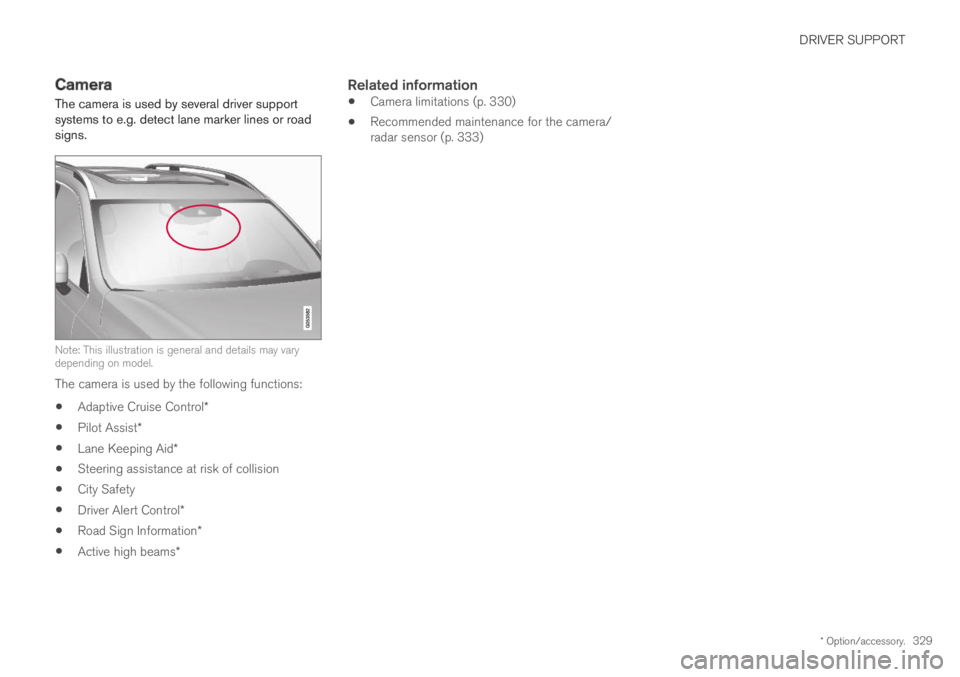
Camera
The camera is used by several driver supportsystems to e.g. detect lane marker lines or roadsigns.
Note: This illustration is general and details may varydepending on model.
The camera is used by the following functions:
Adaptive Cruise Control*
Pilot Assist*
Lane Keeping Aid*
Steering assistance at risk of collision
City Safety
Driver Alert Control*
Road Sign Information*
Active high beams*
Related information
Camera limitations (p. 330)
Recommended maintenance for the camera/radar sensor (p. 333)
Page 660 of 669

INDEX
658
low beams 151
position lights 150
rear fog light 155
settings 149
Turn signals 154
Lighting, replacing bulbs 600
Limp home 440
Load anchoring eyelets
cargo compartment 582
Load anchoring hooks 581
Load carriers 581
Load index 546
Loading
general 580
load anchoring eyelets 582
long load 580
Lock indication 236
setting 237
Locking/unlocking
trunk lid 241, 255
Locking wheel bolts 557
Locks
Locking 240
unlocking 240
Long-term storage 424
Low battery charge level
start battery 466
Low beams151
Low oil level598
M
Maintained climate comfort229
start/stop229
Maintenance584
corrosion protection630
Max. axle weight643
Max. roof load643
Media player500, 502
compatible file formats507, 508
voice control144
Messages and symbols
Adaptive Cruise Control306
Collision warner with auto-brake345
Messages in BLIS351
Messages in display101, 136
handling102, 136
saved103, 137
Mileage85
electric motor455
Misting
condensation in headlights 624, 627
Mood lighting159
O
Occupant safety43
Occupant weight sensor56
Octane rating462
Oil, see also Engine oil646
On-board diagnostics584
On-board Diagnostic socket37
Option/accessory21
Outside temperature gauge90
Overheating465
Owner's information16
OWNER'S MANUAL21
in cellular phone20
in the center display17, 18
P
Paddle at steering wheel193
Paint
color code632
paint damage and touch-up631, 632
Panoramic roof
opening and closing171
pinch protection162