trunk VOLVO S90 TWIN ENGINE 2019 User Guide
[x] Cancel search | Manufacturer: VOLVO, Model Year: 2019, Model line: S90 TWIN ENGINE, Model: VOLVO S90 TWIN ENGINE 2019Pages: 669, PDF Size: 14.33 MB
Page 201 of 669

CLIMATE CONTROL
* Option/accessory.199
Clean Zone*
The Clean Zone function monitors the condi-tions affecting good air quality in the passengercompartment and indicates whether they are ful-filled or not.
The indicator is shown in the center display'sClimate view.
The indicator is shown in the climate barwhen Climate view is not open.
If the conditions are not met, the text CleanZone will be shown in white. When all the condi-tions are met, the text will change to blue.
The same indicator will also be shown in the cli-mate panel on the rear side of the tunnel con-sole.
Clean Zone monitors whether:
All doors and trunk lid are closed.
All side windows and panoramic roof areclosed.
The Interior Air Quality System* is activated.
The blower is activated.
Air recirculation is deactivated.
NOTE
Clean Zone does not indicate that the airquality is good, but only that the conditions forgood air quality have been met.
Related information
Air quality (p. 198)
Clean Zone Interior Package* (p. 199)
Interior Air Quality System* (p. 200)
Passenger compartment air filter (p. 201)
Clean Zone Interior Package*
Clean Zone Interior Package (CZIP) is a seriesof modifications that filters even more allergy andasthma-inducing substances from the passengercompartment.
CZIP includes the following:
An enhanced function that starts the blowerwhen the vehicle is unlocked using theremote key. The blower will then fill the pas-senger compartment with fresh air. The func-tion starts when required and switches offautomatically after a period of time or whenone of the passenger compartment doors isopened. The amount of time the blower runsgradually decreases due to reduced need upuntil the vehicle is 4 years old.
The fully automatic Interior Air QualitySystem (IAQS).
Related information
Air quality (p. 198)
Clean Zone* (p. 199)
Interior Air Quality System* (p. 200)
Passenger compartment air filter (p. 201)
Page 238 of 669
KEY, LOCKS AND ALARM
* Option/accessory.236
Lock indication
When the vehicle is locked or unlocked, the turnsignals will flash to indicate that the vehicle hasbeen locked or unlocked correctly.
Exterior confirmation
Locking
The turn signals will flash once and the door
mirrors will fold in1 to confirm the vehicle islocked.
Unlocking
The turn signals will flash twice and the door
mirrors will fold out1 to confirm the vehicle isunlocked.
All doors, trunk lid and hood must be closed forconfirmation to be given. If only the driver's door
is closed when the vehicle is locked2, the vehiclewill be locked but the turn signals will only flashto indicate locking when all doors and the hoodand trunk lid have been closed.
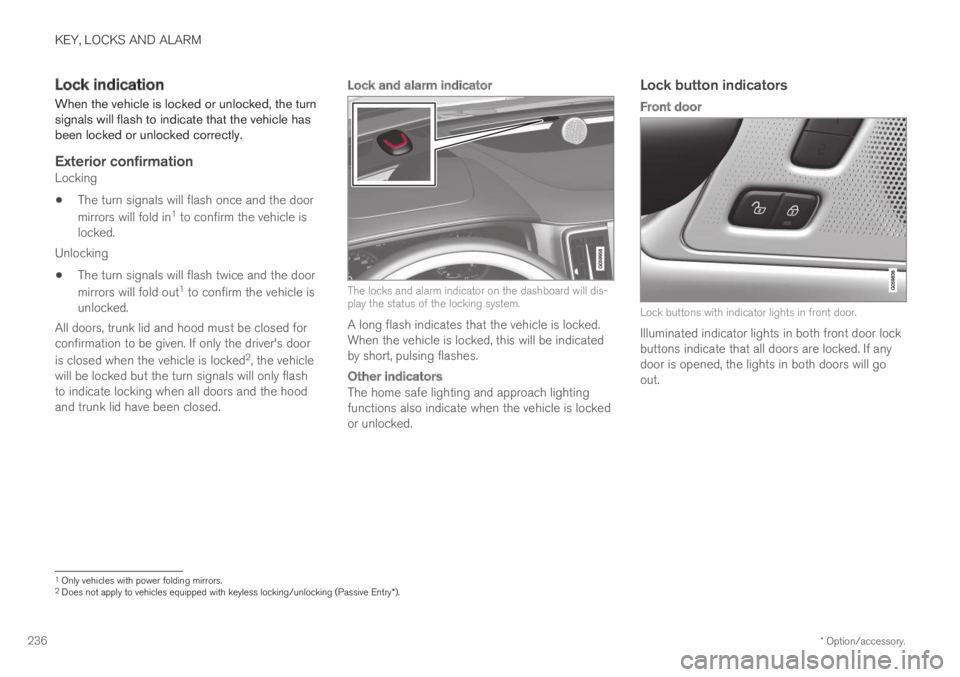
Lock and alarm indicator
The locks and alarm indicator on the dashboard will dis-play the status of the locking system.
A long flash indicates that the vehicle is locked.When the vehicle is locked, this will be indicatedby short, pulsing flashes.
Other indicators
The home safe lighting and approach lightingfunctions also indicate when the vehicle is lockedor unlocked.
Lock button indicators
Front door
Lock buttons with indicator lights in front door.
Illuminated indicator lights in both front door lockbuttons indicate that all doors are locked. If anydoor is opened, the lights in both doors will goout.
1Only vehicles with power folding mirrors.2Does not apply to vehicles equipped with keyless locking/unlocking (Passive Entry*).
Page 239 of 669
KEY, LOCKS AND ALARM
}}
* Option/accessory.237
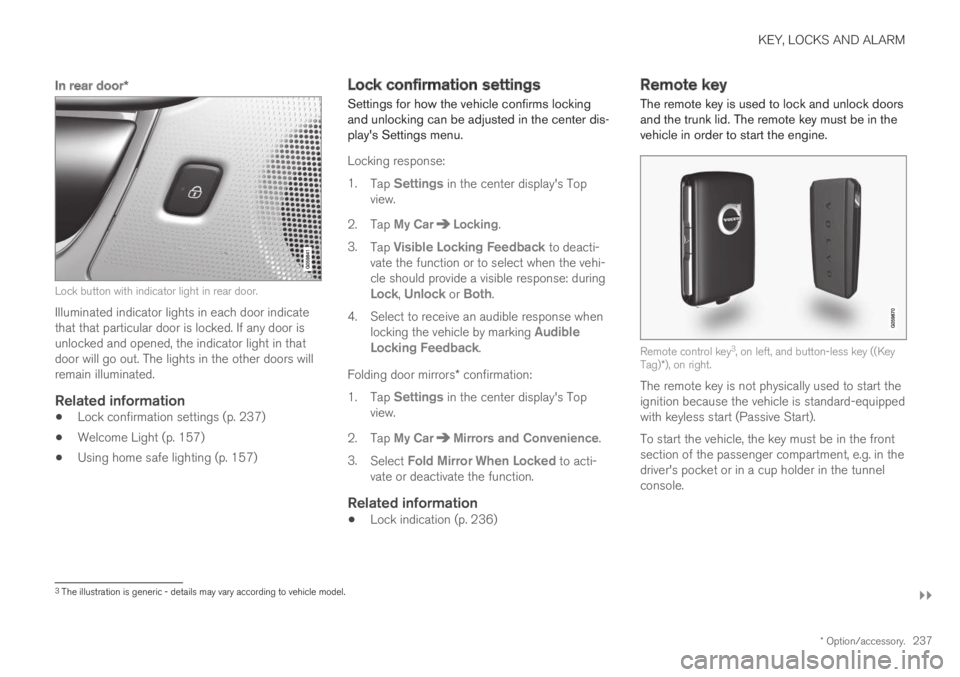
In rear door *
Lock button with indicator light in rear door.
Illuminated indicator lights in each door indicatethat that particular door is locked. If any door isunlocked and opened, the indicator light in thatdoor will go out. The lights in the other doors willremain illuminated.
Related information
Lock confirmation settings (p. 237)
Welcome Light (p. 157)
Using home safe lighting (p. 157)
Lock confirmation settings
Settings for how the vehicle confirms lockingand unlocking can be adjusted in the center dis-play's Settings menu.
Locking response:
1.Tap Settings in the center display's Topview.
2. Tap My CarLocking.
3.Tap Visible Locking Feedback to deacti-vate the function or to select when the vehi-cle should provide a visible response: duringLock, Unlock or Both.
4. Select to receive an audible response whenlocking the vehicle by marking AudibleLocking Feedback.
Folding door mirrors* confirmation:
1.Tap Settings in the center display's Topview.
2. Tap My CarMirrors and Convenience.
3.Select Fold Mirror When Locked to acti-vate or deactivate the function.
Related information
Lock indication (p. 236)
Remote key
The remote key is used to lock and unlock doorsand the trunk lid. The remote key must be in thevehicle in order to start the engine.
Remote control key3, on left, and button-less key ((KeyTag)*), on right.
The remote key is not physically used to start theignition because the vehicle is standard-equippedwith keyless start (Passive Start).
To start the vehicle, the key must be in the frontsection of the passenger compartment, e.g. in thedriver's pocket or in a cup holder in the tunnelconsole.
3The illustration is generic - details may vary according to vehicle model.
Page 240 of 669
||
KEY, LOCKS AND ALARM
* Option/accessory.238
The keyless system for locking/unlocking thedoors and trunk lid (Passive Entry*) is available asan option. This system has a range in a semicirclewith a radius of approximately 1.5 meter (5 feet)out from the driver's door and approx. 1 meter(3 feet) out from the trunk lid.
With keyless start in combination with keylesslocking and unlocking, the remote key can belocated anywhere in the passenger compartmentor trunk in order to start the engine.
Each remote key supplied with the vehicle can belinked to a driver profile with unique settings forthe vehicle. When a key with a specific profile isused, the vehicle settings are adjusted accordingto that profile.
Buttonless key, Key Tag
For vehicles equipped with keyless locking andunlocking*, a smaller, lighter and button-less key
(Key Tag4) is also provided. It works the sameway as the regular remote key as regard keylessstart and keyless locking and unlocking. The keyis waterproof up to a depth of approx. 10 meters(30 feet) for up to 60 minutes. It does not have adetachable key blade and its battery cannot bereplaced.
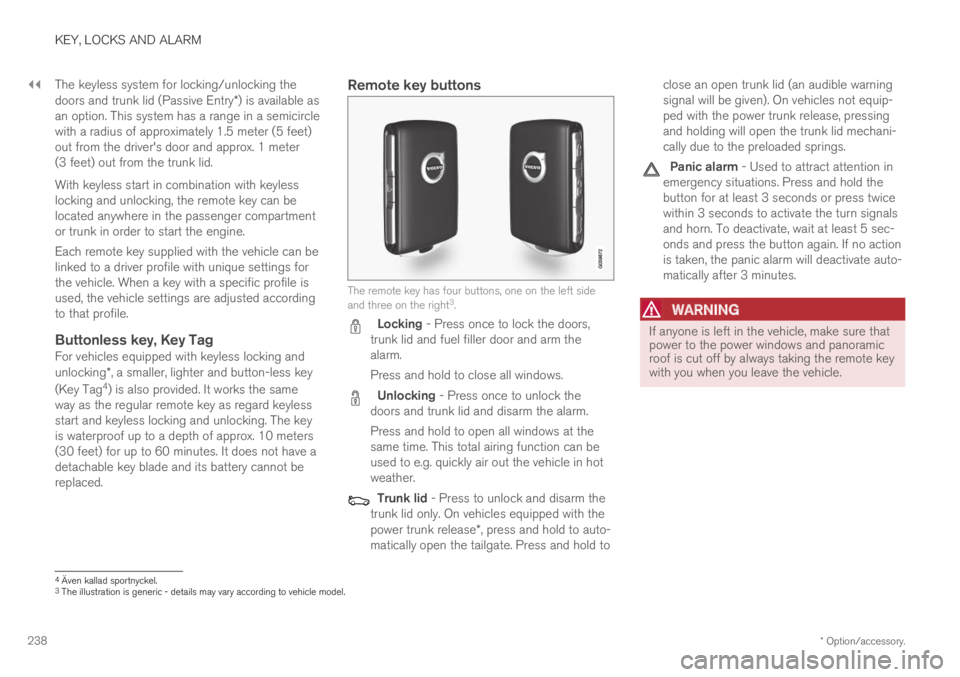
Remote key buttons
The remote key has four buttons, one on the left sideand three on the right3.
Locking - Press once to lock the doors,trunk lid and fuel filler door and arm thealarm.
Press and hold to close all windows.
Unlocking - Press once to unlock thedoors and trunk lid and disarm the alarm.
Press and hold to open all windows at thesame time. This total airing function can beused to e.g. quickly air out the vehicle in hotweather.
Trunk lid - Press to unlock and disarm thetrunk lid only. On vehicles equipped with thepower trunk release*, press and hold to auto-matically open the tailgate. Press and hold to
close an open trunk lid (an audible warningsignal will be given). On vehicles not equip-ped with the power trunk release, pressingand holding will open the trunk lid mechani-cally due to the preloaded springs.
Panic alarm - Used to attract attention inemergency situations. Press and hold thebutton for at least 3 seconds or press twicewithin 3 seconds to activate the turn signalsand horn. To deactivate, wait at least 5 sec-onds and press the button again. If no actionis taken, the panic alarm will deactivate auto-matically after 3 minutes.
WARNING
If anyone is left in the vehicle, make sure thatpower to the power windows and panoramicroof is cut off by always taking the remote keywith you when you leave the vehicle.
4Även kallad sportnyckel.3The illustration is generic - details may vary according to vehicle model.
Page 242 of 669
KEY, LOCKS AND ALARM
* Option/accessory.240
Locking and unlocking using theremote key
All doors and the trunk lid can be locked andunlocked simultaneously using the buttons onthe remote key.
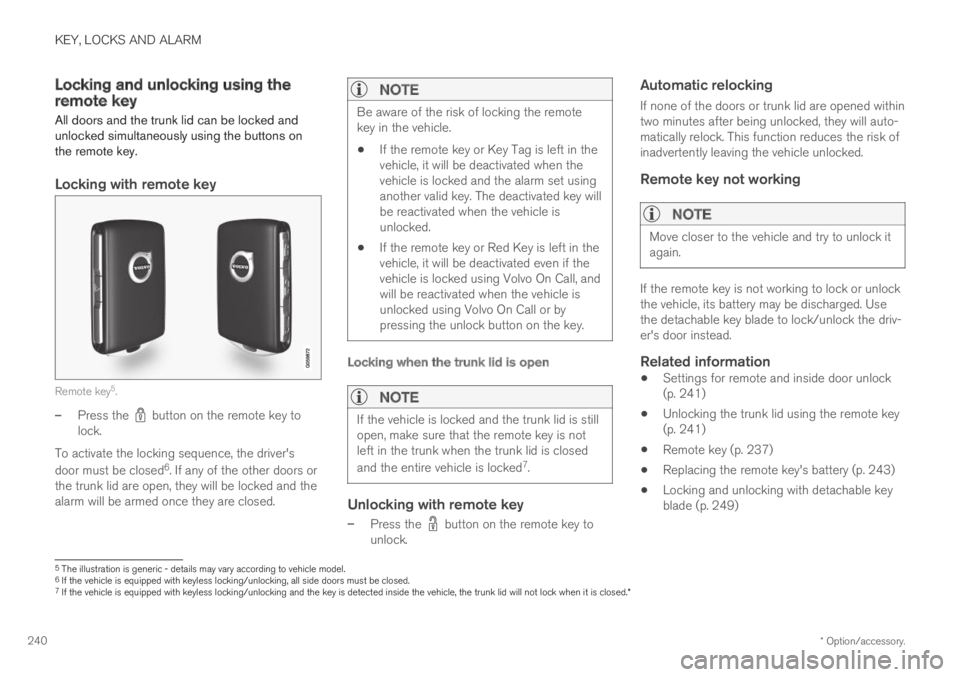
Locking with remote key
Remote key5.
–Press the button on the remote key tolock.
To activate the locking sequence, the driver's
door must be closed6. If any of the other doors orthe trunk lid are open, they will be locked and thealarm will be armed once they are closed.
NOTE
Be aware of the risk of locking the remotekey in the vehicle.
If the remote key or Key Tag is left in thevehicle, it will be deactivated when thevehicle is locked and the alarm set usinganother valid key. The deactivated key willbe reactivated when the vehicle isunlocked.
If the remote key or Red Key is left in thevehicle, it will be deactivated even if thevehicle is locked using Volvo On Call, andwill be reactivated when the vehicle isunlocked using Volvo On Call or bypressing the unlock button on the key.
Locking when the trunk lid is open
NOTE
If the vehicle is locked and the trunk lid is stillopen, make sure that the remote key is notleft in the trunk when the trunk lid is closed
and the entire vehicle is locked7.
Unlocking with remote key
–Press the button on the remote key tounlock.
Automatic relocking
If none of the doors or trunk lid are opened withintwo minutes after being unlocked, they will auto-matically relock. This function reduces the risk ofinadvertently leaving the vehicle unlocked.
Remote key not working
NOTE
Move closer to the vehicle and try to unlock itagain.
If the remote key is not working to lock or unlockthe vehicle, its battery may be discharged. Usethe detachable key blade to lock/unlock the driv-er's door instead.
Related information
Settings for remote and inside door unlock(p. 241)
Unlocking the trunk lid using the remote key(p. 241)
Remote key (p. 237)
Replacing the remote key's battery (p. 243)
Locking and unlocking with detachable keyblade (p. 249)
5The illustration is generic - details may vary according to vehicle model.6If the vehicle is equipped with keyless locking/unlocking, all side doors must be closed.7If the vehicle is equipped with keyless locking/unlocking and the key is detected inside the vehicle, the trunk lid will not lock when it is closed.*
Page 243 of 669
KEY, LOCKS AND ALARM
* Option/accessory.241
Settings for remote and inside doorunlock
Several different sequences are available forremote unlocking.
1.Tap Settings in the center display's Topview.
2.Tap My CarLockingRemote andInterior Unlock.
3. Select alternative:
All Doors
- unlocks all doors at the same time.
Single Door
- unlocks the driver's door. Press the remotekey unlock button twice to unlock all doors.
The settings made here also affect central lock-ing using the inside door handle.
Related information
Locking and unlocking using the remote key(p. 240)
Locking and unlocking from inside the vehi-cle (p. 256)
Unlocking the trunk lid using theremote key
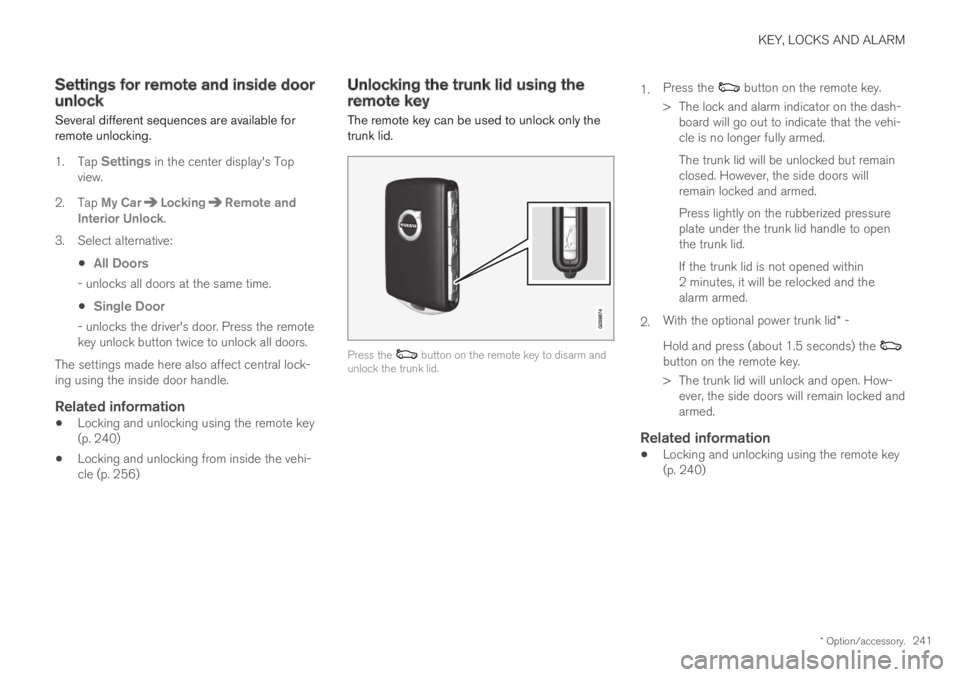
The remote key can be used to unlock only thetrunk lid.
Press the button on the remote key to disarm andunlock the trunk lid.
1.Press the button on the remote key.
> The lock and alarm indicator on the dash-board will go out to indicate that the vehi-cle is no longer fully armed.
The trunk lid will be unlocked but remainclosed. However, the side doors willremain locked and armed.
Press lightly on the rubberized pressureplate under the trunk lid handle to openthe trunk lid.
If the trunk lid is not opened within2 minutes, it will be relocked and thealarm armed.
2.With the optional power trunk lid* -
Hold and press (about 1.5 seconds) the button on the remote key.
> The trunk lid will unlock and open. How-ever, the side doors will remain locked andarmed.
Related information
Locking and unlocking using the remote key(p. 240)
Page 244 of 669
KEY, LOCKS AND ALARM
* Option/accessory.242
Remote key range
In order to function correctly, the remote keymust be within a certain distance from the vehi-cle.
Manual use
The remote key's functions for e.g. locking and
unlocking, which are activated by pressing or
, have a range of approx. 20 meters (65 feet)from the vehicle.
If the vehicle's locks do not react, move closerand try again.
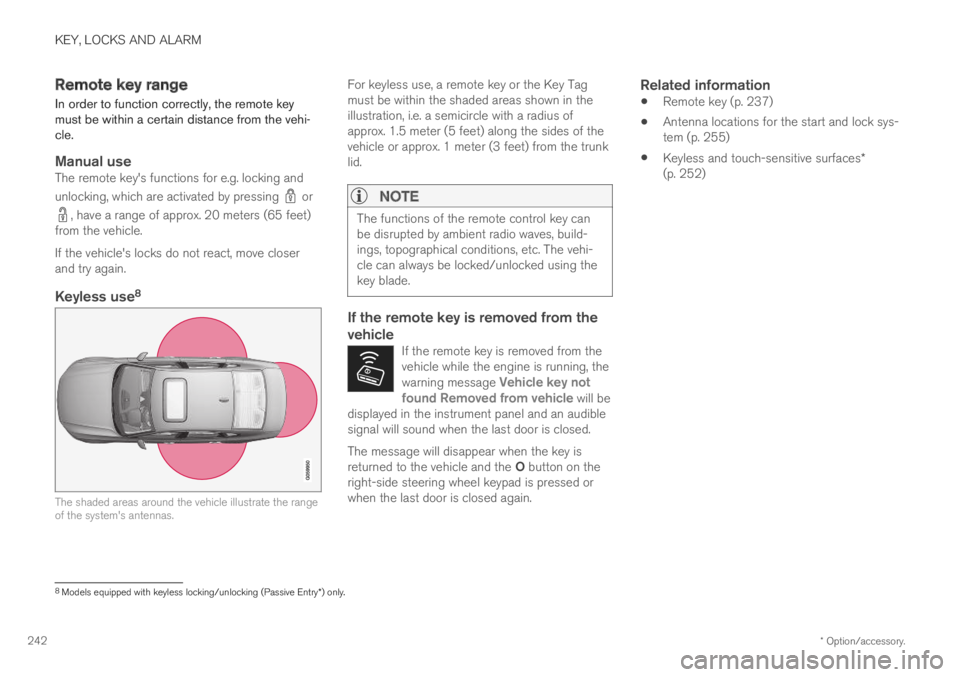
Keyless use 8
The shaded areas around the vehicle illustrate the rangeof the system's antennas.
For keyless use, a remote key or the Key Tagmust be within the shaded areas shown in theillustration, i.e. a semicircle with a radius ofapprox. 1.5 meter (5 feet) along the sides of thevehicle or approx. 1 meter (3 feet) from the trunklid.
NOTE
The functions of the remote control key canbe disrupted by ambient radio waves, build-ings, topographical conditions, etc. The vehi-cle can always be locked/unlocked using thekey blade.
If the remote key is removed from the
vehicle
If the remote key is removed from thevehicle while the engine is running, thewarning message Vehicle key notfound Removed from vehicle will bedisplayed in the instrument panel and an audiblesignal will sound when the last door is closed.
The message will disappear when the key isreturned to the vehicle and the O button on theright-side steering wheel keypad is pressed orwhen the last door is closed again.
Related information
Remote key (p. 237)
Antenna locations for the start and lock sys-tem (p. 255)
Keyless and touch-sensitive surfaces*(p. 252)
8
Models equipped with keyless locking/unlocking (Passive Entry * ) only.
Page 254 of 669
||
KEY, LOCKS AND ALARM
* Option/accessory.252
(1) This device may not cause harmful interfer-ence, and
(2) this device must accept any interferencereceived, including interference that may causeundesired operation.
Any changes or modification not expresslyapproved by the party responsible for compliancecould void the user's authority to operate thisequipment.
Canada-IC:3659A-VO3134
This device complies with Industry Canadalicense-exempt RSS standards. Operation is sub-ject to the following two conditions:
(1) This device may not cause harmful interfer-ence, and (2) this device must accept any inter-ference received, including interference that maycause undesired operation.
Related information
Remote key (p. 237)
Keyless and touch-sensitive
surfaces*
If the vehicle is equipped with keyless lockingand unlocking, it is only necessary to have theremote key within range, e.g. in a pocket or bag,which makes it easier to open the vehicle if yourhands are full.
Pressure-sensitive surfaces
Door handle
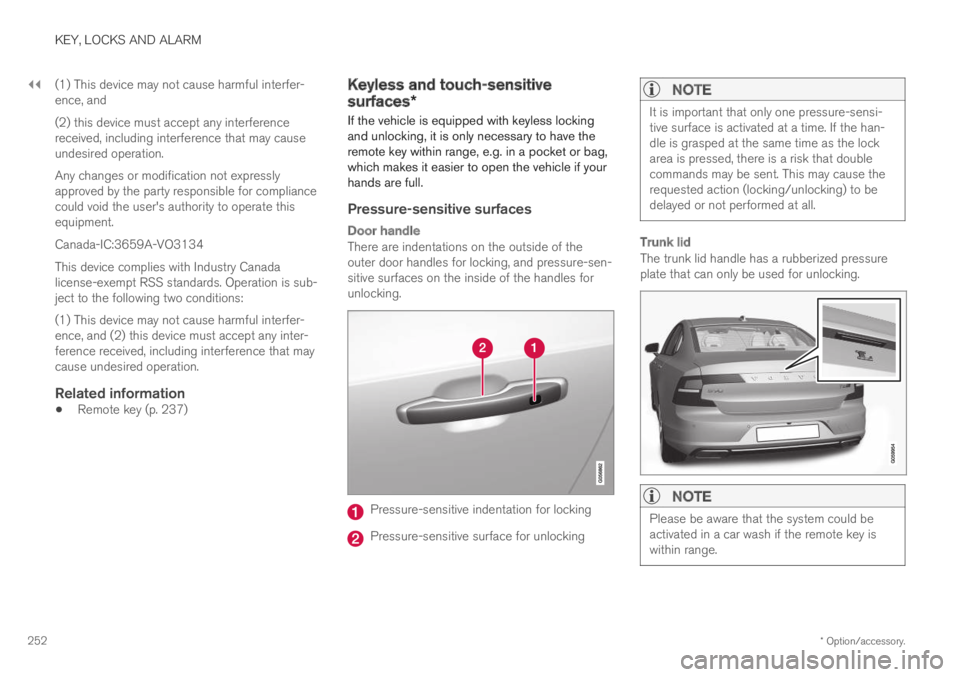
There are indentations on the outside of theouter door handles for locking, and pressure-sen-sitive surfaces on the inside of the handles forunlocking.
Pressure-sensitive indentation for locking
Pressure-sensitive surface for unlocking
NOTE
It is important that only one pressure-sensi-tive surface is activated at a time. If the han-dle is grasped at the same time as the lockarea is pressed, there is a risk that doublecommands may be sent. This may cause therequested action (locking/unlocking) to bedelayed or not performed at all.
Trunk lid
The trunk lid handle has a rubberized pressureplate that can only be used for unlocking.
NOTE
Please be aware that the system could beactivated in a car wash if the remote key iswithin range.
Page 255 of 669
KEY, LOCKS AND ALARM
}}
* Option/accessory.253
Related information
Keyless locking and unlocking* (p. 253)
Keyless trunk lid unlock* (p. 255)
Keyless locking and unlocking*
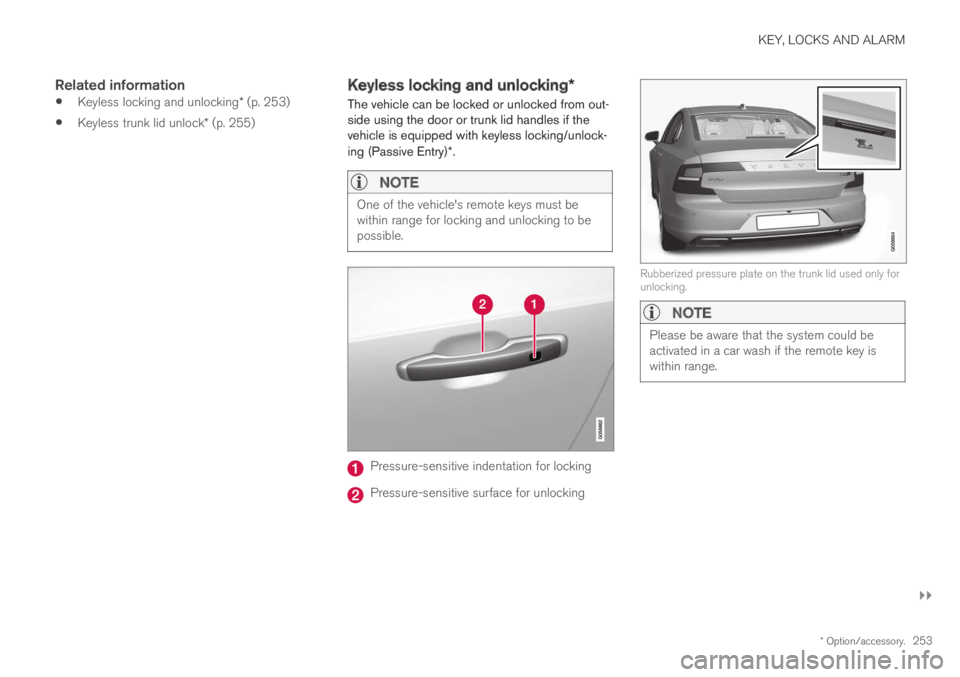
The vehicle can be locked or unlocked from out-side using the door or trunk lid handles if thevehicle is equipped with keyless locking/unlock-ing (Passive Entry)*.
NOTE
One of the vehicle's remote keys must bewithin range for locking and unlocking to bepossible.
Pressure-sensitive indentation for locking
Pressure-sensitive surface for unlocking
Rubberized pressure plate on the trunk lid used only forunlocking.
NOTE
Please be aware that the system could beactivated in a car wash if the remote key iswithin range.
Page 256 of 669
||
KEY, LOCKS AND ALARM
* Option/accessory.254
Keyless locking
All of the doors have to be closed before thevehicle can be locked. However, the trunk lid canbe open when a door handle is used for locking.
–To lock, touch the marked area on the out-side of one of the door handles after thedoor is closed or press the button on the
lower edge of the trunk lid12 before it isclosed.
> The lock indicator light in the windshieldwill flash to confirm that the vehicle islocked.
To close all door windows at the same time -place your finger on the pressure-sensitiveindentation on the outside of the door handle andhold it there until the side windows have closed.
Locking when the trunk lid is open
NOTE
If the vehicle is locked and the trunk lid is stillopen, make sure that the remote key is notleft in the trunk when the trunk lid is closedand the entire vehicle is locked.
If the key is detected in the vehicle, the trunklid will not lock when it is closed.
Keyless unlocking
–To unlock, grasp a door handle or press therubberized pressure plate on the undersideof the trunk lid handle.
> The lock indicator light in the windshieldwill go out to confirm that the vehicle isunlocked. Open the doors or trunk lid asusual.
Automatic relocking
If none of the doors or trunk lid are opened withintwo minutes after being unlocked, they will auto-matically relock. This function reduces the risk ofinadvertently leaving the vehicle unlocked.
Related information
Keyless unlock settings* (p. 254)
Keyless trunk lid unlock* (p. 255)
Keyless and touch-sensitive surfaces*(p. 252)
Keyless unlock settings*
Several different sequences are available forkeyless unlocking.
1.Tap Settings in the center display's Topview.
2. Tap My CarLockingKeyless Unlock
3. Select alternative:
All Doors
- unlocks all doors at the same time.
Single Door
- unlocks the selected door.
Related information
Keyless locking and unlocking* (p. 253)
Keyless and touch-sensitive surfaces*(p. 252)
12Applies to vehicles with power trunk lid.