warning lights VOLVO S90 TWIN ENGINE 2019 Owner's Manual
[x] Cancel search | Manufacturer: VOLVO, Model Year: 2019, Model line: S90 TWIN ENGINE, Model: VOLVO S90 TWIN ENGINE 2019Pages: 669, PDF Size: 14.33 MB
Page 419 of 669
HYBRID INFORMATION
}}
417
Charging status in the vehicle'scharging socket
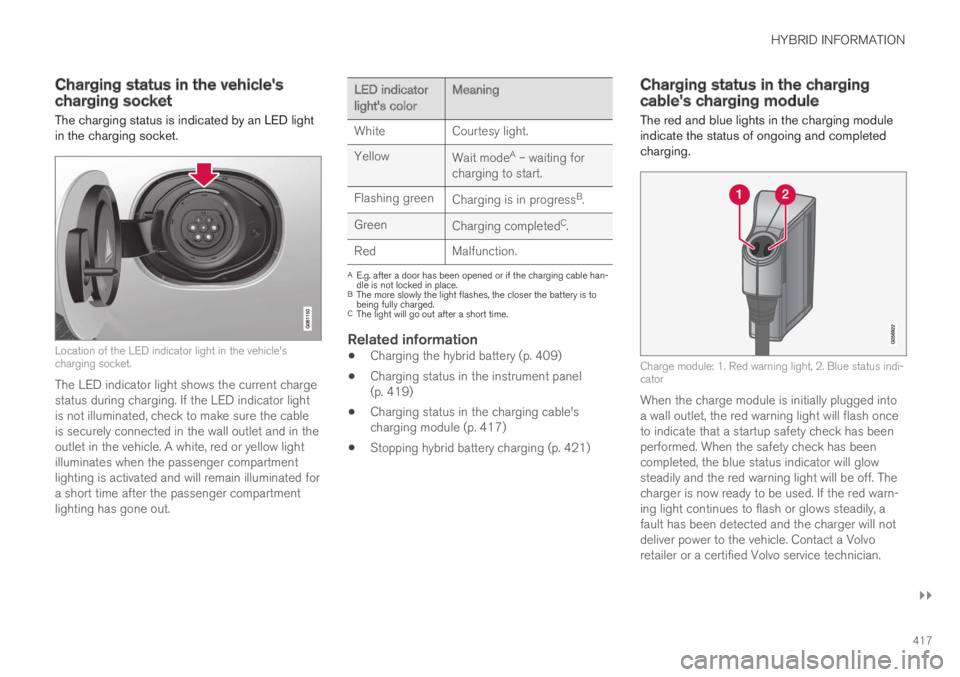
The charging status is indicated by an LED lightin the charging socket.
Location of the LED indicator light in the vehicle'scharging socket.
The LED indicator light shows the current chargestatus during charging. If the LED indicator lightis not illuminated, check to make sure the cableis securely connected in the wall outlet and in theoutlet in the vehicle. A white, red or yellow lightilluminates when the passenger compartmentlighting is activated and will remain illuminated fora short time after the passenger compartmentlighting has gone out.
LED indicatorlight's colorMeaning
WhiteCourtesy light.
YellowWait modeA – waiting forcharging to start.
Flashing greenCharging is in progressB.
GreenCharging completedC.
RedMalfunction.
AE.g. after a door has been opened or if the charging cable han-dle is not locked in place.BThe more slowly the light flashes, the closer the battery is tobeing fully charged.CThe light will go out after a short time.
Related information
Charging the hybrid battery (p. 409)
Charging status in the instrument panel(p. 419)
Charging status in the charging cable'scharging module (p. 417)
Stopping hybrid battery charging (p. 421)
Charging status in the chargingcable's charging module
The red and blue lights in the charging moduleindicate the status of ongoing and completedcharging.
Charge module: 1. Red warning light, 2. Blue status indi-cator
When the charge module is initially plugged intoa wall outlet, the red warning light will flash onceto indicate that a startup safety check has beenperformed. When the safety check has beencompleted, the blue status indicator will glowsteadily and the red warning light will be off. Thecharger is now ready to be used. If the red warn-ing light continues to flash or glows steadily, afault has been detected and the charger will notdeliver power to the vehicle. Contact a Volvoretailer or a certified Volvo service technician.
Page 431 of 669

STARTING AND DRIVING
* Option/accessory.429
Ignition modes
The vehicle's ignition can be put in variousmodes (levels) to make different functions availa-ble.
To enable the use of a limited number of func-tions when the engine is not running, the ignitioncan be put in one of three different levels: 0, Iand II. These levels are referred to as "ignitionmodes" in the Owner's Manual.
The following table shows which functions areavailable in each ignition mode:
Mode Functions
0The odometer, clock and tem-
perature gauge are illuminatedA.
The power* seats can beadjusted.
The power windows can be used.
The center display is activated
and can be usedA.
The infotainment system can be
usedA.
In this mode, the functions are availa-ble for a limited time and then switchoff automatically.
IThe panoramic roof, power win-dows, 12-volt electrical socket inthe passenger compartment,Bluetooth, navigation, phone,blower and windshield wipers canbe used.
The power seats can be adjusted.
The 12-volt electrical socket* inthe trunk can be used.
Electrical current will be takenfrom the battery in this ignitionmode.
Mode Functions
IIThe headlights illuminate.
Warning/indicator lights illumi-nate for 5 seconds.
A number of other systems areactivated. However, seat and rearwindow heating can only be acti-vated when the engine is running.
This ignition mode uses a lot ofcurrent from the battery andshould be avoided whenever pos-sible!
AAlso activated when the door is opened.
Related information
Starting the vehicle (p. 426)
Adjusting the steering wheel (p. 193)
Jump starting using another battery (p. 466)
Selecting ignition mode (p. 430)
Page 434 of 669

||
STARTING AND DRIVING
432
Symbol Meaning
A
B
Steady glow for 2 seconds afterthe engine is started: Automaticfunction check.
Steady glow for more than 2 sec-onds: Fault in the ABS system. Thevehicle's regular brake system isstill working, but without the ABSfunction.
If the message Brake pedal Cha-racteristics changed Servicerequired is displayed, the "Brake-by-wire" system is not functioningproperly. Greater pressure will berequired to brake the vehicle.
AIn Canada.BIn the US.
WARNING
If the warning symbols for both brake faultand ABS fault are lit simultaneously, theremay be a fault in the brake system.
If the brake fluid reservoir level is normalwhen this occurs, drive carefully to thenearest workshop to have the brake sys-tem checked - an authorized Volvo work-shop is recommended.
If the brake fluid has fallen below the MINlevel in the brake fluid reservoir, the vehi-cle should not be driven until the brakefluid has been filled. The reason for thebrake fluid loss must be checked.
Related information
Brake Assist System (p. 432)
Auto-hold brakes (p. 437)
Hill Start Assist (p. 439)
Braking on wet roads (p. 433)
Braking on salted roads (p. 433)
Maintenance of the brake system (p. 433)
Brake lights (p. 156)
Brake Assist System
The brake enhancing system, Brake AssistSystem (BAS), helps increase braking force andthereby reduce braking distance.
The system monitors the driver's braking habitsand increases braking force when necessary.Braking force can be increased up to the point atwhich the ABS intervenes. The function is deacti-vated when pressure on the brake pedal isdecreased.
Related information
Brakes (p. 431)
Page 441 of 669

STARTING AND DRIVING
* Option/accessory.439
Hill Start Assist
The function for assisting when starting the vehi-cle on inclines, Hill Start Assist (HSA), helpsprevent the vehicle from rolling backward whenstarting on an uphill gradient. When backing upa hill, HSA helps prevent the vehicle from rollingforward.
The function retains pressure from the brakepedal in the brake system for several secondsafter the brake pedal has been released.
This temporary braking effect is released after afew seconds or when the driver begins driving.
Hill Start Assist is available even if the Auto-holdbrake function is switched off.
Related information
Auto-hold brakes (p. 437)
Brakes (p. 431)
Braking assist after a collision
In a collision in which the activation level isreached for the pyrotechnic seat belt tensionersor airbags, or if a collision with a large animal isdetected, the vehicle's brakes will be automati-cally activated. This function is intended to helpprevent or reduce the effects of any subsequentcollision.
After a serious collision, it may no longer be pos-sible to control and steer the vehicle. In order toavoid or mitigate a possible further collision witha vehicle or an object in the vehicle's path, thebrake assist system is activated automatically tohelp stop the vehicle safely.
The brake lights and hazard warning flashers areactivated during braking. When the vehicle hasstopped, the hazard warning flashers will con-tinue to flash and the parking brake will beapplied.
If braking is not appropriate, e.g. if there is a riskof being hit by passing traffic, the driver can over-ride the system by depressing the acceleratorpedal.
This function assumes that the brake system isintact after a collision.
Brake assist is part of the Rear Collision Warningand Blind Spot Information safety systems.
Related information
Rear Collision Warning (p. 346)
BLIS* (p. 347)
Brake functions (p. 430)
Page 467 of 669
STARTING AND DRIVING
465
Overheating of engine andtransmission
In demanding driving conditions, such as drivingin mountainous areas or hot weather, there is arisk of the engine or transmission overheating,especially when carrying heavy loads.
Engine power may be temporarily limited.
Remove any auxiliary lights mounted in frontof the grille when driving in hot weather.
If the temperature in the engine's coolingsystem becomes too high, a warning symbolwill appear in the instrument panel along withthe message Engine temperature Hightemperature Stop safely. Pull over to asafe location and let the engine idle for a fewminutes to cool down.
If the message Engine temperature Hightemperature Turn off engine or Enginecoolant Level low, turn off engine is dis-played, stop the vehicle and turn off theengine.
If the transmission begins to overheat, analternative gear shifting program will beselected. An integrated protective functionwill also be activated, the warning symbol willilluminate and the message Transmissionwarm Reduce speed to lowertemperature or Transmission hot Stopsafely, wait for cooling will be displayed inthe instrument panel. Follow the recommen-dations given by reducing speed or stopping
the vehicle safely and letting the engine idlefor a few minutes to let the transmissioncool.
If the vehicle begins to overheat, the air con-ditioning may be temporarily switched off.
After a prolonged period of driving indemanding conditions, do not turn off theengine immediately after stopping.
NOTE
It is normal for the engine's cooling fan tooperate for a short time after the engine isswitched off.
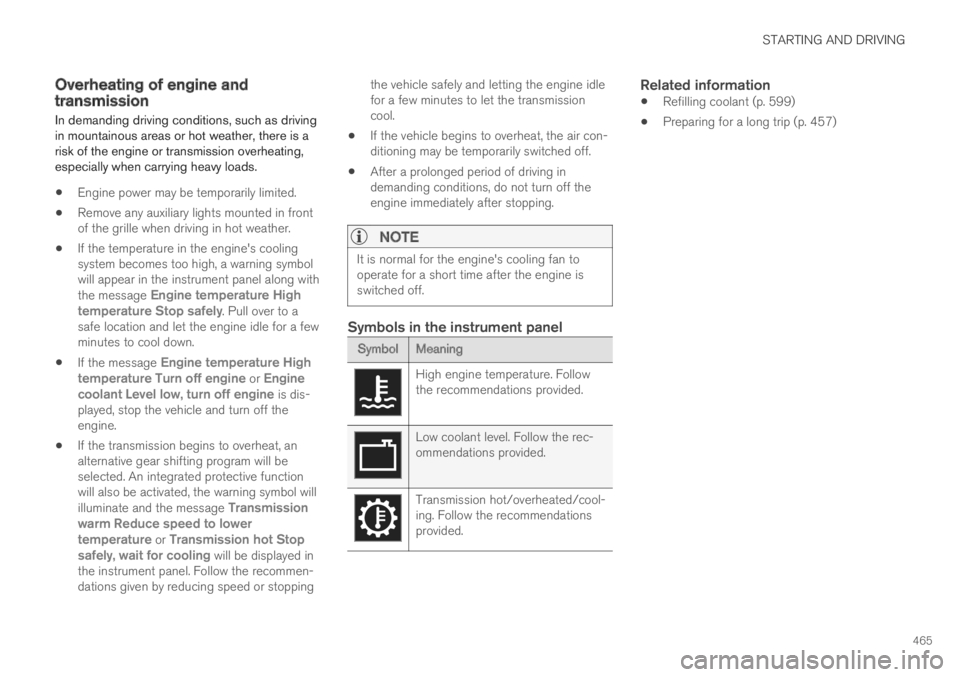
Symbols in the instrument panel
Symbol Meaning
High engine temperature. Followthe recommendations provided.
Low coolant level. Follow the rec-ommendations provided.
Transmission hot/overheated/cool-ing. Follow the recommendationsprovided.
Related information
Refilling coolant (p. 599)
Preparing for a long trip (p. 457)
Page 469 of 669
STARTING AND DRIVING
}}}}
467
1.Put the ignition in mode 0.
2.Make sure the auxiliary battery (the batteryused to jump start the discharged battery)has a voltage of 12 volts.
3.If the auxiliary battery is in another vehicle,turn off that vehicle's engine and make surethat the vehicles are not touching each other.
4. Clamp the red jumper cable onto the auxiliarybattery's positive (+) terminal (1).
CAUTION
Connect the jump cable carefully to preventshort circuits with other components in theengine compartment.
5. Fold back the cover over your vehicle's posi-tive (+) jump start terminal (2).
6. Clamp the other end of the red jumper cableto your vehicle's positive (+) jump start termi-nal (2).
7.Clamp the black jumper cable onto the auxili-ary battery's negative (-) terminal (3).
8. Clamp the other end of the black jumpercable to your vehicle's negative (-) groundpoint (4).
9. Make sure the jumper cables are securelyattached to help prevent sparks while jumpstarting.
10. Start the engine of the assisting vehicle andlet it run for a few minutes at a higher idlingspeed than normal, about 1500 rpm.
11. Start your vehicle's engine. If the enginedoes not start, allow an additional 10minutes of charging time and then try to startthe engine again.
NOTE
When the engine is started under normalconditions, the vehicle's electrical drive motoris prioritized – the gasoline engine remainsoff. This means that the electric motor has"started" and the vehicle is ready to be drivenonce the start knob has been turned clock-wise. Start of the electric motor is indicatedby the indicator lights on the instrument panelgoing out and its preselected theme illuminat-ing.
CAUTION
Do not touch the connections between thecable and the vehicle during the start attempt.Risk of sparking.
12. Remove the jumper cables in the reverseorder ‒ first the black cables and then thered cables.
Make sure that none of the clamps of theblack jumper cables come into contact witheither vehicle's positive (+) jump start termi-nals or either of the red jumper cable's con-nected clamps.
WARNING
PROPOSITION 65 WARNING! Battery posts,terminals, and related accessories containlead and lead compounds, chemicals knownto the state of California to cause cancer andreproductive harm. Wash hands after han-dling.
WARNING
Batteries generate hydrogen gas, whichis flammable and explosive.
Do not connect the jumper cable to anypart of the fuel system or to any movingparts. Avoid touching hot manifolds.
Battery fluid contains sulfuric acid. Do notallow battery fluid to contact eyes, skin,fabrics or painted surfaces.
Page 628 of 669

||
MAINTENANCE AND SERVICE
626
Wash using a sponge, car washing detergentand plenty of lukewarm water.
Clean the wiper blades with lukewarm soapsolution or car washing detergent.
Dry the vehicle using a clean, soft chamois ora squeegee. Try not to let drops of water dryin strong sunlight. This could cause waterdrying stains that may need to be polishedout.
In areas with heavy industrial emissions,more frequent washing of the vehicle's exte-rior is recommended.
Tar spots from asphalt may remain even afterwashing. Use a tar remover to remove thesespots after washing the vehicle.
WARNING
Always entrust engine washing to a workshop.If the engine is hot, there is a risk of fire.
CAUTION
Dirty headlights do not work as well. Cleanthem regularly, e.g. when refueling.
Do not use corrosive cleaners. Use water anda non-abrasive sponge.
NOTE
Exterior lighting such as headlights and tail-lights may develop temporary condensationon the inside of the lens. This is normal. Allexterior lighting is designed to resist this.Condensation is normally vented out of thelamp housing once the light has been lit forsome period of time.
CAUTION
Make sure that the panoramic roof andsun shade are closed before washing thevehicle.
Never use abrasive polishing agents onthe panoramic roof.
Never use wax on the rubber sealsaround the panoramic roof.
CAUTION
Remember to remove dirt from the drainholes in the doors and sills after washing thevehicle.
Related information
Cleaning the exterior (p. 624)
Polishing and waxing (p. 625)
Automatic car washes (p. 627)
High-pressure washing (p. 628)
Cleaning the wiper blades (p. 628)
Cleaning exterior plastic, rubber and trimcomponents (p. 629)
Cleaning rims (p. 630)
Corrosion protection (p. 630)
Settings for automatically activating the park-ing brake (p. 436)
Page 653 of 669

INDEX
651
1, 2, 3 ...
4WD444
A
ABS
anti-lock brakes431
AC (Air conditioning)223
ACC - Adaptive Cruise Control 292, 295,
296, 297, 298, 299, 301, 302, 303, 304,
305, 306
Accessories and extra equipment 35
installation36
Accessory installation warning 36, 37
Active Bending Lights155
Adapting driving characteristics 270, 446
Adaptive Cruise Control 292, 295, 296,
297, 298, 299, 301, 302, 303, 304, 305, 306
change cruise control functionality 305
function292
manage speed296, 297
pass301, 302
radar sensor324
set time interval298, 299
troubleshooting304
Adjusting the steering wheel193
Airbag52
activation/deactivation56
driver's side53
passenger side53, 56
Air bag, see Airbag52
Air conditioning223
Air conditioning, fluid
volume and grade648
Air distribution201
air vents201, 202
changing202
defrosting215
recirculation214
table showing options204
Air quality198, 200
allergy and asthma199
passenger compartment filter201
Air recirculation214
Alarm266
deactivating267
Allergy and asthma-inducing substances 199
All Wheel Drive, AWD444
All Wheel Drive (AWD)444
All Wheel Drive (four-wheel drive) 444
Android Auto512, 514
Antenna
location255
Apple CarPlay509, 511
Approach lighting157
Apps480
Assistance at risk of collision372, 373,
374, 375, 376, 377, 378, 379, 381
Audio and media478
Audio system
HD digital radio490
SiriusXM® Satellite radio 490, 491, 493
Auto-climate214
Auto hold437
Auto-hold brakes437
activate and deactivate438
after collision439
Automatic car wash627
Automatic high beam153
Automatic locking260
Automatic relocking240, 253
Automatic Speed Limiter 279, 281, 282, 283
Automatic transmission440
kickdown444
oil647
Auxiliary heater232
INDEX
Page 654 of 669
INDEX
652
B
Backrest
front seat, adjusting 180, 181, 184,
185, 186, 187
rear seat, adjusting192
rear seat, folding189
Battery
Hybrid605
jump-start466
Maintenance601
start601
symbols on the battery606
warning symbols606
BLIS347, 348, 349, 350
Blower
adjusting219, 220
air distribution202
air vents202
Bluetooth
connect506
connecting vehicle to Internet 525
phone514
settings523
Book service and repair589
Booster cushions71
Brake assist
after collision439
Brake fluid
grade647
Brake functions430
Brake light156
Brake position440
Brakes431
anti-lock brakes, ABS431
automatic when stationary437
Brake Assist System, BAS432
brake lights156
brake system430
emergency brake lights156
handbrake434
Maintenance433
on salted roads433
on wet roads433
brake system
fluid647
C
Camera sensor343
Camera unit329, 333
Capacity weight570, 643
Cargo compartment579
attachment points582
Car wash624, 625, 627, 628, 629, 630
Catalytic converter464
recovery468
CD player504
Cell phone, see Phone 515
Center console 575
Center display
change appearance 127
cleaning 619
climate controls 207
Function view 118
keyboard 122
messages 136, 137
operation 108, 111, 115, 120
overview 105
settings 128, 129
switch off and change volume 127
symbols in status bar 120
views 111
Central locking 256
Change of owner 130
Changing a wheel 556
Charge
vehicle function 456
Charge level
vehicle function 456
Page 655 of 669
INDEX
653
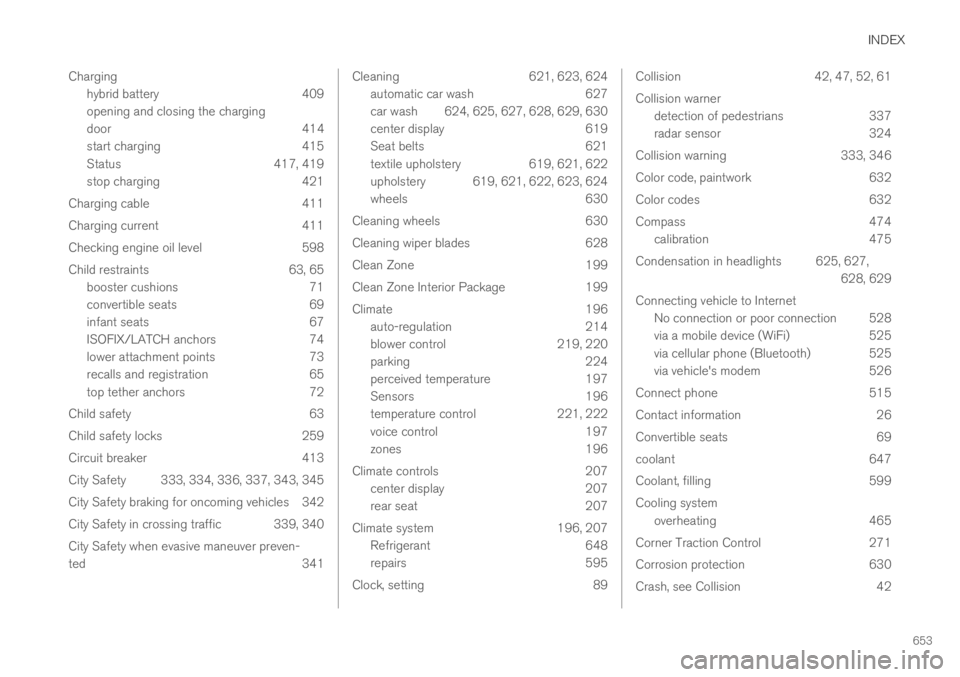
Charging
hybrid battery 409
opening and closing the charging
door 414
start charging 415
Status 417, 419
stop charging 421
Charging cable 411
Charging current 411
Checking engine oil level 598
Child restraints 63, 65
booster cushions 71
convertible seats 69
infant seats 67
ISOFIX/LATCH anchors 74
lower attachment points 73
recalls and registration 65
top tether anchors 72
Child safety 63
Child safety locks 259
Circuit breaker 413
City Safety 333, 334, 336, 337, 343, 345
City Safety braking for oncoming vehicles 342
City Safety in crossing traffic 339, 340
City Safety when evasive maneuver preven-
ted341
Cleaning621, 623, 624
automatic car wash627
car wash624, 625, 627, 628, 629, 630
center display619
Seat belts621
textile upholstery619, 621, 622
upholstery 619, 621, 622, 623, 624
wheels630
Cleaning wheels630
Cleaning wiper blades628
Clean Zone199
Clean Zone Interior Package199
Climate196
auto-regulation214
blower control219, 220
parking224
perceived temperature197
Sensors196
temperature control221, 222
voice control197
zones196
Climate controls207
center display207
rear seat207
Climate system196, 207
Refrigerant648
repairs595
Clock, setting89
Collision42, 47, 52, 61
Collision warner
detection of pedestrians337
radar sensor324
Collision warning333, 346
Color code, paintwork632
Color codes632
Compass474
calibration475
Condensation in headlights625, 627,
628, 629
Connecting vehicle to Internet
No connection or poor connection 528
via a mobile device (WiFi)525
via cellular phone (Bluetooth) 525
via vehicle's modem526
Connect phone515
Contact information26
Convertible seats69
coolant647
Coolant, filling599
Cooling system
overheating465
Corner Traction Control271
Corrosion protection630
Crash, see Collision42