brake light VOLVO S90 TWIN ENGINE 2019 Owner's Guide
[x] Cancel search | Manufacturer: VOLVO, Model Year: 2019, Model line: S90 TWIN ENGINE, Model: VOLVO S90 TWIN ENGINE 2019Pages: 669, PDF Size: 14.33 MB
Page 412 of 669
||
HYBRID INFORMATION
410
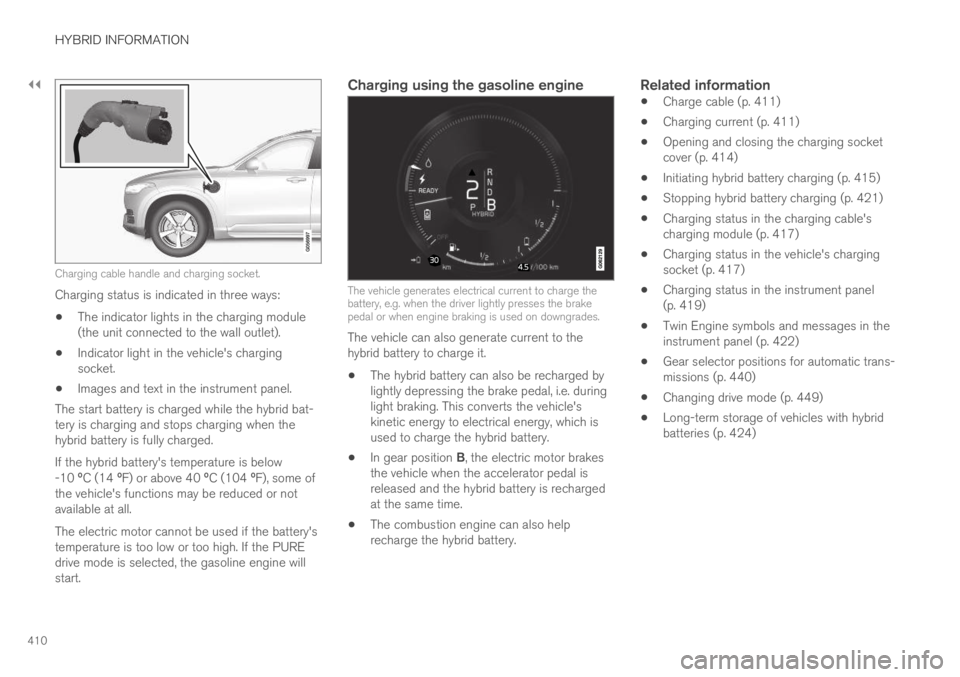
Charging cable handle and charging socket.
Charging status is indicated in three ways:
The indicator lights in the charging module(the unit connected to the wall outlet).
Indicator light in the vehicle's chargingsocket.
Images and text in the instrument panel.
The start battery is charged while the hybrid bat-tery is charging and stops charging when thehybrid battery is fully charged.
If the hybrid battery's temperature is below-10 ºC (14 ºF) or above 40 ºC (104 ºF), some ofthe vehicle's functions may be reduced or notavailable at all.
The electric motor cannot be used if the battery'stemperature is too low or too high. If the PUREdrive mode is selected, the gasoline engine willstart.
Charging using the gasoline engine
The vehicle generates electrical current to charge thebattery, e.g. when the driver lightly presses the brakepedal or when engine braking is used on downgrades.
The vehicle can also generate current to thehybrid battery to charge it.
The hybrid battery can also be recharged bylightly depressing the brake pedal, i.e. duringlight braking. This converts the vehicle'skinetic energy to electrical energy, which isused to charge the hybrid battery.
In gear position B, the electric motor brakesthe vehicle when the accelerator pedal isreleased and the hybrid battery is rechargedat the same time.
The combustion engine can also helprecharge the hybrid battery.
Related information
Charge cable (p. 411)
Charging current (p. 411)
Opening and closing the charging socketcover (p. 414)
Initiating hybrid battery charging (p. 415)
Stopping hybrid battery charging (p. 421)
Charging status in the charging cable'scharging module (p. 417)
Charging status in the vehicle's chargingsocket (p. 417)
Charging status in the instrument panel(p. 419)
Twin Engine symbols and messages in theinstrument panel (p. 422)
Gear selector positions for automatic trans-missions (p. 440)
Changing drive mode (p. 449)
Long-term storage of vehicles with hybridbatteries (p. 424)
Page 432 of 669

STARTING AND DRIVING
430
Selecting ignition mode
The vehicle's ignition can be put in variousmodes (levels) to make different functions availa-ble.
Selecting an ignition mode
Start knob in the tunnel console.
Ignition mode 0 - Unlock the vehicle andkeep the remote key in the passenger com-partment.
NOTE
To set level I or II without engine start – donot depress the brake pedal (or clutch pedalfor vehicles with manual transmission) whenselecting this ignition mode.
Ignition mode I - Turn the start knob clock-wise and release it. The control will automati-cally return to the original position.
Ignition mode II - Turn the start knob clock-wise and hold it there for approx. 5 seconds.Release the knob, which will automaticallyreturn to its original position.
Back to ignition mode 0 - To return to igni-tion mode 0 from mode I and II, turn the startknob clockwise and release it. The controlwill automatically return to the original posi-tion.
Related information
Starting the vehicle (p. 426)
Switching off the vehicle (p. 428)
Ignition modes (p. 429)
Adjusting the steering wheel (p. 193)
Jump starting using another battery (p. 466)
Brake functions
The vehicle's brakes are used to reduce speedor prevent the vehicle from rolling.
In addition to the wheel brakes and parkingbrakes, the vehicle is also equipped with a num-ber of automatic brake assist functions. Thesesystems help the driver by e.g. keeping the vehi-cle stationary when the brake pedal is notdepressed (e.g. at a traffic light or intersection),when starting up a hill or when driving down a hill.
Depending on how the vehicle is equipped, thefollowing brake assist functions may be included:
Auto-hold brakes (Auto Hold)
Hill Start Assist (Hill Start Assist)
Braking assist after a collision
City Safety
Related information
Brakes (p. 431)
Parking brake (p. 434)
Auto-hold brakes (p. 437)
Braking assist after a collision (p. 439)
Hill Start Assist (p. 439)
City Safety™ (p. 333)
Page 433 of 669

STARTING AND DRIVING
}}
431
Brakes
The brake pedal is used to apply the vehicle'sregular brakes, which are part of the brake sys-tem.
The vehicle is equipped with two brake circuits. Ifone brake circuit is damaged, the brake pedal willgo down further when depressed. More pressurewill then be required from the driver for normalbraking effect.
WARNING
The power brakes only work when the electricmotor or combustion engine is running.
If the brake pedal is used when the engine isswitched off, greater pressure must be applied tobrake the vehicle.
In very hilly areas or when driving with a heavyload, gear position B can be used to augment thebrakes with engine braking.
Anti-lock brakes
The vehicle is equipped with an Anti-lock BrakingSystem (ABS), which helps prevent the wheelsfrom locking and helps maintain steering controlwhen braking. Vibrations may be felt from thebrake pedal when ABS is operating, which is nor-mal.
After the vehicle is started, a brief test of theABS system is automatically performed when the
driver releases the brake pedal. An additionalautomatic test of the system may be performedwhen the vehicle is traveling at a low speed. Dur-ing the test, the brake pedal may feel as though itis pulsating.
Light braking charges the hybrid battery
When the brakes are applied lightly, the electricmotor braking function is used. This converts thevehicle's kinetic energy into electrical energy,which is used to charge the hybrid battery. Whenthe battery is being charged with the electricmotor braking function, this will be indicated inthe instrument panel.
When the battery is being charged with the electricmotor braking function, this will be indicated in theinstrument panel.
This function is active at speeds in the range of150-5 km/h (93-3 mph). When braking atspeeds outside of this range, or during harderbraking, the hydraulic braking system is used to
augment braking. This is indicated in the instru-ment panel with the pointer down in the red area.
Symbols in the instrument panel
Symbol Meaning
A
B
Check the brake fluid level. If thelevel is low, fill brake fluid andcheck to determine the reason forthe loss of brake fluid.
A
B
Fault in pedal sensor.
Page 434 of 669

||
STARTING AND DRIVING
432
Symbol Meaning
A
B
Steady glow for 2 seconds afterthe engine is started: Automaticfunction check.
Steady glow for more than 2 sec-onds: Fault in the ABS system. Thevehicle's regular brake system isstill working, but without the ABSfunction.
If the message Brake pedal Cha-racteristics changed Servicerequired is displayed, the "Brake-by-wire" system is not functioningproperly. Greater pressure will berequired to brake the vehicle.
AIn Canada.BIn the US.
WARNING
If the warning symbols for both brake faultand ABS fault are lit simultaneously, theremay be a fault in the brake system.
If the brake fluid reservoir level is normalwhen this occurs, drive carefully to thenearest workshop to have the brake sys-tem checked - an authorized Volvo work-shop is recommended.
If the brake fluid has fallen below the MINlevel in the brake fluid reservoir, the vehi-cle should not be driven until the brakefluid has been filled. The reason for thebrake fluid loss must be checked.
Related information
Brake Assist System (p. 432)
Auto-hold brakes (p. 437)
Hill Start Assist (p. 439)
Braking on wet roads (p. 433)
Braking on salted roads (p. 433)
Maintenance of the brake system (p. 433)
Brake lights (p. 156)
Brake Assist System
The brake enhancing system, Brake AssistSystem (BAS), helps increase braking force andthereby reduce braking distance.
The system monitors the driver's braking habitsand increases braking force when necessary.Braking force can be increased up to the point atwhich the ABS intervenes. The function is deacti-vated when pressure on the brake pedal isdecreased.
Related information
Brakes (p. 431)
Page 435 of 669

STARTING AND DRIVING
433
Braking on wet roads
Prolonged driving in heavy rain without brakingmay cause braking effect to be slightly delayedthe first time the brakes are applied.
This may also occur after washing the vehicle. Itwill then be necessary to apply greater pressureto the brake pedal. You should therefore maintaina greater distance to the vehicle ahead.
Firmly apply the brakes after washing the vehicleor driving on wet roads. This helps warm up thebrake discs, enabling them to dry more quicklyand protecting them against corrosion. Considerthe current traffic situation when braking.
Related information
Brakes (p. 431)
Braking on salted roads (p. 433)
Braking on salted roads
When driving on salted roads, a layer of salt mayform on the brake discs and brake pads.
This could increase stopping distance. Maintainan extra large safety distance to the vehicleahead. Make sure to also:
Apply the brakes from time to time to helpremove salt. Make sure braking does notpose a risk to any other road users.
Gently apply the brakes when you have fin-ished driving and before driving again.
Related information
Brakes (p. 431)
Braking on wet roads (p. 433)
Maintenance of the brake system
Regularly check the brake system componentsfor wear.
To keep the vehicle as safe and reliable as possi-ble, follow the Volvo service schedule specified inthe Warranty and Maintenance Records Informa-tion booklet. New and replaced brake pads andbrake discs do not provide optimal braking effectuntil they are "broken in" by driving a few hun-dred kilometers (miles). Compensate for thereduced braking effect by applying greater pres-sure to the brake pedal. Volvo recommends onlyusing brake pads approved for your Volvo.
CAUTION
The brake system's components should beregularly checked for wear.
Contact a workshop for advice on how to dothis or let a workshop perform the inspection- an authorized Volvo workshop is recom-mended.
Related information
Brakes (p. 431)
Page 439 of 669

STARTING AND DRIVING
}}
437
Symbols in the instrument panel
Symbol Meaning
A
B
A flashing symbol indicates that afault has been detected. See themessage in the instrument panel.
A
B
Fault in the brake system. See themessage in the instrument panel.
Information message in the instru-ment panel.
AIn Canada.BIn the US.
Related information
Activating and deactivating the parking brake(p. 434)
Start battery (p. 601)
Volvo's service program (p. 584)
Auto-hold brakes
With the Auto-hold brake function, the driver canrelease the brake pedal and the brakes willremain applied, for example, when the vehiclehas stopped at a traffic light or intersection.
When the vehicle stops, the brakes are activatedautomatically. The function can use either thenormal brakes or the parking brakes to keep thevehicle stationary and works on flat surfaces orhills. When driving off, the brakes will be automat-ically released if the driver's seat belt is buckled.
NOTE
When braking to a stop on an uphill or down-hill gradient, depress the brake pedal withslightly more force than usual before releas-ing to ensure that the vehicle cannot move atall.
The parking brake is activated if:
the vehicle is switched off
the driver's door is opened
the driver's seat belt is removed
the vehicle has been stationary for a pro-longed period of time (5-10 minutes)
Page 440 of 669
||
STARTING AND DRIVING
438
Symbols in the instrument panel
Symbol Meaning
This symbol illuminates when thefunction is using the normal brakesto keep the vehicle stationary.
A
B
This symbol illuminates when thefunction is using the parking braketo keep the vehicle stationary.
ACanadian models.BUS models.
Related information
Activating and deactivating Auto-hold at astandstill (p. 438)
Brakes (p. 431)
Parking brake (p. 434)
Hill Start Assist (p. 439)
Activating and deactivating Auto-hold at a standstill
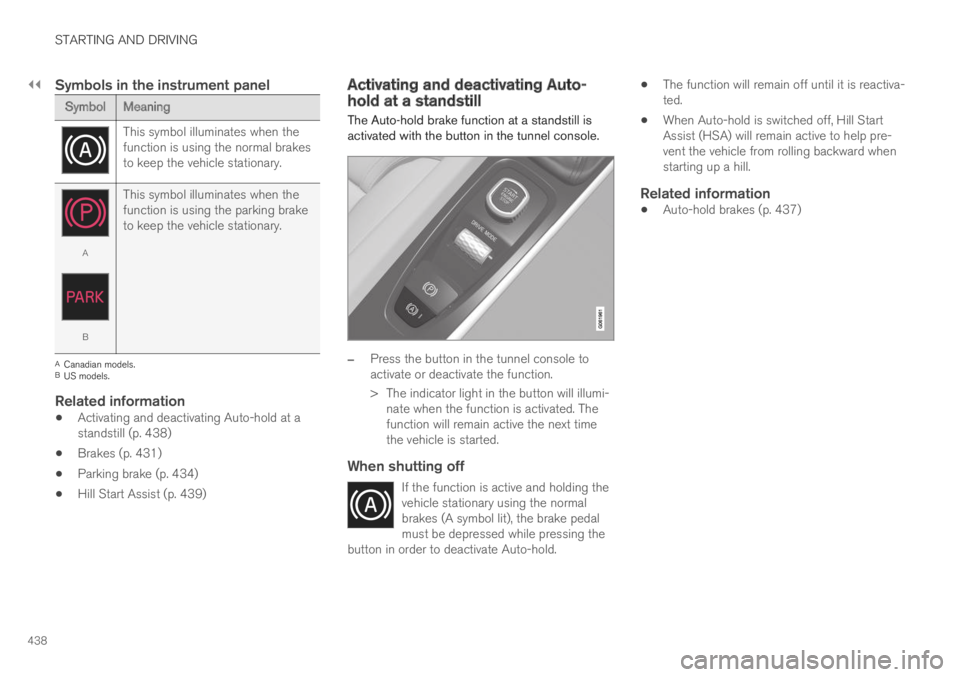
The Auto-hold brake function at a standstill isactivated with the button in the tunnel console.
–Press the button in the tunnel console toactivate or deactivate the function.
> The indicator light in the button will illumi-nate when the function is activated. Thefunction will remain active the next timethe vehicle is started.
When shutting off
If the function is active and holding thevehicle stationary using the normalbrakes (A symbol lit), the brake pedalmust be depressed while pressing thebutton in order to deactivate Auto-hold.
The function will remain off until it is reactiva-ted.
When Auto-hold is switched off, Hill StartAssist (HSA) will remain active to help pre-vent the vehicle from rolling backward whenstarting up a hill.
Related information
Auto-hold brakes (p. 437)
Page 441 of 669

STARTING AND DRIVING
* Option/accessory.439
Hill Start Assist
The function for assisting when starting the vehi-cle on inclines, Hill Start Assist (HSA), helpsprevent the vehicle from rolling backward whenstarting on an uphill gradient. When backing upa hill, HSA helps prevent the vehicle from rollingforward.
The function retains pressure from the brakepedal in the brake system for several secondsafter the brake pedal has been released.
This temporary braking effect is released after afew seconds or when the driver begins driving.
Hill Start Assist is available even if the Auto-holdbrake function is switched off.
Related information
Auto-hold brakes (p. 437)
Brakes (p. 431)
Braking assist after a collision
In a collision in which the activation level isreached for the pyrotechnic seat belt tensionersor airbags, or if a collision with a large animal isdetected, the vehicle's brakes will be automati-cally activated. This function is intended to helpprevent or reduce the effects of any subsequentcollision.
After a serious collision, it may no longer be pos-sible to control and steer the vehicle. In order toavoid or mitigate a possible further collision witha vehicle or an object in the vehicle's path, thebrake assist system is activated automatically tohelp stop the vehicle safely.
The brake lights and hazard warning flashers areactivated during braking. When the vehicle hasstopped, the hazard warning flashers will con-tinue to flash and the parking brake will beapplied.
If braking is not appropriate, e.g. if there is a riskof being hit by passing traffic, the driver can over-ride the system by depressing the acceleratorpedal.
This function assumes that the brake system isintact after a collision.
Brake assist is part of the Rear Collision Warningand Blind Spot Information safety systems.
Related information
Rear Collision Warning (p. 346)
BLIS* (p. 347)
Brake functions (p. 430)
Page 459 of 669

STARTING AND DRIVING
457
Charge
Engine charges hybridbattery.
This function charges thehybrid battery with the help ofthe combustion engine forincreased use of the electricmotor at a later time.
Symbols in the instrument panel
The symbol is displayed in the hybrid battery gaugewhen Hold is activated.
The symbol is displayed in the hybrid battery gaugewhen Charge is activated.
Related information
Using the electric motor only (p. 454)
Economical driving (p. 453)
Hybrid gauge (p. 83)
Preparing for a long trip
It is important to have the vehicle's systems andequipment checked carefully before driving longdistances.
Check that:
the engine is running properly and that fuelconsumption is normal
there are no leaks (fuel, oil or other fluid)
the brake pedal is functioning optimally
all lights are working ‒ adjust the headlightheight if the vehicle is carrying a heavy load
tire tread depth and air pressure are at cor-rect levels. Change to snow tires when driv-ing in areas where there is a risk of snowy oricy roads
the start battery is sufficiently charged
the wiper blades are in good condition
Related information
Checking tire pressure (p. 549)
Filling washer fluid (p. 635)
Winter driving (p. 458)
Economical driving (p. 453)
Vehicle modem settings (p. 527)
Loading recommendations (p. 580)
Pilot Assist (p. 308)
Speed limiter (p. 275)
Tire sealing system (p. 564)
Page 461 of 669

STARTING AND DRIVING
}}
459
CAUTION
Parts of the vehicle (e.g. engine, transmission,driveline, electrical components, etc.) can bedamaged if the vehicle is driven through waterhigher than its floor level. Damage to anycomponents caused by flooding, vapor lock orinsufficient oil is not covered under warranty.
If the engine stalls while the vehicle is inwater, do not attempt to restart it. Have thevehicle towed on the bed of a tow truck to aworkshop - an authorized Volvo workshop isrecommended.
CAUTION
Because it can be difficult to determine thewater depth, avoid driving through standing orrunning water.
When you have passed the water, press lightly onthe brake pedal and check that the brakes arefunctioning properly. Water, mud, slush, etc. canmake the brake linings slippery, resulting indelayed braking effect.
If the vehicle is equipped with a trailer couplingcontact, clean the contact after driving in water ormud.
Related information
Recovery (p. 470)
Opening/closing the fuel filler door
A button on the instrument panel is used tounlock the fuel filler door.
An arrow next to the fuel pumpsymbol in the instrument panelindicates the side of the vehicleon which the fuel filler door islocated.
1. Press the button on the dashboard.
> Pressure equalization in the fuel tank cau-ses a slight delay before the fuel fillerdoor opens. Fuel tank Fuel lid isopening will be displayed in the instru-ment panel, followed by Fuel tank Readyfor refueling.