key battery VOLVO S90 TWIN ENGINE 2020 User Guide
[x] Cancel search | Manufacturer: VOLVO, Model Year: 2020, Model line: S90 TWIN ENGINE, Model: VOLVO S90 TWIN ENGINE 2020Pages: 655, PDF Size: 12.54 MB
Page 250 of 655
||
KEY, LOCKS AND ALARM
248
–Remove the detachable key blade from the remote key. Insert the key blade intothe opening for the lock mechanism andpush the key in as far as possible, about12 mm (0.5 in).
The door can be opened from both the outside and the inside.
The door cannot be opened from the out- side. To return to position A, open the doorusing the inside door handle.
The doors can also be unlocked by pressingthe unlock button on the remote key or thecentral lock button in the driver's door.
NOTE
The door's lock controls only lock that specific door, not all doors simultane-ously.
A manually locked rear door with anactivated manual or electric childsafety lock cannot be opened fromeither the outside or inside of the vehi-cle. A rear door locked in this way canonly be unlocked using the remote keyor the central unlocking button.
Related information
Starting the vehicle (p. 398)
Detachable key blade (p. 246)
Arming and disarming the alarm (p. 264)
Replacing the remote key's battery (p. 240)
Remote key (p. 236)
Electronic immobilizer The electronic immobilizer is a start inhibitor that helps prevent the vehicle from beingstarted by an unauthorized person.
The vehicle can only be started with the right remote key. The following instrument panel error mes- sages are related to the electronic immobil-izer:
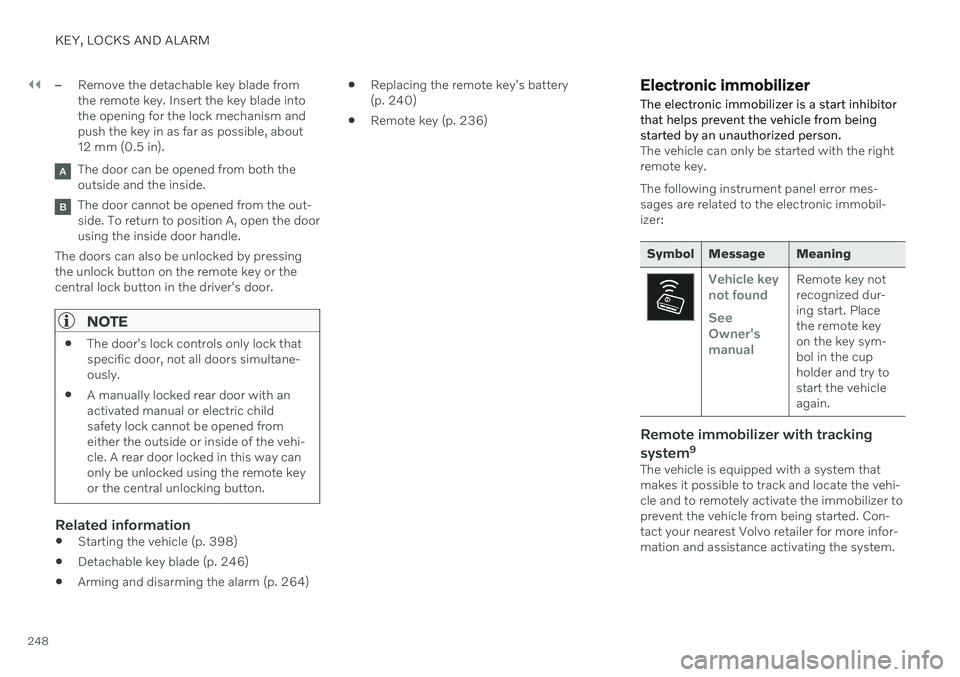
Symbol Message Meaning
Vehicle key not found See Owner'smanualRemote key not recognized dur-ing start. Placethe remote keyon the key sym-bol in the cupholder and try tostart the vehicleagain.
Remote immobilizer with tracking system 9
The vehicle is equipped with a system that makes it possible to track and locate the vehi-cle and to remotely activate the immobilizer toprevent the vehicle from being started. Con-tact your nearest Volvo retailer for more infor-mation and assistance activating the system.
Page 265 of 655

KEY, LOCKS AND ALARM
}}
263
1. Tap the button for private locking in Func-
tion view.
> A pop-up window will appear.
2. Enter the code you would like to use to unlock the trunk lid and rear seats and tap
Confirm.
> The trunk lid and rear seats will lock. A green indicator light will illuminate next to the button in Function view to con-firm locked status.
Deactivating private locking1. Tap the button for private locking in Func- tion view.
> A pop-up window will appear. 2. Enter the code used for locking and tap
Confirm.
> The trunk lid and rear seats will unlock. The green indicator light next to the button in Function view will go out toconfirm unlocked status.
Forgotten PIN codeIf you have forgotten your PIN code or enteredit incorrectly more than three times, the secur-ity code can be used to deactivate privatelocking. If the vehicle is unlocked using Volvo On Call or the Volvo On Call app, private locking willbe automatically deactivated.
Forgotten security code
If you have forgotten your security code, con- tact an authorized Volvo retailer for assistancedeactivating private locking.
Related information
Private Locking (p. 262)
Alarm The alarm emits sound and light signals if anyone without a valid remote key attemptsto break into the vehicle or interferes with thestart battery or alarm siren.
When armed, the alarm will be triggered if:
the hood, trunk lid or any door is opened.
a battery cable is disconnected.
the alarm siren is disconnected.
Alarm signalsThe following occurs if the alarm is triggered:
A siren will sound for 30 seconds or until the alarm is turned off.
The hazard warning flashers will flash for5 minutes or until the alarm is turned off.
If the reason the alarm was triggered is notrectified, the alarm cycle will repeat up to 10 times 15
.
15 Certain markets only.
Page 267 of 655

KEY, LOCKS AND ALARM
* Option/accessory.265
Disarming the alarmUnlock and disarm the vehicle alarm by
pressing the unlock button on the remote key
.
grip a door handle or lightly press the trunk lid's rubberized button 16
.
Disarming the alarm without a functioning
remote key
The vehicle can be unlocked and disarmed even if the remote key is not functioning, e.g. ifthe battery is discharged.
1. Open the driver's door using the detacha- ble key blade.
> This will trigger the alarm.
Location of the backup key reader in the cup holder.
2. Place the remote key on the key symbol inthe backup reader in the tunnel console's cup holder. 3. Turn the start knob clockwise and release.
> The alarm will be disarmed.
Turning off a triggered alarm–Press the unlock button on the remote key or put the ignition into mode I by turning
the start knob clockwise and then releas-ing it.
Automatically arming and disarming the alarm
Automatically arming the alarm helps prevent inadvertently leaving the vehicle without alarmprotection. If the vehicle is unlocked using the remote key (and the alarm is disarmed) but none of thedoors or trunk lid is opened within twominutes, the alarm will be automaticallyrearmed. The vehicle will also re-lock. On some markets, the alarm will be automati- cally armed following a slight delay after thedriver's door has been opened and closedwithout being locked. To change this setting:1. Tap
Settings in the center display's Top
view.
2. Tap
My CarLocking.
3. Select
Passive Arming Deactivation to
temporarily deactivate the function.
Related information
Alarm (p. 263)
16
Vehicles with keyless locking and unlocking *.
Page 394 of 655

HYBRID INFORMATION
* Option/accessory.
392
Stopping hybrid battery charging To stop charging of the hybrid battery, unlock the vehicle, unplug the charging cable fromthe vehicle's charging socket and thenunplug the cable from the 120/240 V outlet(alternating current).
CAUTION
Before the charging cable is removed from the vehicle's charging socket, the vehiclemust be unlocked using the unlock buttonon the remote key. This must be done evenif the vehicle's doors are already unlocked.If the vehicle is not unlocked using theunlock button, the charging cable or sys-tem may be damaged.
NOTE
Always unlock the vehicle so that charging is cut off before the connection to the120/240 V outlet (AC, alternating current)is disconnected. Note that the chargingcable must be disconnected from the vehi-cle's charging socket before it is discon-nected from the 120/240 V outlet, partlyto prevent damage to the system and partyto prevent unintentional interruption ofcharging.
Unlock the vehicle with the remote key. Charging will stop.
Press the lock button on the charging cable's handle. The handle will bereleased/unlocked. Unplug the cable fromthe vehicle's charging socket and closethe charger door.
Unplug the cable from the 120/240 V out- let. Stow the charging cable in the storage compartment on the right side of thetrunk.
Charging cable automatically locksIf the charging cable cannot be removed fromthe charging socket, it will automatically lockinto place again after unlocking to maximizecharging and range and to enable precondi-tioning before driving. The charging cable canbe removed again if the vehicle is unlockedusing the remote key. For vehicles with Passive Entry *, the handle can be used to lock
and unlock.
Related information
Opening and closing the charging socket cover (p. 386)
Charge cable (p. 383)
Page 401 of 655

STARTING AND DRIVING
}}
399
will go out and the selected theme will be dis- played to indicate that the electric motor isactivated. In some situations, such as in cold weather or if the hybrid battery's charge level is too low,the gasoline engine will start instead.
Error messagesIf the Vehicle key not found message is
shown in the instrument panel at start, place the remote key at the backup reader and thenmake a new start attempt.
Location of the backup reader in the tunnel console.
NOTE
When the remote key is placed in the backup reader, make sure that no othervehicle keys, metal objects or electronicdevices (e.g. cellular phones, tablets, lap-tops or chargers) are in the backup reader.Multiple vehicle keys close to each other inthe backup reader can disrupt their func-tionality.
If Vehicle start System check, wait is dis-
played in the instrument panel while attempt- ing to start the vehicle, wait until the messagedisappears and try again to start the vehicle.
CAUTION
If the engine has not responded after 3 attempts – wait for 3 minutes before star-ting a new attempt. Starting capabilityincreases if the starter battery is given timeto recover.
NOTE
The vehicle cannot be started if the hybrid battery is discharged.
WARNING
Never remove the remote control key from
the vehicle while driving.
WARNING
Always remove the remote key from the passenger compartment when youleave the vehicle and make sure theignition is in mode
0.
Always put the gear selector in
P and
apply the parking brake before leavingthe vehicle. Never leave the vehicleunsupervised while the engine is run-ning.
Always open the garage door fully andmake sure that ventilation is very goodbefore starting the engine in a garage.The exhaust fumes produced by thevehicle contain carbon monoxide,which is invisible and odorless but verytoxic.
Page 404 of 655

||
STARTING AND DRIVING
402
Mode FunctionsII The headlights illuminate.
Warning/indicator lights illumi- nate for 5 seconds.
A number of other systems areactivated. However, seat andrear window heating can onlybe activated when the engineis running.
This ignition mode uses a lot ofcurrent from the battery andshould be avoided wheneverpossible!
A Also activated when the door is opened.
Related information
Starting the vehicle (p. 398)
Adjusting the steering wheel (p. 195)
Jump starting using another battery (p. 441)
Selecting ignition mode (p. 402)
Selecting ignition mode
The vehicle's ignition can be put in various modes (levels) to make different functionsavailable.
Selecting an ignition mode
Start knob in the tunnel console.
Ignition mode 0
– Unlock the vehicle and
keep the remote key in the passenger compartment.
NOTE
To set level I or II without engine start –
do not depress the brake pedal (or clutch
pedal for vehicles with manual transmis- sion) when selecting this ignition mode.
Ignition mode I
– Turn the start knob
clockwise and release it. The control will automatically return to the original posi- tion.
Ignition mode II
– Turn the start knob
clockwise and hold it there forapprox. 5 seconds. Release the knob,which will automatically return to its origi-nal position.
Back to ignition mode 0
– To return to
ignition mode 0 from modes I and II, turn
the start knob clockwise and release it.The control will automatically return to theoriginal position.
Related information
Starting the vehicle (p. 398)
Switching off the vehicle (p. 400)
Ignition modes (p. 401)
Adjusting the steering wheel (p. 195)
Jump starting using another battery(p. 441)
Page 638 of 655
INDEX
636Automatic high beam 155
Automatic locking 258
Automatic relocking 238, 251
Automatic transmission 412, 413
kickdown 417
oil 632
Auxiliary heater 231
B
Backrest front seat, adjusting 184, 185, 188, 189 , 190, 191
rear seat, adjusting 194
Battery Hybrid 583
jump-start 441
Maintenance 579
recycling 584
start 579
symbols on the battery 584
BLIS 329 activating/deactivating 330
limitations 331
Symbols and messages 332
Bloweradjusting 219
air distribution 204
air vents 204
Bluetooth connect 479
connecting vehicle to Internet 499
phone 489
settings 497
Book service and repair 567
Booster cushions 72 Brake assist after collision 412
Brake energy 403, 418Brake fluid grade 632
Brake functions 403
Brake position 413
Brakes 403 anti-lock brakes, ABS 403
automatic when stationary 410
Brake Assist System, BAS 405
brake lights 158
brake system 403
emergency brake lights 158
Maintenance 406
on salted roads 406on wet roads 405
parking brake 406
brake system fluid 632
C
Camera sensor
see Camera 308
Camera unit 308 limitations 309
maintenance and cleaning 313
Capacity weight 548, 629
Cargo compartment 558 attachment points 560
Car wash 610, 611, 613, 614, 615, 616
Catalytic converter 439 recovery 443
CD player 477
Cell phone, see Phone 490
Center console 553 Center display change appearance 128
cleaning 605
climate controls 209
Function view 119
keyboard 123
Page 647 of 655

INDEX
645
heating 212
temperature 221
ventilation 213
Rearview/door mirrors adjusting door mirrors 171
dimming 170
heating 218
interior 170
Rearview mirror 170 dimming 170
Rear window heating 218
sun shade 168
Recalls 45
Recommendations when driving 432
Recommendations when loading 558
Recovery 444Red Key restricted remote key 244
settings 245
Refrigerant 571 climate system 633
Refueling filling 435
fuel filler door, fuel flap 434
Remote immobilizer 248
Remote key 236 battery replacement 240
connecting to driver profile 135
detachable key blade 246
loss 243
Range 239
Remote updates 565
Reporting safety defects 44
Resetting door mirrors 171
Resetting settings 131 change of owner 131
Driver profile 137
Resetting trip odometer 88
Road Sign Information 337 activating/deactivating 338
display 338
limitations 341
Sensus Navigation 339
settings 340
speed camera information 339
Speed warning 339
Road trip 432
Roof load, max. weight 629
Run-off Mitigation 352S
Safety 42 pregnancy 43
Safety belt, see Seat belt 47
Safety defects, reporting 44
Safety mode 62 starting/moving 62
Sealing compound 542
Seat, see Seats 184
Seat belt reminder 51
Seat belts 47 Automatic locking retractor/Emer-
gency locking retractor 65
buckling/unbuckling 48
pregnancy 43
seat belt reminder 51
seat belt tensioner 50
securing child restraint systems 67, 70, 72
Seat belt tensioner 50 resetting 51
Seats heating 211, 212
manual front seat 184
power front seats 185
store position 186, 187
Page 648 of 655

INDEX
646ventilation 213
whiplash protection 46
Security code 262 Sensors air quality 202
Camera unit 308
climate 198
Radar unit 305
Sensus connection and entertainment 30
Sensus Navigation Road Sign Information 339
Service position 620
Service program 562
Set time interval for Distance Alert 299settings Categories 132
contextual 130
resetting 131
Shiftlock 416
Side airbag 60
Side Impact Protection System 60, 61
SIM card 501 SIPS (Side Impact Protection Sys-
tem) 60, 61 Sirius Satellite radio Travel link 468
SiriusXM ® Satellite radio
traffic information 464, 465, 466
Ski hatch 560
Slippery conditions 432
Slippery road conditions 432
Snow chains 541
Software updates 33
Sound experience 453
Sound settings 452, 495 phone 496
playing media 474, 475
text message 495
Spare tire 539 handling 540
Speed camera information 339 Speed Limiter change speed 298
Speed symbols, tires 524
Spin control 269
Stability and traction control system 269 sport mode 270
Symbols and messages 272
Stains 605, 607, 608, 609 Start and lock system type designations 249Start battery 441, 579
overload 440
Start engine 398 Starting the engine after a collision 62
Start the vehicle 398
Steering assistance at risk of collision 351Steering power level, see Steering wheel
resistance 268
Steering wheel 194, 195 heating 214, 215
keypad 194
paddle 194
steering wheel adjustment 195
Steering wheel keypad 194
Steering wheel paddles 415Steering wheel resistance, speed-
dependent 268
Stone chips and scratches 617, 618
Storage compartments 552 center console 553
glove compartment 555
sun visor 557
Sunroof pinch protection 164
Page 650 of 655

INDEX
648Troubleshooting
Adaptive Cruise Control 283
Camera unit 309
City Safety 324
Radar unit 309
Trunk electrical outlet 554
Lighting 160
Trunk lid emergency opening 256
locking/unlocking 253
open/close with foot movement 261
power-operated 258
unlocking from inside 255
Tunnel detection 153
Turn off engine 400
Turn signals 156Twin Engine general 380
Type approval HomeLink ® 448
radar system 306
U
Uniform Tire Quality Grading 526
Units 129
Unlocking settings 239
with key blade 247
USB socket for connecting media 480
V
Vehicle care 610, 611, 613, 614, 615, 616leather upholstery 608
Vehicle Event Data 33 Vehicle functions in the center display 119
Vehicle key bat. low 240Vehicle modem connecting vehicle to Internet 500
settings 501
Vehicle recovery 444
Vehicle status 567 inflation pressure 532
Vehicle upholstery 605, 607, 608, 609
Vehicle weight 629
Ventilation 203, 204 Seats 213
Video 478, 480 settings 479
Voice control 142
climate 199
phone 145
radio and media 146
settings 147
VOL mark 520
Volvo ID 26 create and register 27
W
Warning lightsAdaptive Cruise Control 296
airbags SRS 94
alternator does not charge 94
brake system error 94
low oil pressure 94
parking brake applied 94
Pilot Assist 296
seat belt reminder 94
stability and traction control system 269
starter battery not charging 94
system error 94
WARNING 94
Warning sound parking brake 409
warning symbols 94