keyless VOLVO V60 2012 User Guide
[x] Cancel search | Manufacturer: VOLVO, Model Year: 2012, Model line: V60, Model: VOLVO V60 2012Pages: 400, PDF Size: 9.28 MB
Page 114 of 400
03 Your driving environment
Starting the engine
03
112* Option/accessory, for more information, see Introduction.
Petrol and diesel engines
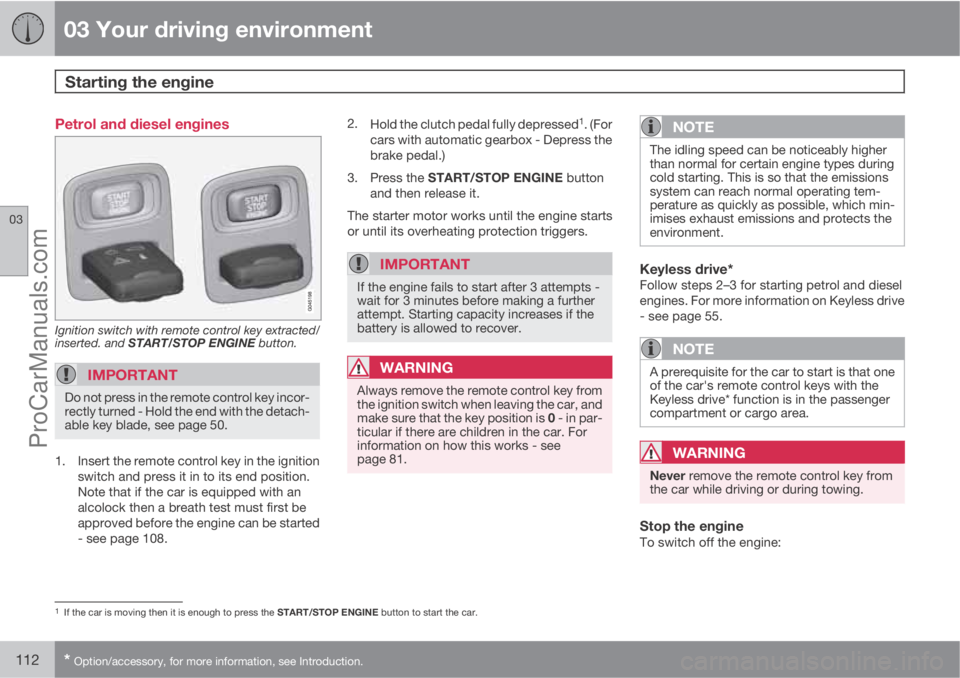
Ignition switch with remote control key extracted/
inserted. and START/STOP ENGINE button.
IMPORTANT
Do not press in the remote control key incor-
rectly turned - Hold the end with the detach-
able key blade, see page 50.
1. Insert the remote control key in the ignition
switch and press it in to its end position.
Note that if the car is equipped with an
alcolock then a breath test must first be
approved before the engine can be started
- see page 108.2.
Hold the clutch pedal fully depressed
1. (For
cars with automatic gearbox - Depress the
brake pedal.)
3.
Press the START/STOP ENGINE button
and then release it.
The starter motor works until the engine starts
or until its overheating protection triggers.
IMPORTANT
If the engine fails to start after 3 attempts -
wait for 3 minutes before making a further
attempt. Starting capacity increases if the
battery is allowed to recover.
WARNING
Always remove the remote control key from
the ignition switch when leaving the car, and
make sure that the key position is 0 - in par-
ticular if there are children in the car. For
information on how this works - see
page 81.
NOTE
The idling speed can be noticeably higher
than normal for certain engine types during
cold starting. This is so that the emissions
system can reach normal operating tem-
perature as quickly as possible, which min-
imises exhaust emissions and protects the
environment.
Keyless drive*Follow steps 2–3 for starting petrol and diesel
engines. For more information on Keyless drive
- see page 55.
NOTE
A prerequisite for the car to start is that one
of the car's remote control keys with the
Keyless drive* function is in the passenger
compartment or cargo area.
WARNING
Never remove the remote control key from
the car while driving or during towing.
Stop the engineTo switch off the engine:
1If the car is moving then it is enough to press the START/STOP ENGINE button to start the car.
ProCarManuals.com
Page 115 of 400
03 Your driving environment
Starting the engine
03
113
•Press START/STOP ENGINE - the engine
stops.
•If the car has an automatic gearbox and the
gear selector is not in a position P or if the
car is moving - Press twice or hold the
START/STOP ENGINE button depressed
until the engine stops.
Steering lockA mechanical noise can be perceived when the
steering lock unlocks or locks.
•The steering lock unlocks when the remote
control key is in the ignition switch2 and the
START/STOP ENGINE button is
depressed.
•The steering lock locks when the driver's
door is opened after the engine has been
switched off.
Key positionsFor information on the remote control key's dif-
ferent key positions - see page 80
2Cars with Keyless drive must have a remote control key inside the passenger compartment.
ProCarManuals.com
Page 136 of 400
03 Your driving environment
Parking brake
03
134
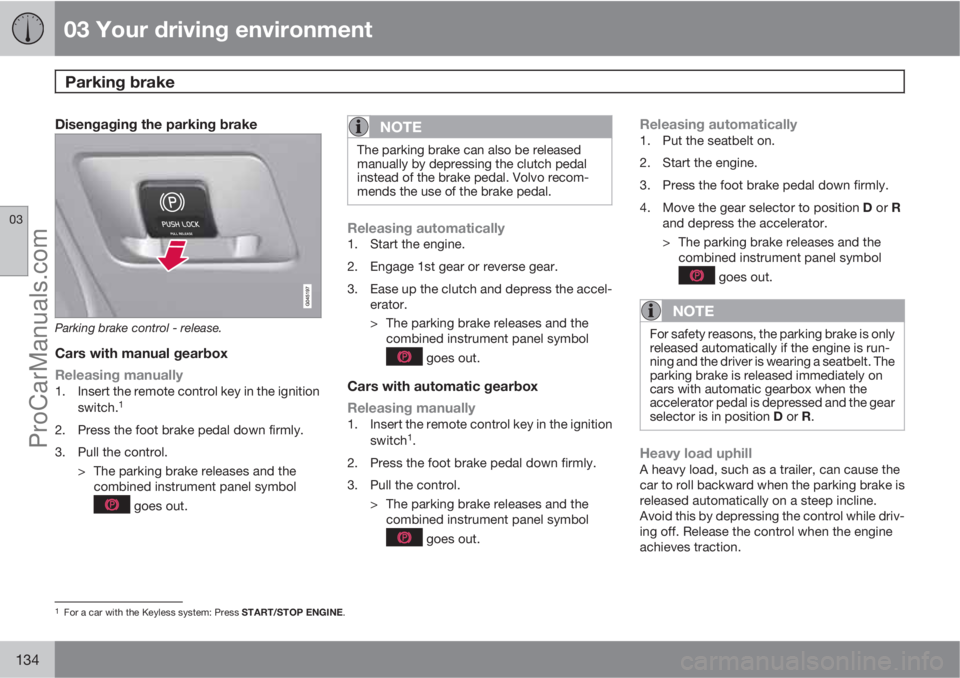
Disengaging the parking brake
Parking brake control - release.
Cars with manual gearbox
Releasing manually
1. Insert the remote control key in the ignition
switch.1
2. Press the foot brake pedal down firmly.
3. Pull the control.
> The parking brake releases and the
combined instrument panel symbol
goes out.
NOTE
The parking brake can also be released
manually by depressing the clutch pedal
instead of the brake pedal. Volvo recom-
mends the use of the brake pedal.
Releasing automatically1. Start the engine.
2. Engage 1st gear or reverse gear.
3. Ease up the clutch and depress the accel-
erator.
> The parking brake releases and the
combined instrument panel symbol
goes out.
Cars with automatic gearbox
Releasing manually
1. Insert the remote control key in the ignition
switch1.
2. Press the foot brake pedal down firmly.
3. Pull the control.
> The parking brake releases and the
combined instrument panel symbol
goes out.
Releasing automatically1. Put the seatbelt on.
2. Start the engine.
3. Press the foot brake pedal down firmly.
4.
Move the gear selector to position D or R
and depress the accelerator.
> The parking brake releases and the
combined instrument panel symbol
goes out.
NOTE
For safety reasons, the parking brake is only
released automatically if the engine is run-
ning and the driver is wearing a seatbelt. The
parking brake is released immediately on
cars with automatic gearbox when the
accelerator pedal is depressed and the gear
selector is in position D or R.
Heavy load uphillA heavy load, such as a trailer, can cause the
car to roll backward when the parking brake is
released automatically on a steep incline.
Avoid this by depressing the control while driv-
ing off. Release the control when the engine
achieves traction.
1For a car with the Keyless system: Press START/STOP ENGINE.
ProCarManuals.com
Page 148 of 400
04 Comfort and driving pleasure
Menu source MY CAR
04
146* Option/accessory, for more information, see Introduction.
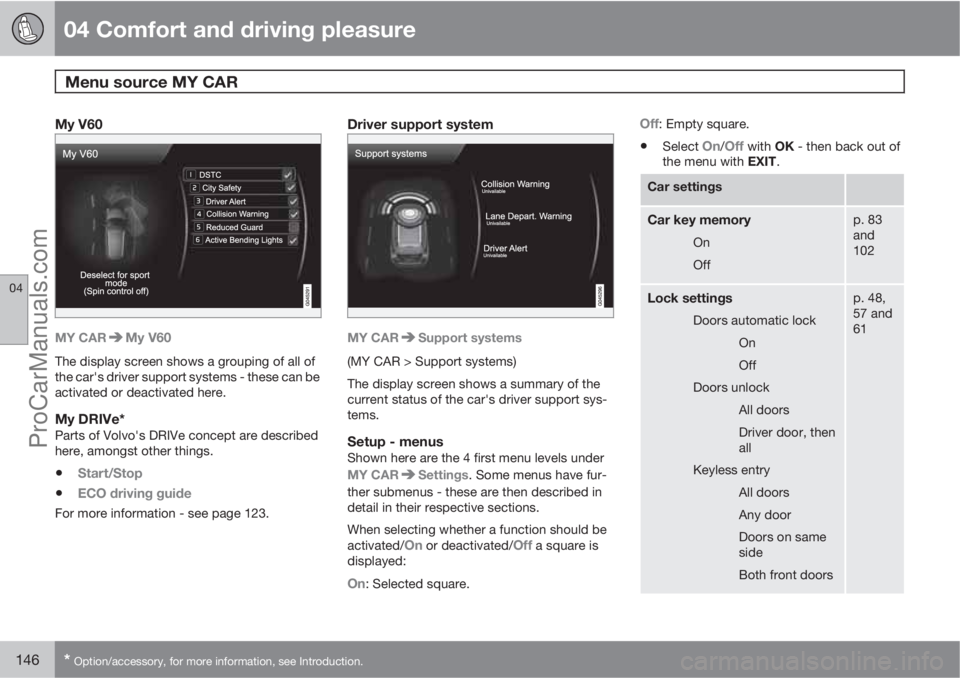
My V60
MY CARMy V60
The display screen shows a grouping of all of
the car's driver support systems - these can be
activated or deactivated here.
My DRIVe*Parts of Volvo's DRIVe concept are described
here, amongst other things.
•Start/Stop
•ECO driving guide
For more information - see page 123.
Driver support system
MY CARSupport systems
(MY CAR > Support systems)
The display screen shows a summary of the
current status of the car's driver support sys-
tems.
Setup - menusShown here are the 4 first menu levels under
MY CAR
Settings. Some menus have fur-
ther submenus - these are then described in
detail in their respective sections.
When selecting whether a function should be
activated/
On or deactivated/Off a square is
displayed:
On: Selected square.
Off: Empty square.
•Select On/Off with OK - then back out of
the menu with EXIT.
Car settings
Car key memory
On
Off
p. 83
and
102
Lock settings
Doors automatic lock
On
Off
Doors unlock
All doors
Driver door, then
all
Keyless entry
All doors
Any door
Doors on same
side
Both front doors
p. 48,
57 and
61
ProCarManuals.com
Page 222 of 400
05 Infotainment system
General information on infotainment
05
220* Option/accessory, for more information, see Introduction.
General
The infotainment system in your car has one of
the following four levels:
Performance
•5" TV screen TFT
•Steering wheel keypad* without thumb-
wheel
•AM/FM radio
•CD
•AUX input
•6 speakers
•4x20W amplifier
High Performance
•5" TV screen TFT
•Steering wheel keypad* with thumbwheel
•AM/FM radio
•CD
•AUX and USB input (for e.g. iPodŸ)
•BluetoothŸ handsfree/streaming audio
•8 speakers
•4x40W amplifier
High Performance Multimedia
•7" TV screen TFT
•Steering wheel keypad* with thumbwheel
•AM/FM radio
•CD/DVD
•AUX and USB input (for e.g. iPodŸ)
•BluetoothŸ handsfree/streaming audio
•8 speakers
•4x40W amplifier
Premium Sound Multimedia
•7" TV screen TFT
•Steering wheel keypad* with thumbwheel
•AM/FM radio
•CD/DVD
•AUX and USB input (for e.g. iPodŸ)
•BluetoothŸ handsfree/streaming audio
•12 speakers
•5x130W amplifier
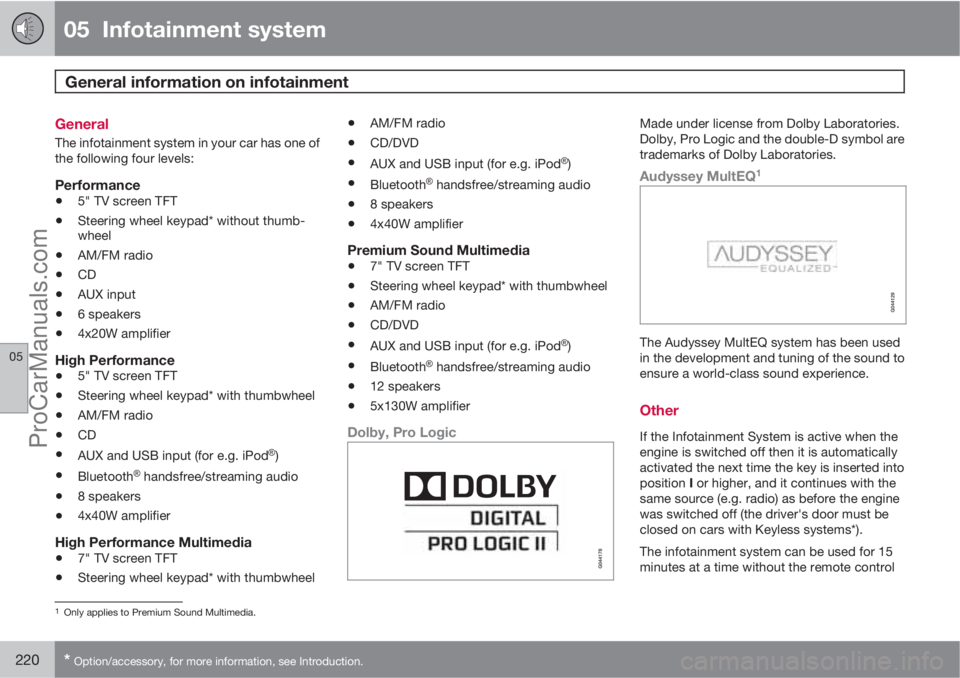
Dolby, Pro Logic
Made under license from Dolby Laboratories.
Dolby, Pro Logic and the double-D symbol are
trademarks of Dolby Laboratories.
Audyssey MultEQ1
The Audyssey MultEQ system has been used
in the development and tuning of the sound to
ensure a world-class sound experience.
Other
If the Infotainment System is active when the
engine is switched off then it is automatically
activated the next time the key is inserted into
position I or higher, and it continues with the
same source (e.g. radio) as before the engine
was switched off (the driver's door must be
closed on cars with Keyless systems*).
The infotainment system can be used for 15
minutes at a time without the remote control
1Only applies to Premium Sound Multimedia.
ProCarManuals.com
Page 255 of 400
05 Infotainment system
BluetoothŸŸ handsfree*
05
* Option/accessory, for more information, see Introduction.253
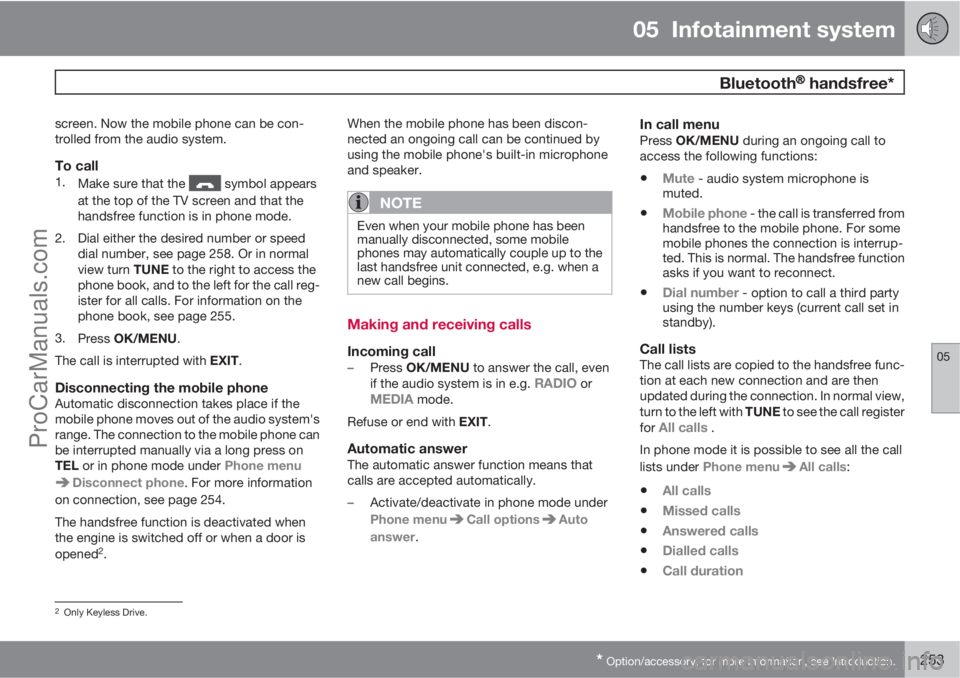
screen. Now the mobile phone can be con-
trolled from the audio system.
To call1.
Make sure that the symbol appears
at the top of the TV screen and that the
handsfree function is in phone mode.
2. Dial either the desired number or speed
dial number, see page 258. Or in normal
view turn TUNE to the right to access the
phone book, and to the left for the call reg-
ister for all calls. For information on the
phone book, see page 255.
3.
Press OK/MENU.
The call is interrupted with EXIT.
Disconnecting the mobile phoneAutomatic disconnection takes place if the
mobile phone moves out of the audio system's
range. The connection to the mobile phone can
be interrupted manually via a long press on
TEL or in phone mode under Phone menu
Disconnect phone. For more information
on connection, see page 254.
The handsfree function is deactivated when
the engine is switched off or when a door is
opened
2.When the mobile phone has been discon-
nected an ongoing call can be continued by
using the mobile phone's built-in microphone
and speaker.
NOTE
Even when your mobile phone has been
manually disconnected, some mobile
phones may automatically couple up to the
last handsfree unit connected, e.g. when a
new call begins.
Making and receiving calls
Incoming call–
Press OK/MENU to answer the call, even
if the audio system is in e.g. RADIO orMEDIA mode.
Refuse or end with EXIT.
Automatic answerThe automatic answer function means that
calls are accepted automatically.
–Activate/deactivate in phone mode under
Phone menu
Call optionsAuto
answer.
In call menuPress OK/MENU during an ongoing call to
access the following functions:
•Mute - audio system microphone is
muted.
•Mobile phone - the call is transferred from
handsfree to the mobile phone. For some
mobile phones the connection is interrup-
ted. This is normal. The handsfree function
asks if you want to reconnect.
•Dial number - option to call a third party
using the number keys (current call set in
standby).
Call listsThe call lists are copied to the handsfree func-
tion at each new connection and are then
updated during the connection. In normal view,
turn to the left with TUNE to see the call register
for
All calls .
In phone mode it is possible to see all the call
lists under Phone menu
All calls:
•All calls
•Missed calls
•Answered calls
•Dialled calls
•Call duration
2Only Keyless Drive.
ProCarManuals.com
Page 340 of 400
08 Maintenance and service
Fuses
08
338* Option/accessory, for more information, see Introduction.
Under the glovebox
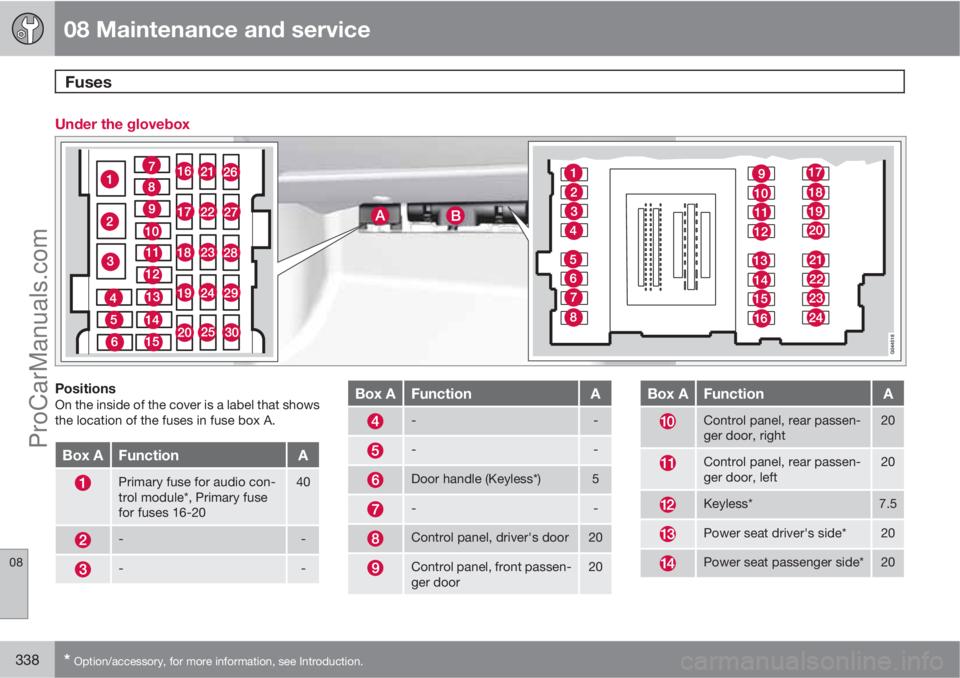
PositionsOn the inside of the cover is a label that shows
the location of the fuses in fuse box A.
Box AFunctionA
Primary fuse for audio con-
trol module*, Primary fuse
for fuses 16-2040
--
--
Box AFunctionA
--
--
Door handle (Keyless*)5
--
Control panel, driver's door20
Control panel, front passen-
ger door20
Box AFunctionA
Control panel, rear passen-
ger door, right20
Control panel, rear passen-
ger door, left20
Keyless*7.5
Power seat driver's side*20
Power seat passenger side*20
ProCarManuals.com
Page 393 of 400
10 Alphabetical Index
10
391
K
Kerb weight.............................................. 355
Key............................................................. 46
Key blade................................................... 50
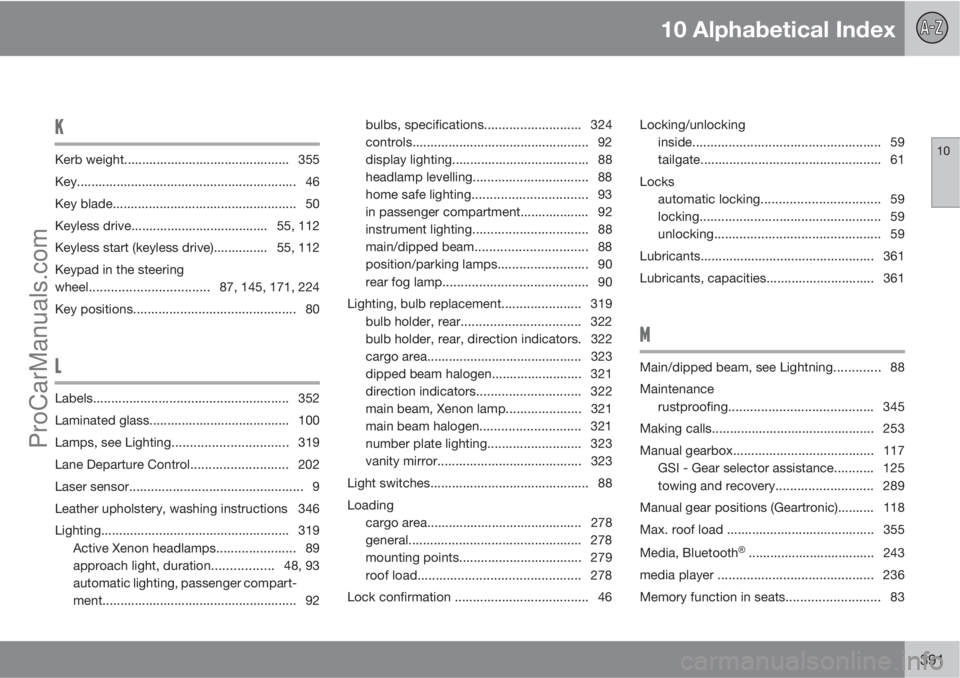
Keyless drive...................................... 55, 112
Keyless start (keyless drive)............... 55, 112
Keypad in the steering
wheel.................................87, 145, 171, 224
Key positions............................................. 80
L
Labels...................................................... 352
Laminated glass....................................... 100
Lamps, see Lighting................................319
Lane Departure Control........................... 202
Laser sensor................................................ 9
Leather upholstery, washing instructions 346
Lighting.................................................... 319
Active Xenon headlamps...................... 89
approach light, duration.................48, 93
automatic lighting, passenger compart-
ment...................................................... 92bulbs, specifications........................... 324
controls................................................. 92
display lighting...................................... 88
headlamp levelling................................ 88
home safe lighting................................ 93
in passenger compartment................... 92
instrument lighting................................ 88
main/dipped beam............................... 88
position/parking lamps......................... 90
rear fog lamp........................................ 90
Lighting, bulb replacement...................... 319
bulb holder, rear................................. 322
bulb holder, rear, direction indicators. 322
cargo area........................................... 323
dipped beam halogen......................... 321
direction indicators............................. 322
main beam, Xenon lamp.....................321
main beam halogen............................ 321
number plate lighting.......................... 323
vanity mirror........................................ 323
Light switches............................................ 88
Loading
cargo area........................................... 278
general................................................ 278
mounting points.................................. 279
roof load............................................. 278
Lock confirmation ..................................... 46Locking/unlocking
inside.................................................... 59
tailgate.................................................. 61
Locks
automatic locking................................. 59
locking.................................................. 59
unlocking.............................................. 59
Lubricants................................................ 361
Lubricants, capacities.............................. 361
M
Main/dipped beam, see Lightning............. 88
Maintenance
rustproofing........................................ 345
Making calls............................................. 253
Manual gearbox....................................... 117
GSI - Gear selector assistance........... 125
towing and recovery........................... 289
Manual gear positions (Geartronic).......... 118
Max. roof load ......................................... 355
Media, Bluetooth
Ÿ ................................... 243
media player ........................................... 236
Memory function in seats.......................... 83
ProCarManuals.com