length VOLVO V60 2012 User Guide
[x] Cancel search | Manufacturer: VOLVO, Model Year: 2012, Model line: V60, Model: VOLVO V60 2012Pages: 400, PDF Size: 9.28 MB
Page 235 of 400
05 Infotainment system
Radio
05
* Option/accessory, for more information, see Introduction.233
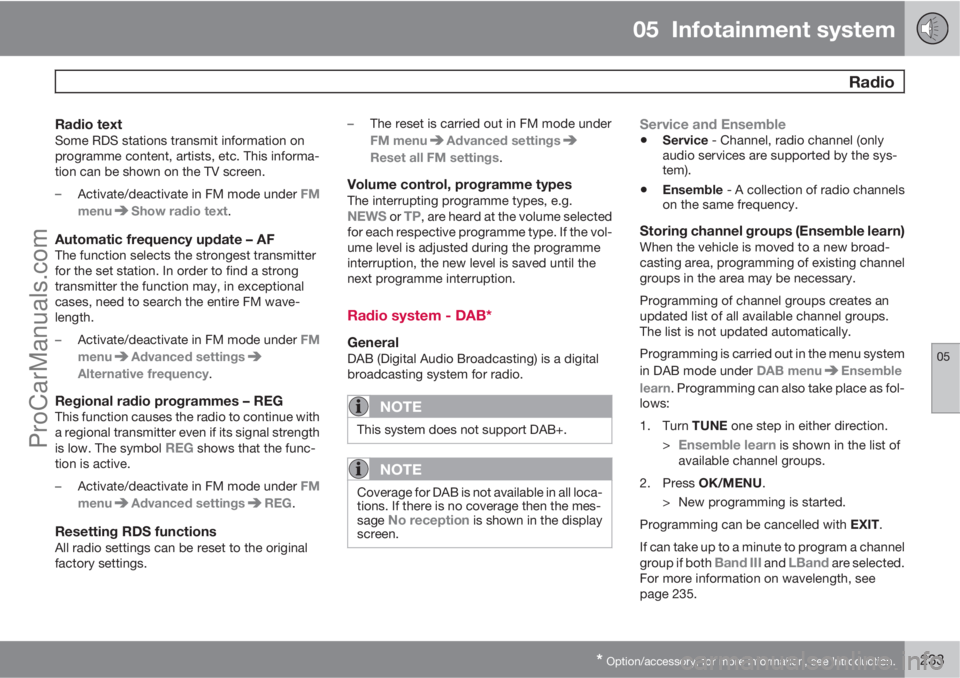
Radio textSome RDS stations transmit information on
programme content, artists, etc. This informa-
tion can be shown on the TV screen.
–
Activate/deactivate in FM mode under FM
menu
Show radio text.
Automatic frequency update – AFThe function selects the strongest transmitter
for the set station. In order to find a strong
transmitter the function may, in exceptional
cases, need to search the entire FM wave-
length.
–
Activate/deactivate in FM mode under FM
menu
Advanced settings
Alternative frequency.
Regional radio programmes – REGThis function causes the radio to continue with
a regional transmitter even if its signal strength
is low. The symbol
REG shows that the func-
tion is active.
–
Activate/deactivate in FM mode under FM
menu
Advanced settingsREG.
Resetting RDS functionsAll radio settings can be reset to the original
factory settings.–The reset is carried out in FM mode under
FM menu
Advanced settings
Reset all FM settings.
Volume control, programme typesThe interrupting programme types, e.g.NEWS or TP, are heard at the volume selected
for each respective programme type. If the vol-
ume level is adjusted during the programme
interruption, the new level is saved until the
next programme interruption.
Radio system - DAB*
GeneralDAB (Digital Audio Broadcasting) is a digital
broadcasting system for radio.
NOTE
This system does not support DAB+.
NOTE
Coverage for DAB is not available in all loca-
tions. If there is no coverage then the mes-
sage
No reception is shown in the display
screen.
Service and Ensemble
•Service - Channel, radio channel (only
audio services are supported by the sys-
tem).
•Ensemble - A collection of radio channels
on the same frequency.
Storing channel groups (Ensemble learn)When the vehicle is moved to a new broad-
casting area, programming of existing channel
groups in the area may be necessary.
Programming of channel groups creates an
updated list of all available channel groups.
The list is not updated automatically.
Programming is carried out in the menu system
in DAB mode under DAB menu
Ensemble
learn. Programming can also take place as fol-
lows:
1.
Turn TUNE one step in either direction.
>
Ensemble learn is shown in the list of
available channel groups.
2.
Press OK/MENU.
> New programming is started.
Programming can be cancelled with EXIT.
If can take up to a minute to program a channel
group if both
Band III and LBand are selected.
For more information on wavelength, see
page 235.
ProCarManuals.com
Page 236 of 400
05 Infotainment system
Radio
05
234
Navigation in channel group list
(Ensemble)
To navigate in and access the channel group
list turn TUNE. The name of the Ensemble is
shown in the upper part of the TV screen. When
scrolling to the new Ensemble the name
changes to the new one. A thick grey line sep-
arates the two channel groups from each other.
•Service - Shows channels irrespective of
the channel group to which they are allo-
cated. The list can also be filtered using the
selection of programme type (
PTY
filtering), see below.
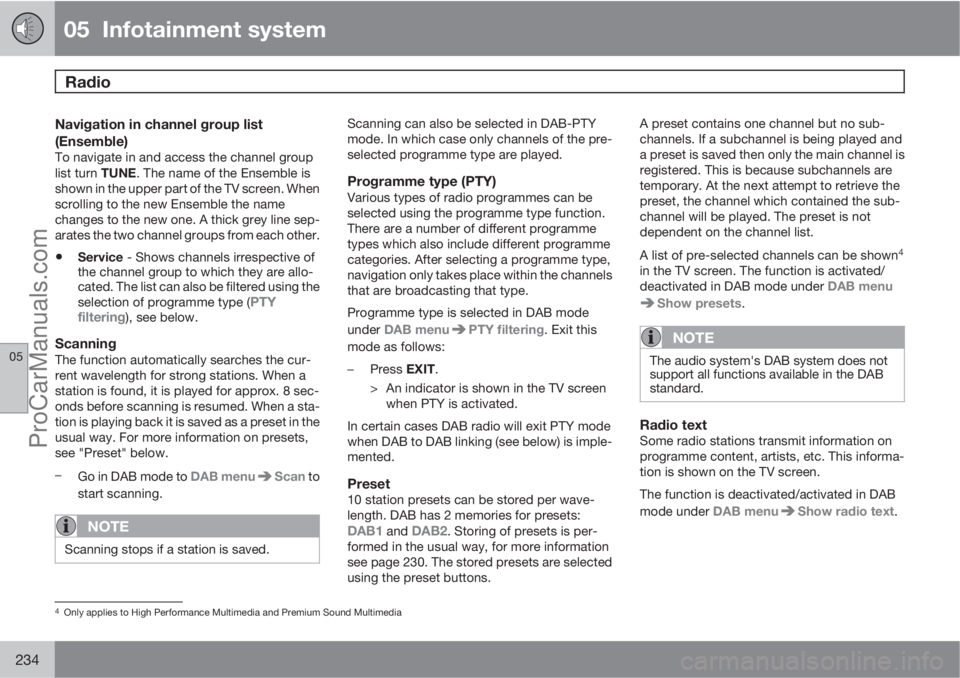
ScanningThe function automatically searches the cur-
rent wavelength for strong stations. When a
station is found, it is played for approx. 8 sec-
onds before scanning is resumed. When a sta-
tion is playing back it is saved as a preset in the
usual way. For more information on presets,
see "Preset" below.
–
Go in DAB mode to DAB menu
Scan to
start scanning.
NOTE
Scanning stops if a station is saved.
Scanning can also be selected in DAB-PTY
mode. In which case only channels of the pre-
selected programme type are played.
Programme type (PTY)Various types of radio programmes can be
selected using the programme type function.
There are a number of different programme
types which also include different programme
categories. After selecting a programme type,
navigation only takes place within the channels
that are broadcasting that type.
Programme type is selected in DAB mode
under DAB menu
PTY filtering. Exit this
mode as follows:
–
Press EXIT.
> An indicator is shown in the TV screen
when PTY is activated.
In certain cases DAB radio will exit PTY mode
when DAB to DAB linking (see below) is imple-
mented.
Preset10 station presets can be stored per wave-
length. DAB has 2 memories for presets:
DAB1 and DAB2. Storing of presets is per-
formed in the usual way, for more information
see page 230. The stored presets are selected
using the preset buttons.A preset contains one channel but no sub-
channels. If a subchannel is being played and
a preset is saved then only the main channel is
registered. This is because subchannels are
temporary. At the next attempt to retrieve the
preset, the channel which contained the sub-
channel will be played. The preset is not
dependent on the channel list.
A list of pre-selected channels can be shown
4
in the TV screen. The function is activated/
deactivated in DAB mode under DAB menu
Show presets.
NOTE
The audio system's DAB system does not
support all functions available in the DAB
standard.
Radio textSome radio stations transmit information on
programme content, artists, etc. This informa-
tion is shown on the TV screen.
The function is deactivated/activated in DAB
mode under DAB menu
Show radio text.
4Only applies to High Performance Multimedia and Premium Sound Multimedia
ProCarManuals.com
Page 237 of 400
05 Infotainment system
Radio
05
235
NOTE
Only one of the functions "Show radio
text" and "Show presets" can be acti-
vated at a time. If one of them is activated
when the other is already activated, then the
previously activated function is deactivated
automatically. Both functions can be deac-
tivated.
Advanced settings
DAB to DAB link
It is possible to exit a channel with poor or no
reception to the same channel in another chan-
nel group with better reception. There may be
a certain delay when changing channel group.
There may be a period of silence between the
current channel no longer being available to the
new channel becoming available.
The function can be activated/deactivated in
DAB mode under DAB menu
Advanced
settings
DAB linking.
Wavelength
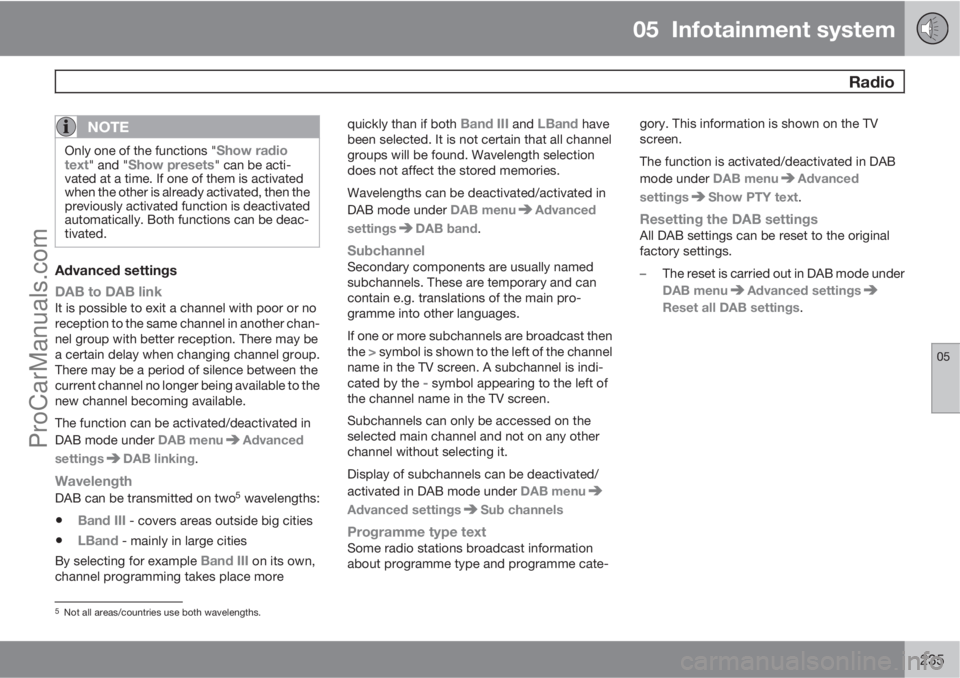
DAB can be transmitted on two5 wavelengths:
•Band III - covers areas outside big cities
•LBand - mainly in large cities
By selecting for example
Band III on its own,
channel programming takes place morequickly than if both
Band III and LBand have
been selected. It is not certain that all channel
groups will be found. Wavelength selection
does not affect the stored memories.
Wavelengths can be deactivated/activated in
DAB mode under DAB menu
Advanced
settings
DAB band.
SubchannelSecondary components are usually named
subchannels. These are temporary and can
contain e.g. translations of the main pro-
gramme into other languages.
If one or more subchannels are broadcast then
the
> symbol is shown to the left of the channel
name in the TV screen. A subchannel is indi-
cated by the
- symbol appearing to the left of
the channel name in the TV screen.
Subchannels can only be accessed on the
selected main channel and not on any other
channel without selecting it.
Display of subchannels can be deactivated/
activated in DAB mode under DAB menu
Advanced settingsSub channels
Programme type textSome radio stations broadcast information
about programme type and programme cate-gory. This information is shown on the TV
screen.
The function is activated/deactivated in DAB
mode under DAB menu
Advanced
settings
Show PTY text.
Resetting the DAB settingsAll DAB settings can be reset to the original
factory settings.
–The reset is carried out in DAB mode under
DAB menu
Advanced settings
Reset all DAB settings.
5Not all areas/countries use both wavelengths.
ProCarManuals.com
Page 326 of 400
08 Maintenance and service
Lamps
08
324
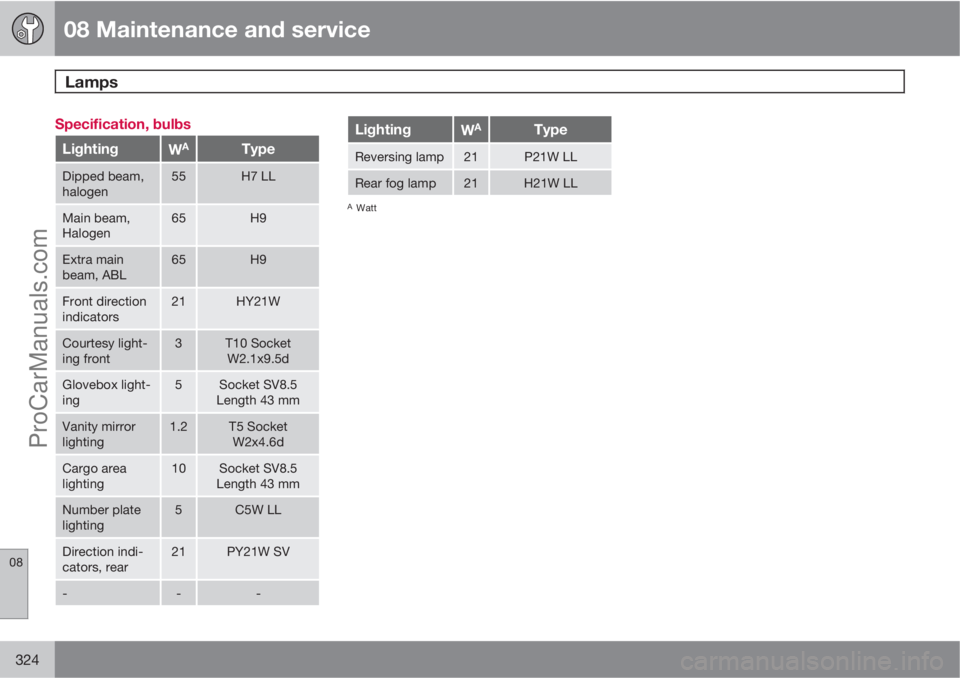
Specification, bulbs
LightingWAType
Dipped beam,
halogen55H7 LL
Main beam,
Halogen65H9
Extra main
beam, ABL65H9
Front direction
indicators21HY21W
Courtesy light-
ing front3T10 Socket
W2.1x9.5d
Glovebox light-
ing5Socket SV8.5
Length 43 mm
Vanity mirror
lighting1.2T5 Socket
W2x4.6d
Cargo area
lighting10Socket SV8.5
Length 43 mm
Number plate
lighting5C5W LL
Direction indi-
cators, rear21PY21W SV
---
LightingWAType
Reversing lamp21P21W LL
Rear fog lamp21H21W LL
AWatt
ProCarManuals.com
Page 327 of 400
08 Maintenance and service
Wiper blades and washer fluid
08
325 Wiper blades
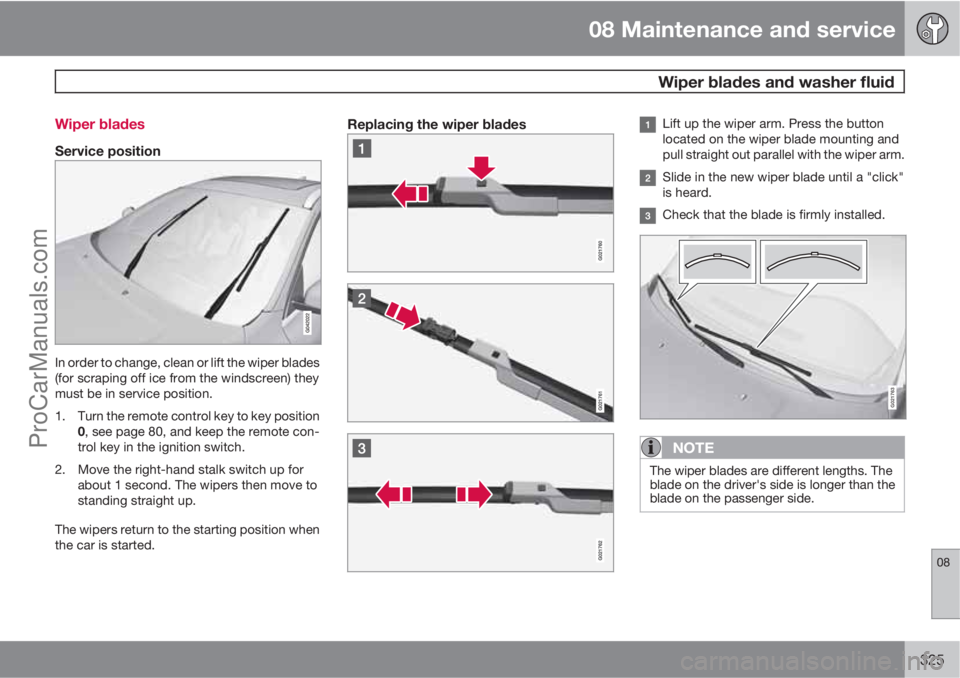
Service position
In order to change, clean or lift the wiper blades
(for scraping off ice from the windscreen) they
must be in service position.
1. Turn the remote control key to key position
0, see page 80, and keep the remote con-
trol key in the ignition switch.
2. Move the right-hand stalk switch up for
about 1 second. The wipers then move to
standing straight up.
The wipers return to the starting position when
the car is started.
Replacing the wiper bladesLift up the wiper arm. Press the button
located on the wiper blade mounting and
pull straight out parallel with the wiper arm.
Slide in the new wiper blade until a "click"
is heard.
Check that the blade is firmly installed.
G021763
NOTE
The wiper blades are different lengths. The
blade on the driver's side is longer than the
blade on the passenger side.
ProCarManuals.com
Page 356 of 400
09 Specifications
Dimensions and weights 09
354
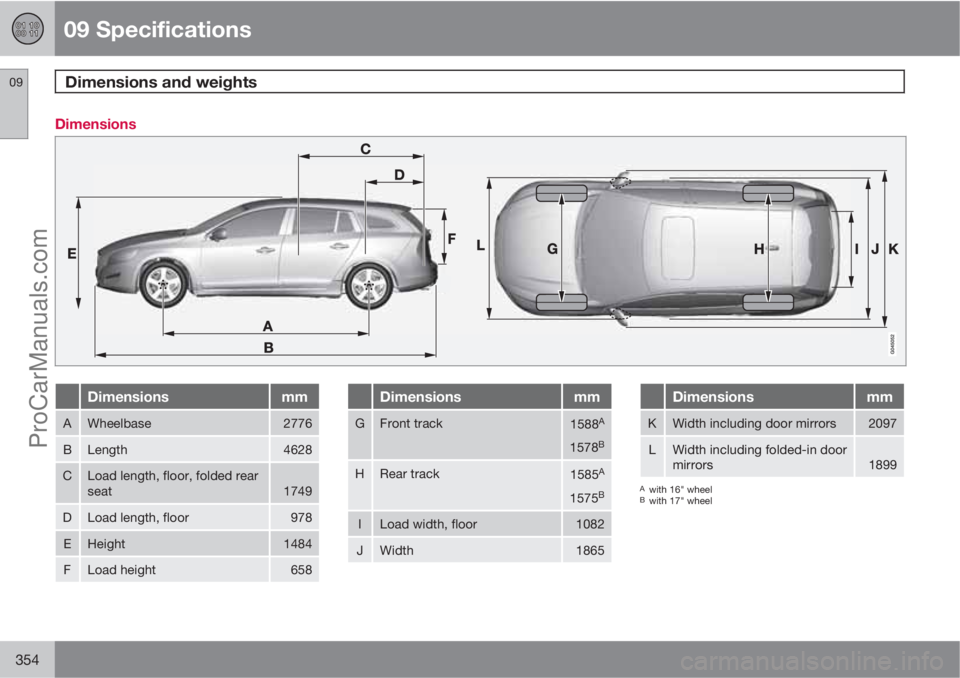
Dimensions
Dimensionsmm
AWheelbase2776
BLength4628
CLoad length, floor, folded rear
seat1749
DLoad length, floor978
EHeight1484
FLoad height658
Dimensionsmm
GFront track1588A
1578B
HRear track1585A
1575B
ILoad width, floor1082
JWidth1865
Dimensionsmm
KWidth including door mirrors2097
LWidth including folded-in door
mirrors1899
Awith 16" wheelBwith 17" wheel
ProCarManuals.com