key VOLVO V60 2013 Owners Manual
[x] Cancel search | Manufacturer: VOLVO, Model Year: 2013, Model line: V60, Model: VOLVO V60 2013Pages: 422, PDF Size: 9.59 MB
Page 4 of 422
Table of contents
2* Option/accessory, for more information, see Introduction.
00
00 Introduction
Important information................................. 6
Volvo and the environment....................... 11
01
01 Safety
Seatbelts .................................................. 16
Airbags...................................................... 19
Activating/deactivating the airbag*........... 22
Side airbags (SIPS bags) ......................... 24
Inflatable Curtain (IC) ............................... 26
WHIPS ...................................................... 27
When the systems deploy ........................ 29
Safety mode.............................................. 30
Child safety............................................... 31
02
02 Locks and alarm
Remote control key/key blade.................. 44
Privacy locking*......................................... 49
Battery replacement, remote control key/
PCC*.........................................................51
Keyless drive*............................................ 53
Locking/unlocking..................................... 57
Child safety locks...................................... 62
Alarm*....................................................... 63
ProCarManuals.com
Page 5 of 422
Table of contents
* Option/accessory, for more information, see Introduction.3
03
03 Your driving environment
Instruments and controls.......................... 68
Volvo Sensus ........................................... 77
Key positions............................................ 78
Seats......................................................... 80
Steering wheel.......................................... 85
Lighting..................................................... 86
Wipers and washing.................................. 98
Windows, rearview and door mirrors...... 101
Compass*............................................... 106
Power sunroof*....................................... 107
Alcolock*................................................. 109
Starting the engine.................................. 113
Starting the engine – Flexifuel.................118
Starting the engine – external battery..... 120
Gearboxes............................................... 121
DRIVe Start/Stop*................................... 127
All-wheel drive – AWD*...........................134
Foot brake............................................... 135
Parking brake.......................................... 137
HomeLink
Ÿ *............................................ 141
04
04 Driver support
DSTC – Stability and traction control sys-
tem.......................................................... 146
Road sign information - RSI*.................. 148
Speed limiter*.......................................... 150
Cruise control*........................................ 152
Adaptive cruise control*.......................... 154
Distance Warning*..................................165
City Safety™........................................... 168
Collision Warning with Auto Brake &
Pedestrian Protection*............................ 173
Driver Alert System*................................ 181
Driver Alert System - DAC*.....................182
Driver Alert System - LDW*..................... 185
Park assist syst*...................................... 188
Park assist camera*................................ 191
BLIS* – Blind Spot Information System. . 194
05
05 Comfort and driving pleasure
Menus and messages............................. 200
Menu source MY CAR............................202
Climate control........................................ 210
Fuel-driven engine block heater and pas-
senger compartment heater*.................. 220
Additional heater*.................................... 223
Trip computer......................................... 224
Adapting driving characteristics............. 226
Comfort inside the passenger compart-
ment........................................................ 227
ProCarManuals.com
Page 12 of 422
Introduction
Important information
10
•The laser sensor's connector must be
unplugged before removal from the
windscreen.
•The laser sensor must be fitted onto the
windscreen before the sensor's con-
nector is plugged in.
•The laser sensor transmits laser light
when the remote control key is in posi-
tion II and also with the engine switched
off (see page 78 on key positions).
For more information on the laser sensor, see
page 168.
Information on the Internet
At www.volvocars.com there is further infor-
mation concerning your car.
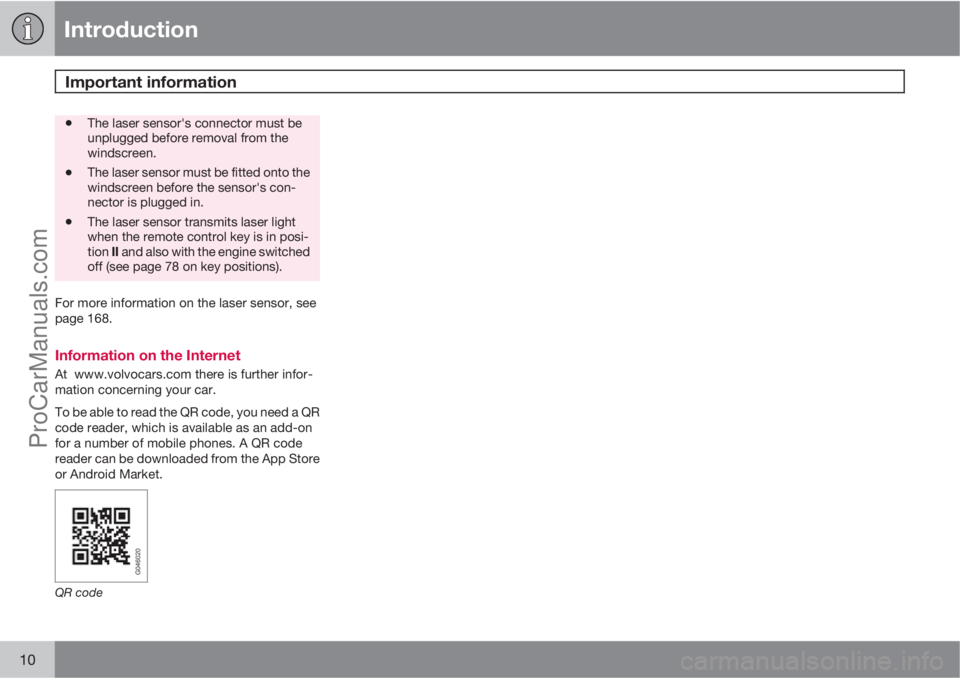
To be able to read the QR code, you need a QR
code reader, which is available as an add-on
for a number of mobile phones. A QR code
reader can be downloaded from the App Store
or Android Market.
QR code
ProCarManuals.com
Page 21 of 422
01 Safety
Airbags01
19 Warning symbol on the combined
instrument panel
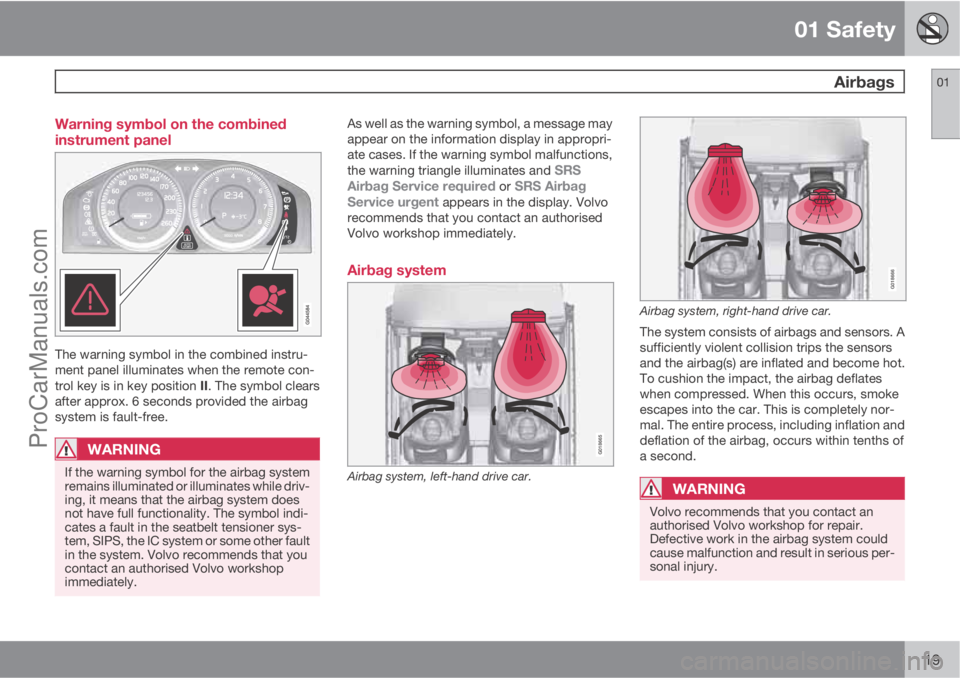
The warning symbol in the combined instru-
ment panel illuminates when the remote con-
trol key is in key position II. The symbol clears
after approx. 6 seconds provided the airbag
system is fault-free.
WARNING
If the warning symbol for the airbag system
remains illuminated or illuminates while driv-
ing, it means that the airbag system does
not have full functionality. The symbol indi-
cates a fault in the seatbelt tensioner sys-
tem, SIPS, the IC system or some other fault
in the system. Volvo recommends that you
contact an authorised Volvo workshop
immediately.
As well as the warning symbol, a message may
appear on the information display in appropri-
ate cases. If the warning symbol malfunctions,
the warning triangle illuminates and
SRS
Airbag Service required or SRS Airbag
Service urgent appears in the display. Volvo
recommends that you contact an authorised
Volvo workshop immediately.
Airbag system
G018665
Airbag system, left-hand drive car.
G018666
Airbag system, right-hand drive car.
The system consists of airbags and sensors. A
sufficiently violent collision trips the sensors
and the airbag(s) are inflated and become hot.
To cushion the impact, the airbag deflates
when compressed. When this occurs, smoke
escapes into the car. This is completely nor-
mal. The entire process, including inflation and
deflation of the airbag, occurs within tenths of
a second.
WARNING
Volvo recommends that you contact an
authorised Volvo workshop for repair.
Defective work in the airbag system could
cause malfunction and result in serious per-
sonal injury.
ProCarManuals.com
Page 24 of 422
01 Safety
Activating/deactivating the airbag* 01
22* Option/accessory, for more information, see Introduction.
Key switch off - PACOS*
General informationThe airbag for the front passenger seat can be
deactivated if the car is equipped with a switch,
PACOS (Passenger Airbag Cut Off Switch). For
information on how to activate/deactivate, see
under the heading Activating/deactivating.
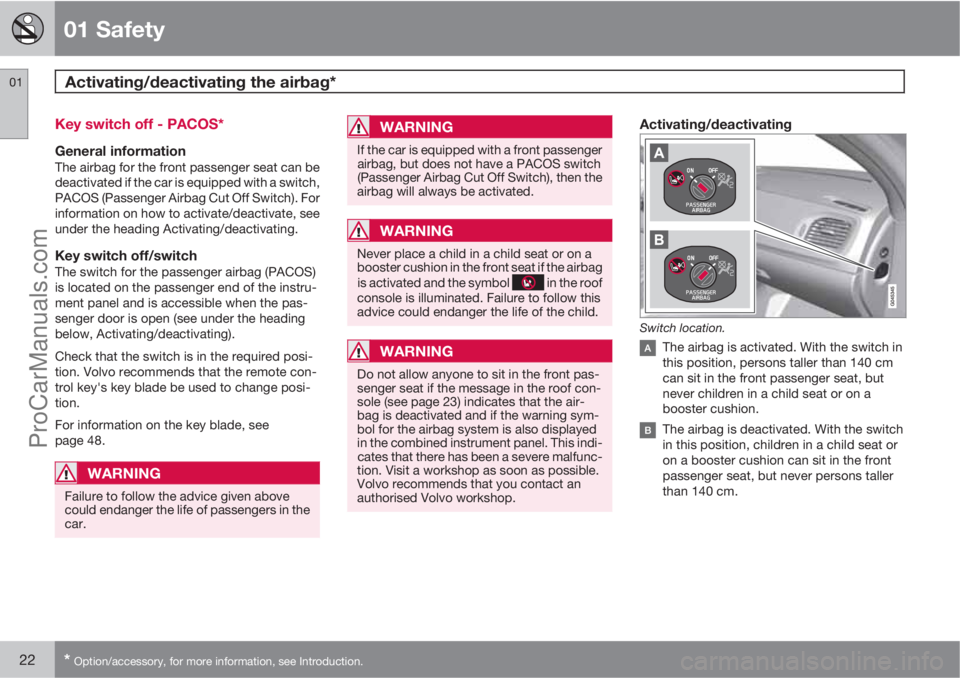
Key switch off/switchThe switch for the passenger airbag (PACOS)
is located on the passenger end of the instru-
ment panel and is accessible when the pas-
senger door is open (see under the heading
below, Activating/deactivating).
Check that the switch is in the required posi-
tion. Volvo recommends that the remote con-
trol key's key blade be used to change posi-
tion.
For information on the key blade, see
page 48.
WARNING
Failure to follow the advice given above
could endanger the life of passengers in the
car.
WARNING
If the car is equipped with a front passenger
airbag, but does not have a PACOS switch
(Passenger Airbag Cut Off Switch), then the
airbag will always be activated.
WARNING
Never place a child in a child seat or on a
booster cushion in the front seat if the airbag
is activated and the symbol
in the roof
console is illuminated. Failure to follow this
advice could endanger the life of the child.
WARNING
Do not allow anyone to sit in the front pas-
senger seat if the message in the roof con-
sole (see page 23) indicates that the air-
bag is deactivated and if the warning sym-
bol for the airbag system is also displayed
in the combined instrument panel. This indi-
cates that there has been a severe malfunc-
tion. Visit a workshop as soon as possible.
Volvo recommends that you contact an
authorised Volvo workshop.
Activating/deactivating
Switch location.
The airbag is activated. With the switch in
this position, persons taller than 140 cm
can sit in the front passenger seat, but
never children in a child seat or on a
booster cushion.
The airbag is deactivated. With the switch
in this position, children in a child seat or
on a booster cushion can sit in the front
passenger seat, but never persons taller
than 140 cm.
ProCarManuals.com
Page 25 of 422
01 Safety
Activating/deactivating the airbag*01
* Option/accessory, for more information, see Introduction.23
WARNING
Activated airbag (passenger seat):
Never place a child in a child seat or on a
booster cushion on the front passenger seat
when the airbag is activated. This applies to
everyone shorter than 140 cm.
Deactivated airbag (passenger seat):
No one taller than 140 cm should ever sit in
the front passenger seat when the airbag is
deactivated.
Failure to follow the advice given above can
endanger life.
NOTE
When the remote control key is in key posi-
tion II the warning symbol for the airbag is
displayed on the combined instrument
panel for approx. 6 seconds (see page 19).
Following which, the indicator in the roof
console is illuminated showing the correct
status for the front passenger seat airbag.
For more information about the different key
positions for the remote control key, see
page 78.
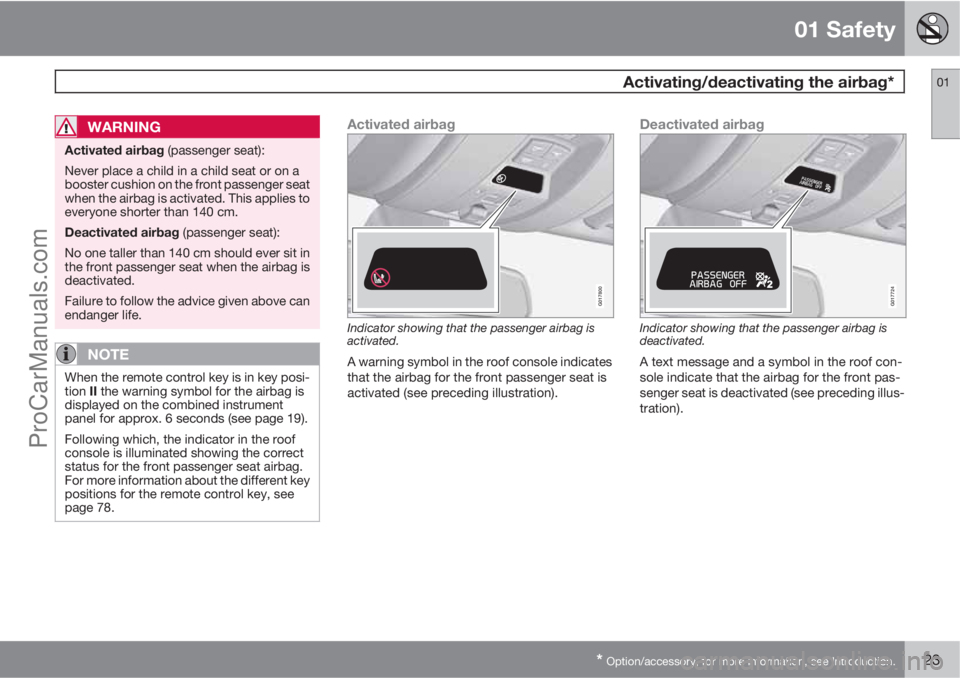
Activated airbag
G017800
Indicator showing that the passenger airbag is
activated.
A warning symbol in the roof console indicates
that the airbag for the front passenger seat is
activated (see preceding illustration).
Deactivated airbag
2
2
G017724
Indicator showing that the passenger airbag is
deactivated.
A text message and a symbol in the roof con-
sole indicate that the airbag for the front pas-
senger seat is deactivated (see preceding illus-
tration).
ProCarManuals.com
Page 32 of 422
01 Safety
Safety mode 01
30
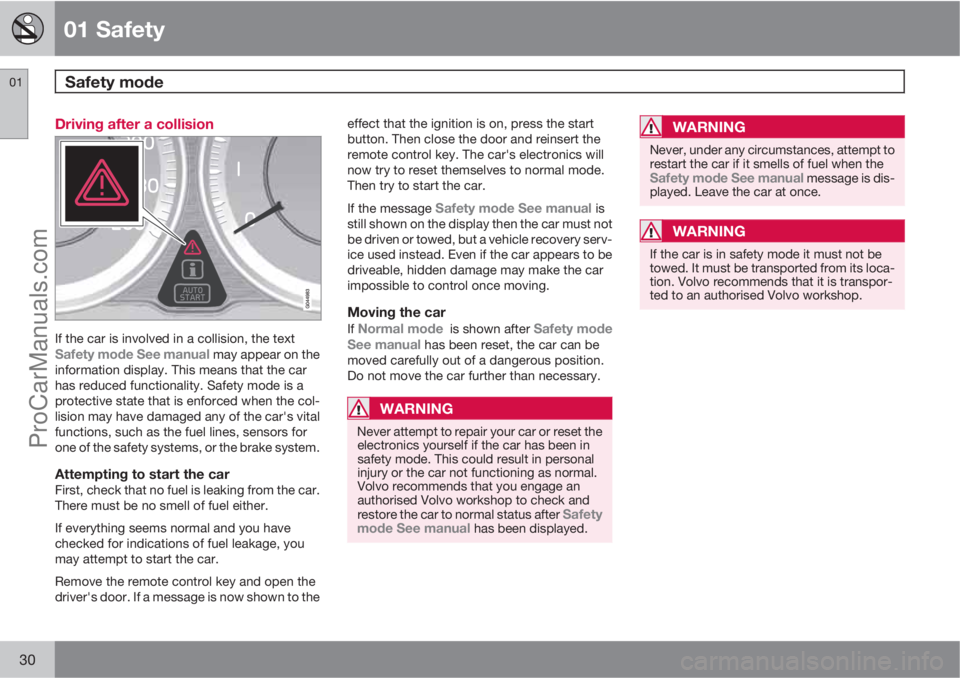
Driving after a collision
If the car is involved in a collision, the textSafety mode See manual may appear on the
information display. This means that the car
has reduced functionality. Safety mode is a
protective state that is enforced when the col-
lision may have damaged any of the car's vital
functions, such as the fuel lines, sensors for
one of the safety systems, or the brake system.
Attempting to start the carFirst, check that no fuel is leaking from the car.
There must be no smell of fuel either.
If everything seems normal and you have
checked for indications of fuel leakage, you
may attempt to start the car.
Remove the remote control key and open the
driver's door. If a message is now shown to theeffect that the ignition is on, press the start
button. Then close the door and reinsert the
remote control key. The car's electronics will
now try to reset themselves to normal mode.
Then try to start the car.
If the message
Safety mode See manual is
still shown on the display then the car must not
be driven or towed, but a vehicle recovery serv-
ice used instead. Even if the car appears to be
driveable, hidden damage may make the car
impossible to control once moving.
Moving the car
If Normal mode is shown after Safety mode
See manual has been reset, the car can be
moved carefully out of a dangerous position.
Do not move the car further than necessary.
WARNING
Never attempt to repair your car or reset the
electronics yourself if the car has been in
safety mode. This could result in personal
injury or the car not functioning as normal.
Volvo recommends that you engage an
authorised Volvo workshop to check and
restore the car to normal status after
Safety
mode See manual has been displayed.
WARNING
Never, under any circumstances, attempt to
restart the car if it smells of fuel when the
Safety mode See manual message is dis-
played. Leave the car at once.
WARNING
If the car is in safety mode it must not be
towed. It must be transported from its loca-
tion. Volvo recommends that it is transpor-
ted to an authorised Volvo workshop.
ProCarManuals.com
Page 44 of 422
42* Option/accessory, for more information, see Introduction.
Remote control key/key blade................................................................ 44
Privacy locking*....................................................................................... 49
Battery replacement, remote control key/PCC*...................................... 51
Keyless drive*.......................................................................................... 53
Locking/unlocking................................................................................... 57
Child safety locks.................................................................................... 62
Alarm*...................................................................................................... 63
ProCarManuals.com
Page 46 of 422
02 Locks and alarm
Remote control key/key blade
02
44
General
The car is supplied with 2 remote control keys
or PCCs (Personal Car Communicator). They
are used to start the car and for locking and
unlocking.
Additional remote control keys can be ordered
- up to 6 can be programmed and used for the
same car.
The remote control key contains a removable
key blade made of metal. The visible section is
available in two versions so that it is possible
to distinguish between the remote control
keys.
The PCC has increased functionality com-
pared with the remote control key. The contin-
uation of this chapter describes the functions
available in both the PCC and the remote con-
trol key.
WARNING
If there are children in the car:
Remember to switch off the supply to the
power windows and sunroof by removing
the remote control key if the driver leaves
the car.
Loss of a remote control keyIf you lose a remote control key then a new one
can be ordered at a workshop - an authorised
Volvo workshop is recommended. The remain-
ing remote control keys must then be taken to
the workshop. The code of the missing remote
control key must be erased from the system as
a theft prevention measure.
The current number of keys registered to the
car can be checked in the menu system MY
CAR under Information
Number of keys.
For a description of the menu system, see
page 202.
Key memory1 – door mirrors and driver's
seat
The settings are automatically connected to
each respective remote control key, see pages
81 and 103.
The function can be activated/deactivated in
the menu system MY CAR under Settings
Car settingsCar key memory.
For a description of the menu system, see
page 202.
For cars with the Keyless drive system, see
page 53.
Indicator for locking/unlockingWhen the car is locked or unlocked using the
remote control key, the direction indicators
confirm that locking/unlocking was correctly
performed.
•Locking - one flash and the door mirrors
are folded2 in.
•Unlocking - two flashes and the door mir-
rors are folded2 out.
After locking the indication is only given if all
locks have been activated once the doors have
been closed.
Selecting the functionDifferent options for indicating locking/unlock-
ing with light can be set in the car's menu sys-
tem, see page 202.
Search in the menu system MY CAR for
Settings
Car settingsLight settings
and select
Door lock confirmation light and/
or Unlock confirmation light.
1Only in combination with power driver's seat and power mirrors.2Only for cars with retractable power door mirrors.
ProCarManuals.com
Page 47 of 422
02 Locks and alarm
Remote control key/key blade
02
45
Lock indicator
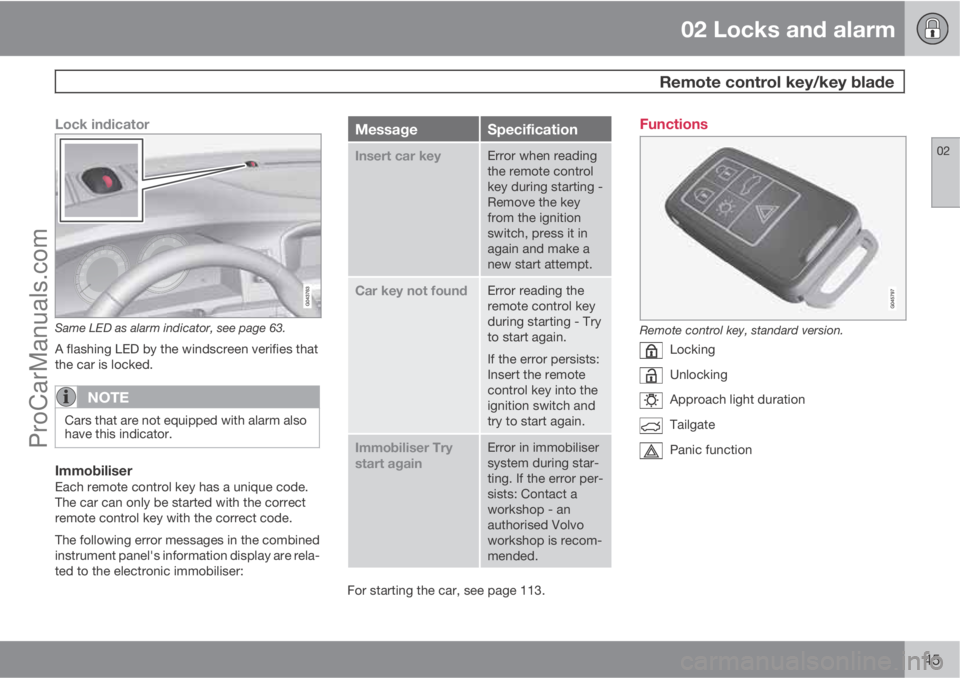
Same LED as alarm indicator, see page 63.
A flashing LED by the windscreen verifies that
the car is locked.
NOTE
Cars that are not equipped with alarm also
have this indicator.
ImmobiliserEach remote control key has a unique code.
The car can only be started with the correct
remote control key with the correct code.
The following error messages in the combined
instrument panel's information display are rela-
ted to the electronic immobiliser:
MessageSpecification
Insert car keyError when reading
the remote control
key during starting -
Remove the key
from the ignition
switch, press it in
again and make a
new start attempt.
Car key not foundError reading the
remote control key
during starting - Try
to start again.
If the error persists:
Insert the remote
control key into the
ignition switch and
try to start again.
Immobiliser Try
start againError in immobiliser
system during star-
ting. If the error per-
sists: Contact a
workshop - an
authorised Volvo
workshop is recom-
mended.
For starting the car, see page 113.
Functions
Remote control key, standard version.
Locking
Unlocking
Approach light duration
Tailgate
Panic function
ProCarManuals.com