remote start VOLVO V60 2014 User Guide
[x] Cancel search | Manufacturer: VOLVO, Model Year: 2014, Model line: V60, Model: VOLVO V60 2014Pages: 442, PDF Size: 13.85 MB
Page 119 of 442
04 Climate control
04
* Option/accessory, for more information, see Introduction.117
Air cleaning - passenger compartment filter
All air entering the car's passenger compart- ment is cleaned with a filter. The filter must be replaced at regular inter- vals. Follow the Volvo Service Programme forthe recommended replacement intervals. Ifthe car is used in a severely contaminatedenvironment, it may be necessary to replacethe filter more often.
NOTE
There are different types of passenger compartment filter. Make sure that the cor-rect filter is fitted.
Related information
• Air cleaning (p. 116)
Air cleaning - Clean Zone Interior Package (CZIP)*
CZIP comprises a series of modifications that keep the passenger compartment evenclearer from allergy and asthma-inducing sub-stances. The following is included: •An enhanced fan function that means that the fan starts when the car is opened withthe remote control key. The fan fills thepassenger compartment with fresh air.The function starts when required and isdisengaged automatically after a time orwhen one of the passenger compartmentdoors is opened.
• The air quality system IAQS (p. 118) is afully automatic system that cleans the airin the passenger compartment from con-taminants such as particles, hydrocar-bons, nitrous oxides and ground-levelozone.
NOTE
To keep the CZIP standard in cars with CZIP the IAQS filter must be changed after15 000 km or once per year depending onwhichever occurs first. However, up to75 000 km over 5 years. In cars withoutCZIP and where the customer does notwant to keep the CZIP standard the IAQSfilter must be changed at a regular service.
For more information on CZIP, see the bro- chure included with the purchase of the car.
Related information
•
General information on climate control (p. 115)
• Air cleaning (p. 116)
ProCarManuals.co’
Page 151 of 442
06 Locks and alarm
06
* Option/accessory, for more information, see Introduction.149
Remote control key with key blade
The remote control key is used to start the car and for locking and unlocking. It contains adetachable key blade (p. 155) made of metal.The visible section is available in two versionsso that it is possible to distinguish betweenthe remote control keys. The car is supplied with 2 remote control keys or PCCs* (Personal Car Communicator). Additional remote control keys can be ordered - up to 6 can be programmed andused for the same car.
WARNING
If there are children in the car: Remember to switch off the supply to the power windows and sunroof by removingthe remote control key if the driver leavesthe car.
Remote control key with PCC (p. 153) has increased functionality compared with theremote control key, see PCC* - unique func-tions (p. 153).
Related information
• Remote control key - functions (p. 151)
Remote control key - losing
If you lose a remote control key then a new one can be ordered at a workshop - anauthorised Volvo workshop is recommended. The remaining remote control keys must be taken to the Volvo workshop. The code of themissing remote control key must be erasedfrom the system as a theft prevention meas-ure. The current number of keys registered tothe car can be checked in the menu systemMY CAR
. For a description of the menu sys-
tem, see MY CAR (p. 103).
Related information
• Remote control key - functions (p. 151)
Key memory*
The key memory in the remote control key (p. 149) means that certain settings in the car canbe individually adapted for different people. The key memory function is available in com- bination with power seat and power rearviewand door mirrors. Settings for door mirrors,driver's seat and steering force can be savedin the key memory.
Key memory – door mirrors and driver's
seat
The settings are automatically connected toeach respective remote control key, see Keymemory* in remote control key (p. 74) andAdjustable steering force* (p. 257). Afterlocking with the remote control key the set-ting of the combined instrument panel'stheme is also saved in the key, see MY CAR(p. 103). The function can be activated/deactivated in the menu system MY CAR. For a description
of the menu system, see MY CAR (p. 103). For cars with the Keyless drive function, see Keyless drive* (p. 159).
ProCarManuals.co’
Page 152 of 442
06 Locks and alarm
06
150* Option/accessory, for more information, see Introduction.
Indication locking/unlocking - adjusting
When the car is locked or unlocked using the remote control key (p. 149) the direction indi-cators confirm that locking/unlocking wascorrectly performed.
• Locking - one flash and the door mirrors are folded 1
in.
• Unlocking - two flashes and the door mir-rors are folded 1
out.
After locking the indication is only given if all locks are activated once the doors have beenclosed.
Selecting the functionDifferent options for indicating locking/unlocking with light can be set in the car'smenu system MY CAR. For a description of
the menu system, see MY CAR (p. 103).
Related information
• Keyless drive* (p. 159)
• Lock indicator (p. 150)
• Alarm indicator (p. 172)
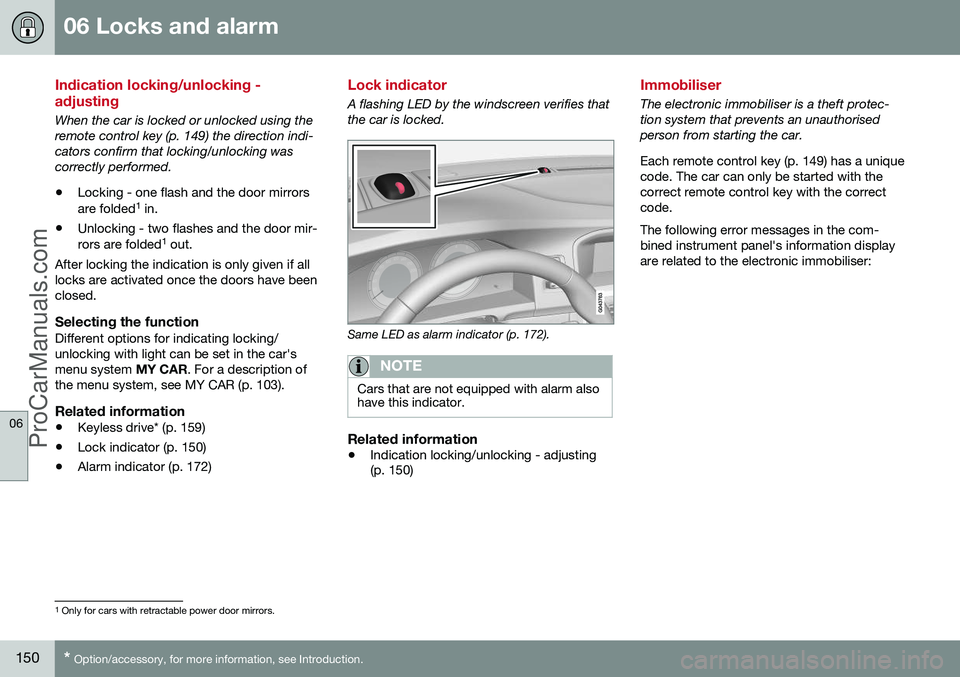
Lock indicator
A flashing LED by the windscreen verifies that the car is locked.
Same LED as alarm indicator (p. 172).
NOTE
Cars that are not equipped with alarm also have this indicator.
Related information
•Indication locking/unlocking - adjusting (p. 150)
Immobiliser
The electronic immobiliser is a theft protec- tion system that prevents an unauthorisedperson from starting the car. Each remote control key (p. 149) has a unique code. The car can only be started with thecorrect remote control key with the correctcode. The following error messages in the com- bined instrument panel's information displayare related to the electronic immobiliser:
1
Only for cars with retractable power door mirrors.
ProCarManuals.co’
Page 153 of 442
06 Locks and alarm
06
151
Mes- sageSpecification
Insert car keyError when reading the remote control key duringstarting - Remove the keyfrom the ignition switch, pressit in again and make a newstart attempt.
Car key notfoundError reading the remote con- trol key during starting - Try tostart again. If the error persists: Insert the remote control key into theignition switch and try to startagain.
Immobi- liser TrystartagainError in immobiliser system during starting. If the errorpersists: Contact a workshop- an authorised Volvo work-shop is recommended.
For starting the car, see Starting the engine (p. 264).
Related information
•Remote-controlled immobiliser with tracking system (p. 151)
Remote-controlled immobiliser with tracking system
Remote-controlled immobiliser with tracking system makes it possible to track and locatethe car, and to remotely activate the immobi-liser to switch off the engine. Contact your nearest Volvo dealer for more information and assistance with activating thesystem.
Related information
•Remote control key with key blade (p. 149)
• Immobiliser (p. 150)
Remote control key - functions
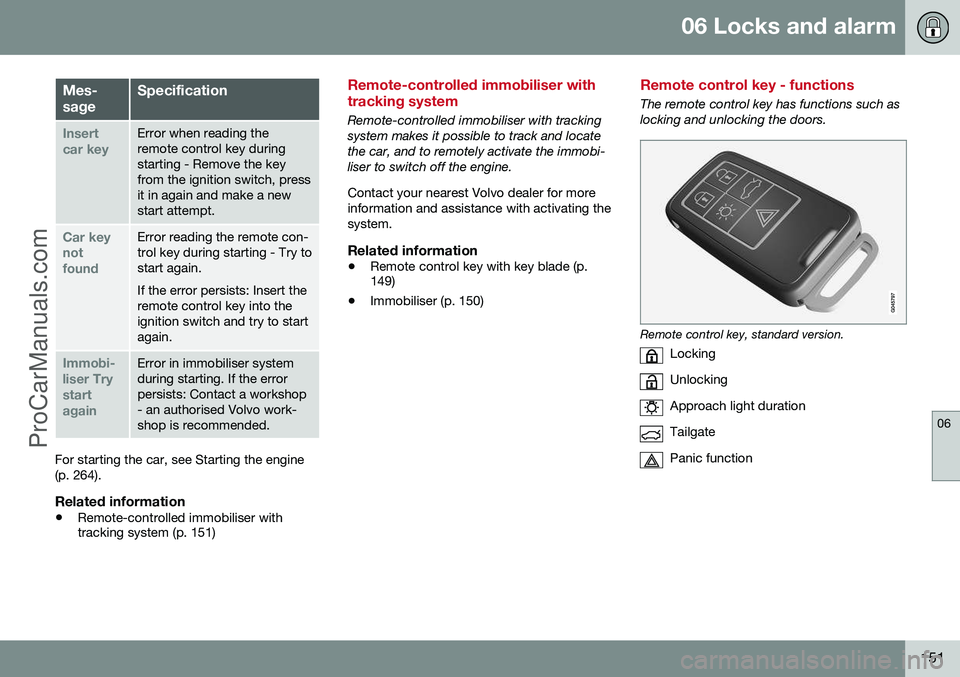
The remote control key has functions such as locking and unlocking the doors.
Remote control key, standard version.
Locking
Unlocking
Approach light duration
Tailgate
Panic function
ProCarManuals.co’
Page 161 of 442
06 Locks and alarm
06
* Option/accessory, for more information, see Introduction.159
NOTE
Volvo recommends that the batteries to be used in the remote control key/PCC fulfilUN Manual of Test and Criteria, Part III,sub-section 38.3. Batteries fitted in thefactory or replaced by an authorised Volvoworkshop fulfil the above criteria.
Assembly1. Press the remote control key together.
2. Hold the remote control key with the slot
pointed up and lower the key blade into its slot.
3. Lightly press the key blade. You should hear a "click" when the key blade islocked in.
IMPORTANT
Make sure that exhausted batteries are disposed of in a manner which is kind tothe environment.
Related information
• Remote control key with key blade (p. 149)
• Remote control key - functions (p. 151)
Keyless drive*
Keyless drive, only with PCC (p. 153) 2
means
that the car's lock and starting systems can be operated keylessly. The Keyless drive function in the PCC allows the car to be unlocked (p. 161), driven andlocked without the need for a key. You simplyhave to have the PCC with you. The systemmakes it easier and more convenient to openthe car, e.g. when your hands are full. Both of the car's PCCs incorporate the Keyless function. Additional PCCs can beordered, see Remote control key with keyblade (p. 149). The car's electrical system can be set to three different levels - key position 0, I and II
(p. 70) - with the remote control key.
Related information
• Keyless drive* - PCC range (p. 159)
• Keyless drive* - handling the PCC safely (p. 160)
• Keyless drive* - interference to PCC func-tion (p. 160)
Keyless drive* - PCC range
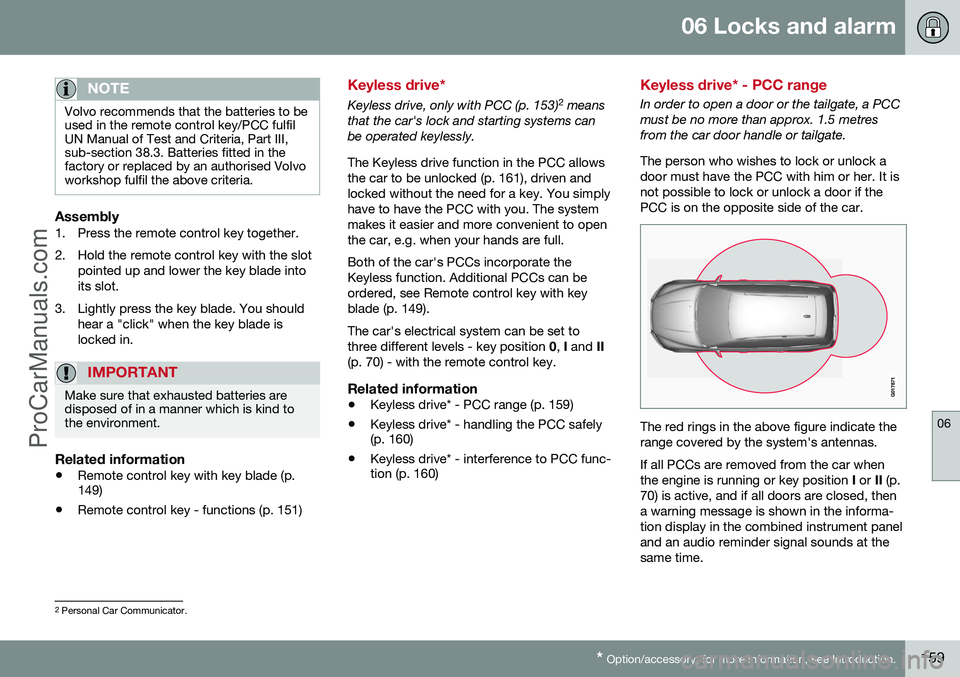
In order to open a door or the tailgate, a PCC must be no more than approx. 1.5 metresfrom the car door handle or tailgate. The person who wishes to lock or unlock a door must have the PCC with him or her. It isnot possible to lock or unlock a door if thePCC is on the opposite side of the car.
The red rings in the above figure indicate the range covered by the system's antennas. If all PCCs are removed from the car when the engine is running or key position
I or II (p.
70) is active, and if all doors are closed, thena warning message is shown in the informa-tion display in the combined instrument paneland an audio reminder signal sounds at thesame time.
2 Personal Car Communicator.
ProCarManuals.co’
Page 168 of 442
||
06 Locks and alarm
06
166* Option/accessory, for more information, see Introduction.
• Pull the door handle and open the door - the door is unlocked and opened in oneoperation.
Lamp in lock buttonCentral locking is available in two variants - the lamp in the central locking button for thedriver's door has different meanings depend-ent on the variant. With central locking button only in the driver's door, other doors have no button:
• Illuminated lamp means that all doors are locked.
With central locking button on both front doors and electric lock button in each reardoor:
• Illuminated lamp means that only that particular door is locked. When all but-tons are illuminated all doors are locked.
Locking
•
Press the central locking button - all
closed doors are locked.
A long press also closes all side windows and sunroof simultaneously (see also Total airingfunction (p. 166)).
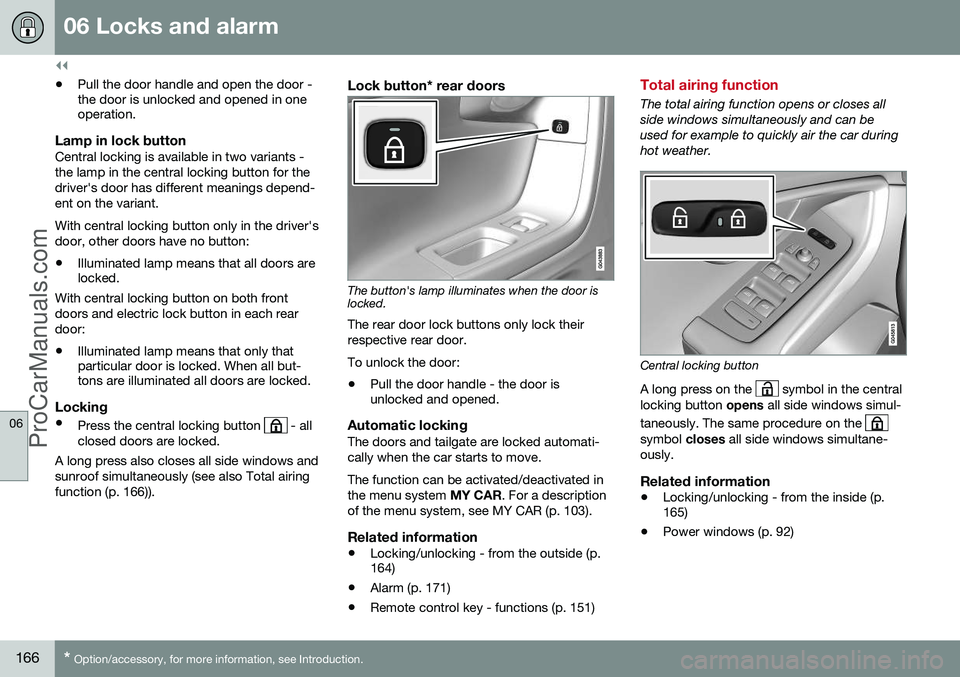
Lock button* rear doors
The button's lamp illuminates when the door is locked.
The rear door lock buttons only lock their respective rear door. To unlock the door:
• Pull the door handle - the door is unlocked and opened.
Automatic lockingThe doors and tailgate are locked automati- cally when the car starts to move. The function can be activated/deactivated in the menu system
MY CAR. For a description
of the menu system, see MY CAR (p. 103).
Related information
• Locking/unlocking - from the outside (p. 164)
• Alarm (p. 171)
• Remote control key - functions (p. 151)
Total airing function
The total airing function opens or closes all side windows simultaneously and can beused for example to quickly air the car duringhot weather.
Central locking button
A long press on the
symbol in the central
locking button opens all side windows simul-
taneously. The same procedure on the
symbol closes all side windows simultane-
ously.
Related information
• Locking/unlocking - from the inside (p. 165)
• Power windows (p. 92)
ProCarManuals.co’
Page 170 of 442
||
06 Locks and alarm
06
168* Option/accessory, for more information, see Introduction.
The doors remain locked and armed.
• The tailgate is unlocked, but remains closed - press lightly on the rubberisedpressure plate under the outer handle andlift the tailgate.
If the tailgate is not opened within 2 minutes then it is relocked and the alarm is re-armed.
Unlocking the car from inside
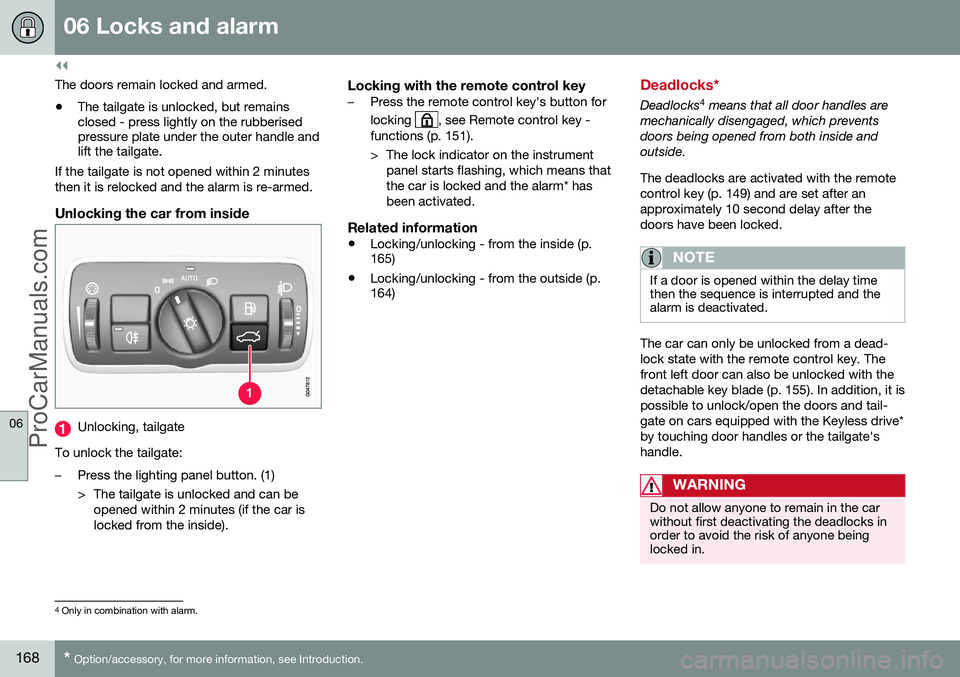
Unlocking, tailgate
To unlock the tailgate:
–Press the lighting panel button. (1)
> The tailgate is unlocked and can be opened within 2 minutes (if the car is locked from the inside).
Locking with the remote control key–Press the remote control key's button for locking
, see Remote control key -
functions (p. 151).
> The lock indicator on the instrument panel starts flashing, which means that the car is locked and the alarm* hasbeen activated.
Related information
• Locking/unlocking - from the inside (p. 165)
• Locking/unlocking - from the outside (p.164)
Deadlocks*
Deadlocks 4
means that all door handles are
mechanically disengaged, which prevents doors being opened from both inside andoutside. The deadlocks are activated with the remote control key (p. 149) and are set after anapproximately 10 second delay after thedoors have been locked.
NOTE
If a door is opened within the delay time then the sequence is interrupted and thealarm is deactivated.
The car can only be unlocked from a dead- lock state with the remote control key. Thefront left door can also be unlocked with thedetachable key blade (p. 155). In addition, it ispossible to unlock/open the doors and tail-gate on cars equipped with the Keyless drive*by touching door handles or the tailgate'shandle.
WARNING
Do not allow anyone to remain in the car without first deactivating the deadlocks inorder to avoid the risk of anyone beinglocked in.
4 Only in combination with alarm.
ProCarManuals.co’
Page 174 of 442
06 Locks and alarm
06
172
Alarm indicator
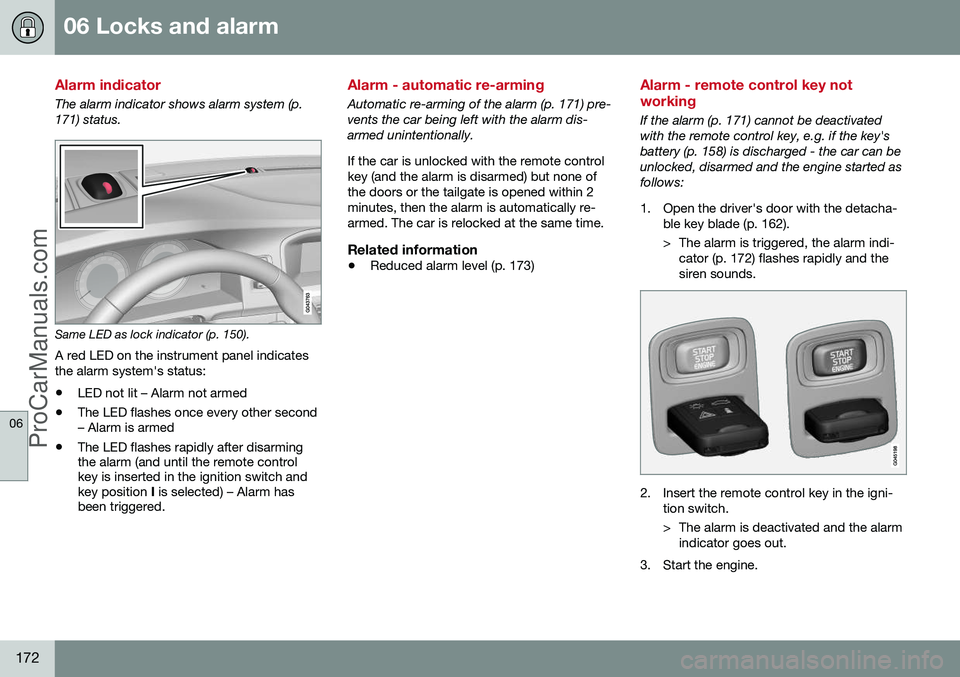
The alarm indicator shows alarm system (p. 171) status.
Same LED as lock indicator (p. 150).
A red LED on the instrument panel indicates the alarm system's status:
• LED not lit – Alarm not armed
• The LED flashes once every other second – Alarm is armed
• The LED flashes rapidly after disarmingthe alarm (and until the remote controlkey is inserted in the ignition switch andkey position
I is selected) – Alarm has
been triggered.
Alarm - automatic re-arming
Automatic re-arming of the alarm (p. 171) pre- vents the car being left with the alarm dis-armed unintentionally. If the car is unlocked with the remote control key (and the alarm is disarmed) but none ofthe doors or the tailgate is opened within 2minutes, then the alarm is automatically re-armed. The car is relocked at the same time.
Related information
• Reduced alarm level (p. 173)
Alarm - remote control key not working
If the alarm (p. 171) cannot be deactivated with the remote control key, e.g. if the key'sbattery (p. 158) is discharged - the car can beunlocked, disarmed and the engine started asfollows:
1. Open the driver's door with the detacha-
ble key blade (p. 162).
> The alarm is triggered, the alarm indi-cator (p. 172) flashes rapidly and the siren sounds.
2. Insert the remote control key in the igni- tion switch.
> The alarm is deactivated and the alarmindicator goes out.
3. Start the engine.
ProCarManuals.co’
Page 266 of 442
08 Starting and driving
08
264* Option/accessory, for more information, see Introduction.
Starting the engine
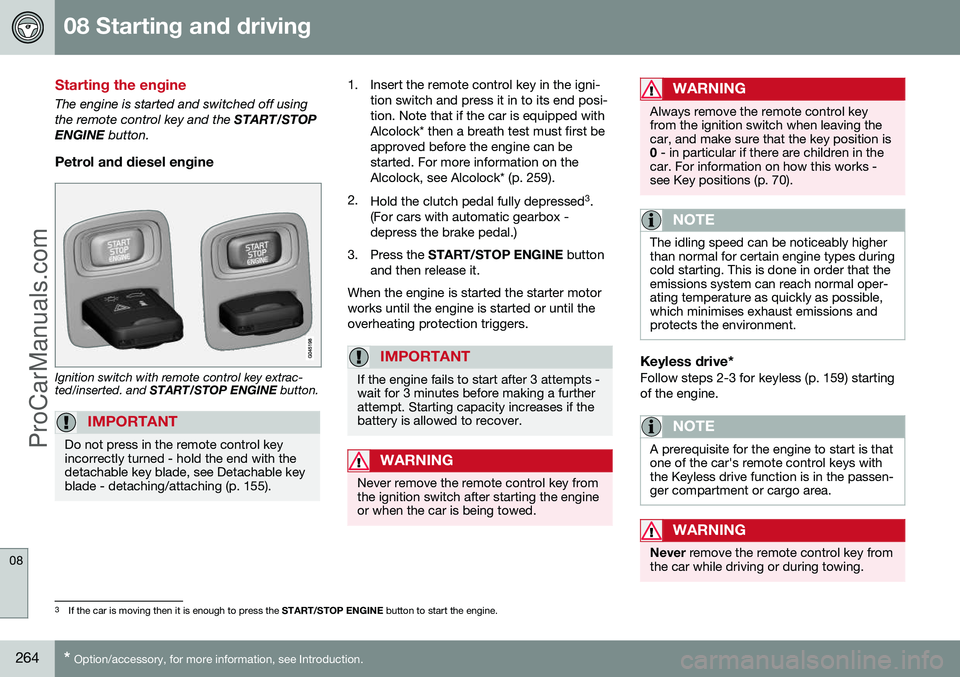
The engine is started and switched off using the remote control key and the START/STOP
ENGINE button.
Petrol and diesel engine
Ignition switch with remote control key extrac- ted/inserted. and START/STOP ENGINE button.
IMPORTANT
Do not press in the remote control key incorrectly turned - hold the end with thedetachable key blade, see Detachable keyblade - detaching/attaching (p. 155).
1. Insert the remote control key in the igni-
tion switch and press it in to its end posi- tion. Note that if the car is equipped withAlcolock* then a breath test must first beapproved before the engine can bestarted. For more information on theAlcolock, see Alcolock* (p. 259).
2. Hold the clutch pedal fully depressed 3
.
(For cars with automatic gearbox -depress the brake pedal.)
3. Press the START/STOP ENGINE button
and then release it.
When the engine is started the starter motorworks until the engine is started or until theoverheating protection triggers.
IMPORTANT
If the engine fails to start after 3 attempts - wait for 3 minutes before making a furtherattempt. Starting capacity increases if thebattery is allowed to recover.
WARNING
Never remove the remote control key from the ignition switch after starting the engineor when the car is being towed.
WARNING
Always remove the remote control key from the ignition switch when leaving thecar, and make sure that the key position is0 - in particular if there are children in the
car. For information on how this works -see Key positions (p. 70).
NOTE
The idling speed can be noticeably higher than normal for certain engine types duringcold starting. This is done in order that theemissions system can reach normal oper-ating temperature as quickly as possible,which minimises exhaust emissions andprotects the environment.
Keyless drive*Follow steps 2-3 for keyless (p. 159) starting of the engine.
NOTE
A prerequisite for the engine to start is that one of the car's remote control keys withthe Keyless drive function is in the passen-ger compartment or cargo area.
WARNING
Never remove the remote control key from
the car while driving or during towing.
3 If the car is moving then it is enough to press the START/STOP ENGINE button to start the engine.
ProCarManuals.co’
Page 267 of 442
08 Starting and driving
08
265
Related information
•Switching off the engine (p. 265)
Switching off the engine
The engine is switched off using the
START/
STOP ENGINE button.
To stop the engine:
• Press
START/STOP ENGINE - the
engine stops.
If the gear selector is not in P position or if
the car is moving:
• Press twice on
START/STOP ENGINE or
hold the button depressed until the engine stops.
Related information
• Key positions (p. 70)
Steering lock
The steering lock makes steering difficult if the car is e.g. taken unlawfully.
Function
•
The steering lock unlocks when the remote control key is in the ignition switch 4
and the START/STOP ENGINE
button is depressed.
• The steering lock locks when the driver's door is opened after the engine has beenswitched off.
A mechanical noise can be perceived when the steering lock unlocks or locks.
Related information
• Starting the engine (p. 264)
• Key positions (p. 70)
• Steering wheel (p. 76)
4
Cars with Keyless drive must have a remote control key inside the passenger compartment.
ProCarManuals.co’