warning VOLVO V60 2015 Owner´s Manual
[x] Cancel search | Manufacturer: VOLVO, Model Year: 2015, Model line: V60, Model: VOLVO V60 2015Pages: 414, PDF Size: 11.44 MB
Page 186 of 414

04 Driver support
Pedestrian and Cyclist Detection with Full Auto Brake*
04
184* Option/accessory, for more information, see Introduction.
WARNING
• The camera has the same limitations as the human eye. In other words, its“vision is impaired” by adverseweather conditions such as heavysnowfall, dense fog, etc. These condi-tions may reduce the function of sys-tems that depend on the camera orcause these systems to temporarilystop functioning.
• Never place any objects, decals, etc.,on the windshield in front of the cam-era. This could reduce or block thecamera’s function, and could causeone or more of the systems that utilizethe camera to stop functioning.
• Strong sunlight, reflections from theroad surface, ice or snow covering theroad, a dirty road surface, or unclearlane marker lines may drasticallyreduce the camera’s capacity todetect the side of a lane, a pedestrian,a cyclist or another vehicle.
Pedestrian detection
The system cannot identify all pedestrians
The Pedestrian and Cyclist Detection with Full Auto Brake system can only identify anddetect a pedestrian who is standing upright.This person can be standing still, walking orrunning. This means that the system has to be able to identify a person's head, arms, shoulders,legs, the upper and lower parts of the bodyand a person's pattern of movement whenwalking or running. If parts of the body are not visible to the cam- era, the system cannot detect the pedestrian. The following conditions apply:
• In order to detect a pedestrian, the sys- tem must have a full view of the person's entire body and the person must be atleast 32 in. (80 cm) tall.
• The system cannot detect a pedestriancarrying a large object.
• The camera's capacity to see a pedes-trian at dawn or dusk is limited, much asit is for the human eye.
• The camera's function is deactivated andwill not detect a pedestrian in darkness orin tunnels, even if there is street lighting inthe area.WARNING
• Pedestrian and Cyclist Detection with Full Auto Brake is designed to be asupplementary driving aid. It is not,however, intended to replace the driv-er's attention and judgement. Thedriver is always responsible for operat-ing the vehicle in a safe manner.
• The system cannot detect all pedes-trians in all situations, such as in dark-ness/at night and cannot detect parti-ally hidden pedestrians, people whoare less than approx. 32 in. (80 cm)tall, or people wearing clothing thatobscures the contours of their bodies.
Page 188 of 414
04 Driver support
Pedestrian and Cyclist Detection with Full Auto Brake*
04
186* Option/accessory, for more information, see Introduction.
WARNING
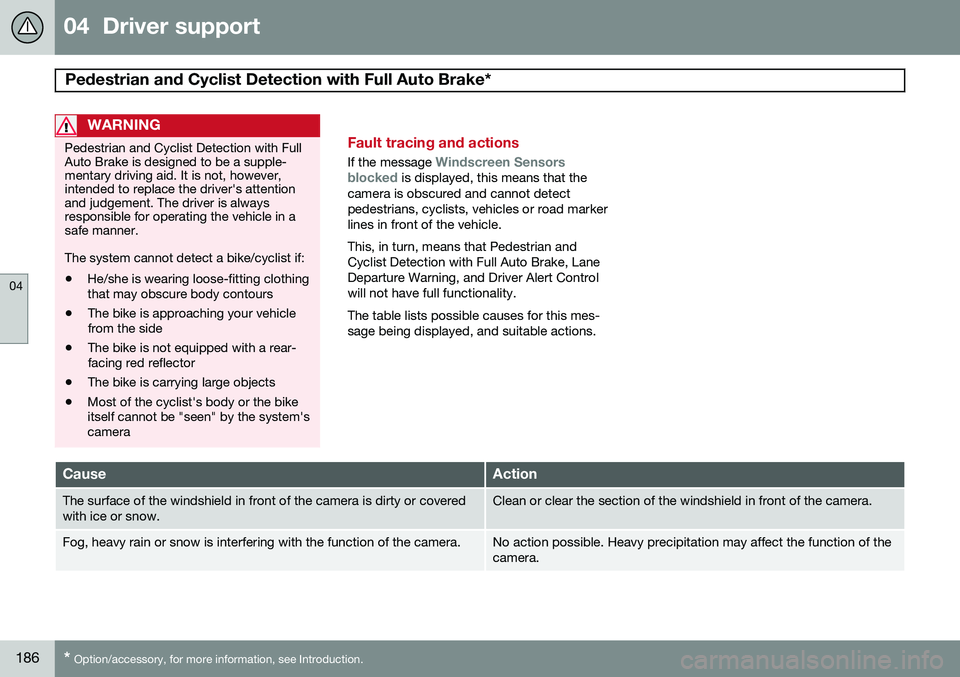
Pedestrian and Cyclist Detection with Full Auto Brake is designed to be a supple-mentary driving aid. It is not, however,intended to replace the driver's attentionand judgement. The driver is alwaysresponsible for operating the vehicle in asafe manner. The system cannot detect a bike/cyclist if: • He/she is wearing loose-fitting clothing that may obscure body contours
• The bike is approaching your vehiclefrom the side
• The bike is not equipped with a rear-facing red reflector
• The bike is carrying large objects
• Most of the cyclist's body or the bikeitself cannot be "seen" by the system'scameraFault tracing and actions
If the message Windscreen Sensors
blocked is displayed, this means that the
camera is obscured and cannot detect pedestrians, cyclists, vehicles or road markerlines in front of the vehicle. This, in turn, means that Pedestrian and Cyclist Detection with Full Auto Brake, LaneDeparture Warning, and Driver Alert Controlwill not have full functionality. The table lists possible causes for this mes- sage being displayed, and suitable actions.
CauseAction
The surface of the windshield in front of the camera is dirty or covered with ice or snow.Clean or clear the section of the windshield in front of the camera.
Fog, heavy rain or snow is interfering with the function of the camera.No action possible. Heavy precipitation may affect the function of the camera.
Page 189 of 414
04 Driver support
Pedestrian and Cyclist Detection with Full Auto Brake*
04
}}
* Option/accessory, for more information, see Introduction.187
CauseAction
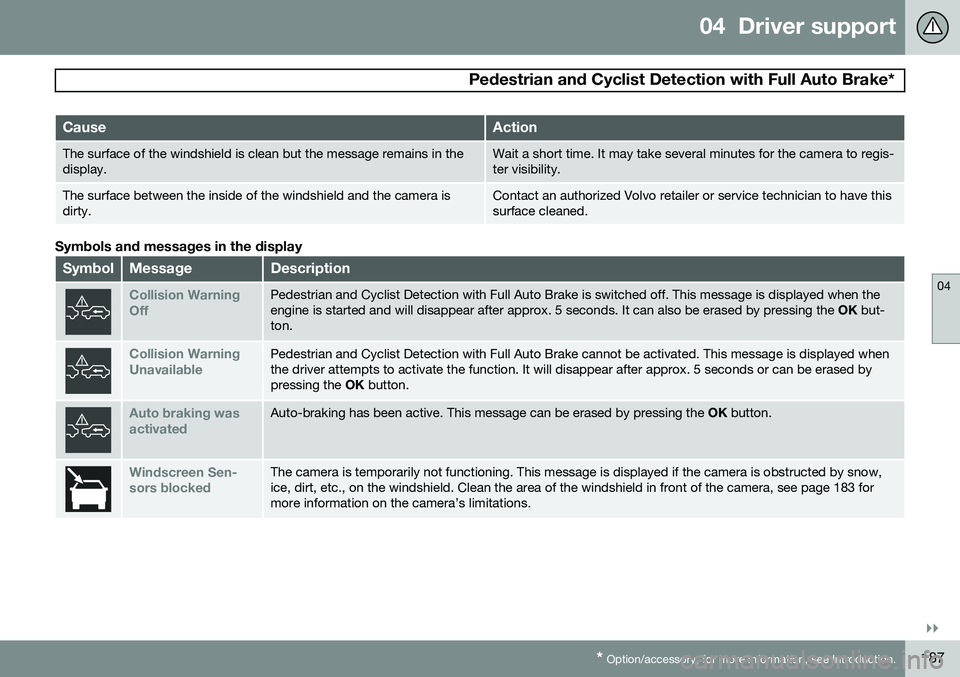
The surface of the windshield is clean but the message remains in the display.Wait a short time. It may take several minutes for the camera to regis- ter visibility.
The surface between the inside of the windshield and the camera is dirty.Contact an authorized Volvo retailer or service technician to have this surface cleaned.
Symbols and messages in the display
SymbolMessageDescription
Collision Warning OffPedestrian and Cyclist Detection with Full Auto Brake is switched off. This message is displayed when the engine is started and will disappear after approx. 5 seconds. It can also be erased by pressing the OK but-
ton.
Collision Warning UnavailablePedestrian and Cyclist Detection with Full Auto Brake cannot be activated. This message is displayed when the driver attempts to activate the function. It will disappear after approx. 5 seconds or can be erased bypressing the OK button.
Auto braking was activatedAuto-braking has been active. This message can be erased by pressing the OK button.
Windscreen Sen- sors blockedThe camera is temporarily not functioning. This message is displayed if the camera is obstructed by snow, ice, dirt, etc., on the windshield. Clean the area of the windshield in front of the camera, see page 183 formore information on the camera’s limitations.
Page 191 of 414
04 Driver support
Driver Alert System*
04
}}
* Option/accessory, for more information, see Introduction.189
Introduction
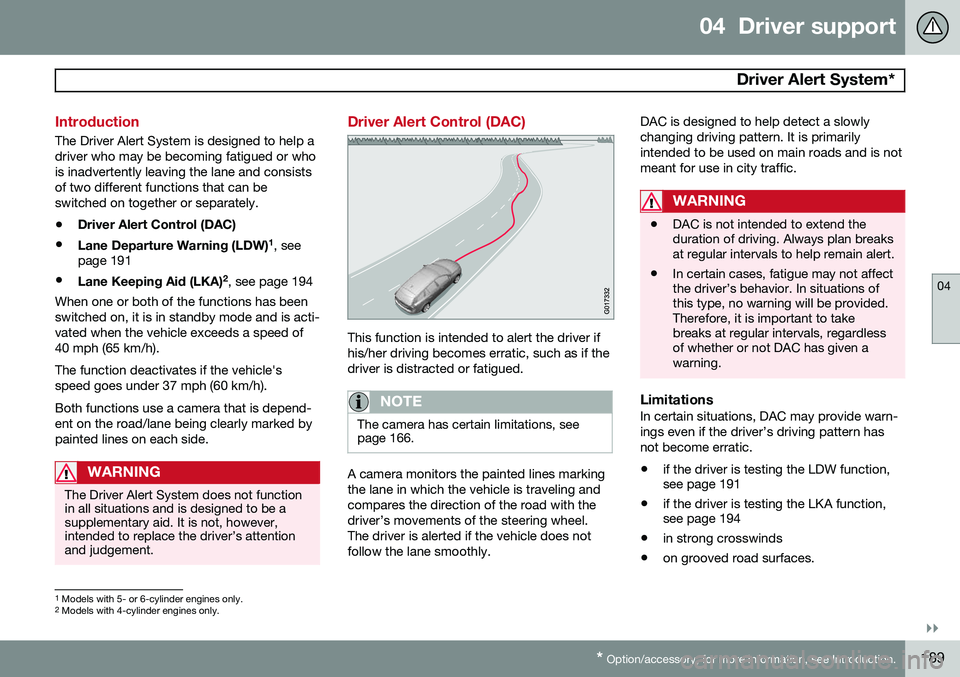
The Driver Alert System is designed to help a driver who may be becoming fatigued or whois inadvertently leaving the lane and consistsof two different functions that can beswitched on together or separately.
• Driver Alert Control (DAC)
• Lane Departure Warning (LDW) 1
, see
page 191
• Lane Keeping Aid (LKA) 2
, see page 194
When one or both of the functions has beenswitched on, it is in standby mode and is acti-vated when the vehicle exceeds a speed of40 mph (65 km/h). The function deactivates if the vehicle's speed goes under 37 mph (60 km/h). Both functions use a camera that is depend- ent on the road/lane being clearly marked bypainted lines on each side.
WARNING
The Driver Alert System does not function in all situations and is designed to be asupplementary aid. It is not, however,intended to replace the driver’s attentionand judgement.
Driver Alert Control (DAC)
This function is intended to alert the driver if his/her driving becomes erratic, such as if thedriver is distracted or fatigued.
NOTE
The camera has certain limitations, see page 166.
A camera monitors the painted lines marking the lane in which the vehicle is traveling andcompares the direction of the road with thedriver’s movements of the steering wheel.The driver is alerted if the vehicle does notfollow the lane smoothly. DAC is designed to help detect a slowlychanging driving pattern. It is primarilyintended to be used on main roads and is notmeant for use in city traffic.
WARNING
•
DAC is not intended to extend the duration of driving. Always plan breaksat regular intervals to help remain alert.
• In certain cases, fatigue may not affectthe driver’s behavior. In situations ofthis type, no warning will be provided.Therefore, it is important to takebreaks at regular intervals, regardlessof whether or not DAC has given awarning.
LimitationsIn certain situations, DAC may provide warn- ings even if the driver’s driving pattern hasnot become erratic.
• if the driver is testing the LDW function, see page 191
• if the driver is testing the LKA function,see page 194
• in strong crosswinds
• on grooved road surfaces.
1
Models with 5- or 6-cylinder engines only.
2 Models with 4-cylinder engines only.
Page 192 of 414
04 Driver support
Driver Alert System*
04
190* Option/accessory, for more information, see Introduction.
Operating DACSettings are made using menu system and the display in the center console. See page219 for more information on the menu sys-tem.
On/OffTo put Driver Alert in standby mode:
• In the
MY CAR menu, scroll to
Car
settings
Driver support systemsDriver Alert and check the box. If the box
is not checked, the function is off.
FunctionDriver Alert is activated when the vehicle exceeds a speed of 40 mph (65 km/h) and willremain active as long as the speed is overapprox. 37 mph (60 km/h).
If the vehicle is being driven errati-cally, the driver will be alerted by anaudible signal and the message
Driver Alert Time for a break is
displayed. The warning will be repeated after a short time if the driving pattern remains thesame.
Press the OK button to erase a message.
WARNING
• An alert should be taken seriously since it is sometimes difficult for adriver to realize that he/she is fatigued.
• In the event of a warning or if thedriver feels fatigued, stop as soon aspossible in a safe place and rest.
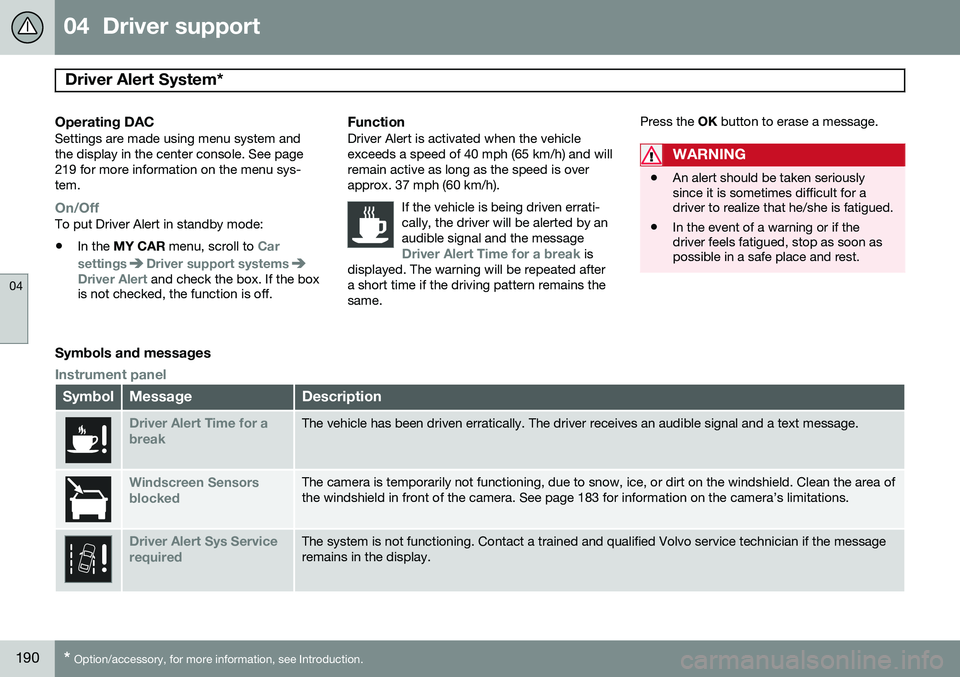
Symbols and messages
Instrument panel
SymbolMessageDescription
Driver Alert Time for a breakThe vehicle has been driven erratically. The driver receives an audible signal and a text message.
Windscreen Sensors blockedThe camera is temporarily not functioning, due to snow, ice, or dirt on the windshield. Clean the area of the windshield in front of the camera. See page 183 for information on the camera’s limitations.
Driver Alert Sys Service requiredThe system is not functioning. Contact a trained and qualified Volvo service technician if the message remains in the display.
Page 193 of 414
04 Driver support
Driver Alert System*
04
}}
* Option/accessory, for more information, see Introduction.191
Center console display
SymbolMessageDescription
-Driver Alert OFFThe function is not switched on.
-Driver Alert AvailableThe function is active.
-Driver Alert Standby <65 km/hThe function has gone into standby mode because the vehicle's speed is below 40 mph (65 km/h).
-Driver Alert UnavailableThe camera is temporarily not functioning, due to snow, ice, or dirt on the windshield. Clean the area of the windshield in front of the camera. See page 183 for information on the camera’s limita-tions.
Lane Departure Warning (LDW) 1
Your vehicle may be equipped with Lane Departure Warning (LDW) or Lane KeepingAid (LKA), depending on your choice of engine.
If you are uncertain as to which of
these optional systems is in your vehicle:
• Press the
MY CAR button on the center
console to open the menu system. Scroll to
SettingsDriver support system.
The system in your vehicle (Lane
Departure Warning or Lane Keeping
Aid) will be displayed there.
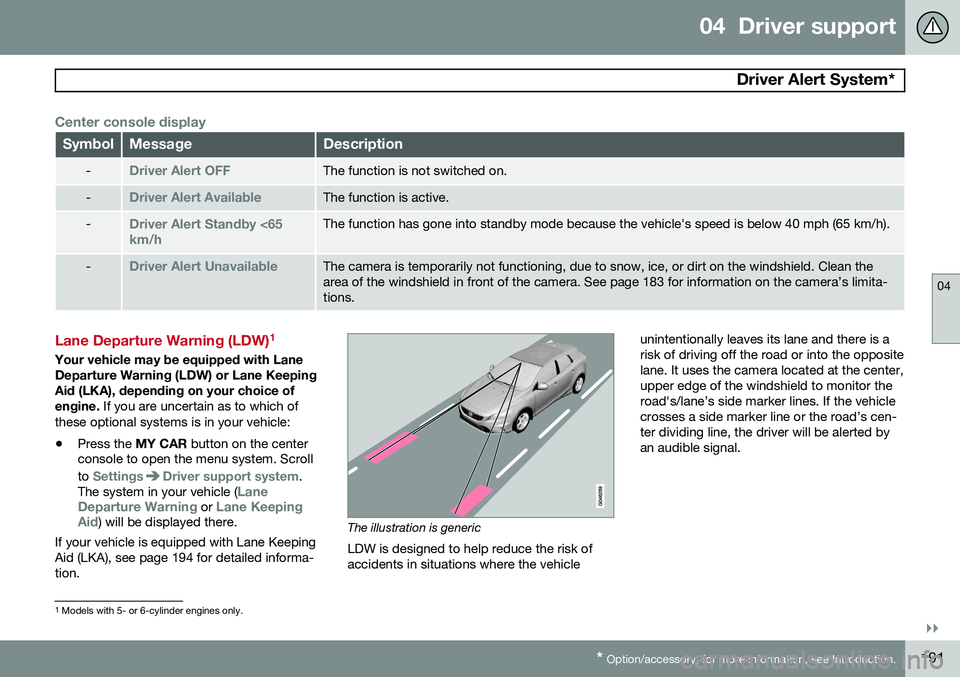
If your vehicle is equipped with Lane Keeping Aid (LKA), see page 194 for detailed informa-tion.The illustration is generic
LDW is designed to help reduce the risk of accidents in situations where the vehicle unintentionally leaves its lane and there is arisk of driving off the road or into the oppositelane. It uses the camera located at the center,upper edge of the windshield to monitor theroad's/lane’s side marker lines. If the vehiclecrosses a side marker line or the road’s cen-ter dividing line, the driver will be alerted byan audible signal.
1
Models with 5- or 6-cylinder engines only.
Page 194 of 414
04 Driver support
Driver Alert System*
04
192* Option/accessory, for more information, see Introduction.
WARNING
This feature is only intended to assist the driver and does not function in all driving,weather, traffic or road conditions. As the driver, you have full responsibility for operating the vehicle in a safe manner.
Operation and function
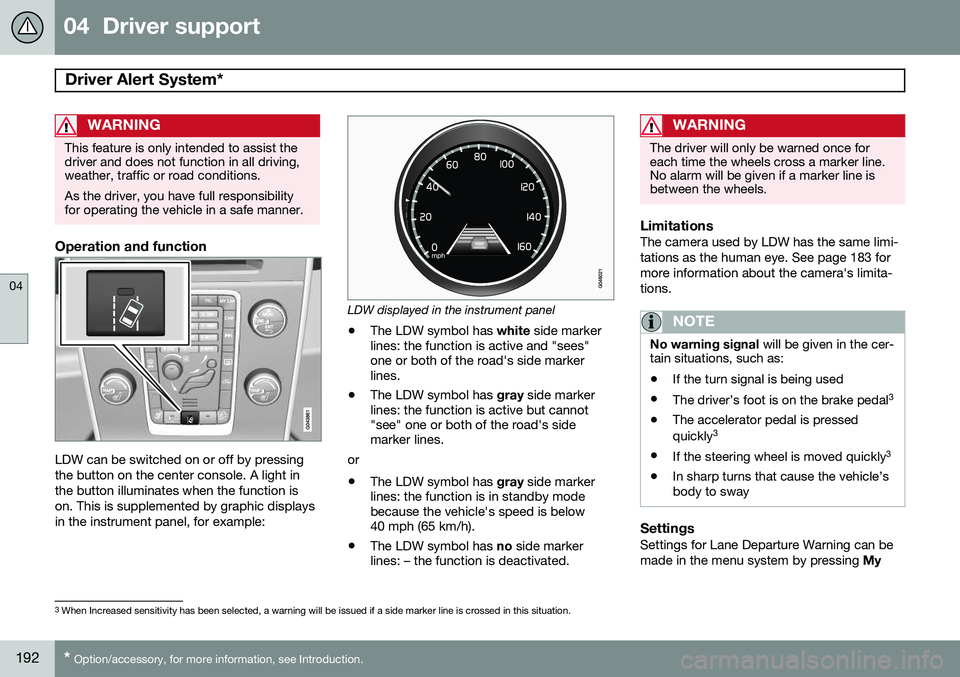
LDW can be switched on or off by pressing the button on the center console. A light inthe button illuminates when the function ison. This is supplemented by graphic displaysin the instrument panel, for example:
LDW displayed in the instrument panel
• The LDW symbol has
white side marker
lines: the function is active and "sees" one or both of the road's side markerlines.
• The LDW symbol has
gray side marker
lines: the function is active but cannot"see" one or both of the road's sidemarker lines.
or
• The LDW symbol has
gray side marker
lines: the function is in standby modebecause the vehicle's speed is below40 mph (65 km/h).
• The LDW symbol has
no side marker
lines: – the function is deactivated.
WARNING
The driver will only be warned once for each time the wheels cross a marker line.No alarm will be given if a marker line isbetween the wheels.
LimitationsThe camera used by LDW has the same limi- tations as the human eye. See page 183 formore information about the camera's limita-tions.
NOTE
No warning signal will be given in the cer-
tain situations, such as:
• If the turn signal is being used
• The driver’s foot is on the brake pedal 3
• The accelerator pedal is pressed quickly 3
• If the steering wheel is moved quickly 3
• In sharp turns that cause the vehicle’s body to sway
SettingsSettings for Lane Departure Warning can be made in the menu system by pressing
My
3
When Increased sensitivity has been selected, a warning will be issued if a side marker line is crossed in this situation.
Page 195 of 414
04 Driver support
Driver Alert System*
04
}}
* Option/accessory, for more information, see Introduction.193
Car
. Go to
SettingsCar settings
Driver support systemsLane Departure
Warning.
There are two alternatives:
On at start-up: This selection switches LDW
on each time the engine is started. Otherwise, the system will be in the mode that it was in when the engine was switched off.
Increased sensitivity: This selection increa-
ses the function’s sensitivity. Warnings will be given at an earlier stage and fewer limitationsapply. When this setting is being used, thesystem only needs to monitor lane marker lines on one side of the vehicle to change sta- tus to
Lane Depart Warn Available.
Symbols and messages
SymbolMessageDescription
Lane departure warning ON/Lane departure warning OFFThe function is switched on or off. The text disappears after 5 seconds.
-Lane Depart Warn AvailableThe function is monitoring the road’s marker lines.
-Lane Depart. Warning Unavail-
able at this speedThe function has gone into standby mode because the vehicle's speed is below 40 mph (65 km/h).
-Lane Depart Warn UnavailableThe road lacks clear marker lines or the camera is not functioning properly. See page 183 for information on the camera’s limitations.
Windscreen Sensors blockedThe camera is temporarily not functioning, due to snow, ice, or dirt on the windshield. Clean the area of the windshield in front of the camera. See page 183 for information on the camera’s limi-tations.
Driver Alert Sys Service requiredThe system is not functioning. Contact a trained and qualified Volvo service technician if the message remains in the display.
Page 196 of 414
04 Driver support
Driver Alert System*
04
194* Option/accessory, for more information, see Introduction.
Lane Keeping Aid (LKA) 2
See page 191 for information about determin- ing if your vehicle is equipped with LaneDeparture Warning or Lane Keeping Aid This function is designed to help reduce the risk of accidents in situations where the vehi-cle unintentionally leaves its lane and there isa risk of driving off the road or into the oppo-site lane. It is primarily intended for use onhighways or other major roads with clearlymarked side marker and center lines.
How LKA works
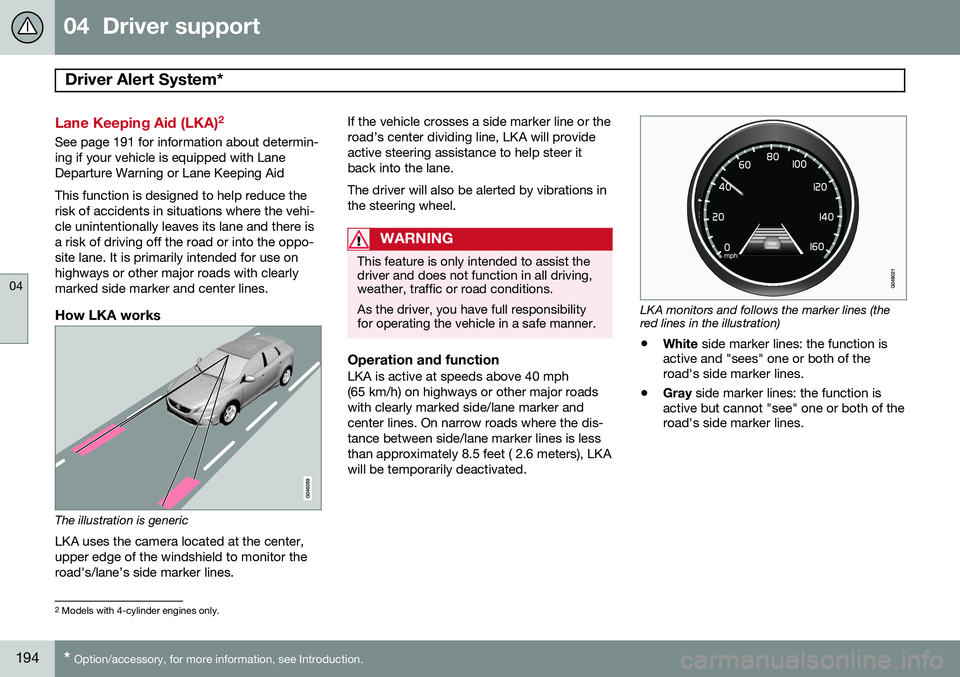
The illustration is generic
LKA uses the camera located at the center, upper edge of the windshield to monitor theroad's/lane’s side marker lines. If the vehicle crosses a side marker line or theroad’s center dividing line, LKA will provideactive steering assistance to help steer itback into the lane. The driver will also be alerted by vibrations in the steering wheel.
WARNING
This feature is only intended to assist the driver and does not function in all driving,weather, traffic or road conditions. As the driver, you have full responsibility for operating the vehicle in a safe manner.
Operation and functionLKA is active at speeds above 40 mph (65 km/h) on highways or other major roadswith clearly marked side/lane marker andcenter lines. On narrow roads where the dis-tance between side/lane marker lines is lessthan approximately 8.5 feet ( 2.6 meters), LKAwill be temporarily deactivated.
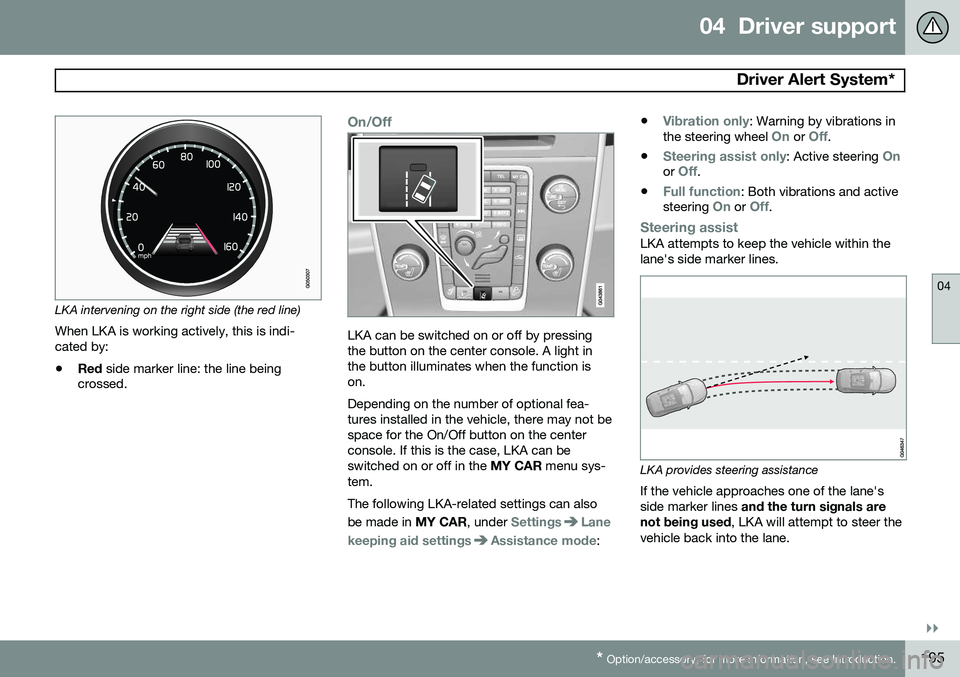
LKA monitors and follows the marker lines (the red lines in the illustration)
• White
side marker lines: the function is
active and "sees" one or both of the road's side marker lines.
• Gray
side marker lines: the function is
active but cannot "see" one or both of theroad's side marker lines.
2 Models with 4-cylinder engines only.
Page 197 of 414
04 Driver support
Driver Alert System*
04
}}
* Option/accessory, for more information, see Introduction.195
LKA intervening on the right side (the red line)
When LKA is working actively, this is indi- cated by:
• Red
side marker line: the line being
crossed.
On/Off
LKA can be switched on or off by pressing the button on the center console. A light inthe button illuminates when the function ison. Depending on the number of optional fea- tures installed in the vehicle, there may not bespace for the On/Off button on the centerconsole. If this is the case, LKA can beswitched on or off in the MY CAR menu sys-
tem. The following LKA-related settings can also be made in MY CAR, under
SettingsLane
keeping aid settings
Assistance mode: •
Vibration only: Warning by vibrations in
the steering wheel On or Off.
•
Steering assist only: Active steering Onor Off.
•
Full function: Both vibrations and active
steering On or Off.
Steering assistLKA attempts to keep the vehicle within the lane's side marker lines.
LKA provides steering assistance
If the vehicle approaches one of the lane's side marker lines and the turn signals are
not being used , LKA will attempt to steer the
vehicle back into the lane.