center console VOLVO V60 2017 Owner´s Manual
[x] Cancel search | Manufacturer: VOLVO, Model Year: 2017, Model line: V60, Model: VOLVO V60 2017Pages: 406, PDF Size: 9.65 MB
Page 242 of 406
||
DRIVER SUPPORT
240
Activating/deactivating
The system is activated automatically when the vehicle is started.
–Press the Park assist button on the center console to temporarily deactivate the sys-tem(s).
> The indicator light in the button will go outwhen the system has been deactivated.
Park assist will be automatically reactivated the next time the engine is started, or if the button ispressed (the indicator light in the button will illu-minate).
NOTE
Park assist is disengaged automatically when the parking brake is applied.
Related information
• Park assist – introduction (p. 237)
• Park assist – limitations (p. 240)
• Park assist – function (p. 237)
• Park assist – troubleshooting (p. 245)
• Rear Park Assist Camera (PAC) – function (p. 246)
Park assist – limitations
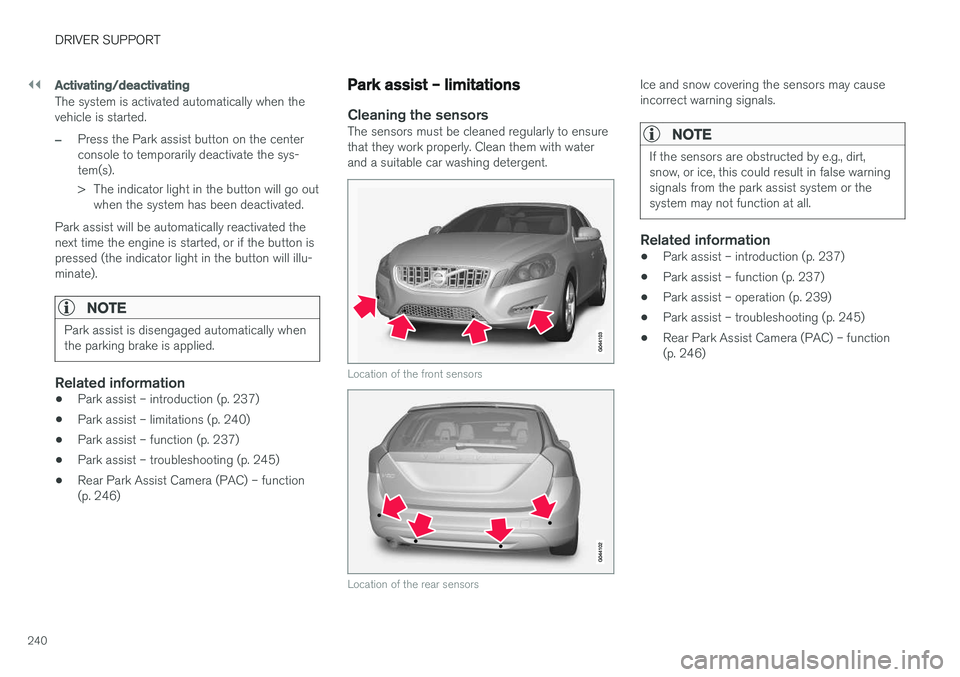
Cleaning the sensorsThe sensors must be cleaned regularly to ensure that they work properly. Clean them with waterand a suitable car washing detergent.
Location of the front sensors
Location of the rear sensors
Ice and snow covering the sensors may cause incorrect warning signals.
NOTE
If the sensors are obstructed by e.g., dirt, snow, or ice, this could result in false warningsignals from the park assist system or thesystem may not function at all.
Related information
•Park assist – introduction (p. 237)
• Park assist – function (p. 237)
• Park assist – operation (p. 239)
• Park assist – troubleshooting (p. 245)
• Rear Park Assist Camera (PAC) – function (p. 246)
Page 248 of 406
DRIVER SUPPORT
246
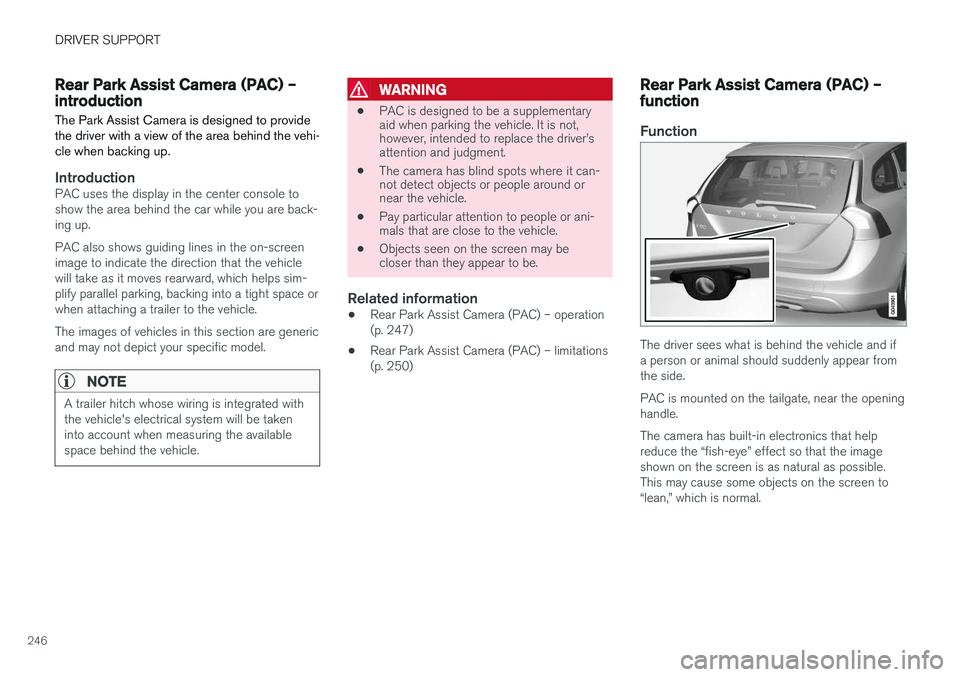
Rear Park Assist Camera (PAC) – introductionThe Park Assist Camera is designed to provide the driver with a view of the area behind the vehi-cle when backing up.
IntroductionPAC uses the display in the center console to show the area behind the car while you are back-ing up. PAC also shows guiding lines in the on-screen image to indicate the direction that the vehiclewill take as it moves rearward, which helps sim-plify parallel parking, backing into a tight space orwhen attaching a trailer to the vehicle. The images of vehicles in this section are generic and may not depict your specific model.
NOTE
A trailer hitch whose wiring is integrated with the vehicle's electrical system will be takeninto account when measuring the availablespace behind the vehicle.
WARNING
• PAC is designed to be a supplementary aid when parking the vehicle. It is not,however, intended to replace the driver
Page 249 of 406
DRIVER SUPPORT
}}
247
Ambient lighting conditions
The camera automatically monitors the ambient lighting conditions behind the vehicle and con-stantly adjusts sensitivity to light. This may causethe brightness and quality of the image on thescreen to vary slightly. Sensitivity to light isincreased in dark conditions or in bad weather,which may affect image quality. If the image on the screen seems too dark, brightness can be increased with the thumbwheel on the lighting panel.
NOTE
In order to function properly, the camera lens should always be kept clean. This is particu-larly important in bad weather. Keep the lensfree of dirt, ice or snow.
Related information
•Rear Park Assist Camera (PAC) – introduc- tion (p. 246)
• Rear Park Assist Camera (PAC) – operation(p. 247)
• Rear Park Assist Camera (PAC) – limitations(p. 250)
Rear Park Assist Camera (PAC) – operation
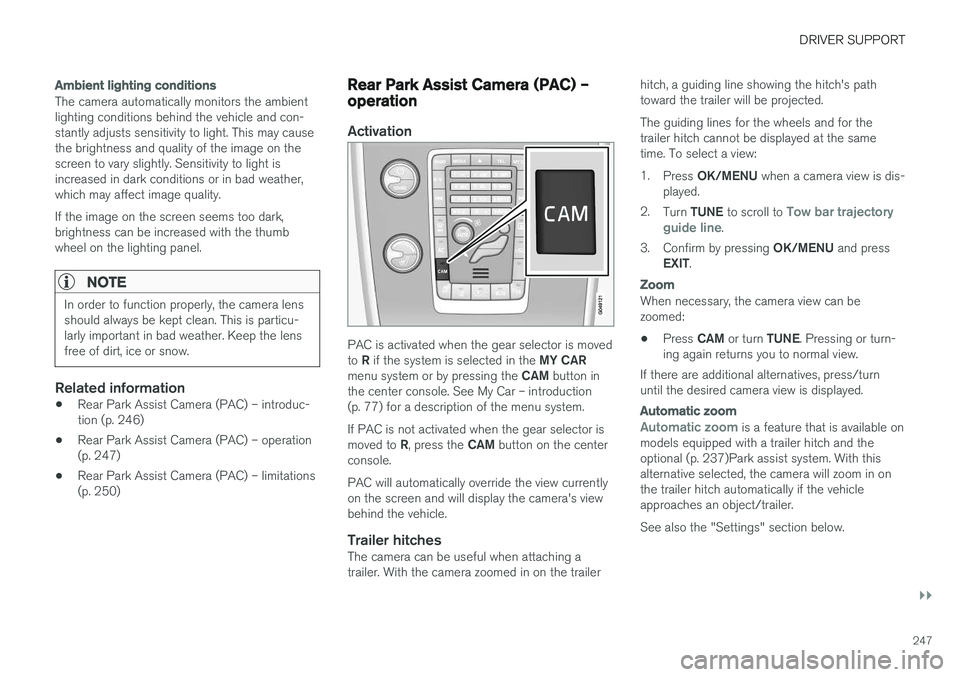
Activation
PAC is activated when the gear selector is moved to
R if the system is selected in the MY CAR
menu system or by pressing the CAM button in
the center console. See My Car – introduction (p. 77) for a description of the menu system. If PAC is not activated when the gear selector is moved to R, press the CAM button on the center
console. PAC will automatically override the view currently on the screen and will display the camera's viewbehind the vehicle.
Trailer hitchesThe camera can be useful when attaching atrailer. With the camera zoomed in on the trailer hitch, a guiding line showing the hitch's pathtoward the trailer will be projected. The guiding lines for the wheels and for the trailer hitch cannot be displayed at the sametime. To select a view: 1.
Press OK/MENU when a camera view is dis-
played.
2. Turn TUNE to scroll to
Tow bar trajectory
guide line.
3. Confirm by pressing OK/MENU and press
EXIT .
Zoom
When necessary, the camera view can be zoomed:
• Press
CAM or turn TUNE. Pressing or turn-
ing again returns you to normal view.
If there are additional alternatives, press/turnuntil the desired camera view is displayed.
Automatic zoom
Automatic zoom is a feature that is available on
models equipped with a trailer hitch and the optional (p. 237)Park assist system. With thisalternative selected, the camera will zoom in onthe trailer hitch automatically if the vehicleapproaches an object/trailer. See also the "Settings" section below.
Page 250 of 406
||
DRIVER SUPPORT
248
DeactivationMove the gear selector from R to another gear.
The camera remains active for approx. 5 seconds after the gear selector has been moved from R or
until the vehicle's forward speed exceeds 6 mph/10 km/h (21 mph/35 km/h in reverse).The screen will then revert to the view that was displayed before R was selected.
NOTE
If any button on the center console control panel is pressed, the camera image will disap- pear from the display. Pressing CAM will
return the camera image to the display.
SettingsBy default, PAC is set to activate when the gear selector is moved to R
To change PAC settings when a camera view is displayed: 1. Press OK/MENU when a camera view is on
the screen. A menu will be displayed.
2. Turn TUNE to scroll to the desired setting.
3. Press OK/MENU to make the setting and
exit the menu by pressing EXIT.
Summary
•Pressing
CAM will activate the camera even
if the gear selector is not in Reverse.
• Toggle between normal view and zoom by pressing
CAM or by turning TUNE.
Related information
•Park assist – introduction (p. 237)
• Park assist – function (p. 237)
• Park assist – troubleshooting (p. 245)
• Park assist – limitations (p. 240)
• Rear Park Assist Camera (PAC) – introduc- tion (p. 246)
Rear Park Assist Camera (PAC) – guiding and marker lines
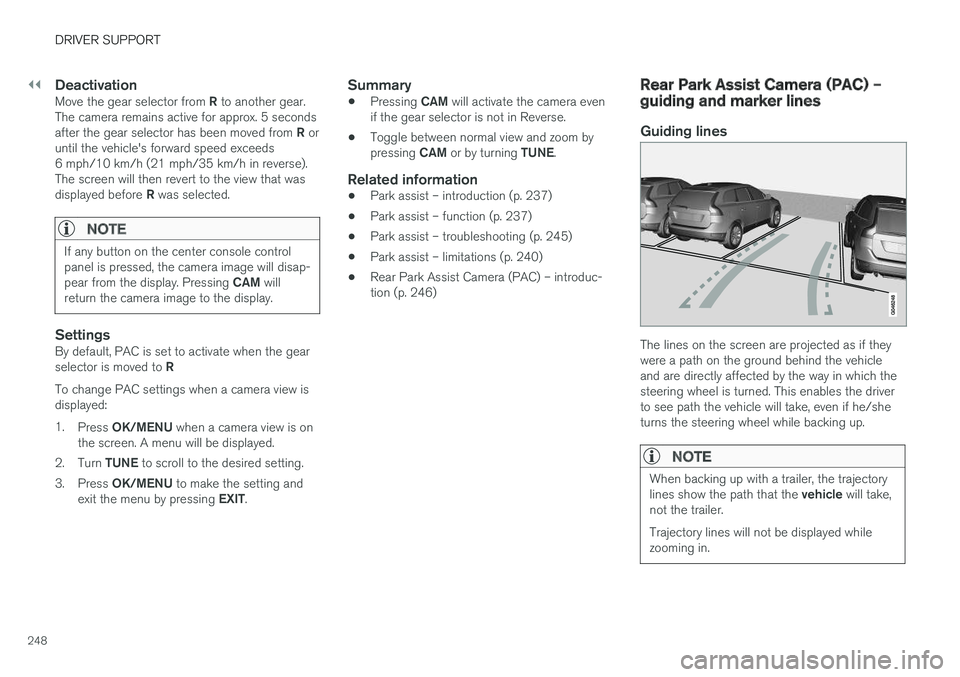
Guiding lines
The lines on the screen are projected as if they were a path on the ground behind the vehicleand are directly affected by the way in which thesteering wheel is turned. This enables the driverto see path the vehicle will take, even if he/sheturns the steering wheel while backing up.
NOTE
When backing up with a trailer, the trajectory lines show the path that the
vehicle will take,
not the trailer. Trajectory lines will not be displayed while zooming in.
Page 254 of 406
||
DRIVER SUPPORT
* Option/accessory, for more information, see Introduction.
252
WARNING
• BLIS does not function in sharp curves.
• BLIS does not function when your vehicle is backing up.
Related information
•
BLIS
* – introduction (p. 250)
• BLIS
* – operation (p. 252)
• BLIS
* – Cross Traffic Alert (CTA) (p. 253)
• BLIS
* – limitations (p. 254)
• BLIS
* – messages (p. 255)
BLIS * – operation
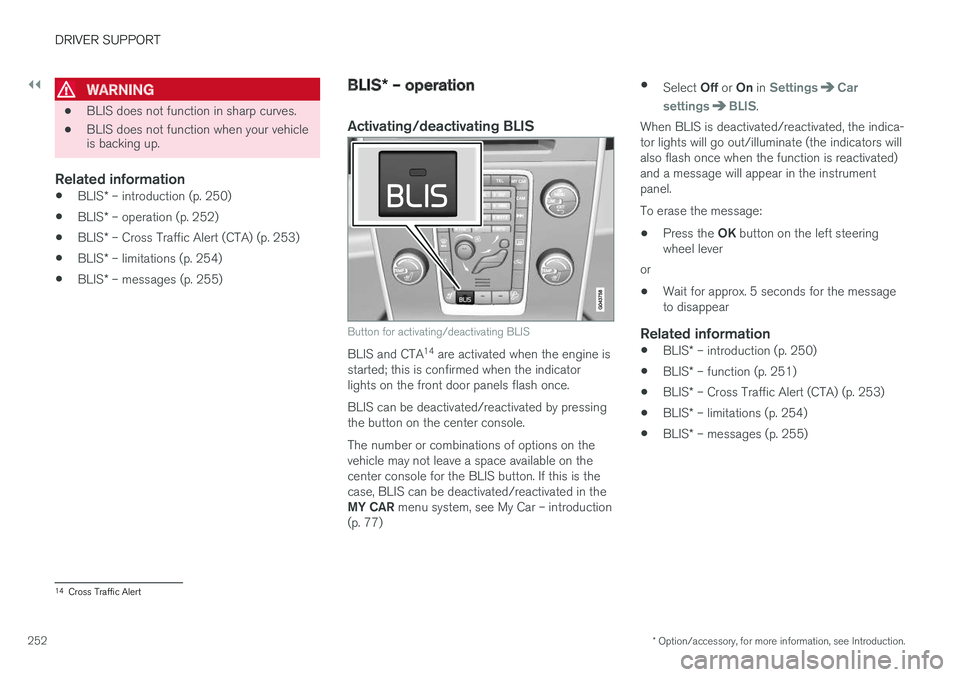
Activating/deactivating BLIS
Button for activating/deactivating BLIS
BLIS and CTA 14
are activated when the engine is
started; this is confirmed when the indicator lights on the front door panels flash once. BLIS can be deactivated/reactivated by pressing the button on the center console. The number or combinations of options on the vehicle may not leave a space available on thecenter console for the BLIS button. If this is thecase, BLIS can be deactivated/reactivated in the MY CAR menu system, see My Car – introduction
(p. 77) •
Select Off or On in
SettingsCar
settings
BLIS.
When BLIS is deactivated/reactivated, the indica- tor lights will go out/illuminate (the indicators willalso flash once when the function is reactivated)and a message will appear in the instrumentpanel. To erase the message:
• Press the
OK button on the left steering
wheel lever
or
• Wait for approx. 5 seconds for the message to disappear
Related information
•
BLIS
* – introduction (p. 250)
• BLIS
* – function (p. 251)
• BLIS
* – Cross Traffic Alert (CTA) (p. 253)
• BLIS
* – limitations (p. 254)
• BLIS
* – messages (p. 255)
14
Cross Traffic Alert
Page 255 of 406
DRIVER SUPPORT
}}
* Option/accessory, for more information, see Introduction.253
BLIS* – Cross Traffic Alert (CTA)
Cross Traffic Alert (CTA) is a supplementary BLIS 15
function intended to detect vehicles
crossing behind your vehicle while you are back- ing up.
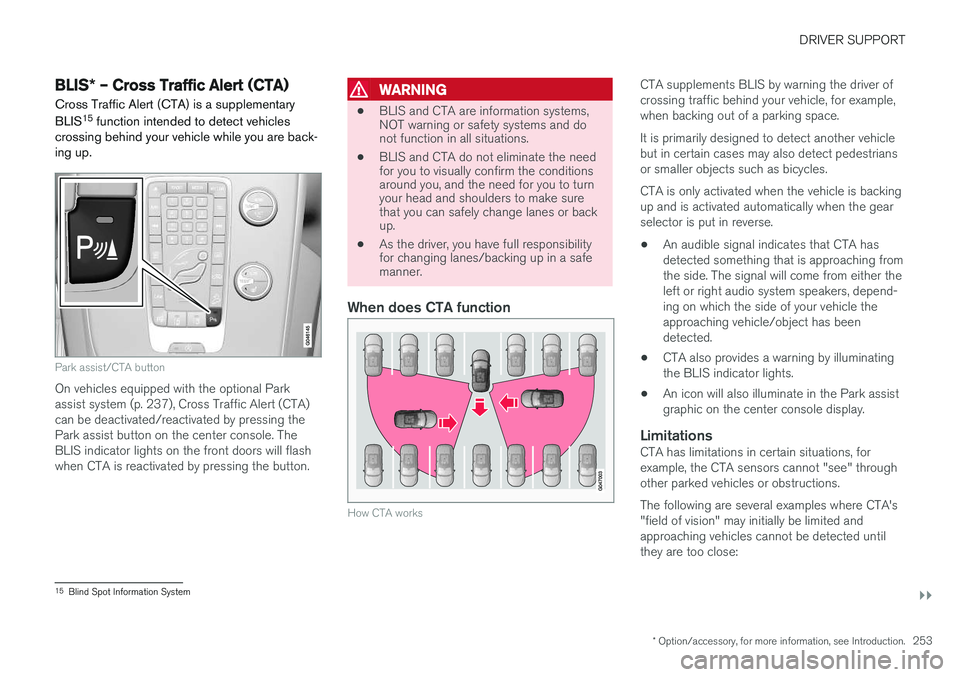
Park assist/CTA button
On vehicles equipped with the optional Park assist system (p. 237), Cross Traffic Alert (CTA)can be deactivated/reactivated by pressing thePark assist button on the center console. TheBLIS indicator lights on the front doors will flashwhen CTA is reactivated by pressing the button.
WARNING
• BLIS and CTA are information systems, NOT warning or safety systems and donot function in all situations.
• BLIS and CTA do not eliminate the needfor you to visually confirm the conditionsaround you, and the need for you to turnyour head and shoulders to make surethat you can safely change lanes or backup.
• As the driver, you have full responsibilityfor changing lanes/backing up in a safemanner.
When does CTA function
How CTA works
CTA supplements BLIS by warning the driver of crossing traffic behind your vehicle, for example,when backing out of a parking space. It is primarily designed to detect another vehicle but in certain cases may also detect pedestriansor smaller objects such as bicycles. CTA is only activated when the vehicle is backing up and is activated automatically when the gearselector is put in reverse.
• An audible signal indicates that CTA hasdetected something that is approaching fromthe side. The signal will come from either theleft or right audio system speakers, depend-ing on which the side of your vehicle theapproaching vehicle/object has beendetected.
• CTA also provides a warning by illuminatingthe BLIS indicator lights.
• An icon will also illuminate in the Park assistgraphic on the center console display.
LimitationsCTA has limitations in certain situations, forexample, the CTA sensors cannot "see" throughother parked vehicles or obstructions. The following are several examples where CTA's "field of vision" may initially be limited andapproaching vehicles cannot be detected untilthey are too close:
15
Blind Spot Information System
Page 270 of 406
STARTING AND DRIVING
* Option/accessory, for more information, see Introduction.
268
Start/Stop – introduction
Start/Stop is a function that temporarily switches off the engine when the vehicle is not moving,for instance in heavy traffic or at a traffic light tohelp reduce fuel consumption.
Start/Stop is available with certain engines/ transmissions.
Related information
• Start/Stop – function (p. 268)
• Start/Stop – settings (p. 271)
• Start/Stop – Auto-stop exceptions (p. 269)
• Start/Stop – Auto-start exceptions (p. 270)
• Start/Stop – Hill Start Assist (HSA) (p. 267)
• Start/Stop – symbols and messages(p. 272)
Start/Stop – function
Function and use
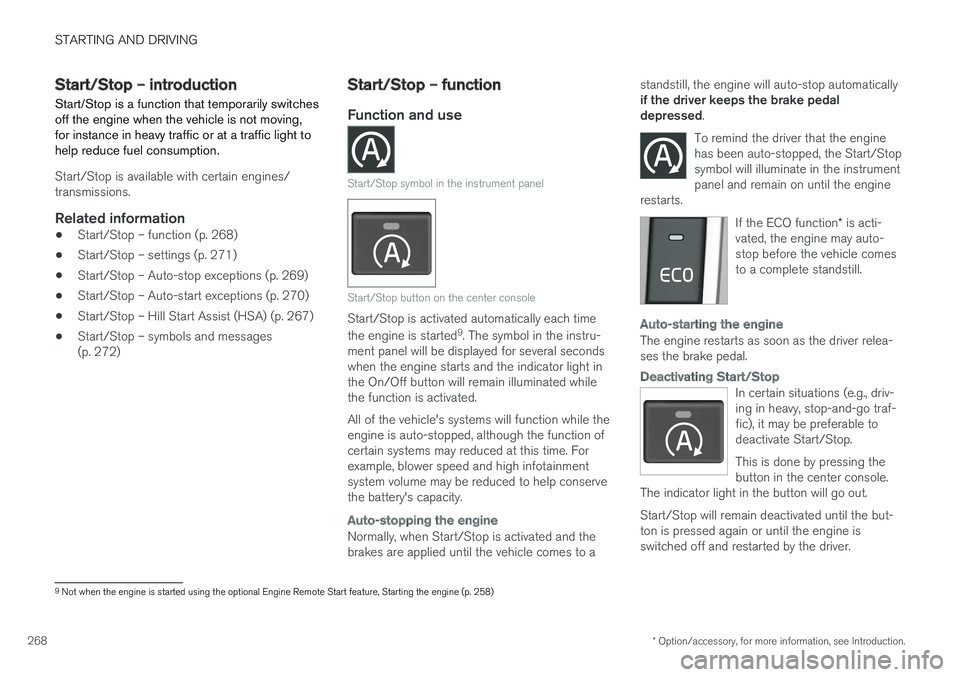
Start/Stop symbol in the instrument panel
Start/Stop button on the center console
Start/Stop is activated automatically each time the engine is started 9
. The symbol in the instru-
ment panel will be displayed for several seconds when the engine starts and the indicator light inthe On/Off button will remain illuminated whilethe function is activated. All of the vehicle's systems will function while the engine is auto-stopped, although the function ofcertain systems may reduced at this time. Forexample, blower speed and high infotainmentsystem volume may be reduced to help conservethe battery's capacity.
Auto-stopping the engine
Normally, when Start/Stop is activated and the brakes are applied until the vehicle comes to a standstill, the engine will auto-stop automatically if the driver keeps the brake pedal depressed
.
To remind the driver that the enginehas been auto-stopped, the Start/Stopsymbol will illuminate in the instrumentpanel and remain on until the engine
restarts.
If the ECO function * is acti-
vated, the engine may auto- stop before the vehicle comesto a complete standstill.
Auto-starting the engine
The engine restarts as soon as the driver relea- ses the brake pedal.
Deactivating Start/Stop
In certain situations (e.g., driv- ing in heavy, stop-and-go traf-fic), it may be preferable todeactivate Start/Stop. This is done by pressing the button in the center console.
The indicator light in the button will go out. Start/Stop will remain deactivated until the but- ton is pressed again or until the engine isswitched off and restarted by the driver.
9 Not when the engine is started using the optional Engine Remote Start feature, Starting the engine (p. 258)
Page 275 of 406
STARTING AND DRIVING
}}
* Option/accessory, for more information, see Introduction.273
ECO*
Eco is a function 10
developed by Volvo to give
the driver the opportunity to actively drive more economically and to help reduce fuel consump-tion.
IntroductionWhen Eco is activated, the fol- lowing functions are modified:
• The automatic transmission's shifting points
• The engine management system and accel- erator pedal response
• Stop/stop function (Start/Stop – introduction(p. 268)): the engine can auto-stop beforethe vehicle has come to a full stop
• Eco Coast functionality is activated: enginebraking is disabled
• Climate system settings: certain functions(e.g., air conditioning) will be temporarilyreduced or deactivated
NOTE
When Eco is activated, several climate system parameters are changed and the function ofcertain current-consuming systems will bereduced. Some of these functions can be restarted manually but full functionality will not berestored until Eco is deactivated.
Function
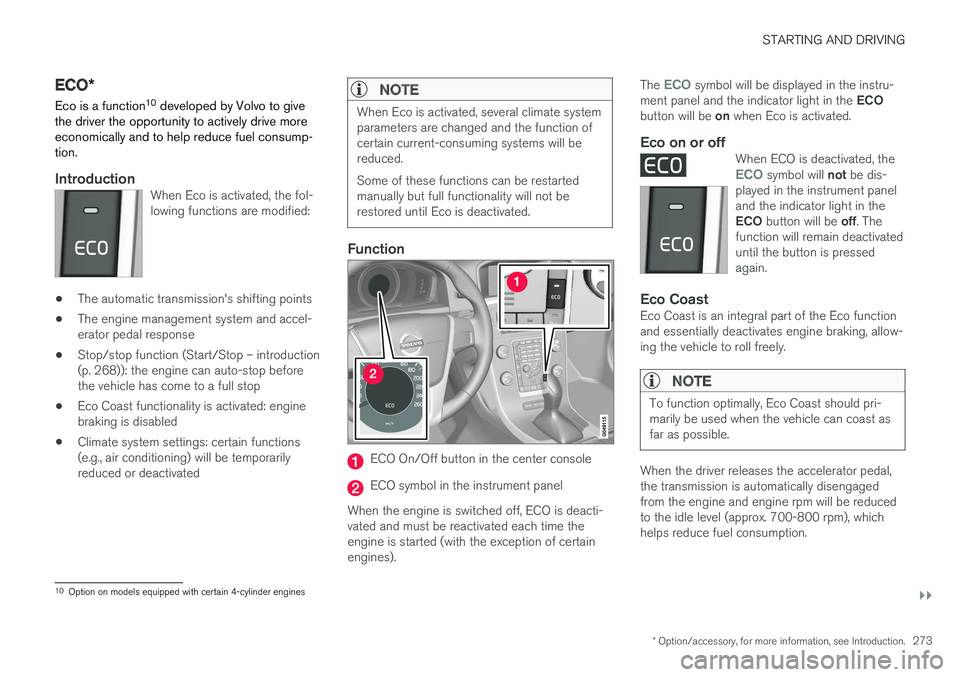
ECO On/Off button in the center console
ECO symbol in the instrument panel
When the engine is switched off, ECO is deacti- vated and must be reactivated each time theengine is started (with the exception of certainengines). The
ECO symbol will be displayed in the instru-
ment panel and the indicator light in the ECO
button will be on when Eco is activated.
Eco on or offWhen ECO is deactivated, theECO symbol will not be dis-
played in the instrument panel and the indicator light in the ECO button will be off. The
function will remain deactivated until the button is pressedagain.
Eco CoastEco Coast is an integral part of the Eco function and essentially deactivates engine braking, allow-ing the vehicle to roll freely.
NOTE
To function optimally, Eco Coast should pri- marily be used when the vehicle can coast asfar as possible.
When the driver releases the accelerator pedal, the transmission is automatically disengagedfrom the engine and engine rpm will be reducedto the idle level (approx. 700-800 rpm), whichhelps reduce fuel consumption.
10 Option on models equipped with certain 4-cylinder engines
Page 276 of 406
||
STARTING AND DRIVING
* Option/accessory, for more information, see Introduction.
274 This feature is primarily intended to be used in driving situations where a decrease in speed isexpected, such as when entering a zone with alower speed limit. Eco Coast enables proactive driving with as little braking as possible.
Combinations of On and Off
Depending on the driving situation, Eco can be used in different ways to help reduce fuel con-sumption:
• With Eco activated
: this enables Eco Coast,
which allows the vehicle to roll freely for as
far as possible when the driver releases the
accelerator pedal (e.g., when approaching atraffic light or intersection).
or
• With Eco deactivated
: engine braking can
be used when the vehicle will only roll for
a short distance (in heavy traffic, etc.) or
when driving down hills .
To help keep fuel consumption as low as possi-ble, Eco Coast should not be used in traffic situa-tions where the brakes have to be used fre-quently.
Activating Eco Coast
Eco Coast is activated when the accelerator pedal is released completely if:
• Eco is activated
• The gear selector is in
D •
The vehicle's speed is between approxi-mately 40–85 mph (65–140 km/h). Alwaysobserve posted speed limits
• The gradient of a down-slope is less thanapproximately 6%
Deactivating
Eco Coast
In certain situations, it may be advisable to switch off the Eco Coast function, such as:
• When driving down steep hills, in order to uti-lize engine braking
• Prior to passing another vehicle, in order todo so as safely as possible
Deactivating Eco Coast (and reactivating enginebraking) can be done in the following ways: • Press the
ECO button on the center console
• Move the gear selector to the manual "
S+/–"
position
• Change gears using the steering wheel pad- dles
*
• Press the brake or accelerator pedal
Eco Coast limitationsThis function will not be available if:
• Cruise control is activated
• The gradient of a down-slope is more than approximately 6%
• The steering wheel paddles
* are used to
manually change gears •
The engine and/or transmission have notreached their normal operating temperature
• The gear selector is moved from
D to the
manual " S+/–" position
• The vehicle's speed is not within the40–85 mph (65–140 km/h). interval
Additional information and settings
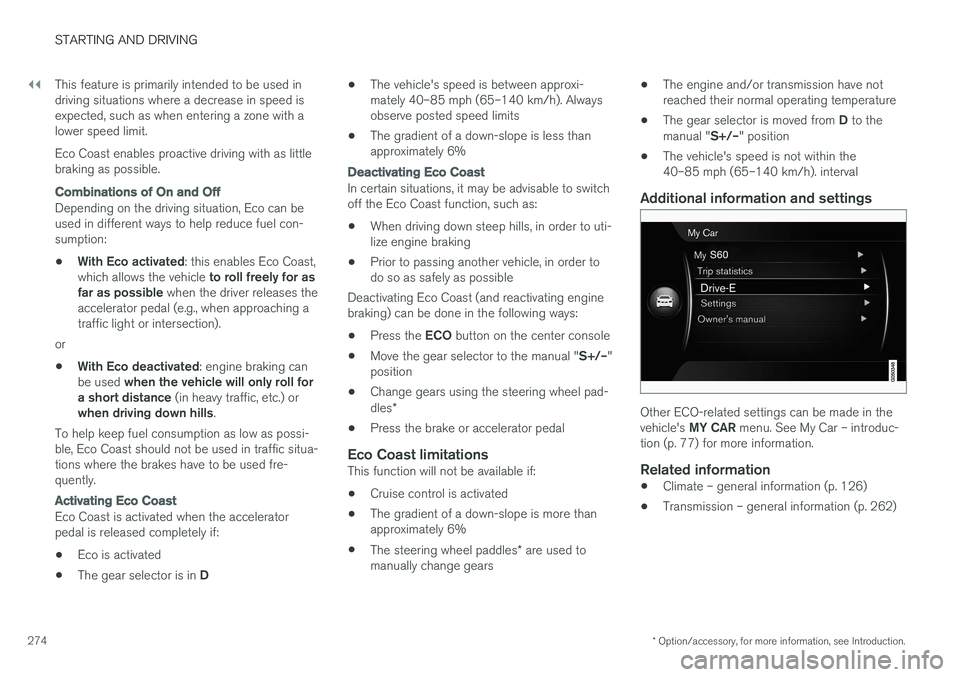
Other ECO-related settings can be made in the vehicle's
MY CAR menu. See My Car – introduc-
tion (p. 77) for more information.
Related information
• Climate – general information (p. 126)
• Transmission – general information (p. 262)
Page 278 of 406
STARTING AND DRIVING
276
Hill Descent Control (HDC) – operation
Function
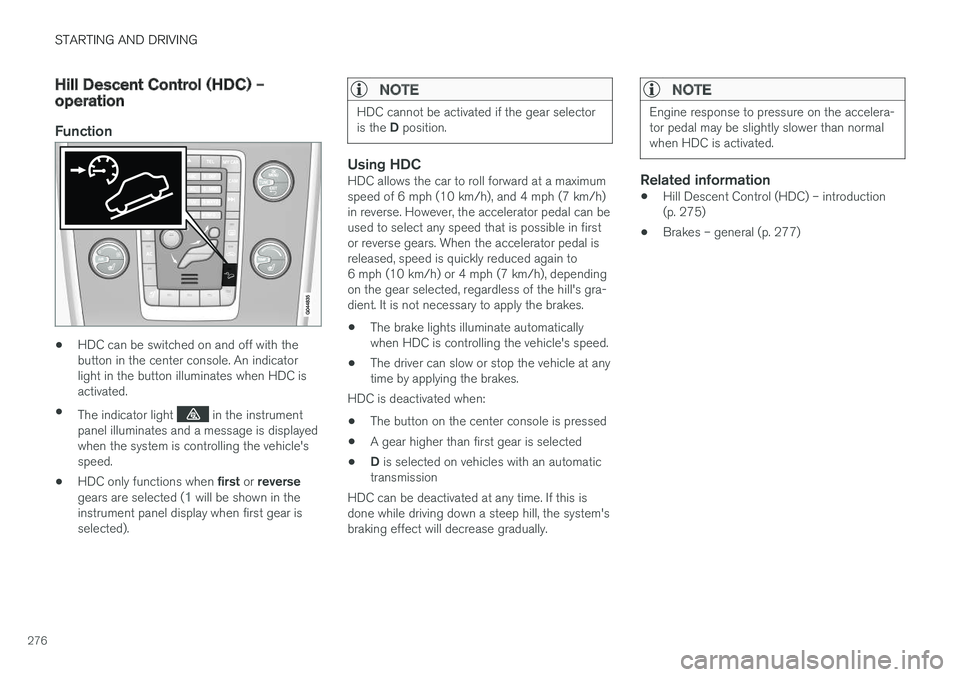
•HDC can be switched on and off with the button in the center console. An indicatorlight in the button illuminates when HDC isactivated.
• The indicator light
in the instrument
panel illuminates and a message is displayed when the system is controlling the vehicle'sspeed.
• HDC only functions when
first or reverse
gears are selected (
1 will be shown in the
instrument panel display when first gear is selected).
NOTE
HDC cannot be activated if the gear selector is the D position.
Using HDCHDC allows the car to roll forward at a maximum speed of 6 mph (10 km/h), and 4 mph (7 km/h)in reverse. However, the accelerator pedal can beused to select any speed that is possible in firstor reverse gears. When the accelerator pedal isreleased, speed is quickly reduced again to6 mph (10 km/h) or 4 mph (7 km/h), dependingon the gear selected, regardless of the hill's gra-dient. It is not necessary to apply the brakes.
• The brake lights illuminate automaticallywhen HDC is controlling the vehicle's speed.
• The driver can slow or stop the vehicle at anytime by applying the brakes.
HDC is deactivated when:
• The button on the center console is pressed
• A gear higher than first gear is selected
• D
is selected on vehicles with an automatic
transmission
HDC can be deactivated at any time. If this isdone while driving down a steep hill, the system'sbraking effect will decrease gradually.
NOTE
Engine response to pressure on the accelera- tor pedal may be slightly slower than normalwhen HDC is activated.
Related information
• Hill Descent Control (HDC) – introduction (p. 275)
• Brakes – general (p. 277)