ignition VOLVO V60 2017 Owner´s Manual
[x] Cancel search | Manufacturer: VOLVO, Model Year: 2017, Model line: V60, Model: VOLVO V60 2017Pages: 406, PDF Size: 9.65 MB
Page 272 of 406
STARTING AND DRIVING
* Option/accessory, for more information, see Introduction.
270
Start/Stop – Auto-start exceptions
In certain situations or conditions, the engine may auto-start even though the driver is still
pressing the brake pedal, such as if:
Condition/situation
Condensation forms on the windows.
The climate system cannot keep the desired settings in the passenger compartment.
Electrical current consumption is temporarily high or the main battery's charge is below theminimum level.
The brake pedal is pumped repeatedly.
The hood has been opened A
.
The vehicle begins to move or increases speed slightly (if the engine auto-stopped before the vehicle was at a standstill (see ECO *
(p. 273))).
The driver unbuckles his/her seat belt while the gear selector is in the D or N positions.
The steering wheel is turned A
.
Condition/situation
The gear selector is moved from D to SB
, R or
" +/– ".
The driver's door is opened with the gear selector in D – an audible signal and a text
message will inform the driver that Start/Stop is active.
A Certain engines only
B Sport mode (where applicable)
WARNING
Do not open the hood if the engine has auto- stopped. The engine could suddenly auto-start. Before opening the hood:
• Switch off the ignition using the
START/
STOP ENGINE button.
• Be aware that if the engine has been run- ning, components in the engine compart-ment will be very hot.
If the engine does not auto-start, this could be due to :
• The driver's seat belt is not fastened
• The gear selector is in
P and the driver's
door is opened
In these cases, the driver will have to restart the engine by pressing the START/STOP ENGINE
button.
Related information
• Start/Stop – introduction (p. 268)
• Start/Stop – function (p. 268)
• Start/Stop – settings (p. 271)
• Start/Stop – Auto-stop exceptions (p. 269)
• Start/Stop – Hill Start Assist (HSA) (p. 267)
• Start/Stop – symbols and messages (p. 272)
Page 283 of 406
STARTING AND DRIVING
}}
281
Parking brake – applying
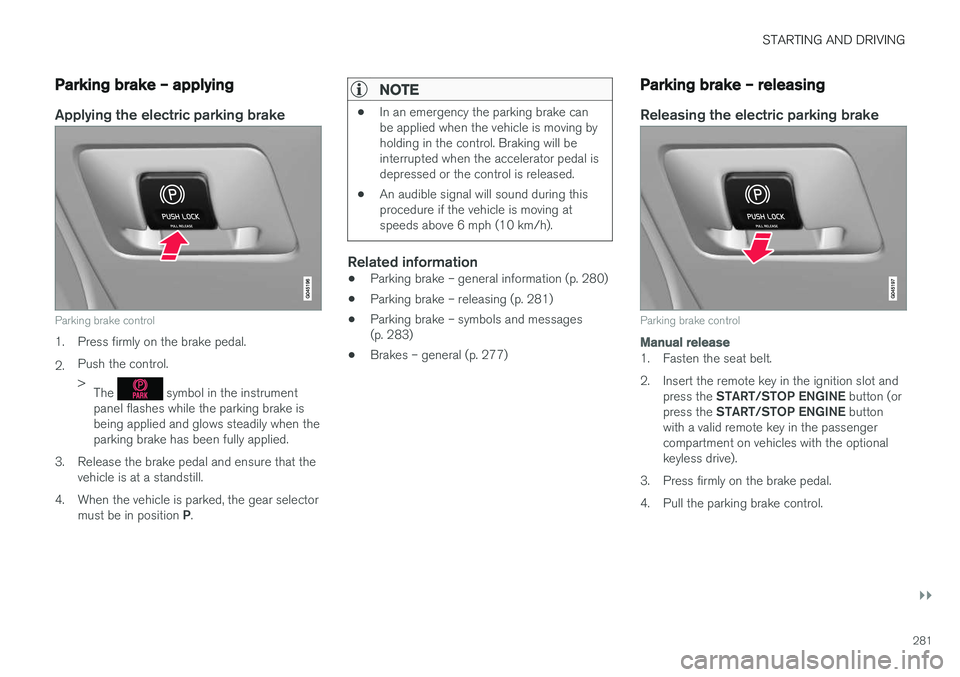
Applying the electric parking brake
Parking brake control
1. Press firmly on the brake pedal. 2.Push the control. >
The
symbol in the instrument
panel flashes while the parking brake is being applied and glows steadily when theparking brake has been fully applied.
3. Release the brake pedal and ensure that the vehicle is at a standstill.
4. When the vehicle is parked, the gear selector must be in position P.
NOTE
• In an emergency the parking brake can be applied when the vehicle is moving byholding in the control. Braking will beinterrupted when the accelerator pedal isdepressed or the control is released.
• An audible signal will sound during thisprocedure if the vehicle is moving atspeeds above 6 mph (10 km/h).
Related information
•Parking brake – general information (p. 280)
• Parking brake – releasing (p. 281)
• Parking brake – symbols and messages (p. 283)
• Brakes – general (p. 277)
Parking brake – releasing
Releasing the electric parking brake
Parking brake control
Manual release
1. Fasten the seat belt.
2. Insert the remote key in the ignition slot and
press the START/STOP ENGINE button (or
press the START/STOP ENGINE button
with a valid remote key in the passenger compartment on vehicles with the optionalkeyless drive).
3. Press firmly on the brake pedal.
4. Pull the parking brake control.
Page 287 of 406
STARTING AND DRIVING
285
Conserving electrical current
Keep the following in mind to help minimize bat- tery drain:
• When the engine is not running, avoid using ignition mode
II. Many electrical systems (the
audio system, the optional navigation system, power windows, etc) will function in ignition modes 0 and I. These modes reduce drain
on the battery.
• Please keep in mind that using systems, accessories, etc., that consume a great dealof current when the engine is not runningcould result in the battery being completelydrained. Driving or having the engine runningfor approximately 15 minutes will help keepthe battery charged.
• The optional 12-volt socket in the cargoarea (p. 143) area provides electrical currenteven with the ignition switched off, whichdrains the battery.
Before a long distance trip
It is always worthwhile to have your vehicle checked by a trained and qualified Volvo servicetechnician before driving long distances. Yourretailer will also be able to supply you with bulbs,fuses, spark plugs and wiper blades for your usein the event that problems occur.
As a minimum, the following items should be checked before any long trip:
• Check that engine runs smoothly and thatfuel consumption is normal.
• Check for fuel, oil, and fluid leakage.
• Have the transmission oil level checked.
• Check condition of drive belts.
• Check state of the battery's charge.
• Examine tires carefully (the spare tire aswell), and replace those that areworn (p. 302). Check tire pressure (p. 309).
• The brakes, front wheel alignment, and steer-ing gear should be checked by a trained andqualified Volvo service technician only.
• Check all lights, including high beams.
• Reflective warning triangles are legallyrequired in some states/provinces.
• Have a word with a trained and qualifiedVolvo service technician if you intend to drivein countries where it may be difficult toobtain the correct fuel. •
Consider your destination. If you will be driv-ing through an area where snow or ice arelikely to occur, consider snow tires (p. 316).
Related information
•
Changing a wheel – removing wheel (p. 303)
• Bulbs – introduction (p. 344)
Page 291 of 406
STARTING AND DRIVING
289
Refueling – opening/closing fuel filler door
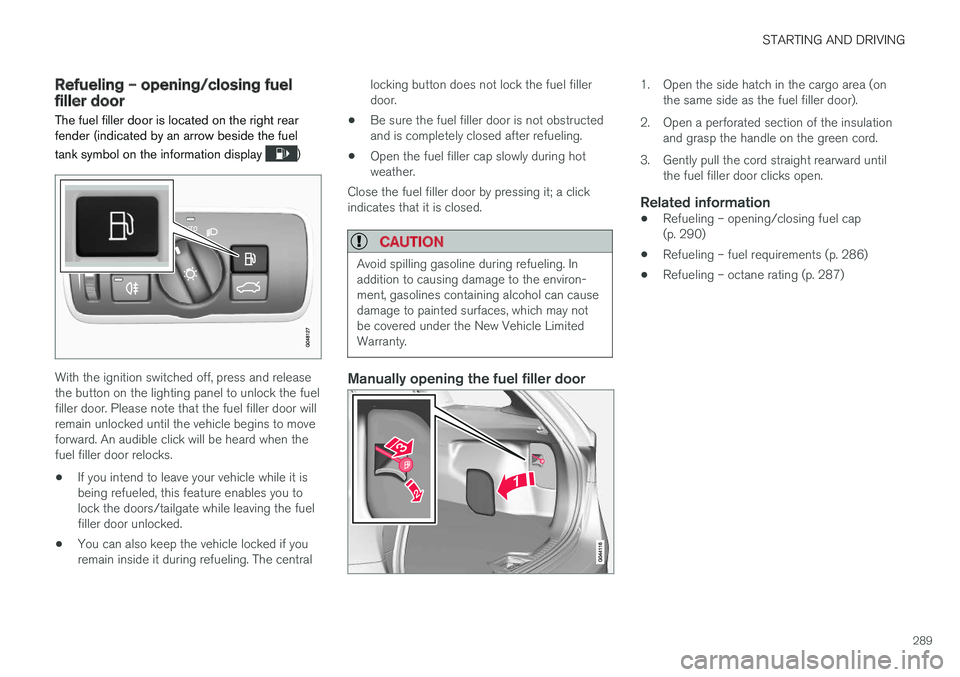
The fuel filler door is located on the right rear fender (indicated by an arrow beside the fuel tank symbol on the information display
)
With the ignition switched off, press and release the button on the lighting panel to unlock the fuelfiller door. Please note that the fuel filler door willremain unlocked until the vehicle begins to moveforward. An audible click will be heard when thefuel filler door relocks.
• If you intend to leave your vehicle while it isbeing refueled, this feature enables you tolock the doors/tailgate while leaving the fuelfiller door unlocked.
• You can also keep the vehicle locked if youremain inside it during refueling. The central locking button does not lock the fuel fillerdoor.
• Be sure the fuel filler door is not obstructedand is completely closed after refueling.
• Open the fuel filler cap slowly during hotweather.
Close the fuel filler door by pressing it; a clickindicates that it is closed.
CAUTION
Avoid spilling gasoline during refueling. In addition to causing damage to the environ-ment, gasolines containing alcohol can causedamage to painted surfaces, which may notbe covered under the New Vehicle LimitedWarranty.
Manually opening the fuel filler door
1. Open the side hatch in the cargo area (on the same side as the fuel filler door).
2. Open a perforated section of the insulation and grasp the handle on the green cord.
3. Gently pull the cord straight rearward until the fuel filler door clicks open.
Related information
• Refueling – opening/closing fuel cap (p. 290)
• Refueling – fuel requirements (p. 286)
• Refueling – octane rating (p. 287)
Page 292 of 406
STARTING AND DRIVING
290
Refueling – opening/closing fuel capIf necessary, the fuel filler door can be opened
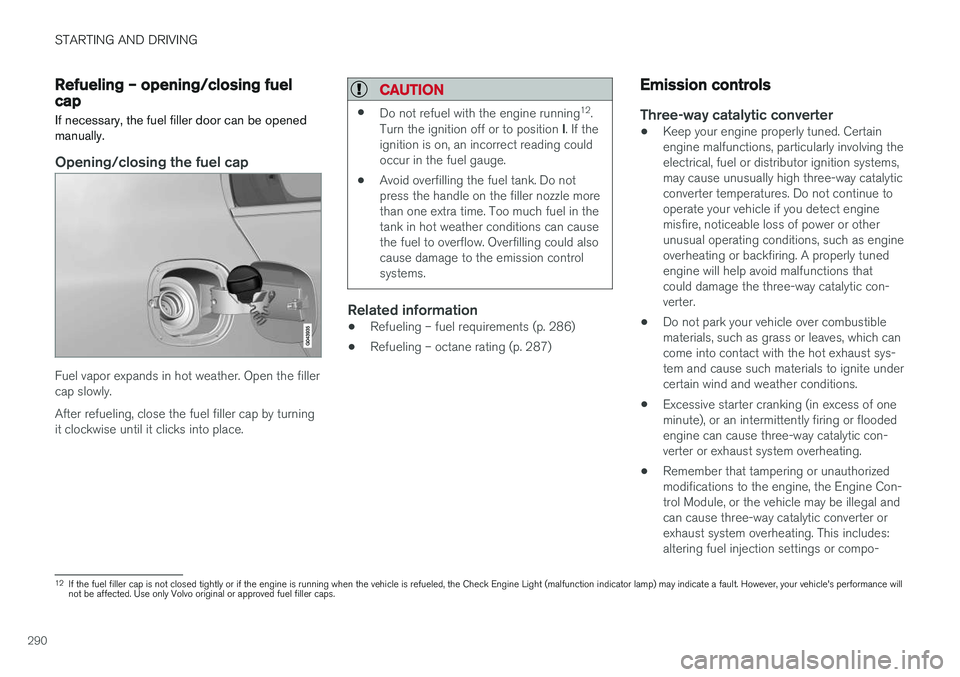
manually.
Opening/closing the fuel cap
Fuel vapor expands in hot weather. Open the filler cap slowly. After refueling, close the fuel filler cap by turning it clockwise until it clicks into place.
CAUTION
• Do not refuel with the engine running 12
.
Turn the ignition off or to position I. If the
ignition is on, an incorrect reading could occur in the fuel gauge.
• Avoid overfilling the fuel tank. Do notpress the handle on the filler nozzle morethan one extra time. Too much fuel in thetank in hot weather conditions can causethe fuel to overflow. Overfilling could alsocause damage to the emission controlsystems.
Related information
•Refueling – fuel requirements (p. 286)
• Refueling – octane rating (p. 287)
Emission controls
Three-way catalytic converter
•Keep your engine properly tuned. Certain engine malfunctions, particularly involving theelectrical, fuel or distributor ignition systems,may cause unusually high three-way catalyticconverter temperatures. Do not continue tooperate your vehicle if you detect enginemisfire, noticeable loss of power or otherunusual operating conditions, such as engineoverheating or backfiring. A properly tunedengine will help avoid malfunctions thatcould damage the three-way catalytic con-verter.
• Do not park your vehicle over combustiblematerials, such as grass or leaves, which cancome into contact with the hot exhaust sys-tem and cause such materials to ignite undercertain wind and weather conditions.
• Excessive starter cranking (in excess of oneminute), or an intermittently firing or floodedengine can cause three-way catalytic con-verter or exhaust system overheating.
• Remember that tampering or unauthorizedmodifications to the engine, the Engine Con-trol Module, or the vehicle may be illegal andcan cause three-way catalytic converter orexhaust system overheating. This includes:altering fuel injection settings or compo-
12
If the fuel filler cap is not closed tightly or if the engine is running when the vehicle is refueled, the Check Engine Light (malfunction indicator lamp) may indicate a fault. However, your vehicle's performance will not be affected. Use only Volvo original or approved fuel filler caps.
Page 297 of 406
STARTING AND DRIVING
}}
295
Towing the vehicle Always check with state and local authorities before attempting to tow another vehiclebecause this type of towing is subject to regula-tions regarding maximum towing speed, lengthand type of towing device, lighting, etc.
1. With the remote key fully pressed into theignition slot 13
, press START/STOP ENGINE
for approximately 2 seconds to activate igni- tion mode II.
2. The remote key must remain in the ignition slot14
for the entire time that the vehicle is
being towed.
3. Keep the tow rope taut when the towing vehicle slows down by applying light pressure on the brake pedal. This will help prevent jar-ring movements of the vehicle being towed.
4. Be prepared to apply the brakes to stop the vehicle being towed.
CAUTION
General towing precautions:
• Please check with state and local author- ities before attempting this type of tow-ing, as vehicles being towed are subjectto regulations regarding maximum towingspeed, length and type of towing device,lighting, etc.
• If the vehicle's battery is dead, see Jumpstarting (p. 261) to provide current forreleasing the electric parking brake and to move the gear selector from the
P
position to N. If this is not possible, see
Transmission – shiftlock override (p. 267) for information about manually overridingthe shiftlock system to move the gear selector from P to N.
• Maximum speed: 50 mph (80 km/h). Do not exceed the maximum allowable tow-ing speed.
• Maximum distance with front wheels onground: 50 miles (80 km).
• The vehicle should only be towed in theforward direction.
Related information
• Towing eyelet (p. 295)
• Remote key – functions (p. 153)
Towing eyelet
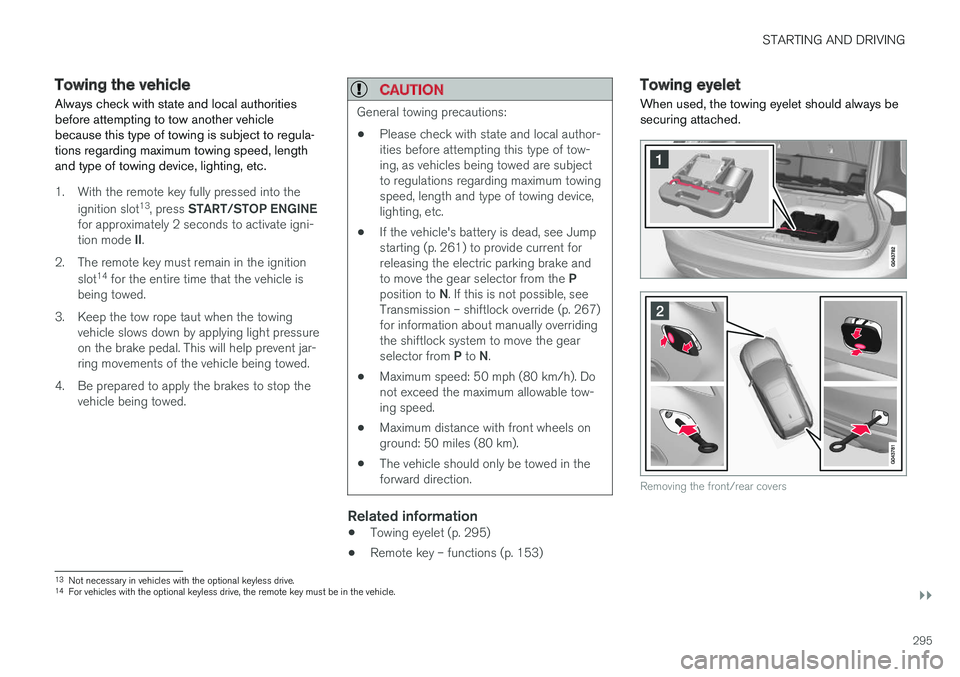
When used, the towing eyelet should always be securing attached.
Removing the front/rear covers
13 Not necessary in vehicles with the optional keyless drive.
14 For vehicles with the optional keyless drive, the remote key must be in the vehicle.
Page 298 of 406
||
STARTING AND DRIVING
296
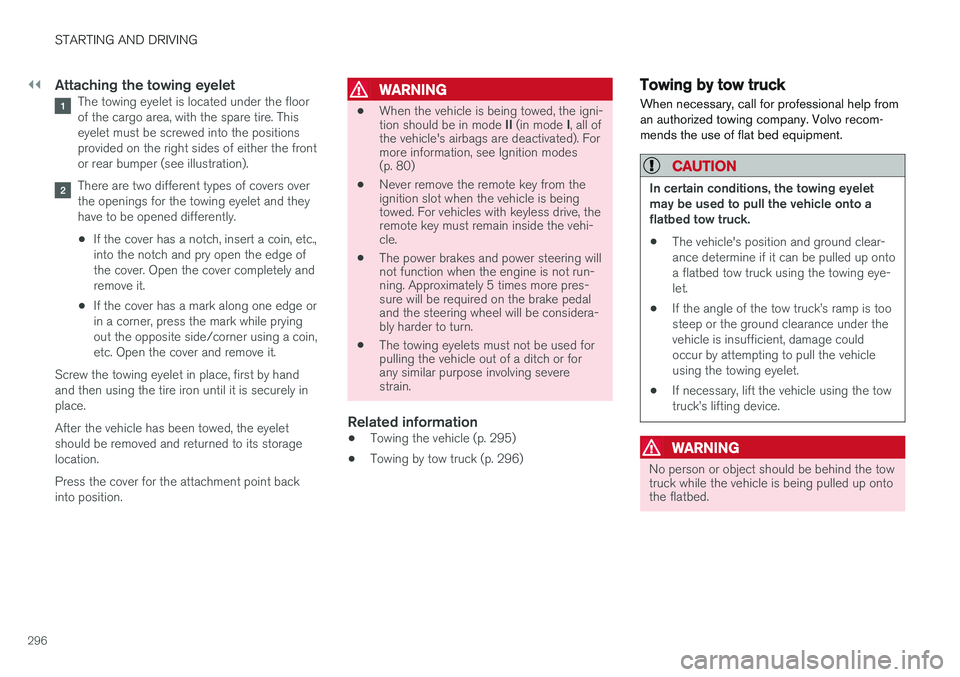
Attaching the towing eyeletThe towing eyelet is located under the floor of the cargo area, with the spare tire. Thiseyelet must be screwed into the positionsprovided on the right sides of either the frontor rear bumper (see illustration).
There are two different types of covers over the openings for the towing eyelet and theyhave to be opened differently.
• If the cover has a notch, insert a coin, etc.,into the notch and pry open the edge ofthe cover. Open the cover completely andremove it.
• If the cover has a mark along one edge orin a corner, press the mark while pryingout the opposite side/corner using a coin,etc. Open the cover and remove it.
Screw the towing eyelet in place, first by handand then using the tire iron until it is securely inplace. After the vehicle has been towed, the eyelet should be removed and returned to its storagelocation. Press the cover for the attachment point back into position.
WARNING
• When the vehicle is being towed, the igni- tion should be in mode
II (in mode I, all of
the vehicle's airbags are deactivated). For more information, see Ignition modes(p. 80)
• Never remove the remote key from theignition slot when the vehicle is beingtowed. For vehicles with keyless drive, theremote key must remain inside the vehi-cle.
• The power brakes and power steering willnot function when the engine is not run-ning. Approximately 5 times more pres-sure will be required on the brake pedaland the steering wheel will be considera-bly harder to turn.
• The towing eyelets must not be used forpulling the vehicle out of a ditch or forany similar purpose involving severestrain.
Related information
•Towing the vehicle (p. 295)
• Towing by tow truck (p. 296)
Towing by tow truck
When necessary, call for professional help from an authorized towing company. Volvo recom-mends the use of flat bed equipment.
CAUTION
In certain conditions, the towing eyelet may be used to pull the vehicle onto aflatbed tow truck.
• The vehicle's position and ground clear-ance determine if it can be pulled up ontoa flatbed tow truck using the towing eye-let.
• If the angle of the tow truck
Page 320 of 406
||
WHEELS AND TIRES
318
NOTE
The system indicates low tire pressure but does not replace normal tire maintenance. Forinformation on correct tire pressure, pleaserefer to the tire inflation decal on the driver'sdoor opening or consult your Volvo retailer.
Related information
•Tire pressure monitoring - overview (p. 316)
• Calibrating Tire Monitor (p. 318)
Calibrating Tire Monitor In order for Tire Monitor to work correctly, tire pressure reference values must be set. Thismust be done each time wheels or tire pressuresare changed.
Calibration1. Switch off the engine.
2. Inflate the tires to the desired pressure (con-
sult tire pressure placard located on the driv- er's side B-pillar (the structural member atthe side of the vehicle) and put the ignition in mode II, see Ignition modes (p. 80).
3. Press the MY CAR button on the center
console control panel and select
Settings
Car settingsTire monitoring.
4. Press OK/MENU , select
Calibrate tire
pressure and press OK/MENU again after
all of the tires have been checked and rein- flated.
5. Drive away. > The calibration process will be completedwhile driving and will be interrupted if thevehicle is parked and the engine isswitched off. Calibration continues auto-matically when driving resumes. The sys-tem will not give any confirmation whencalibration is finished although it will stateif calibration fails. When driving with heavy loads or at sustainedhighway speeds, the tire pressure should beadjusted to the recommended inflation pressuresaccording to the tire inflation pressure placardlocated on the driver's side B-pillar (the structuralmember at the side of the vehicle, at the rear ofthe driver's door opening) or to the tire inflationpressure table in the owner's information. After adjusting inflation pressure, repeat steps 1-5 above.
NOTE
Always remember to calibrate Tire Monitor when the wheels have been changed or thetire pressure has been corrected according totire pressure placard or tire pressure table. Ifcorrect reference values have not been set,the system cannot issue low tire pressurealerts correctly.
Page 323 of 406
WHEELS AND TIRES
321
Tire Pressure Monitoring System (TPMS) – changing wheels
Please keep the following in mind when chang- ing or replacing the factory installed TPMSwheels/tires on the vehicle:
• Not all aftermarket wheels are equipped withTPMS sensors in the valves.
• If the vehicle is equipped with a temporaryspare tire, this tire does not have a TPMSsensor.
• If wheels without TPMS sensors are moun-ted on the vehicle, a text message will dis-played in the instrument panel each time thevehicle is driven above 20 mph (30 km/h) for10 minutes or more.
• Once TPMS sensors are properly installed,the warning message should not reappear. Ifthe message is still displayed, drive the vehi-cle for several minutes at a speed of 20 mph(30 km/h) or faster to erase the message.
• Volvo recommends that TPMS sensors befitted on all wheels used on the vehicle,including winter tires. Volvo does not recom-mend moving sensors back and forthbetween sets of wheels.
CAUTION
When inflating tires, press the pump's mouth- piece straight onto the valve to help avoidbending or otherwise damaging the valve.
CAUTION
•After inflating the tires, always reinstall the valve cap to help avoid damage to thevalve from dirt, gravel, etc.
• Use plastic valve caps only. Metal capscould corrode and become difficult toremove.
NOTE
•
If you change to tires with a different dimension than the factory-installed ones,the TPMS system must be reconfiguredfor these tires. This must be done by atrained and qualified Volvo service techni-cian.
• If a tire is changed, or if the TPMS sensoris moved to another wheel, the sensor'sseal, nut, and valve core should bereplaced.
• When installing TPMS sensors, the vehi-cle must be parked for at least15 minutes with the ignition off. If thevehicle is driven within 15 minutes, aTPMS error message will be displayed.
Related information
• Tire Pressure Monitoring System (TPMS) – general information (p. 320)
• Tire Pressure Monitoring System (TPMS) –recalibrating (p. 322)
• Tire Pressure Monitoring System (TPMS) –messages (p. 323)
• Tire Pressure Monitoring System (TPMS) –activating/deactivating (p. 322)
Page 324 of 406
WHEELS AND TIRES
* Option/accessory, for more information, see Introduction.
322
Tire Pressure Monitoring System (TPMS) – recalibrating
In certain cases, it may be necessary to recali- brate TPMS to conform to Volvo's recom-mended tire inflation pressures (see the tire infla-tion decal on the driver's door opening), forexample, if higher inflation pressure is necessarywhen transporting heavy loads.
Recalibrating TPMS (Canadian models
only) *
This is done in the vehicle's menu system. To recalibrate:
1. Switch off the engine.
2. Inflate the tires to the desired pressure and
put the ignition in mode I or II (see Ignition
modes (p. 80) for additional information).
3. Press the MY CAR key in the center console
control panel and select
SettingsCar
settings
Tire pressure.
4. Press OK/MENU , select
Calibrate tire
pressure and press OK/MENU again.
5. Drive the vehicle at a speed above 20 mph (30 km/h) continuously for at least 10 minutes.
> Calibration is done automatically once ini-tiated by the driver and the system does not give any confirmation when calibrationis finished. After adjusting inflation pressure, repeat steps1-5 above.
Related information
•
Tire Pressure Monitoring System (TPMS) –general information (p. 320)
• Tire Pressure Monitoring System (TPMS) –messages (p. 323)
• Tire Pressure Monitoring System (TPMS) –activating/deactivating (p. 322)
• Tire Pressure Monitoring System (TPMS) –changing wheels (p. 321)
• My Car – introduction (p. 77)
Tire Pressure Monitoring System (TPMS) – activating/deactivating
Activating/deactivating TPMS
(Canadian models only)
1. Switch off the engine. 2. Put the ignition in mode I or II (see Ignition
modes (p. 80) for additional information).
3. Press the MY CAR key in the center console
control panel and select
SettingsCar
settings
Tire pressure
4. Select Tire monitoring and press OK/
MENU to turn the system on or off.
Related information
•Tire Pressure Monitoring System (TPMS) – general information (p. 320)