light VOLVO V60 2017 Owner´s Manual
[x] Cancel search | Manufacturer: VOLVO, Model Year: 2017, Model line: V60, Model: VOLVO V60 2017Pages: 406, PDF Size: 9.65 MB
Page 245 of 406
DRIVER SUPPORT
* Option/accessory, for more information, see Introduction.243
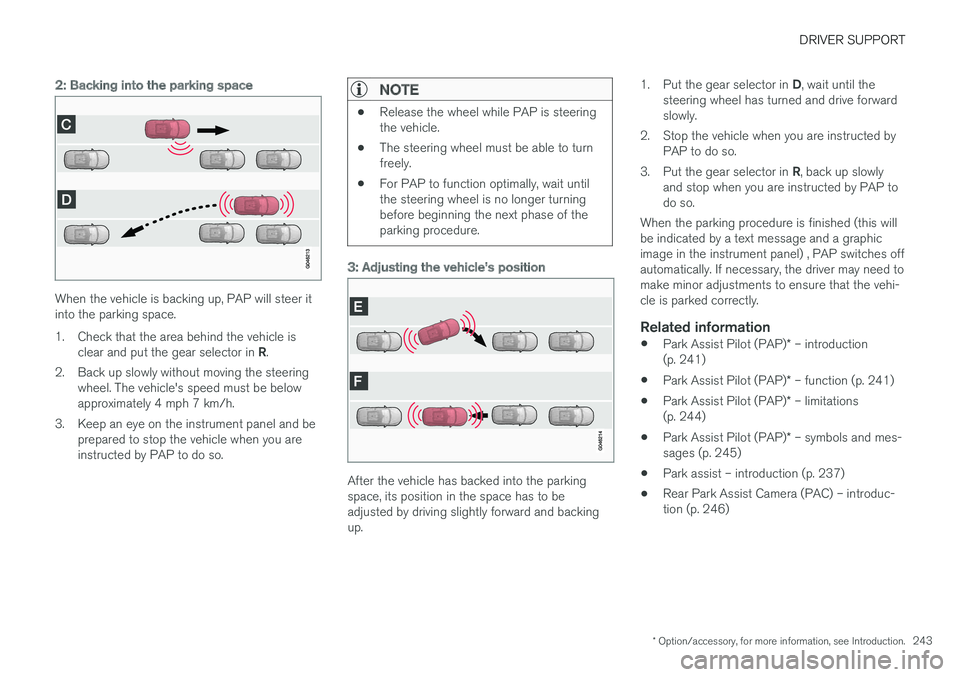
2: Backing into the parking space
When the vehicle is backing up, PAP will steer it into the parking space.
1. Check that the area behind the vehicle is
clear and put the gear selector in R.
2. Back up slowly without moving the steering wheel. The vehicle's speed must be below approximately 4 mph 7 km/h.
3. Keep an eye on the instrument panel and be prepared to stop the vehicle when you areinstructed by PAP to do so.
NOTE
•Release the wheel while PAP is steering the vehicle.
• The steering wheel must be able to turnfreely.
• For PAP to function optimally, wait untilthe steering wheel is no longer turningbefore beginning the next phase of theparking procedure.
3: Adjusting the vehicle's position
After the vehicle has backed into the parking space, its position in the space has to beadjusted by driving slightly forward and backingup. 1.
Put the gear selector in D, wait until the
steering wheel has turned and drive forwardslowly.
2. Stop the vehicle when you are instructed by PAP to do so.
3. Put the gear selector in R, back up slowly
and stop when you are instructed by PAP todo so.
When the parking procedure is finished (this willbe indicated by a text message and a graphicimage in the instrument panel) , PAP switches offautomatically. If necessary, the driver may need tomake minor adjustments to ensure that the vehi-cle is parked correctly.
Related information
• Park Assist Pilot (PAP)
* – introduction
(p. 241)
• Park Assist Pilot (PAP)
* – function (p. 241)
• Park Assist Pilot (PAP)
* – limitations
(p. 244)
• Park Assist Pilot (PAP)
* – symbols and mes-
sages (p. 245)
• Park assist – introduction (p. 237)
• Rear Park Assist Camera (PAC) – introduc-tion (p. 246)
Page 249 of 406
DRIVER SUPPORT
}}
247
Ambient lighting conditions
The camera automatically monitors the ambient lighting conditions behind the vehicle and con-stantly adjusts sensitivity to light. This may causethe brightness and quality of the image on thescreen to vary slightly. Sensitivity to light isincreased in dark conditions or in bad weather,which may affect image quality. If the image on the screen seems too dark, brightness can be increased with the thumbwheel on the lighting panel.
NOTE
In order to function properly, the camera lens should always be kept clean. This is particu-larly important in bad weather. Keep the lensfree of dirt, ice or snow.
Related information
•Rear Park Assist Camera (PAC) – introduc- tion (p. 246)
• Rear Park Assist Camera (PAC) – operation(p. 247)
• Rear Park Assist Camera (PAC) – limitations(p. 250)
Rear Park Assist Camera (PAC) – operation
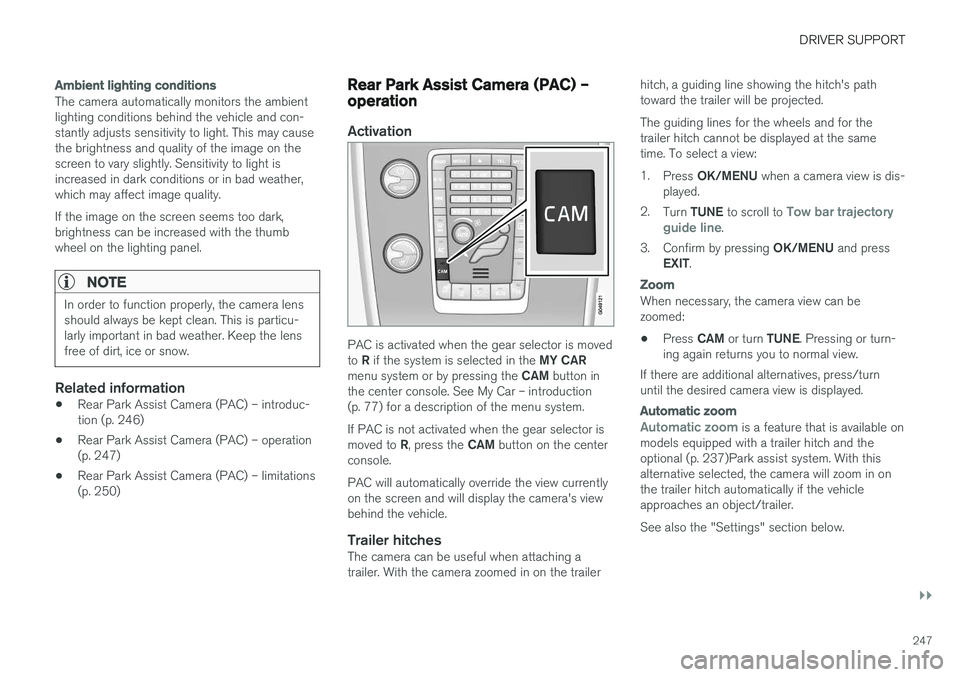
Activation
PAC is activated when the gear selector is moved to
R if the system is selected in the MY CAR
menu system or by pressing the CAM button in
the center console. See My Car – introduction (p. 77) for a description of the menu system. If PAC is not activated when the gear selector is moved to R, press the CAM button on the center
console. PAC will automatically override the view currently on the screen and will display the camera's viewbehind the vehicle.
Trailer hitchesThe camera can be useful when attaching atrailer. With the camera zoomed in on the trailer hitch, a guiding line showing the hitch's pathtoward the trailer will be projected. The guiding lines for the wheels and for the trailer hitch cannot be displayed at the sametime. To select a view: 1.
Press OK/MENU when a camera view is dis-
played.
2. Turn TUNE to scroll to
Tow bar trajectory
guide line.
3. Confirm by pressing OK/MENU and press
EXIT .
Zoom
When necessary, the camera view can be zoomed:
• Press
CAM or turn TUNE. Pressing or turn-
ing again returns you to normal view.
If there are additional alternatives, press/turnuntil the desired camera view is displayed.
Automatic zoom
Automatic zoom is a feature that is available on
models equipped with a trailer hitch and the optional (p. 237)Park assist system. With thisalternative selected, the camera will zoom in onthe trailer hitch automatically if the vehicleapproaches an object/trailer. See also the "Settings" section below.
Page 252 of 406
DRIVER SUPPORT
* Option/accessory, for more information, see Introduction.
250
Rear Park Assist Camera (PAC) – limitations
LimitationsEven if a fairly small section of the screen image appears to be obstructed, this may mean that arelatively large area behind the vehicle is hiddenand objects there may not be detected until theyare very near the vehicle.
NOTE
Bicycle carriers or other accessories mounted on the tailgate may obstruct the camera'sfield of view.
Keep in mind
• Keep the camera's lens free of dirt, ice and snow. Remove ice and snow carefully toavoid scratching the lens.
• Clean the lens regularly with warm water anda suitable car washing detergent.
Related information
•
Rear Park Assist Camera (PAC) – introduc-tion (p. 246)
• Rear Park Assist Camera (PAC) – operation(p. 247)
• Park assist – introduction (p. 237)
BLIS
* – introduction
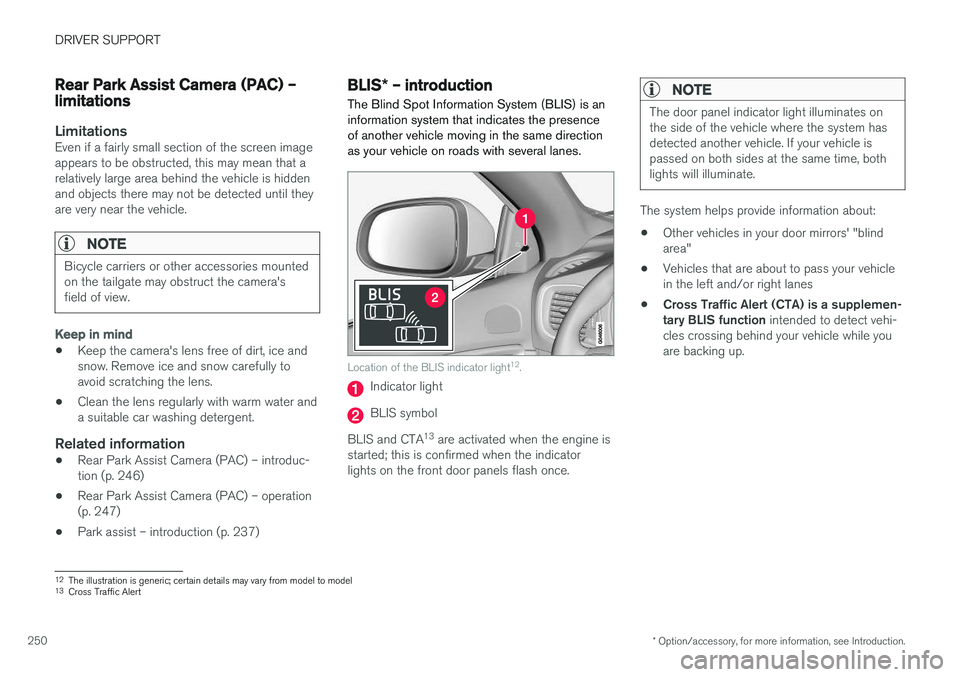
The Blind Spot Information System (BLIS) is an information system that indicates the presenceof another vehicle moving in the same directionas your vehicle on roads with several lanes.
Location of the BLIS indicator light 12
.
Indicator light
BLIS symbol
BLIS and CTA 13
are activated when the engine is
started; this is confirmed when the indicator lights on the front door panels flash once.
NOTE
The door panel indicator light illuminates on the side of the vehicle where the system hasdetected another vehicle. If your vehicle ispassed on both sides at the same time, bothlights will illuminate.
The system helps provide information about:
• Other vehicles in your door mirrors' "blind area"
• Vehicles that are about to pass your vehiclein the left and/or right lanes
• Cross Traffic Alert (CTA) is a supplemen-tary BLIS function
intended to detect vehi-
cles crossing behind your vehicle while youare backing up.
12 The illustration is generic; certain details may vary from model to model
13 Cross Traffic Alert
Page 253 of 406
DRIVER SUPPORT
}}
* Option/accessory, for more information, see Introduction.251
WARNING
•BLIS and CTA are information systems, NOT warning or safety systems and donot function in all situations.
• BLIS and CTA do not eliminate the needfor you to visually confirm the conditionsaround you, and the need for you to turnyour head and shoulders to make surethat you can safely change lanes or backup.
• As the driver, you have full responsibilityfor changing lanes/backing up in a safemanner.
Radar sensor type approval
USA FCC ID: L2C0055TR Canada IC: 3432A-0055TR This device complies with Part 15 of the FCC Rules and with Industry Canada license-exemptRSS standard(s). Operation is subject to the fol-lowing two conditions: (1) This device may notcause harmful interference, and (2) This devicemust accept any interference received, includinginterference that may cause undesired operation. The term “IC:” before the radio certification num- ber only signifies that Industry Canada technicalspecifications were met.
WARNING
Changes or modifications not expressively approved by the party responsible for compli-ance could void the user's authority to oper-ate the equipment.
Related information
•
BLIS
* – function (p. 251)
• BLIS
* – operation (p. 252)
• BLIS
* – Cross Traffic Alert (CTA) (p. 253)
• BLIS
* – limitations (p. 254)
• BLIS
* – messages (p. 255)
BLIS * – function
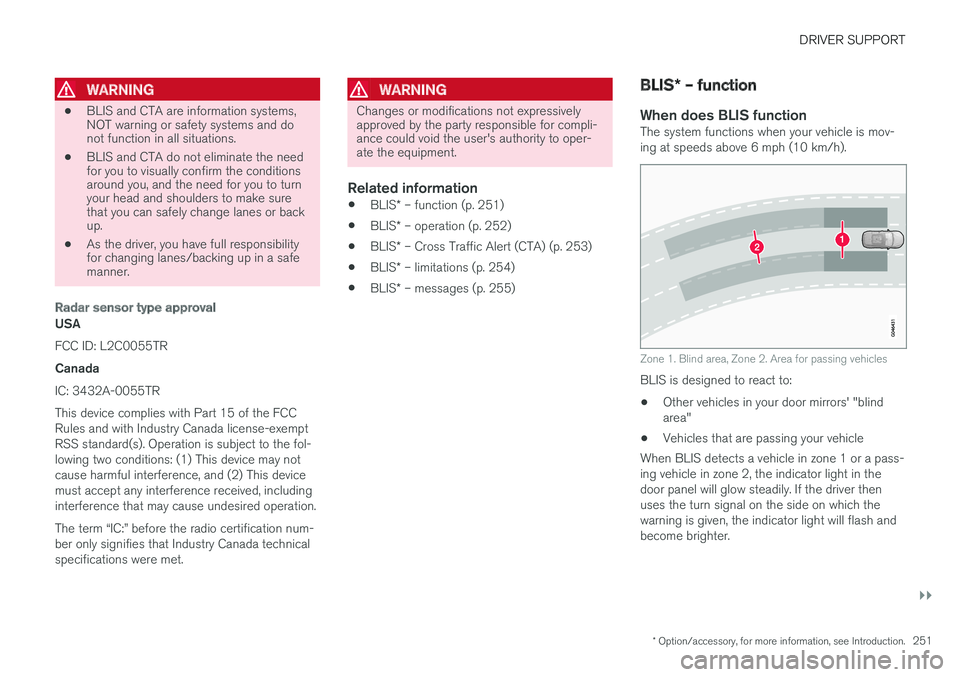
When does BLIS functionThe system functions when your vehicle is mov- ing at speeds above 6 mph (10 km/h).
Zone 1. Blind area, Zone 2. Area for passing vehicles
BLIS is designed to react to: • Other vehicles in your door mirrors' "blind area"
• Vehicles that are passing your vehicle
When BLIS detects a vehicle in zone 1 or a pass-ing vehicle in zone 2, the indicator light in thedoor panel will glow steadily. If the driver thenuses the turn signal on the side on which thewarning is given, the indicator light will flash andbecome brighter.
Page 254 of 406
||
DRIVER SUPPORT
* Option/accessory, for more information, see Introduction.
252
WARNING
• BLIS does not function in sharp curves.
• BLIS does not function when your vehicle is backing up.
Related information
•
BLIS
* – introduction (p. 250)
• BLIS
* – operation (p. 252)
• BLIS
* – Cross Traffic Alert (CTA) (p. 253)
• BLIS
* – limitations (p. 254)
• BLIS
* – messages (p. 255)
BLIS * – operation
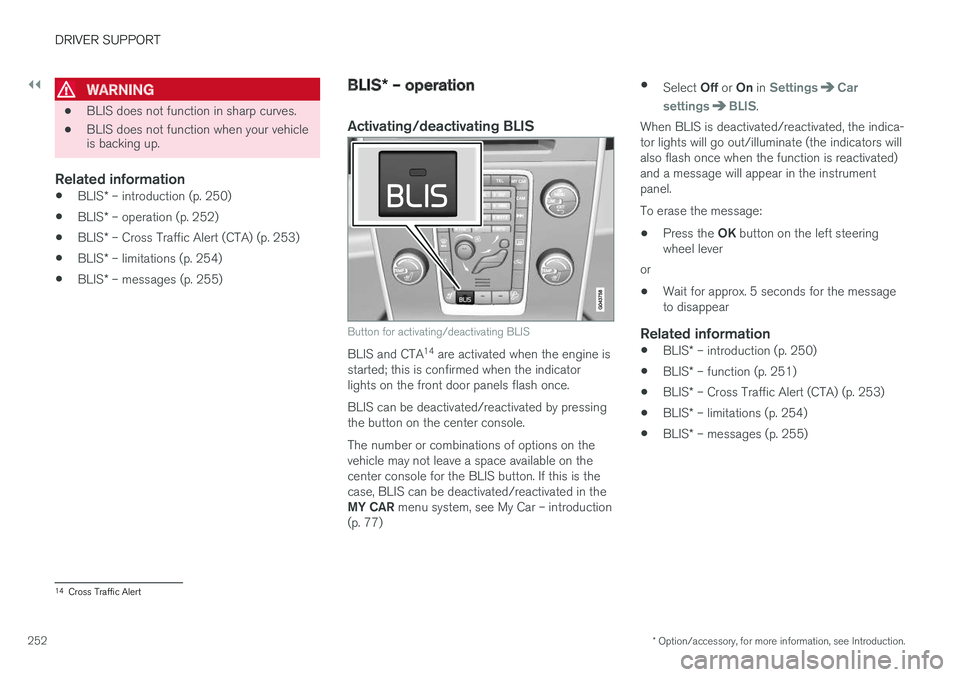
Activating/deactivating BLIS
Button for activating/deactivating BLIS
BLIS and CTA 14
are activated when the engine is
started; this is confirmed when the indicator lights on the front door panels flash once. BLIS can be deactivated/reactivated by pressing the button on the center console. The number or combinations of options on the vehicle may not leave a space available on thecenter console for the BLIS button. If this is thecase, BLIS can be deactivated/reactivated in the MY CAR menu system, see My Car – introduction
(p. 77) •
Select Off or On in
SettingsCar
settings
BLIS.
When BLIS is deactivated/reactivated, the indica- tor lights will go out/illuminate (the indicators willalso flash once when the function is reactivated)and a message will appear in the instrumentpanel. To erase the message:
• Press the
OK button on the left steering
wheel lever
or
• Wait for approx. 5 seconds for the message to disappear
Related information
•
BLIS
* – introduction (p. 250)
• BLIS
* – function (p. 251)
• BLIS
* – Cross Traffic Alert (CTA) (p. 253)
• BLIS
* – limitations (p. 254)
• BLIS
* – messages (p. 255)
14
Cross Traffic Alert
Page 255 of 406
DRIVER SUPPORT
}}
* Option/accessory, for more information, see Introduction.253
BLIS* – Cross Traffic Alert (CTA)
Cross Traffic Alert (CTA) is a supplementary BLIS 15
function intended to detect vehicles
crossing behind your vehicle while you are back- ing up.
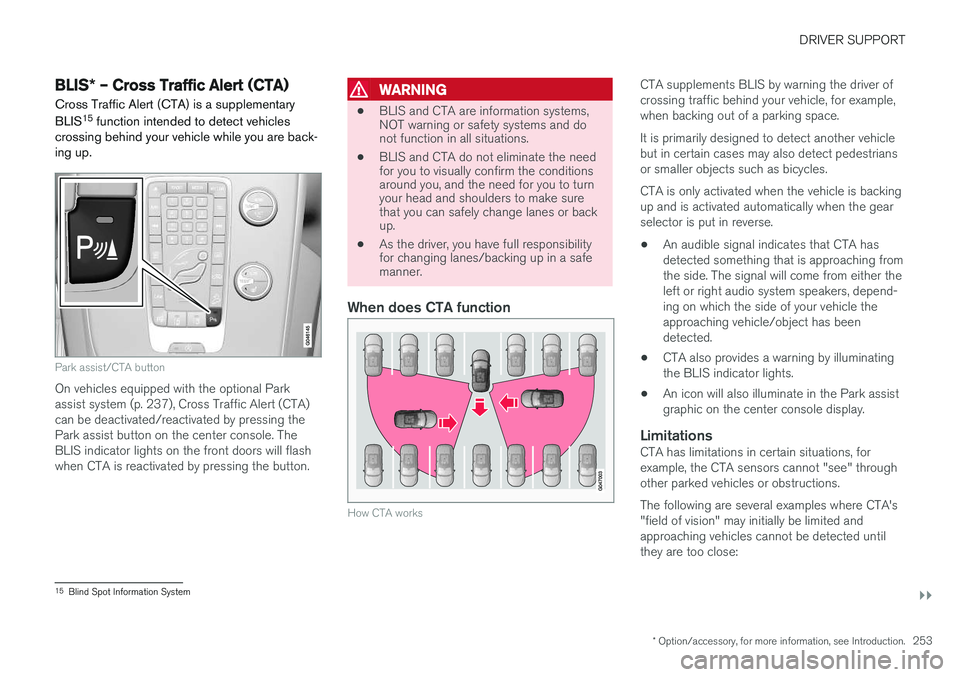
Park assist/CTA button
On vehicles equipped with the optional Park assist system (p. 237), Cross Traffic Alert (CTA)can be deactivated/reactivated by pressing thePark assist button on the center console. TheBLIS indicator lights on the front doors will flashwhen CTA is reactivated by pressing the button.
WARNING
• BLIS and CTA are information systems, NOT warning or safety systems and donot function in all situations.
• BLIS and CTA do not eliminate the needfor you to visually confirm the conditionsaround you, and the need for you to turnyour head and shoulders to make surethat you can safely change lanes or backup.
• As the driver, you have full responsibilityfor changing lanes/backing up in a safemanner.
When does CTA function
How CTA works
CTA supplements BLIS by warning the driver of crossing traffic behind your vehicle, for example,when backing out of a parking space. It is primarily designed to detect another vehicle but in certain cases may also detect pedestriansor smaller objects such as bicycles. CTA is only activated when the vehicle is backing up and is activated automatically when the gearselector is put in reverse.
• An audible signal indicates that CTA hasdetected something that is approaching fromthe side. The signal will come from either theleft or right audio system speakers, depend-ing on which the side of your vehicle theapproaching vehicle/object has beendetected.
• CTA also provides a warning by illuminatingthe BLIS indicator lights.
• An icon will also illuminate in the Park assistgraphic on the center console display.
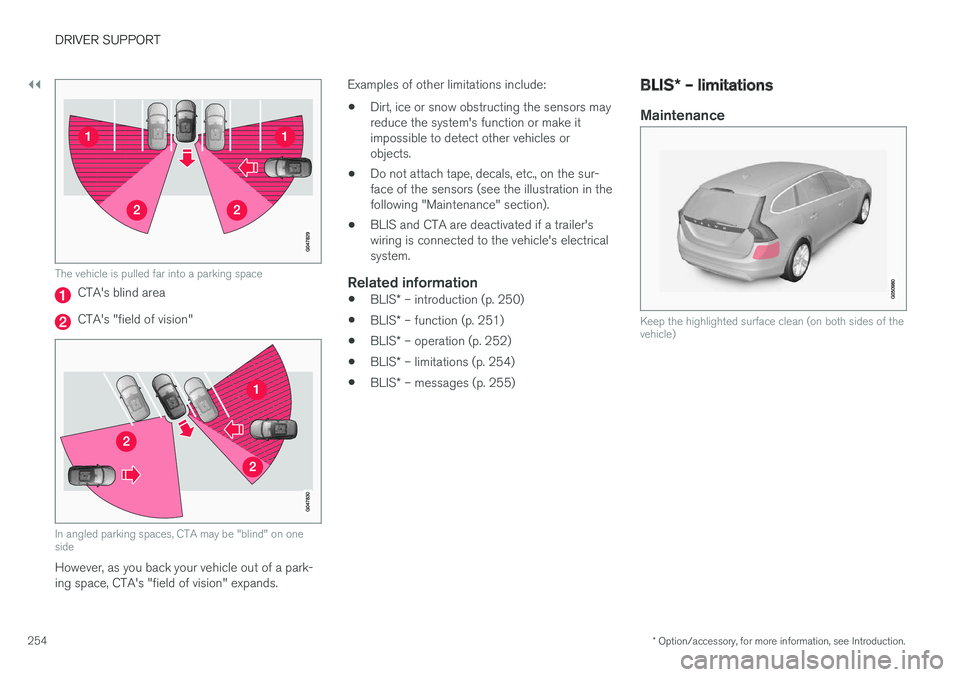
LimitationsCTA has limitations in certain situations, forexample, the CTA sensors cannot "see" throughother parked vehicles or obstructions. The following are several examples where CTA's "field of vision" may initially be limited andapproaching vehicles cannot be detected untilthey are too close:
15
Blind Spot Information System
Page 256 of 406
||
DRIVER SUPPORT
* Option/accessory, for more information, see Introduction.
254
The vehicle is pulled far into a parking space
CTA's blind area
CTA's "field of vision"
In angled parking spaces, CTA may be "blind" on one side
However, as you back your vehicle out of a park- ing space, CTA's "field of vision" expands. Examples of other limitations include:
• Dirt, ice or snow obstructing the sensors mayreduce the system's function or make itimpossible to detect other vehicles orobjects.
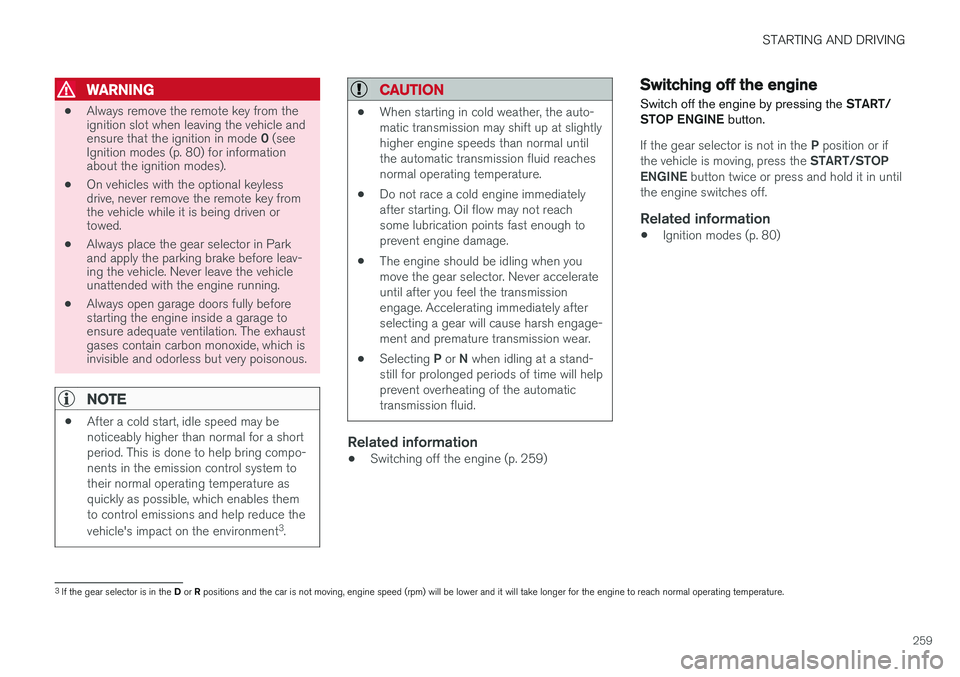
• Do not attach tape, decals, etc., on the sur-face of the sensors (see the illustration in thefollowing "Maintenance" section).
• BLIS and CTA are deactivated if a trailer'swiring is connected to the vehicle's electricalsystem.
Related information
•
BLIS
* – introduction (p. 250)
• BLIS
* – function (p. 251)
• BLIS
* – operation (p. 252)
• BLIS
* – limitations (p. 254)
• BLIS
* – messages (p. 255)
BLIS * – limitations
Maintenance
Keep the highlighted surface clean (on both sides of the vehicle)
Page 261 of 406
STARTING AND DRIVING
259
WARNING
•Always remove the remote key from the ignition slot when leaving the vehicle and ensure that the ignition in mode
0 (see
Ignition modes (p. 80) for information about the ignition modes).
• On vehicles with the optional keylessdrive, never remove the remote key fromthe vehicle while it is being driven ortowed.
• Always place the gear selector in Parkand apply the parking brake before leav-ing the vehicle. Never leave the vehicleunattended with the engine running.
• Always open garage doors fully beforestarting the engine inside a garage toensure adequate ventilation. The exhaustgases contain carbon monoxide, which isinvisible and odorless but very poisonous.
NOTE
•After a cold start, idle speed may be noticeably higher than normal for a shortperiod. This is done to help bring compo-nents in the emission control system totheir normal operating temperature asquickly as possible, which enables themto control emissions and help reduce the vehicle's impact on the environment 3
.
CAUTION
• When starting in cold weather, the auto- matic transmission may shift up at slightlyhigher engine speeds than normal untilthe automatic transmission fluid reachesnormal operating temperature.
• Do not race a cold engine immediatelyafter starting. Oil flow may not reachsome lubrication points fast enough toprevent engine damage.
• The engine should be idling when youmove the gear selector. Never accelerateuntil after you feel the transmissionengage. Accelerating immediately afterselecting a gear will cause harsh engage-ment and premature transmission wear.
• Selecting
P or N when idling at a stand-
still for prolonged periods of time will helpprevent overheating of the automatictransmission fluid.
Related information
• Switching off the engine (p. 259)
Switching off the engine Switch off the engine by pressing the
START/
STOP ENGINE button.
If the gear selector is not in the P position or if
the vehicle is moving, press the START/STOP
ENGINE button twice or press and hold it in until
the engine switches off.
Related information
• Ignition modes (p. 80)
3
If the gear selector is in the D or R positions and the car is not moving, engine speed (rpm) will be lower and it will take longer for the engine to reach normal operating temperature.
Page 262 of 406
STARTING AND DRIVING
* Option/accessory, for more information, see Introduction.
260
Engine Remote Start (ERS) * –
introduction
ERS is a feature that makes it possible to remotely start the engine using the remote key tocool or heat the passenger compartment beforedriving.
The climate system will start using automatic set- tings. When the engine is started using ERS, it will run for a maximum of 15 minutes before automati-cally switching off again. After 2 ERS starts, theengine must be started in the normal way beforeERS can be used again.
NOTE
• Always adhere to applicable State, Prov- ince and/or Local laws regarding engineidling when using ERS.
• The service life of the remote key's bat-tery is affected by ERS use. If this featureis used frequently, the battery should bereplaced once a year, see Remote key –replacing the battery (p. 157).
WARNING
Keep the following in mind before using ERS:
• The vehicle should be in view.
• The vehicle should be unoccupied.
• The vehicle must not be parked indoors or in an enclosed area. Exhaust fumes areharmful to the health.
Related information
•
Engine Remote Start (ERS)
* – starting the
engine (p. 260)
• Engine Remote Start (ERS)
* – switching off
the engine (p. 261)
Engine Remote Start (ERS) * –
starting the engine
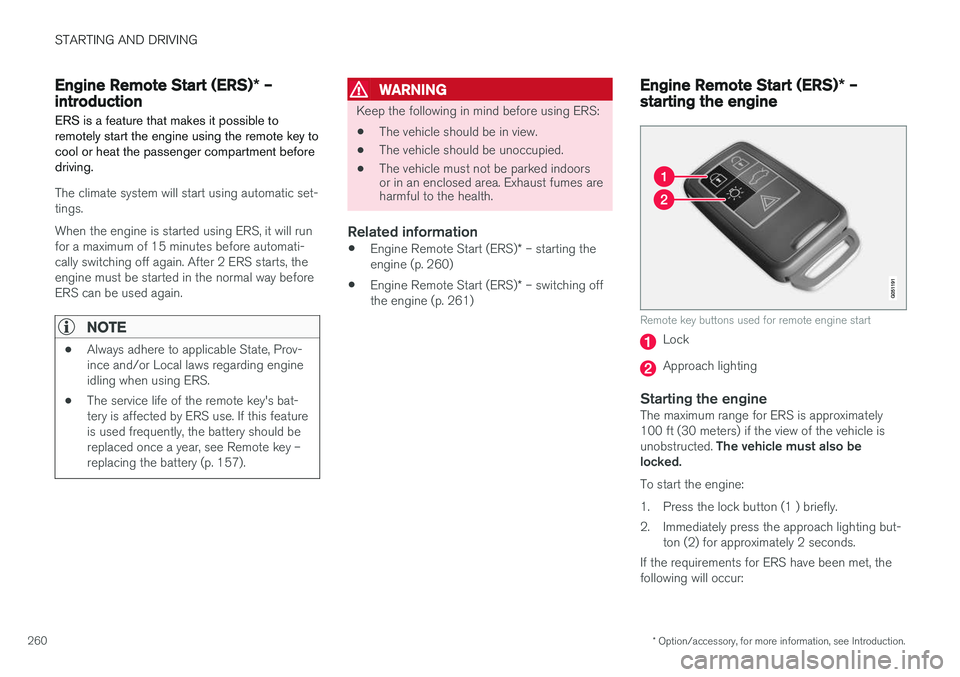
Remote key buttons used for remote engine start
Lock
Approach lighting
Starting the engineThe maximum range for ERS is approximately 100 ft (30 meters) if the view of the vehicle is unobstructed. The vehicle must also be
locked. To start the engine:
1. Press the lock button (1 ) briefly.
2. Immediately press the approach lighting but- ton (2) for approximately 2 seconds.
If the requirements for ERS have been met, the following will occur:
Page 263 of 406
STARTING AND DRIVING
}}
* Option/accessory, for more information, see Introduction.261
1. The turn signals will flash several times.
2. The engine will start.
3. The turn signals will illuminate for 3 seconds
to indicate that the engine has started.
After the engine has started, the vehicle remains locked but the alarm is disarmed.
Active functions
When the engine is started with ERS, the follow- ing functions are activated: • The climate control system
• The infotainment system.
• Approach lighting
Deactivated functions
When the engine is started with ERS, the follow- ing functions are deactivated: •
Headlights
• Parking lights
• License plate lights
• Windshield wipers
Related information
•
Engine Remote Start (ERS)
* – switching off
the engine (p. 261)
• Engine Remote Start (ERS)
* – introduction
(p. 260)
Engine Remote Start (ERS) * –
switching off the engine
Any of the following will switch off the engine if it has been started with ERS: • Pressing the lock button (1) or the unlock button (2) on the remote key
• Unlocking the vehicle
• Opening a door
• Depressing the accelerator or brake pedal
• Moving the gear selector from the
P position
• If there are less than approx. 2.5 gallons(10 liters) of fuel in the tank
• More than 15 minutes have elapsed.
If the engine has been started with ERS andswitches off, the turn signals will illuminate for3 seconds.
Message in the instrument panel display
If ERS is interrupted, a text message will be dis- played in the instrument panel.
Related information
• Engine Remote Start (ERS)
* – introduction
(p. 260)
• Engine Remote Start (ERS)
* – starting the
engine (p. 260)
Jump starting
Follow these instructions to jump start your vehi- cle's dead battery or to jump start another vehi-cle's dead battery using your vehicle.
G021347
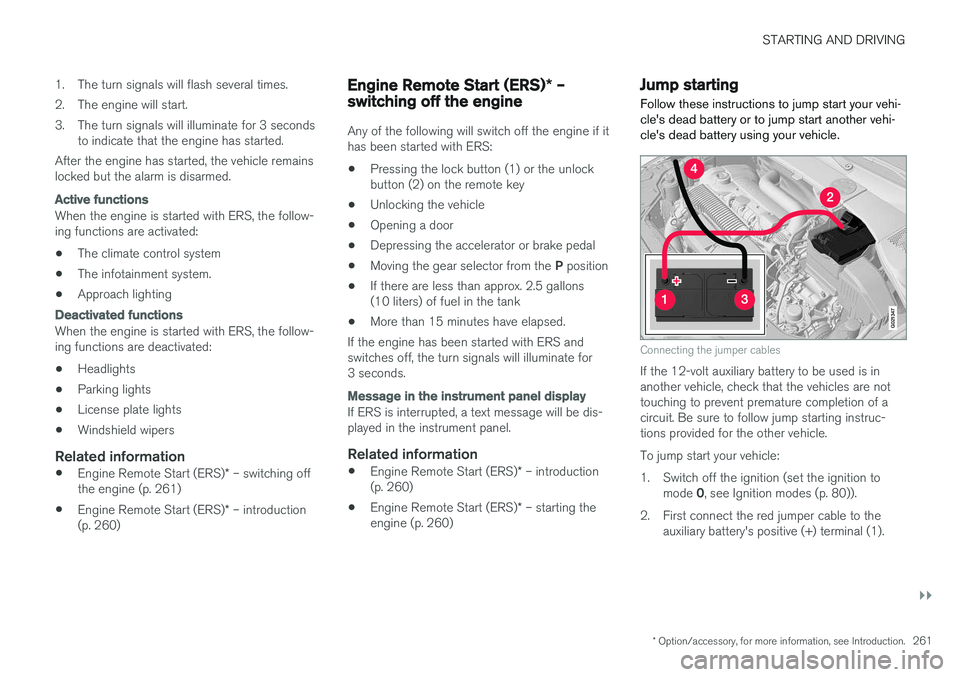
Connecting the jumper cables
If the 12-volt auxiliary battery to be used is in another vehicle, check that the vehicles are nottouching to prevent premature completion of acircuit. Be sure to follow jump starting instruc-tions provided for the other vehicle. To jump start your vehicle:
1. Switch off the ignition (set the ignition to mode 0, see Ignition modes (p. 80)).
2. First connect the red jumper cable to the auxiliary battery's positive (+) terminal (1).