Release park VOLVO V60 2017 Owner´s Manual
[x] Cancel search | Manufacturer: VOLVO, Model Year: 2017, Model line: V60, Model: VOLVO V60 2017Pages: 406, PDF Size: 9.65 MB
Page 20 of 406
||
INTRODUCTION
18
Bullet lists
Bullets are used to differentiate a number of components/functions/points of information thatcan be listed in random order. For example:• Coolant
• Engine oil
Continues on next page
}
}This symbol can be found at the lower right
corner to indicate that the current topic continues on the following page.
Continuation from previous page
|| This symbol can be found at the upper left
corner to indicate that the current topic is a con- tinuation from the previous page.
Options and accessoriesOptional or accessory equipment described inthis manual is indicated by an asterisk. Optional or accessory equipment may not be available in all countries or markets. Please notethat some vehicles may be equipped differently,depending on special legal requirements. Contact your Volvo retailer for additional informa- tion.
WARNING
If your vehicle is involved in an accident, unseen damage may affect its drivability andsafety.
WARNING
CALIFORNIA proposition 65 Engine exhaust, some of its constituents, and certain vehicle components contain or emitchemicals known to the state of California tocause cancer, and birth defects or otherreproductive harm. In addition, certain fluidscontained in vehicles and certain products ofcomponent wear contain or emit chemicalsknown to the State of California to cause can-cer, and birth defects or other reproductiveharm.
WARNING
Certain components of this vehicle such as air bag modules, seat belt pretensioners, adap-tive steering columns, and button cell batter-ies may contain Perchlorate material. Specialhandling may apply for service or vehicle endof life disposal. See www.dtsc.ca.gov/hazardouswaste/ perchlorate.
ShiftlockWhen your vehicle is parked, the gear selector is locked in the P (Park) position. To release the selector from this position, the ignition must be inmode
II (p. 80) or the engine must be running.
Depress the brake pedal, press the button on the front side of the gear selector and move the selector from P (Park).
Anti-lock Brake System (ABS)The ABS system performs a brief self-diagnostic test when the engine has been started and driverreleases the brake pedal. Another automatic testmay be performed when the vehicle first reachesa speed of approximately 6 mph (10 km/h). Thebrake pedal will pulsate several times and asound may be audible from the ABS controlmodule. This is normal.
Fuel filler doorPress the button on the light switch panel (seethe illustration in Refueling – opening/closingfuel filler door (p. 289)) when the vehicle is at astandstill to unlock the fuel filler door. It willrelock when closed and there will be an audibleclick.
Points to keep in mind
• Do not export your Volvo to another countrybefore investigating that country's applicablesafety and exhaust emission requirements. Insome cases it may be difficult or impossibleto comply with these requirements. Modifica-tions to the emission control system(s) mayrender your Volvo not certifiable for legal
Page 90 of 406
||
INSTRUMENTS AND CONTROLS
88
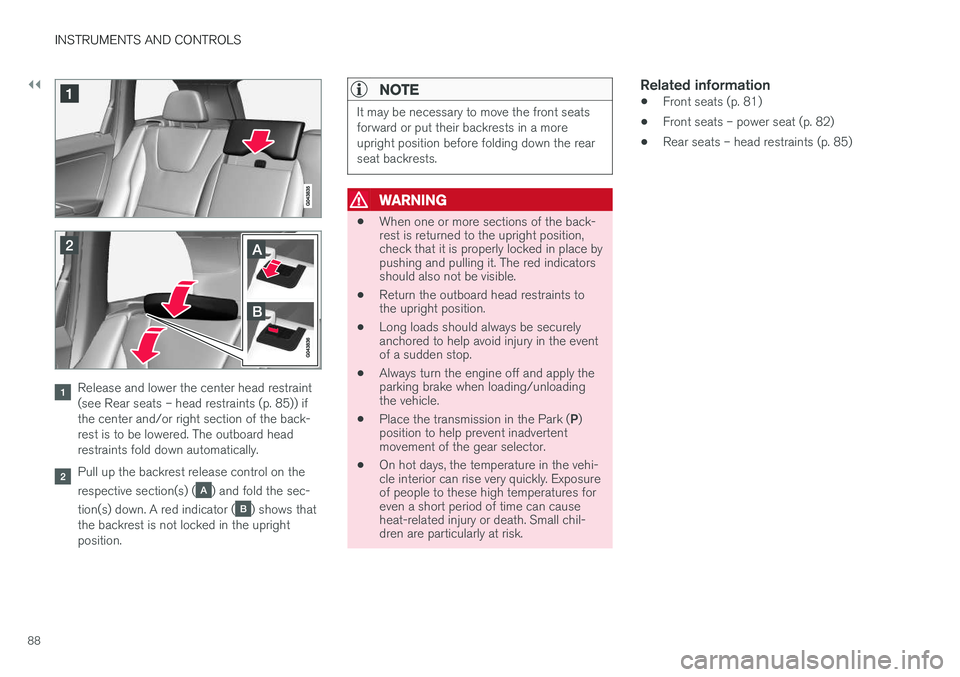
Release and lower the center head restraint (see Rear seats – head restraints (p. 85)) ifthe center and/or right section of the back-rest is to be lowered. The outboard headrestraints fold down automatically.
Pull up the backrest release control on the respective section(s) (
) and fold the sec-
tion(s) down. A red indicator (
) shows that
the backrest is not locked in the upright position.
NOTE
It may be necessary to move the front seats forward or put their backrests in a moreupright position before folding down the rearseat backrests.
WARNING
• When one or more sections of the back- rest is returned to the upright position,check that it is properly locked in place bypushing and pulling it. The red indicatorsshould also not be visible.
• Return the outboard head restraints tothe upright position.
• Long loads should always be securelyanchored to help avoid injury in the eventof a sudden stop.
• Always turn the engine off and apply theparking brake when loading/unloadingthe vehicle.
• Place the transmission in the Park (
P)
position to help prevent inadvertentmovement of the gear selector.
• On hot days, the temperature in the vehi-cle interior can rise very quickly. Exposureof people to these high temperatures foreven a short period of time can causeheat-related injury or death. Small chil-dren are particularly at risk.
Related information
• Front seats (p. 81)
• Front seats – power seat (p. 82)
• Rear seats – head restraints (p. 85)
Page 101 of 406
INSTRUMENTS AND CONTROLS
99
Rear interior lighting
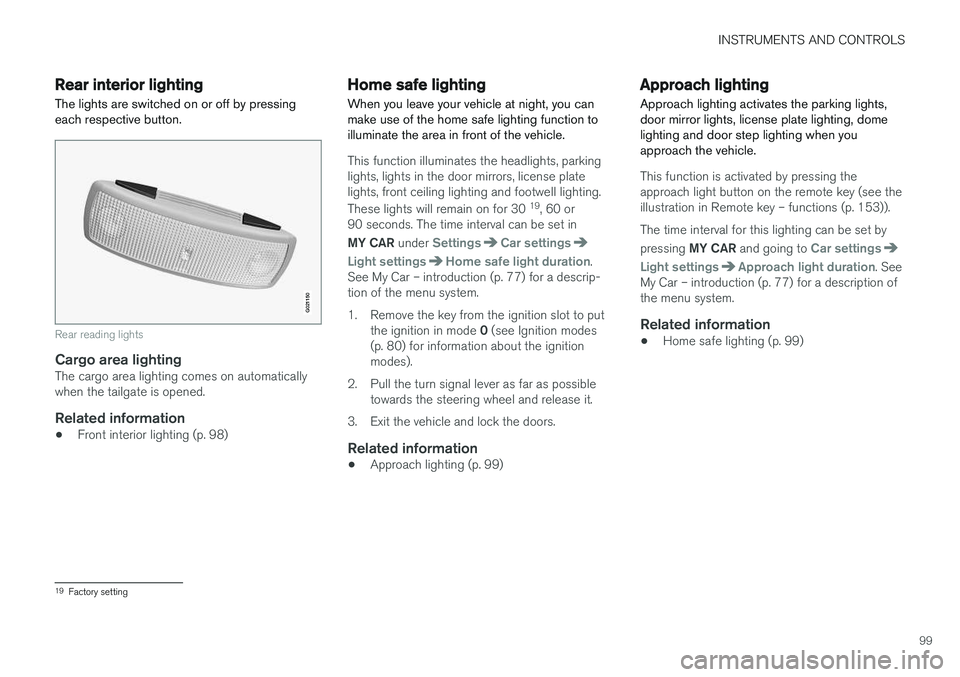
The lights are switched on or off by pressing each respective button.
G021150
Rear reading lights
Cargo area lightingThe cargo area lighting comes on automatically when the tailgate is opened.
Related information
• Front interior lighting (p. 98)
Home safe lighting
When you leave your vehicle at night, you can make use of the home safe lighting function toilluminate the area in front of the vehicle.
This function illuminates the headlights, parking lights, lights in the door mirrors, license platelights, front ceiling lighting and footwell lighting. These lights will remain on for 30 19
, 60 or
90 seconds. The time interval can be set in MY CAR under
SettingsCar settings
Light settingsHome safe light duration.
See My Car – introduction (p. 77) for a descrip- tion of the menu system.
1. Remove the key from the ignition slot to put
the ignition in mode 0 (see Ignition modes
(p. 80) for information about the ignition modes).
2. Pull the turn signal lever as far as possible towards the steering wheel and release it.
3. Exit the vehicle and lock the doors.
Related information
• Approach lighting (p. 99)
Approach lighting
Approach lighting activates the parking lights, door mirror lights, license plate lighting, domelighting and door step lighting when youapproach the vehicle.
This function is activated by pressing the approach light button on the remote key (see theillustration in Remote key – functions (p. 153)). The time interval for this lighting can be set by pressing MY CAR and going to
Car settings
Light settingsApproach light duration. See
My Car – introduction (p. 77) for a description of the menu system.
Related information
• Home safe lighting (p. 99)
19
Factory setting
Page 106 of 406
INSTRUMENTS AND CONTROLS
* Option/accessory, for more information, see Introduction.
104
Power door mirrors
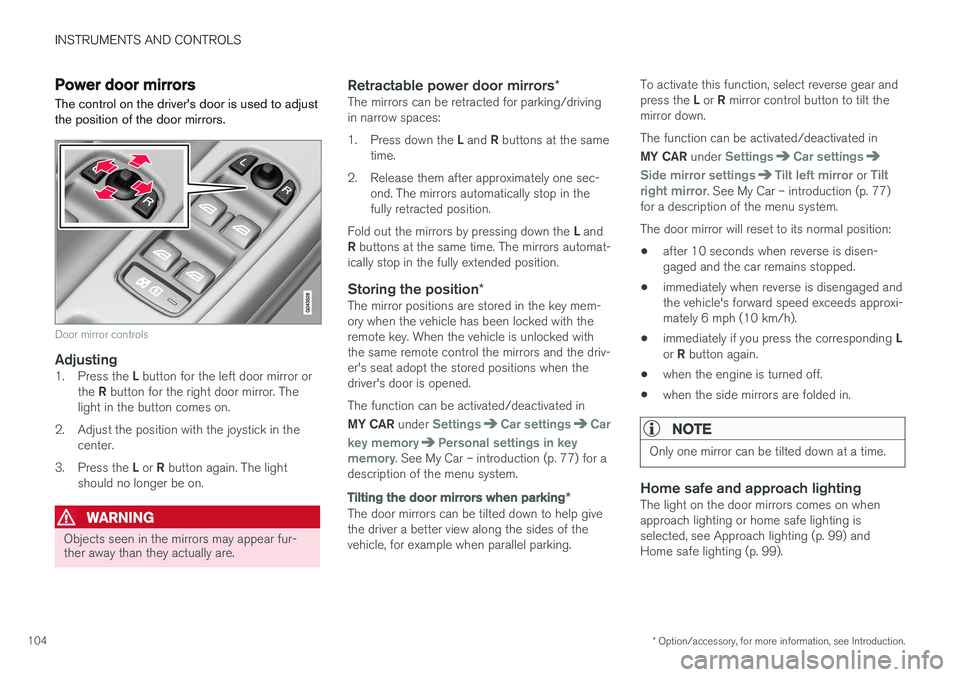
The control on the driver's door is used to adjust the position of the door mirrors.
Door mirror controls
Adjusting1. Press the L button for the left door mirror or
the R button for the right door mirror. The
light in the button comes on.
2. Adjust the position with the joystick in the center.
3. Press the L or R button again. The light
should no longer be on.
WARNING
Objects seen in the mirrors may appear fur- ther away than they actually are.
Retractable power door mirrors *The mirrors can be retracted for parking/driving in narrow spaces: 1.
Press down the L and R buttons at the same
time.
2. Release them after approximately one sec- ond. The mirrors automatically stop in the fully retracted position.
Fold out the mirrors by pressing down the L and
R buttons at the same time. The mirrors automat-
ically stop in the fully extended position.
Storing the position *The mirror positions are stored in the key mem-ory when the vehicle has been locked with theremote key. When the vehicle is unlocked withthe same remote control the mirrors and the driv-er's seat adopt the stored positions when thedriver's door is opened. The function can be activated/deactivated in MY CAR under
SettingsCar settingsCar
key memory
Personal settings in key
memory. See My Car – introduction (p. 77) for a
description of the menu system.
Tilting the door mirrors when parking *
The door mirrors can be tilted down to help give the driver a better view along the sides of thevehicle, for example when parallel parking. To activate this function, select reverse gear and press the
L or R mirror control button to tilt the
mirror down. The function can be activated/deactivated in MY CAR under
SettingsCar settings
Side mirror settingsTilt left mirror or Tilt
right mirror. See My Car – introduction (p. 77)
for a description of the menu system. The door mirror will reset to its normal position:
• after 10 seconds when reverse is disen- gaged and the car remains stopped.
• immediately when reverse is disengaged andthe vehicle's forward speed exceeds approxi-mately 6 mph (10 km/h).
• immediately if you press the corresponding
L
or R button again.
• when the engine is turned off.
• when the side mirrors are folded in.
NOTE
Only one mirror can be tilted down at a time.
Home safe and approach lightingThe light on the door mirrors comes on when approach lighting or home safe lighting isselected, see Approach lighting (p. 99) andHome safe lighting (p. 99).
Page 192 of 406
||
DRIVER SUPPORT
190The driver will then have to reactivate ACC in one of the following ways: •
By pressing
• By accelerating up to at least 3 mph (4 km/h). ACC will then resume following thevehicle ahead.
Your vehicle will then resume following the vehi-cle ahead at the set time interval.
NOTE
ACC can remain active and keep your vehicle at a standstill for up to 4 minutes. After4 minutes have elapsed, the parking brakewill be engaged and ACC will go into standbymode. To reactivate ACC, the driver must release the parking brake (see Parking brake – generalinformation (p. 280)).
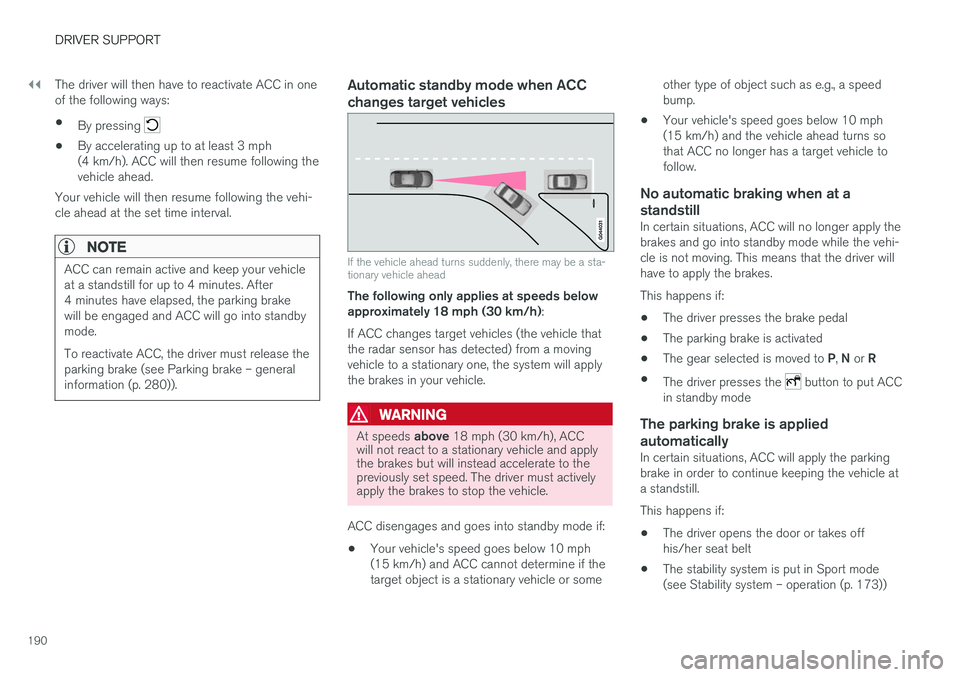
Automatic standby mode when ACC changes target vehicles
If the vehicle ahead turns suddenly, there may be a sta- tionary vehicle ahead
The following only applies at speeds below approximately 18 mph (30 km/h) :
If ACC changes target vehicles (the vehicle thatthe radar sensor has detected) from a movingvehicle to a stationary one, the system will applythe brakes in your vehicle.
WARNING
At speeds above 18 mph (30 km/h), ACC
will not react to a stationary vehicle and apply the brakes but will instead accelerate to thepreviously set speed. The driver must activelyapply the brakes to stop the vehicle.
ACC disengages and goes into standby mode if: • Your vehicle's speed goes below 10 mph (15 km/h) and ACC cannot determine if thetarget object is a stationary vehicle or some other type of object such as e.g., a speedbump.
• Your vehicle's speed goes below 10 mph(15 km/h) and the vehicle ahead turns sothat ACC no longer has a target vehicle tofollow.
No automatic braking when at a
standstill
In certain situations, ACC will no longer apply thebrakes and go into standby mode while the vehi-cle is not moving. This means that the driver willhave to apply the brakes. This happens if:
• The driver presses the brake pedal
• The parking brake is activated
• The gear selected is moved to
P, N or R
• The driver presses the
button to put ACC
in standby mode
The parking brake is applied
automatically
In certain situations, ACC will apply the parking brake in order to continue keeping the vehicle ata standstill. This happens if:
• The driver opens the door or takes off his/her seat belt
• The stability system is put in Sport mode(see Stability system – operation (p. 173))
Page 197 of 406
DRIVER SUPPORT
195
SymbolMessageDescription
-Cruise control Service requiredACC is not functioning. Contact a trained and qualified Volvo service technician.
-Press Brake To hold +
an audible signalThe vehicle is at a standstill and ACC will release the brakes before the parking brake engages to keep the vehicle stopped but a problem with the parking brake means that the vehicle may begin to roll. The driver will have to apply the brakes. The message will remain in the display and the audible signal will continue until the driver applies the brakes or presses the accelerator pedal.
-Below 30 km/h Only fol- lowingThis is displayed if you try to activate ACC at speeds below approx. 18 mph (30 km/h) without a vehicle ahead within range (approx. 100 ft/30 meters).
Related information
• Adaptive Cruise Control – introduction (p. 182)
Page 245 of 406
DRIVER SUPPORT
* Option/accessory, for more information, see Introduction.243
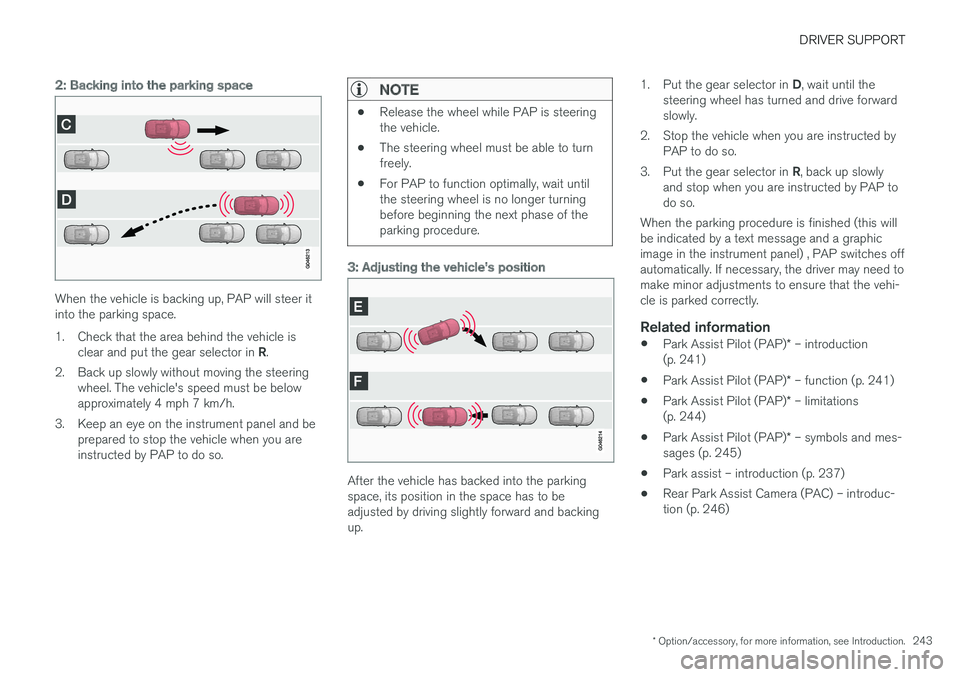
2: Backing into the parking space
When the vehicle is backing up, PAP will steer it into the parking space.
1. Check that the area behind the vehicle is
clear and put the gear selector in R.
2. Back up slowly without moving the steering wheel. The vehicle's speed must be below approximately 4 mph 7 km/h.
3. Keep an eye on the instrument panel and be prepared to stop the vehicle when you areinstructed by PAP to do so.
NOTE
•Release the wheel while PAP is steering the vehicle.
• The steering wheel must be able to turnfreely.
• For PAP to function optimally, wait untilthe steering wheel is no longer turningbefore beginning the next phase of theparking procedure.
3: Adjusting the vehicle's position
After the vehicle has backed into the parking space, its position in the space has to beadjusted by driving slightly forward and backingup. 1.
Put the gear selector in D, wait until the
steering wheel has turned and drive forwardslowly.
2. Stop the vehicle when you are instructed by PAP to do so.
3. Put the gear selector in R, back up slowly
and stop when you are instructed by PAP todo so.
When the parking procedure is finished (this willbe indicated by a text message and a graphicimage in the instrument panel) , PAP switches offautomatically. If necessary, the driver may need tomake minor adjustments to ensure that the vehi-cle is parked correctly.
Related information
• Park Assist Pilot (PAP)
* – introduction
(p. 241)
• Park Assist Pilot (PAP)
* – function (p. 241)
• Park Assist Pilot (PAP)
* – limitations
(p. 244)
• Park Assist Pilot (PAP)
* – symbols and mes-
sages (p. 245)
• Park assist – introduction (p. 237)
• Rear Park Assist Camera (PAC) – introduc-tion (p. 246)
Page 269 of 406
STARTING AND DRIVING
267
Transmission – shiftlock override
If the vehicle cannot be driven, for example because of a dead battery, the gear selectormust be moved from the P position before the
vehicle can be moved 8
.
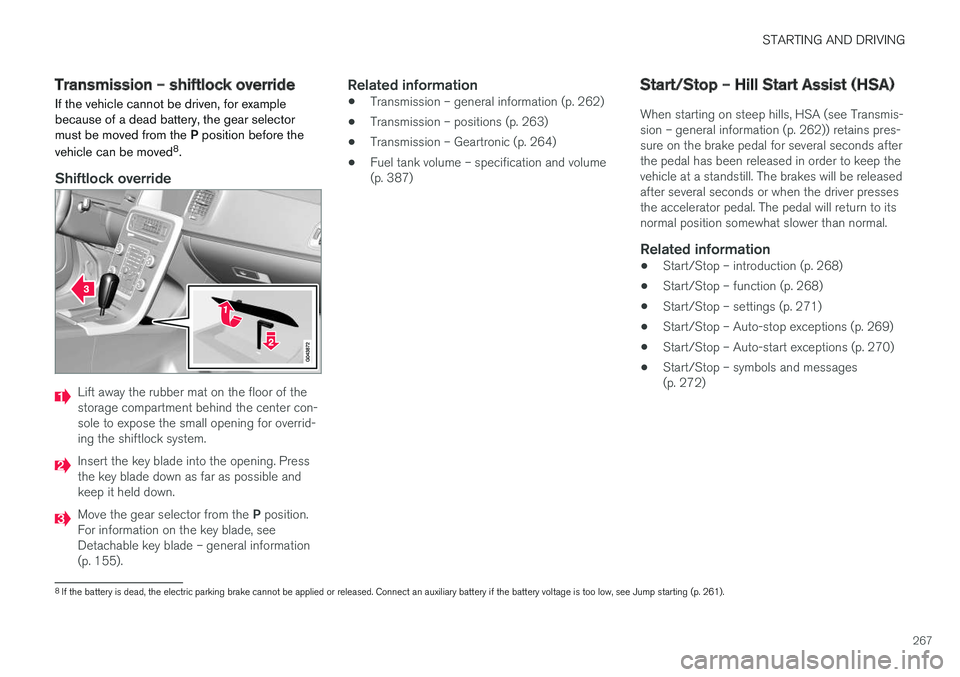
Shiftlock override
Lift away the rubber mat on the floor of the storage compartment behind the center con-sole to expose the small opening for overrid-ing the shiftlock system.
Insert the key blade into the opening. Press the key blade down as far as possible andkeep it held down.
Move the gear selector from the P position.
For information on the key blade, see Detachable key blade – general information(p. 155).
Related information
• Transmission – general information (p. 262)
• Transmission – positions (p. 263)
• Transmission – Geartronic (p. 264)
• Fuel tank volume – specification and volume(p. 387)
Start/Stop – Hill Start Assist (HSA)
When starting on steep hills, HSA (see Transmis- sion – general information (p. 262)) retains pres-sure on the brake pedal for several seconds afterthe pedal has been released in order to keep thevehicle at a standstill. The brakes will be releasedafter several seconds or when the driver pressesthe accelerator pedal. The pedal will return to itsnormal position somewhat slower than normal.
Related information
• Start/Stop – introduction (p. 268)
• Start/Stop – function (p. 268)
• Start/Stop – settings (p. 271)
• Start/Stop – Auto-stop exceptions (p. 269)
• Start/Stop – Auto-start exceptions (p. 270)
• Start/Stop – symbols and messages(p. 272)
8
If the battery is dead, the electric parking brake cannot be applied or released. Connect an auxiliary battery if the battery voltage is too low, see Jump starting (p. 261).
Page 281 of 406
STARTING AND DRIVING
}}
279
Anti-lock braking system (ABS) The ABS system helps to improve vehicle con- trol (stopping and steering) during severe brak-ing conditions by limiting brake lockup.
When the system "senses" impending lockup, braking pressure is automatically modulated inorder to help prevent lockup that could lead to askid. The system performs a brief self-diagnostic test when the engine has been started and driverreleases the brake pedal. Another automatic testmay be performed when the vehicle first reachesa speed of approximately 6 mph (10 km/h). Thebrake pedal will pulsate several times and asound may be audible from the ABS controlmodule, which is normal.
Related information
•Parking brake – general information (p. 280)
• Emergency Brake Assistance (EBA) (p. 279)
• Brakes – general (p. 277)
Brake lights The brake lights come on automatically when the brakes are applied.
Adaptive brake lights
The adaptive brake lights activate in the event of sudden braking or if the ABS system is activated.This function causes an additional taillight oneach side of the vehicle to illuminate to help alertvehicles traveling behind. The adaptive brake lights activate if:
• The ABS system activates for more than approximately a half second
• In the event of sudden braking while thevehicle is moving at speeds above approxi-mately 6 mph (10 km/h).
When the vehicle has come to a stop, the brakelights and additional taillights remain on for aslong as the brake pedal is depressed or untilbraking force on the vehicle is reduced.
Related information
• Brakes – general (p. 277)
• Parking brake – general information (p. 280)
Emergency Brake Assistance (EBA)
EBA is designed to provide full brake effect immediately in the event of sudden, hard brak-ing.
Emergency Brake AssistanceThe EBA system is activated by the speed with which the brake pedal is depressed. When the EBA system is activated, the brake pedal will go down and pressure in the brake sys-tem immediately increases to the maximum level.Maintain full pressure on the brake pedal in orderto utilize the system completely. EBA is automati-cally deactivated when the brake pedal isreleased.
Page 282 of 406
||
STARTING AND DRIVING
280
NOTE
•When the EBA system is activated, the brake pedal will go down and pressure inthe brake system immediately increasesto the maximum level. You must maintainfull pressure on the brake pedal in orderto utilize the system completely. Therewill be no braking effect if the pedal isreleased. EBA is automatically deacti-vated when the brake pedal is released.
• When the vehicle has been parked forsome time, the brake pedal may sinkmore than usual when the engine isstarted. This is normal and the pedal willreturn to its usual position when it isreleased.
Related information
• Parking brake – general information (p. 280)
• Brakes – general (p. 277)
• Anti-lock braking system (ABS) (p. 279)
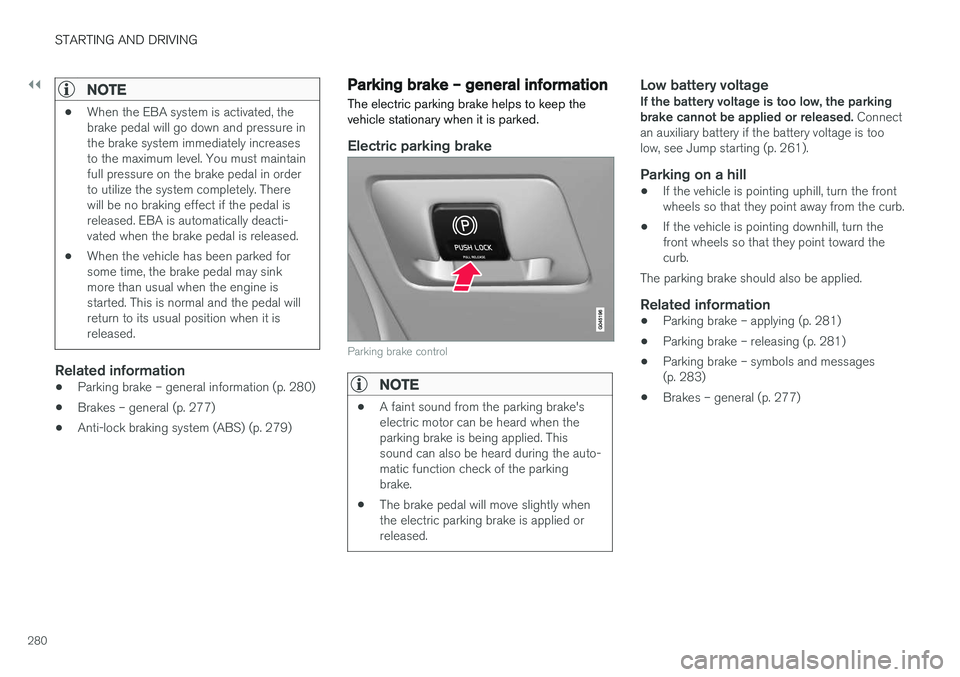
Parking brake – general information The electric parking brake helps to keep the vehicle stationary when it is parked.
Electric parking brake
Parking brake control
NOTE
•
A faint sound from the parking brake's electric motor can be heard when theparking brake is being applied. Thissound can also be heard during the auto-matic function check of the parkingbrake.
• The brake pedal will move slightly whenthe electric parking brake is applied orreleased.
Low battery voltageIf the battery voltage is too low, the parking brake cannot be applied or released.
Connect
an auxiliary battery if the battery voltage is toolow, see Jump starting (p. 261).
Parking on a hill
• If the vehicle is pointing uphill, turn the frontwheels so that they point away from the curb.
• If the vehicle is pointing downhill, turn thefront wheels so that they point toward thecurb.
The parking brake should also be applied.
Related information
• Parking brake – applying (p. 281)
• Parking brake – releasing (p. 281)
• Parking brake – symbols and messages(p. 283)
• Brakes – general (p. 277)