stop start VOLVO V60 2018 Owner´s Manual
[x] Cancel search | Manufacturer: VOLVO, Model Year: 2018, Model line: V60, Model: VOLVO V60 2018Pages: 406, PDF Size: 9.59 MB
Page 111 of 406
INSTRUMENTS AND CONTROLS
}}
* Option/accessory.109
Digital compass *
The rear-view mirror has an integrated display that shows the compass direction in which thevehicle is traveling.
Operation
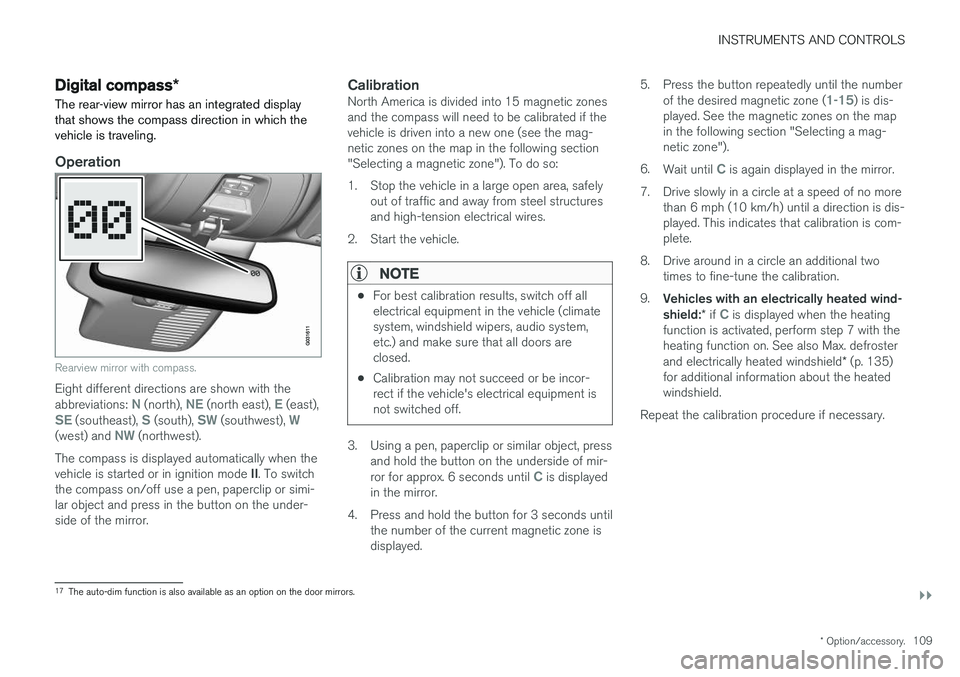
Rearview mirror with compass.
Eight different directions are shown with the abbreviations: N (north), NE (north east), E (east),SE (southeast), S (south), SW (southwest), W(west) and NW (northwest).
The compass is displayed automatically when the vehicle is started or in ignition mode II. To switch
the compass on/off use a pen, paperclip or simi- lar object and press in the button on the under-side of the mirror.
CalibrationNorth America is divided into 15 magnetic zonesand the compass will need to be calibrated if thevehicle is driven into a new one (see the mag-netic zones on the map in the following section"Selecting a magnetic zone"). To do so:
1. Stop the vehicle in a large open area, safely out of traffic and away from steel structures and high-tension electrical wires.
2. Start the vehicle.
NOTE
• For best calibration results, switch off all electrical equipment in the vehicle (climatesystem, windshield wipers, audio system,etc.) and make sure that all doors areclosed.
• Calibration may not succeed or be incor-rect if the vehicle's electrical equipment isnot switched off.
3. Using a pen, paperclip or similar object, press
and hold the button on the underside of mir- ror for approx. 6 seconds until
C is displayed
in the mirror.
4. Press and hold the button for 3 seconds until the number of the current magnetic zone is displayed. 5. Press the button repeatedly until the number
of the desired magnetic zone (
1-15) is dis-
played. See the magnetic zones on the map in the following section "Selecting a mag-netic zone").
6. Wait until
C is again displayed in the mirror.
7. Drive slowly in a circle at a speed of no more than 6 mph (10 km/h) until a direction is dis- played. This indicates that calibration is com-plete.
8. Drive around in a circle an additional two times to fine-tune the calibration.
9. Vehicles with an electrically heated wind- shield: * if
C is displayed when the heating
function is activated, perform step 7 with the heating function on. See also Max. defroster and electrically heated windshield * (p. 135)
for additional information about the heated windshield.
Repeat the calibration procedure if necessary.
17 The auto-dim function is also available as an option on the door mirrors.
Page 149 of 406
LOADING AND STORAGE
147
•
The vehicle's wind resistance and fuel con- sumption will increase with the size of theload.
• Drive smoothly. Avoid rapid starts, fast cor-nering and hard braking.
Related information
• Loading – general (p. 146)
• Load anchoring eyelets (p. 147)
Load anchoring eyelets
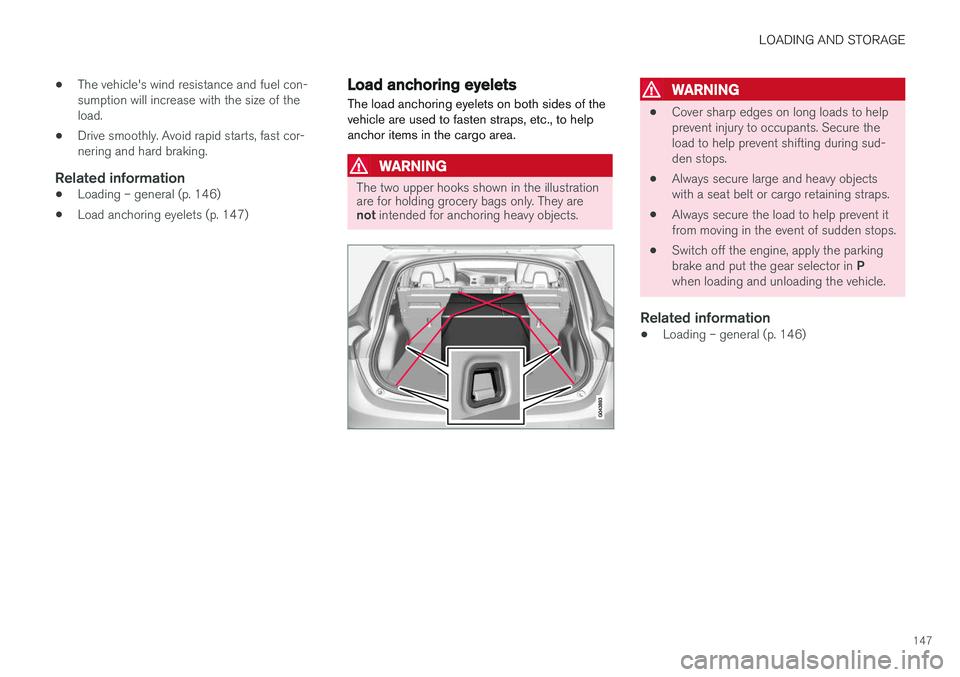
The load anchoring eyelets on both sides of the vehicle are used to fasten straps, etc., to helpanchor items in the cargo area.
WARNING
The two upper hooks shown in the illustration are for holding grocery bags only. They are not intended for anchoring heavy objects.
WARNING
• Cover sharp edges on long loads to help prevent injury to occupants. Secure theload to help prevent shifting during sud-den stops.
• Always secure large and heavy objectswith a seat belt or cargo retaining straps.
• Always secure the load to help prevent itfrom moving in the event of sudden stops.
• Switch off the engine, apply the parking brake and put the gear selector in
P
when loading and unloading the vehicle.
Related information
• Loading – general (p. 146)
Page 174 of 406
LOCKS AND ALARM
172
Alarm – turning off
The alarm system provides a warning if an attempt is made to break into the vehicle.
If the alarm is sounding, it can be stopped by pressing the Unlock button on the remote key orby inserting the remote key in the ignition slot.Two short flashes from the car's turn signals con-firm that the alarm has been turned off.
Related information
• Alarm indicator (p. 170)
• Alarm – arming/disarming (p. 171)
• Remote key – replacing the battery (p. 159)
Alarm-related functions
The following is general information regarding the alarm system in your vehicle.
Automatic re-armingIf the doors are unlocked, the locks will automati- cally re-engage (re-lock) and the alarm will re-arm after 2 minutes unless a door or the tailgatehas been opened.
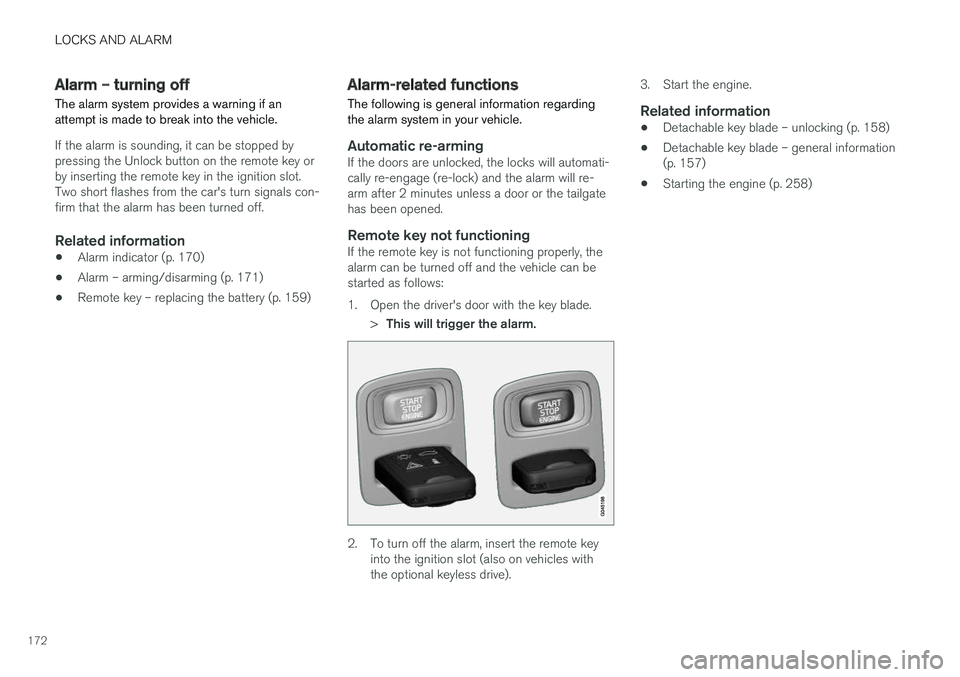
Remote key not functioningIf the remote key is not functioning properly, thealarm can be turned off and the vehicle can bestarted as follows:
1. Open the driver's door with the key blade.
>This will trigger the alarm.
2. To turn off the alarm, insert the remote key
into the ignition slot (also on vehicles with the optional keyless drive). 3. Start the engine.
Related information
•
Detachable key blade – unlocking (p. 158)
• Detachable key blade – general information(p. 157)
• Starting the engine (p. 258)
Page 178 of 406
DRIVER SUPPORT
176
Stability system – symbols and messages
Symbols and messages in the maininstrument panel
A text message can be erased by pressing briefly the OK button on the turn signal lever.
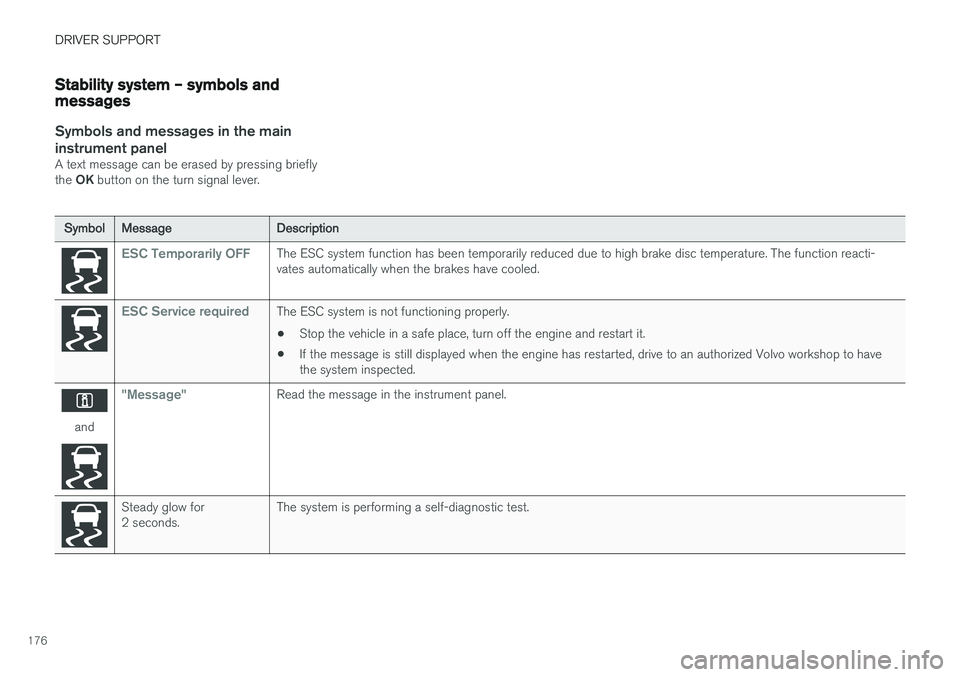
Symbol Message Description
ESC Temporarily OFFThe ESC system function has been temporarily reduced due to high brake disc temperature. The function reacti- vates automatically when the brakes have cooled.
ESC Service requiredThe ESC system is not functioning properly.
• Stop the vehicle in a safe place, turn off the engine and restart it.
• If the message is still displayed when the engine has restarted, drive to an authorized Volvo workshop to have the system inspected.
and
"Message"Read the message in the instrument panel.
Steady glow for 2 seconds. The system is performing a self-diagnostic test.
Page 245 of 406
DRIVER SUPPORT
}}
* Option/accessory.243
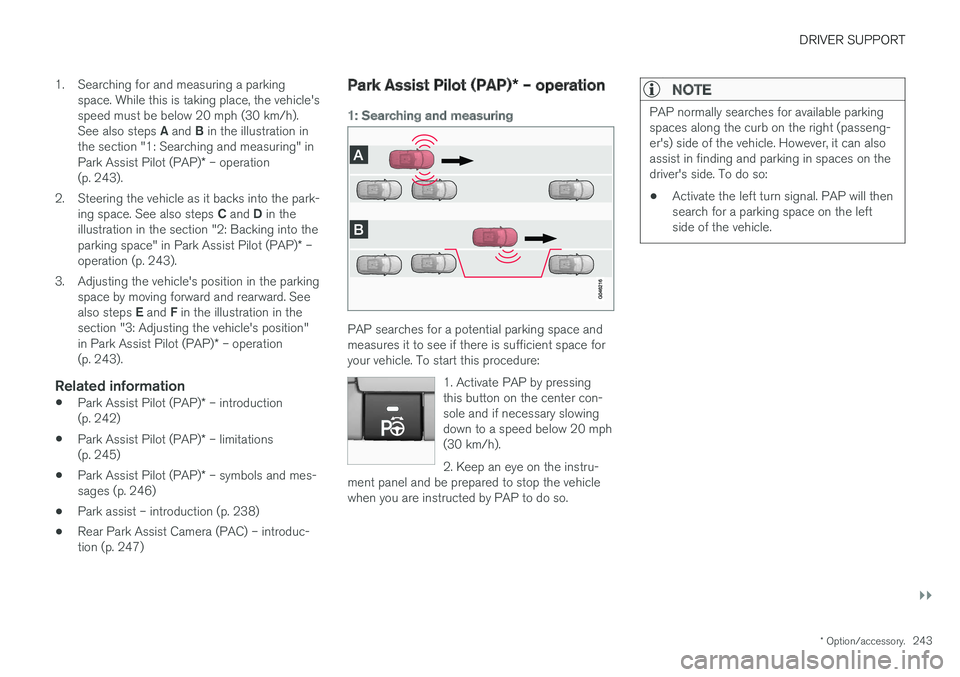
1. Searching for and measuring a parking
space. While this is taking place, the vehicle's speed must be below 20 mph (30 km/h). See also steps A and B in the illustration in
the section "1: Searching and measuring" in Park Assist Pilot (PAP) * – operation
(p. 243).
2. Steering the vehicle as it backs into the park- ing space. See also steps C and D in the
illustration in the section "2: Backing into theparking space" in Park Assist Pilot (PAP) * –
operation (p. 243).
3. Adjusting the vehicle's position in the parking space by moving forward and rearward. See also steps E and F in the illustration in the
section "3: Adjusting the vehicle's position" in Park Assist Pilot (PAP) * – operation
(p. 243).
Related information
• Park Assist Pilot (PAP)
* – introduction
(p. 242)
• Park Assist Pilot (PAP)
* – limitations
(p. 245)
• Park Assist Pilot (PAP)
* – symbols and mes-
sages (p. 246)
• Park assist – introduction (p. 238)
• Rear Park Assist Camera (PAC) – introduc- tion (p. 247)
Park Assist Pilot (PAP)
* – operation
1: Searching and measuring
PAP searches for a potential parking space and measures it to see if there is sufficient space foryour vehicle. To start this procedure:
1. Activate PAP by pressingthis button on the center con-sole and if necessary slowingdown to a speed below 20 mph(30 km/h). 2. Keep an eye on the instru-
ment panel and be prepared to stop the vehicle when you are instructed by PAP to do so.
NOTE
PAP normally searches for available parking spaces along the curb on the right (passeng-er's) side of the vehicle. However, it can alsoassist in finding and parking in spaces on thedriver's side. To do so:
• Activate the left turn signal. PAP will thensearch for a parking space on the leftside of the vehicle.
Page 260 of 406
STARTING AND DRIVING
* Option/accessory.
258
Starting the engine
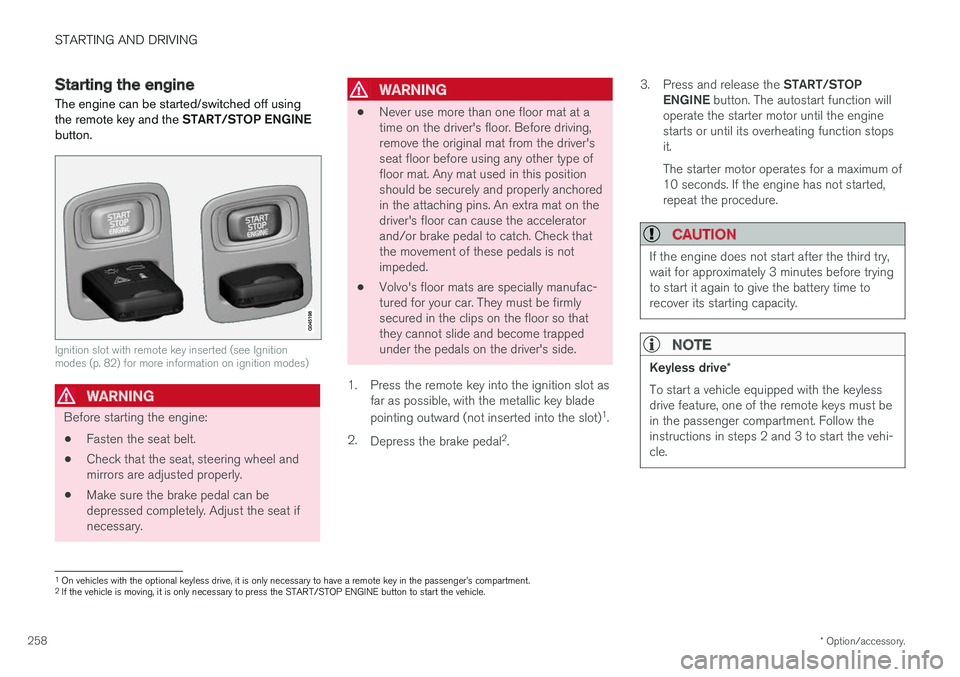
The engine can be started/switched off using the remote key and the START/STOP ENGINE
button.
Ignition slot with remote key inserted (see Ignition modes (p. 82) for more information on ignition modes)
WARNING
Before starting the engine:
• Fasten the seat belt.
• Check that the seat, steering wheel and mirrors are adjusted properly.
• Make sure the brake pedal can bedepressed completely. Adjust the seat ifnecessary.
WARNING
•Never use more than one floor mat at a time on the driver's floor. Before driving,remove the original mat from the driver'sseat floor before using any other type offloor mat. Any mat used in this positionshould be securely and properly anchoredin the attaching pins. An extra mat on thedriver's floor can cause the acceleratorand/or brake pedal to catch. Check thatthe movement of these pedals is notimpeded.
• Volvo's floor mats are specially manufac-tured for your car. They must be firmlysecured in the clips on the floor so thatthey cannot slide and become trappedunder the pedals on the driver's side.
1. Press the remote key into the ignition slot as far as possible, with the metallic key blade pointing outward (not inserted into the slot) 1
.
2. Depress the brake pedal 2
. 3.
Press and release the START/STOP
ENGINE button. The autostart function will
operate the starter motor until the engine starts or until its overheating function stopsit. The starter motor operates for a maximum of 10 seconds. If the engine has not started,repeat the procedure.
CAUTION
If the engine does not start after the third try, wait for approximately 3 minutes before tryingto start it again to give the battery time torecover its starting capacity.
NOTE
Keyless drive *
To start a vehicle equipped with the keyless drive feature, one of the remote keys must bein the passenger compartment. Follow theinstructions in steps 2 and 3 to start the vehi-cle.
1 On vehicles with the optional keyless drive, it is only necessary to have a remote key in the passenger
Page 262 of 406
STARTING AND DRIVING
* Option/accessory.
260
Switching off the engine Switch off the engine by pressing the START/
STOP ENGINE button.
If the gear selector is not in the P position or if
the vehicle is moving, press the START/STOP
ENGINE button twice or press and hold it in until
the engine switches off.
Related information
• Ignition modes (p. 82)
Engine Remote Start (ERS)
* –
introduction
ERS is a feature that makes it possible to remotely start the engine using the remote key tocool or heat the passenger compartment beforedriving.
The climate system will start using automatic set- tings. When the engine is started using ERS, it will run for a maximum of 15 minutes before automati-cally switching off again. After 2 ERS starts, theengine must be started in the normal way beforeERS can be used again.
NOTE
• Always adhere to applicable State, Prov- ince and/or Local laws regarding engineidling when using ERS.
• The service life of the remote key's bat-tery is affected by ERS use. If this featureis used frequently, the battery should bereplaced once a year, see Remote key –replacing the battery (p. 159).
WARNING
Keep the following in mind before using ERS:
• The vehicle should be in view.
• The vehicle should be unoccupied.
• The vehicle must not be parked indoors or in an enclosed area. Exhaust fumes areharmful to the health.
Related information
•
Engine Remote Start (ERS)
* – starting the
engine (p. 261)
• Engine Remote Start (ERS)
* – switching off
the engine (p. 261)
Page 270 of 406
||
STARTING AND DRIVING
268
Move the gear selector from the P position.
For information on the key blade, see Detachable key blade – general information(p. 157).
Related information
• Transmission – general information (p. 263)
• Transmission – positions (p. 263)
• Transmission – Geartronic (p. 265)
• Fuel tank volume – specification and volume(p. 387)
Start/Stop – Hill Start Assist (HSA)
When starting on steep hills, HSA (see Transmis- sion – general information (p. 263)) retains pres-sure on the brake pedal for several seconds afterthe pedal has been released in order to keep thevehicle at a standstill. The brakes will be releasedafter several seconds or when the driver pressesthe accelerator pedal. The pedal will return to itsnormal position somewhat slower than normal.
Related information
•
Start/Stop – introduction (p. 268)
• Start/Stop – function (p. 269)
• Start/Stop – settings (p. 271)
• Start/Stop – Auto-stop exceptions (p. 270)
• Start/Stop – Auto-start exceptions (p. 270)
• Start/Stop – symbols and messages(p. 272)
Start/Stop – introduction
Start/Stop is a function that temporarily switches off the engine when the vehicle is not moving,for instance in heavy traffic or at a traffic light tohelp reduce fuel consumption.
Start/Stop is available with certain engines/ transmissions.
Related information
• Start/Stop – function (p. 269)
• Start/Stop – settings (p. 271)
• Start/Stop – Auto-stop exceptions (p. 270)
• Start/Stop – Auto-start exceptions (p. 270)
• Start/Stop – Hill Start Assist (HSA) (p. 268)
• Start/Stop – symbols and messages(p. 272)
Page 271 of 406
STARTING AND DRIVING
* Option/accessory.269
Start/Stop – function
Function and use
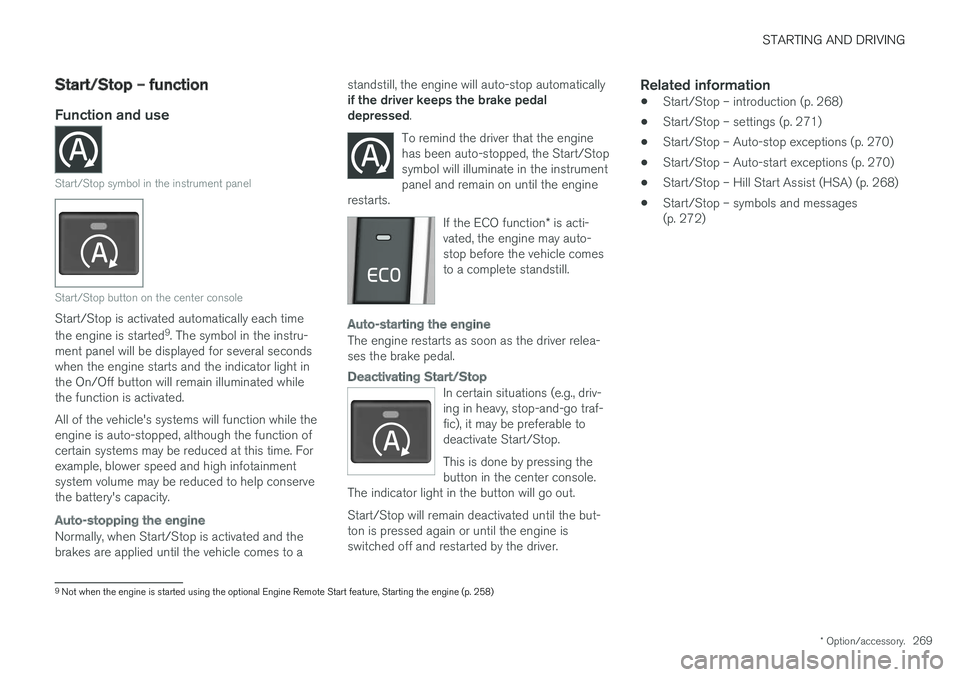
Start/Stop symbol in the instrument panel
Start/Stop button on the center console
Start/Stop is activated automatically each time the engine is started 9
. The symbol in the instru-
ment panel will be displayed for several seconds when the engine starts and the indicator light inthe On/Off button will remain illuminated whilethe function is activated. All of the vehicle's systems will function while the engine is auto-stopped, although the function ofcertain systems may be reduced at this time. Forexample, blower speed and high infotainmentsystem volume may be reduced to help conservethe battery's capacity.
Auto-stopping the engine
Normally, when Start/Stop is activated and the brakes are applied until the vehicle comes to a standstill, the engine will auto-stop automatically if the driver keeps the brake pedal depressed
.
To remind the driver that the enginehas been auto-stopped, the Start/Stopsymbol will illuminate in the instrumentpanel and remain on until the engine
restarts.
If the ECO function * is acti-
vated, the engine may auto- stop before the vehicle comesto a complete standstill.
Auto-starting the engine
The engine restarts as soon as the driver relea- ses the brake pedal.
Deactivating Start/Stop
In certain situations (e.g., driv- ing in heavy, stop-and-go traf-fic), it may be preferable todeactivate Start/Stop. This is done by pressing the button in the center console.
The indicator light in the button will go out. Start/Stop will remain deactivated until the but- ton is pressed again or until the engine isswitched off and restarted by the driver.
Related information
• Start/Stop – introduction (p. 268)
• Start/Stop – settings (p. 271)
• Start/Stop – Auto-stop exceptions (p. 270)
• Start/Stop – Auto-start exceptions (p. 270)
• Start/Stop – Hill Start Assist (HSA) (p. 268)
• Start/Stop – symbols and messages (p. 272)
9
Not when the engine is started using the optional Engine Remote Start feature, Starting the engine (p. 258)
Page 272 of 406
STARTING AND DRIVING
* Option/accessory.
270
Start/Stop – Auto-stop exceptions
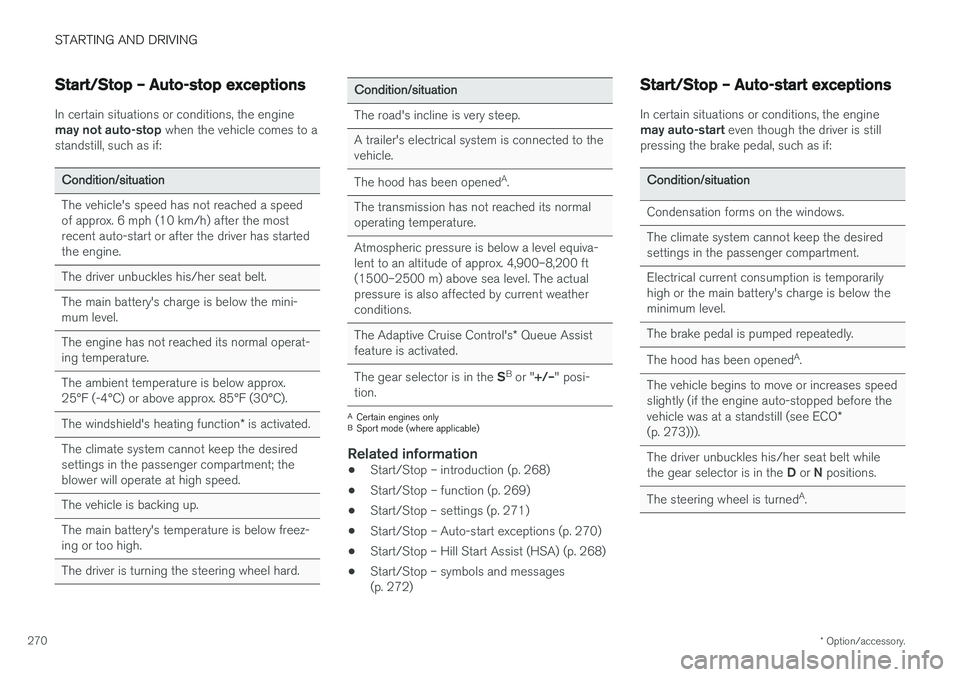
In certain situations or conditions, the engine may not auto-stop when the vehicle comes to a
standstill, such as if:
Condition/situation The vehicle's speed has not reached a speed of approx. 6 mph (10 km/h) after the mostrecent auto-start or after the driver has startedthe engine. The driver unbuckles his/her seat belt.The main battery's charge is below the mini- mum level. The engine has not reached its normal operat- ing temperature. The ambient temperature is below approx. 25°F (-4°C) or above approx. 85°F (30°C). The windshield's heating function * is activated.
The climate system cannot keep the desired settings in the passenger compartment; theblower will operate at high speed. The vehicle is backing up.The main battery's temperature is below freez- ing or too high. The driver is turning the steering wheel hard.
Condition/situation The road's incline is very steep. A trailer's electrical system is connected to the vehicle. The hood has been opened A
.
The transmission has not reached its normal operating temperature. Atmospheric pressure is below a level equiva- lent to an altitude of approx. 4,900–8,200 ft
(1500–2500 m) above sea level. The actualpressure is also affected by current weatherconditions. The Adaptive Cruise Control's * Queue Assist
feature is activated. The gear selector is in the SB
or " +/–" posi-
tion.
A Certain engines only
B Sport mode (where applicable)
Related information
• Start/Stop – introduction (p. 268)
• Start/Stop – function (p. 269)
• Start/Stop – settings (p. 271)
• Start/Stop – Auto-start exceptions (p. 270)
• Start/Stop – Hill Start Assist (HSA) (p. 268)
• Start/Stop – symbols and messages (p. 272)
Start/Stop – Auto-start exceptions
In certain situations or conditions, the engine may auto-start
even though the driver is still
pressing the brake pedal, such as if:
Condition/situation Condensation forms on the windows. The climate system cannot keep the desired settings in the passenger compartment. Electrical current consumption is temporarily high or the main battery's charge is below theminimum level. The brake pedal is pumped repeatedly. The hood has been opened A
.
The vehicle begins to move or increases speed
slightly (if the engine auto-stopped before the vehicle was at a standstill (see ECO *
(p. 273))). The driver unbuckles his/her seat belt while the gear selector is in the D or N positions.
The steering wheel is turned A
.