roof VOLVO V60 2021 User Guide
[x] Cancel search | Manufacturer: VOLVO, Model Year: 2021, Model line: V60, Model: VOLVO V60 2021Pages: 661, PDF Size: 12.68 MB
Page 172 of 661
WINDOWS, GLASS AND MIRRORS
* Option/accessory.
170
Panoramic roof *
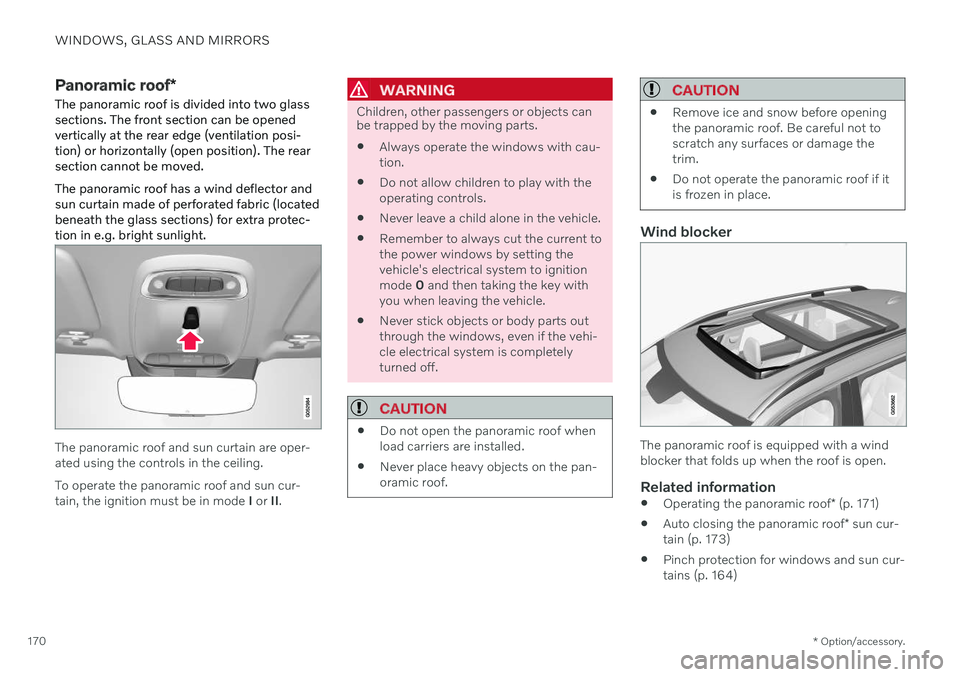
The panoramic roof is divided into two glass sections. The front section can be openedvertically at the rear edge (ventilation posi-tion) or horizontally (open position). The rearsection cannot be moved. The panoramic roof has a wind deflector and sun curtain made of perforated fabric (locatedbeneath the glass sections) for extra protec-tion in e.g. bright sunlight.
The panoramic roof and sun curtain are oper- ated using the controls in the ceiling. To operate the panoramic roof and sun cur- tain, the ignition must be in mode I or II.
WARNING
Children, other passengers or objects can be trapped by the moving parts.
Always operate the windows with cau- tion.
Do not allow children to play with theoperating controls.
Never leave a child alone in the vehicle.
Remember to always cut the current tothe power windows by setting thevehicle's electrical system to ignitionmode
0 and then taking the key with
you when leaving the vehicle.
Never stick objects or body parts outthrough the windows, even if the vehi-cle electrical system is completelyturned off.
CAUTION
Do not open the panoramic roof when load carriers are installed.
Never place heavy objects on the pan-oramic roof.
CAUTION
Remove ice and snow before opening the panoramic roof. Be careful not toscratch any surfaces or damage thetrim.
Do not operate the panoramic roof if itis frozen in place.
Wind blocker
The panoramic roof is equipped with a wind blocker that folds up when the roof is open.
Related information
Operating the panoramic roof
* (p. 171)
Auto closing the panoramic roof
* sun cur-
tain (p. 173)
Pinch protection for windows and sun cur- tains (p. 164)
Page 173 of 661
WINDOWS, GLASS AND MIRRORS
}}
* Option/accessory.171
Keyless locking and unlocking
* (p. 255)
Locking and unlocking using the remote key (p. 241)
Operating the panoramic roof
*
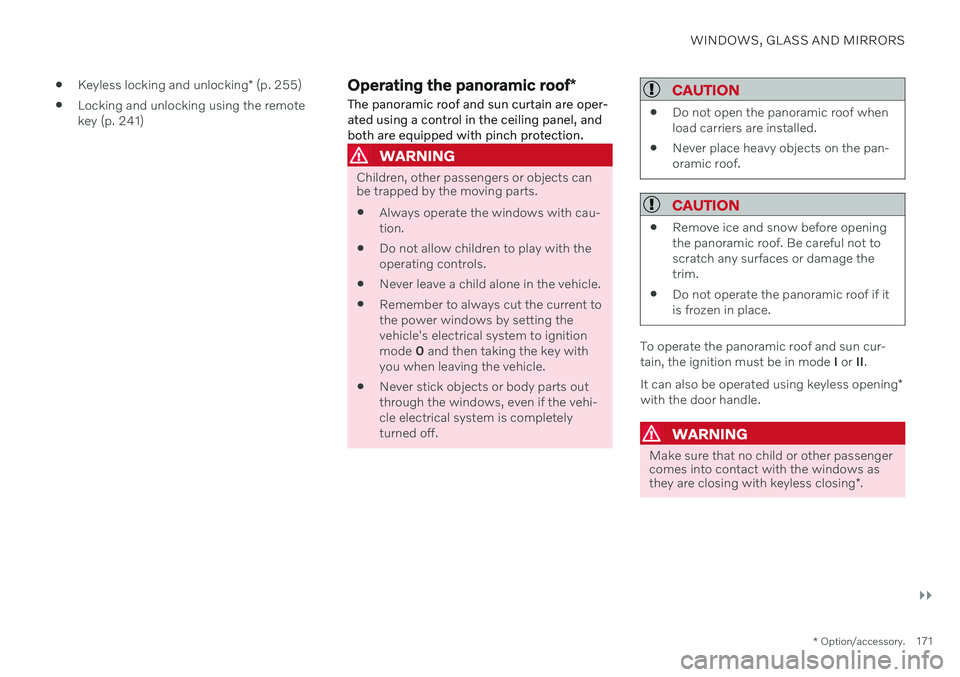
The panoramic roof and sun curtain are oper- ated using a control in the ceiling panel, andboth are equipped with pinch protection.
WARNING
Children, other passengers or objects can be trapped by the moving parts.
Always operate the windows with cau- tion.
Do not allow children to play with theoperating controls.
Never leave a child alone in the vehicle.
Remember to always cut the current tothe power windows by setting thevehicle's electrical system to ignitionmode
0 and then taking the key with
you when leaving the vehicle.
Never stick objects or body parts outthrough the windows, even if the vehi-cle electrical system is completelyturned off.
CAUTION
Do not open the panoramic roof when load carriers are installed.
Never place heavy objects on the pan-oramic roof.
CAUTION
Remove ice and snow before opening the panoramic roof. Be careful not toscratch any surfaces or damage thetrim.
Do not operate the panoramic roof if itis frozen in place.
To operate the panoramic roof and sun cur- tain, the ignition must be in mode
I or II.
It can also be operated using keyless opening *
with the door handle.
WARNING
Make sure that no child or other passenger comes into contact with the windows as they are closing with keyless closing *.
Page 174 of 661
||
WINDOWS, GLASS AND MIRRORS
172
CAUTION
Check that the panoramic roof is properly closed when closing.
The movement of the roof will stop if the con- trol is released during manual operation or when the glass has reached the comfort4
or
fully open/closed position. The movement of both the panoramic roof and the sun curtain isalso stopped if the control in the ceiling isoperated again in the direction opposite thatof the current direction of movement. The panoramic roof and sun curtain are also equipped with pinch protection. If there is anyproblem with the pinch protection, a rest pro-cedure can be tested.
NOTE
For manual opening, the sun curtain must be completely open before the panoramicroof can be opened. For the reverse proce-dure, the panoramic roof must be com-pletely closed before the sun curtain canbe completely closed.
NOTE
It may not be possible to operate the win- dows in low temperatures.
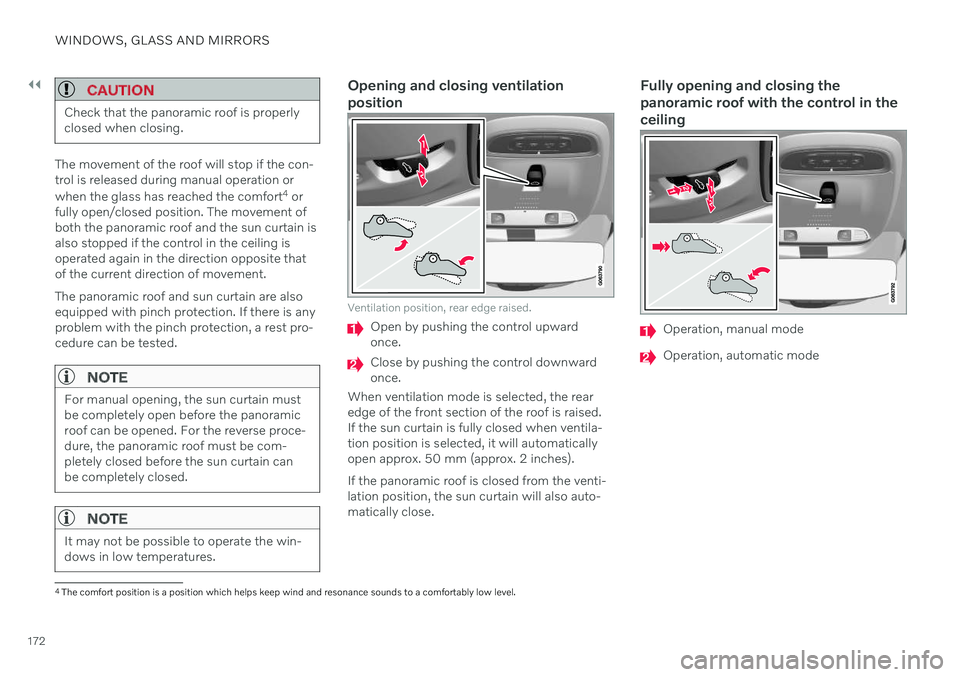
Opening and closing ventilation position
Ventilation position, rear edge raised.
Open by pushing the control upward once.
Close by pushing the control downward once.
When ventilation mode is selected, the rearedge of the front section of the roof is raised.If the sun curtain is fully closed when ventila-tion position is selected, it will automaticallyopen approx. 50 mm (approx. 2 inches). If the panoramic roof is closed from the venti- lation position, the sun curtain will also auto-matically close.
Fully opening and closing the panoramic roof with the control in theceiling
Operation, manual mode
Operation, automatic mode
4 The comfort position is a position which helps keep wind and resonance sounds to a comfortably low level.
Page 175 of 661
WINDOWS, GLASS AND MIRRORS
}}
* Option/accessory.173
Manual operation
1. To open the sun curtain, pull the control
backward to the manual open mode.
2. To open the panoramic roof to the comfort position, pull the control backward a sec- ond time to the manual opening position.
3. To open the panoramic roof fully, pull the control backward a third time to the man-ual opening position.
Close by repeating the above procedure inreverse - push the control forward/down tothe manual closing position.
Auto operation
1. To open the sun curtain to the fully open position, pull the control backward to the auto open mode and release.
2. To open the panoramic roof to the comfort position, pull the control backward a sec-ond time to the automatic opening posi-tion and release.
3. To open the panoramic roof fully, pull the control backward a third time to the auto-matic opening position and release.
Close by repeating the above procedure inreverse - push the control forward/down tothe auto close position.
Automatic operation - rapid opening or closing
The panoramic roof and sun curtain can be opened or closed simultaneously:
–Open - press the control backward twice to the automatic operation position andrelease.
–Close - press the control forward/down twice to the automatic operation positionand release.
Related information
Panoramic roof
* (p. 170)
Auto closing the panoramic roof
* sun cur-
tain (p. 173)
Pinch protection for windows and sun cur-tains (p. 164)
Keyless locking and unlocking
* (p. 255)
Locking and unlocking using the remotekey (p. 241)
Auto closing the panoramic roof
*
sun curtain
With this function, the sun curtain closes automatically 15 minutes after the vehicle hasbeen locked if it is parked in hot weather. Thisis done to lower the passenger compartmenttemperature and protect the upholsteryagainst being bleached by the sun.
The function is deactivated as the default fac- tory setting and can be activated or deacti-vated using the center display. 1. Tap
Settings in the Top view in the center
display.
2. Tap
My CarLocking.
Select
Auto Close Sunroof Curtain to
activate/deactivate.
NOTE
The sun curtain also closes when all win- dows are closed with keyless closing *.
Related information
Panoramic roof
* (p. 170)
Operating the panoramic roof
* (p. 171)
Pinch protection for windows and sun cur- tains (p. 164)
Page 204 of 661
CLIMATE CONTROL
* Option/accessory.
202
CleanZone *
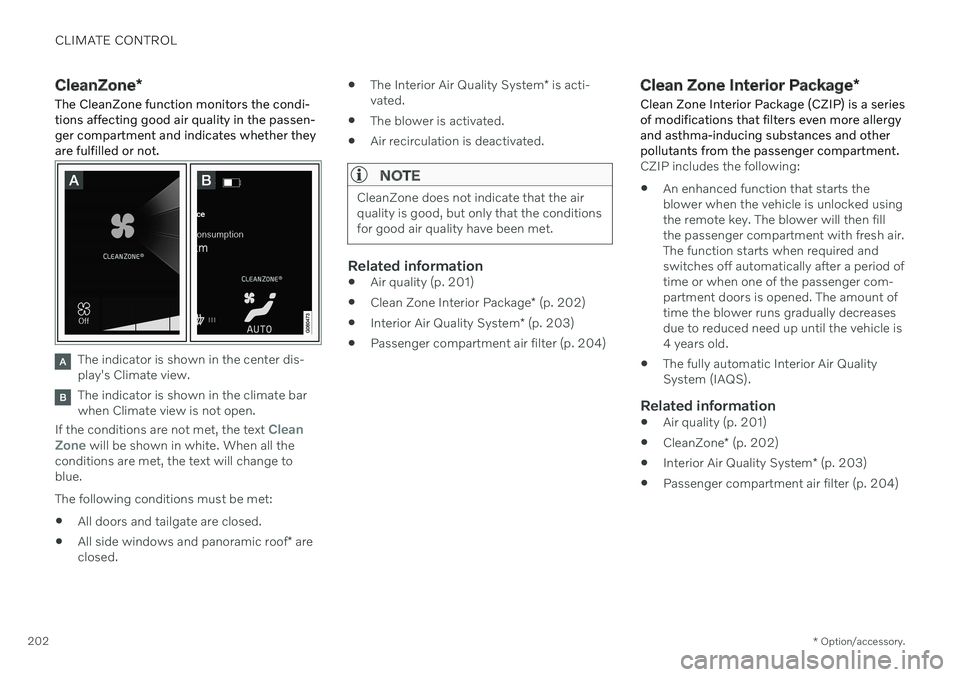
The CleanZone function monitors the condi- tions affecting good air quality in the passen-ger compartment and indicates whether theyare fulfilled or not.
The indicator is shown in the center dis- play's Climate view.
The indicator is shown in the climate bar when Climate view is not open.
If the conditions are not met, the text
Clean
Zone will be shown in white. When all the
conditions are met, the text will change to blue. The following conditions must be met:
All doors and tailgate are closed.
All side windows and panoramic roof
* are
closed.
The Interior Air Quality System
* is acti-
vated.
The blower is activated.
Air recirculation is deactivated.
NOTE
CleanZone does not indicate that the air quality is good, but only that the conditionsfor good air quality have been met.
Related information
Air quality (p. 201)
Clean Zone Interior Package
* (p. 202)
Interior Air Quality System
* (p. 203)
Passenger compartment air filter (p. 204)
Clean Zone Interior Package
*
Clean Zone Interior Package (CZIP) is a series of modifications that filters even more allergyand asthma-inducing substances and otherpollutants from the passenger compartment.
CZIP includes the following:
An enhanced function that starts the blower when the vehicle is unlocked usingthe remote key. The blower will then fillthe passenger compartment with fresh air.The function starts when required andswitches off automatically after a period oftime or when one of the passenger com-partment doors is opened. The amount oftime the blower runs gradually decreasesdue to reduced need up until the vehicle is4 years old.
The fully automatic Interior Air QualitySystem (IAQS).
Related information
Air quality (p. 201)
CleanZone
* (p. 202)
Interior Air Quality System
* (p. 203)
Passenger compartment air filter (p. 204)
Page 227 of 661
CLIMATE CONTROL
* Option/accessory.225
Related information
Climate system controls (p. 210)
Activating and deactivating air conditioning
The air conditioning cools and dehumidifies incoming air as needed.
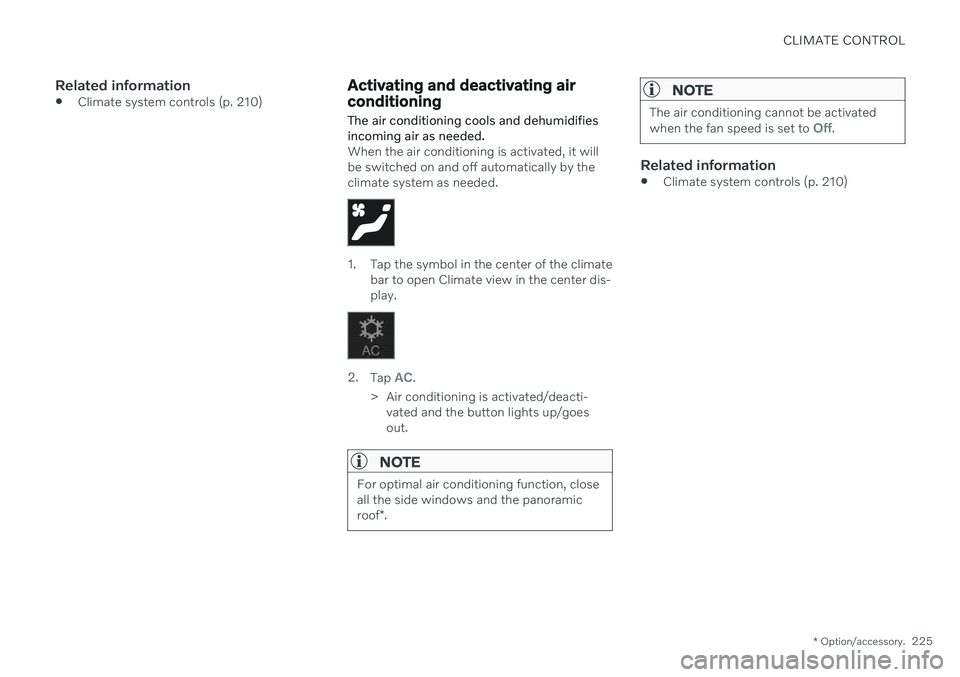
When the air conditioning is activated, it will be switched on and off automatically by theclimate system as needed.
1. Tap the symbol in the center of the climate bar to open Climate view in the center dis- play.
2.Tap AC.
> Air conditioning is activated/deacti- vated and the button lights up/goes out.
NOTE
For optimal air conditioning function, close all the side windows and the panoramic roof *.
NOTE
The air conditioning cannot be activated when the fan speed is set to Off.
Related information
Climate system controls (p. 210)
Page 241 of 661
KEY, LOCKS AND ALARM
}}
* Option/accessory.239
The remote keys can be linked to different driver profiles to store personal settings in thevehicle.
WARNING
The remote key contains a button cell bat- tery. Keep new and used batteries out ofthe reach of children. If batteries are swal-lowed, they can cause serious injury. If any damage is detected, e.g. if the bat- tery cover cannot be closed properly, donot use the product. Keep defective prod-ucts out of the reach of children.
Remote key buttons
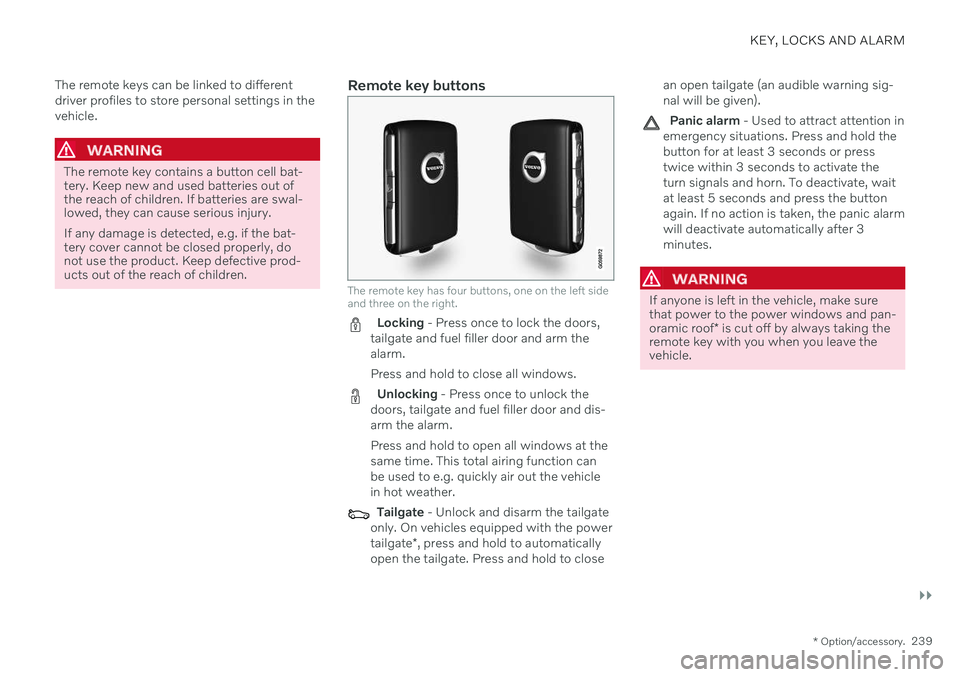
The remote key has four buttons, one on the left side and three on the right.
Locking - Press once to lock the doors,
tailgate and fuel filler door and arm the alarm. Press and hold to close all windows.
Unlocking - Press once to unlock the
doors, tailgate and fuel filler door and dis- arm the alarm. Press and hold to open all windows at the same time. This total airing function canbe used to e.g. quickly air out the vehiclein hot weather.
Tailgate - Unlock and disarm the tailgate
only. On vehicles equipped with the power tailgate *, press and hold to automatically
open the tailgate. Press and hold to close an open tailgate (an audible warning sig- nal will be given).
Panic alarm - Used to attract attention in
emergency situations. Press and hold the button for at least 3 seconds or presstwice within 3 seconds to activate theturn signals and horn. To deactivate, waitat least 5 seconds and press the buttonagain. If no action is taken, the panic alarmwill deactivate automatically after 3minutes.
WARNING
If anyone is left in the vehicle, make sure that power to the power windows and pan- oramic roof * is cut off by always taking the
remote key with you when you leave the vehicle.
Page 242 of 661
||
KEY, LOCKS AND ALARM
* Option/accessory.
240
NOTE
Be aware of the risk of locking the remote key in the vehicle. If the remote key or key tag is left in the vehicle, it will be deactivated whenthe vehicle is locked and the alarm setusing another valid key. The key will bereactivated when the vehicle isunlocked.
If the remote key or Care Key is left inthe vehicle, it will be deactivated evenif the vehicle is locked using Volvo OnCall, and will be reactivated when thevehicle is unlocked using Volvo On Callor another valid key.
Button-less key (Key Tag)
*
The button-less key4
provided with the keyless
locking and unlocking function works in the same way as the regular remote key for key-less start, locking and unlocking. The key iswaterproof up to a depth of approx. 10 meters(30 feet) for up to 60 minutes. It does nothave a detachable key blade and its batterycannot be replaced.
Care Key - restricted remote keyA Care Key enables the vehicle owner to set amaximum speed limit for the vehicle. This limit is intended to promote safe use of the vehicle,e.g. when it is loaned out.
InterferenceElectromagnetic fields or obstructing objectsmay interfere with the remote key's functionsfor keyless start and keyless locking and unlocking
*.
NOTE
Avoid storing the remote key near metal objects or electronic devices, e.g. cellphones, tablets, laptops or chargers – pref-erably no closer than 10-15 cm (4-6 in.).
If you experience interference, use the remote key's detachable blade to unlock the vehicleand then place the remote key in the backupreader in the tunnel console cup holder to dis-arm the alarm and start the vehicle.
NOTE
When the remote control key is placed in the cup holder, make sure that no othervehicle keys, metal objects or electronicdevices (e.g. cell phones, tablets, laptopsor chargers) are found in the cup holder.Multiple vehicle keys close to each other inthe cup holder can disrupt their functional-ity.
WARNING
California Proposition 65 Operating, servicing and maintaining a pas- senger vehicle can expose you to chemi-cals including engine exhaust, carbon mon-oxide, phthalates, and lead, which areknown to the State of California to causecancer and birth defects or other reproduc-tive harm. To minimize exposure, avoidbreathing exhaust, do not idle the engineexcept as necessary, service your vehicle ina well ventilated area and wear gloves orwash your hands frequently when servicingyour vehicle. For more information go towww.P65Warnings.ca.gov/passenger-vehicle.
4
Also called sport key.
Page 397 of 661
STARTING AND DRIVING
}}
* Option/accessory.395
Ignition modes The vehicle's ignition can be put in various modes (levels) to make different functionsavailable.
To enable the use of a limited number of func- tions when the engine is not running, the igni-tion can be put in one of three different levels:0, I and II. These levels are referred to as "igni-
tion modes" in the Owner's Manual. The following table shows which functions are available in each ignition mode:
Mode Functions
0 The odometer, clock and tem- perature gauge are illumi- nated A
.
The power
* seats can be
adjusted.
The power windows can be used.
The center display is activated and can be used A
.
The infotainment system canbe used A
.
In this mode, the functions are available for a limited time andthen switch off automatically.Mode Functions
I The panoramic roof, power windows, 12-volt electricalsocket in the passenger com-partment, Bluetooth, naviga-tion, phone, blower and wind-shield wipers can be used.
The power seats can beadjusted.
The 12-volt electrical socket
* in
the cargo compartment can beused.
Electrical current will be taken
from the battery in this ignitionmode.
II The headlights illuminate.
Warning/indicator lights illumi-nate for 5 seconds.
A number of other systems areactivated. However, seat andrear window heating can onlybe activated when the engineis running.
This ignition mode uses a lot of
current from the battery andshould be avoided wheneverpossible!
A Also activated when the door is opened.
Page 462 of 661
||
AUDIO, MEDIA AND INTERNET
* Option/accessory.
460
NOTE
There may be a noticeable difference in sound quality when a change from ana-logue to digital or digital to analogueoccurs, such as:
Volume increase or decrease
Equalizer settings, i.e., Bass/ Mid-range/Treble cut or boost
Time alignment (Digital program mate-rial in extreme cases can be as muchas 8 seconds behind the analogue).This will noticeable as a "stuttering"effect.
The above items are dependant on thebroadcaster's equipment settings anddo not indicate a fault in the vehicle'sradio receiver or antenna systems .
Related information
HD Radio
™ (p. 457)
Activating and deactivating the HD Radio
™ (p. 458)
HD Radio
™ sub-channels (p. 459)
SiriusXM ®
Satellite radio *
The SiriusXM ®
Satellite system broadcasts
from of a number of high elevation satellites in geosynchronous orbit.
Listening to satellite radioThe digital signals from the satellites are line- of-sight, which means that physical obstruc-tions such as bridges, tunnels, etc, may tem-porarily interfere with signal reception. Avoid any obstructions, such as metallic objects transported on roof racks or in a skibox, or other antennas that may impede sig- nals from the SiriusXM ®
satellites.
Selecting SiriusXM ®
Satellite radio
mode
1. From the center display's Home view, swipe from right to left to come to App view.
2.Tap the SiriusXM ®
Satellite radio icon.
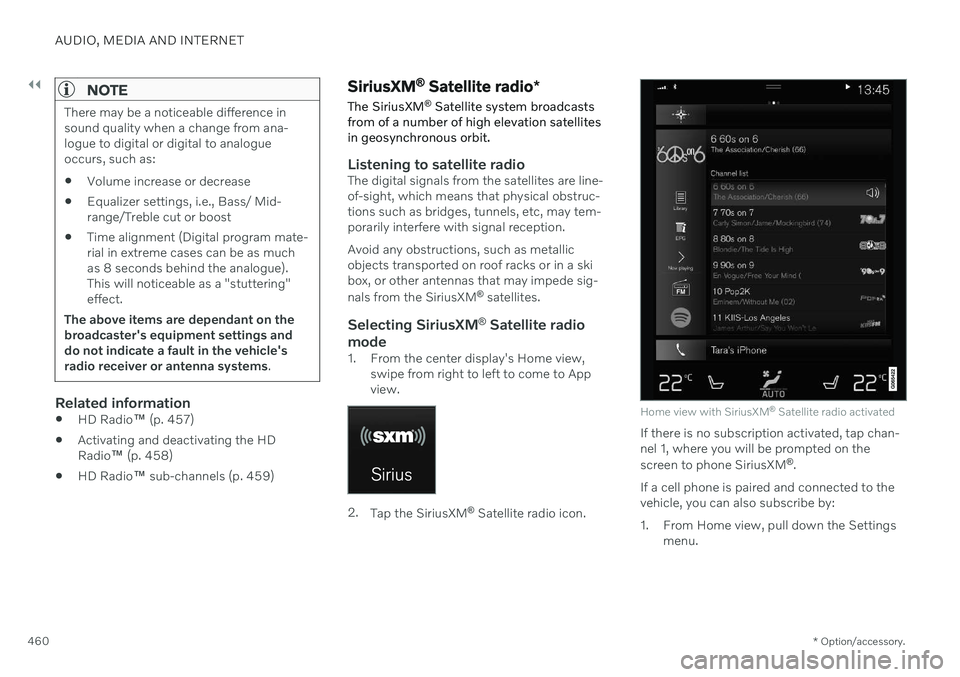
Home view with SiriusXM ®
Satellite radio activated
If there is no subscription activated, tap chan- nel 1, where you will be prompted on the screen to phone SiriusXM ®
.
If a cell phone is paired and connected to the vehicle, you can also subscribe by:
1. From Home view, pull down the Settings menu.