brake sensor VOLVO V60 2021 Owner's Manual
[x] Cancel search | Manufacturer: VOLVO, Model Year: 2021, Model line: V60, Model: VOLVO V60 2021Pages: 661, PDF Size: 12.68 MB
Page 359 of 661
DRIVER SUPPORT
}}
* Option/accessory.357
Related information
Driver support systems (p. 270)
Park Assist front, rear and sides
* (p. 357)
Activating or deactivating Park Assist
*
(p. 358)
Park Assist symbols and messages (p. 360)
Park Assist limitations (p. 359)
Park Assist front, rear and sides
*
Park Assist (PAS 102
) behaves differently
depending on which part of the vehicle is approaching an obstacle.
Front camera
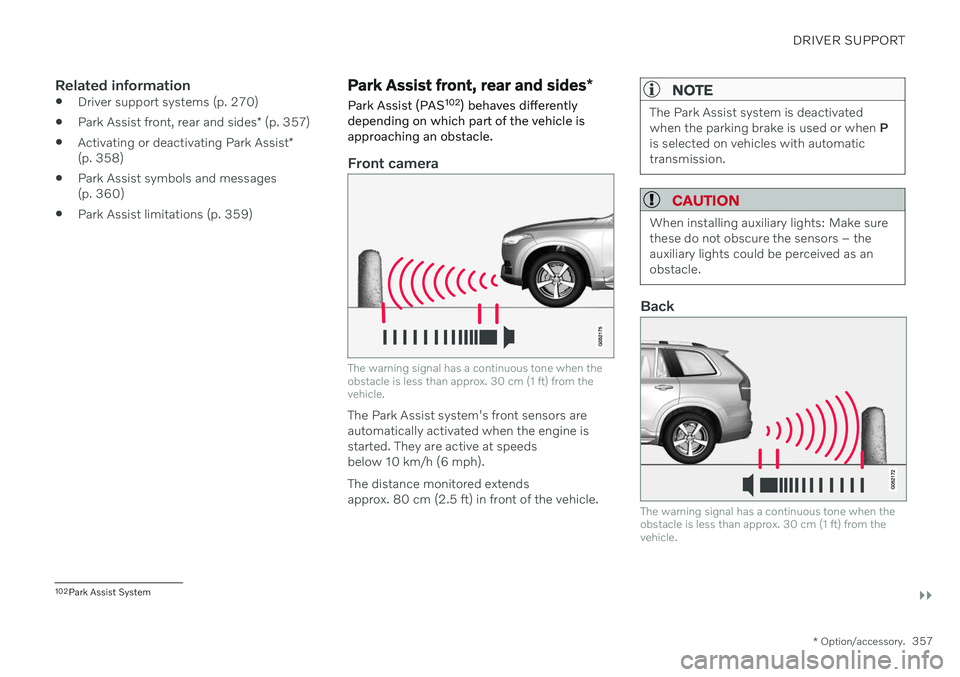
The warning signal has a continuous tone when the obstacle is less than approx. 30 cm (1 ft) from thevehicle.
The Park Assist system's front sensors are automatically activated when the engine isstarted. They are active at speedsbelow 10 km/h (6 mph). The distance monitored extends approx. 80 cm (2.5 ft) in front of the vehicle.
NOTE
The Park Assist system is deactivated when the parking brake is used or when P
is selected on vehicles with automatictransmission.
CAUTION
When installing auxiliary lights: Make sure these do not obscure the sensors – theauxiliary lights could be perceived as anobstacle.
Back
The warning signal has a continuous tone when the obstacle is less than approx. 30 cm (1 ft) from thevehicle.
102 Park Assist System
Page 361 of 661
DRIVER SUPPORT
* Option/accessory.359
Park Assist limitations Park Assist (PAS104
) may not be able to
detect all conditions in all situations and func- tionality may therefore be limited in certaincases.
The driver should be aware of the following limitations for Park Assist:
WARNING
The parking sensors have dead/blind spots where objects cannot bedetected.
Pay particular attention to people andanimals near the vehicle.
Bear in mind that the front end of thevehicle may swing out towards oncom-ing traffic during the parking maneuver.
WARNING
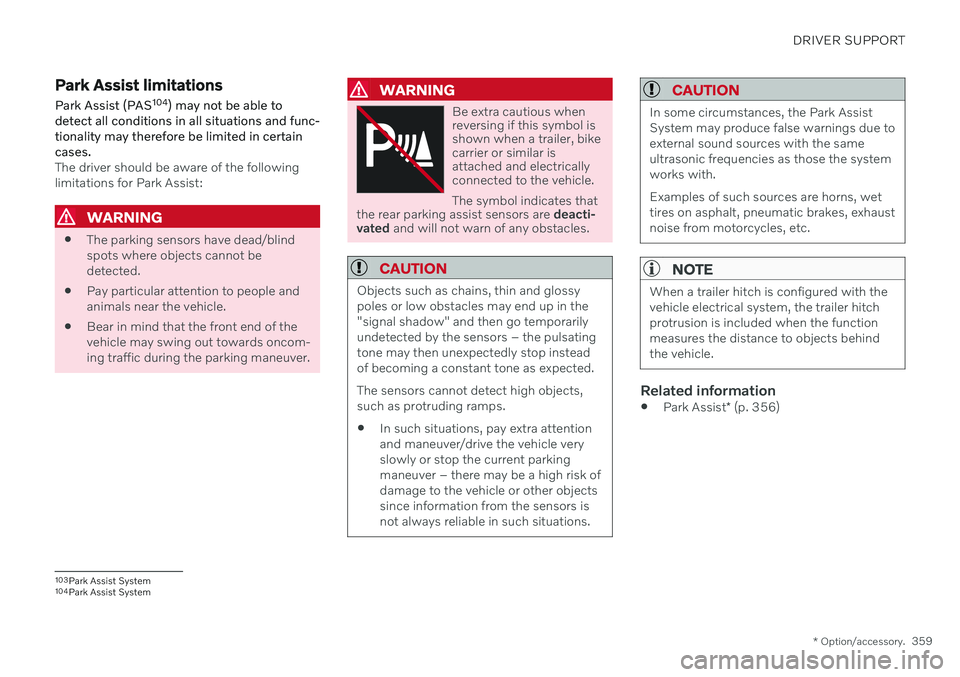
Be extra cautious when reversing if this symbol isshown when a trailer, bikecarrier or similar isattached and electricallyconnected to the vehicle. The symbol indicates that
the rear parking assist sensors are deacti-
vated and will not warn of any obstacles.
CAUTION
Objects such as chains, thin and glossy poles or low obstacles may end up in the"signal shadow" and then go temporarilyundetected by the sensors – the pulsatingtone may then unexpectedly stop insteadof becoming a constant tone as expected. The sensors cannot detect high objects, such as protruding ramps. In such situations, pay extra attention and maneuver/drive the vehicle veryslowly or stop the current parkingmaneuver – there may be a high risk ofdamage to the vehicle or other objectssince information from the sensors isnot always reliable in such situations.
CAUTION
In some circumstances, the Park Assist System may produce false warnings due toexternal sound sources with the sameultrasonic frequencies as those the systemworks with. Examples of such sources are horns, wet tires on asphalt, pneumatic brakes, exhaustnoise from motorcycles, etc.
NOTE
When a trailer hitch is configured with the vehicle electrical system, the trailer hitchprotrusion is included when the functionmeasures the distance to objects behindthe vehicle.
Related information
Park Assist
* (p. 356)
103
Park Assist System
104 Park Assist System
Page 377 of 661
DRIVER SUPPORT
* Option/accessory.375
Positioning the vehicle in the parking space
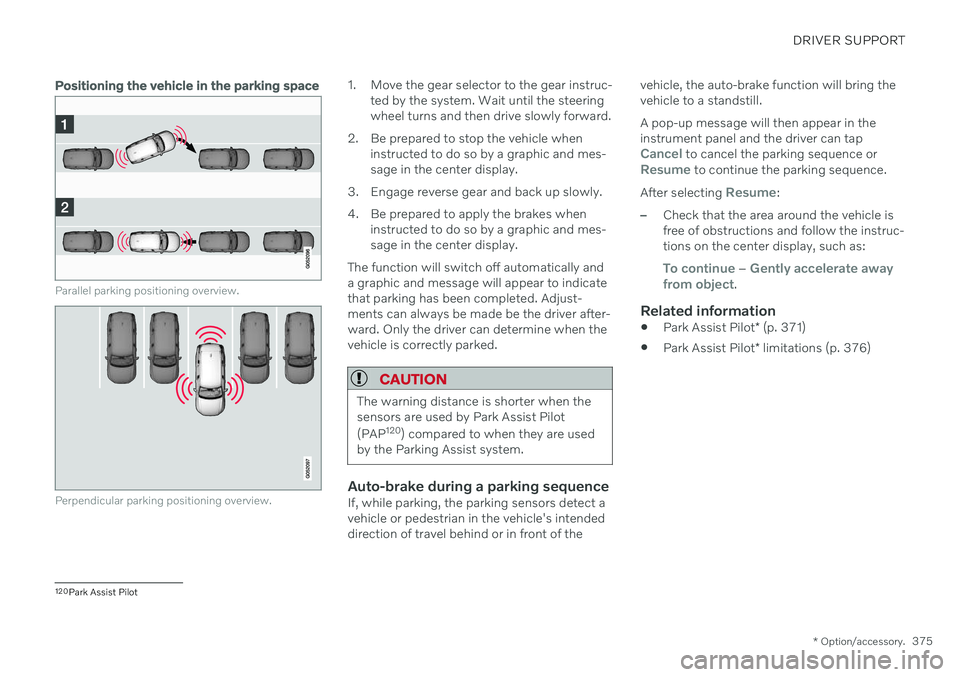
Parallel parking positioning overview.
Perpendicular parking positioning overview.
1. Move the gear selector to the gear instruc-
ted by the system. Wait until the steering wheel turns and then drive slowly forward.
2. Be prepared to stop the vehicle when instructed to do so by a graphic and mes-sage in the center display.
3. Engage reverse gear and back up slowly.
4. Be prepared to apply the brakes when instructed to do so by a graphic and mes- sage in the center display.
The function will switch off automatically anda graphic and message will appear to indicatethat parking has been completed. Adjust-ments can always be made be the driver after-ward. Only the driver can determine when thevehicle is correctly parked.
CAUTION
The warning distance is shorter when the sensors are used by Park Assist Pilot (PAP 120
) compared to when they are used
by the Parking Assist system.
Auto-brake during a parking sequenceIf, while parking, the parking sensors detect a vehicle or pedestrian in the vehicle's intendeddirection of travel behind or in front of the vehicle, the auto-brake function will bring thevehicle to a standstill. A pop-up message will then appear in the instrument panel and the driver can tap
Cancel to cancel the parking sequence orResume to continue the parking sequence.
After selecting
Resume:
–Check that the area around the vehicle is free of obstructions and follow the instruc-tions on the center display, such as:
To continue – Gently accelerate away
from object.
Related information
Park Assist Pilot
* (p. 371)
Park Assist Pilot
* limitations (p. 376)
120
Park Assist Pilot
Page 379 of 661
DRIVER SUPPORT
}}
377
The parking sequence is cancelledA parking sequence will be cancelled if: the driver moves the steering wheel
the vehicle's speed exceeds 7 km/h (4 mph)
the driver taps
Cancel in the center dis-
play
when the anti-lock brakes or the Elec- tronic stability control are engaged - e.g.when a wheel loses grip on a slippery road
when speed-dependent power steeringwheel resistance is working at reducedpower – e.g. during cooling due to over-heating
when, while parking, the parking sensorsdetect a vehicle or pedestrian in the vehi-cle's intended direction of travel behind orin front of the vehicle, the auto-brake func-tion will bring the vehicle to a standstill.
A message in the center display will explainwhy the parking sequence was cancelled.
CAUTION
Under certain circumstances, the function may not be able to find parking spaces –one reason may be that the sensors aredisrupted by external sound sources thatemit the same ultrasonic frequencies thatthe system works with. Examples of such sources include horns, wet tires on asphalt, pneumatic brakes,exhaust noise from motorcycles, etc.
NOTE
Dirt, ice and snow covering the sensors reduce their function and can make meas-urement impossible.
Driver responsibilityThe driver should keep in mind that the func- tion is a parking aid ‒
not an infallible fully
automatic system. The driver must always beprepared to take control and cancel a parkingsequence if necessary. There are a number of things to keep in mindwhen parking, including:
The driver is always responsible for deter-mining if the space suggested by the func-tion is suitable for parking.
Do not use the function when using snowchains or a temporary spare tire.
Do not use the function if there are anyobjects protruding from the vehicle.
Heavy rain or snowfall may inhibit PAP'sability to accurately measure a parkingspace.
While searching and measuring the park-ing space, the function may be unable todetect objects located far into the space.
PAP may not suggest parking spaces onnarrow streets if it does not detect suffi-cient space for maneuvering the vehicle.
Use approved tires 122
inflated to the cor-
rect tire pressure because this affects thefunction's ability to provide parking assis-tance.
The function is based on the way the vehi-cles are parked behind and in front of yourparking space. If they are, for example,parked too close to the curb, there is a riskthat your vehicle's tires or wheel rims
122
"Approved tires" refers to tires of the same type and make as the vehicle's original, factory-installed tires.
Page 597 of 661
MAINTENANCE AND SERVICE
595
FunctionAmpere Type
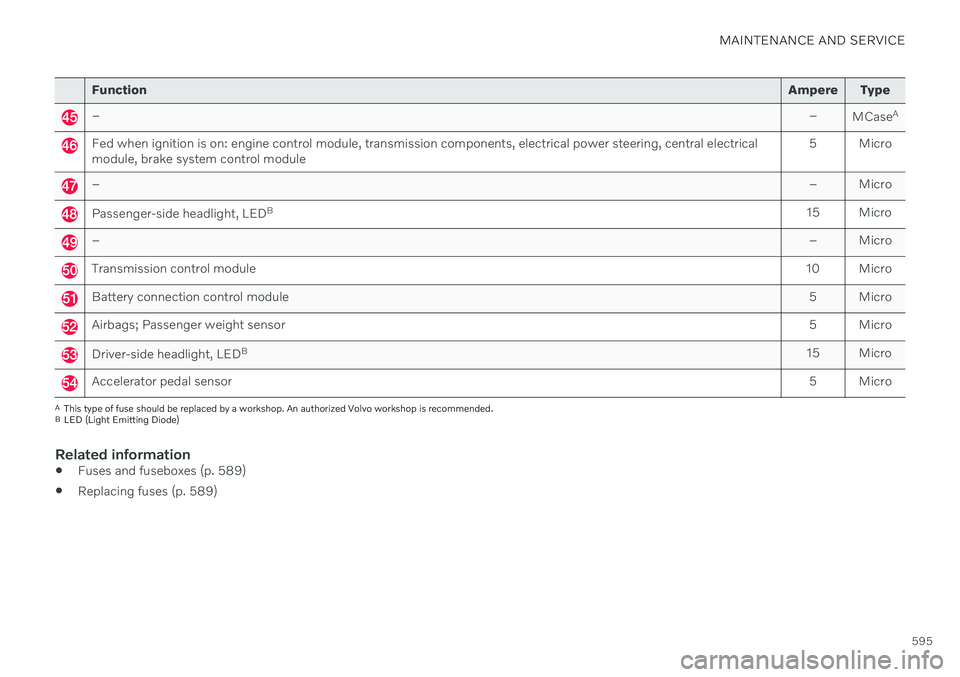
– –
MCaseA
Fed when ignition is on: engine control module, transmission components, electrical power steering, central electrical module, brake system control module 5 Micro
–
– Micro
Passenger-side headlight, LEDB
15 Micro
– – Micro
Transmission control module10 Micro
Battery connection control module 5 Micro
Airbags; Passenger weight sensor5 Micro
Driver-side headlight, LEDB
15 Micro
Accelerator pedal sensor 5 Micro
A
This type of fuse should be replaced by a workshop. An authorized Volvo workshop is recommended.
B LED (Light Emitting Diode)
Related information
Fuses and fuseboxes (p. 589)
Replacing fuses (p. 589)
Page 600 of 661
||
MAINTENANCE AND SERVICE
* Option/accessory.
598
Function Ampere Type
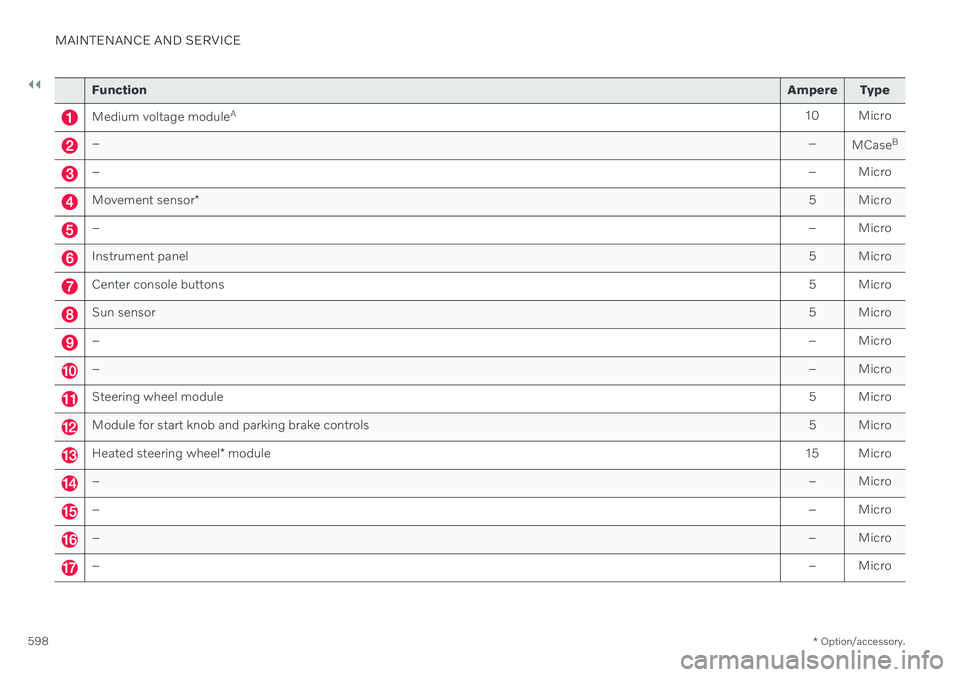
Medium voltage moduleA
10 Micro
– –
MCaseB
–
– Micro
Movement sensor* 5 Micro
–
– Micro
Instrument panel 5 Micro
Center console buttons5 Micro
Sun sensor5 Micro
–– Micro
–– Micro
Steering wheel module 5 Micro
Module for start knob and parking brake controls5 Micro
Heated steering wheel* module 15 Micro
–
– Micro
–– Micro
–– Micro
–– Micro
Page 618 of 661
||
MAINTENANCE AND SERVICE
616
CAUTION
Remember to remove dirt from the drain holes in the doors and sills after washingthe vehicle.
Related information
Cleaning the exterior (p. 613)
Polishing and waxing (p. 614)
Automatic car washes (p. 616)
High-pressure washing (p. 617)
Cleaning the wiper blades (p. 618)
Cleaning exterior plastic, rubber and trim components (p. 618)
Cleaning rims (p. 619)
Corrosion protection (p. 620)
Settings for automatically activating theparking brake (p. 402)
Automatic car washes
The vehicle should be washed as soon as it becomes dirty. The longer the dirt remains,the more difficult it will be to keep the vehicleclean. It could also lead to paint damage.
Washing your vehicle in an automatic car wash is a fast and easy way to keep your vehi-cle clean, but it does not reach all areas of thevehicle. Volvo recommends washing yourvehicle by hand or supplementing automaticcar washes with a hand wash.
NOTE
Volvo recommends not washing the vehi- cle in an automatic car wash during thefirst few months; the paintwork on newvehicles takes some time to fully harden.
CAUTION
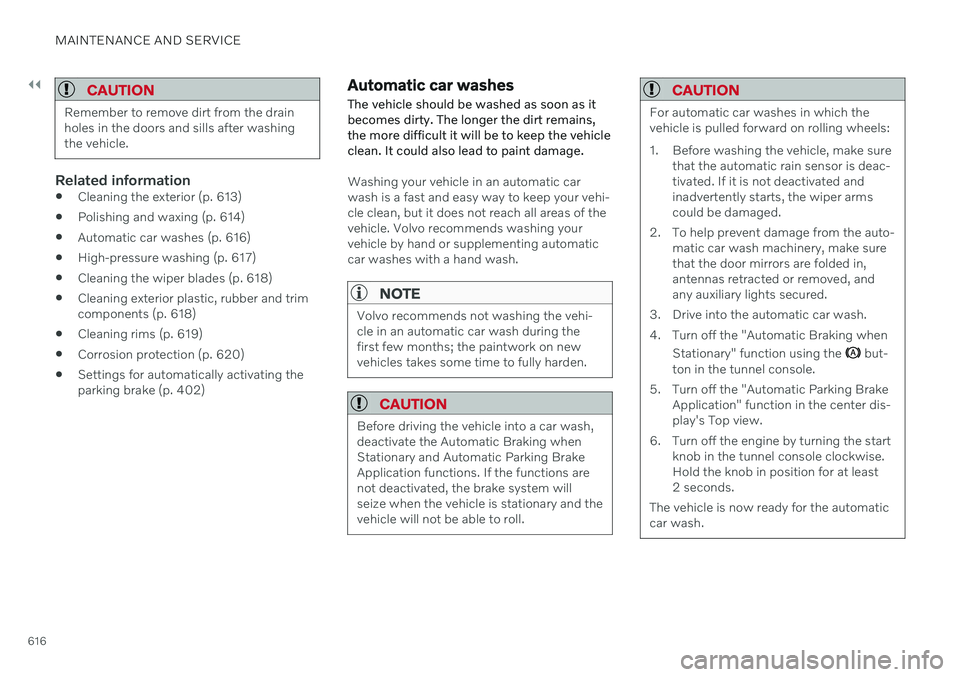
Before driving the vehicle into a car wash, deactivate the Automatic Braking whenStationary and Automatic Parking BrakeApplication functions. If the functions arenot deactivated, the brake system willseize when the vehicle is stationary and thevehicle will not be able to roll.
CAUTION
For automatic car washes in which the vehicle is pulled forward on rolling wheels:
1. Before washing the vehicle, make sure that the automatic rain sensor is deac- tivated. If it is not deactivated andinadvertently starts, the wiper armscould be damaged.
2. To help prevent damage from the auto- matic car wash machinery, make surethat the door mirrors are folded in,antennas retracted or removed, andany auxiliary lights secured.
3. Drive into the automatic car wash.
4. Turn off the "Automatic Braking when Stationary" function using the
but-
ton in the tunnel console.
5. Turn off the "Automatic Parking Brake Application" function in the center dis- play's Top view.
6. Turn off the engine by turning the start knob in the tunnel console clockwise.Hold the knob in position for at least2 seconds.
The vehicle is now ready for the automaticcar wash.
Page 644 of 661
INDEX
642Auto-hold brakes 403
activating/deactivating 404
after collision 405
driver support 270
Automatic car wash 616 Automatic engine stop auto-stop 418
Automatic high beam 155
Automatic locking 260
Automatic relocking 241, 255
Automatic transmission 406, 407 kickdown 412
oil 636
Trailer 434
B
Backrestfront seat, adjusting 182, 183, 186, 187 , 188, 189
rear seat, folding 192
Battery jump-start 431
Maintenance 584
recycling 588
starter battery 584
support 586
symbols on the battery 588
Blind Spot Information 344
BLIS 344 activating/deactivating 345
limitations 346
Symbols and messages 347
Blower adjusting 220, 221
air distribution 205
air vents 206
Bluetooth connect 475
connecting vehicle to Internet 501
phone 485
settings 493
Book service and repair 571
Booster cushions 74 Brake assist after collision 405
Brake fluid grade 637
Brake functions 397
Brakes 397 anti-lock brakes, ABS 397
auto-brake with Pilot Assist 315auto-braking with Adaptive Cruise
Control 315automatic when stationary 403
Brake Assist System, BAS 398
brake lights 159
brake system 397
emergency brake lights 159
Maintenance 399
on salted roads 399
on wet roads 399
parking brake 400
brake system fluid 637
C
Camera sensorsee Camera 383
Camera unit 383 limitations 383
maintenance and cleaning 386
Symbols and messages 388
Capacity weight 547, 633 Care Key restricted remote key 248
settings 249
Cargo compartment 555 attachment points 558
cargo net 563
Page 657 of 661
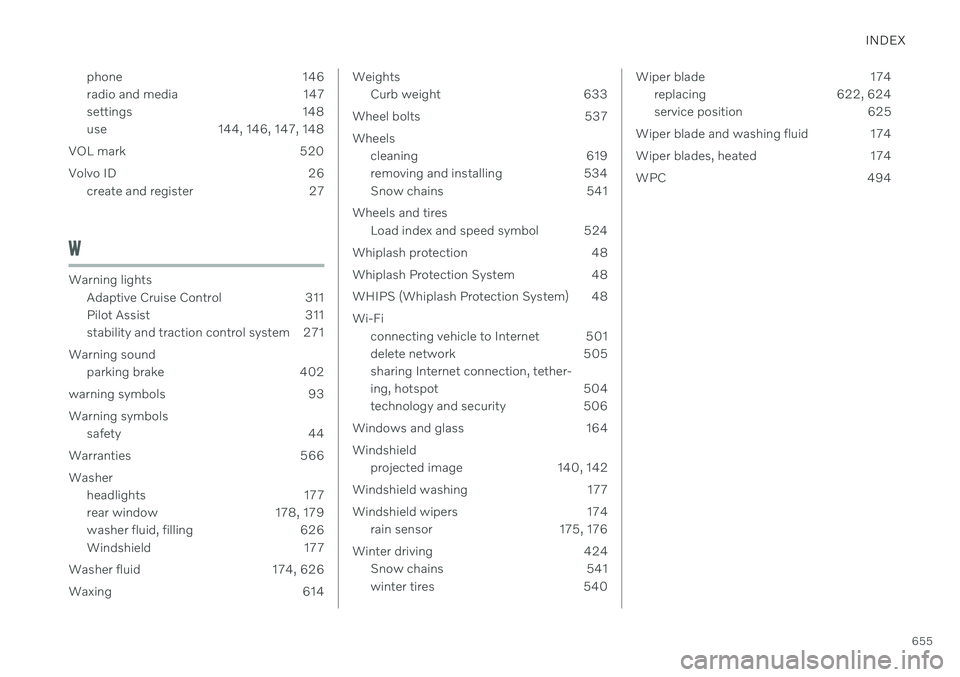
INDEX
655
phone 146
radio and media 147
settings 148
use 144, 146, 147, 148
VOL mark 520
Volvo ID 26 create and register 27
W
Warning lightsAdaptive Cruise Control 311
Pilot Assist 311
stability and traction control system 271
Warning sound parking brake 402
warning symbols 93 Warning symbols safety 44
Warranties 566Washer headlights 177
rear window 178, 179
washer fluid, filling 626
Windshield 177
Washer fluid 174, 626
Waxing 614
Weights Curb weight 633
Wheel bolts 537 Wheels cleaning 619
removing and installing 534
Snow chains 541
Wheels and tires Load index and speed symbol 524
Whiplash protection 48
Whiplash Protection System 48
WHIPS (Whiplash Protection System) 48 Wi-Fi connecting vehicle to Internet 501
delete network 505sharing Internet connection, tether-
ing, hotspot 504
technology and security 506
Windows and glass 164 Windshield projected image 140, 142
Windshield washing 177
Windshield wipers 174 rain sensor 175, 176
Winter driving 424 Snow chains 541
winter tires 540Wiper blade 174
replacing 622, 624
service position 625
Wiper blade and washing fluid 174
Wiper blades, heated 174
WPC 494