keyless VOLVO V60 2021 Owner's Manual
[x] Cancel search | Manufacturer: VOLVO, Model Year: 2021, Model line: V60, Model: VOLVO V60 2021Pages: 661, PDF Size: 12.68 MB
Page 259 of 661
KEY, LOCKS AND ALARM
* Option/accessory.257
2. Lift the outer handle to open the tailgate.
CAUTION
Only light pressure on the rubberized pressure plate is necessary to releasethe tailgate's locking mechanism.
Use the handle to lift the tailgate and donot apply force to the rubberized pres-sure plate. Too much force can damagethe pressure plate's electrical connec-tions.
Hands-free unlocking of the tailgate is also possible using a foot movement under the rearbumper; see the separate section.
WARNING
Do not drive with the tailgate open. Toxic exhaust fumes can be sucked into the vehi-cle through the cargo compartment.
Related information
Keyless locking and unlocking
* (p. 255)
Keyless and touch-sensitive surfaces
*
(p. 254)
Remote key range (p. 243)
Operating the tailgate with a foot move- ment
* (p. 263)
Antenna locations for the start and lock system
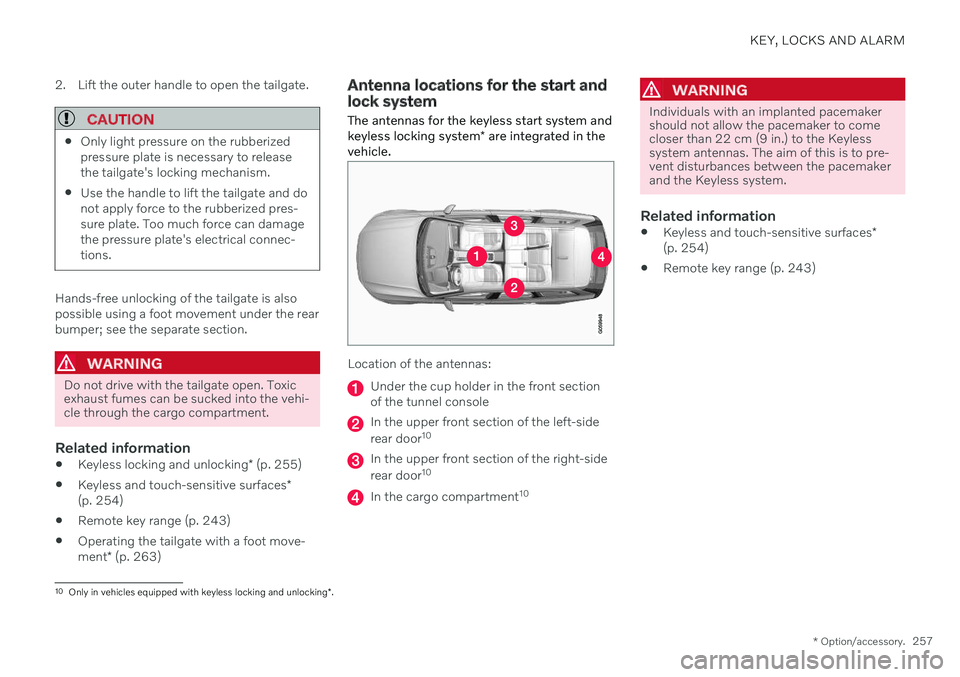
The antennas for the keyless start system and keyless locking system * are integrated in the
vehicle.
Location of the antennas:
Under the cup holder in the front section of the tunnel console
In the upper front section of the left-side rear door 10
In the upper front section of the right-side rear door10
In the cargo compartment 10
WARNING
Individuals with an implanted pacemaker should not allow the pacemaker to comecloser than 22 cm (9 in.) to the Keylesssystem antennas. The aim of this is to pre-vent disturbances between the pacemakerand the Keyless system.
Related information
Keyless and touch-sensitive surfaces
*
(p. 254)
Remote key range (p. 243)
10
Only in vehicles equipped with keyless locking and unlocking *.
Page 263 of 661
KEY, LOCKS AND ALARM
}}
* Option/accessory.261
Closing and locking the tailgate using the buttons *
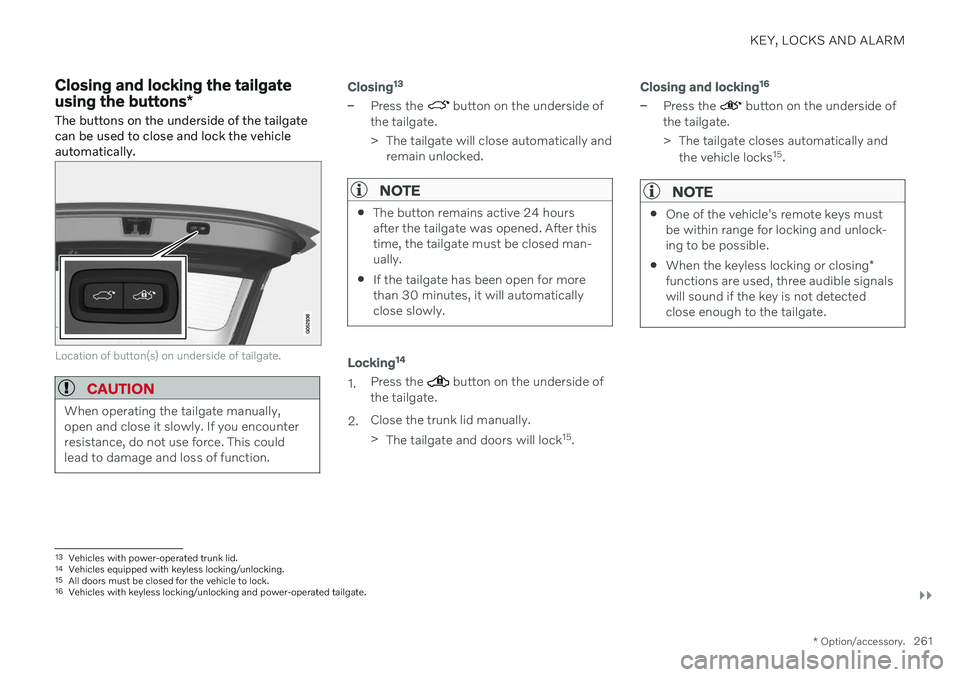
The buttons on the underside of the tailgate can be used to close and lock the vehicleautomatically.
Location of button(s) on underside of tailgate.
CAUTION
When operating the tailgate manually, open and close it slowly. If you encounterresistance, do not use force. This couldlead to damage and loss of function.
Closing 13
–Press the button on the underside of
the tailgate.
> The tailgate will close automatically and remain unlocked.
NOTE
The button remains active 24 hours after the tailgate was opened. After thistime, the tailgate must be closed man-ually.
If the tailgate has been open for morethan 30 minutes, it will automaticallyclose slowly.
Locking 14
1.
Press the button on the underside of
the tailgate.
2. Close the trunk lid manually. >
The tailgate and doors will lock 15
.
Closing and locking 16
–Press the button on the underside of
the tailgate.
> The tailgate closes automatically and
the vehicle locks 15
.
NOTE
One of the vehicle's remote keys must be within range for locking and unlock-ing to be possible.
When the keyless locking or closing
*
functions are used, three audible signalswill sound if the key is not detectedclose enough to the tailgate.
13 Vehicles with power-operated trunk lid.
14 Vehicles equipped with keyless locking/unlocking.
15 All doors must be closed for the vehicle to lock.16Vehicles with keyless locking/unlocking and power-operated tailgate.
Page 266 of 661
||
KEY, LOCKS AND ALARM
* Option/accessory.
264
Foot movement operation
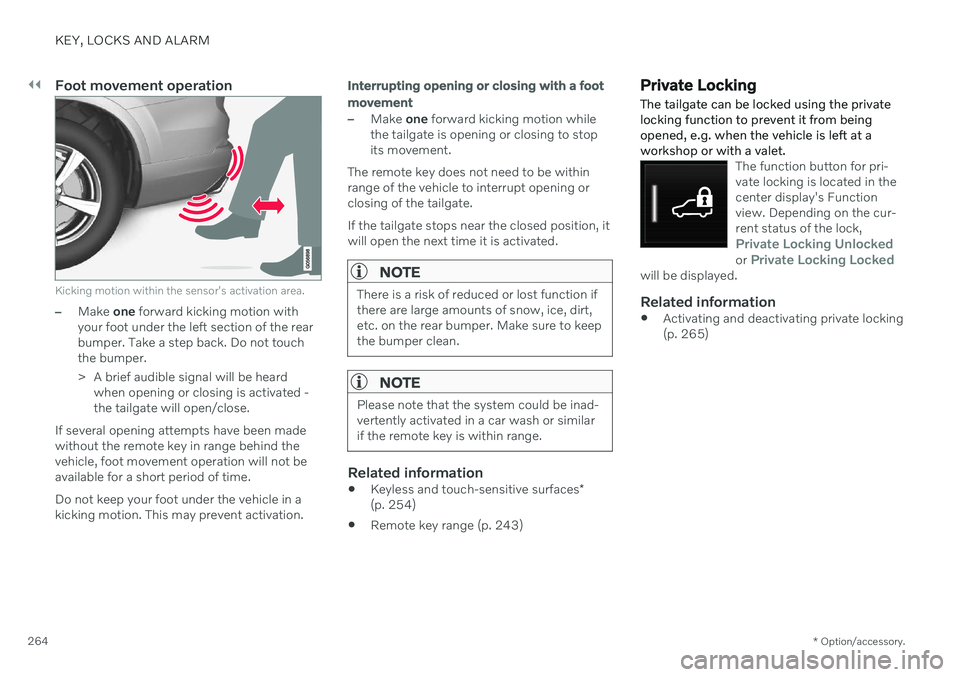
Kicking motion within the sensor's activation area.
–Make one forward kicking motion with
your foot under the left section of the rear bumper. Take a step back. Do not touchthe bumper.
> A brief audible signal will be heard when opening or closing is activated - the tailgate will open/close.
If several opening attempts have been madewithout the remote key in range behind thevehicle, foot movement operation will not beavailable for a short period of time. Do not keep your foot under the vehicle in a kicking motion. This may prevent activation.
Interrupting opening or closing with a foot movement
–Make one forward kicking motion while
the tailgate is opening or closing to stop its movement.
The remote key does not need to be withinrange of the vehicle to interrupt opening orclosing of the tailgate. If the tailgate stops near the closed position, it will open the next time it is activated.
NOTE
There is a risk of reduced or lost function if there are large amounts of snow, ice, dirt,etc. on the rear bumper. Make sure to keepthe bumper clean.
NOTE
Please note that the system could be inad- vertently activated in a car wash or similarif the remote key is within range.
Related information
Keyless and touch-sensitive surfaces
*
(p. 254)
Remote key range (p. 243)
Private Locking The tailgate can be locked using the private locking function to prevent it from beingopened, e.g. when the vehicle is left at aworkshop or with a valet.
The function button for pri- vate locking is located in thecenter display's Functionview. Depending on the cur-rent status of the lock,
Private Locking Unlockedor Private Locking Lockedwill be displayed.
Related information
Activating and deactivating private locking (p. 265)
Page 394 of 661
STARTING AND DRIVING
* Option/accessory.
392
Starting the vehicle
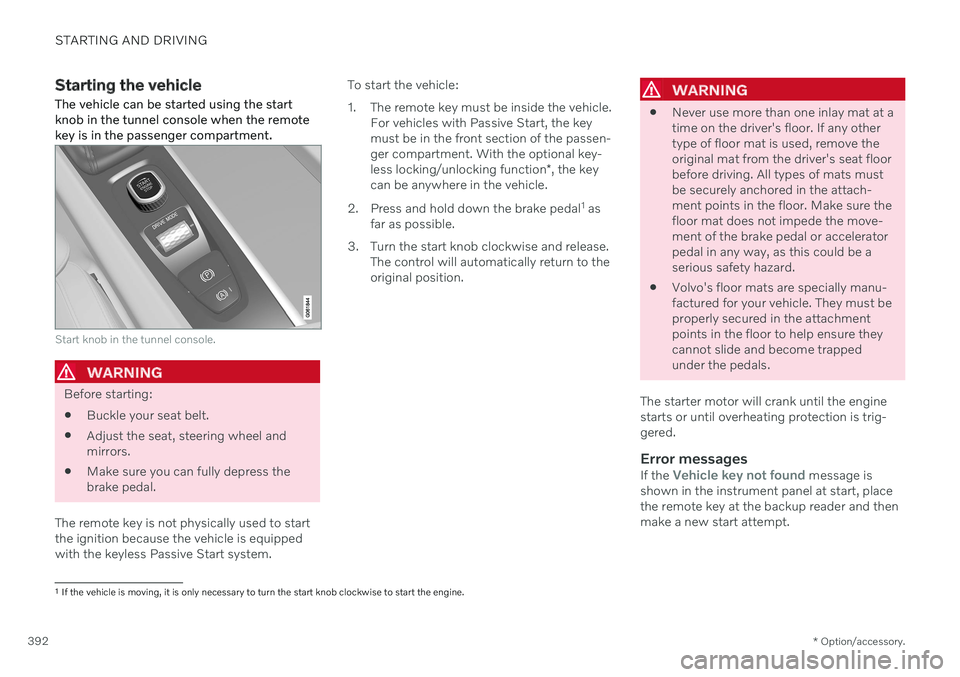
The vehicle can be started using the start knob in the tunnel console when the remotekey is in the passenger compartment.
Start knob in the tunnel console.
WARNING
Before starting:
Buckle your seat belt.
Adjust the seat, steering wheel and mirrors.
Make sure you can fully depress thebrake pedal.
The remote key is not physically used to startthe ignition because the vehicle is equippedwith the keyless Passive Start system. To start the vehicle:
1. The remote key must be inside the vehicle.
For vehicles with Passive Start, the key must be in the front section of the passen-ger compartment. With the optional key- less locking/unlocking function *, the key
can be anywhere in the vehicle.
2. Press and hold down the brake pedal 1
as
far as possible.
3. Turn the start knob clockwise and release. The control will automatically return to the original position.
WARNING
Never use more than one inlay mat at a time on the driver's floor. If any othertype of floor mat is used, remove theoriginal mat from the driver's seat floorbefore driving. All types of mats mustbe securely anchored in the attach-ment points in the floor. Make sure thefloor mat does not impede the move-ment of the brake pedal or acceleratorpedal in any way, as this could be aserious safety hazard.
Volvo's floor mats are specially manu-factured for your vehicle. They must beproperly secured in the attachmentpoints in the floor to help ensure theycannot slide and become trappedunder the pedals.
The starter motor will crank until the enginestarts or until overheating protection is trig-gered.
Error messagesIf the Vehicle key not found message is
shown in the instrument panel at start, place the remote key at the backup reader and thenmake a new start attempt.
1 If the vehicle is moving, it is only necessary to turn the start knob clockwise to start the engine.
Page 619 of 661
MAINTENANCE AND SERVICE
* Option/accessory.617
CAUTION
The system will automatically change to P
mode if the above steps are not followed. In P mode, the wheels are locked, which
they should not be when the vehicle isbeing washed in a car wash.
NOTE
Keep in mind that if the vehicle is equipped with the keyless locking and unlocking function *, the doors and tailgate/trunk lid
may open when washing the vehicle if the remote key is within range.
Testing the brakes
WARNING
Always test the brakes after washing the vehicle, including the parking brake, toensure moisture and corrosion do notattach the brake pads and impair brakefunctionality.
Lightly depress the brake pedal from time to time when driving long distances in rain orslush. The heat from the friction will helpwarm up and dry the brake pads. Do the sameafter starting the vehicle in very damp or coldweather.
Related information
Cleaning the exterior (p. 613)
Polishing and waxing (p. 614)
Hand washing (p. 615)
High-pressure washing (p. 617)
Cleaning the wiper blades (p. 618)
Cleaning exterior plastic, rubber and trimcomponents (p. 618)
Cleaning rims (p. 619)
Corrosion protection (p. 620)
Auto-hold brakes (p. 403)
Settings for automatically activating theparking brake (p. 402)
Keyless and touch-sensitive surfaces
*
(p. 254)
High-pressure washing The vehicle should be washed as soon as it becomes dirty. The longer the dirt remains,the more difficult it will be to keep the vehicleclean. It could also lead to paint damage.Wash the vehicle in a car wash or garagewith an oil separator. Use a car washingdetergent recommended by Volvo.
If washing the vehicle with a high-pressure wash, use sweeping movements and keep thenozzle at least 30 cm (13 in.) from the vehicle.Do not spray directly onto locks.
Related information
Cleaning the exterior (p. 613)
Polishing and waxing (p. 614)
Hand washing (p. 615)
Automatic car washes (p. 616)
Cleaning the wiper blades (p. 618)
Cleaning exterior plastic, rubber and trimcomponents (p. 618)
Cleaning rims (p. 619)
Corrosion protection (p. 620)
Page 649 of 661
INDEX
647
HomeLink
® remote control
programmable 441
Home safe lighting, Homesafe Lighting, Follow me home lighting, follow-me-
home lighting 160
Honk 195
Hood, opening 576
Horn 195
I
IAQS (Interior Air Quality System) 203
IC (Inflatable Curtain) 63
ID, Volvo 26
Identification number 39
Ignition mode 395, 396
Immobilizer 252 Electronic immobilizer 252
Indicator symbols 93
Individual drive mode 413
Infant seats 70
Inflatable curtain 63
Inflatable Curtain 63
Inflating tires 546
Inflation pressure adjusting 528
Checking 527
decal with recommended pressure 529
Inflation pressure monitoring 529 action 533
save new inflation pressure 531
Status 532
Inflation pressure table 639
Information display 82, 86
Infotainment (Audio and media) 448
Instrument cluster 82 settings 86
Instrument illumination 162
Instrument lighting 162
Instrument panel 82 app menu 102, 103
messages 104
settings 86
Instruments and controls 80 Instruments overview left-hand drive vehicle 80
IntelliSafe driver support 29
Interior Air Quality System 203
Intermittent wiping 175Internet, see Internet-connected vehi- cle 500
Internet-connected vehicle 500 book service and repair 571
No connection or poor connection 505
send car data 572
system updates 569
iPod ®, connecting 476
ISOFIX/LATCH anchors 77
J
Jack 537
Jump-start 431
K
Key 238
Keyboard 124, 127 change language 127
Keyless locking/unlocking 255
settings 256
touch-sensitive surfaces 254
Key tag 238