lights VOLVO V60 2021 Workshop Manual
[x] Cancel search | Manufacturer: VOLVO, Model Year: 2021, Model line: V60, Model: VOLVO V60 2021Pages: 661, PDF Size: 12.68 MB
Page 437 of 661
STARTING AND DRIVING
* Option/accessory.435
NOTE
Extreme weather conditions, towing a trailer, high altitude and lower fuel gradethan recommended are factors that cansignificantly increase the vehicle's fuel con-sumption.
Trailer weights
WARNING
Please adhere to the recommendations provided for trailer weight. If the recom-mendations are not followed, the vehicleand trailer may be difficult to control duringevasive maneuvers and braking.
NOTE
The specified maximum trailer weights are those permitted by Volvo. National vehicleregulations may set additional restrictionson trailer weight and speed. The trailerhitches may be certified for higher towingweights than the vehicle is permitted totow.
Self-leveling suspension *The vehicle's self-leveling system attempts to keep the vehicle at a constant level, regardlessof load (up to the maximum permitted weight).When the vehicle is stationary, the rear end of the vehicle will be slightly lowered, which isnormal.
Driving in hilly terrain or hot weatherIn certain conditions, there is a risk of over-heating when driving with a trailer. If overheat-ing of the engine and drive system is detected,a warning symbol will illuminate in the instru-ment panel and a message will appear. The automatic transmission adapts the gear for the current load and engine speed.
Steep inclines
Do not lock the automatic transmission into a higher gear than what the engine can handle
‒
it is not always preferable to drive in highgears at low rpm.
Parking on a hill
1. Depress the brake pedal.
2. Apply the parking brake.
3. Put the gear selector in P.
4. Release the brake pedal.Put chocks behind the wheels when the vehi- cle is parked on a hill with a trailer attached.
Starting on a hill
1. Depress the brake pedal.
2. Put the gear selector in D.
3. Release the parking brake.
4. Release the brake pedal and start driving.
Related information
Trailer Stability Assist
* (p. 436)
Checking trailer lights (p. 437)
Towing capacity and tongue weight (p. 634)
Overheating of engine and transmission(p. 430)
Page 439 of 661
STARTING AND DRIVING
* Option/accessory.437
Checking trailer lights
When connecting a trailer, make sure that all of the lights on the trailer are functioningbefore starting to drive.
Trailer turn signals and brake lightsIf one or more of the turn signals or brake lights on the trailer is not working, a symboland message will be displayed in the instru-ment panel. The other lights on the trailermust be checked manually by the driver beforethe vehicle is driven.
Symbol Message
Trailer turn indicator Right
turn indicator malfunction
Trailer turn indicator Left
turn indicator malfunction
Trailer brake light Malfunc-
tion
If any of the trailer's turn signal lights is not working, the turn signal symbol in the instru-ment panel will also flash more quickly thannormal.
Trailer rear fog lightWhen a trailer is connected, the vehicle's rearfog light may not illuminate and rear fog lightfunctionality is instead transferred to the trailer. If this is the case, check to see if thetrailer is equipped with a rear fog light beforeactivating the vehicle's fog lights when drivingwith a trailer to help ensure safe operation.
Checking trailer lights
*
Automatic check
When the trailer has been connected to the vehicle's electrical system, its lights can bechecked by automatically activating them.This function helps the driver check that thetrailer's lights are functioning correctly beforestarting to drive. In order to perform this check, the vehicle must be switched off.
1. When a trailer is connected to the towbar,
the message
Automatic Trailer Lamp
Check will appear in the instrument panel.
2. Acknowledge the message by pressing the O button on the right-side steering
wheel keypad.
> The light check will begin.
3. Get out of the vehicle to perform the check.
> All of the lights on the trailer will beginflashing, and then illuminate separately one at a time.
4. Visually check that all of the trailer's lights are functioning correctly. 5. After a short time, all of the trailer's lights
will start flashing again.
> The light check is completed.
Disabling the automatic check
The automatic light check can be disabled in the center display. 1.Tap
Settings in the Top view.
2. Tap
My CarLights and Lighting.
3. Deselect
Automatic Trailer Lamp
Check.
Manual check
If the automatic check has been disabled, the check can be started manually. 1. Tap
Settings in the Top view.
2. Tap
My CarLights and Lighting.
3. Select
Manual Trailer Lamp Check.
> The light check will begin. Get out of the vehicle to perform the check.
Related information
Driving with a trailer (p. 434)
Page 569 of 661
MAINTENANCE AND SERVICE
}}
567
Periodic maintenance helps minimize emissions
NOTE
Refer to your Service and Warranty Booklet for a comprehensive serviceand maintenance schedule up to240,000 km (150,000 miles). Thisprogram contains inspections and ser-vices necessary for the proper functionof your vehicle and includes compo-nents that affect vehicle emissions.
The Warranty and Service RecordsInformation booklet also containsdetailed information concerning thewarranties that apply to your vehicle.
On-board Diagnostic SystemOBD II is part of your vehicle's computerized engine management system. It stores diag-nostic information about your vehicle's emis-sion controls. It can light the Check Enginelight (MIL) if it detects an emission control"fault." A "fault" is a component or systemthat is not performing within an expectedrange. A fault may be permanent or temporary.OBD II will store a message about any fault.
Emission inspection readiness
How do states use
OBD II for emission
inspections?
Many states connect a computer directly to a vehicle's OBD II system. The inspector canthen read "faults." In some states, this type ofinspection has replaced the tailpipe emissiontest.
How can my vehicle fail OBD II emission
inspection?
Your vehicle can fail OBD II emission inspec- tion for any of the following reasons: If your Check Engine (MIL) light is lit, your vehicle may fail inspection.
If your vehicle's Check Engine light was lit,but went out without any action on yourpart, OBD II will still have a recorded fault.Your vehicle may pass or fail, dependingon the inspection practices in your area.
If you had recent service that required dis-connecting the battery, OBD II diagnosticinformation may be incomplete and "notready" for inspection. A vehicle that is notready may fail inspection.
How can I prepare for my next
OBD II
emission inspection?
If your Check Engine (MIL) light is lit or was lit but went out without service, have your vehicle diagnosed and, if necessary,serviced by a qualified Volvo technician.
If you recently had service for a lit CheckEngine light, or if you had service thatrequired disconnecting the battery, aperiod of driving is necessary to bring theOBD II system to "ready" for inspection.Two half-hour trips of mixed stop-and-go/highway driving are typically needed toallow OBD II to reach readiness. YourVolvo retailer can provide you with moreinformation on planning a trip.
Maintain your vehicle in accordance withyour vehicle's maintenance schedule.
Owner maintenancePeriodic maintenance requirements and inter-vals are described in your vehicle's Warrantyand Service Records Information booklet. The following points can be carried out between the normally scheduled maintenanceservices.
Each time the vehicle is refueled:
Check the engine oil level.
Clean the windshield, windshield wipers, headlights, and taillights.
Page 609 of 661

MAINTENANCE AND SERVICE
}}
* Option/accessory.607
Replacing bulbs
This vehicle is equipped with only LED 15
lights, which means it does not have any replaceable bulbs. Contact a workshop 14
if
you experience any problems with the light- ing. If there is a problem with an LED 15
light, the
entire lamp unit will normally need to be replaced.
NOTE
For information on lights not mentioned in the Owner's Manual, contact a Volvoretailer or an authorized Volvo workshop.
NOTE
Exterior lighting such as headlights and taillights may develop temporary conden-sation on the inside of the lens. This is nor-mal. All exterior lighting is designed toresist this. Condensation is normally ven-ted out of the lamp housing once the lighthas been lit for some period of time.
NOTE
Bulbs for Active Bending Lights * contain
traces of mercury and should therefore always be deposited at an authorized Volvoworkshop.
Cleaning the interior
Use cleaning agents and car care products recommended by Volvo. Clean regularly andtreat stains immediately. It is important tovacuum before using a cleaning agent.
CAUTION
Some colored clothing (for example, dark jeans and suede garments) maystain the upholstery. If this occurs, it isimportant to clean and treat theseparts of the upholstery as soon as pos-sible.
Never use strong solvents such aswasher fluid, gasoline, mineral spirit orconcentrated alcohol to clean the inte-rior as this can damage the upholsteryas well as other interior materials.
Never spray cleaning agent directlyonto components that have electricalbuttons and controls. Wipe insteadwith a damp cloth with cleaning agent.
Sharp objects and Velcro can damagethe car's textile upholstery.
Only use cleaning agent on the type ofmaterial it is intended for.
15
LED (Light Emitting Diode)
14 An authorized Volvo workshop is recommended.
Page 617 of 661
MAINTENANCE AND SERVICE
}}
* Option/accessory.615
Hand washing
The vehicle should be washed as soon as it becomes dirty. This makes the vehicle easierto clean because dirt does not attach asstrongly. It also reduces the risk of scratchesand keeps the vehicle looking new. Wash thevehicle in a car wash or garage with an oilseparator and use car washing detergent.Use cleaning agents and car care productsrecommended by Volvo.
Important to keep in mind when handwashing your vehicle
Avoid washing the vehicle in direct sun- light. This could cause the detergent orwax to dry out and become abrasive.
Remove bird droppings from paintwork assoon as possible. It contains chemicalsthat affect and discolor paintwork veryquickly. Use e.g. soft paper or a spongesoaked in lots of water. Consult an author-ized Volvo workshop for assistanceremoving discoloration.
Hose down the underbody, including thewheel housings and bumper.
Hose down the entire vehicle and removeany loose dirt, droppings etc. to reducethe risk of scratches from washing. Do notspray directly onto locks.
If necessary, use cold degreaser on heavilysoiled surfaces. Note that in such casesthe surfaces must not be hot from the sun.
Wash using a sponge, car washing deter-gent and plenty of lukewarm water. Makesure that the sponge is clean. A dirtysponge can scratch the paint.
Clean the wiper blades with lukewarmsoap solution or car washing detergent.
Dry the vehicle using a clean, soft chamoisor a squeegee. Try not to let drops ofwater dry in strong sunlight. This couldcause water drying stains that may needto be polished out.
In areas with heavy industrial emissions,more frequent washing of the vehicle'sexterior is recommended.
Tar spots from asphalt may remain evenafter washing. Use a Volvo-recommendedtar remover to remove these spots afterwashing the vehicle.
WARNING
Always entrust engine washing to a work- shop. If the engine is hot, there is a risk offire.
CAUTION
Dirty headlights do not work as well. Clean them regularly, e.g. when refueling. Do not use corrosive cleaners. Use water and a non-abrasive sponge.
NOTE
Exterior lighting such as headlights and taillights may develop temporary conden-sation on the inside of the lens. This is nor-mal. All exterior lighting is designed toresist this. Condensation is normally ven-ted out of the lamp housing once the lighthas been lit for some period of time.
CAUTION
Make sure that the panoramic roof
*
and sun shade are closed before wash- ing the vehicle.
Never use abrasive polishing agents onthe panoramic roof.
Never use wax on the rubber sealsaround the panoramic roof.
Page 618 of 661
||
MAINTENANCE AND SERVICE
616
CAUTION
Remember to remove dirt from the drain holes in the doors and sills after washingthe vehicle.
Related information
Cleaning the exterior (p. 613)
Polishing and waxing (p. 614)
Automatic car washes (p. 616)
High-pressure washing (p. 617)
Cleaning the wiper blades (p. 618)
Cleaning exterior plastic, rubber and trim components (p. 618)
Cleaning rims (p. 619)
Corrosion protection (p. 620)
Settings for automatically activating theparking brake (p. 402)
Automatic car washes
The vehicle should be washed as soon as it becomes dirty. The longer the dirt remains,the more difficult it will be to keep the vehicleclean. It could also lead to paint damage.
Washing your vehicle in an automatic car wash is a fast and easy way to keep your vehi-cle clean, but it does not reach all areas of thevehicle. Volvo recommends washing yourvehicle by hand or supplementing automaticcar washes with a hand wash.
NOTE
Volvo recommends not washing the vehi- cle in an automatic car wash during thefirst few months; the paintwork on newvehicles takes some time to fully harden.
CAUTION
Before driving the vehicle into a car wash, deactivate the Automatic Braking whenStationary and Automatic Parking BrakeApplication functions. If the functions arenot deactivated, the brake system willseize when the vehicle is stationary and thevehicle will not be able to roll.
CAUTION
For automatic car washes in which the vehicle is pulled forward on rolling wheels:
1. Before washing the vehicle, make sure that the automatic rain sensor is deac- tivated. If it is not deactivated andinadvertently starts, the wiper armscould be damaged.
2. To help prevent damage from the auto- matic car wash machinery, make surethat the door mirrors are folded in,antennas retracted or removed, andany auxiliary lights secured.
3. Drive into the automatic car wash.
4. Turn off the "Automatic Braking when Stationary" function using the
but-
ton in the tunnel console.
5. Turn off the "Automatic Parking Brake Application" function in the center dis- play's Top view.
6. Turn off the engine by turning the start knob in the tunnel console clockwise.Hold the knob in position for at least2 seconds.
The vehicle is now ready for the automaticcar wash.
Page 628 of 661
MAINTENANCE AND SERVICE
* Option/accessory.
626
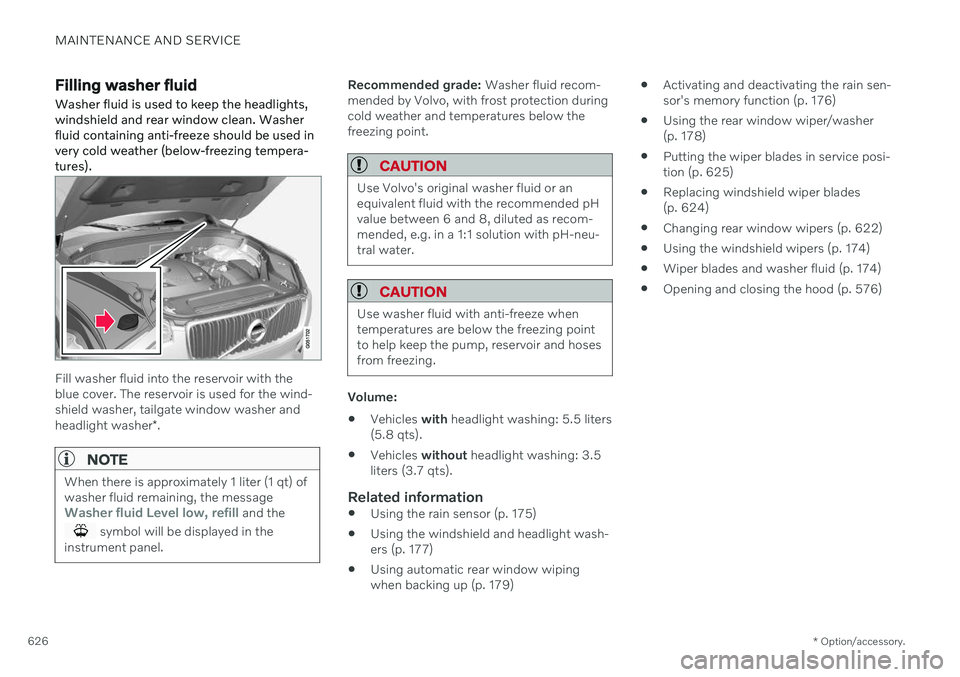
Filling washer fluid Washer fluid is used to keep the headlights, windshield and rear window clean. Washerfluid containing anti-freeze should be used invery cold weather (below-freezing tempera-tures).
Fill washer fluid into the reservoir with the blue cover. The reservoir is used for the wind-shield washer, tailgate window washer and headlight washer *.
NOTE
When there is approximately 1 liter (1 qt) of washer fluid remaining, the message
Washer fluid Level low, refill and the
symbol will be displayed in the
instrument panel.
Recommended grade: Washer fluid recom-
mended by Volvo, with frost protection during cold weather and temperatures below thefreezing point.
CAUTION
Use Volvo's original washer fluid or an equivalent fluid with the recommended pHvalue between 6 and 8, diluted as recom-mended, e.g. in a 1:1 solution with pH-neu-tral water.
CAUTION
Use washer fluid with anti-freeze when temperatures are below the freezing pointto help keep the pump, reservoir and hosesfrom freezing.
Volume:
Vehicles
with headlight washing: 5.5 liters
(5.8 qts).
Vehicles
without headlight washing: 3.5
liters (3.7 qts).
Related information
Using the rain sensor (p. 175)
Using the windshield and headlight wash- ers (p. 177)
Using automatic rear window wipingwhen backing up (p. 179)
Activating and deactivating the rain sen-sor's memory function (p. 176)
Using the rear window wiper/washer(p. 178)
Putting the wiper blades in service posi-tion (p. 625)
Replacing windshield wiper blades(p. 624)
Changing rear window wipers (p. 622)
Using the windshield wipers (p. 174)
Wiper blades and washer fluid (p. 174)
Opening and closing the hood (p. 576)
Page 643 of 661
INDEX
641
1, 2, 3 ...
4WD 413
A
ABSanti-lock brakes 397
AC (Air conditioning) 225
Accessories and extra equipment 36 installation 37
Accessory installation warning 37
Active Bending Lights 156
Adapting driving characteristics 413
Adaptive Cruise Control 286 activating 289
auto-brake 315
change cruise control functionality 293
controls 288
deactivate 290
display 288
limitations 292
passing 310
set time interval 314
standby mode 291
stored speed 313
switching target vehicles 312
Symbols and messages 294
troubleshooting 292
WARNING 311
Adjusting the steering wheel 195
Advanced Air Cleaner 204
Airbag 55 activation/deactivation 59
driver's side 56
passenger side 56, 59
Air bag, see Airbag 55
Air conditioning 225 Air conditioning, fluid volume and grade 637
Air distribution 204 air vents 204, 206
changing 205
defrosting 218
recirculation 217
table showing options 207
Air quality 201, 203 Advanced Air Cleaner 204
allergy and asthma 202
passenger compartment filter 204
Air recirculation 217
Alarm 266 deactivating 267
Alarm about slippery road conditions 276
Alarm on hazard warning flashers 276Allergy and asthma-inducing sub-
stances 202
All Wheel Drive, AWD 413
All Wheel Drive (AWD) 413
All Wheel Drive (four-wheel drive) 413
Android Auto 482, 483, 484Antenna location 257
Apple CarPlay 478, 479, 481
Approach lighting 160
Apps 450
Assistance at risk of collision 337 activating/deactivating 338
at risk of run-off 338
during collision risks from behind 340 during collision risks from oncoming
traffic 339
limitations 341
Symbols and messages 342
Audio and media 448 Audio system HD digital radio 459 SiriusXM ®
Satellite radio 460, 461,
463
Auto-climate 216
Auto hold 403
INDEX
Page 644 of 661
INDEX
642Auto-hold brakes 403
activating/deactivating 404
after collision 405
driver support 270
Automatic car wash 616 Automatic engine stop auto-stop 418
Automatic high beam 155
Automatic locking 260
Automatic relocking 241, 255
Automatic transmission 406, 407 kickdown 412
oil 636
Trailer 434
B
Backrestfront seat, adjusting 182, 183, 186, 187 , 188, 189
rear seat, folding 192
Battery jump-start 431
Maintenance 584
recycling 588
starter battery 584
support 586
symbols on the battery 588
Blind Spot Information 344
BLIS 344 activating/deactivating 345
limitations 346
Symbols and messages 347
Blower adjusting 220, 221
air distribution 205
air vents 206
Bluetooth connect 475
connecting vehicle to Internet 501
phone 485
settings 493
Book service and repair 571
Booster cushions 74 Brake assist after collision 405
Brake fluid grade 637
Brake functions 397
Brakes 397 anti-lock brakes, ABS 397
auto-brake with Pilot Assist 315auto-braking with Adaptive Cruise
Control 315automatic when stationary 403
Brake Assist System, BAS 398
brake lights 159
brake system 397
emergency brake lights 159
Maintenance 399
on salted roads 399
on wet roads 399
parking brake 400
brake system fluid 637
C
Camera sensorsee Camera 383
Camera unit 383 limitations 383
maintenance and cleaning 386
Symbols and messages 388
Capacity weight 547, 633 Care Key restricted remote key 248
settings 249
Cargo compartment 555 attachment points 558
cargo net 563
Page 646 of 661
INDEX
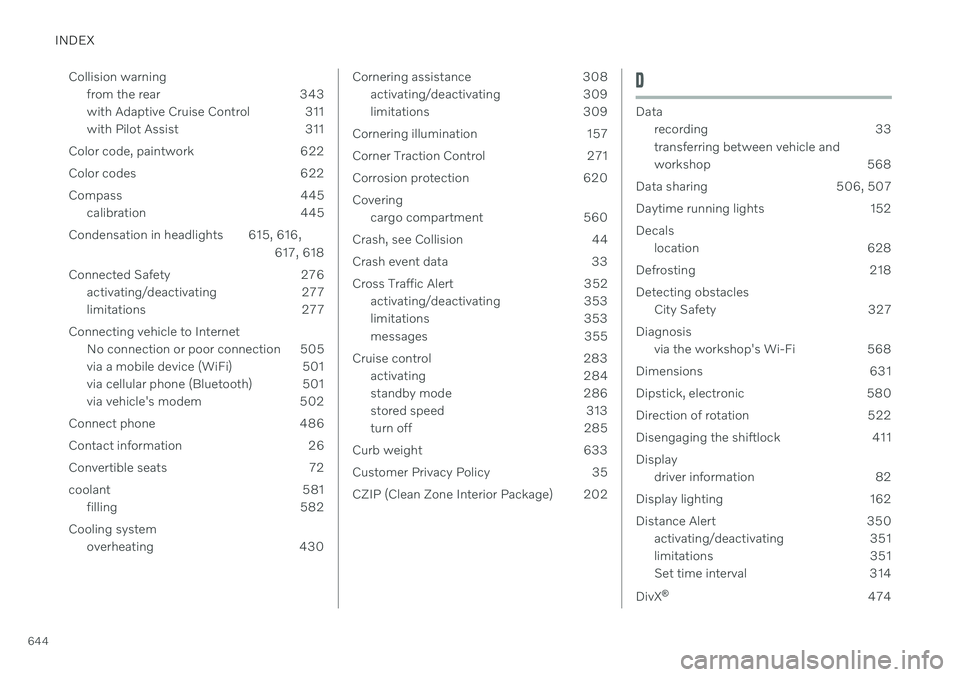
644Collision warning
from the rear 343
with Adaptive Cruise Control 311
with Pilot Assist 311
Color code, paintwork 622
Color codes 622
Compass 445 calibration 445
Condensation in headlights 615, 616, 617, 618
Connected Safety 276 activating/deactivating 277
limitations 277
Connecting vehicle to Internet No connection or poor connection 505
via a mobile device (WiFi) 501
via cellular phone (Bluetooth) 501
via vehicle's modem 502
Connect phone 486
Contact information 26
Convertible seats 72
coolant 581 filling 582
Cooling system overheating 430
Cornering assistance 308activating/deactivating 309
limitations 309
Cornering illumination 157
Corner Traction Control 271
Corrosion protection 620Covering cargo compartment 560
Crash, see Collision 44
Crash event data 33
Cross Traffic Alert 352 activating/deactivating 353
limitations 353
messages 355
Cruise control 283 activating 284
standby mode 286
stored speed 313
turn off 285
Curb weight 633
Customer Privacy Policy 35
CZIP (Clean Zone Interior Package) 202D
Data recording 33 transferring between vehicle and
workshop 568
Data sharing 506, 507
Daytime running lights 152Decals location 628
Defrosting 218Detecting obstacles City Safety 327
Diagnosis via the workshop's Wi-Fi 568
Dimensions 631
Dipstick, electronic 580
Direction of rotation 522
Disengaging the shiftlock 411 Display driver information 82
Display lighting 162
Distance Alert 350 activating/deactivating 351
limitations 351
Set time interval 314
DivX ®
474