phone VOLVO V60 TWIN ENGINE 2020 User Guide
[x] Cancel search | Manufacturer: VOLVO, Model Year: 2020, Model line: V60 TWIN ENGINE, Model: VOLVO V60 TWIN ENGINE 2020Pages: 673, PDF Size: 14.2 MB
Page 42 of 673
||
YOUR VOLVO
40
WARNING
Never use a hand-held cellular tele- phone while driving. Some jurisdictionsprohibit cellular telephone use by adriver while the vehicle is moving.
If your vehicle is equipped with a navi-gation system, set and make changesto your travel itinerary only with thevehicle parked.
Never program your audio systemwhile the vehicle is moving. Programradio presets with the vehicle parked,and use your programmed presets tomake radio use quicker and simpler.
Never use portable computers or per-sonal digital assistants while the vehi-cle is moving.
Related information
Audio, media and Internet (p. 458)
Page 46 of 673
||
SAFETY
44
Occupant safety reminders
How safely you drive doesn't depend on how old you are but rather on: How well you see.
Your ability to concentrate.
How quickly you make decisions understress to avoid an accident.
The following suggestions are intended tohelp you cope with the ever changing trafficenvironment. Never drink and drive.
If you are taking any medication, consult your physician about its potential effects on your driving abilities.
Take a driver-retraining course.
Have your eyes checked regularly.
Keep your windshield and headlights clean.
Replace wiper blades when they start toleave streaks.
Take into account the traffic, road, andweather conditions, particularly withregard to stopping distance.
Never text while driving.
Refrain from using or minimize the use ofa cell phone while driving.Related information
Safety (p. 42)
Reporting safety defects (p. 44)
Recall information (p. 45)
Reporting safety defects
The following information will help you report any perceived safety-related defects in yourvehicle.
Reporting safety defects in the U.S.
If you believe that your vehicle has a defect which could cause a crash orcould cause injury or death, youshould immediately inform theNational Highway Traffic SafetyAdministration (NHTSA) in additionto notifying Volvo Car USA, LLC. IfNHTSA receives similar complaints,it may open an investigation, and if itfinds that a safety defect exists in agroup of vehicles, it may order arecall and remedy campaign. How-ever, NHTSA cannot becomeinvolved in individual problemsbetween you, your retailer, or VolvoCar USA, LLC. To contact NHTSA,you may either call the Auto SafetyHotline tollfree at 1-888-327-4236
Page 47 of 673

SAFETY
}}
45
(TTY: 1-800-424-9153) or write to: NHTSA, U.S. Department of Trans-portation, Washington D.C. 20590. You can also obtain other informa- tion about motor vehicle safety fromhttp://www.safercar.gov, where youcan also enter your vehicle's VIN(Vehicle Identification Number) tosee if it has any open recalls. Volvo strongly recommends that if your vehicle is covered under a serv-ice campaign, safety or emissionrecall or similar action, it should becompleted as soon as possible.Please check with your local retaileror Volvo Car USA, LLC if your vehicleis covered under these conditions. NHTSA can be reached at:Internet:http://www.nhtsa.govTelephone:1-888-DASH-2-DOT (1-888-327-4236).
Reporting safety defects in CanadaIf you believe your vehicle has a defect that could cause a crash or could cause injury ordeath, you should immediately inform Trans-port Canada in addition to notifying Volvo CarCanada Ltd.
Transport Canada can be contacted at:
1-800-333-0510 Teletypewriter (TTY): 613 990-4500 Fax: 1-819-994-3372Mailing Address: Transport Canada - Road Safety, 80 rue Noël, Gatineau, (Quebec) J8Z0A1
Related information
Safety (p. 42)
Occupant safety (p. 43)
Recall information (p. 45)
Viewing the Vehicle Identification Number(VIN) (p. 38)
Recall information
On our website, click the "Owner" tab in the upper left-hand side of the screen and thenclick on the heading "Recall Information".Enter the vehicle identification number (VIN),which can be found at the bottom of the wind-shield. If your vehicle has any open Recalls,they will be displayed on this page. You can also enter the Vehicle Identification Number in the search field on the NationalHighway Traffic Safety Administration's(NHTSA) website at: www.nhtsa.gov.
Volvo customers in Canada
For any questions regarding open recalls for your vehicle, please contact your authorizedVolvo retailer. If your retailer is unable toanswer your questions, please contact VolvoCustomer Relations at 800-663-8255, Mon-day through Friday, 8:30 A.M. to 5:00 P.M.EST or volvocars.com/ca. You may also writeus at: Volvo Car Canada Ltd.Customer Care Centre9130 Leslie Street, Suite 101Richmond Hill, Ontario L4B 0B9www.tc.gc.ca
Page 83 of 673
DISPLAYS AND VOICE CONTROL
* Option/accessory.81
Left side In the center Right side – Media player Distance to discharged battery
– Navigation system map*Current fuel consumption
– PhoneApp menu (activated using steering wheel keypad)
– Voice Control –
A
Depends on selected drive mode.
B Total distance.
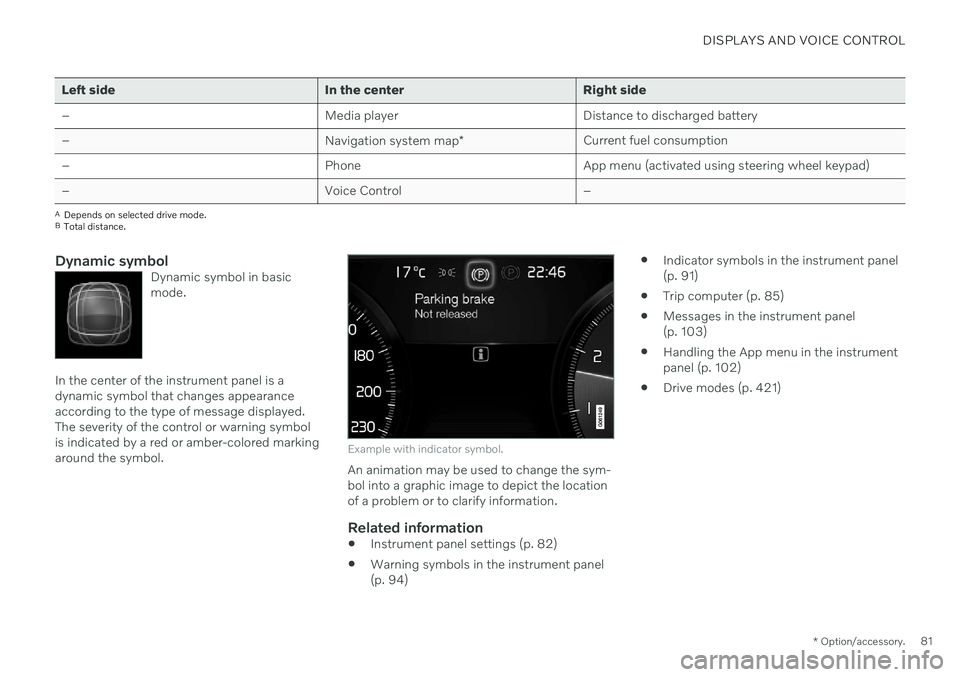
Dynamic symbolDynamic symbol in basic mode.
In the center of the instrument panel is a dynamic symbol that changes appearanceaccording to the type of message displayed.The severity of the control or warning symbolis indicated by a red or amber-colored markingaround the symbol.
Example with indicator symbol.
An animation may be used to change the sym- bol into a graphic image to depict the locationof a problem or to clarify information.
Related information
Instrument panel settings (p. 82)
Warning symbols in the instrument panel(p. 94)
Indicator symbols in the instrument panel(p. 91)
Trip computer (p. 85)
Messages in the instrument panel(p. 103)
Handling the App menu in the instrumentpanel (p. 102)
Drive modes (p. 421)
Page 84 of 673
DISPLAYS AND VOICE CONTROL
* Option/accessory.
82
Instrument panel settings
Display settings for the instrument panel can be set via the instrument panel's app menuand via the center display's Settings menu.
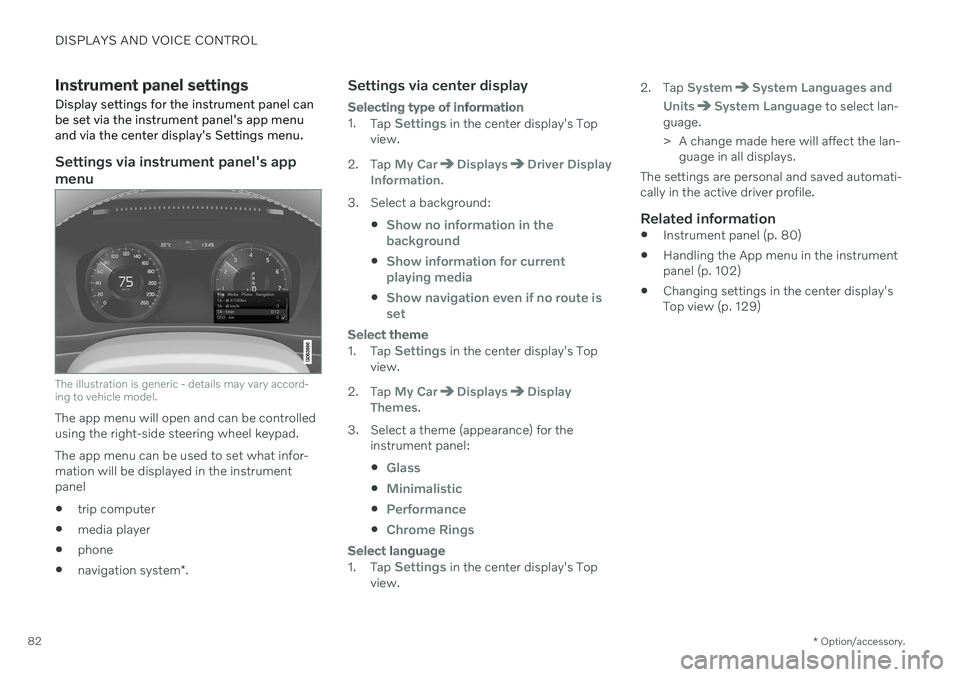
Settings via instrument panel's app menu
The illustration is generic - details may vary accord- ing to vehicle model.
The app menu will open and can be controlled using the right-side steering wheel keypad. The app menu can be used to set what infor- mation will be displayed in the instrumentpanel trip computer
media player
phone
navigation system
*.
Settings via center display
Selecting type of information
1.
Tap Settings in the center display's Top
view.
2. Tap
My CarDisplaysDriver Display
Information.
3. Select a background:
Show no information in the background
Show information for current playing media
Show navigation even if no route is set
Select theme
1.Tap Settings in the center display's Top
view.
2. Tap
My CarDisplaysDisplay
Themes.
3. Select a theme (appearance) for the instrument panel:
Glass
Minimalistic
Performance
Chrome Rings
Select language
1.Tap Settings in the center display's Top
view. 2. Tap
SystemSystem Languages and
Units
System Language to select lan-
guage.
> A change made here will affect the lan- guage in all displays.
The settings are personal and saved automati- cally in the active driver profile.
Related information
Instrument panel (p. 80)
Handling the App menu in the instrumentpanel (p. 102)
Changing settings in the center display'sTop view (p. 129)
Page 104 of 673

||
DISPLAYS AND VOICE CONTROL
102
App Functions Trip com- puterSelect a trip odometer,change instrument panel dis-play settings, etc.
Mediaplayer Select active source formedia player.
Phone Call a contact from the call list.
Navigation Guide to destination, etc.
Related information
Instrument panel (p. 80)
Center display overview (p. 107)
Handling the App menu in the instrument panel (p. 102)
Handling the App menu in the instrument panel
The App (application) menu in the instrument panel is controlled using the right-side steer-ing wheel keypad.
App menu and right-side steering wheel keypad. The illustration is generic.
Open/close
Left/right
Up/down
Confirm
Opening and closing the app menu–Tap open/close (1).
> The App men opens/closes.
NOTE
The App menu cannot be opened while there is an unacknowledged message inthe instrument panel. The message mustbe acknowledged before the App menucan be opened.
The App menu turns off automatically after a period of inactivity or after certain selectionsare made.
Navigating and making selections in the App menu
1. Navigate between apps by tapping left or right (2).
> Functions for the previous/next app willbe shown in the App menu.
2. Scroll through the functions for the selected app using the up or down arrows (3).
3. Confirm or make a selection for the func- tion by pressing confirm (4).
> The function will be activated and, forsome selections, the App menu will then close.
Page 108 of 673

||
DISPLAYS AND VOICE CONTROL
106
Handling saved messages
In expanded form, some messages have two buttons available for booking service or read-ing the Owner's Manual. Booking service for saved messages:
–With the message in expanded form, tapRequest appoint./Call to make
Appointment3 for assistance booking
service. > With
Request appoint.: TheAppointments tab will open in the app
and create a request for a service/repair appointment. With
Call to make Appointment: The
phone app will open and call a service center to make an appointment forservice or repairs.
Reading the Owner's Manual for saved mes-sages:
–With the message in expanded form, tapOwner's manual to read relevant infor-
mation about the message in the Owner's Manual.
> The Owner's Manual will open in the center display and provide information related to the message.
Saved messages in the app are automaticallydeleted each time the engine is started.
Related information
Messages in the instrument panel (p. 103)
Handling messages in the instrumentpanel (p. 104)
Messages in the center display (p. 137)
3
Market dependent. Volvo ID and selected workshop also need to be registered
Page 110 of 673
||
DISPLAYS AND VOICE CONTROL
* Option/accessory.
108
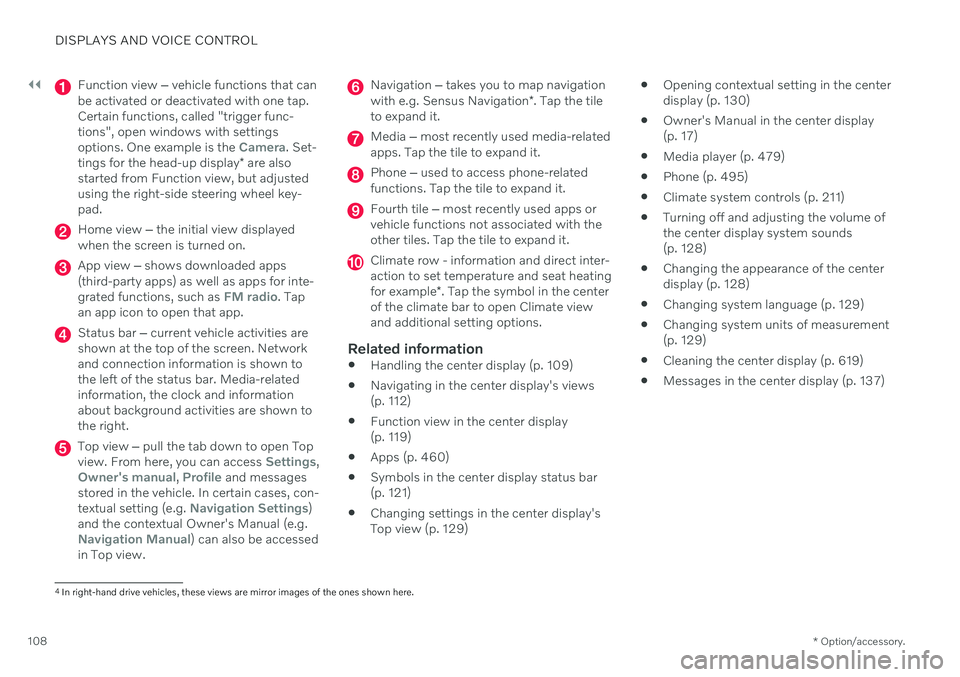
Function view ‒ vehicle functions that can
be activated or deactivated with one tap. Certain functions, called "trigger func-tions", open windows with settingsoptions. One example is the
Camera. Set-
tings for the head-up display * are also
started from Function view, but adjusted using the right-side steering wheel key-pad.
Home view ‒ the initial view displayed
when the screen is turned on.
App view ‒ shows downloaded apps
(third-party apps) as well as apps for inte- grated functions, such as
FM radio. Tap
an app icon to open that app.
Status bar ‒ current vehicle activities are
shown at the top of the screen. Network and connection information is shown tothe left of the status bar. Media-relatedinformation, the clock and informationabout background activities are shown tothe right.
Top view ‒ pull the tab down to open Top
view. From here, you can access Settings,Owner's manual, Profile and messages
stored in the vehicle. In certain cases, con- textual setting (e.g.
Navigation Settings)
and the contextual Owner's Manual (e.g.
Navigation Manual) can also be accessed
in Top view.
Navigation ‒ takes you to map navigation
with e.g. Sensus Navigation *. Tap the tile
to expand it.
Media ‒ most recently used media-related
apps. Tap the tile to expand it.
Phone ‒ used to access phone-related
functions. Tap the tile to expand it.
Fourth tile ‒ most recently used apps or
vehicle functions not associated with the other tiles. Tap the tile to expand it.
Climate row - information and direct inter- action to set temperature and seat heating for example *. Tap the symbol in the center
of the climate bar to open Climate view and additional setting options.
Related information
Handling the center display (p. 109)
Navigating in the center display's views (p. 112)
Function view in the center display (p. 119)
Apps (p. 460)
Symbols in the center display status bar(p. 121)
Changing settings in the center display'sTop view (p. 129)
Opening contextual setting in the centerdisplay (p. 130)
Owner's Manual in the center display(p. 17)
Media player (p. 479)
Phone (p. 495)
Climate system controls (p. 211)
Turning off and adjusting the volume ofthe center display system sounds(p. 128)
Changing the appearance of the centerdisplay (p. 128)
Changing system language (p. 129)
Changing system units of measurement(p. 129)
Cleaning the center display (p. 619)
Messages in the center display (p. 137)
4
In right-hand drive vehicles, these views are mirror images of the ones shown here.
Page 114 of 673
DISPLAYS AND VOICE CONTROL
* Option/accessory.
112
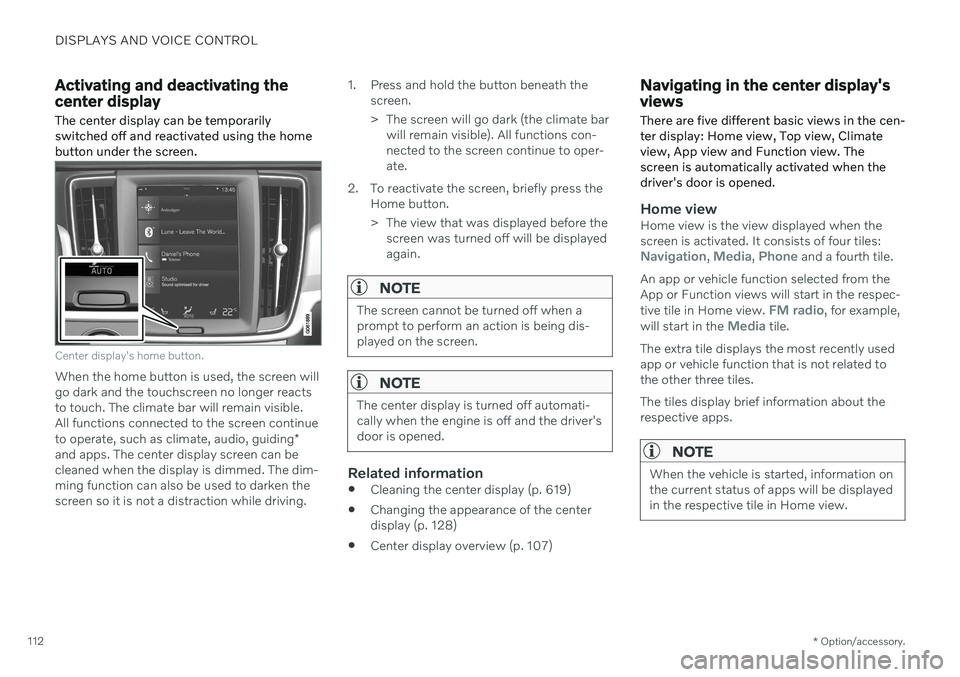
Activating and deactivating the center display The center display can be temporarily switched off and reactivated using the homebutton under the screen.
Center display's home button.
When the home button is used, the screen will go dark and the touchscreen no longer reactsto touch. The climate bar will remain visible.All functions connected to the screen continue to operate, such as climate, audio, guiding *
and apps. The center display screen can be cleaned when the display is dimmed. The dim-ming function can also be used to darken thescreen so it is not a distraction while driving. 1. Press and hold the button beneath the
screen.
> The screen will go dark (the climate barwill remain visible). All functions con- nected to the screen continue to oper-ate.
2. To reactivate the screen, briefly press the Home button.
> The view that was displayed before thescreen was turned off will be displayed again.
NOTE
The screen cannot be turned off when a prompt to perform an action is being dis-played on the screen.
NOTE
The center display is turned off automati- cally when the engine is off and the driver'sdoor is opened.
Related information
Cleaning the center display (p. 619)
Changing the appearance of the center display (p. 128)
Center display overview (p. 107)
Navigating in the center display's views
There are five different basic views in the cen- ter display: Home view, Top view, Climateview, App view and Function view. Thescreen is automatically activated when thedriver's door is opened.
Home viewHome view is the view displayed when the screen is activated. It consists of four tiles:
Navigation, Media, Phone and a fourth tile.
An app or vehicle function selected from the App or Function views will start in the respec- tive tile in Home view.
FM radio, for example,
will start in the Media tile.
The extra tile displays the most recently used app or vehicle function that is not related tothe other three tiles. The tiles display brief information about the respective apps.
NOTE
When the vehicle is started, information on the current status of apps will be displayedin the respective tile in Home view.
Page 118 of 673

DISPLAYS AND VOICE CONTROL
116
Handling tiles in the center display Home view consists of four tiles:
Navigation,Media, Phone and a fourth tile. These views
can be expanded.