light VOLVO V60 TWIN ENGINE 2020 Repair Manual
[x] Cancel search | Manufacturer: VOLVO, Model Year: 2020, Model line: V60 TWIN ENGINE, Model: VOLVO V60 TWIN ENGINE 2020Pages: 673, PDF Size: 14.2 MB
Page 220 of 673
||
CLIMATE CONTROL
218
Activating and deactivating the heated rear window and door mirrors fromthe center display
1. Tap the symbol in the center of the climatebar to open Climate view in the center dis- play.
2.Tap Rear.
> Heated windows and door mirrors are activated and the button lights up/goes out.
Related information
Climate system controls (p. 211)
Automatically activating and deactivatingthe heated rear window and door mirrors(p. 218)
Automatically activating and deactivating the heated rearwindow and door mirrors
The heated rear window and door mirrors are used to quickly remove condensation and icefrom the glass.
It is possible to select whether rear window and door mirror heating should be automati-cally activated or deactivated when the engineis started. With automatic start activated,heating will be activated when there is a riskof ice or condensation on the windows or mir-rors. Heating is automatically switched offwhen the window or door mirror is sufficientlywarm and the condensation or ice is gone. 1. Tap
Settings in the Top view in the center
display.
2. Tap
Climate.
3. Select
Auto Rear Defroster to activate/
deactivate automatic rear window and door heating.
Related information
Activating and deactivating the heatedrear window and door mirrors (p. 217)
Setting the blower speed for the front seats 2
The blower can be set to several different automatically controlled speeds for the frontseat.
1. Tap the symbol in the center of the climate bar to open Climate view in the center dis- play.
2The same setting applies to the rear seats with the 2-zone climate system.
Page 221 of 673
CLIMATE CONTROL
}}
219
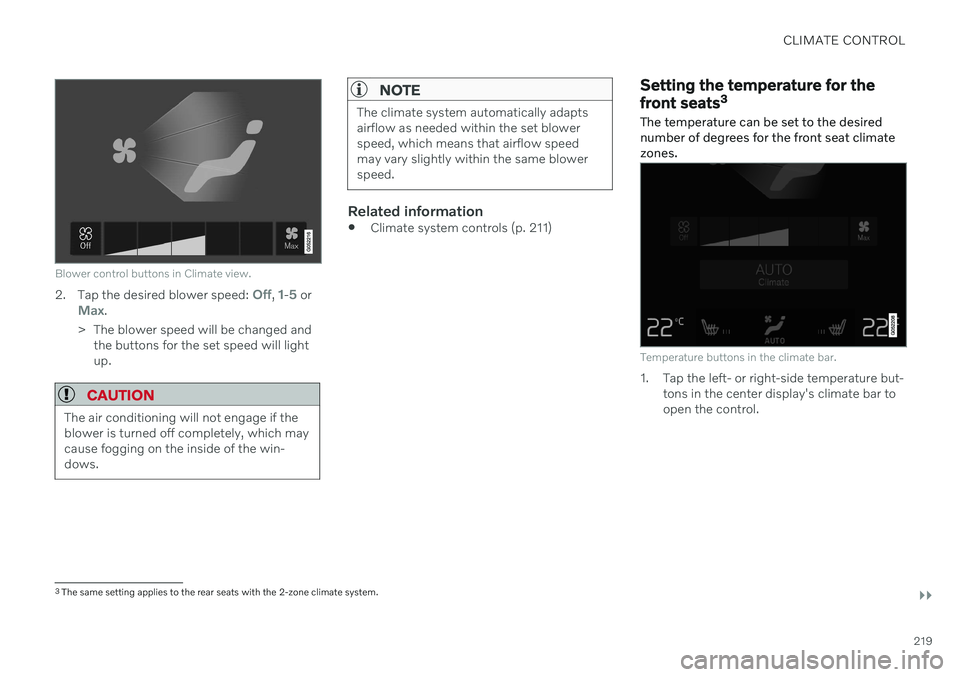
Blower control buttons in Climate view.
2.Tap the desired blower speed: Off, 1-5 orMax.
> The blower speed will be changed and the buttons for the set speed will light up.
CAUTION
The air conditioning will not engage if the blower is turned off completely, which maycause fogging on the inside of the win-dows.
NOTE
The climate system automatically adapts airflow as needed within the set blowerspeed, which means that airflow speedmay vary slightly within the same blowerspeed.
Related information
Climate system controls (p. 211)
Setting the temperature for the front seats 3
The temperature can be set to the desired number of degrees for the front seat climatezones.
Temperature buttons in the climate bar.
1. Tap the left- or right-side temperature but- tons in the center display's climate bar to open the control.
3The same setting applies to the rear seats with the 2-zone climate system.
Page 223 of 673
CLIMATE CONTROL
* Option/accessory.221
Activating and deactivating air conditioning
The air conditioning cools and dehumidifies incoming air as needed.
When the air conditioning is activated, it will be switched on and off automatically by theclimate system as needed.
1. Tap the symbol in the center of the climate bar to open Climate view in the center dis- play.
2.Tap AC.
> The air conditioning is activated/deacti- vated and the button lights up/goes out.
NOTE
For optimal air conditioning function, close all the side windows and the panoramic roof *.
NOTE
The air conditioning cannot be activated when the fan speed is set to Off.
Related information
Climate system controls (p. 211)
Parking climate
Parking climate is an umbrella term for vari- ous functions that improve the passengercompartment climate when the vehicle isparked, e.g. preconditioning.
Parking climate functions are con- trolled from the Parking climate tab
in the center display's Climate view. Tap the symbol in the center of the
climate bar to open Climate view.
Related information
Climate (p. 200)
Preconditioning (p. 222)
Climate comfort retaining function (p. 226)
Parking climate symbols and messages(p. 228)
Page 224 of 673
CLIMATE CONTROL
* Option/accessory.
222
Preconditioning
Preconditioning is a climate function that, if possible, attempts to achieve a comfortabletemperature in the passenger compartmentbefore driving.
Preconditioning can be started immediately or started at a preset time using a timer. The function utilizes several of the vehicle's systems:
In cold weather, the parking heater heatsthe passenger compartment to a comfort-able temperature.
In warm weather, air conditioning coolsthe passenger compartment to a comfort-able temperature.
The electrically heated steering wheel
*
and seats * can be activated.
Heating for the windshield, rear windowand door mirrors are automatically acti-vated as needed.
During preconditioning in a hot climate, con-densation from the air conditions may dripunder the vehicle. This is normal.
NOTE
Preconditioning is only available when the car is connected to an electrical outlet. Acharging post that is not always active, forexample because of a timer, can cause lossof function for preconditioning. If the vehicle is not connected to an electri- cal socket it is still possible in a warm cli-mate to achieve brief cooling of the pas-senger compartment by direct starting pre-conditioning.
NOTE
During preconditioning of the passenger compartment, the vehicle works to reach acomfortable temperature and not the tem-perature set in the climate system.
Related information
Parking climate (p. 221)
Starting and stopping preconditioning (p. 222)
Preconditioning timer (p. 223)
Starting and stopping preconditioning
Preconditioning heats or cools the passenger compartment, if possible, before driving. Thefunction can be started in the center displayor from a cellular phone.
Starting and stopping from the vehicle
1. Tap the symbol in the center of the climate bar to open Climate view in the center dis- play.
2. Select the
Parking climate tab.
3. Tap the boxes to select if seat/steering wheel heating should be activated along with preconditioning for each function.
4. Tap
Preconditioning.
> Preconditioning starts/stops and the button lights up/goes out.
Page 227 of 673

CLIMATE CONTROL
}}
225
Activating and deactivating preconditioning timer
Timer settings in the preconditioning timer can be activated or deactivated as needed.
Timer buttons in the Parking climate tab in Climate
view.
1. Open Climate view in the center display. 2. Select the
Parking climate tab.
3. Activate/deactivate a timer setting by tap- ping the timer button to the right of the setting.
> The timer setting is activated/deacti-vated and the button lights up/goes out.
Related information
Preconditioning (p. 222)
Preconditioning timer (p. 223)
Adding and editing timer settings for pre-conditioning (p. 224)
Deleting preconditioning timer settings(p. 225)
Deleting preconditioning timer settings
A preconditioning timer setting that is no longer needed can be deleted.
The button for editing a list/deleting a timer setting in the Parking climate tab in Climate view.
1. Open Climate view in the center display. 2.
Select the
Parking climate tab.
3. Tap
Edit list.
4. Tap the editing icon to the right in the list. >The icon will change to the text
Delete.
5. Tap
Delete to confirm.
> The timer setting will be deleted from the list.
Related information
Preconditioning (p. 222)
Preconditioning timer (p. 223)
Page 228 of 673

CLIMATE CONTROL
226
Adding and editing timer settings for pre- conditioning (p. 224)
Activating and deactivating precondition-ing timer (p. 225)
Climate comfort retaining function
The climate in the passenger compartment can be maintained when the vehicle isparked, e.g. if the engine is turned off but thedriver or passengers remain in the vehicle.
This function can only be direct-started. The function utilizes several of the vehicle's systems:
Residual heat from the engine is used tohelp heat the passenger compartment to acomfortable temperature.
In warm weather, the ventilation systemcools the passenger compartment byblowing air in from outside.
NOTE
Climate comfort maintenance will be deac- tivated if the vehicle is locked from the out-side in order to avoid using residual engineheat unnecessarily. This function isintended to be used to maintain climatecomfort when the driver or a passengerremains in the vehicle after the engine isturned off.
Related information
Parking climate (p. 221)
Starting and switching off the climate retaining function when parking (p. 226)
Starting and switching off the climate retaining function whenparking
The climate retaining function maintains the climate settings in the vehicle after theengine has been switched off. The functioncan be activated in the center display.
1. Tap the symbol in the center of the climate bar to open Climate view in the center dis- play.
2. Select the
Parking climate tab.
3. Tap
Keep climate comfort.
> The climate comfort retaining function will be activated/deactivated and the button light will go on/off.
NOTE
Maintained climate comfort is not possible when there is not sufficient residual engineheat to maintain the climate settings in thepassenger compartment, or if the outsidetemperature is above approximately 20 °C(68 °F).
Page 234 of 673

KEY, LOCKS AND ALARM
* Option/accessory.
232
Lock indication
The turn signals will flash when the vehicle is locked or unlocked.
Exterior confirmationLocking
The turn signals will flash once and the door mirrors will fold in 1
to confirm the
vehicle is locked.
Unlocking
The turn signals will flash twice and thedoor mirrors will fold out 1
to confirm the
vehicle is unlocked.
The tailgate, hood and all doors must be closed for confirmation to be given. If only thedriver's door is closed when the vehicle is locked 2
, the vehicle will be locked but the turn
signals will only flash to indicate locking when all doors and the tailgate and hood have beenclosed.
Lock and alarm indicators on the dashboard
The locks and alarm indicator will display the status of the locking system:
One long flash indicates locking.
When the vehicle is locked, this will beindicated by short, pulsating flashes.
Rapid flashing after disabling the alarmindicates that the alarm has been trig-gered.
Lock button indicators
Front door
Lock buttons with indicator lights in front door.
Illuminated indicator lights in both front door lock buttons indicate that all doors are locked.If any door is opened, the lights in both doorswill go out.
1
Only vehicles with power folding mirrors.
2 Does not apply to vehicles equipped with keyless locking/unlocking *.
Page 235 of 673

KEY, LOCKS AND ALARM
* Option/accessory.233
Rear door*
Lock button with indicator light in rear door.
Illuminated indicator lights in each door indi- cate that that particular door is locked. If anydoor is unlocked and opened, the indicatorlight in that door will go out. The lights in theother doors will remain illuminated.
Other indicatorsThe approach lighting and home safe lightingfunctions may be activated when locking andunlocking.
Related information
Lock confirmation settings (p. 233)
Welcome Light (p. 160)
Using home safe lighting (p. 160)
Lock confirmation settings
Settings for how the vehicle confirms locking and unlocking can be adjusted in the centerdisplay's Settings menu.
To change the locking response settings: 1. Tap
Settings in the center display's Top
view.
2. Tap
My CarLocking.
3. Tap
Visible Locking Feedback to select
when the vehicle should provide a visible response:
Lock
Unlock
Both
Or turn off the function by marking Off .
4. Select to receive an audible response when locking the vehicle by marking
Audible Locking Feedback.
To change the settings for folding door mir- rors * when locking:
1. Tap
Settings in the center display's Top
view.
2. Tap
My CarMirrors and Convenience.
3. Select
Fold Mirror When Locked to acti-
vate or deactivate the function.
Related information
Lock indication (p. 232)
Page 236 of 673

KEY, LOCKS AND ALARM
* Option/accessory.
234
Remote key
The remote key is used to lock and unlock doors and the tailgate. The remote key mustbe in the vehicle in order to start the engine.
Remote key 3
and button-less key (Key Tag) *.
The remote key is not physically used to start the ignition because the vehicle is standard-equipped with keyless start (Passive Start).The key only needs to be in the front section ofthe passenger compartment. For vehicles equipped with keyless locking and unlocking (Passive Entry) *, the engine can
be started with the key anywhere in the vehi- cle. A smaller, lighter and button-less key (KeyTag) is also provided. The remote keys can be linked to different driver profiles to store personal settings in thevehicle.
Remote key buttons
The remote key has four buttons, one on the left side and three on the right.
Locking - Press once to lock the doors,
tailgate and fuel filler door and arm the alarm. Press and hold to close all windows.
Unlocking - Press once to unlock the
doors and tailgate and disarm the alarm. Press and hold to open all windows at the same time. This total airing function canbe used to e.g. quickly air out the vehiclein hot weather.
Tailgate - Unlock and disarm the tailgate
only. On vehicles equipped with the power tailgate *, press and hold to automatically
open the tailgate. Press and hold to close an open tailgate (an audible warning sig- nal will be given).
Panic alarm - Used to attract attention in
emergency situations. Press and hold the button for at least 3 seconds or presstwice within 3 seconds to activate theturn signals and horn. To deactivate, waitat least 5 seconds and press the buttonagain. If no action is taken, the panic alarmwill deactivate automatically after 3minutes.
WARNING
If anyone is left in the vehicle, make sure that power to the power windows and pan- oramic roof * is cut off by always taking the
remote key with you when you leave the vehicle.
3 The illustration is generic - details may vary according to vehicle model.
Page 240 of 673

KEY, LOCKS AND ALARM
* Option/accessory.
238
Unlocking the tailgate using the remote key
The remote key can be used to unlock the tailgate while keeping the rest of the vehiclelocked.
1. Press the button on the remote key.
> The tailgate will be unlocked but remain closed. The side doors remain locked and armed. The lock and alarm indicator onthe dashboard will go out to indicatethat the vehicle is no longer fullylocked. Press lightly on the rubberized pressure plate under the tailgate handle to openthe tailgate. If the tailgate is not openedwithin 2 minutes, it will be relocked andthe alarm armed. 2.
With the optional power tailgate
* .
Hold and press (about 1.5 seconds) the
button on the remote key.
> The tailgate will unlock and open. How- ever, the side doors will remain locked and armed.
Related information
Locking and unlocking using the remotekey (p. 236)
Opening and closing the power tailgate
*
(p. 257)
Remote key range
In order to function correctly, the remote key must be within a certain distance from thevehicle.
Manual useThe remote key's functions for e.g. locking and unlocking, which are activated by pressing
or , have a range of approx. 20 meters
(65 feet) from the vehicle. If the vehicle's locks do not react, move closer and try again.
Keyless * use
The shaded areas around the vehicle illustrate the range of the system's antennas.
For keyless use, a remote key or the Key Tag must be within the shaded areas shown in theillustration, i.e. a semicircle with a radius of