key VOLVO V70 2002 Owner's Manual
[x] Cancel search | Manufacturer: VOLVO, Model Year: 2002, Model line: V70, Model: VOLVO V70 2002Pages: 123, PDF Size: 3.25 MB
Page 85 of 123

Replacement of rear turn signal and brake light bulbs
Switch off all lights and turn the ignition switch to position 0.
Using a screwdriver, carefully pry off the speaker grille.
Pull out the red tab in the speaker.
Then press on the black pin above the extracted red tab and twist out the speaker.
Twist the bulb holder counter-clockwise, and withdraw it.
Fit a new bulb.
Fit the bulb holder in place and twist it clockwise.
Refit the speaker and press in the red tab.
Press the speaker grille back into position.
pg. 119 Replacing bulbs
Front fog lights (option)
CAUTION:
Avoid touching the glass on the bulb with your fingers.
Switch off all lights and turn the ignition key to position 0.
Turn the bulb holder slightly counter-clockwise to release it.
Replace the bulb. The shape of the base of the bulb corresponds to the shape of the bulb holder.
Reinstall the bulb holder by turning it slightly clockwise. "TOP" on the holder should be upward.
ProCarManuals.com
Page 104 of 123

11. 2 channel stereo
12 3 channel stereo
13. CD slot
14. CD random play
15. Program type
16. News
17. Traffic information
18. Automatic presetting of radio stations
19. Display
pg. 149 Audio systems HU-413/HU-613/HU-803
Switch on/off
Press the knob to switch on or turn off the radio.
Volume control
Turn the knob clockwise to increase volume. Volume control is electronic and does not have an end stop. If you have
a key pad in the steering wheel, increase or decrease the volume with the + or - buttons.
Bass
Adjust the bass by pressing the button to ex -tend the control and turning it to the left (less bass) or to the right (more
bass). A "detent" indicates "equalized" bass. Press the button back in when you have made the adjustment.
Treble
Adjust the treble by pressing the button to ex -tend the control, pulling it out as far as possi-ble, and then turning it to
the left (less treble) or to the right (more treble). A "detent" indicates "equalized" treble. Press the button back in when
you have made the adjustment.
ProCarManuals.com
Page 106 of 123

A - Setting station
Press the left side of the button to select lower frequencies and the right side for higher frequencies. Set frequencies are
displayed.
B - Station seek up/down
Press the left side (lower frequency) or right side (higher frequency) of the button to start the seek function. The radio
seeks the next audible station and tunes it in. Repeat the procedure to continue the seek function.
Station seek up/down
If you have a key pad in the steering wheel press the right or left arrow to switch between preset stations.
Scan function
Press the SCAN button (HU-613) or the SOURCE button (HU-803) to start the station scan function. When a station
is found, scanning stops for several seconds, after which scanning will continue.
Press the SCAN or SOURCE button when a station has been found if you would like to listen to that station and to
discontinue the scan function.
pg. 151 Audio systems HU-413/HU-613/HU-803 - radio
A - Automatic station preset
This function seeks and stores up to 10 strong AM or FM stations in a separate memory. This function is especially
useful in areas where you are not familiar with the radio stations.
1. Press in the "AUTO" button. A number of strong signal stations (max. 10) from the currently selected waveband are
now stored automatically in the memory. An "A" and "AUTO" is displayed. If there is no station with sufficient signal
strength "NO STATION" is displayed.
ProCarManuals.com
Page 111 of 123

The remaining two HomeLink® buttons can be programmed in the same way. In the event of any problems in
programming the HomeLink® Universal Transceiver, call toll-free 1-800-355-3515 (Internet: www.HomeLink.com
).
Operating the HomeLink® Universal Transceiver
Once programmed, the HomeLink® Universal Transceiver can be used in place of your hand -held transmitters.
To operate, the key must be turned to the "accessory" position (II) or the engine must be running. Press the
programmed HomeLink® button to activate the garage door, driveway gate, security lighting, home security system,
etc.
Your original hand -held transmitters may, of course, be used at any time.
Erasing programmed buttons
Individual buttons cannot be erased. To erase all three programmed buttons:
1. Turn the ignition key to the "accessory" position (II).
2. Hold down the two outside buttons on the HomeLink® Universal Transceiver for about 20 seconds, until
HomeLink®'s indicator light begins to flash.
3. Release both buttons.
The HomeLink® buttons can be reprogrammed using the procedures described on the previous page.
(HomeLink® information continues on the next page)
pg. 164 HomeLink® Universal Transceiver (option)
Reprogramming a single HomeLink® button
1. Press and hold the desired HomeLink® button. Do not release the button until step 3 has been completed.
2. When the indicator light begins to flash slowly (after approximately 20 seconds), position your hand -held
transmitter 2 to 5 in. (5 to 12 cm) away from the HomeLink® surface.
3. Press and hold the hand -held transmitter button. The HomeLink® indicator light will flash first slowly, then rapidly.
When the indicator light flashes rapidly, release both buttons.
The previously programmed device has now been erased and the new device can be activated by pressing the
HomeLink® button that has just been programmed. This procedure will not affect any other programmed HomeLink®
buttons.
NOTE:
Retain the original transmitter(s) for future programming procedures (e.g., if you purchase a new car).
For your own security, erase all programmed buttons on the HomeLink® Universal Transceiver when you sell your
car.
Metallic sun protection films should not be used on any windows in a car equipped with HomeLink® Universal
Transceiver. This could interfere with the transceiver's function.
Contents | Top of Page
ProCarManuals.com
Page 114 of 123

Cold weather driving99
Combination filter44, 47
Coolant127
Cooling system - general information90
Courtesy light70
Courtesy lights (front) - replacing121
Courtesy lights - exterior72
Cruise control31
Cup holder55, 56
Cup holder in the center console55
D
Detachable trailer hitch - installing96
Detachable trailer hitch - removing97
Dimensions139
Direction indicators34
Distributor ignition system142
Door step courtesy lights - replacing120
Doors and locks72
Drive belt127
Driver's seat and remote keyless entry system53
Driving economy89
Driving mode indicator25
Driving mode W86, 88, 99
Driving with trunk open90
E
Economical driving89
Electric socket in cargo compartment63
Electrical system143
Electrical system - general information90
Electrically operated front seats52
Electrically operated sideview mirrors39
Electrically operated sun roof40
Electrically operated windows38
Electronic Brake Force Distribution19
Electronic Climate Control (ECC)44 - 47
Emergency Locking Retractor (ELR)14
Emergency towing93, 94
Emergency warning flashers36
Emissions systems126
Engine - specifications140
Engine - starting83
Engine air filter128
Engine compartment130
Engine oil99, 131, 132
ProCarManuals.com
Page 116 of 123

Headlight wiper blades - replacing136
Headlights32
Heated front seats36
Heated rear window36
Heated sideview mirrors36
Heating44 - 47
Hoisting the car129
Holder for grocery bags63
Home Safe System72
HomeLink®162-164
Hood - opening130
I
Ignition switch33
Immobilizer (start inhibitor)72, 83
Indicator lights26, 27
Inflatable curtain (IC)9
Instrument illumination32
Instrument panel25
Instruments24
Integrated booster cushion12
Interior Air Quality system47
Interior features - overview22
Interior lighting70
J
Jack68
, 109
Jump starting98
K
Key - removing from ignition switch83
Keyless entry system73, 74
Keyless entry system - replacing batteries74
Keylock83
Keys72
Kickdown86, 87
L
Label information136
License plate lights - replacing116
Lifting the car127
Lights - accessory29
Load carriers88
Locking and unlocking the car72
Locking steering wheel33
Long distance trip97
Long loads51
M
ProCarManuals.com
Page 117 of 123
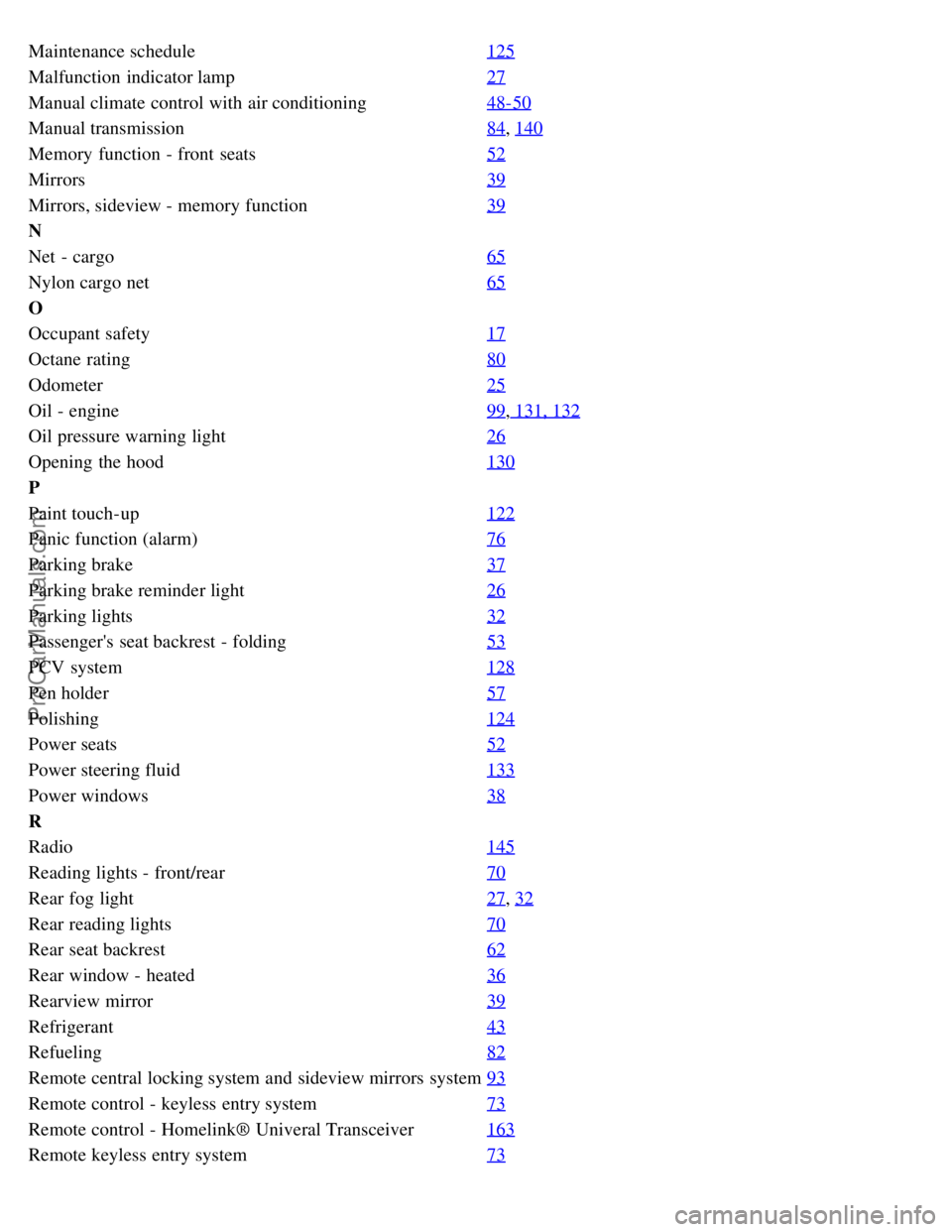
Maintenance schedule125
Malfunction indicator lamp27
Manual climate control with air conditioning48-50
Manual transmission84, 140
Memory function - front seats52
Mirrors39
Mirrors, sideview - memory function39
N
Net - cargo65
Nylon cargo net65
O
Occupant safety17
Octane rating80
Odometer25
Oil - engine99, 131, 132
Oil pressure warning light26
Opening the hood130
P
Paint touch-up122
Panic function (alarm)76
Parking brake37
Parking brake reminder light26
Parking lights32
Passenger's seat backrest - folding53
PCV system128
Pen holder57
Polishing124
Power seats52
Power steering fluid133
Power windows38
R
Radio145
Reading lights - front/rear70
Rear fog light27, 32
Rear reading lights70
Rear seat backrest62
Rear window - heated36
Rearview mirror39
Refrigerant43
Refueling82
Remote central locking system and sideview mirrors system93
Remote control - keyless entry system73
Remote control - Homelink® Univeral Transceiver163
Remote keyless entry system73
ProCarManuals.com
Page 118 of 123
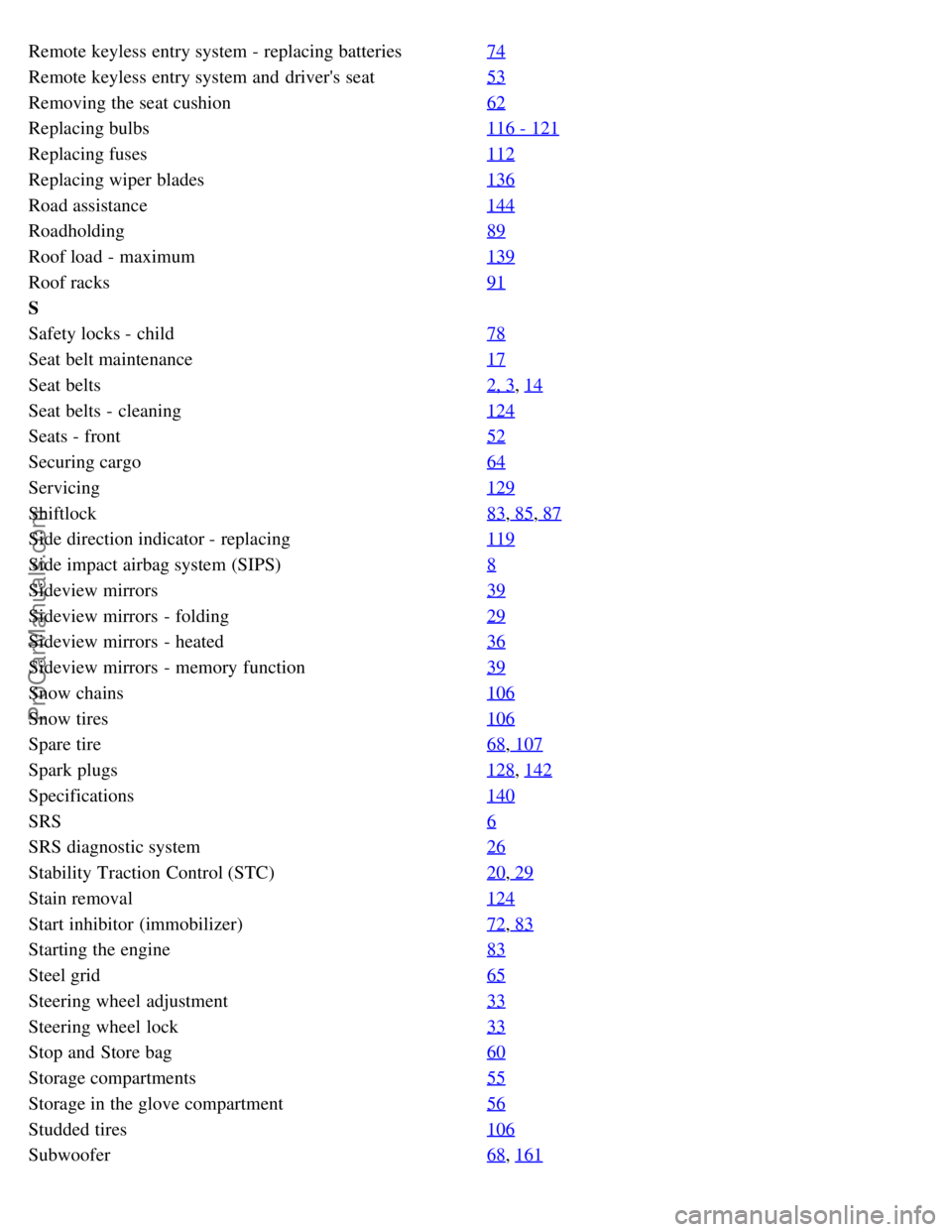
Remote keyless entry system - replacing batteries74
Remote keyless entry system and driver's seat53
Removing the seat cushion62
Replacing bulbs116 - 121
Replacing fuses112
Replacing wiper blades136
Road assistance144
Roadholding89
Roof load - maximum139
Roof racks91
S
Safety locks - child78
Seat belt maintenance17
Seat belts2, 3, 14
Seat belts - cleaning124
Seats - front52
Securing cargo64
Servicing129
Shiftlock83, 85, 87
Side direction indicator - replacing119
Side impact airbag system (SIPS)8
Sideview mirrors39
Sideview mirrors - folding29
Sideview mirrors - heated36
Sideview mirrors - memory function39
Snow chains106
Snow tires106
Spare tire68, 107
Spark plugs128, 142
Specifications140
SRS6
SRS diagnostic system26
Stability Traction Control (STC)20, 29
Stain removal124
Start inhibitor (immobilizer)72, 83
Starting the engine83
Steel grid65
Steering wheel adjustment33
Steering wheel lock33
Stop and Store bag60
Storage compartments55
Storage in the glove compartment56
Studded tires106
Subwoofer68, 161
ProCarManuals.com