alarm VOLVO V70 2003 Owners Manual
[x] Cancel search | Manufacturer: VOLVO, Model Year: 2003, Model line: V70, Model: VOLVO V70 2003Pages: 117, PDF Size: 2.56 MB
Page 2 of 117
Volvo Cars of North America Volvo Canada Ltd.
Customer Relations175 Gordon Baker Road
P.O. Box 914 North York, Ontario M2H 2N7
Rockleigh, New Jersey 07647-0914 800-663-8255
800-458-1552
We also invite you to visit our Home Page on the Internet at:
http://www.volvocars.com
Contents Contents
Chapter 1 - Safety
Chapter 2 - Instruments, switches and controls
Chapter 3 - Climate control system
Chapter 4 - Interior
Chapter 5 - Keys, Locks, Alarm
Chapter 6 - Starting and driving
Chapter 7 - Wheels and tires
Chapter 8 - Maintenance/Servicing
Chapter 9 - Specifications
Chapter 10 - Audio systems
HomeLink® Universal Transceiver (option)
Index
Back Cover
General information
Shiftlock
When your car is parked, the gear selector is locked in the (P)ark position. To release the selector from this position,
turn the ignition key to position II (or start the engine), depress the brake pedal, press the button on the front of the
gear selector knob and move the selector from (P)ark.
Keylock
This means that when you switch off the ignition, the gear selector must be in the (P)ark position before the key can be
removed from the ignition switch.
ProCarManuals.com
Page 25 of 117

FIX NEXT SERVICE: Have the system affected inspected at the next scheduled maintenance service.
TIME FOR REGULAR SERVICE: This light will come on at 7,500 mile (12,000 km) intervals, after 750 hours of
driving or after 12 months, whichever occurs first, to remind the driver that the service interval has been exceeded. The
light will stay on for 2 minutes after start until reset by the servicing retailer.
pg. 31 Switches in the center console
The positions of these buttons may vary, depending on the specifications of your car
1. Not in use
2. Not in use
3. Not in use
4. Stability Traction Control (STC)*/Dynamic Stability Traction Control (DSTC)**
Press this switch for at least half a second to turn the Spin Control (SC) function of the STC/DSTC system on or off.
An LED in the switch will light up to indicate that the system is on. See pages 20-21
for more information on
STC/DSTC. The SC function should be switched off if you, for any reason, temporarily have to drive with tires of
different dimensions (e.g., spare tire).
To help reduce the risk that the SC function is turned off inadvertently, the switch must be held in for at least half a
second to disable this function. " STC/DSTC SPIN CONTROL OFF" will be displayed in the text window.
WARNING!
Please be aware that the car's handling characteristics may be affected if the Spin Control function is switched off.
5. Not in use
6. This button is used to temporarily disconnect alarm sensors. See page 79
for further information.
7. Not in use
8. Auxiliary socket
This 12 volt socket can be used to plug in certain accessories such as cellular telephones, etc. The ignition key must be
in position 1 (or higher) for the auxiliary socket to function.
NOTE: The auxiliary sockets can also be used for cigarette lighters, which are available at your Volvo retailer.
* Standard on all models except the T5 turbo.
** Standard on the T5 turbo, optional on all other models.
pg. 32 Trip computer (option)
ProCarManuals.com
Page 45 of 117
2 0 0 3
VOLVO V70
Chapter 5 - Keys, Locks, Alarm
pg.75 Keys, Locks, Alarm
Keys, Exterior courtesy lights, Locking and unlocking the car76
Remote keyless entry system77
Unlocking the tailgate, Central locking buttons, "Trunk lock" function79
Alarm80
Child safety locks - rear doors82
pg. 76 Keys, Exterior courtesy lights, Locking and unlocking the car
Keys
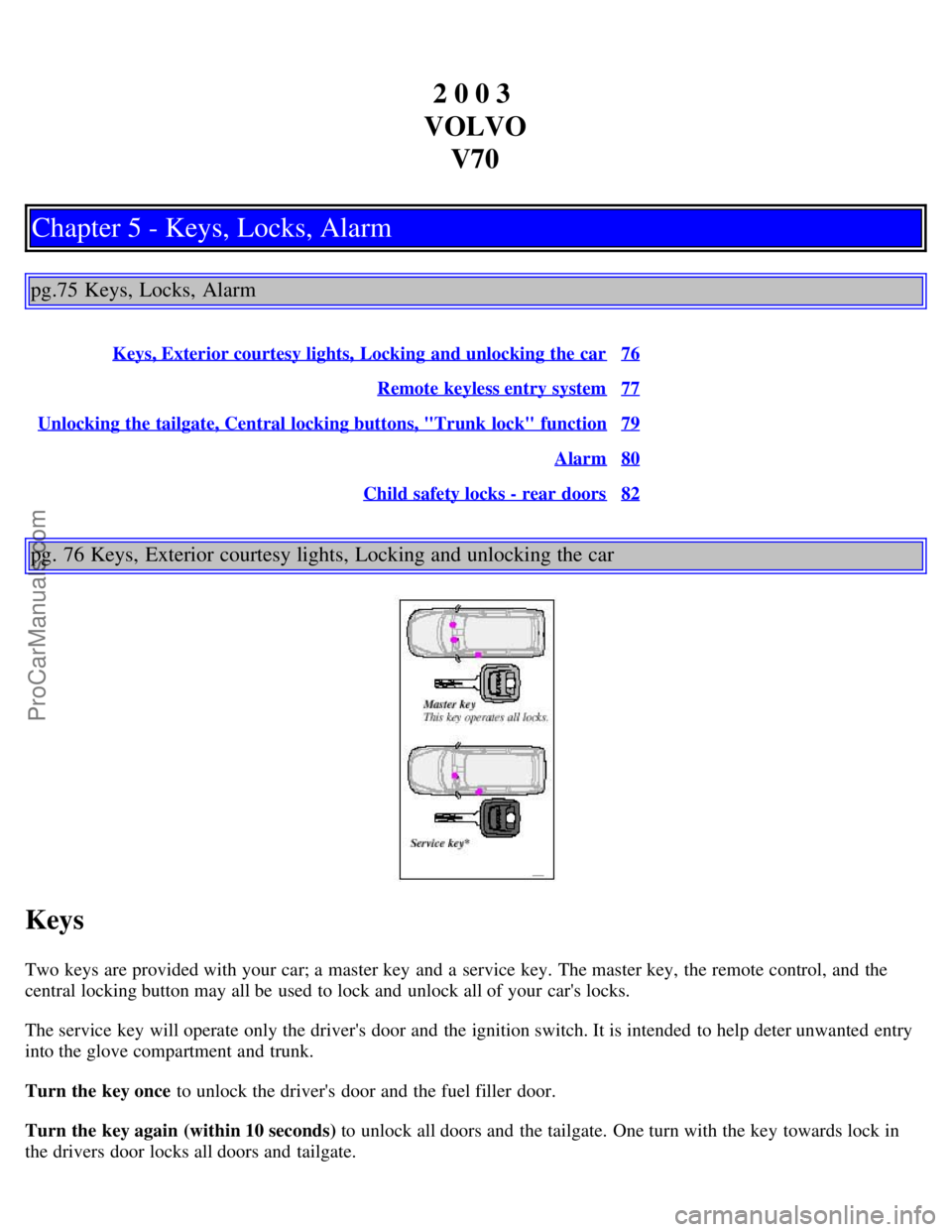
Two keys are provided with your car; a master key and a service key. The master key, the remote control, and the
central locking button may all be used to lock and unlock all of your car's locks.
The service key will operate only the driver's door and the ignition switch. It is intended to help deter unwanted entry
into the glove compartment and trunk.
Turn the key once to unlock the driver's door and the fuel filler door.
Turn the key again (within 10 seconds) to unlock all doors and the tailgate. One turn with the key towards lock in
the drivers door locks all doors and tailgate.
ProCarManuals.com
Page 47 of 117
Remote keyless entry system
Your car is equipped with a remote control transmitter. This transmitter uses a radio frequency which will allow
"keyless" entry into the passenger compartment or the tailgate. Your car is supplied with two coded key ring
transmitters, which will enable you to lock/ unlock all doors and the tailgate from a distance of 10-15 feet (3-5 meters).
The remote transmitter will also activate or deactivate the your car's alarm system(s). The car can also be
locked/unlocked with the key.
If one of the transmitters is misplaced, contact your nearest authorized Volvo retailer for assistance.
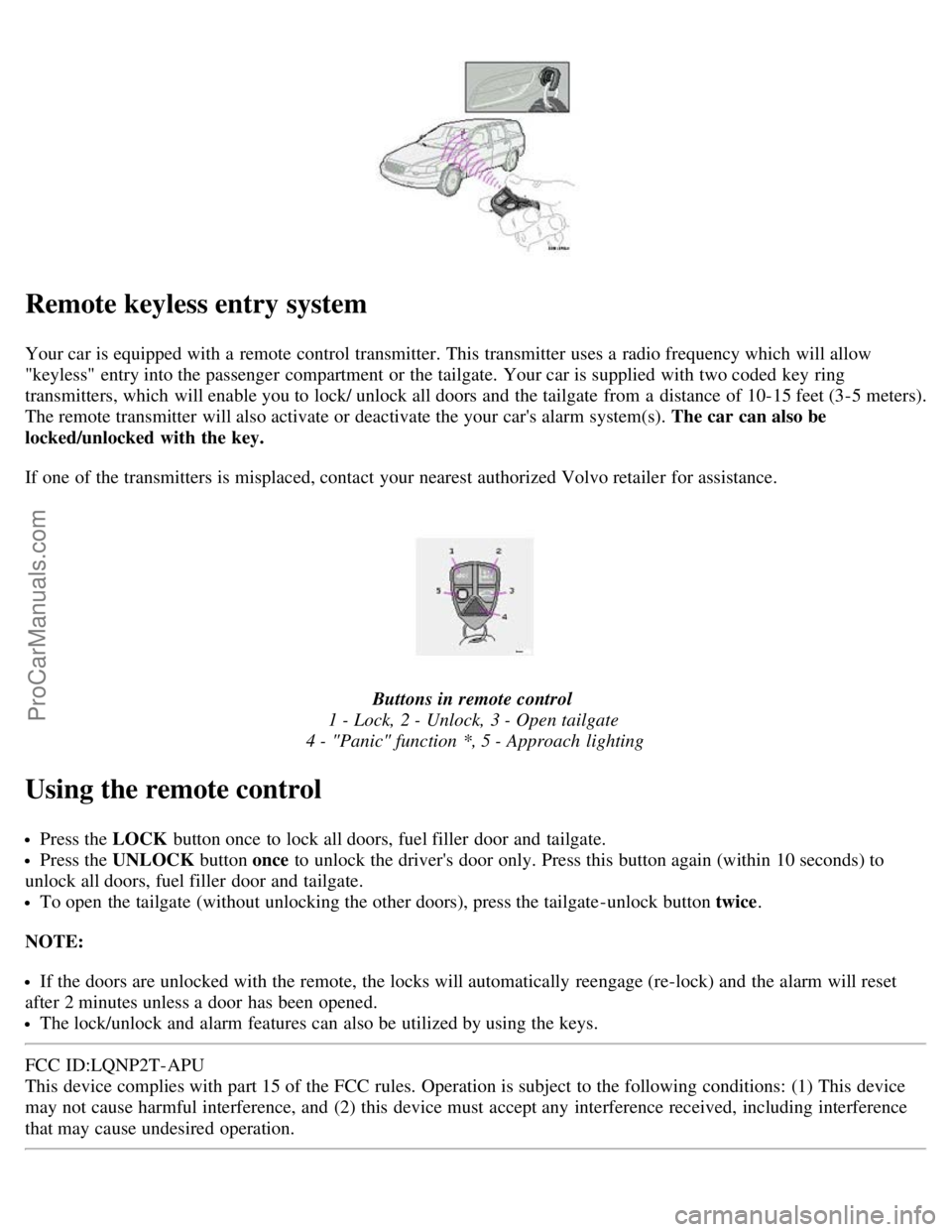
Buttons in remote control
1 - Lock, 2 - Unlock, 3 - Open tailgate
4 - "Panic" function *, 5 - Approach lighting
Using the remote control
Press the LOCK button once to lock all doors, fuel filler door and tailgate.
Press the UNLOCK button once to unlock the driver's door only. Press this button again (within 10 seconds) to
unlock all doors, fuel filler door and tailgate.
To open the tailgate (without unlocking the other doors), press the tailgate -unlock button twice .
NOTE:
If the doors are unlocked with the remote, the locks will automatically reengage (re-lock) and the alarm will reset
after 2 minutes unless a door has been opened.
The lock/unlock and alarm features can also be utilized by using the keys.
FCC ID:LQNP2T-APU
This device complies with part 15 of the FCC rules. Operation is subject to the following conditions: (1) This device
may not cause harmful interference, and (2) this device must accept any interference received, including interference
that may cause undesired operation.
ProCarManuals.com
Page 48 of 117

Canadian 2306104388
Model 504 2927 by Donnelly Operation is subject to the following conditions: (1) this device may not cause
interference, and (2) this device must accept any interference, including interference that may cause undesired
operation of the device
Canadian 2306104388A
Model 509 977 by Connaught Electronics Operation is subject to the following conditions: (1) this device may not
cause interference, and (2) this device must accept any interference, including interference that may cause undesired
operation of the device
* See page 80
for more information on this function.
pg. 78 Remote keyless entry system
Remote keyless entry system - replacing batteries
If the range of the transmitter is noticeably reduced, this indicates that the battery is weak and should be replaced.
To replace the battery
Remove the screw on the transmitter cover with a small screwdriver
Remove the cover carefully pressing it rearward/upward
Replace the battery with a new 3-volt, CR 2032 battery. The battery should be inserted with the minus side upward.
Avoid touching the contact surfaces of the battery with your fingers.
Reinstall the cover and tighten the screw to help protect the transmitter.
NOTE: The old battery should be disposed of properly at a recycling center or at your Volvo retailer.
WARNING!
Volvo does not recommend using the transmitter to lock the doors from inside the car. The alarm would be activated
and would sound when one of the doors is opened. The doors must not be locked using the remote transmitter while
the vehicle is occupied. In case of an accident, this may hinder rapid access to the occupants of the vehicle. The
alarm will also sound.
pg. 79 Locking and unlocking the car
ProCarManuals.com
Page 49 of 117
Unlocking the tailgate
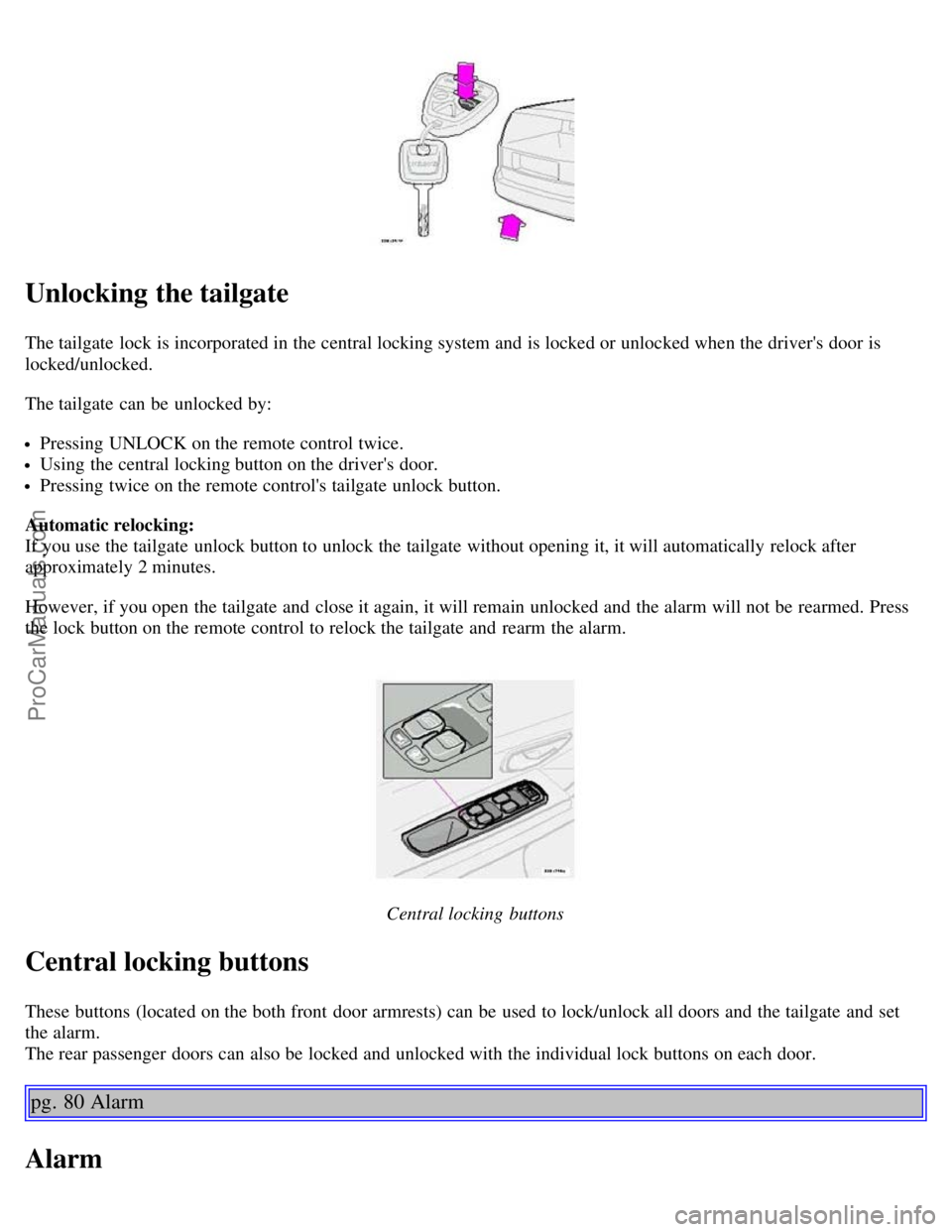
The tailgate lock is incorporated in the central locking system and is locked or unlocked when the driver's door is
locked/unlocked.
The tailgate can be unlocked by:
Pressing UNLOCK on the remote control twice.
Using the central locking button on the driver's door.
Pressing twice on the remote control's tailgate unlock button.
Automatic relocking:
If you use the tailgate unlock button to unlock the tailgate without opening it, it will automatically relock after
approximately 2 minutes.
However, if you open the tailgate and close it again, it will remain unlocked and the alarm will not be rearmed. Press
the lock button on the remote control to relock the tailgate and rearm the alarm.
Central locking buttons
Central locking buttons
These buttons (located on the both front door armrests) can be used to lock/unlock all doors and the tailgate and set
the alarm.
The rear passenger doors can also be locked and unlocked with the individual lock buttons on each door.
pg. 80 Alarm
Alarm
ProCarManuals.com
Page 50 of 117

The alarm is automatically armed whenever you lock your car. When armed, the alarm continuously monitors a
number of points on the car. The following conditions will set off the alarm:
The hood is forced open.
The tailgate is forced open.
A door is forced open.
The ignition switch is tampered with.
If there is movement in the passenger compartment (if the car is equipped with the optional movement sensor).
The car is lifted or towed (if the car is equipped with the optional inclination sensor).
The battery is disconnected (while the alarm is armed).
Arming the alarm
Press the LOCK button on the remote control, lock the car using the key in the driver's door or press the central lock
button on one of the front doors with the door open. One long flash of the turn signals will confirm that the alarm is
armed.
Disarming the alarm
Press the UNLOCK button on the remote control or unlock the doors with the key.
Turning off (stopping) the alarm
If the alarm is sounding, it can be stopped by pressing the UNLOCK button on the remote control or by unlocking the
driver's door with the key.
Visual alarm signal
The visual alarm signal is given by flashing all turn signals and turning on the interior lighting for approximately 5
minutes.
Audible alarm signal
An audible alarm signal is given by a battery powered siren. One alarm cycle lasts for 25 seconds.
"Panic" button
In an emergency situation, this feature can be used to attract attention. Activate the "panic" function by pressing the
red button on the remote control (see illustration on page 77
) for at least 3 seconds or by pressing this button twice
within 3 seconds. The turn signals will flash, the interior lights will go on and the car's horn will sound.
The function can be turned off by pressing any of the buttons on the remote control or will stop automatically
after 25 seconds. When a button is pressed, there is a 5 second delay before the panic alarm is deactivated.
NOTE: This function will NOT unlock the car.
pg. 81 Alarm
ProCarManuals.com
Page 51 of 117

Temporarily turning off the alarm sensor(s) - accessory
This button will only be found in cars equipped with the optional inclination and/or movement sensors.
In certain situations it may be desirable to turn off the optional inclination and movement alarm sensors if, for
example, you drive your car onto a ferry where the rocking of the boat could trigger the alarm or if a pet is left in the
car with the doors locked.
To temporarily turn off the inclination and movement alarm sensors from the alarm system:
From the time the ignition key is turned from the Drive position (position II) until you lock the car, you can press the
button in the center console *. The LED in the switch will light up and a message will be displayed in the text window
to indicate that the sensors are disconnected.
The car can then be locked in the usual way to set the alarm.
NOTE: The optional sensors are automatically reconnected to the alarm system the next time the car is unlocked and
then locked again.
LED alarm status signals
The status of the alarm system is indicated by the red LED at the top of the dash:
LED off - the alarm is not armed
LED flashes once per second - the alarm is armed
LED flashes rapidly before the ignition is switched on - the alarm has been triggered
Fault in the alarm system: If a fault has been detected in the alarm system, a message will be displayed in the text
window. Contact a Volvo retailer.
Automatic re-lock/re-arm system
If the car is unlocked with the remote, the car will re-lock and the alarm will re-arm after 2 minutes unless a door or
the tailgate has been opened.
* The position of this button may vary, depending on the specifications of your car.
pg. 82 Child safety locks - rear doors
ProCarManuals.com
Page 85 of 117
33 Fuel pump15A
34 Power sun roof15A
35 Central locking system, power windows - left door mirror 25A
36 Central locking system, power windows - right door mirror 25A
37 Rear power windows, power child safety 30A
38 Alarm siren 5A
* Please be aware that if this fuse is not intact, or if it is removed, the alarm will sound.
pg. 119 Fuses in the cargo area
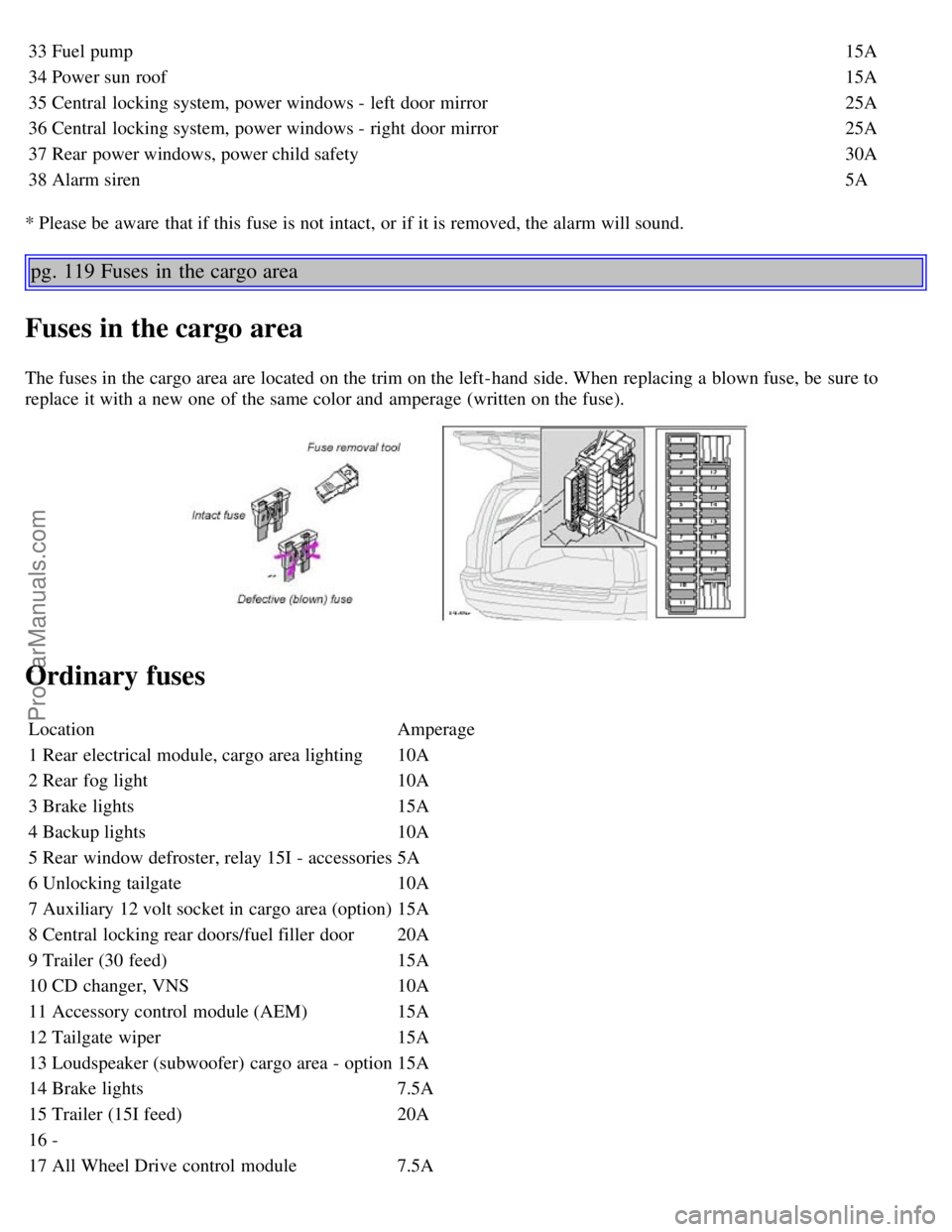
Fuses in the cargo area
The fuses in the cargo area are located on the trim on the left-hand side. When replacing a blown fuse, be sure to
replace it with a new one of the same color and amperage (written on the fuse).
Ordinary fuses
Location Amperage
1 Rear electrical module, cargo area lighting 10A
2 Rear fog light 10A
3 Brake lights 15A
4 Backup lights 10A
5 Rear window defroster, relay 15I - accessories 5A
6 Unlocking tailgate 10A
7 Auxiliary 12 volt socket in cargo area (option) 15A
8 Central locking rear doors/fuel filler door 20A
9 Trailer (30 feed) 15A
10 CD changer, VNS 10A
11 Accessory control module (AEM) 15A
12 Tailgate wiper 15A
13 Loudspeaker (subwoofer) cargo area - option 15A
14 Brake lights 7.5A
15 Trailer (15I feed) 20A
16 -
17 All Wheel Drive control module 7.5A
ProCarManuals.com
Page 106 of 117
2 0 0 3
VOLVO V70
INDEX
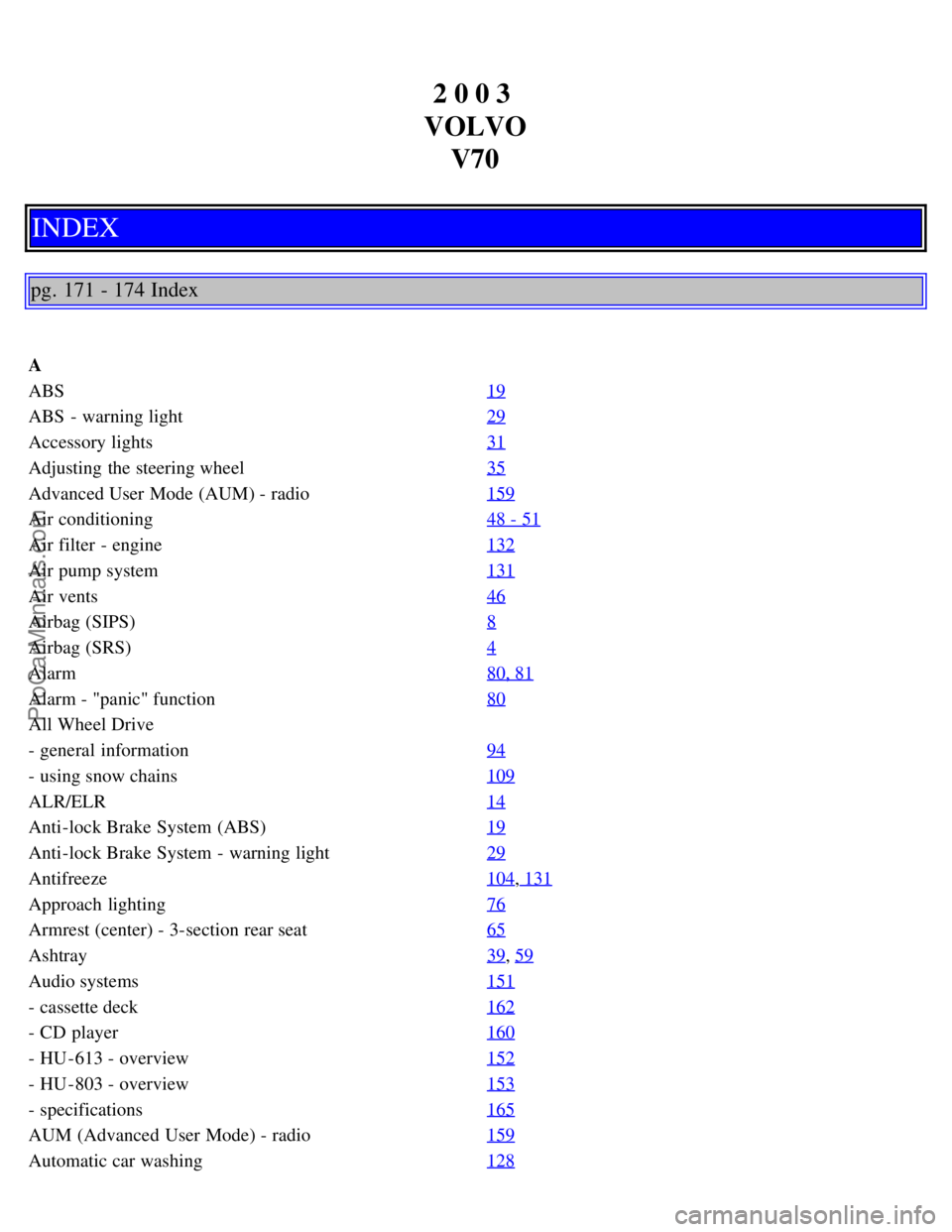
pg. 171 - 174 Index
A
ABS 19
ABS - warning light29
Accessory lights31
Adjusting the steering wheel35
Advanced User Mode (AUM) - radio159
Air conditioning48 - 51
Air filter - engine132
Air pump system131
Air vents46
Airbag (SIPS)8
Airbag (SRS)4
Alarm80, 81
Alarm - "panic" function80
All Wheel Drive
- general information94
- using snow chains109
ALR/ELR14
Anti-lock Brake System (ABS)19
Anti-lock Brake System - warning light29
Antifreeze104, 131
Approach lighting76
Armrest (center) - 3-section rear seat65
Ashtray39, 59
Audio systems151
- cassette deck162
- CD player160
- HU -613 - overview152
- HU -803 - overview153
- specifications165
AUM (Advanced User Mode) - radio159
Automatic car washing128
ProCarManuals.com