radio VOLVO V70 2006 User Guide
[x] Cancel search | Manufacturer: VOLVO, Model Year: 2006, Model line: V70, Model: VOLVO V70 2006Pages: 138, PDF Size: 3.53 MB
Page 121 of 138
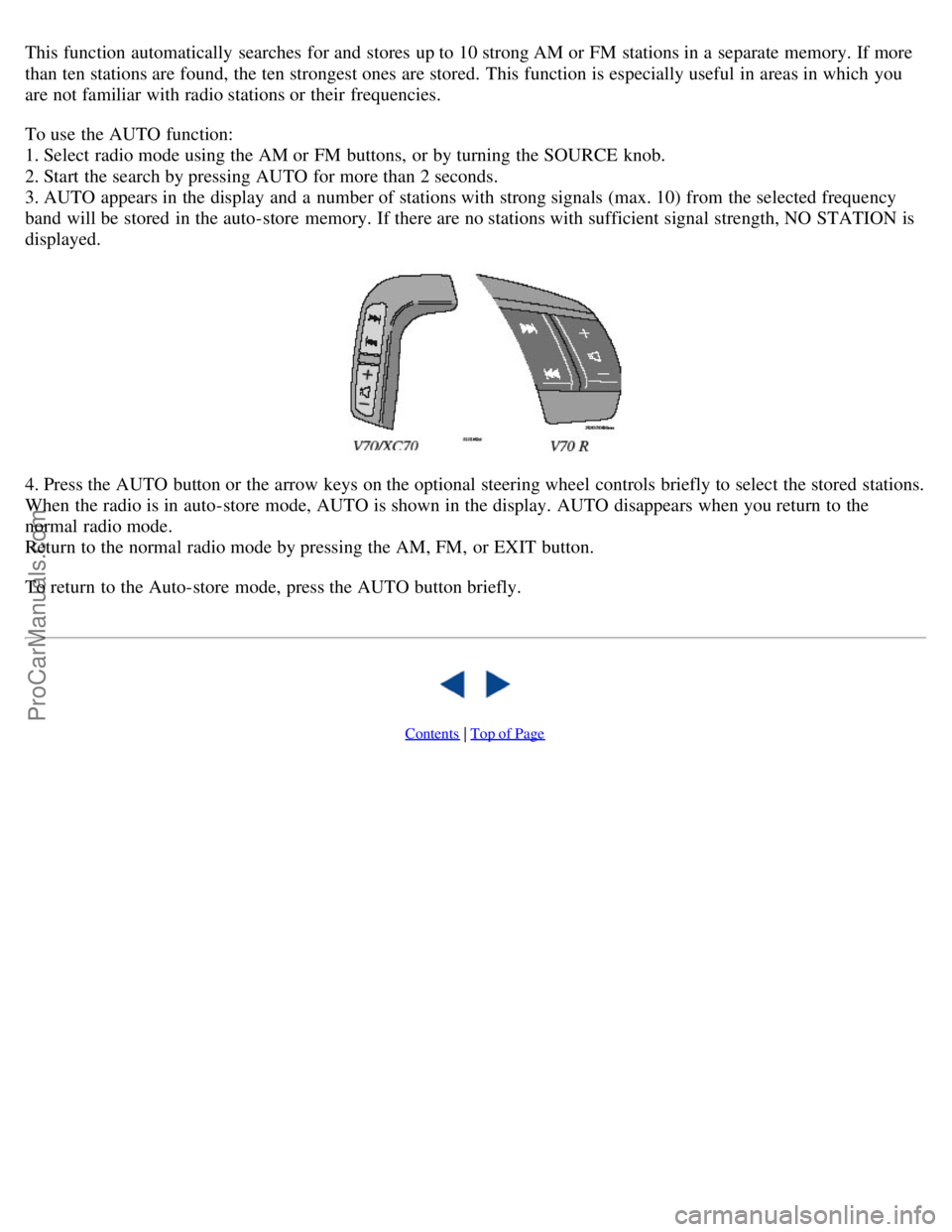
This function automatically searches for and stores up to 10 strong AM or FM stations in a separate memory. If more
than ten stations are found, the ten strongest ones are stored. This function is especially useful in areas in which you
are not familiar with radio stations or their frequencies.
To use the AUTO function:
1. Select radio mode using the AM or FM buttons, or by turning the SOURCE knob.
2. Start the search by pressing AUTO for more than 2 seconds.
3. AUTO appears in the display and a number of stations with strong signals (max. 10) from the selected frequency
band will be stored in the auto-store memory. If there are no stations with sufficient signal strength, NO STATION is
displayed.
4. Press the AUTO button or the arrow keys on the optional steering wheel controls briefly to select the stored stations.
When the radio is in auto-store mode, AUTO is shown in the display. AUTO disappears when you return to the
normal radio mode.
Return to the normal radio mode by pressing the AM, FM, or EXIT button.
To return to the Auto-store mode, press the AUTO button briefly.
Contents | Top of Page
ProCarManuals.com
Page 132 of 138

Parking lights35
Passenger's seat backrest - folding60
Polishing150
Power moonroof44
Power seats58, 59
Power steering - speed sensitive101
Power steering fluid161
Power windows42
On Call Roadside Assistance183
R
R-models, checking oil level160
Radio175
Rain sensor - windshield wipers38
Reading lights - front/rear77
Rear fog light29, 35
Rear park assist87, 100
Rear reading lights77
Rear seat backrest69
Rear window - heated40
Rear-facing auxiliary seat18, 76
Rearview mirror43
Refrigerant49
Refueling90
Remote central locking system and sideview mirrors43
Remote control - keyless entry system81
Remote control - Homelink® Universal Transceiver193
Remote keyless entry system81
Remote keyless entry system - replacing batteries82
Removing the seat cushion69
Replacing bulbs141-147
Replacing fuses136
Replacing the battery162
Replacing wiper blades164
Reporting Safety Defects2
Road assistance173
Roadholding101
Roadside Assistance173
Roof load - maximum168
Roof racks103
Run flat tires125
S
Safety Defects - reporting2
Safety locks - child86
Seat belt reminder3
ProCarManuals.com
Page 136 of 138

2 0 0 6
VOLVO V70
Back Cover
Back Cover
Accessory Installation - Important Warning
We strongly recommend that Volvo owners install only genuine, Volvo-approved accessories, and that accessory
installations be performed only by the factory-trained technicians at your authorized Volvo retailer.
Genuine Volvo accessories are tested to ensure compatibility with the performance, safety, and emission systems in
your car. Additionally, your authorized Volvo retailer knows where accessories may and may not be safely installed in
your Volvo. In all cases, please consult your authorized Volvo retailer before installing any accessory in or on your
car.
Accessories that have not been approved by Volvo may or may not be specifically tested for compatibility with your
car. Additionally, an inexperienced installer may not be familiar with some of your car's systems.
Any of your car's performance and safety systems could be adversely affected if you install accessories that Volvo
has not tested, or if you allow accessories to be installed by someone unfamiliar with your car.
Damage caused by unapproved or improperly installed accessories may not be covered by your new car warranty.
See your Warranty and Service Records Information booklet for more warranty information. Volvo assumes no
responsibility for death, injury, or expenses that may result from the installation of non-genuine accessories.
Driver Distraction
Driver distraction results from driver activities that are not directly related to controlling the car in the driving
environment. Your new Volvo is, or can be, equipped with many feature-rich entertainment and communication
systems. These include hands-free cellular telephones, navigation systems, and multipurpose audio systems. You may
also own other portable electronic devices for your own convenience. When used properly and safely, they enrich the
driving experience. Improperly used, any of these could cause a distraction.
For all of these systems, we want to provide the following warning that reflects the strong Volvo concern for your
safety:
Never use these devices or any feature of your vehicle in a way that distracts you from the task of driving safely.
Distraction can lead to a serious accident.
In addition to this general warning, we offer the following guidance regarding specific newer features that may be
found in your vehicle:
Never use a hand -held cellular telephone while driving. Some jurisdictions prohibit cellular telephone use by a
driver while the vehicle is moving.
If your car is equipped with a navigation system, set and make changes to your travel itinerary only with the vehicle
parked.
Never program your audio system while the vehicle is moving. Program radio presets with the vehicle parked, and
use your programmed presets to make radio use quicker and simpler.
Never use portable computers or personal digital assistants while the vehicle is moving.
A driver has a responsibility to do everything possible to ensure his or her own safety and the safety of passengers in
ProCarManuals.com