lock VOLVO V70 2006 Service Manual
[x] Cancel search | Manufacturer: VOLVO, Model Year: 2006, Model line: V70, Model: VOLVO V70 2006Pages: 138, PDF Size: 3.53 MB
Page 102 of 138
A detergent can be used to facilitate the softening of dirt and oil.
A water-soluble grease solvent may be used in cases of sticky dirt. However, use a wash place equipped with a
drainage separator.
Remove dirt from the drain holes in the doors and rocker panels.
Dry the car with a clean chamois.
Tar spots can be removed with kerosene or tar remover after the car has been washed.
A stiff-bristle brush and lukewarm soapy water can be used to clean the wiper blades. Frequent cleaning improves
visibility considerably.
Wash off the dirt from the underside (wheel housings, fenders, etc.).
In areas of high industrial fallout, more frequent washing is recommended.
CAUTION:
During high pressure washing, the spray mouthpiece must never be closer to the vehicle than 13" (30 cm). Do not
spray into the locks.
Special moonroof cautions:
- Always close the moonroof and sun shade before washing your vehicle.
- Never use abrasive cleaning agents on the moonroof.
- Never use wax on the rubber seals around the moonroof.
When washing or steam cleaning the engine, avoid spraying water or steam directly on the electrical components or
toward the rear side of the engine.
After cleaning the engine, the spark plug wells should be inspected for water and blown dry if necessary.
Suitable detergents: Special car washing detergents should be used. Mix according to manufacturer's instructions.
Exterior plastic components
Cleaning exterior plastic components should be done with a cleaning agent specially designed for this purpose.
Solvents or stain removers should not be used. Consult your Volvo retailer.
WARNING!
When the car is driven immediately after being washed, apply the brakes several times in order to remove any
moisture from the brake linings.
Engine cleaning agents should not be used when the engine is warm. This constitutes a fire risk.
Water repellent glass (sideview mirrors/side windows) - option
Do not apply wax, degreasing agents, etc. to this glass. This could damage the coating.
Clean the glass surface with care to avoid scratching.
pg. 150 Washing the car
Automatic washing - simple and quick
We do NOT recommend washing your car in an automatic wash during the first six months (because the
paint will not have hardened sufficiently).
An automatic wash is a simple and quick way to clean your car, but it is worth remembering that it may not be as
thorough as when you yourself go over the car with sponge and water. Keeping the underbody clean is most important,
especially in the winter. Some automatic washers do not have facilities for washing the underbody.
Before driving into an automatic wash, make sure that side view mirrors, auxiliary lamps, etc, are secure, otherwise
there is risk of the machine dislodging them.
ProCarManuals.com
Page 117 of 138
13. 2-channel stereo
14. 3-channel stereo
15. CD slot
16. CD random play
17. FM (select FM1, FM2, FM3)
18. AM (select AM1 or AM2)
19. CD player
20. AUTO - automatically search for radio stations
21. Display
pg. 179 Radio functions HU-650/HU-850
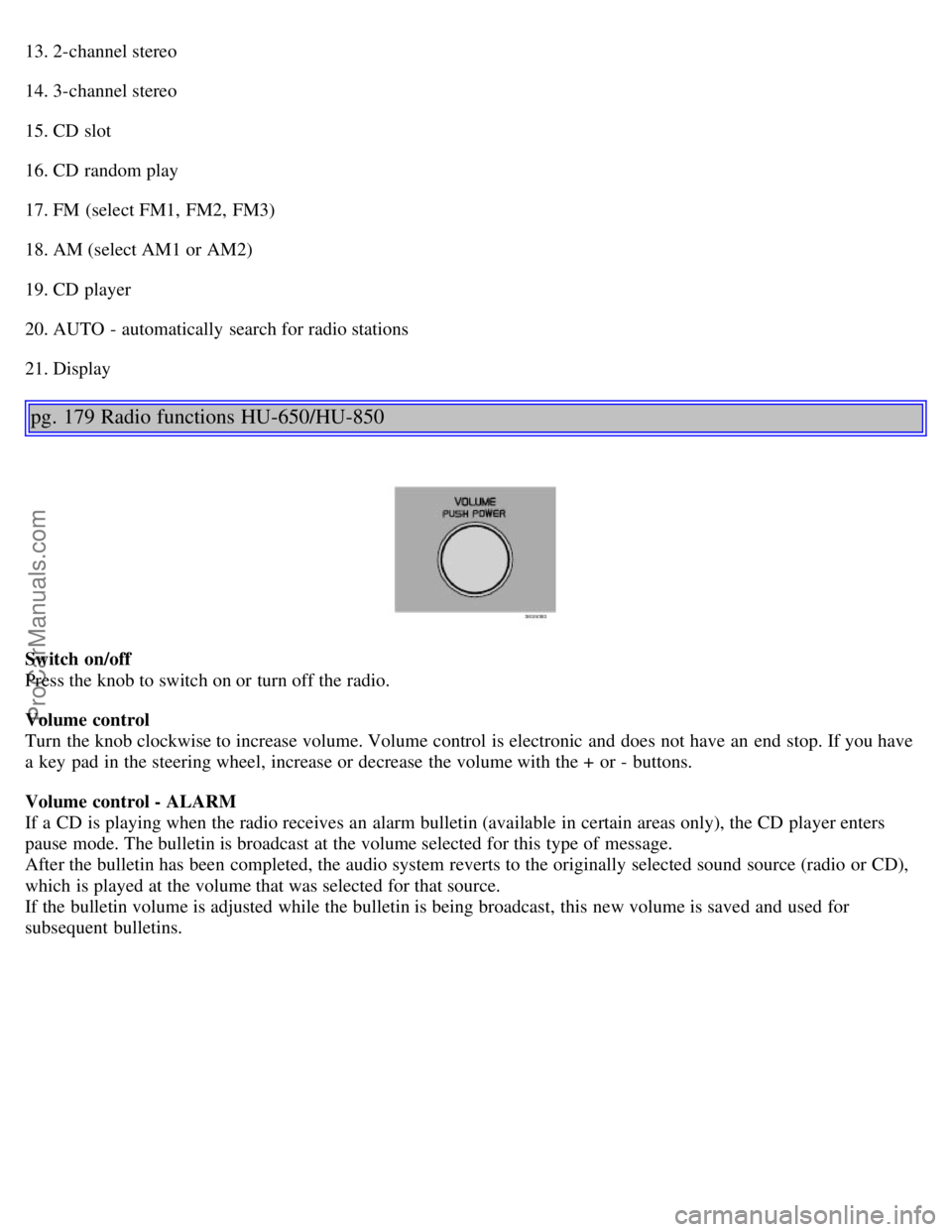
Switch on/off
Press the knob to switch on or turn off the radio.
Volume control
Turn the knob clockwise to increase volume. Volume control is electronic and does not have an end stop. If you have
a key pad in the steering wheel, increase or decrease the volume with the + or - buttons.
Volume control - ALARM
If a CD is playing when the radio receives an alarm bulletin (available in certain areas only), the CD player enters
pause mode. The bulletin is broadcast at the volume selected for this type of message.
After the bulletin has been completed, the audio system reverts to the originally selected sound source (radio or CD),
which is played at the volume that was selected for that source.
If the bulletin volume is adjusted while the bulletin is being broadcast, this new volume is saved and used for
subsequent bulletins.
ProCarManuals.com
Page 118 of 138

Volume control - Subwoofer
Turn the knob clockwise to increase volume.
Turn the knob counterclockwise to lower volume or switch off the subwoofer.
When the knob is in the middle, bass effect is "equalized".
pg. 180 Radio functions HU-650/HU-850
Sound settings
Bass
Adjust the bass by pressing the button to extend the control and turning it to the left (less bass) or to the right (more
bass). A "detent" indicates "equalized" bass. Press the button back in when you have made the adjustment.
Treble
Adjust the treble by pressing the button to extend the control and turning it to the left (less treble), or to the right (more
treble). A "detent" indicates "equalized" treble. Press the button back in when you have made the adjustment.
Fader - Balance front/rear
Adjust front/rear speaker balance by pressing the button to extend the control and turning it to the left (more sound
from the rear speakers) or to the right (more sound from the front speakers). A "detent" indicates "equalized" balance.
Press the button back in when you have made the adjustment.
Balance right/left
Adjust left/right speaker balance by pressing the button to extend the control, and turning it to the left (more sound
from the left speakers) or to the right (more sound from the right speakers). A "detent" indicates "equalized" balance.
Press the button back in when you have made the adjustment.
MID EQ level
ProCarManuals.com
Page 122 of 138
2 0 0 6
VOLVO V70
HomeLink® Universal Transceiver (option)
pg. 192 HomeLink® Universal Transceiver (option)
HomeLink® Universal Transceiver
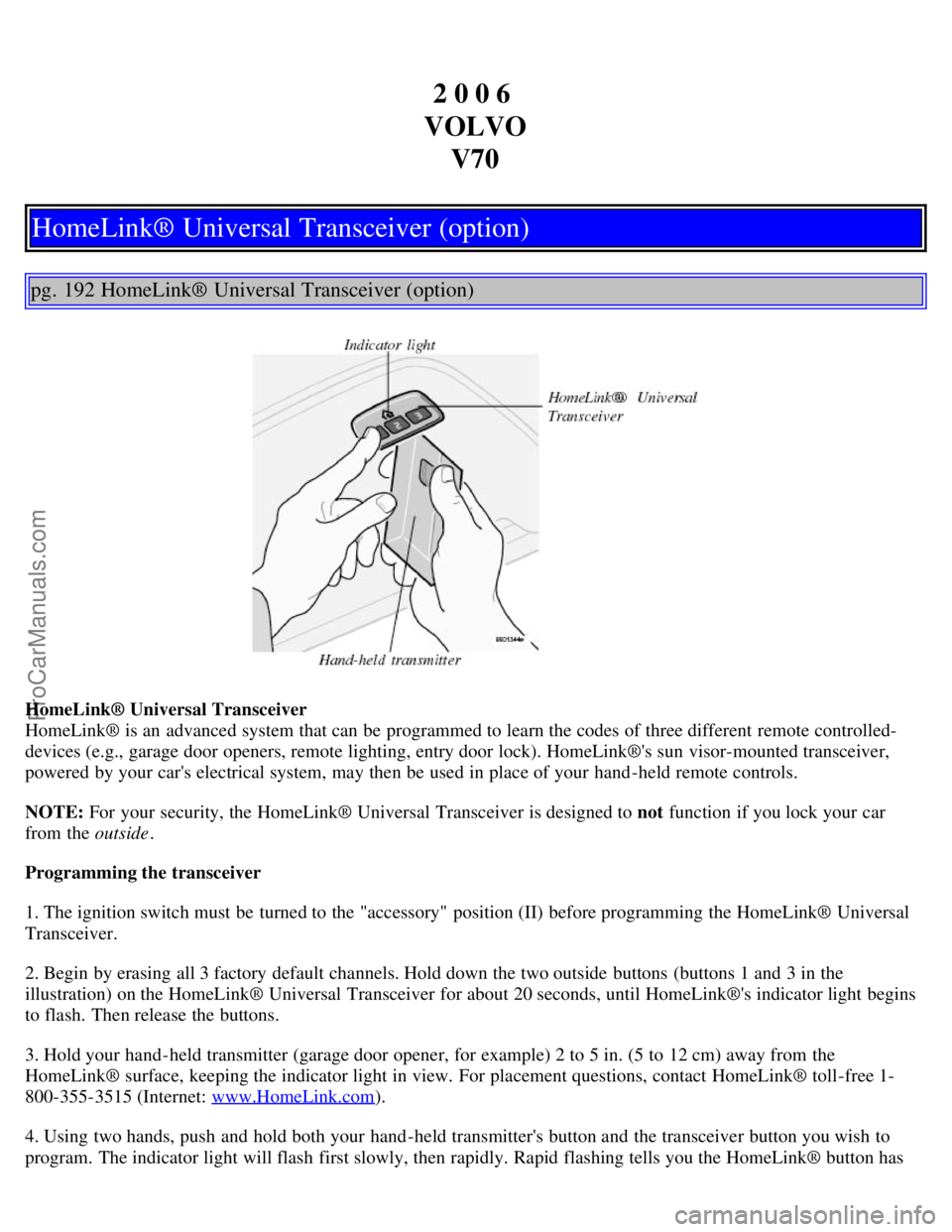
HomeLink® is an advanced system that can be programmed to learn the codes of three different remote controlled-
devices (e.g., garage door openers, remote lighting, entry door lock). HomeLink®'s sun visor-mounted transceiver,
powered by your car's electrical system, may then be used in place of your hand -held remote controls.
NOTE: For your security, the HomeLink® Universal Transceiver is designed to not function if you lock your car
from the outside .
Programming the transceiver
1. The ignition switch must be turned to the "accessory" position (II) before programming the HomeLink® Universal
Transceiver.
2. Begin by erasing all 3 factory default channels. Hold down the two outside buttons (buttons 1 and 3 in the
illustration) on the HomeLink® Universal Transceiver for about 20 seconds, until HomeLink®'s indicator light begins
to flash. Then release the buttons.
3. Hold your hand -held transmitter (garage door opener, for example) 2 to 5 in. (5 to 12 cm) away from the
HomeLink® surface, keeping the indicator light in view. For placement questions, contact HomeLink® toll-free 1-
800-355-3515 (Internet: www.HomeLink.com
).
4. Using two hands, push and hold both your hand -held transmitter's button and the transceiver button you wish to
program. The indicator light will flash first slowly, then rapidly. Rapid flashing tells you the HomeLink® button has
ProCarManuals.com
Page 123 of 138
been successfully programmed. Release both buttons.
5. If you are programming a rolling code-equipped device (e.g., garage door opener or entry door lock), refer to
"Programming rolling codes" on the next page to complete the programming process.
Repeat steps 3 and 4 to program the other two transceiver buttons.
If, after several attempts, you are unable to successfully train the HomeLink® Universal Transceiver to learn your
hand -held transmitter's signal, contact HomeLink® toll-free 1-800-355-3515 (Internet: www.HomeLink.com
).
WARNING!
If you use HomeLink® to open a garage door or gate, be sure no one is near the gate or door while it is in motion.
Do not use the HomeLink® Universal Transceiver with any garage door opener that lacks safety "stop" and
"reverse" features as required by federal safety standards. (This includes any garage door opener model
manufactured before April 1, 1982) A garage door opener that cannot "detect" an object, signalling the door to
"stop" and "reverse" does not meet current federal safety standards. Using a garage door opener without these
features increases the risk of serious injury or death. For more information on this matter, call toll-free 1-800-355-
3515 (Internet: www.HomeLink.com
).
pg. 193 HomeLink® Universal Transceiver (option)
NOTE - Canadian residents:
During programming, your hand -held transmitter may automatically stop transmitting. To successfully train
HomeLink®, continue to hold the HomeLink® button. At the same time, repeatedly press and hold your hand -held
transmitter's button at two -second intervals until HomeLink® has learned your transmitter's code. The HomeLink®
indicator light will flash first slowly, and then rapidly to indicate that the button has been successfully programmed.
Determining if your garage door uses a rolling code
Determine, in one of the following ways, if your garage door uses a rolling code system and is manufactured after
1996:
Refer to the garage door opener owner's manual for verification.
If your hand -held transmitter appears to program the HomeLink® Universal Transceiver but the programmed button
does not activate the garage door, your garage door opener may have a rolling code.
Press the programmed HomeLink® button. If the garage door opener has the rolling code feature, the HomeLink®
indicator light flashes rapidly and then glows steadily after approximately 2 seconds.
To train a rolling code garage door opener, follow these instructions after programming the desired transceiver
button according to "Programming the transceiver." The help of a second person may make training easier.
1. Locate the training button on the garage door opener motor head unit . The location and color of the training button
may vary. If you encounter difficulty, refer to the garage door opener owner's manual or call toll-free 1-800-355-3515
(Internet: www.HomeLink.com
).
2. Press the "training" button on the garage door opener motor head unit until the "training" light comes on.
3. Press and release the programmed HomeLink® button. Press and release the programmed HomeLink® button a
second time to complete the training process. Some garage door openers may require you to do this procedure a third
time to complete the training.
The programmed button on your HomeLink® Universal Transceiver should now operate your garage door opener. The
ProCarManuals.com
Page 126 of 138
2 0 0 6
VOLVO V70
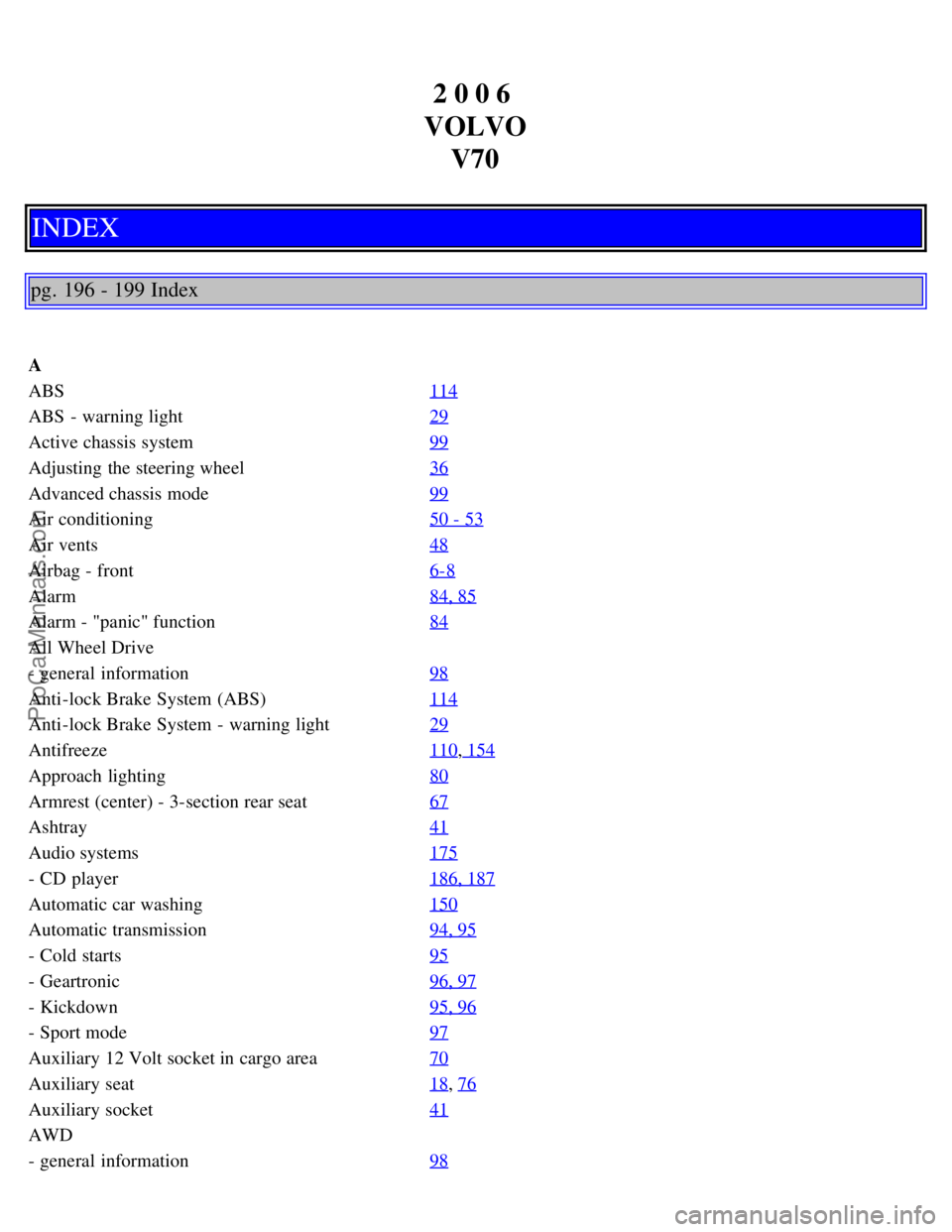
INDEX
pg. 196 - 199 Index
A
ABS 114
ABS - warning light29
Active chassis system99
Adjusting the steering wheel36
Advanced chassis mode99
Air conditioning50 - 53
Air vents48
Airbag - front6-8
Alarm84, 85
Alarm - "panic" function84
All Wheel Drive
- general information98
Anti-lock Brake System (ABS)114
Anti-lock Brake System - warning light29
Antifreeze110, 154
Approach lighting80
Armrest (center) - 3-section rear seat67
Ashtray41
Audio systems175
- CD player186, 187
Automatic car washing150
Automatic transmission94, 95
- Cold starts95
- Geartronic96, 97
- Kickdown95, 96
- Sport mode97
Auxiliary 12 Volt socket in cargo area70
Auxiliary seat18, 76
Auxiliary socket41
AWD
- general information98
ProCarManuals.com
Page 127 of 138

B
Backrest (center) - 3-section rear seat66
Backrests, rear - folding down65
Battery110, 172
- maintenance163
- replacing162
- ventilation hose162
"Black box" (Vehicle Event Data)152
Booster cushion19, 20
Brake failure warning light28
Brake fluid
- reservoir161
- specifications170
Brake system113
Bulbs (list)172
Bulbs - replacing141-147
C
Capacities (oils and fluids)165
, 170
Car washing149
Cargo compartment cover74
Cargo compartment lighting70
Cargo eyelets71
Cargo net72
Catalytic converters - three-way112
Center armrest - 3-section rear seat67
Center backrest (3-section rear seat)66
Center console - switches31
Center seat head restraint65
Central locking buttons83
Chains (winter driving)130
Changing a wheel132
Chassis settings (R-models)99
Child auxiliary seat18
Child booster cushion19, 20
Child Restraint Anchorages22
Child safety17-22
Child safety locks - rear doors86
Child seat anchors, ISOFIX22
Climate controls50-56
Climate system - general information49
Clock27
Clutch interlock93
Coat hanger63
Cold weather driving110
ProCarManuals.com
Page 128 of 138

Combination filter50, 53
Comfort chassis mode99
Coolant154
Cooling system - general information102
Courtesy light77
Courtesy lights (front) - replacing146
Courtesy lights - exterior80
Cruise control33
Cup holders63
D
Detachable trailer hitch108
Dimensions167
Direction indicators37
Direction indicators30
Distributor ignition system171
Dolby Surround Pro Logic II189
Dome lighting77
Door step courtesy lights - replacing147
Doors and locks80
Drive belt154
Driving economy101
Driving mode indicator27
Driving mode W95, 97, 110
Driving with tailgate open102
Dynamic Stability Traction Control (DSTC)115, 116
E
Economical driving101
Electric socket in cargo compartment70
Electrical system172
Electrical system - general information102
Electrically operated moonroof44
Electrically operated seats58
Electrically operated sideview mirrors43
Electrically operated windows42
Electronic Brake Force Distribution114
Electronic Climate Control (ECC)50 - 53
Emergency towing105, 106
Emergency warning flashers40
Emission inspection readiness156
Emissions systems153
Engine - specifications169
Engine - starting91, 92
Engine compartment158
Engine oil110, 159-160 , 170
ProCarManuals.com
Page 129 of 138
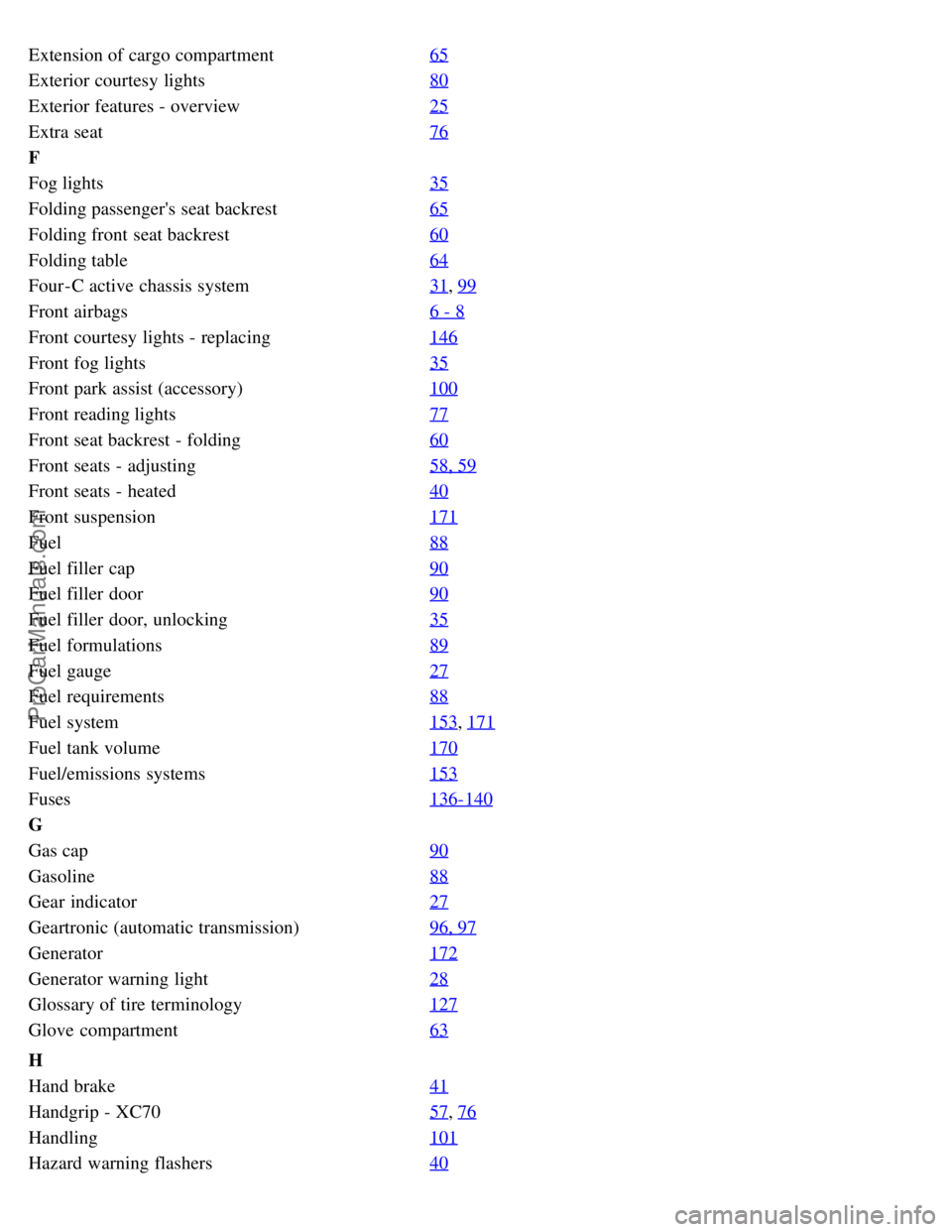
Extension of cargo compartment65
Exterior courtesy lights80
Exterior features - overview25
Extra seat76
F
Fog lights35
Folding passenger's seat backrest65
Folding front seat backrest60
Folding table64
Four-C active chassis system31, 99
Front airbags6 - 8
Front courtesy lights - replacing146
Front fog lights35
Front park assist (accessory)100
Front reading lights77
Front seat backrest - folding60
Front seats - adjusting58, 59
Front seats - heated40
Front suspension171
Fuel88
Fuel filler cap90
Fuel filler door90
Fuel filler door, unlocking35
Fuel formulations89
Fuel gauge27
Fuel requirements88
Fuel system153, 171
Fuel tank volume170
Fuel/emissions systems153
Fuses136-140
G
Gas cap90
Gasoline88
Gear indicator27
Geartronic (automatic transmission)96, 97
Generator172
Generator warning light28
Glossary of tire terminology127
Glove compartment63
H
Hand brake41
Handgrip - XC7057, 76
Handling101
Hazard warning flashers40
ProCarManuals.com
Page 130 of 138

Head restraint - center rear66
Head restraint rear65
Headlight flash37
Headlight wiper blades - replacing164
Headlights35, 37
Heated front seats40
Heated rear window40
Heated sideview mirrors40
Heating50-53
High beam flash37
High/low beam headlights37
Hoisting the car157
Holder for grocery bags70
Home safe lighting37
HomeLink®192 -194
Hood - opening158
HU -650 - overview177
HU -850 - overview178
I
Ignition switch36
Immobilizer (start inhibitor)80, 91
Indicator lights28, 29
Inflatable curtain (VIC)13
Inspecting SRS system components14
Instrument panel27
Instrument panel lighting35
Instruments26
Integrated booster cushion19
Interior Air Quality system53
Interior features - overview24
Interior lighting77
ISOFIX child seat anchors22
J
Jack75
, 132
Jump starting109
K
Key - removing from ignition switch91
Keyless entry system81, 82
Keyless entry system - replacing batteries82
Keylock91
Keys80
Kickdown95, 96
L
Label information166
ProCarManuals.com