light VOLVO V70 2007 User Guide
[x] Cancel search | Manufacturer: VOLVO, Model Year: 2007, Model line: V70, Model: VOLVO V70 2007Pages: 123, PDF Size: 2.64 MB
Page 26 of 123

To help reduce the risk that the SC function is turned off inadvertently, the switch must be held in for at least half a
second to disable this function. " STC/DSTC SPIN CONTROL OFF" will be displayed in the text window.WARNING!
Please be aware that the car's handling characteristics may be affected if the Spin Control function is switched off.
5. Not in use
6. This button is used to temporarily disconnect alarm sensors. See page 81
for further information.
7. Not in use
8. Auxiliary socket
This 12 volt socket can be used to plug in certain accessories such as cellular telephones, etc. The ignition key must be
in position 1 (or higher) for the auxiliary socket to function.
NOTE: The auxiliary sockets can also be used for cigarette lighters, which are available at your Volvo retailer.
Four-C active chassis system: R-models only:
Please see page 95
for information on adjusting the active chassis settings.
* Standard on all models except the T5 turbo.
** Standard on the T5 turbo/R-models, optional on all other models.
pg. 32 Trip computer (option)
Trip computer
The trip computer stores information gathered from several systems in your car and has four menus that can be
displayed in the text window.
Driving distance on current fuel reserve
Average fuel consumption
Current fuel consumption
Average speed
Current speed in mph (Canadian models only)
NOTE: Warning messages from the car's monitoring systems will override the trip computer function. If a warning
message is displayed in the text window while you are using the trip computer, you must acknowledge the message by
pressing button A. Press button A again to return to the trip computer function.
Page 27 of 123

Trip computer controls and functions
The four* trip computer functions can be accessed by twisting control B one step at a time in either direction. Twisting
a fifth time** returns you to the original function.
The trip computer can be reset (current data will be erased from system memory) by pressing RESET (button C).
1. Driving distance on current fuel reserve
This function shows the approximate distance that can be driven on the fuel remaining in the tank. This calculation is
based on average fuel consumption during the last 12 miles (20 km) of driving and the amount of fuel remaining in the
tank when the reading was taken. When the driving distance on current fuel reserve is less than 12 miles (20 km), "----
" will be displayed in the text window.
2. Average fuel consumption
This value indicates fuel consumption since the last time the trip computer was reset (by pressing RESET, button C).
When the engine is switched off, information on fuel consumption is stored and remains in system memory until the
RESET (button C) is pressed again.
3. Current fuel consumption
This value indicates the current fuel consumption, based on readings taken once per second. When the car is not
moving, "----" will be displayed.
4. Average speed
This value indicates average speed since the last time the trip computer was reset (by pressing RESET, button C).
When the engine is switched off, information on average speed is stored and remains in system memory until the
RESET (button C) is pressed again.
5. Current speed in miles per hour (Canadian models only)
This function provides the driver with an instantaneous conversion of the car's current speed from km/h to mph.
NOTE: Trip computer readings may vary slightly depending on the circumference of the tires on the car.
*Five functions on Canadian models
**A sixth time on Canadian models
Contents | Top of Page
Page 30 of 123

Cabin air filter
Replace the cabin air filter with a new one at the recommended intervals. Please refer to your Warranty and Service
Records Information booklet, or consult your Volvo retailer for these intervals. The filter should be replaced more
often when driving under dirty and dusty conditions. The filter cannot be cleaned and therefore should always be
replaced with a new one.
Sensors
The sunlight sensor on the dashboard and passenger compartment temperature sensor in the ECC control panel should
not be covered in any way as this could cause incorrect information to be sent to the ECC system.
Parking the car in warm weather
If your car has been parked in the sun in warm weather, opening the windows and moonroof (option) for several
minutes before driving will help release the warm air from the passenger compartment. When the engine is running,
close the windows and moonroof and use the recirculation function for several minutes to enable the air conditioning
to cool the compartment as quickly as possible.
Windows and optional moonroof
The ECC system will function best if the windows and optional moonroof are closed. If you drive with the moonroof
open, we recommend that you manually adjust the temperature and blower control (the LED in the AUTO switch
should be off).
Acceleration
The air conditioning is momentarily disengaged during full-throttle acceleration.
ECC maintenance
All maintenance on the climate control systems should be carried out by an authorized Volvo service technician only.
Refrigerant
Volvo cares about the environment. The air conditioning system in your car contains a CFC-free refrigerant - R134a.
This substance will not deplete the ozone layer. The system contains 2.2 lbs (1000 g) R134a and uses PAG oil.
Passenger compartment blower
Approximately 50 minutes after the ignition is turned off, the blower may come on automatically, and run for five
minutes, to remove condensation in the A/C evaporator.
pg. 48 Electronic Climate Control (ECC)
Page 31 of 123

pg. 49 Electronic Climate Control (ECC)
AUTO
This function automatically regulates the Electronic Climate Control system so that the selected temperatures are
maintained. The blower, heating, air distribution (air flow) and air conditioning are controlled. If you prefer to
manually set any of these functions, the remaining functions will still be controlled automatically. Pressing the AUTO
button overrides any settings that were previously made manually.
Temperature
These controls are used to individually set the temperature for both sides of the passenger compartment. Please note
that the compartment will not be heated or cooled faster by setting the temperature higher or lower than necessary. Set
the control to the temperature you prefer.
Defroster
This function demists/de-ices the windshield and front side windows. The LED in the switch will light up to indicate
that the defrost function is engaged. Blower speed increases automatically and the air in the passenger compartment is
dehumidified. Recirculation will not function while defrost is engaged.
Heated rear window/sideview mirrors
Page 32 of 123

This function demists/de-ices the rear window and sideview mirrors. The LED in the switch will light up to indicate
that the heating function is engaged. See page 38 for additional information on this function.
CAUTION:
Never use ice scrapers made of metal as they can easily scratch the mirror surface.
pg. 50 Electronic Climate Control (ECC) - manual settings
Recirculation (see also page 48)
Press this switch to engage the recirculation function (air in the passenger compartment recirculates - no fresh air
enters the compartment). The LED in the switch will light up to indicate that the function is engaged.
Use this function if the outside air is contaminated with exhaust gases, smoke, etc or to heat/cool the car quickly.
Recirculation should not be used for more than 15 minutes. If your windows begin to fog or mist, make sure that the
recirculation function is switched off.
Selecting Defroster automatically switches recirculation off.
Timer mode activation: (Cars with Interior Air Quality system have no timer mode) Press and hold the recirculation
button for at least 3 seconds to activate a recirculation timer mode. The amber LED in the recirculation button will
flash 5 times to show that the timer mode is being activated. In the timer mode, each time the recirculation button is
pressed, the climate control system will recirculate the air in the passenger compartment for 5-12 minutes, depending
on the outside air and then revert back to fresh air.
Timer mode deactivation: Press and hold the recirculation button for at least 3 seconds. The amber LED in the
recirculation button will illuminate steadily for 5 seconds to show a return to "normal" mode.
In normal mode, when the recirculation button is pressed, the climate control system will recirculate the air in the
passenger compartment until the recirculation button is pressed again.
Timer mode memory: If the car is turned off while timer mode is active, timer mode will still be active when the
car is restarted.
Heated front seats (option)
Please see page 38 for more information on this function.
Press AUTO to automatically regulate air flow or press any combination of the controls shown in the illustration to
manually adjust air flow. An LED in the switch will light up if an air flow control has been pressed.
Air conditioning ON/OFF
Page 33 of 123

Press the switch to turn the air conditioning on or off. The "ON" or "OFF" LED will light up to indicate if the system
is switched on or off. Other functions will still be regulated automatically (if the AUTO switch is on).
The air conditioning functions only at temperatures above 32° F (0° C).
While the Defroster function is selected, the air conditioning is temporarily activated to dehumidify the air, even if
you have manually switched the air conditioning off. This will only function if the blower is not switched off.
Blower control
Turn the control clockwise to increase or counterclockwise to decrease the blower speed. Pressing the AUTO switch
will automatically regulate blower speed and override manual adjustment.
NOTE: Turning the blower control counterclockwise as far as possible (an orange LED next to the control will light
up) will turn both the blower and the air conditioning off.
pg. 51 Electronic Climate Control (ECC) with Interior Air Quality system (option)
Interior Air Quality system (option)
Some cars are equipped with a Multifilter and Air quality sensor. The filter separates gases and particles, thereby
reducing the amounts of odors and contaminants entering the car. The Air quality sensor detects increased levels of
contaminants in the outside air. When the Air quality sensor detects contaminated outside air, the air intake closes and
the air inside the passenger compartment is recirculated, i.e. no outside air enters the car. The filter also cleans
recirculated passenger compartment air. When the Air quality sensor is activated, the LED AUT comes on in
Operation:
Press to activate the Air quality sensor (normal setting).
Or select one of three functions by pressing
.
1. Press
: the LED AUT comes on. The Air quality sensor is now activated.
2. Press
: no LED is lighted. Recirculation not activated.
3. Press : the LED MAN comes on. Recirculation is now activated.
Page 35 of 123

This function demists/de-ices the rear window and sideview mirrors. The LED in the switch will light up to indicate
that the heating function is engaged. See page 38
for additional information on this function.
CAUTION:
Never use ice scrapers made of metal as they can easily scratch the mirror surface.
Recirculation
Recirculation can be used to shut out stale air, exhaust, etc. from the passenger compartment. The air in the passenger
compartment is then recirculated, i. e. no air from outside the car is taken into the car when this function is activated.
Recirculation (together with the air conditioning system) cools the passenger compartment more quickly in warm
weather.
If you allow the air in the car to recirculate, there is a risk of icing and fogging, especially in winter. The timer function
minimizes the risk of ice, misting and stale air.
Activate the timer function as follows:
Press for more that 3 seconds. the LED flashes for 5 seconds. the air recirculates in the car for 3-12 minutes
depending on the outside temperature.
The timer function is activated each time you press .
To switch off the timer function :
Press again for more than 3 seconds. The LED lights for 5 seconds to confirm your selection.
Recirculation is always disconnected when you select Defroster
.
Blower
Blower speed can be increases or decreased by turning the knob. If the knob is set to 0, the air conditioning function is
automatically disengaged.
Temperature
Turn the control to set the temperature for the driver's and passenger's sides of the car. For cooler air, the air
conditioning function must be engaged.
Air distribution
Page 37 of 123
2 0 0 4
VOLVO V70
Chapter 4 - Interior
pg. 55 Interior
Front seats (electrically operated)56
Front seats (manually operated)58
Storage compartments59
Storage compartment, front60
Folding table in rear seat62
Rear seat and cargo area63
Spare tire72
Auxiliary seat in cargo area, Extra handgrip - V7073
Interior lighting74
pg. 56 Front seats
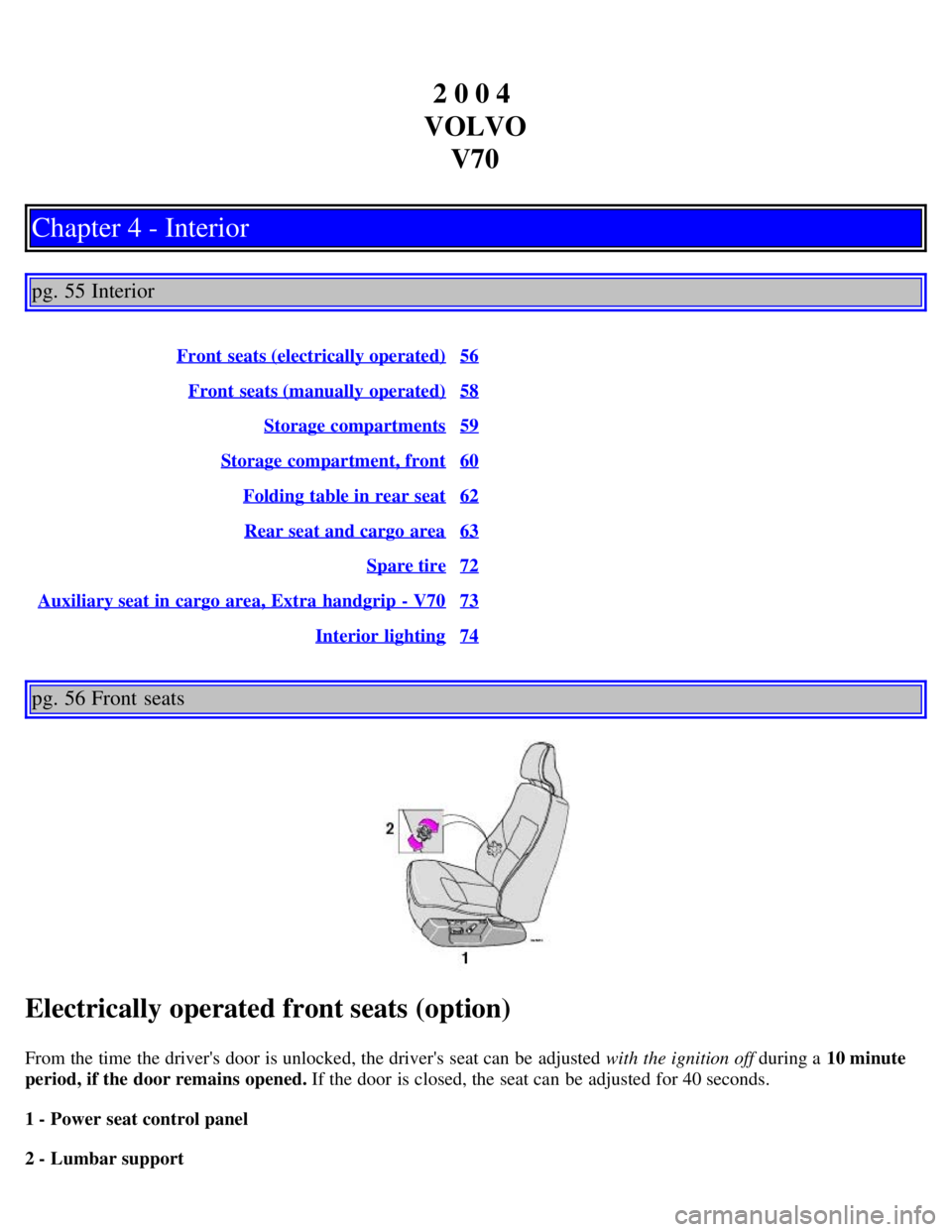
Electrically operated front seats (option)
From the time the driver's door is unlocked, the driver's seat can be adjusted with the ignition off during a 10 minute
period, if the door remains opened. If the door is closed, the seat can be adjusted for 40 seconds.
1 - Power seat control panel
2 - Lumbar support
Page 42 of 123
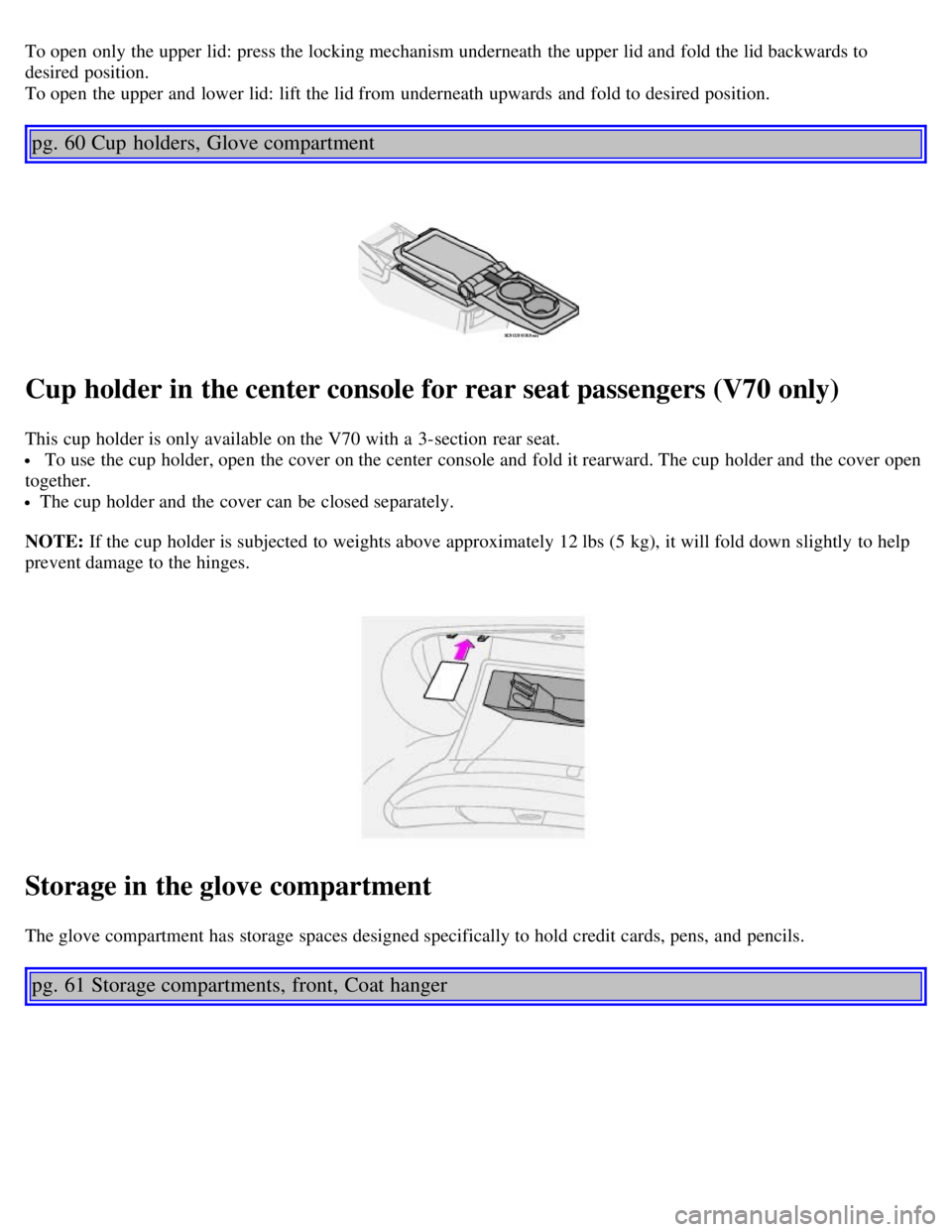
To open only the upper lid: press the locking mechanism underneath the upper lid and fold the lid backwards to
desired position.
To open the upper and lower lid: lift the lid from underneath upwards and fold to desired position.
pg. 60 Cup holders, Glove compartment
Cup holder in the center console for rear seat passengers (V70 only)
This cup holder is only available on the V70 with a 3-section rear seat.
To use the cup holder, open the cover on the center console and fold it rearward. The cup holder and the cover open
together.
The cup holder and the cover can be closed separately.
NOTE: If the cup holder is subjected to weights above approximately 12 lbs (5 kg), it will fold down slightly to help
prevent damage to the hinges.
Storage in the glove compartment
The glove compartment has storage spaces designed specifically to hold credit cards, pens, and pencils.
pg. 61 Storage compartments, front, Coat hanger
Page 45 of 123

2 0 0 4
VOLVO V70
Chapter 5 - Keys, Locks, Alarm
pg.75 Keys, Locks, Alarm
Keys, Exterior courtesy lights, Locking and unlocking the car76
Remote keyless entry system77
Unlocking the tailgate, Central locking buttons79
Alarm80
Child safety locks - rear doors82
pg. 76 Keys, Exterior courtesy lights, Locking and unlocking the car
Keys
Two types of keys are provided with your car; master keys and a service key. The master key, the remote control, and
the central locking button may all be used to lock and unlock all of your car's locks.
The service key operates the driver's door and the ignition switch. It will also fit the tailgate lock cylinder on models
outfitted with a factory installed third seat. The service key is intended to help deter unwanted entry into the glove
compartment.
Turn the key once to unlock the driver's door and the fuel filler door.
Turn the key again (within 10 seconds) to unlock all doors and the tailgate.