steering wheel VOLVO V90 2018 Owner´s Manual
[x] Cancel search | Manufacturer: VOLVO, Model Year: 2018, Model line: V90, Model: VOLVO V90 2018Pages: 656, PDF Size: 11.78 MB
Page 352 of 656
DRIVER SUPPORT
* Option/accessory.
350
Cross Traffic Alert messages
A number of messages related to CTA 93
may be
displayed in the instrument panel.
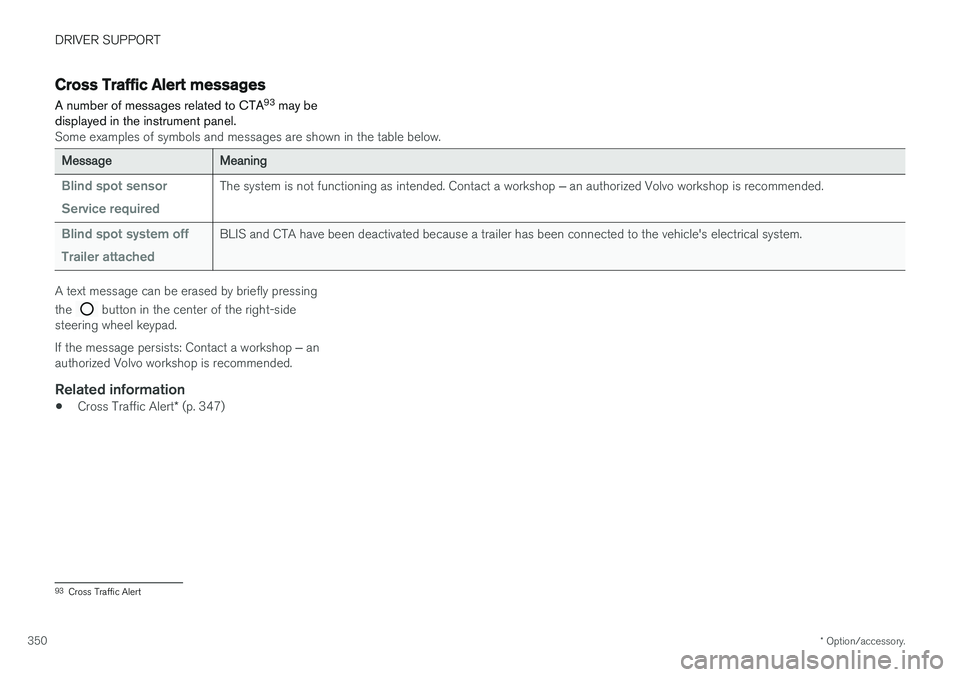
Some examples of symbols and messages are shown in the table below.
MessageMeaning
Blind spot sensor Service requiredThe system is not functioning as intended. Contact a workshop ‒ an authorized Volvo workshop is recommended.
Blind spot system off Trailer attachedBLIS and CTA have been deactivated because a trailer has been connected to the vehicle's electrical system.
A text message can be erased by briefly pressing the
button in the center of the right-side
steering wheel keypad. If the message persists: Contact a workshop ‒ an
authorized Volvo workshop is recommended.
Related information
• Cross Traffic Alert
* (p. 347)
93
Cross Traffic Alert
Page 358 of 656
||
DRIVER SUPPORT
* Option/accessory.
356 •
signs partially or fully covered by frost, snow and/or dirt
• digital road maps 104
that are outdated, incor-
rect or do not contain speed information 105
.
NOTE
Certain types of bike carriers that are con- nected to the trailer socket may be interpre-ted as a connected trailer by the RSI function.In such cases, the instrument panel may indi-cate incorrect speed information.
NOTE
The function uses the vehicle's camera unit, which has some general limitations – see thesection "Camera unit limitations".
Related information
• Road Sign Information
* (p. 351)
Driver Alert Control
The Driver Alert Control (DAC) function is designed to help capture the driver becomeaware of erratic behavior, e.g. if the driver is dis-tracted or showing signs of fatigue.
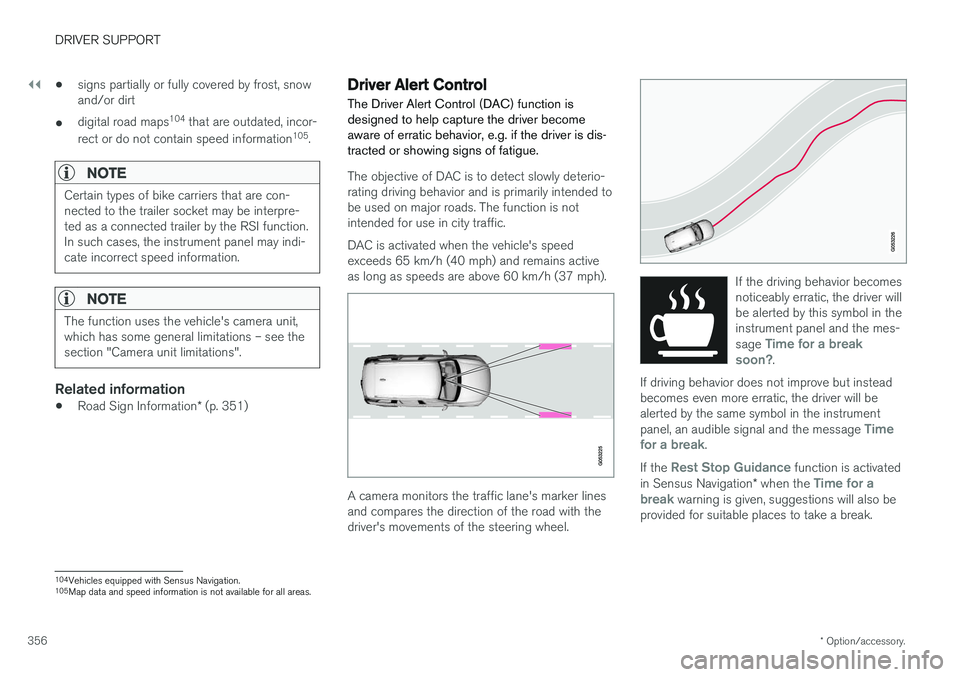
The objective of DAC is to detect slowly deterio- rating driving behavior and is primarily intended tobe used on major roads. The function is notintended for use in city traffic. DAC is activated when the vehicle's speed exceeds 65 km/h (40 mph) and remains activeas long as speeds are above 60 km/h (37 mph).
A camera monitors the traffic lane's marker lines and compares the direction of the road with thedriver's movements of the steering wheel.
If the driving behavior becomes noticeably erratic, the driver willbe alerted by this symbol in theinstrument panel and the mes- sage
Time for a break
soon?.
If driving behavior does not improve but instead becomes even more erratic, the driver will bealerted by the same symbol in the instrument panel, an audible signal and the message
Time
for a break.
If the Rest Stop Guidance function is activated
in Sensus Navigation * when the Time for a
break warning is given, suggestions will also be
provided for suitable places to take a break.
104 Vehicles equipped with Sensus Navigation.
105 Map data and speed information is not available for all areas.
Page 360 of 656
DRIVER SUPPORT
358
Selecting guidance to a rest area ifthe Driver Alert Control warning hasbeen givenThe
Rest Stop Guidance function can be
switched on or off.
When the guide is activated, it will automatically display suggestions for a suitable place to take abreak if the DAC warning is given. To select
Rest Stop Guidance:
1. Tap
Settings in the center display's Top
view.
2. Select
My CarIntelliSafeDriver Alert
Control.
3. Select/deselect
Rest Stop Guidance to
activate/deactivate the function.
Related information
• Driver Alert Control (p. 356)
Driver Alert Control limitations
Driver Alert Control (DAC) functionality may be reduced in certain situations.
In certain situations, the system may provide a warning even if it has not detected a change indriving behavior, e.g.:
• in strong crosswinds
• on grooved road surfaces.
WARNING
In certain cases, driving behavior might not be affected despite the driver's fatigue – whenusing the Pilot Assist function – resulting inthe driver not getting a warning from DAC. It is therefore very important to always stop and take a break at the slightest sign of fati-gue, regardless of whether the DAC functionhas issued a warning or not.
NOTE
The function uses the vehicle's camera unit, which has some general limitations – see thesection "Camera unit limitations".
Related information
• Driver Alert Control (p. 356)
Lane Keeping Aid
Lane Keeping Aid (LKA 106
) is designed to
actively steer the vehicle on freeways, highways and other major roads to help the driver reducethe risk of the vehicle unintentionally veering outof the lane.
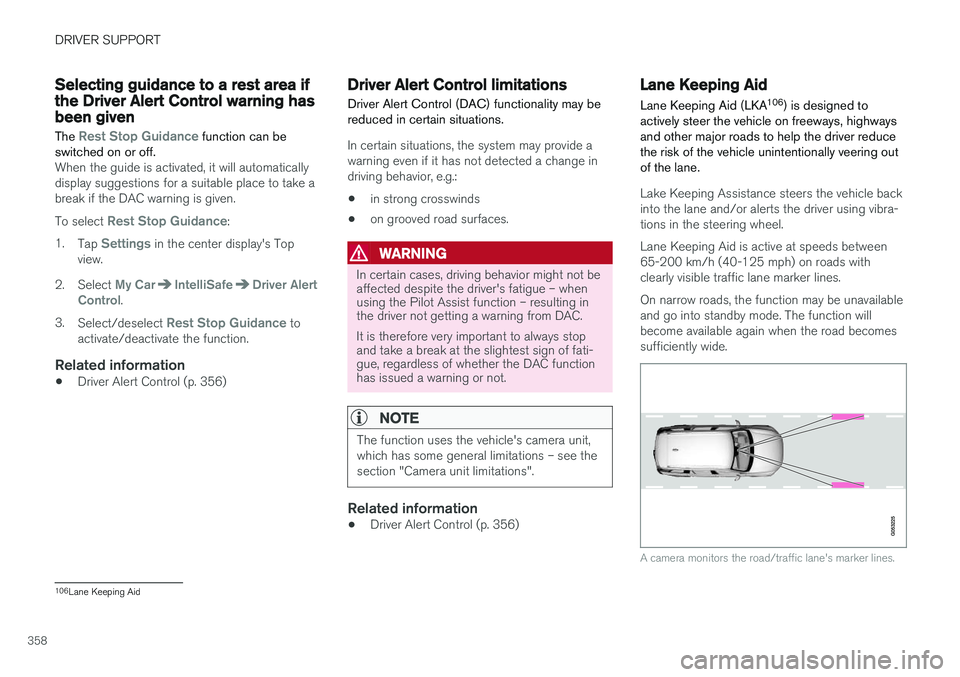
Lake Keeping Assistance steers the vehicle back into the lane and/or alerts the driver using vibra-tions in the steering wheel. Lane Keeping Aid is active at speeds between 65-200 km/h (40-125 mph) on roads withclearly visible traffic lane marker lines. On narrow roads, the function may be unavailable and go into standby mode. The function willbecome available again when the road becomessufficiently wide.
A camera monitors the road/traffic lane's marker lines.
106 Lane Keeping Aid
Page 361 of 656
DRIVER SUPPORT
}}
359
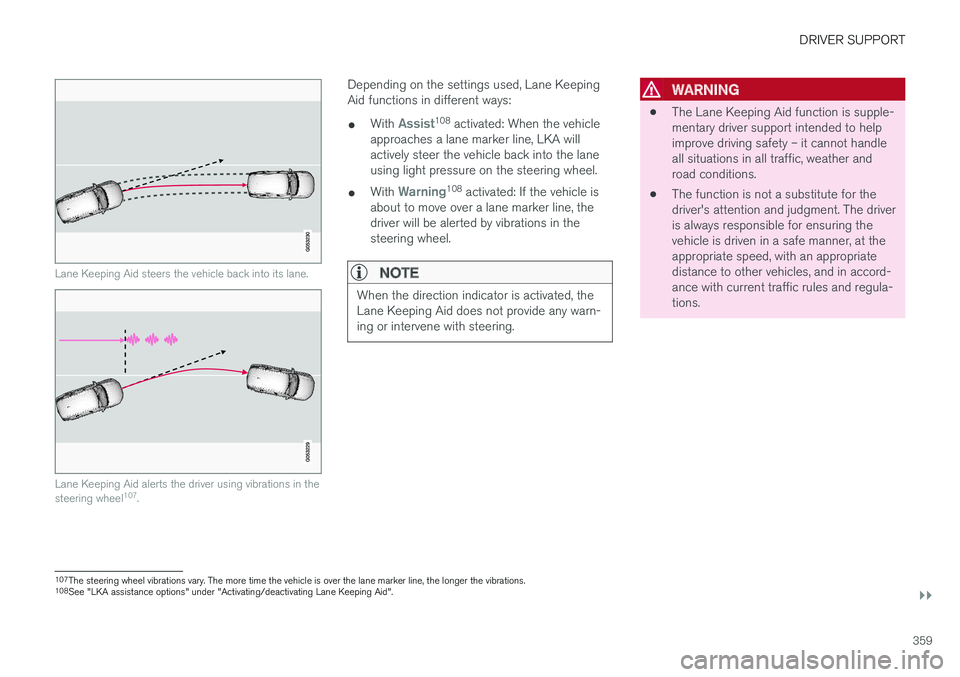
Lane Keeping Aid steers the vehicle back into its lane.
Lane Keeping Aid alerts the driver using vibrations in the steering wheel107
.
Depending on the settings used, Lane Keeping Aid functions in different ways:
• With
Assist108
activated: When the vehicle
approaches a lane marker line, LKA will actively steer the vehicle back into the laneusing light pressure on the steering wheel.
• With
Warning108
activated: If the vehicle is
about to move over a lane marker line, the driver will be alerted by vibrations in thesteering wheel.
NOTE
When the direction indicator is activated, the Lane Keeping Aid does not provide any warn-ing or intervene with steering.
WARNING
• The Lane Keeping Aid function is supple- mentary driver support intended to helpimprove driving safety – it cannot handleall situations in all traffic, weather androad conditions.
• The function is not a substitute for thedriver's attention and judgment. The driveris always responsible for ensuring thevehicle is driven in a safe manner, at theappropriate speed, with an appropriatedistance to other vehicles, and in accord-ance with current traffic rules and regula-tions.
107
The steering wheel vibrations vary. The more time the vehicle is over the lane marker line, the longer the vibrations.
108 See "LKA assistance options" under "Activating/deactivating Lane Keeping Aid".
Page 362 of 656
||
DRIVER SUPPORT
360
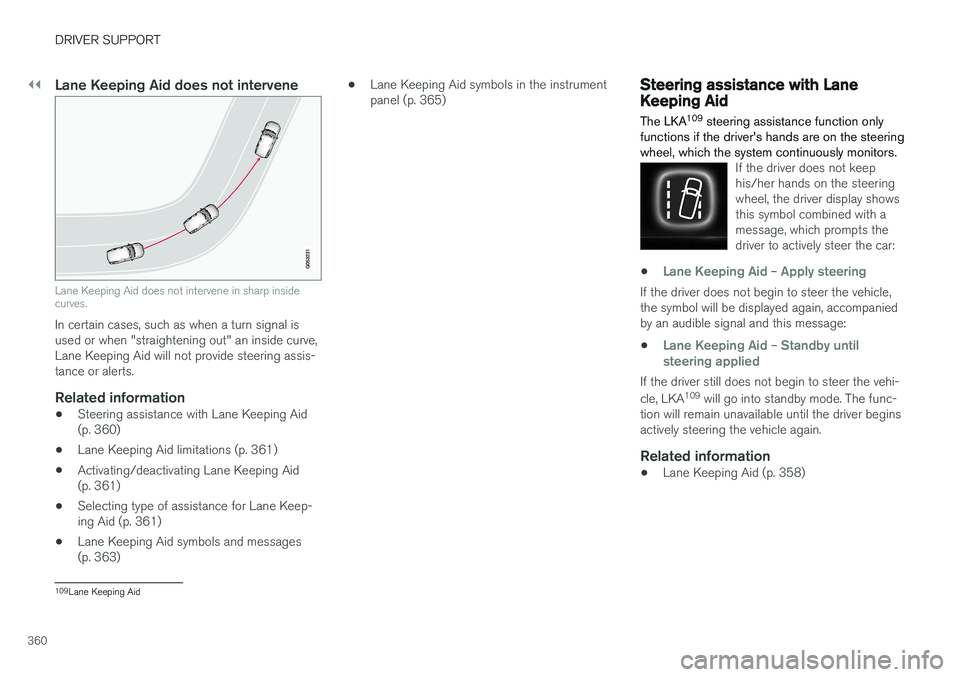
Lane Keeping Aid does not intervene
Lane Keeping Aid does not intervene in sharp inside curves.
In certain cases, such as when a turn signal is used or when "straightening out" an inside curve,Lane Keeping Aid will not provide steering assis-tance or alerts.
Related information
•Steering assistance with Lane Keeping Aid(p. 360)
• Lane Keeping Aid limitations (p. 361)
• Activating/deactivating Lane Keeping Aid(p. 361)
• Selecting type of assistance for Lane Keep-ing Aid (p. 361)
• Lane Keeping Aid symbols and messages(p. 363) •
Lane Keeping Aid symbols in the instrumentpanel (p. 365)
Steering assistance with LaneKeeping Aid The LKA 109
steering assistance function only
functions if the driver's hands are on the steering wheel, which the system continuously monitors.
If the driver does not keep his/her hands on the steeringwheel, the driver display showsthis symbol combined with amessage, which prompts thedriver to actively steer the car:
•Lane Keeping Aid – Apply steering
If the driver does not begin to steer the vehicle, the symbol will be displayed again, accompaniedby an audible signal and this message:
•
Lane Keeping Aid – Standby until
steering applied
If the driver still does not begin to steer the vehi- cle, LKA 109
will go into standby mode. The func-
tion will remain unavailable until the driver begins actively steering the vehicle again.
Related information
• Lane Keeping Aid (p. 358)
109
Lane Keeping Aid
Page 364 of 656
||
DRIVER SUPPORT
362
Related information
•Lane Keeping Aid (p. 358)
• Speed-dependent steering wheel resistance (p. 266)
Page 365 of 656
DRIVER SUPPORT
}}
363
Lane Keeping Aid symbols andmessages
A number of symbols and messages related to Lane Keeping Aid LKA 112
may be displayed in
the instrument panel.
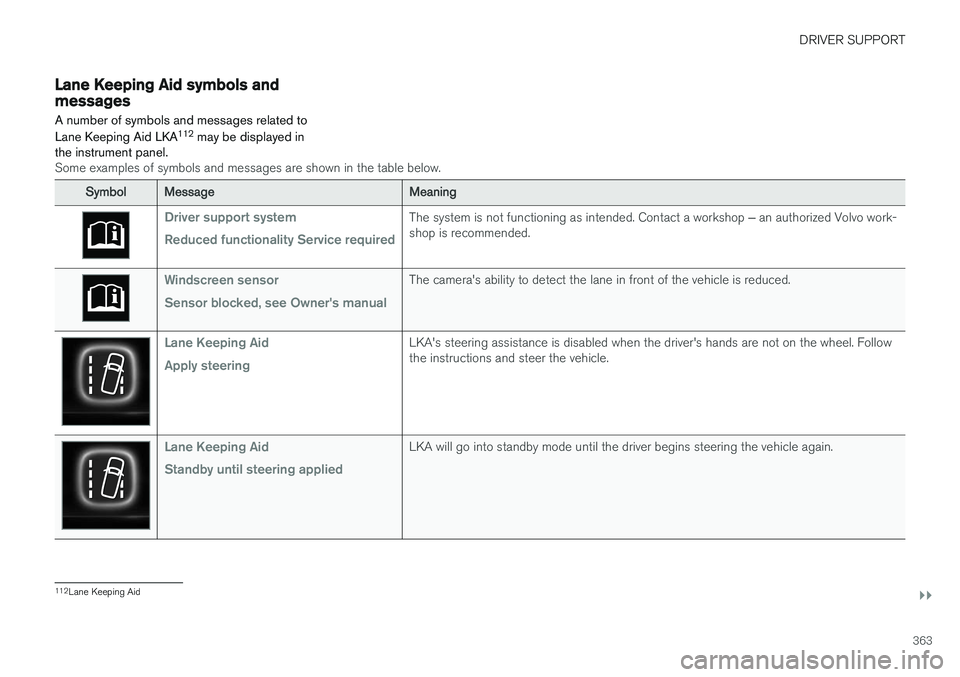
Some examples of symbols and messages are shown in the table below.
SymbolMessageMeaning
Driver support system Reduced functionality Service requiredThe system is not functioning as intended. Contact a workshop ‒ an authorized Volvo work-
shop is recommended.
Windscreen sensor Sensor blocked, see Owner's manualThe camera's ability to detect the lane in front of the vehicle is reduced.
Lane Keeping Aid Apply steeringLKA's steering assistance is disabled when the driver's hands are not on the wheel. Follow the instructions and steer the vehicle.
Lane Keeping Aid Standby until steering appliedLKA will go into standby mode until the driver begins steering the vehicle again.
112 Lane Keeping Aid
Page 366 of 656
||
DRIVER SUPPORT
364A text message can be erased by briefly pressing the
button in the center of the right-side
steering wheel keypad. If the message persists: Contact a workshop ‒ an
authorized Volvo workshop is recommended.
Related information
• Lane Keeping Aid (p. 358)
Page 371 of 656
DRIVER SUPPORT
}}
369
NOTE
The function uses the vehicle's radar unit, which has some general limitations – see thesection "Radar unit limitations".
Related information
•Steering assistance at risk of collision (p. 366)
• Speed-dependent steering wheel resistance(p. 266)
Steering assistance during collisionrisks from oncoming traffic
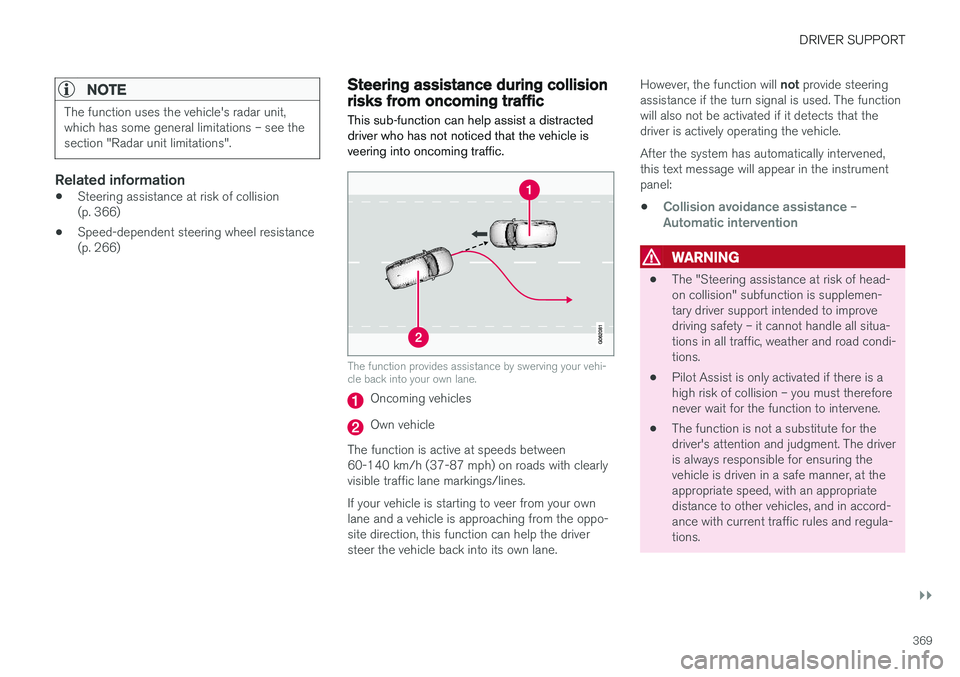
This sub-function can help assist a distracted driver who has not noticed that the vehicle isveering into oncoming traffic.
The function provides assistance by swerving your vehi- cle back into your own lane.
Oncoming vehicles
Own vehicle
The function is active at speeds between 60-140 km/h (37-87 mph) on roads with clearlyvisible traffic lane markings/lines. If your vehicle is starting to veer from your own lane and a vehicle is approaching from the oppo- site direction, this function can help the driversteer the vehicle back into its own lane. However, the function will
not provide steering
assistance if the turn signal is used. The functionwill also not be activated if it detects that thedriver is actively operating the vehicle. After the system has automatically intervened, this text message will appear in the instrumentpanel:
•
Collision avoidance assistance –Automatic intervention
WARNING
• The "Steering assistance at risk of head- on collision" subfunction is supplemen-tary driver support intended to improvedriving safety – it cannot handle all situa-tions in all traffic, weather and road condi-tions.
• Pilot Assist is only activated if there is ahigh risk of collision – you must thereforenever wait for the function to intervene.
• The function is not a substitute for thedriver's attention and judgment. The driveris always responsible for ensuring thevehicle is driven in a safe manner, at theappropriate speed, with an appropriatedistance to other vehicles, and in accord-ance with current traffic rules and regula-tions.
Page 373 of 656
DRIVER SUPPORT
}}
* Option/accessory.371
NOTE
The function uses the vehicle's camera unit, which has some general limitations – see thesection "Camera unit limitations".
NOTE
The function uses the vehicle's radar unit, which has some general limitations – see thesection "Radar unit limitations".
Related information
•Steering assistance at risk of collision (p. 366)
• Speed-dependent steering wheel resistance(p. 266)
Steering assistance during collision
risks from behind
*
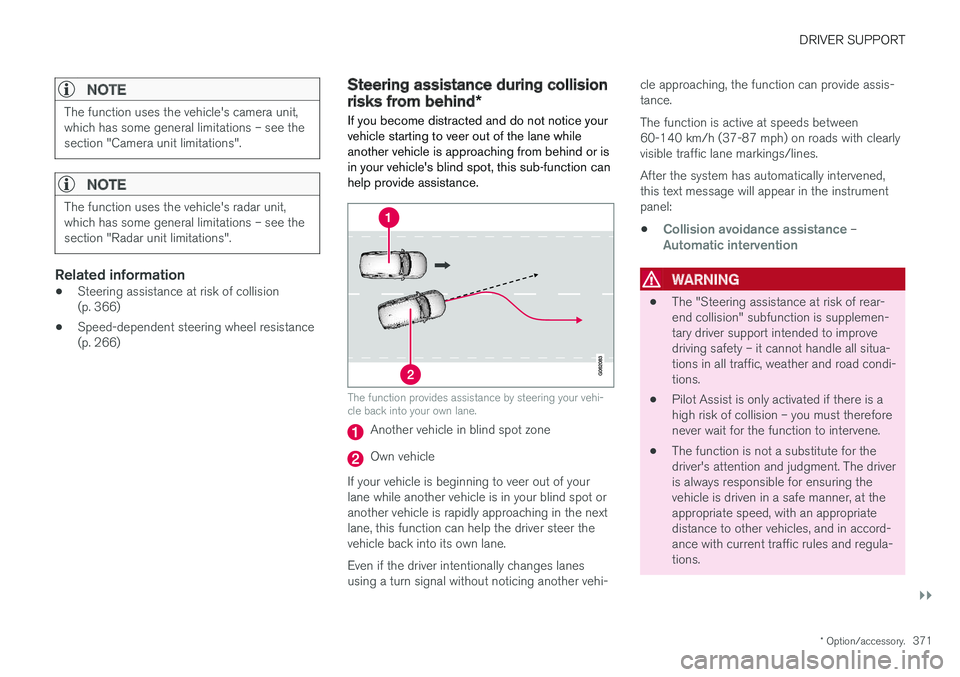
If you become distracted and do not notice your vehicle starting to veer out of the lane whileanother vehicle is approaching from behind or isin your vehicle's blind spot, this sub-function canhelp provide assistance.
The function provides assistance by steering your vehi- cle back into your own lane.
Another vehicle in blind spot zone
Own vehicle
If your vehicle is beginning to veer out of your lane while another vehicle is in your blind spot oranother vehicle is rapidly approaching in the next lane, this function can help the driver steer the vehicle back into its own lane. Even if the driver intentionally changes lanes using a turn signal without noticing another vehi- cle approaching, the function can provide assis-tance. The function is active at speeds between 60-140 km/h (37-87 mph) on roads with clearlyvisible traffic lane markings/lines. After the system has automatically intervened, this text message will appear in the instrumentpanel:
•
Collision avoidance assistance –Automatic intervention
WARNING
• The "Steering assistance at risk of rear- end collision" subfunction is supplemen-tary driver support intended to improvedriving safety – it cannot handle all situa-tions in all traffic, weather and road condi-tions.
• Pilot Assist is only activated if there is ahigh risk of collision – you must thereforenever wait for the function to intervene.
• The function is not a substitute for thedriver's attention and judgment. The driveris always responsible for ensuring thevehicle is driven in a safe manner, at theappropriate speed, with an appropriatedistance to other vehicles, and in accord-ance with current traffic rules and regula-tions.