airbag off VOLVO V90 2018 Owner´s Manual
[x] Cancel search | Manufacturer: VOLVO, Model Year: 2018, Model line: V90, Model: VOLVO V90 2018Pages: 656, PDF Size: 11.78 MB
Page 86 of 656
DISPLAYS AND VOICE CONTROL
* Option/accessory.
84
Instrument panel
The instrument panel displays information rela- ted to the vehicle and driving.
The instrument panel contains gauges, indicators and monitoring and warning symbols. What isshown in the instrument panel varies dependingon the equipment, settings and functions cur-rently active. The instrument panel is activated as soon as a door is opened, i.e. in ignition mode 0. The panel
will power down after a short period of time if it is not used. To reactivate it, do one of the following:
• Depress the brake pedal.
• Activate ignition mode
I.
• Open one of the doors. The instrument panel is available in two versions: 12"
* and 8".WARNING
If the instrument panel is not functioning properly, information about brakes, airbags orother safety-related systems may not be dis-played. The driver will then not be able tocheck the status of the vehicle systems orreceive relevant warnings and information.
WARNING
If the instrument panel turns off, does not activate when the ignition is switched on, orpart/all of the panel cannot be read, do notdrive the vehicle. Consult a workshop immedi-ately. Volvo recommends an authorized Volvoworkshop.
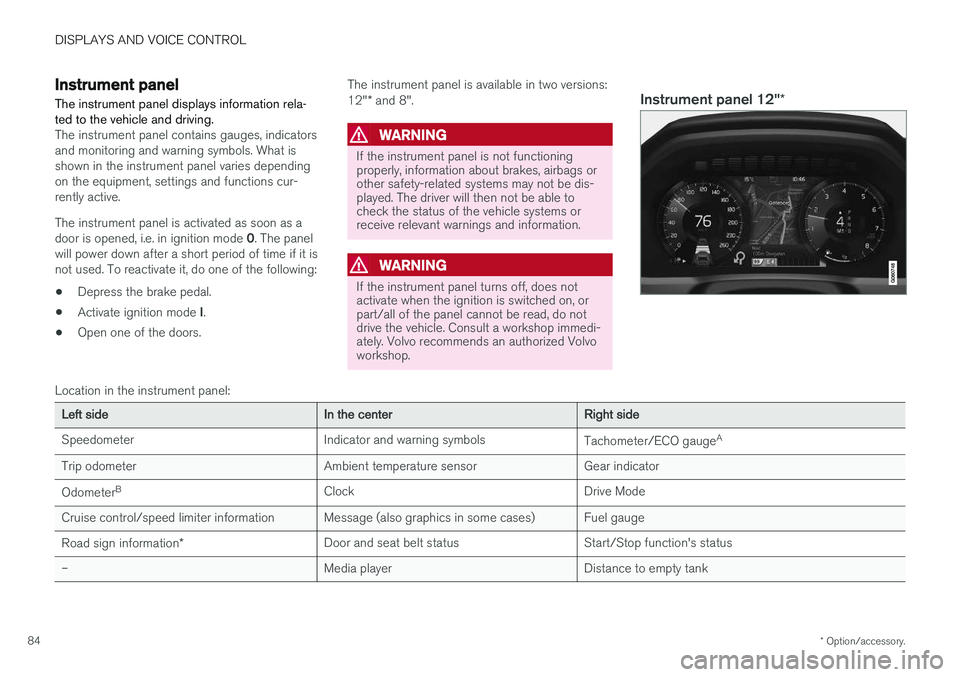
Instrument panel 12" *
Location in the instrument panel:
Left sideIn the centerRight side
Speedometer Indicator and warning symbols Tachometer/ECO gaugeA
Trip odometer Ambient temperature sensor Gear indicator Odometer B
Clock Drive Mode
Cruise control/speed limiter information Message (also graphics in some cases) Fuel gauge
Road sign information * Door and seat belt status Start/Stop function's status
– Media player Distance to empty tank
Page 653 of 656
INDEX
651
Transmission fluid
grade 635
Travel Link 470 Fuel 473
Notifications 472
Sports 474
weather 471
Tread depth 521, 539
Tread wear indicator 521
Trip computer 89, 91
Trip odometer 89
Trip odometer resetting 92
Trip statistics 92 Troubleshooting Adaptive Cruise Control 300
Troubleshooting the camera sensor 326
TSA - Trailer Stability Assist 268, 442
Tunnel detection 157
Turn off engine 402
Turn signals 160Type approval radar system 324
U
Uniform Tire Quality Grading 524
Units 134
Unknown vehicle component 264Unlockingsettings 236
with key blade 245
USB socket for connecting media 482
V
Vehicle care 611, 612, 614, 615, 616, 617leather upholstery 609
Vehicle Event Data 33 Vehicle functions in the center display 124
Vehicle key bat. low 238Vehicle modem connecting vehicle to Internet 500
settings 501
Vehicle recovery 446
Vehicle status 570 inflation pressure 530
Vehicle upholstery 606, 608, 609, 610, 611
Vehicle weight 631
Ventilation 208, 209 Seats 218
Video 480, 482 settings 481
Voice control 147 climate 204
phone 149
radio and media 150
settings 150
VOL mark 518
Volvo ID 26 create and register 27
W
Warning light
Adaptive Cruise Control 292
stability and traction control system 268
Warning lights airbags SRS 97
alternator does not charge 97
brake system error 97
low oil pressure 97
parking brake applied 97
seat belt reminder 97
starter battery not charging 97
WARNING 97