high beam VOLVO V90 2018 Owner´s Manual
[x] Cancel search | Manufacturer: VOLVO, Model Year: 2018, Model line: V90, Model: VOLVO V90 2018Pages: 656, PDF Size: 11.78 MB
Page 185 of 656
WINDOWS, GLASS AND MIRRORS
}}
* Option/accessory.183
•
Windshield wipers in the service position (p. 622)
• Replacing windshield wiper blades (p. 621)
• Changing rear window wipers (p. 620)
• Using the windshield wipers (p. 180)
Using the windshield and headlightwashers
The windshield and headlight washers clean the windshield and headlights. Use the right-sidesteering wheel lever to start the windshield andheadlight washers.
Starting the windshield and headlight washers
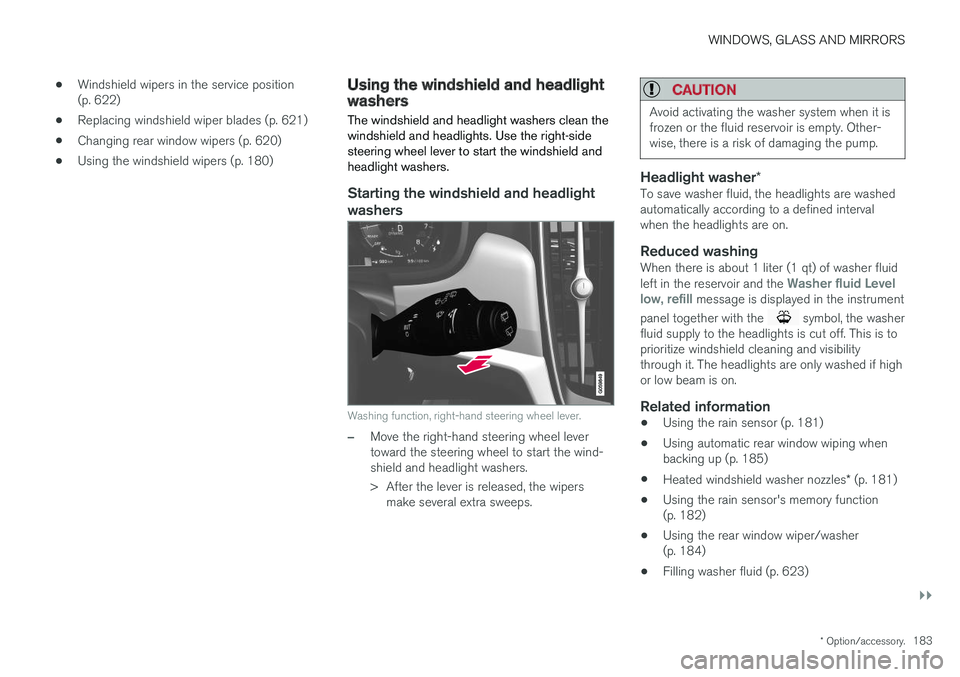
Washing function, right-hand steering wheel lever.
–Move the right-hand steering wheel lever toward the steering wheel to start the wind-shield and headlight washers.
> After the lever is released, the wipers make several extra sweeps.
CAUTION
Avoid activating the washer system when it is frozen or the fluid reservoir is empty. Other-wise, there is a risk of damaging the pump.
Headlight washer *To save washer fluid, the headlights are washed automatically according to a defined intervalwhen the headlights are on.
Reduced washingWhen there is about 1 liter (1 qt) of washer fluid left in the reservoir and the Washer fluid Level
low, refill message is displayed in the instrument
panel together with the
symbol, the washer
fluid supply to the headlights is cut off. This is to prioritize windshield cleaning and visibilitythrough it. The headlights are only washed if highor low beam is on.
Related information
• Using the rain sensor (p. 181)
• Using automatic rear window wiping whenbacking up (p. 185)
• Heated windshield washer nozzles
* (p. 181)
• Using the rain sensor's memory function(p. 182)
• Using the rear window wiper/washer(p. 184)
• Filling washer fluid (p. 623)
Page 327 of 656
DRIVER SUPPORT
* Option/accessory.325
Camera
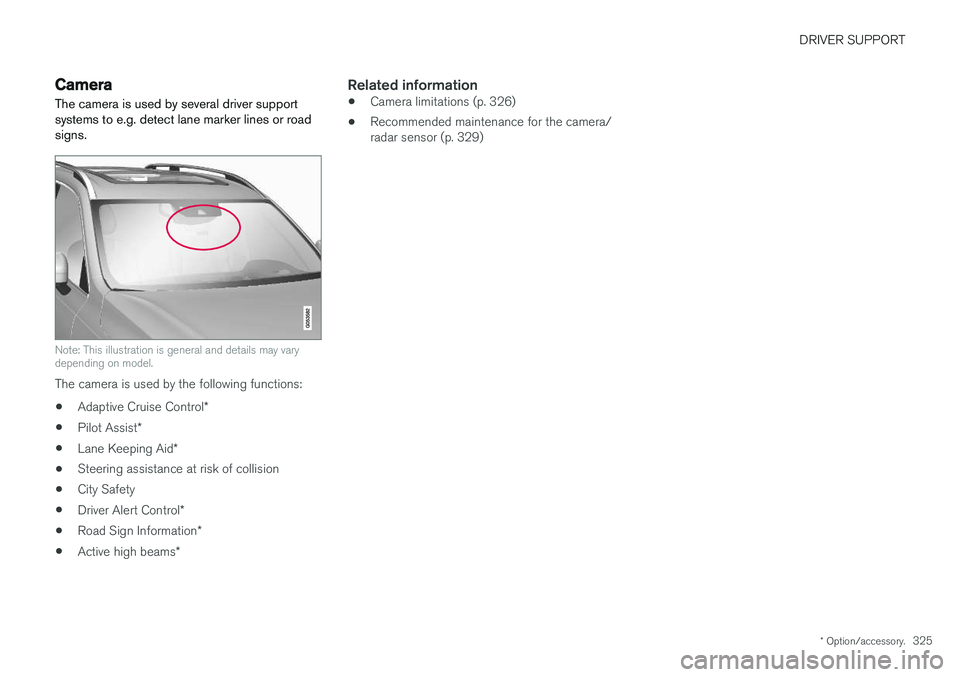
The camera is used by several driver support systems to e.g. detect lane marker lines or roadsigns.
Note: This illustration is general and details may vary depending on model.
The camera is used by the following functions:
• Adaptive Cruise Control
*
• Pilot Assist
*
• Lane Keeping Aid
*
• Steering assistance at risk of collision
• City Safety
• Driver Alert Control
*
• Road Sign Information
*
• Active high beams
*
Related information
•Camera limitations (p. 326)
• Recommended maintenance for the camera/ radar sensor (p. 329)
Page 584 of 656
||
MAINTENANCE AND SERVICE
* Option/accessory.
582
CAUTION
Never touch the bulb glass with your bare fin- gers. Grease and oils from your fingers vapor-ize in the heat and will leave a deposit on thereflector, which may damage it.
NOTE
If the error message persists after the defec- tive bulb has been replaced, we recommend avisit to an authorized Volvo workshop.
NOTE
Exterior lighting such as headlights and tail- lights may develop temporary condensationon the inside of the lens. This is normal. Allexterior lighting is designed to resist this.Condensation is normally vented out of thelamp housing once the light has been lit forsome period of time.
NOTE
Bulbs for active curve lighting * contain traces
of mercury and should therefore always be submitted to a certified Volvo service techni-cian.
Related information
• Location of exterior lights (p. 583)
• Removing the plastic cover to replace bulbs (p. 582)
• Replacing the low beam headlight bulbs(p. 584)
• Replacing the high beam headlight bulbs(p. 584)
• Replacing daytime running lights/front park-ing light bulbs (p. 585)
• Replacing front turn signal bulbs (p. 586)
• Replacing backup lights (p. 587)
• Replacing the rear fog light bulb (p. 587)
• Bulb specifications (p. 588)
Removing the plastic cover toreplace bulbs
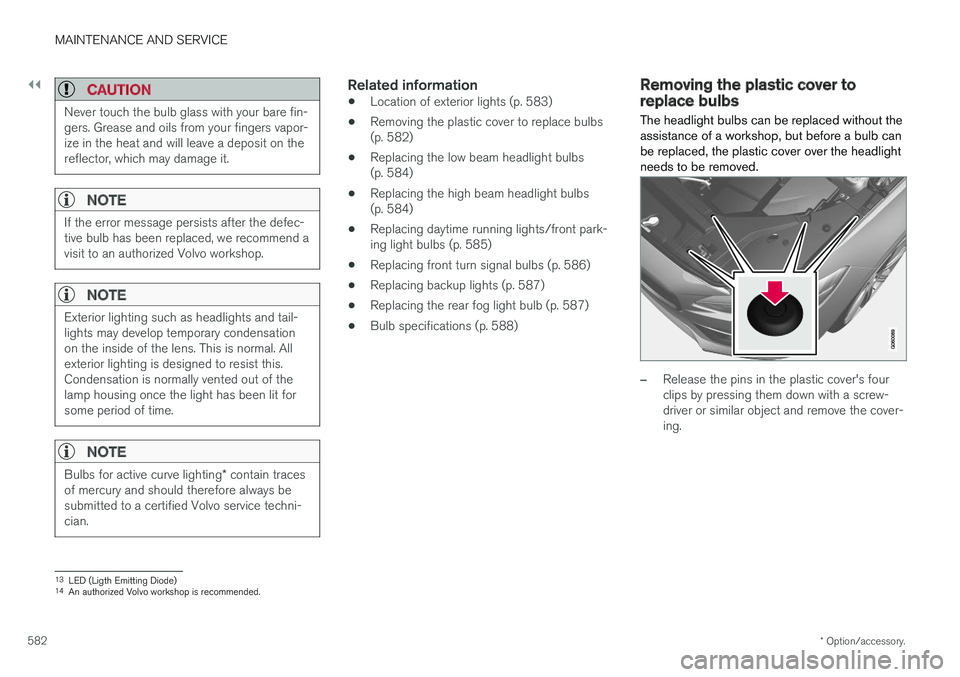
The headlight bulbs can be replaced without the assistance of a workshop, but before a bulb canbe replaced, the plastic cover over the headlightneeds to be removed.
–Release the pins in the plastic cover's four clips by pressing them down with a screw-driver or similar object and remove the cover-ing.
13 LED (Ligth Emitting Diode)
14 An authorized Volvo workshop is recommended.
Page 585 of 656
MAINTENANCE AND SERVICE
* Option/accessory.583
NOTE
To bear in mind when refitting the covering:
• The pin in the clip must be pressed back completely before the clip is reinstalled inthe covering.
• When the covering is reinstalled, the pinmust be pressed in until the end surfaceis level with the surface of the clip.
Related information
• Replacing bulbs (p. 581)
• Replacing the low beam headlight bulbs (p. 584)
• Replacing the high beam headlight bulbs(p. 584)
• Replacing daytime running lights/front park-ing light bulbs (p. 585)
• Replacing front turn signal bulbs (p. 586)
• Bulb specifications (p. 588)
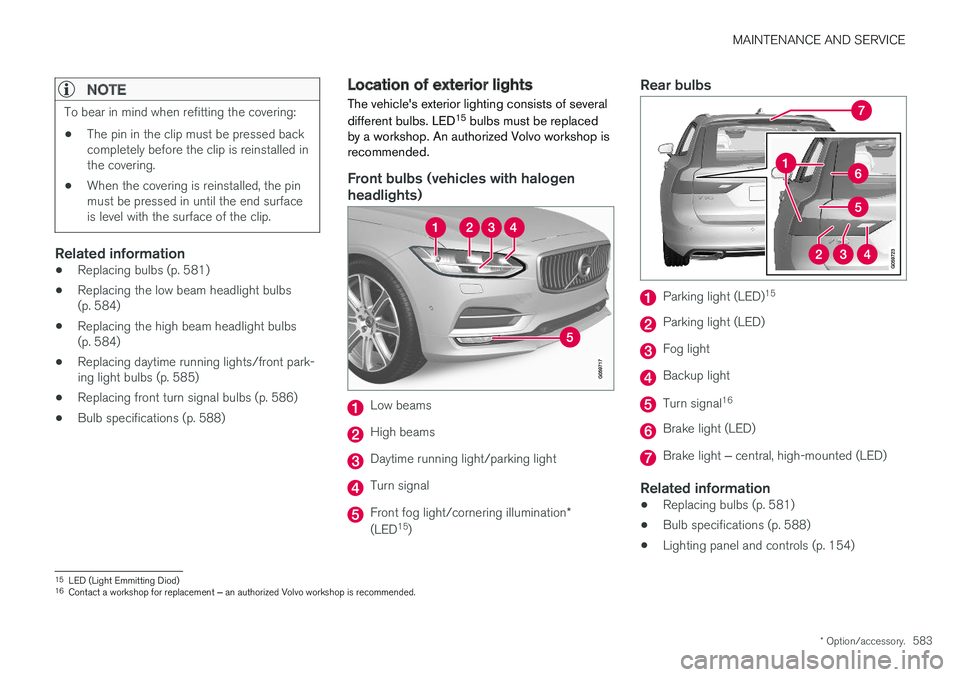
Location of exterior lights
The vehicle's exterior lighting consists of several different bulbs. LED 15
bulbs must be replaced
by a workshop. An authorized Volvo workshop is recommended.
Front bulbs (vehicles with halogen headlights)
Low beams
High beams
Daytime running light/parking light
Turn signal
Front fog light/cornering illumination *
(LED 15
)
Rear bulbs
Parking light (LED) 15
Parking light (LED)
Fog light
Backup light
Turn signal
16
Brake light (LED)
Brake light
‒ central, high-mounted (LED)
Related information
• Replacing bulbs (p. 581)
• Bulb specifications (p. 588)
• Lighting panel and controls (p. 154)
15
LED (Light Emmitting Diod)
16 Contact a workshop for replacement ‒ an authorized Volvo workshop is recommended.
Page 586 of 656
MAINTENANCE AND SERVICE
584
Replacing the low beam headlightbulbs
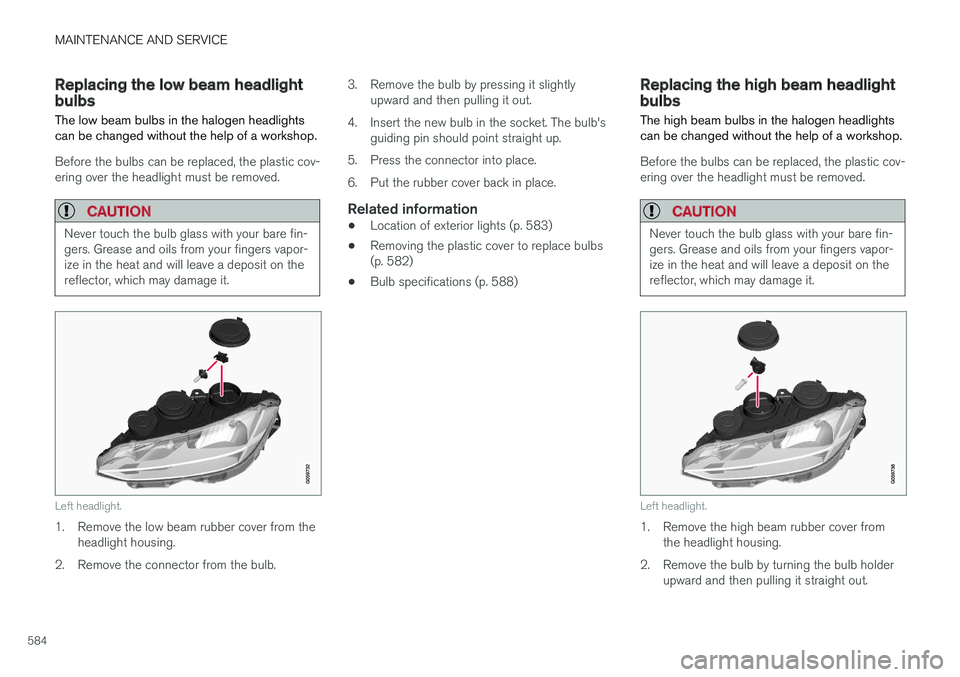
The low beam bulbs in the halogen headlights can be changed without the help of a workshop.
Before the bulbs can be replaced, the plastic cov- ering over the headlight must be removed.
CAUTION
Never touch the bulb glass with your bare fin- gers. Grease and oils from your fingers vapor-ize in the heat and will leave a deposit on thereflector, which may damage it.
Left headlight.
1. Remove the low beam rubber cover from the headlight housing.
2. Remove the connector from the bulb. 3. Remove the bulb by pressing it slightly
upward and then pulling it out.
4. Insert the new bulb in the socket. The bulb's guiding pin should point straight up.
5. Press the connector into place.
6. Put the rubber cover back in place.
Related information
• Location of exterior lights (p. 583)
• Removing the plastic cover to replace bulbs (p. 582)
• Bulb specifications (p. 588)
Replacing the high beam headlightbulbs
The high beam bulbs in the halogen headlights can be changed without the help of a workshop.
Before the bulbs can be replaced, the plastic cov- ering over the headlight must be removed.
CAUTION
Never touch the bulb glass with your bare fin- gers. Grease and oils from your fingers vapor-ize in the heat and will leave a deposit on thereflector, which may damage it.
Left headlight.
1. Remove the high beam rubber cover from the headlight housing.
2. Remove the bulb by turning the bulb holder upward and then pulling it straight out.
Page 587 of 656
MAINTENANCE AND SERVICE
}}
585
3. Carefully pry the plastic sleeve by the con-
nector's locking lug to release it.
4. Remove the connector from the bulb.
5. Replace the bulb.
6. Position the bulb in the socket and turn it downward.
7. Put the rubber cover back in place.
Related information
• Location of exterior lights (p. 583)
• Removing the plastic cover to replace bulbs (p. 582)
• Bulb specifications (p. 588)
Replacing daytime running lights/front parking light bulbs
The daytime running light/parking light bulbs in the halogen headlights can be changed withoutthe help of a workshop.
Before the bulbs can be replaced, the plastic cov- ering over the headlight must be removed.
NOTE
Daytime running lights/parking lights are eas- ier to reach if the high beam headlight bulbsare removed. The high beam headlights aremounted above and to the side of the daytimerunning lights/parking lights. Remove thehigh beam headlight bulb by turning the bulbholder upward and then pulling it straight out.
CAUTION
Never touch the bulb glass with your bare fin- gers. Grease and oils from your fingers vapor-ize in the heat and will leave a deposit on thereflector, which may damage it.
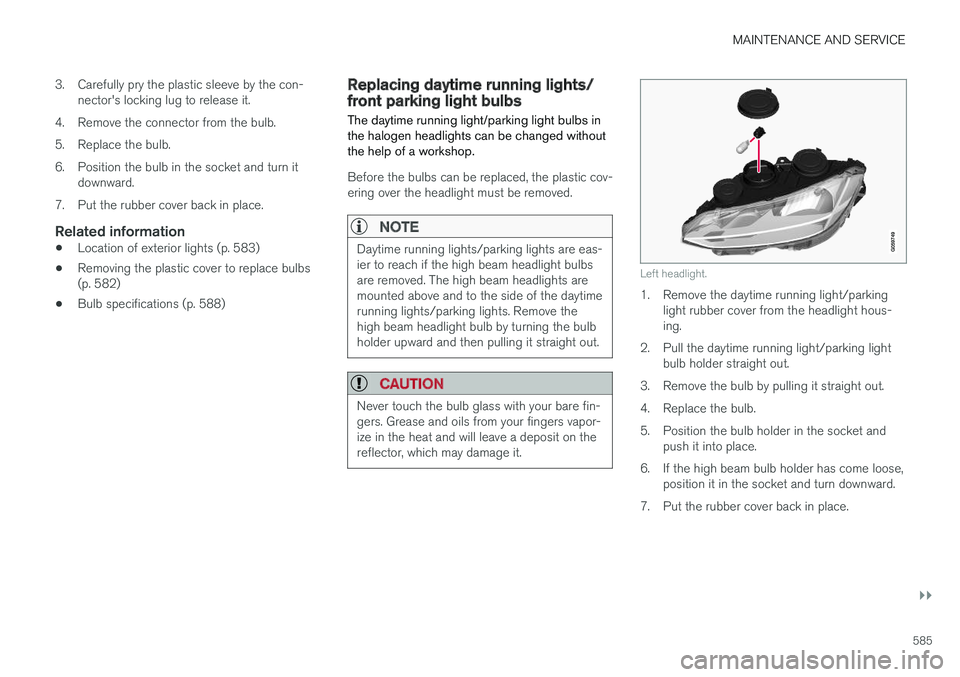
Left headlight.
1. Remove the daytime running light/parking light rubber cover from the headlight hous- ing.
2. Pull the daytime running light/parking light bulb holder straight out.
3. Remove the bulb by pulling it straight out.
4. Replace the bulb.
5. Position the bulb holder in the socket and push it into place.
6. If the high beam bulb holder has come loose, position it in the socket and turn downward.
7. Put the rubber cover back in place.
Page 590 of 656
||
MAINTENANCE AND SERVICE
588
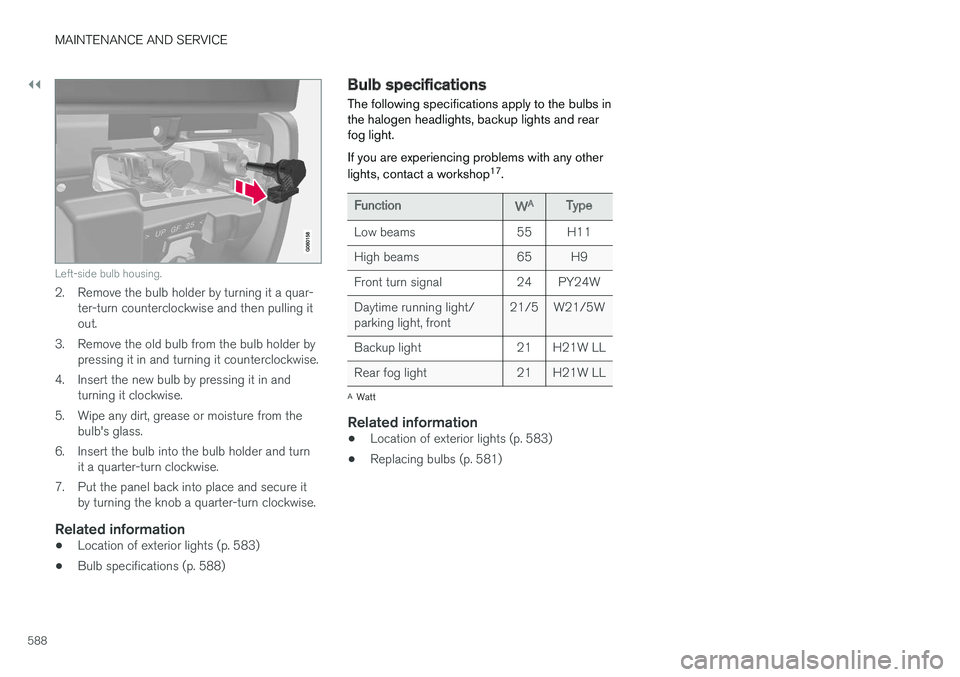
Left-side bulb housing.
2. Remove the bulb holder by turning it a quar-ter-turn counterclockwise and then pulling it out.
3. Remove the old bulb from the bulb holder by pressing it in and turning it counterclockwise.
4. Insert the new bulb by pressing it in and turning it clockwise.
5. Wipe any dirt, grease or moisture from the bulb's glass.
6. Insert the bulb into the bulb holder and turn it a quarter-turn clockwise.
7. Put the panel back into place and secure it by turning the knob a quarter-turn clockwise.
Related information
• Location of exterior lights (p. 583)
• Bulb specifications (p. 588)
Bulb specifications The following specifications apply to the bulbs in the halogen headlights, backup lights and rearfog light. If you are experiencing problems with any other lights, contact a workshop 17
.
FunctionWAType
Low beams 55 H11
High beams 65 H9
Front turn signal 24 PY24WDaytime running light/ parking light, front 21/5 W21/5W
Backup light 21 H21W LL
Rear fog light 21 H21W LL
A Watt
Related information
• Location of exterior lights (p. 583)
• Replacing bulbs (p. 581)
Page 641 of 656
INDEX
639
1, 2, 3 ...
4WD 419
A
ABSanti-lock brakes 405
AC (Air conditioning) 229
ACC - Adaptive Cruise Control 289, 292, 293, 294, 295, 296, 298, 299, 300, 301, 303
Accessories and extra equipment 35 installation 36
Accessory installation warning 36
Active Bending Lights 161
Adapting driving characteristics 266, 419
Adaptive Cruise Control 289, 292, 293, 294, 295, 296, 298, 299, 300, 301, 303
change cruise control functionality 301
function 289
manage speed 293, 294
pass 298
radar sensor 320
set time interval 295, 296
troubleshooting 300
Adjusting the steering wheel 200
Airbag 52 activation/deactivation 56
driver's side 53
passenger side 53, 56
Air bag, see Airbag 52
Air conditioning 229Air conditioning, fluid volume and grade 636
Air distribution 208 air vents 208, 209
changing 208
defrosting 222
recirculation 221
table showing options 211
Air quality 205, 206 allergy and asthma 206
passenger compartment filter 207
Air recirculation 221
Alarm 261 deactivating 262
Allergy and asthma-inducing substances 206
All Wheel Drive, AWD 419
All Wheel Drive (AWD) 419
All Wheel Drive (four-wheel drive) 419
Android Auto 486, 488 Antenna location 251Apple CarPlay 483, 485
Approach lighting 164
Apps 455
Assistance at risk of collision 366, 367, 368, 369, 370, 371, 372, 374
Audio and media 454Audio system HD digital radio 465 SiriusXM ® Satellite radio 466, 467, 468
Auto-climate 220
Auto hold 411
Auto-hold brakes 411 activate and deactivate 412
after collision 413
Automatic car wash 614 Automatic engine stop auto-stop 424
Automatic high beam 159
Automatic locking 255
Automatic relocking 235, 248
Automatic Speed Limiter 276, 278, 279
Automatic transmission 414 kickdown 418
oil 635
Trailer 440
INDEX
Page 646 of 656
INDEX
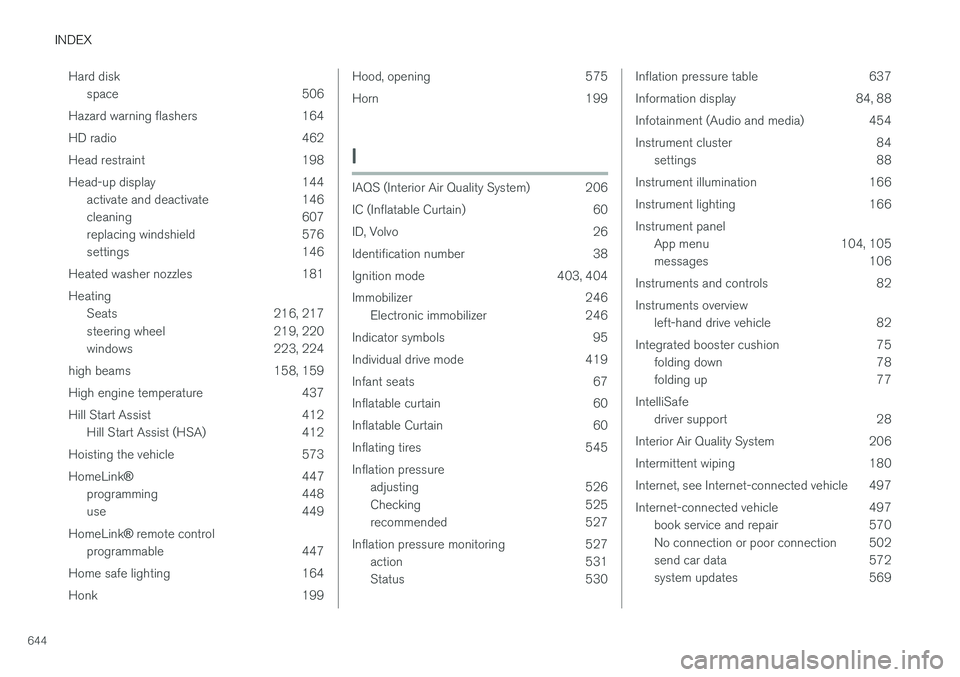
644Hard disk
space 506
Hazard warning flashers 164
HD radio 462
Head restraint 198
Head-up display 144 activate and deactivate 146
cleaning 607
replacing windshield 576
settings 146
Heated washer nozzles 181 Heating Seats 216, 217
steering wheel 219, 220
windows 223, 224
high beams 158, 159
High engine temperature 437
Hill Start Assist 412 Hill Start Assist (HSA) 412
Hoisting the vehicle 573 HomeLink ® 447
programming 448
use 449
HomeLink ®
remote control
programmable 447
Home safe lighting 164
Honk 199
Hood, opening 575
Horn 199
I
IAQS (Interior Air Quality System) 206
IC (Inflatable Curtain) 60
ID, Volvo 26
Identification number 38
Ignition mode 403, 404
Immobilizer 246 Electronic immobilizer 246
Indicator symbols 95
Individual drive mode 419
Infant seats 67
Inflatable curtain 60
Inflatable Curtain 60
Inflating tires 545 Inflation pressure adjusting 526
Checking 525
recommended 527
Inflation pressure monitoring 527 action 531
Status 530
Inflation pressure table 637
Information display 84, 88
Infotainment (Audio and media) 454
Instrument cluster 84settings 88
Instrument illumination 166
Instrument lighting 166Instrument panel App menu 104, 105
messages 106
Instruments and controls 82 Instruments overview left-hand drive vehicle 82
Integrated booster cushion 75 folding down 78
folding up 77
IntelliSafe driver support 28
Interior Air Quality System 206
Intermittent wiping 180
Internet, see Internet-connected vehicle 497
Internet-connected vehicle 497 book service and repair 570
No connection or poor connection 502
send car data 572
system updates 569
Page 647 of 656
INDEX
645
iPod
®, connecting 482
ISOFIX/LATCH anchors 74
J
Jack 533
Jump-start 439
K
Key 233
Keyboard 128, 131 change language 131
Keyless locking/unlocking 248
settings 250
touch-sensitive surfaces 247
Key tag 233
L
Labels location of 626
Laminated glass 170
Lamps changing 581
location 583
specifications 588
Trailer 443
Lane Keeping Aid operation 361
Lane Keeping Aid (LKA) 358, 360, 361, 363, 365
Language 134
Leather upholstery, cleaning instructions 609
Leveling control 428 settings 430
License agreement 98, 507
Lifting tools 533
Light bulbs, specifications 588
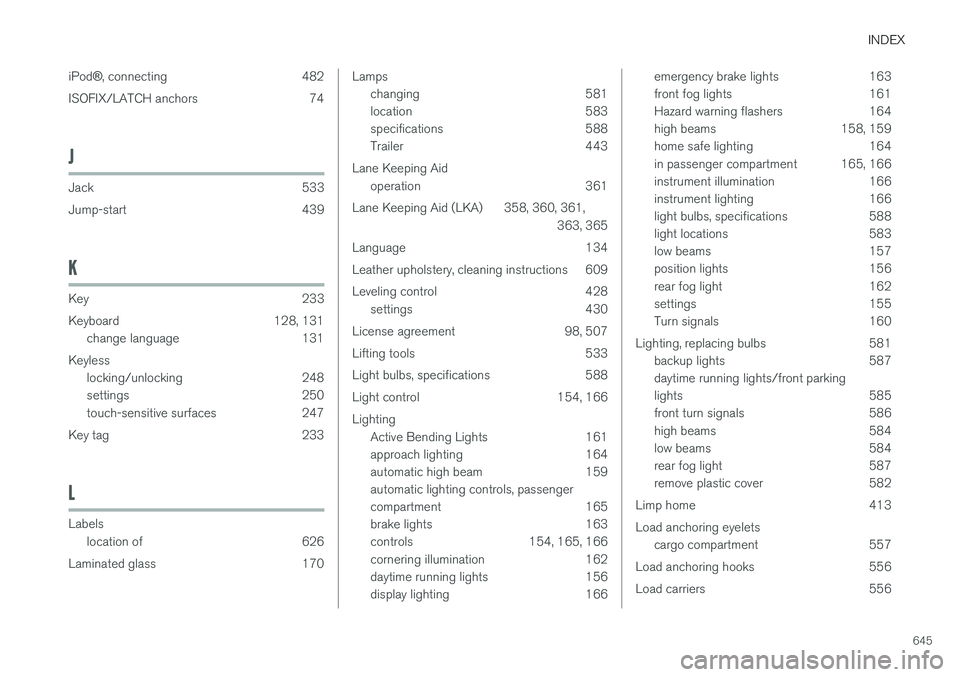
Light control 154, 166 Lighting Active Bending Lights 161
approach lighting 164
automatic high beam 159 automatic lighting controls, passenger
compartment 165
brake lights 163
controls 154, 165, 166
cornering illumination 162
daytime running lights 156
display lighting 166emergency brake lights 163
front fog lights 161
Hazard warning flashers 164
high beams 158, 159
home safe lighting 164
in passenger compartment 165, 166
instrument illumination 166
instrument lighting 166
light bulbs, specifications 588
light locations 583
low beams 157
position lights 156
rear fog light 162
settings 155
Turn signals 160
Lighting, replacing bulbs 581 backup lights 587 daytime running lights/front parking
lights 585
front turn signals 586
high beams 584
low beams 584
rear fog light 587
remove plastic cover 582
Limp home 413 Load anchoring eyelets cargo compartment 557
Load anchoring hooks 556
Load carriers 556