key battery VOLVO V90 2018 Owner´s Manual
[x] Cancel search | Manufacturer: VOLVO, Model Year: 2018, Model line: V90, Model: VOLVO V90 2018Pages: 656, PDF Size: 11.78 MB
Page 263 of 656
KEY, LOCKS AND ALARM
}}
* Option/accessory.261
Deactivating private locking1. Tap the button for private locking in Function
view.
> A pop-up window will appear.
2. Enter the code used for locking and tap
Confirm.
> The tailgate will unlock. The green indica- tor light next to the button in Function view will go out to confirm unlocked sta-tus.
NOTE
If you have forgotten or lost your PIN code or if the PIN code has been entered incorrectlymore than three times, the security code canbe used to deactivate private locking.
NOTE
If private locking is activated and the vehicle is unlocked using Volvo On Call * or the Volvo
On Call * app, private locking will be deacti-
vated automatically.
Related information
• Private Locking (p. 260)
Alarm
The alarm emits sound and light signals if any- one without a valid remote key attempts to breakinto the vehicle or interferes with the start batteryor alarm siren.
When armed, the alarm will be triggered if:
• the hood, tailgate or any door is opened.
• a battery cable is disconnected
• the alarm siren is disconnected.
Alarm signalsThe following occurs if the alarm is triggered:
• A siren will sound for 30 seconds or until the alarm is turned off.
• All turn signals will flash for 5 minutes oruntil the alarm is turned off.
If the reason the alarm was triggered is not recti- fied, the alarm cycle will repeat up to 10 times 17
.
17 Certain markets only.
Page 265 of 656
KEY, LOCKS AND ALARM
}}
* Option/accessory.263
Arming the alarmLock and arm the vehicle by:
• pressing the lock button on the remote key
•
touch the marked surface on the outside of the door handle or the rubberized pressure plate on the tailgate 18
.
If the vehicle is equipped with both keyless lock- ing/unlocking * and power tailgate *, the button
on the lower edge of the tailgate can also
be used to lock and arm the vehicle.
A red LED light on the dashboard will flash every other second when the vehicle is locked and the alarm isarmed.
Disarming the alarmUnlock and disarm the vehicle alarm by:
• pressing the unlock button on the remote key
•
grip a door handle or press the tailgate's rub- berized pressure plate 18
.
Disarming the alarm without a functioning
remote key
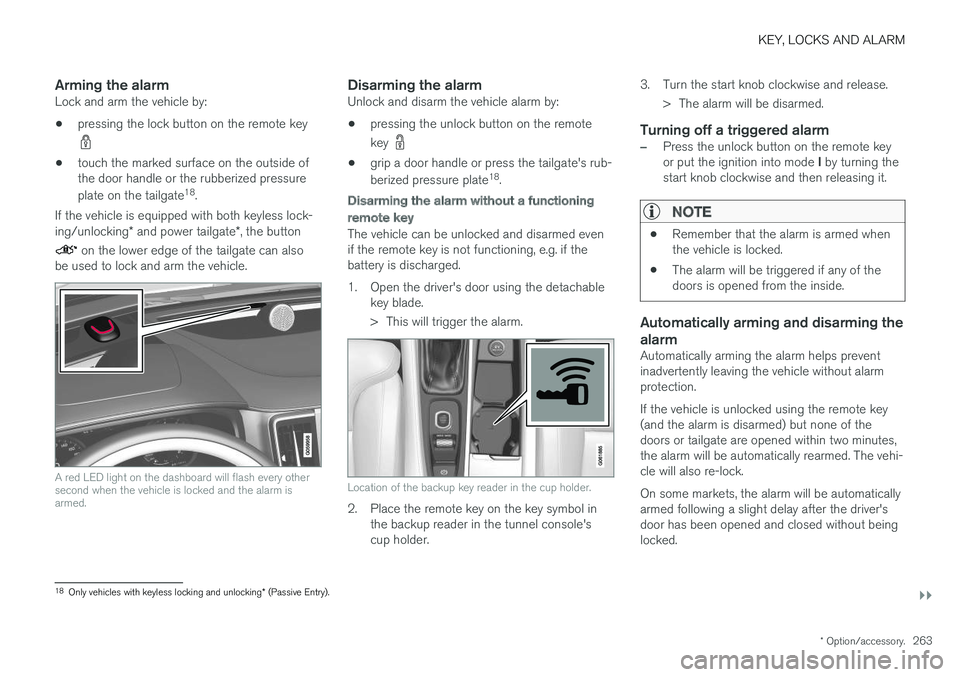
The vehicle can be unlocked and disarmed even if the remote key is not functioning, e.g. if thebattery is discharged.
1. Open the driver's door using the detachable
key blade.
> This will trigger the alarm.
Location of the backup key reader in the cup holder.
2. Place the remote key on the key symbol inthe backup reader in the tunnel console's cup holder. 3. Turn the start knob clockwise and release.
> The alarm will be disarmed.
Turning off a triggered alarm
–Press the unlock button on the remote key or put the ignition into mode I by turning the
start knob clockwise and then releasing it.
NOTE
• Remember that the alarm is armed when the vehicle is locked.
• The alarm will be triggered if any of thedoors is opened from the inside.
Automatically arming and disarming the alarm
Automatically arming the alarm helps prevent inadvertently leaving the vehicle without alarmprotection. If the vehicle is unlocked using the remote key (and the alarm is disarmed) but none of thedoors or tailgate are opened within two minutes,the alarm will be automatically rearmed. The vehi-cle will also re-lock. On some markets, the alarm will be automatically armed following a slight delay after the driver'sdoor has been opened and closed without beinglocked.
18
Only vehicles with keyless locking and unlocking * (Passive Entry).
Page 403 of 656
STARTING AND DRIVING
}}
401
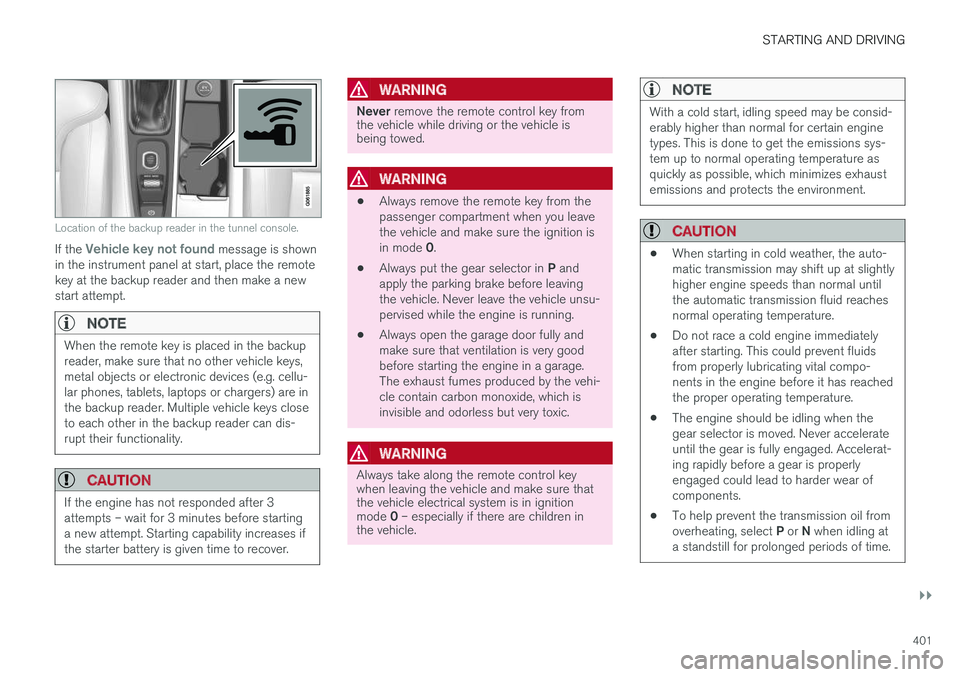
Location of the backup reader in the tunnel console.
If the Vehicle key not found message is shown
in the instrument panel at start, place the remote key at the backup reader and then make a newstart attempt.
NOTE
When the remote key is placed in the backup reader, make sure that no other vehicle keys,metal objects or electronic devices (e.g. cellu-lar phones, tablets, laptops or chargers) are inthe backup reader. Multiple vehicle keys closeto each other in the backup reader can dis-rupt their functionality.
CAUTION
If the engine has not responded after 3 attempts – wait for 3 minutes before startinga new attempt. Starting capability increases ifthe starter battery is given time to recover.
WARNING
Never remove the remote control key from
the vehicle while driving or the vehicle is being towed.
WARNING
• Always remove the remote key from the passenger compartment when you leavethe vehicle and make sure the ignition is in mode
0.
• Always put the gear selector in
P and
apply the parking brake before leaving the vehicle. Never leave the vehicle unsu-pervised while the engine is running.
• Always open the garage door fully andmake sure that ventilation is very goodbefore starting the engine in a garage.The exhaust fumes produced by the vehi-cle contain carbon monoxide, which isinvisible and odorless but very toxic.
WARNING
Always take along the remote control key when leaving the vehicle and make sure thatthe vehicle electrical system is in ignition mode
0 – especially if there are children in
the vehicle.
NOTE
With a cold start, idling speed may be consid- erably higher than normal for certain enginetypes. This is done to get the emissions sys-tem up to normal operating temperature asquickly as possible, which minimizes exhaustemissions and protects the environment.
CAUTION
• When starting in cold weather, the auto- matic transmission may shift up at slightlyhigher engine speeds than normal untilthe automatic transmission fluid reachesnormal operating temperature.
• Do not race a cold engine immediatelyafter starting. This could prevent fluidsfrom properly lubricating vital compo-nents in the engine before it has reachedthe proper operating temperature.
• The engine should be idling when thegear selector is moved. Never accelerateuntil the gear is fully engaged. Accelerat-ing rapidly before a gear is properlyengaged could lead to harder wear ofcomponents.
• To help prevent the transmission oil from overheating, select
P or N when idling at
a standstill for prolonged periods of time.
Page 406 of 656
STARTING AND DRIVING
404
Selecting ignition modeThe vehicle's ignition can be put in various modes (levels) to make different functions availa-ble.
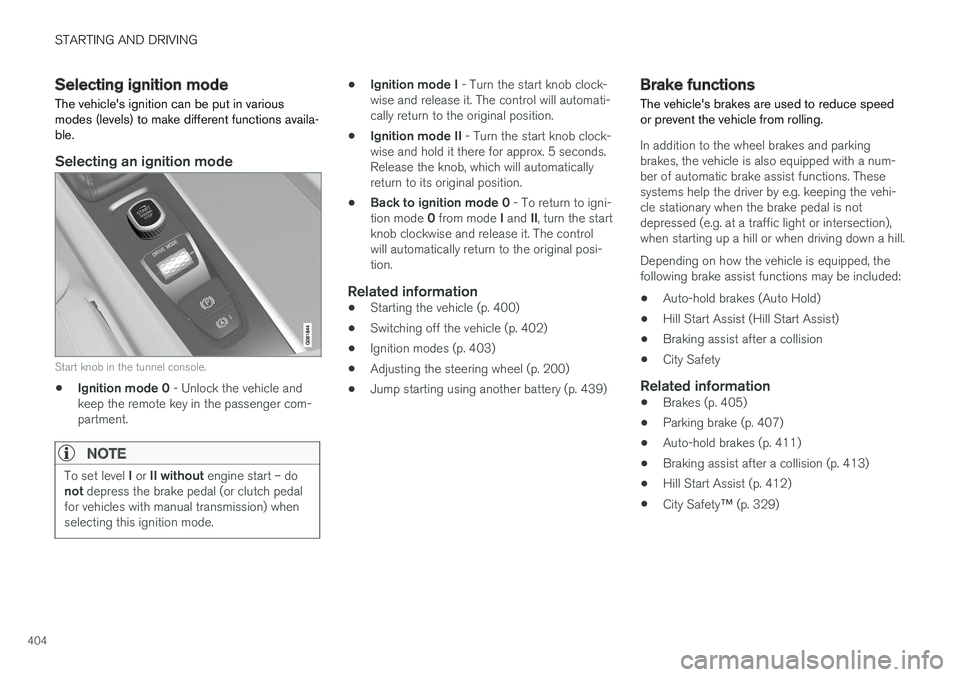
Selecting an ignition mode
Start knob in the tunnel console.
• Ignition mode 0
- Unlock the vehicle and
keep the remote key in the passenger com- partment.
NOTE
To set level I or II without engine start – do
not depress the brake pedal (or clutch pedal
for vehicles with manual transmission) when selecting this ignition mode.
• Ignition mode I
- Turn the start knob clock-
wise and release it. The control will automati- cally return to the original position.
• Ignition mode II
- Turn the start knob clock-
wise and hold it there for approx. 5 seconds.Release the knob, which will automaticallyreturn to its original position.
• Back to ignition mode 0
- To return to igni-
tion mode 0 from mode I and II, turn the start
knob clockwise and release it. The controlwill automatically return to the original posi-tion.
Related information
• Starting the vehicle (p. 400)
• Switching off the vehicle (p. 402)
• Ignition modes (p. 403)
• Adjusting the steering wheel (p. 200)
• Jump starting using another battery (p. 439)
Brake functions
The vehicle's brakes are used to reduce speed or prevent the vehicle from rolling.
In addition to the wheel brakes and parking brakes, the vehicle is also equipped with a num-ber of automatic brake assist functions. Thesesystems help the driver by e.g. keeping the vehi-cle stationary when the brake pedal is notdepressed (e.g. at a traffic light or intersection),when starting up a hill or when driving down a hill. Depending on how the vehicle is equipped, the following brake assist functions may be included:
• Auto-hold brakes (Auto Hold)
• Hill Start Assist (Hill Start Assist)
• Braking assist after a collision
• City Safety
Related information
•Brakes (p. 405)
• Parking brake (p. 407)
• Auto-hold brakes (p. 411)
• Braking assist after a collision (p. 413)
• Hill Start Assist (p. 412)
• City Safety
™ (p. 329)
Page 446 of 656
STARTING AND DRIVING
444
Towing using a towlineThis section refers to one vehicle being towed behind another using a towline.
Before towing another vehicle, check applicable speed limit regulations.
Preparations and towing
CAUTION
Note that the vehicle must always be towed with the wheels rolling forward.
• Do not tow a vehicle with automatictransmission at a speed greater than80 km/h (50 mph) or for a distancegreater than 80 km (50 miles).
WARNING
•
Ignition mode
II must be active – all air-
bags are deactivated in ignition mode I.
• Always have the remote key in the vehicle when it is towed.
WARNING
The brake and steering servos do not work when the engine is off – it takesabout 5 times more pressure on the brakepedal and steering requires much more effortthan normal. 1. Turn on the hazard warning flashers.
2. Attach the towline to the towing eyelet.3.
Put the vehicle in ignition mode II – without
pressing the brake pedal, turn the start knob clockwise and hold it there for about4 seconds. Release the knob, which willautomatically return to its original position.
4. Move the gear selector to neutral ( N) and
release the parking brake. If the battery charge level is too low, it may not be possible to release the parking brake.Connect an auxiliary battery to the vehicle ifthe battery is discharged.
> The towing vehicle can now start driving.
5. Keep the towline taut when the towing vehi- cle slows down by applying light pressure to the brake pedal. This will help avoid jarringmovements.
6. Be prepared to apply the brakes to stop the vehicle.
Jump startingDo not tow the vehicle to start the engine. Use anauxiliary battery if the start battery's charge levelis so low that the engine cannot be started.
CAUTION
Attempting to tow with the engine running could result in damage to the three-way cata-lytic converter.
Related information
• Attaching and removing the towing eyelet (p. 445)
• Hazard warning flashers (p. 164)
• Recovery (p. 446)
• Jump starting using another battery (p. 439)
• Selecting ignition mode (p. 404)
Page 642 of 656
INDEX
640
B
Backrestfront seat, adjusting 188, 189, 192, 193 , 194
rear seat, folding 196
Battery jump-start 439
Maintenance 589
start 589
support 592
symbols on the battery 593
warning symbols 593
BLIS 342, 343, 344, 345 Blower adjusting 225, 226
air distribution 208
air vents 209
Bluetooth connect 481
connecting vehicle to Internet 499
phone 488
settings 497
Book service and repair 570
Booster cushions 71Brake assist after collision 413
Brake fluidgrade 635
Brake functions 404
Brake light 163
Brakes 405 anti-lock brakes, ABS 405
automatic when stationary 411
Brake Assist System, BAS 406
brake lights 163
brake system 404
emergency brake lights 163
handbrake 407
Maintenance 407
on salted roads 407
on wet roads 406
brake system fluid 635
C
Camera sensor 338
Camera unit 325
Capacity weight 546, 631
Cargo compartment 555
attachment points 557
cargo net 562
electrical outlet 550, 552
Lighting 166
Cargo compartment cover 558, 559
cargo net 562
Car wash 611, 612, 614, 615, 616, 617
Catalytic converter 437 recovery 444
CD player 479
Cell phone, see Phone 489
Center console 549Center display change appearance 133
cleaning 606
climate controls 214
Function view 124
keyboard 128
messages 142, 143, 144
operation 114, 117, 121, 126
overview 111
settings 134, 135, 136
switch off and change volume 133
symbols in status bar 126
views 117
Central locking 251
Change of owner 136
Changing a wheel 532
Checking engine oil level 579
Page 650 of 656
INDEX
648Rear seat
blower 226
climate 214
folding backrest 196
head restraint 198
heating 217
temperature 228
Rear sensors 375, 376, 377, 378, 379 Rearview/door mirrors dimming 174
heating 224
interior 173
Rearview mirror 173 dimming 174
Rear window heating 224
washers 184, 185
wipers 184, 185
Recalls 45
Recommendations when driving 431
Recommendations when loading 555
Recovery 446
Red Key 242 settings 243
Refrigerant 576 climate system 636
Refuelingfilling 433
fuel filler door, fuel flap 433
Remote immobilizer 246
Remote key 233 battery replacement 238
connecting to driver profile 141
detachable key blade 244
loss 242
Range 237
Remote updates 569
Reporting safety defects 44
Resetting door mirrors 175
Resetting settings 137 change of owner 136
Driver profile 141
Resetting trip odometer 92
Road Sign Information 351, 352, 353 limitations 355
operation 352, 353, 354, 355
Road trip 431
Roll Stability Control 267
Roof load, max. weight 631
RSC (Roll Stability Control) 267
Run-off Mitigation 367, 368S
Safety 42 pregnancy 43
Safety belt, see Seat belt 47
Safety defects, reporting 44
Safety mode 61 starting/moving 62
Sealing compound 540
Seat, see Seats 188
Seat belt reminder 51
Seat belts 47 Automatic locking retractor/Emergency
locking retractor 65
buckling/unbuckling 48
pregnancy 43
seat belt reminder 51
seat belt tensioner 50
securing child restraint systems 67, 69, 71
Seat belt tensioner 50 resetting 51
Seats heating 216, 217
manual front seat 188
memory function front seat 190, 191
power front seats 189
ventilation 218
whiplash protection 46
Page 651 of 656
INDEX
649
Sensors
air quality 207
climate 203
Sensus connection and entertainment 30
Sensus Navigation 353
Service position 622
Service program 566
Set time interval 287
settings 137 Categories 138
contextual 135
resetting 137
settings menu 137
Shiftlock 417 deactivate 417
Side airbag 59
Side Impact Protection System 59, 60
SIM card 501
SIPS (Side Impact Protection System) 59, 60 Sirius Satellite radio Travel link 470
SiriusXM ® Satellite radio
traffic information 466, 467, 468
Ski hatch 558
Slippery conditions 432
Slippery road conditions 432
Software updates 33
Sound settings 454, 495 phone 496
playing media 476, 477
text message 495
Spare tire 537, 538
Speed camera 355
Speed Limiter 272, 275, 276, 279 getting started 273
shut down 275
temporary deactivation 274
Speed symbols, tires 522
Spin control 268
Stability and traction control system 268, 271 operation 269, 270
Stability system 268
Stains 606, 608, 609, 610, 611
Start/Stop 424 deactivate 425
Driving 424
limitations 426
Start and lock system type designations 246
Start battery 439, 589 overload 438
Start engine 400Starting the engine after a collision 62
Start the vehicle 400
Steel cargo grid 560Steering assistance at risk of colli-
sion 366, 367, 368, 369, 370, 371, 372, 374 Steering assistance at risk of rear-end col-
lision 371, 372 Steering power level, see Steering wheel
resistance 266 Steering resistance at risk of head-on colli-
sion 369, 370
Steering wheel 199, 200 heating 219, 220
keypad 199
paddle 199
steering wheel adjustment 200
Steering wheel keypad 199
Steering wheel paddles 415Steering wheel resistance, speed-depend- ent 266
Stone chips and scratches 618, 619
Stop/start function 424
Storage compartments 548 center console 549
glove compartment 553
sun visor 554
Page 653 of 656
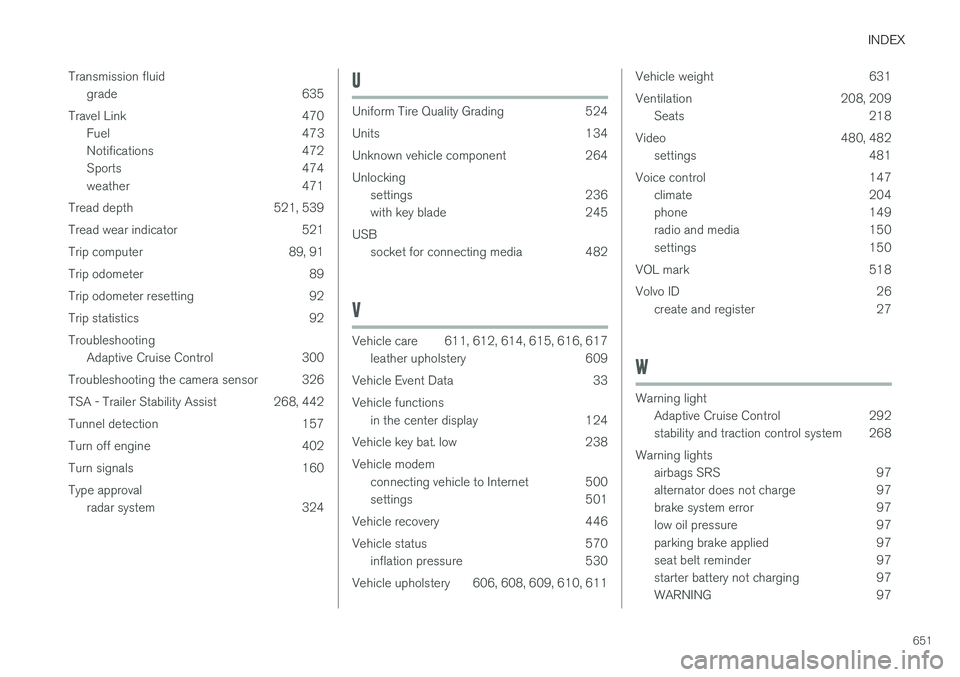
INDEX
651
Transmission fluid
grade 635
Travel Link 470 Fuel 473
Notifications 472
Sports 474
weather 471
Tread depth 521, 539
Tread wear indicator 521
Trip computer 89, 91
Trip odometer 89
Trip odometer resetting 92
Trip statistics 92 Troubleshooting Adaptive Cruise Control 300
Troubleshooting the camera sensor 326
TSA - Trailer Stability Assist 268, 442
Tunnel detection 157
Turn off engine 402
Turn signals 160Type approval radar system 324
U
Uniform Tire Quality Grading 524
Units 134
Unknown vehicle component 264Unlockingsettings 236
with key blade 245
USB socket for connecting media 482
V
Vehicle care 611, 612, 614, 615, 616, 617leather upholstery 609
Vehicle Event Data 33 Vehicle functions in the center display 124
Vehicle key bat. low 238Vehicle modem connecting vehicle to Internet 500
settings 501
Vehicle recovery 446
Vehicle status 570 inflation pressure 530
Vehicle upholstery 606, 608, 609, 610, 611
Vehicle weight 631
Ventilation 208, 209 Seats 218
Video 480, 482 settings 481
Voice control 147 climate 204
phone 149
radio and media 150
settings 150
VOL mark 518
Volvo ID 26 create and register 27
W
Warning light
Adaptive Cruise Control 292
stability and traction control system 268
Warning lights airbags SRS 97
alternator does not charge 97
brake system error 97
low oil pressure 97
parking brake applied 97
seat belt reminder 97
starter battery not charging 97
WARNING 97