mirror controls VOLVO V90 2018 Owner´s Manual
[x] Cancel search | Manufacturer: VOLVO, Model Year: 2018, Model line: V90, Model: VOLVO V90 2018Pages: 656, PDF Size: 11.78 MB
Page 192 of 656
||
SEATS AND STEERING WHEEL
* Option/accessory.
190 Only one movement (forward/rearward/up/ down) can be performed at a time. The front seat backrests cannot be folded down completely.
Related information
•
Manual front seats (p. 188)
• Power front seats
* (p. 189)
• Storing memory settings in power front seats
* (p. 190)
• Using stored memory in a powered front seat (p. 191)
• Adjusting front seat massage settings
*
(p. 192)
• Adjusting front seat cushion length (p. 193)
• Front seat massage settings
* (p. 192)
• Adjusting front seat side bolster settings
*
(p. 194)
• Adjusting front seat lumbar support
* (p. 194)
• Adjusting the passenger seat from the driv- er's seat
* (p. 195)
Storing memory settings in power
front seats *
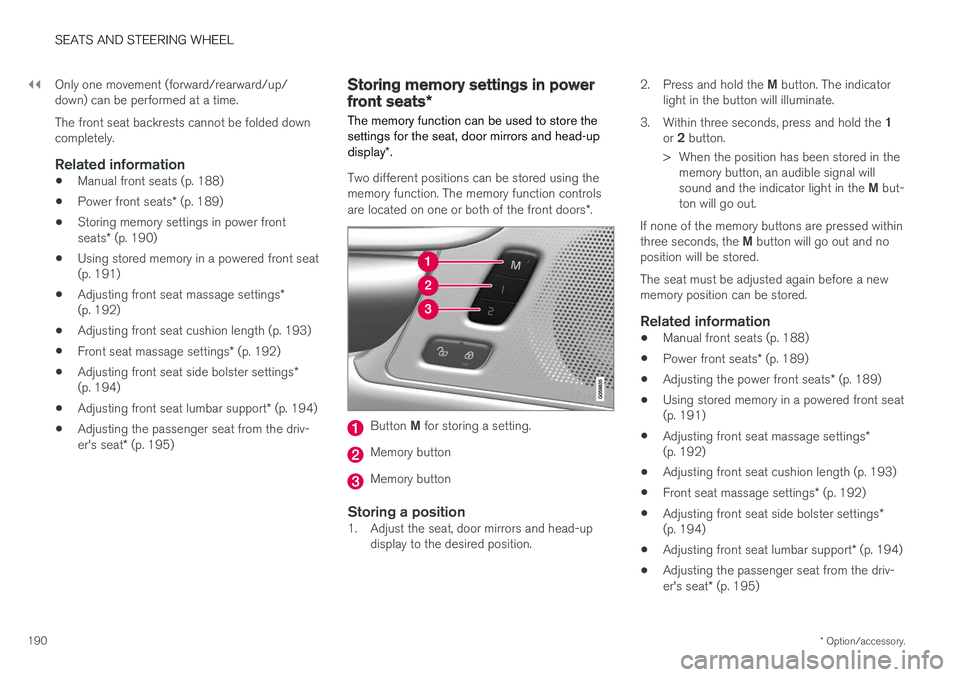
The memory function can be used to store the settings for the seat, door mirrors and head-up display *.
Two different positions can be stored using the memory function. The memory function controls are located on one or both of the front doors *.
Button M for storing a setting.
Memory button
Memory button
Storing a position1. Adjust the seat, door mirrors and head-up
display to the desired position. 2.
Press and hold the M button. The indicator
light in the button will illuminate.
3. Within three seconds, press and hold the 1
or 2 button.
> When the position has been stored in the memory button, an audible signal will sound and the indicator light in the M but-
ton will go out.
If none of the memory buttons are pressed withinthree seconds, the M button will go out and no
position will be stored. The seat must be adjusted again before a new memory position can be stored.
Related information
• Manual front seats (p. 188)
• Power front seats
* (p. 189)
• Adjusting the power front seats
* (p. 189)
• Using stored memory in a powered front seat(p. 191)
• Adjusting front seat massage settings
*
(p. 192)
• Adjusting front seat cushion length (p. 193)
• Front seat massage settings
* (p. 192)
• Adjusting front seat side bolster settings
*
(p. 194)
• Adjusting front seat lumbar support
* (p. 194)
• Adjusting the passenger seat from the driv- er's seat
* (p. 195)
Page 206 of 656
CLIMATE CONTROL
* Option/accessory.
204
Climate control system voice
commands1
Voice commands can be used for the climate control system to e.g. change temperature, acti- vate seat heating * or change blower speed.
Tap and say one of the following commands:
• "
Climate" - starts a command dialog for cli-
mate controls and provides examples of commands that can be used.
• "
Set temperature to X degrees" - sets
desired temperature.
• "
Raise temperature"/"Lower
temperature" - raises/lowers the set tem-
perature.
• "
Sync temperature" - synchronizes the
temperature for all climate zones in the vehi- cle with the temperature set for the driver'sside.
• "
Air on feet"/"Air on body" - opens the
desired air vent.
• "
Air on feet off"/"Air on body off" - closes
the desired air vent.
• "
Set fan to max"/"Turn off fan" - changes
blower speed to Max/Off.
• "
Raise fan speed"/"Lower fan speed" -
raises/lowers the set blower speed. •
"
Turn on auto" - activates automatic climate
control.
• "
Air condition on"/"Air condition off" -
activates/deactivates air conditioning.
• "
Recirculation on"/"Recirculation off" -
activates/deactivates air recirculation.
• "
Turn on defroster "/"Turn off defroster"
- activates/deactivates window and door mir- ror defrosting.
• "
Turn on max defroster"/"Turn off max
defroster" - activates/deactivates max
defroster.
• "
Turn on electric defroster"/"Turn off
electric defroster" - activates/deactivates
heated windshield *.
• "
Turn on rear defroster"/"Turn off rear
defroster" - Activates/deactivates heated
rear window and door mirrors.
• "
Turn steering wheel heat on"/"Turn
steering wheel heat off" - activates/deac-
tivates heated steering wheel *.
• "
Raise steering wheel heat"/"Lower
steering wheel heat" - raises/lowers the
level of steering wheel heating *.
• "
Turn on seat heat"/"Turn off seat heat"
- activates/deactivates seat heating *.
• "
Raise seat heat"/"Lower seat heat" -
raises/lowers the level of seat heating *. •
"
Turn on seat ventilation"/"Turn off seat
ventilation" - activates/deactivates seat
ventilation *.
• "
Raise seat ventilation"/"Lower seat
ventilation" - raises/lowers the level of seat
ventilation *.
Related information
• Climate (p. 202)
• Voice control (p. 147)
• Using voice commands (p. 148)
• Voice control settings (p. 150)
1
Certain markets only.
Page 216 of 656
CLIMATE CONTROL
* Option/accessory.
214
Climate system controls
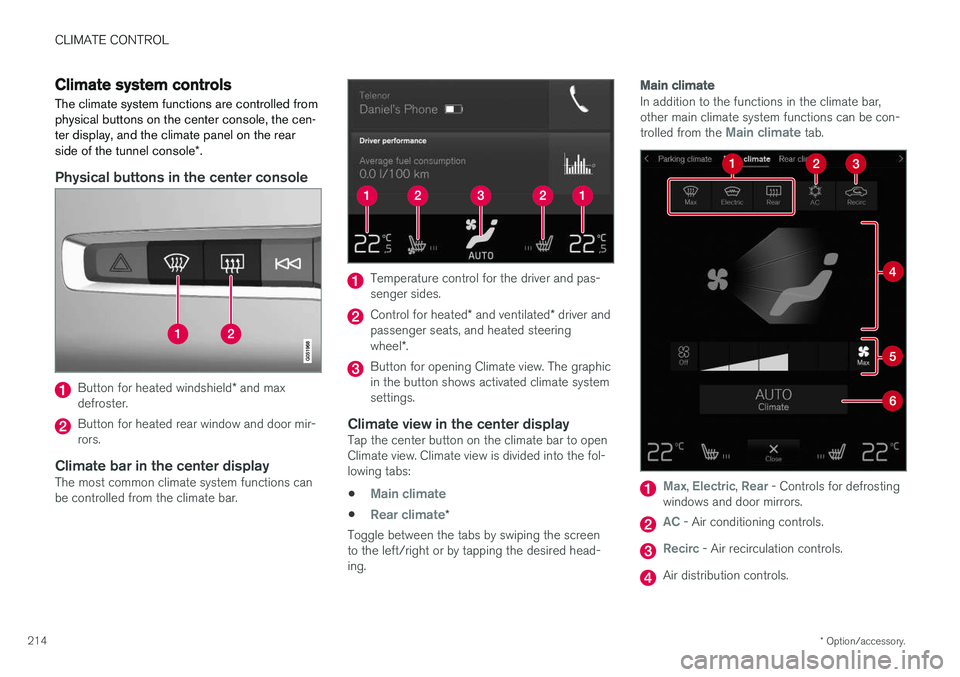
The climate system functions are controlled from physical buttons on the center console, the cen-ter display, and the climate panel on the rear side of the tunnel console *.
Physical buttons in the center console
Button for heated windshield * and max
defroster.
Button for heated rear window and door mir- rors.
Climate bar in the center displayThe most common climate system functions canbe controlled from the climate bar.
Temperature control for the driver and pas- senger sides.
Control for heated * and ventilated * driver and
passenger seats, and heated steering wheel *.
Button for opening Climate view. The graphic in the button shows activated climate systemsettings.
Climate view in the center displayTap the center button on the climate bar to openClimate view. Climate view is divided into the fol-lowing tabs:
•
Main climate
•Rear climate*
Toggle between the tabs by swiping the screen to the left/right or by tapping the desired head-ing.
Main climate
In addition to the functions in the climate bar, other main climate system functions can be con- trolled from the
Main climate tab.
Max, Electric, Rear - Controls for defrosting
windows and door mirrors.
AC - Air conditioning controls.
Recirc - Air recirculation controls.
Air distribution controls.
Page 218 of 656
||
CLIMATE CONTROL
* Option/accessory.
216 all selected climate settings will be displayed. The screen locks automatically after a period of inac-tivity.
Related information
•
Climate (p. 202)
• Activating and deactivating power front seats
* (p. 216)
• Activating and deactivating the heated rearseats
* (p. 217)
• Activating and deactivating front seat ventila-tion
* (p. 218)
• Activating and deactivating the heated steer-ing wheel
* (p. 219)
• Activating auto climate control (p. 220)
• Activating and deactivating recirculation (p. 221)
• Activating and deactivating max defroster(p. 222)
• Activating and deactivating the heated wind- shield
* (p. 223)
• Activating and deactivating the heated rear window and door mirrors (p. 224)
• Setting the blower speed for the front seats(p. 225)
• Setting the blower speed for the rear seats
*
(p. 226)
• Synchronize temperature (p. 229) •
Activating and deactivating air conditioning(p. 229)
Activating and deactivating power
front seats
*
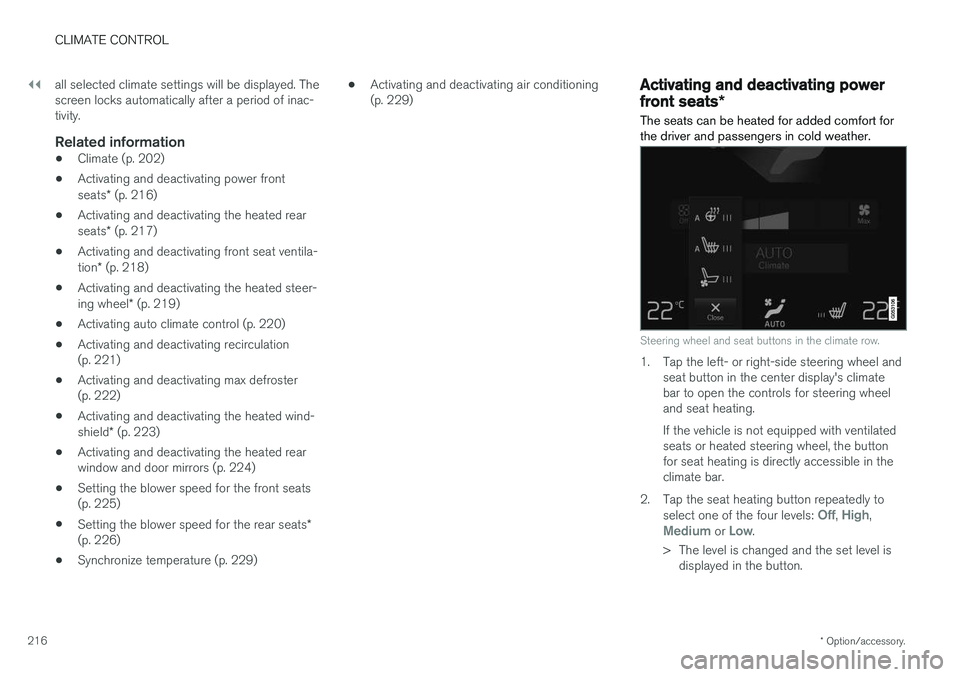
The seats can be heated for added comfort for the driver and passengers in cold weather.
Steering wheel and seat buttons in the climate row.
1. Tap the left- or right-side steering wheel and seat button in the center display's climate bar to open the controls for steering wheeland seat heating. If the vehicle is not equipped with ventilated seats or heated steering wheel, the buttonfor seat heating is directly accessible in theclimate bar.
2. Tap the seat heating button repeatedly to select one of the four levels:
Off, High,Medium or Low.
> The level is changed and the set level is displayed in the button.
Page 226 of 656
||
CLIMATE CONTROL
* Option/accessory.
224
NOTE
If windshield heating is activated when the Start/Stop function auto-stops the engine,the engine will be restarted.
Related information
• Climate system controls (p. 214)
• Activating and deactivating automatic wind- shield heating
* (p. 224)
Activating and deactivating
automatic windshield heating *
Windshield heating is used to quickly remove condensation and ice from the windshield.
Windshield heating can be set to automatically activate when the engine is started. With auto-matic start activated, heating will be activatedwhen there is a risk of ice or condensation on thewindows or mirrors. Heating is automaticallyswitched off when the window or door mirror issufficiently warm and the condensation or ice isgone. 1. Tap
Settings in the Top view in the center
display.
2. Tap
Climate.
3. Select
Auto Front Defroster to activate/
deactivate automatic windshield heating.
Related information
• Activating and deactivating the heated wind- shield
* (p. 223)
Activating and deactivating theheated rear window and doormirrors The heated rear window and door mirrors are used to quickly remove condensation and icefrom the glass.
Activating and deactivating the heated rear window and door mirrors from thecenter console
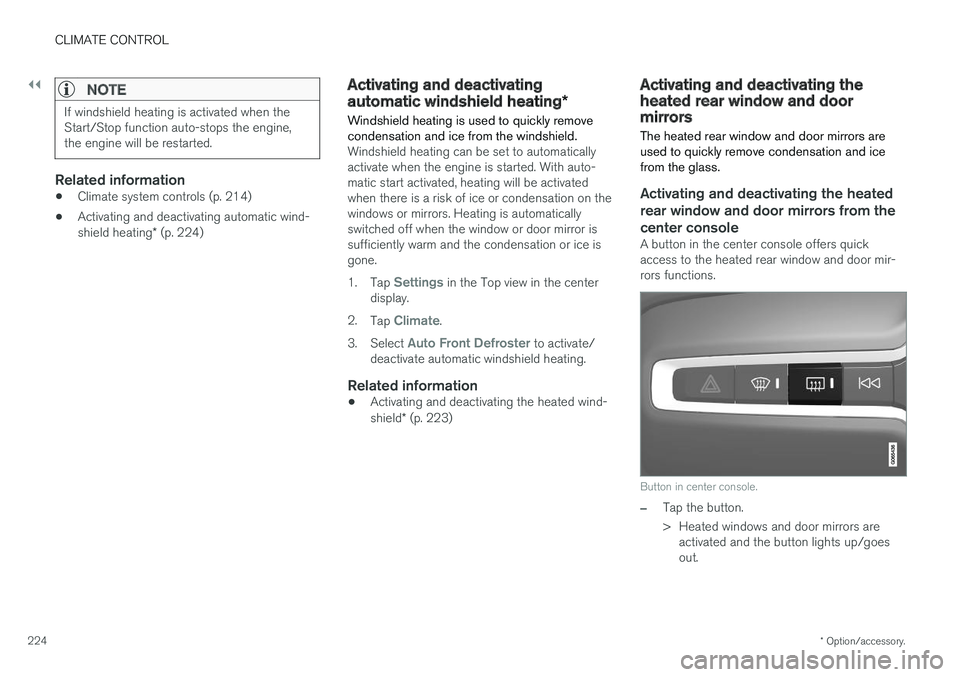
A button in the center console offers quick access to the heated rear window and door mir-rors functions.
Button in center console.
–Tap the button.
> Heated windows and door mirrors are
activated and the button lights up/goes out.
Page 227 of 656
CLIMATE CONTROL
}}
225
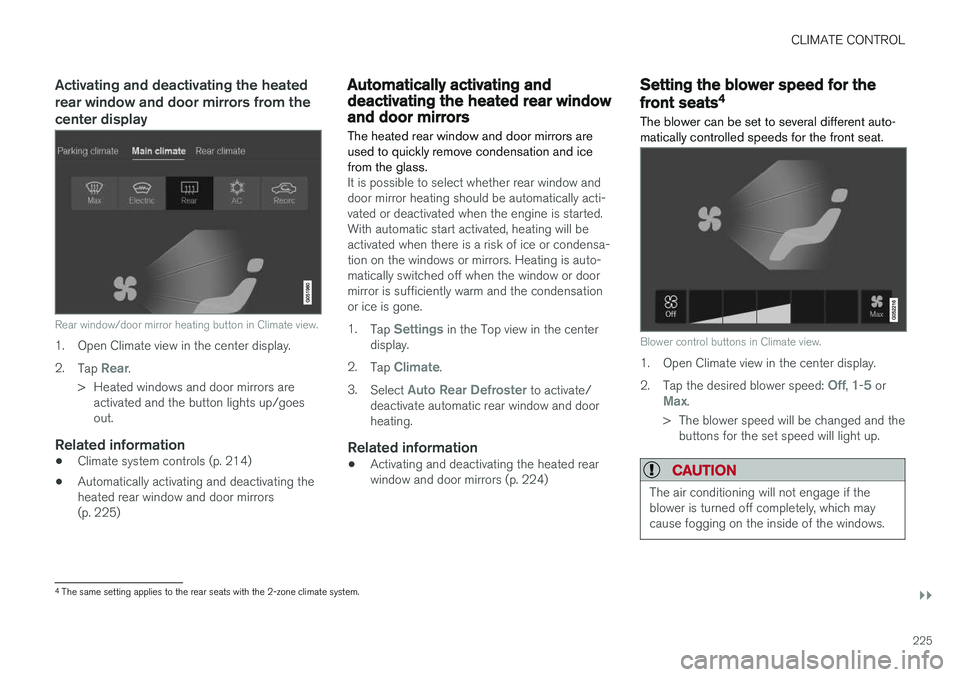
Activating and deactivating the heated rear window and door mirrors from thecenter display
Rear window/door mirror heating button in Climate view.
1. Open Climate view in the center display. 2.Tap
Rear.
> Heated windows and door mirrors are activated and the button lights up/goes out.
Related information
• Climate system controls (p. 214)
• Automatically activating and deactivating theheated rear window and door mirrors(p. 225)
Automatically activating anddeactivating the heated rear windowand door mirrors
The heated rear window and door mirrors are used to quickly remove condensation and icefrom the glass.
It is possible to select whether rear window and door mirror heating should be automatically acti-vated or deactivated when the engine is started.With automatic start activated, heating will beactivated when there is a risk of ice or condensa-tion on the windows or mirrors. Heating is auto-matically switched off when the window or doormirror is sufficiently warm and the condensationor ice is gone. 1. Tap
Settings in the Top view in the center
display.
2. Tap
Climate.
3. Select
Auto Rear Defroster to activate/
deactivate automatic rear window and door heating.
Related information
• Activating and deactivating the heated rearwindow and door mirrors (p. 224)
Setting the blower speed for the
front seats4
The blower can be set to several different auto- matically controlled speeds for the front seat.
Blower control buttons in Climate view.
1. Open Climate view in the center display. 2. Tap the desired blower speed:
Off, 1-5 orMax.
> The blower speed will be changed and the buttons for the set speed will light up.
CAUTION
The air conditioning will not engage if the blower is turned off completely, which maycause fogging on the inside of the windows.
4The same setting applies to the rear seats with the 2-zone climate system.
Page 449 of 656
STARTING AND DRIVING
* Option/accessory.447
CAUTION
The towing eyelet is only intended for towing on roads, and must not be used to pull vehi-
cles from ditches or any similar purpose involving severe strain. Call a tow truck forprofessional assistance.
CAUTION
Note that the vehicle must always be towed with the wheels rolling forward.
Related information
• Attaching and removing the towing eyelet (p. 445)
HomeLink®
*12
HomeLink ®
13
is a programmable remote control,
integrated in the vehicle electrical system, that can control up to three different devices (e.g.garage door opener, alarm system, outdoor andindoor lighting, etc.) and thereby replace theremote controls for these.
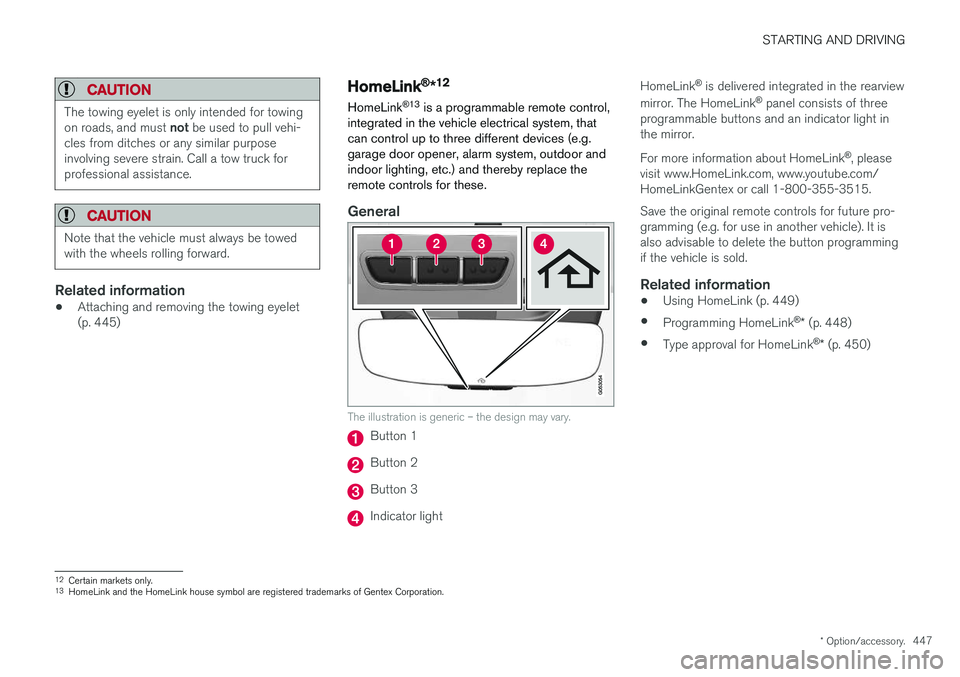
General
The illustration is generic – the design may vary.
Button 1
Button 2
Button 3
Indicator light HomeLink
®
is delivered integrated in the rearview
mirror. The HomeLink ®
panel consists of three
programmable buttons and an indicator light in the mirror. For more information about HomeLink ®
, please
visit www.HomeLink.com, www.youtube.com/ HomeLinkGentex or call 1-800-355-3515. Save the original remote controls for future pro- gramming (e.g. for use in another vehicle). It isalso advisable to delete the button programmingif the vehicle is sold.
Related information
• Using HomeLink (p. 449)
• Programming HomeLink ®
* (p. 448)
• Type approval for HomeLink ®
* (p. 450)
12
Certain markets only.
13 HomeLink and the HomeLink house symbol are registered trademarks of Gentex Corporation.
Page 602 of 656
||
MAINTENANCE AND SERVICE
* Option/accessory.
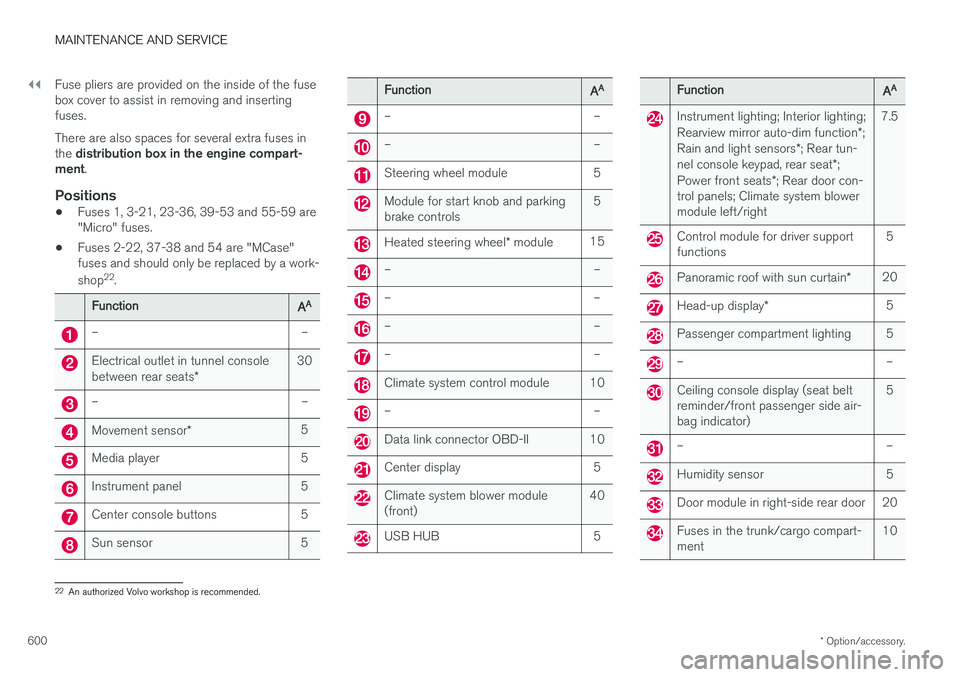
600 Fuse pliers are provided on the inside of the fuse box cover to assist in removing and insertingfuses. There are also spaces for several extra fuses in the
distribution box in the engine compart-
ment .
Positions
•Fuses 1, 3-21, 23-36, 39-53 and 55-59 are "Micro" fuses.
• Fuses 2-22, 37-38 and 54 are "MCase"fuses and should only be replaced by a work- shop 22
.
FunctionAA
– –
Electrical outlet in tunnel console between rear seats * 30
– –
Movement sensor
* 5
Media player 5
Instrument panel 5
Center console buttons 5
Sun sensor 5
FunctionAA
– –
– –
Steering wheel module 5
Module for start knob and parking brake controls 5
Heated steering wheel
* module 15
– –
– –
– –
– –
Climate system control module 10
– –
Data link connector OBD-II 10
Center display 5
Climate system blower module (front) 40
USB HUB 5
FunctionAA
Instrument lighting; Interior lighting; Rearview mirror auto-dim function
*;
Rain and light sensors *; Rear tun-
nel console keypad, rear seat *;
Power front seats *; Rear door con-
trol panels; Climate system blower module left/right 7.5
Control module for driver support functions
5
Panoramic roof with sun curtain
*20
Head-up display
* 5
Passenger compartment lighting 5
– –
Ceiling console display (seat belt reminder/front passenger side air-bag indicator) 5
– –
Humidity sensor 5
Door module in right-side rear door 20
Fuses in the trunk/cargo compart- ment
10
22
An authorized Volvo workshop is recommended.