display VOLVO V90 2018 Owner´s Manual
[x] Cancel search | Manufacturer: VOLVO, Model Year: 2018, Model line: V90, Model: VOLVO V90 2018Pages: 656, PDF Size: 11.78 MB
Page 424 of 656
||
STARTING AND DRIVING
* Option/accessory.
422 This function is most effective in driving situa- tions where the vehicle can roll freely for a longdistance, e.g. on roads with slight downgrades orwhen a decrease in speed is anticipated, such aswhen approaching an area with a lower speedlimit.
Activating Eco Coast
The function is activated when the accelerator pedal is fully released and the following condi-tions are met:
• Eco drive mode is activated.
• The gear selector is in
D.
• The vehicle's speed is approximately65-140 km/h (40-87 mph).
• The gradient of the downgrade is less thanapproximately 6%.
COASTING will be displayed in the instrument
panel when Eco Coast is being used.
Limitations
Eco Coast is not available if:
• The engine and/or transmission are not at normal working temperatures.
• The gear selector is moved from
D to manual
shifting mode.
• The vehicle's speed is not within the65-140 km/h (40-87 mph) range.
• The gradient of the downgrade is more thanapproximately 6%. •
The steering wheel paddles
* are being used
for manual shifting.
Deactivating and turning off Eco Coast
In certain situations, it may be advisable to deac- tivate or turn off Eco Coast so that engine brak-ing can be used. These situations might includedriving down steep hills or before passinganother vehicle to help ensure this can be doneas safely as possible. Deactivate Eco Coast by:
• Pressing the accelerator or brake pedal.
• Moving the gear selector to manual mode.
• Using the steering wheel paddles
* to shift.
Turn off Eco Coast by:
• Switching drive mode
* or switching off drive
mode Eco in Function view.
It is possible to roll short distances even without Eco Coast in order to help conserve fuel. How-ever, for the best fuel economy, Eco Coast shouldbe activated and used to roll longer distances.
Cruise control Eco CruiseWhen cruise control is activated in the Eco drivemode, the vehicle's acceleration and decelerationwill be slower than in other drive modes to helpfurther conserve fuel. Because of this, the vehi-cle's actual speed may be slightly above or belowthe set speed. •
On a level road, the vehicle's actual speedmay differ from the set speed when cruisecontrol is active and the vehicle is coasting.
• On a steep uphill gradient, the vehicle'sspeed is reduced until the transmissiondownshifts. Reduced acceleration is then ini-tiated in order to reach the set speed.
• On a downhill gradient in which the vehicle iscoasting, the vehicle's actual speed may beslightly above or below the set speed. Thefunction uses engine braking to keep the setspeed. If necessary, the normal brakes arealso applied.
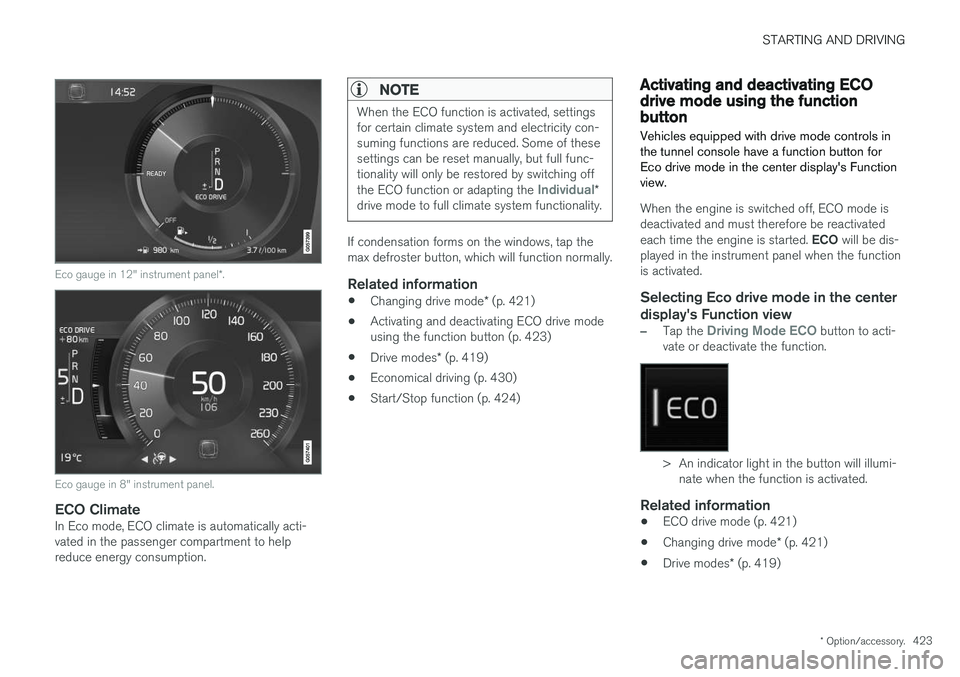
ECO gauge in the instrument panelThe ECO gauge indicates how economical cur-rent driving is:
• A low reading in the green area of the gaugeindicates economical driving.
• A high reading is shown when driving is noteconomical, e.g. heavy braking or rapid accel-eration.
The ECO gauge also has an indicator showinghow a reference driver would drive in the samedriving situation. This is shown by the shortpointer in the gauge.
Page 425 of 656
STARTING AND DRIVING
* Option/accessory.423
Eco gauge in 12" instrument panel *.
Eco gauge in 8" instrument panel.
ECO ClimateIn Eco mode, ECO climate is automatically acti- vated in the passenger compartment to helpreduce energy consumption.
NOTE
When the ECO function is activated, settings for certain climate system and electricity con-suming functions are reduced. Some of thesesettings can be reset manually, but full func-tionality will only be restored by switching off the ECO function or adapting the
Individual*
drive mode to full climate system functionality.
If condensation forms on the windows, tap the max defroster button, which will function normally.
Related information
• Changing drive mode
* (p. 421)
• Activating and deactivating ECO drive modeusing the function button (p. 423)
• Drive modes
* (p. 419)
• Economical driving (p. 430)
• Start/Stop function (p. 424)
Activating and deactivating ECOdrive mode using the functionbutton
Vehicles equipped with drive mode controls in the tunnel console have a function button forEco drive mode in the center display's Functionview.
When the engine is switched off, ECO mode is deactivated and must therefore be reactivated each time the engine is started. ECO will be dis-
played in the instrument panel when the function is activated.
Selecting Eco drive mode in the center
display's Function view
–Tap the Driving Mode ECO button to acti-
vate or deactivate the function.
> An indicator light in the button will illumi- nate when the function is activated.
Related information
• ECO drive mode (p. 421)
• Changing drive mode
* (p. 421)
• Drive modes
* (p. 419)
Page 427 of 656
STARTING AND DRIVING
* Option/accessory.425
Symbols in the instrument panel
12" instrument panel *
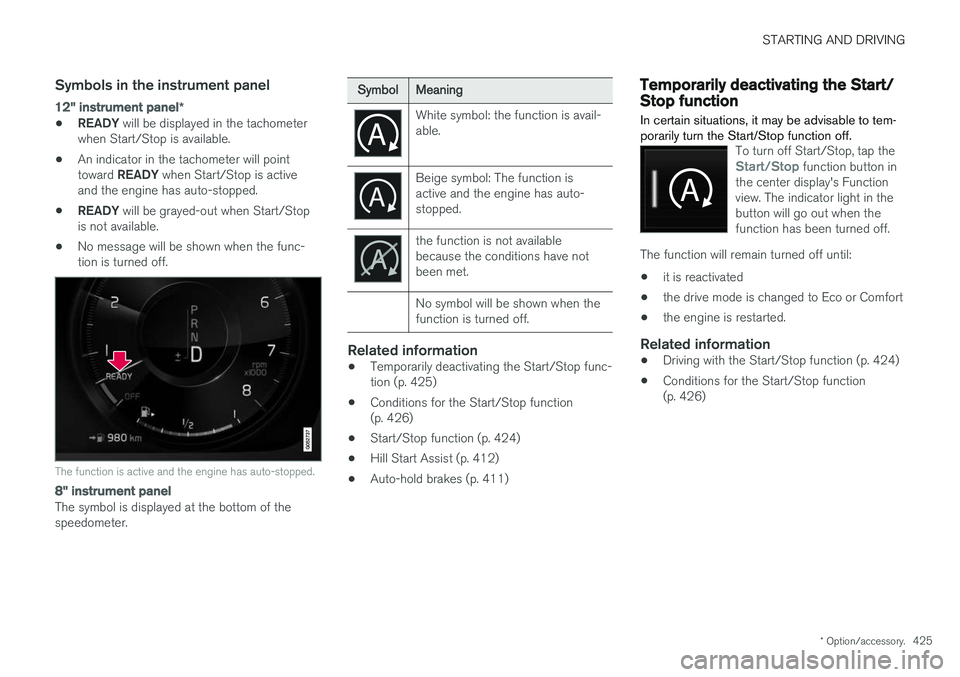
•READY
will be displayed in the tachometer
when Start/Stop is available.
• An indicator in the tachometer will point toward
READY when Start/Stop is active
and the engine has auto-stopped.
• READY
will be grayed-out when Start/Stop
is not available.
• No message will be shown when the func- tion is turned off.
The function is active and the engine has auto-stopped.
8" instrument panel
The symbol is displayed at the bottom of the speedometer.
SymbolMeaning
White symbol: the function is avail- able.
Beige symbol: The function is active and the engine has auto-stopped.
the function is not available because the conditions have notbeen met. No symbol will be shown when the function is turned off.
Related information
•Temporarily deactivating the Start/Stop func- tion (p. 425)
• Conditions for the Start/Stop function(p. 426)
• Start/Stop function (p. 424)
• Hill Start Assist (p. 412)
• Auto-hold brakes (p. 411)
Temporarily deactivating the Start/Stop function
In certain situations, it may be advisable to tem- porarily turn the Start/Stop function off.
To turn off Start/Stop, tap theStart/Stop function button in
the center display's Function view. The indicator light in thebutton will go out when thefunction has been turned off.
The function will remain turned off until:
• it is reactivated
• the drive mode is changed to Eco or Comfort
• the engine is restarted.
Related information
•
Driving with the Start/Stop function (p. 424)
• Conditions for the Start/Stop function (p. 426)
Page 430 of 656
STARTING AND DRIVING
* Option/accessory.
428
Leveling control * and suspension
Self-leveling and suspension functions are con- trolled automatically.
Rear leveling control keeps the rear section of the vehicle at the same height regardless of load.Leveling control may also remain active when thevehicle is parked.
Shock absorbers (Four-C)The shock absorbers are adapted to the selecteddrive mode and vehicle speed. The shock absorb-ers are normally set to provide the best possiblecomfort and are adjusted continuously accordingto the road surface and the vehicle's acceleration,braking and cornering.TransportingWhen transporting the vehicle on a ferry, train ortruck, only secure (lash) the vehicle around thetires, not using any other parts of the chassis.Changes in the pneumatic suspension may occurduring transport, which could adversely affect thelashing and result in damage.
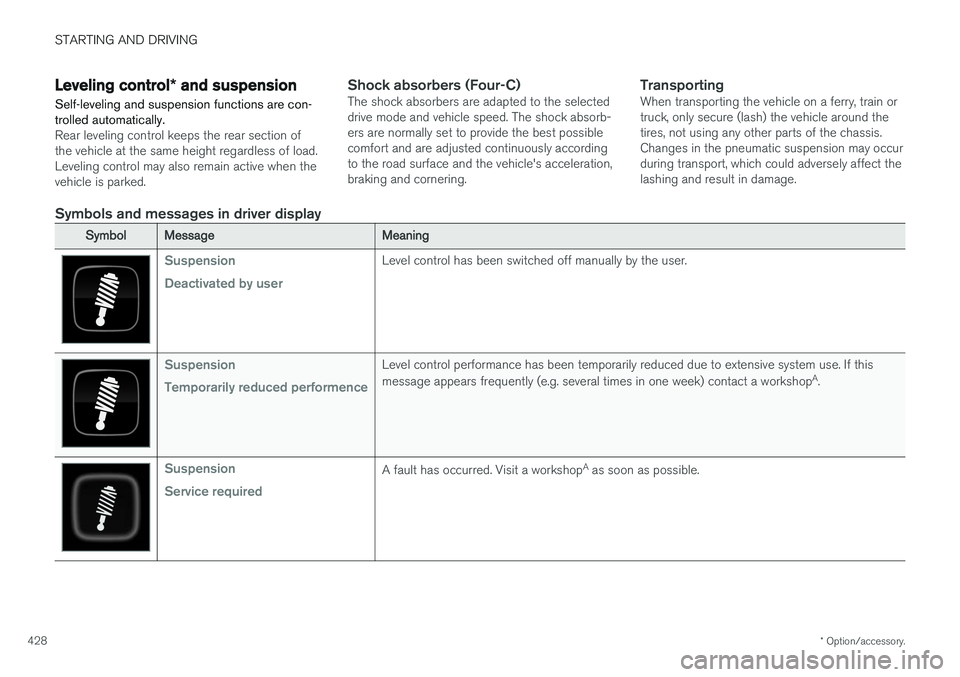
Symbols and messages in driver display
SymbolMessageMeaning
Suspension Deactivated by userLevel control has been switched off manually by the user.
Suspension Temporarily reduced performenceLevel control performance has been temporarily reduced due to extensive system use. If this message appears frequently (e.g. several times in one week) contact a workshop A
.
Suspension Service requiredA fault has occurred. Visit a workshop A
as soon as possible.
Page 432 of 656
STARTING AND DRIVING
* Option/accessory.
430
Leveling control settings *
Turn off leveling control before lifting the vehicle with a jack to help avoid problems with thepneumatic suspension.
Center display settings
Disable Leveling Control
In certain situations, this function must be turned off, e.g. before the vehicle is raised using a jack *.
The level difference caused by raising the vehicle with a jack could cause problems with the pneu-matic suspension. Turning off the function in the center display:1. Tap
Settings in the Top view.
2. Tap
My CarParking Brake and
Suspension.
3. Select
Disable Leveling Control.
Related information
• Leveling control
* and suspension (p. 428)
• Loading recommendations (p. 555)
Economical driving
Drive economically and environmentally con- scious by thinking ahead, avoiding rapid startsand stops and adapting driving style and speedto the current traffic conditions.
Driving economically conserves natural resources
Observe the following rules:
• Do not warm up the engine by idling. It is better to begin driving normally immediately after starting the engine. A cold engine uses more fuel than a warm engine and is subject to increased wear.
• Whenever possible, avoid using the vehicle todrive short distances. The engine does nothave time to reach a normal operating tem-perature and this leads to increased fuelconsumption.
• Maintain a steady speed and a generous fol-lowing distance to traffic ahead to minimizebraking.
• For lower fuel consumption, activate Ecodrive mode.
• Use the Eco Coast function in drive mode Eco - engine braking is deactivated, allowing the vehicle's kinetic energy to be used to rollgreater distances.
• Use gear
D as often as possible and avoid
using the kick-down function. •
Fuel consumption is increased at highspeeds - air resistance increases with speed.
• Remove unnecessary items from the vehicle- the heavier the load, the higher the fuelconsumption.
• Maintain the correct pressure in the tires andcheck pressure regularly.
• The type of tires used could affect fuel con-sumption - consult a retailer for advice onsuitable tires.
• Do not use winter tires after the winter sea-son has ended.
• Roof loads increase air resistance andincrease fuel consumption. Remove roofboxes, ski racks, etc. that are not in use.
• Avoid driving with the windows open.
• Using the trip computer's fuel consumptionindicators can help you learn how to drivemore economically.
Other factors that decrease fuel
consumption
• Dirty air cleaner.
• Dirty engine oil and clogged oil filter.
• Incorrect front-end alignment.
• Incorrect wheel alignment.
Some of the above items and others are checked as part of Volvo's standard maintenance sched-ule.
Page 439 of 656
STARTING AND DRIVING
}}
437
Emission controls
Three-way catalytic converter
•Keep your engine properly tuned. Certain engine malfunctions, particularly involving theelectrical, fuel or distributor ignition systems,may cause unusually high three-way catalyticconverter temperatures. Do not continue tooperate your vehicle if you detect enginemisfire, noticeable loss of power or otherunusual operating conditions, such as engineoverheating or backfiring. A properly tunedengine will help avoid malfunctions thatcould damage the three-way catalytic con-verter.
• Do not park your vehicle over combustiblematerials, such as grass or leaves, which cancome into contact with the hot exhaust sys-tem and cause such materials to ignite undercertain wind and weather conditions.
• Excessive starter cranking (in excess of oneminute), or an intermittently firing or floodedengine can cause three-way catalytic con-verter or exhaust system overheating.
• Remember that tampering or unauthorizedmodifications to the engine, the Engine Con-trol Module, or the vehicle may be illegal andcan cause three-way catalytic converter orexhaust system overheating. This includes:altering fuel injection settings or compo-nents, altering emission system components or location or removing components, and/orrepeated use of leaded fuel.NOTE
Unleaded fuel is required for vehicles with three-way catalytic converters.
Heated oxygen sensorsThe heated oxygen sensors monitor the oxygen content of the exhaust gases. Readings are fedinto a control module that continuously monitorsengine functions and controls fuel injection. Theratio of fuel to air into the engine is continuouslyadjusted for efficient combustion to help reduceharmful emissions.
Related information
•
Octane rating (p. 435)
• Fuel (p. 434)
Overheating of engine andtransmission
In demanding driving conditions, such as driving in mountainous areas or hot weather, there is arisk of the engine or transmission overheating,especially when carrying heavy loads.
• Engine power may be temporarily limited.
• Remove any auxiliary lights mounted in front of the grille when driving in hot weather.
• If the temperature in the engine's coolingsystem becomes too high, a warning symbolwill appear in the instrument panel along with the message
Engine temperature High
temperature Stop safely. Pull over to a
safe location and let the engine idle for a few minutes to cool down.
• If the message
Engine temperature High
temperature Turn off engine or Engine
coolant Level low, turn off engine is dis-
played, stop the vehicle and turn off the engine.
• If the transmission begins to overheat, analternative gear shifting program will beselected. An integrated protective functionwill also be activated, the warning symbol will illuminate and the message
Transmission
warm Reduce speed to lower
temperature or Transmission hot Stop
safely, wait for cooling will be displayed in
the instrument panel. Follow the recommen- dations given by reducing speed or stopping
Page 440 of 656
||
STARTING AND DRIVING
* Option/accessory.
438 the vehicle safely and letting the engine idle for a few minutes to let the transmissioncool.
• If the vehicle begins to overheat, the air con-ditioning may be temporarily switched off.
• After a prolonged period of driving indemanding conditions, do not turn off theengine immediately after stopping.
NOTE
It is normal for the engine's cooling fan to operate for a short time after the engine isswitched off.
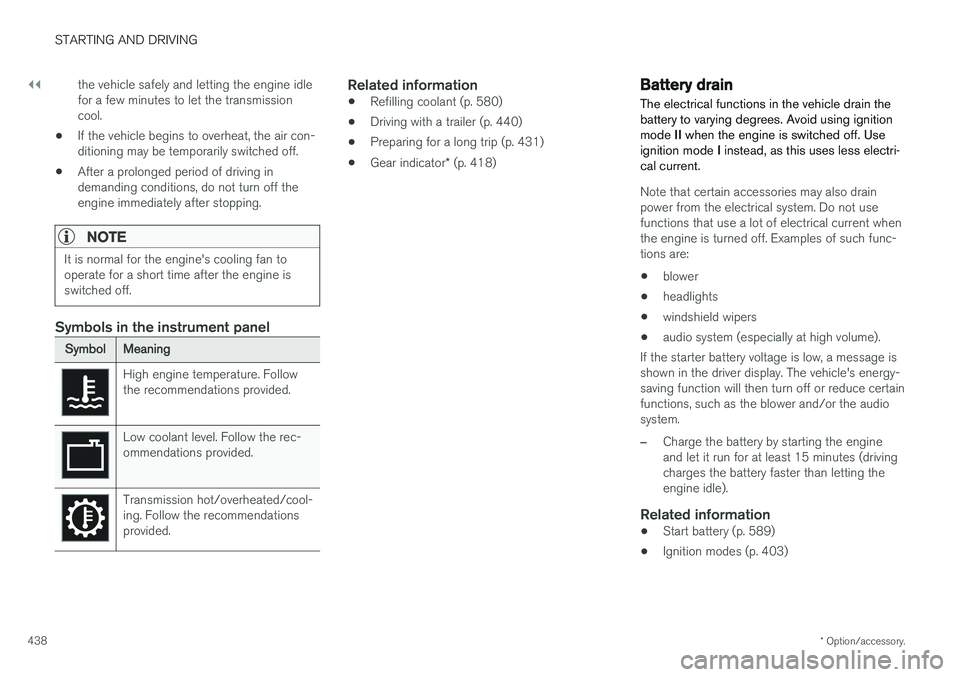
Symbols in the instrument panel
SymbolMeaning
High engine temperature. Follow the recommendations provided.
Low coolant level. Follow the rec- ommendations provided.
Transmission hot/overheated/cool- ing. Follow the recommendationsprovided.
Related information
•Refilling coolant (p. 580)
• Driving with a trailer (p. 440)
• Preparing for a long trip (p. 431)
• Gear indicator
* (p. 418)
Battery drain The electrical functions in the vehicle drain the battery to varying degrees. Avoid using ignitionmode II when the engine is switched off. Use
ignition mode I instead, as this uses less electri-
cal current.
Note that certain accessories may also drain power from the electrical system. Do not usefunctions that use a lot of electrical current whenthe engine is turned off. Examples of such func-tions are:
• blower
• headlights
• windshield wipers
• audio system (especially at high volume).
If the starter battery voltage is low, a message isshown in the driver display. The vehicle's energy-saving function will then turn off or reduce certainfunctions, such as the blower and/or the audio system.
–Charge the battery by starting the engine and let it run for at least 15 minutes (drivingcharges the battery faster than letting theengine idle).
Related information
• Start battery (p. 589)
• Ignition modes (p. 403)
Page 444 of 656
STARTING AND DRIVING
* Option/accessory.
442
Trailer Stability Assist *
Trailer Stability Assist (TSA 10
) is a function
designed to help stabilize a vehicle that is tow- ing a trailer when the vehicle and trailer havebegun to sway. The function is part of the Elec- tronic Stability Control system ESC 11
.
Reasons for swayingA vehicle towing a trailer may begin to sway for various reasons. Normally this only occurs at highspeeds. However, if the trailer is overloaded orunevenly distributed, e.g. too far back, there is arisk of swaying even at low speeds. Swaying may be caused by factors such as:
• The vehicle and trailer are hit by a sudden, strong crosswind.
• The vehicle and trailer are traveling on anuneven road or over a bump.
• Sudden movements of the steering wheel.
Once swaying has begun, it can be difficult orimpossible to stop it. This makes the vehicle andtrailer difficult to control and there is a risk ofswerving into oncoming traffic or driving off theroad.
Trailer Stability Assist functionTrailer Stability Assist continuously monitors thevehicle's movements, particularly lateral move- ments. If swaying is detected, the brakes areapplied individually on the front wheels, which hasa stabilizing effect on the vehicle and trailer. Thisis often enough to enable the driver to regaincontrol of the vehicle. If the Trailer Stability Assist function's first attempt is not adequate to stop the swayingmotion, the brakes are applied on all wheels andengine power is temporarily reduced. As theswaying motion begins to decrease and the vehi-cle and trailer have once again become stable,TSA stops regulating the brakes/engine powerand the driver regains control of the vehicle.
NOTE
Trailer Stability Assist is deactivated if the driver selects the sport mode by deactivating
ESC in the center display's menu system.
Trailer Stability Assist may not intervene if the driver tries to compensate for the swaying motionby moving the steering wheel rapidly, becausethe system will then not be able to determine if itis the trailer or the driver causing the swaying.
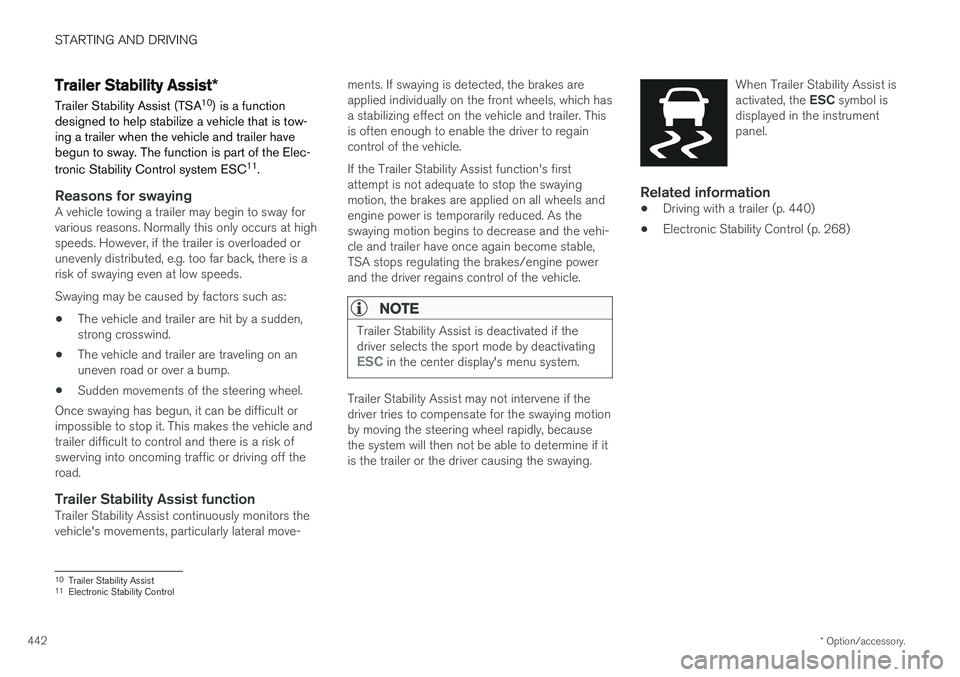
When Trailer Stability Assist is activated, the
ESC symbol is
displayed in the instrument panel.
Related information
• Driving with a trailer (p. 440)
• Electronic Stability Control (p. 268)
10
Trailer Stability Assist
11 Electronic Stability Control
Page 445 of 656
STARTING AND DRIVING
* Option/accessory.443
Checking trailer lights
When connecting a trailer, make sure that all of the lights on the trailer are functioning beforestarting to drive.
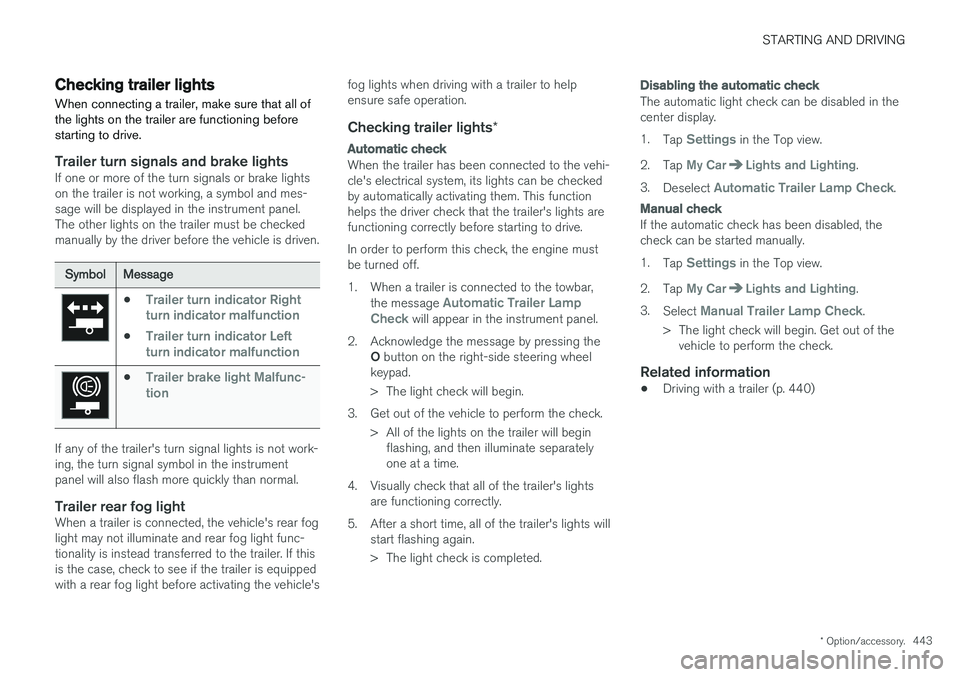
Trailer turn signals and brake lightsIf one or more of the turn signals or brake lights on the trailer is not working, a symbol and mes-sage will be displayed in the instrument panel.The other lights on the trailer must be checkedmanually by the driver before the vehicle is driven.
SymbolMessage
•Trailer turn indicator Right
turn indicator malfunction
•Trailer turn indicator Left
turn indicator malfunction
•Trailer brake light Malfunc-
tion
If any of the trailer's turn signal lights is not work- ing, the turn signal symbol in the instrumentpanel will also flash more quickly than normal.
Trailer rear fog lightWhen a trailer is connected, the vehicle's rear foglight may not illuminate and rear fog light func-tionality is instead transferred to the trailer. If thisis the case, check to see if the trailer is equippedwith a rear fog light before activating the vehicle's fog lights when driving with a trailer to helpensure safe operation.
Checking trailer lights
*
Automatic check
When the trailer has been connected to the vehi- cle's electrical system, its lights can be checkedby automatically activating them. This functionhelps the driver check that the trailer's lights arefunctioning correctly before starting to drive. In order to perform this check, the engine must be turned off.
1. When a trailer is connected to the towbar,
the message
Automatic Trailer Lamp
Check will appear in the instrument panel.
2. Acknowledge the message by pressing the O button on the right-side steering wheel
keypad.
> The light check will begin.
3. Get out of the vehicle to perform the check. > All of the lights on the trailer will beginflashing, and then illuminate separately one at a time.
4. Visually check that all of the trailer's lights are functioning correctly.
5. After a short time, all of the trailer's lights will start flashing again.
> The light check is completed.
Disabling the automatic check
The automatic light check can be disabled in the center display. 1.Tap
Settings in the Top view.
2. Tap
My CarLights and Lighting.
3. Deselect
Automatic Trailer Lamp Check.
Manual check
If the automatic check has been disabled, the check can be started manually. 1.Tap
Settings in the Top view.
2. Tap
My CarLights and Lighting.
3. Select
Manual Trailer Lamp Check.
> The light check will begin. Get out of the vehicle to perform the check.
Related information
• Driving with a trailer (p. 440)
Page 448 of 656
||
STARTING AND DRIVING
* Option/accessory.
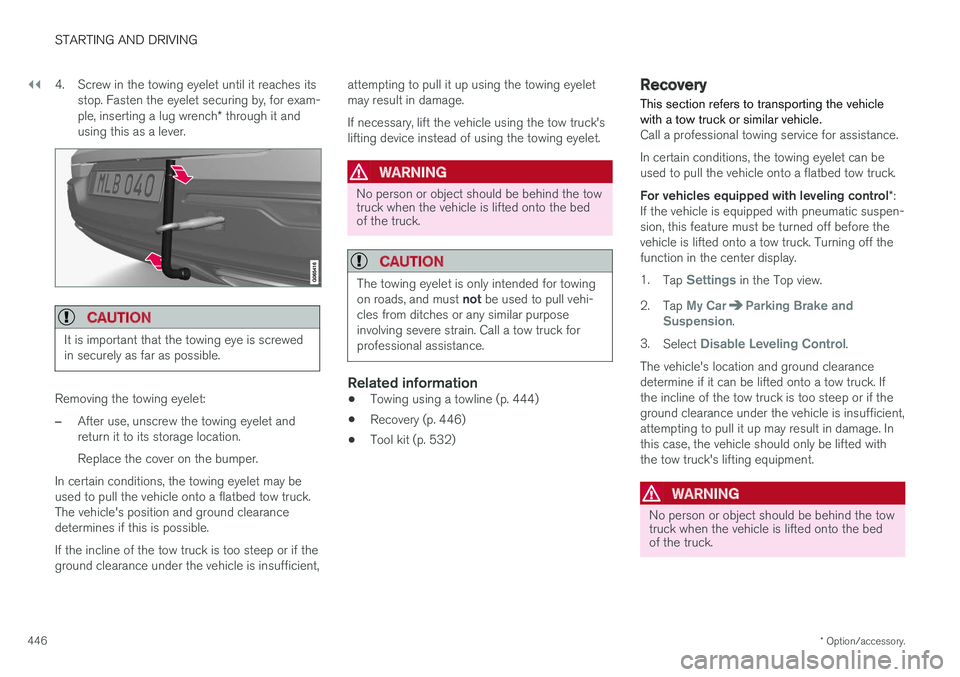
446 4. Screw in the towing eyelet until it reaches its
stop. Fasten the eyelet securing by, for exam- ple, inserting a lug wrench * through it and
using this as a lever.
CAUTION
It is important that the towing eye is screwed in securely as far as possible.
Removing the towing eyelet:
–After use, unscrew the towing eyelet and return it to its storage location. Replace the cover on the bumper.
In certain conditions, the towing eyelet may be used to pull the vehicle onto a flatbed tow truck.The vehicle's position and ground clearancedetermines if this is possible. If the incline of the tow truck is too steep or if the ground clearance under the vehicle is insufficient, attempting to pull it up using the towing eyeletmay result in damage. If necessary, lift the vehicle using the tow truck's lifting device instead of using the towing eyelet.
WARNING
No person or object should be behind the tow truck when the vehicle is lifted onto the bedof the truck.
CAUTION
The towing eyelet is only intended for towing on roads, and must
not be used to pull vehi-
cles from ditches or any similar purpose involving severe strain. Call a tow truck forprofessional assistance.
Related information
• Towing using a towline (p. 444)
• Recovery (p. 446)
• Tool kit (p. 532)
Recovery
This section refers to transporting the vehicle with a tow truck or similar vehicle.
Call a professional towing service for assistance. In certain conditions, the towing eyelet can be used to pull the vehicle onto a flatbed tow truck. For vehicles equipped with leveling control *:
If the vehicle is equipped with pneumatic suspen- sion, this feature must be turned off before thevehicle is lifted onto a tow truck. Turning off thefunction in the center display. 1. Tap
Settings in the Top view.
2. Tap
My CarParking Brake and
Suspension.
3. Select
Disable Leveling Control.
The vehicle's location and ground clearance determine if it can be lifted onto a tow truck. Ifthe incline of the tow truck is too steep or if theground clearance under the vehicle is insufficient,attempting to pull it up may result in damage. Inthis case, the vehicle should only be lifted withthe tow truck's lifting equipment.
WARNING
No person or object should be behind the tow truck when the vehicle is lifted onto the bedof the truck.