clock VOLVO V90 2018 Owner´s Manual
[x] Cancel search | Manufacturer: VOLVO, Model Year: 2018, Model line: V90, Model: VOLVO V90 2018Pages: 656, PDF Size: 11.78 MB
Page 556 of 656
||
LOADING, STORAGE AND PASSENGER COMPARTMENT
* Option/accessory.
554
The illustration is generic – the design may vary.
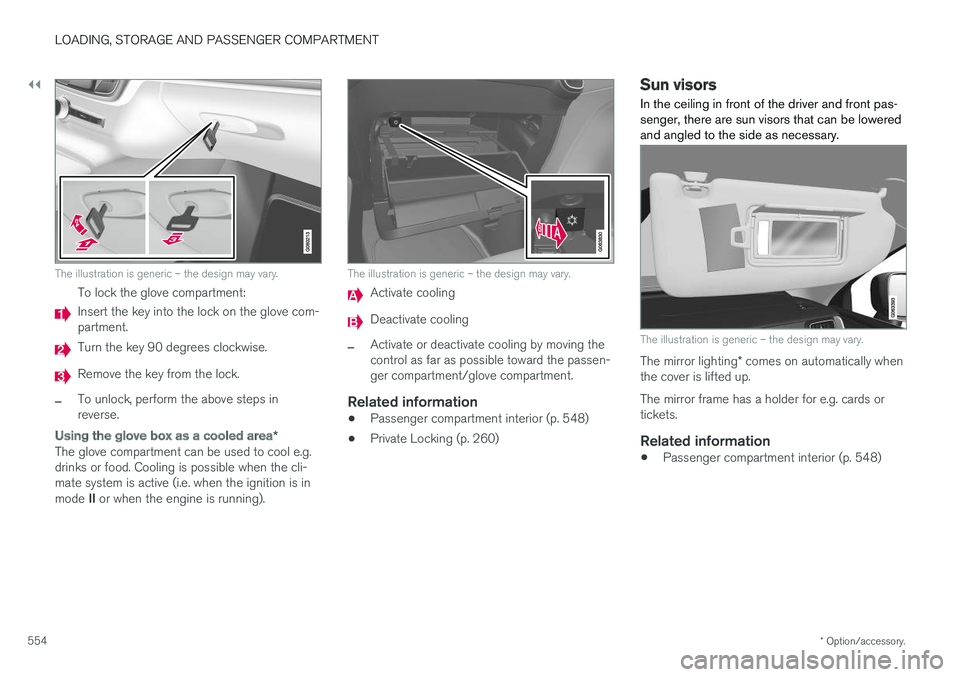
To lock the glove compartment:
Insert the key into the lock on the glove com- partment.
Turn the key 90 degrees clockwise.
Remove the key from the lock.
–To unlock, perform the above steps in reverse.
Using the glove box as a cooled area *
The glove compartment can be used to cool e.g. drinks or food. Cooling is possible when the cli-mate system is active (i.e. when the ignition is in mode II or when the engine is running).
The illustration is generic – the design may vary.
Activate cooling
Deactivate cooling
–Activate or deactivate cooling by moving the control as far as possible toward the passen-ger compartment/glove compartment.
Related information
• Passenger compartment interior (p. 548)
• Private Locking (p. 260)
Sun visors In the ceiling in front of the driver and front pas- senger, there are sun visors that can be loweredand angled to the side as necessary.
The illustration is generic – the design may vary.
The mirror lighting
* comes on automatically when
the cover is lifted up. The mirror frame has a holder for e.g. cards or tickets.
Related information
• Passenger compartment interior (p. 548)
Page 577 of 656
MAINTENANCE AND SERVICE
}}
575
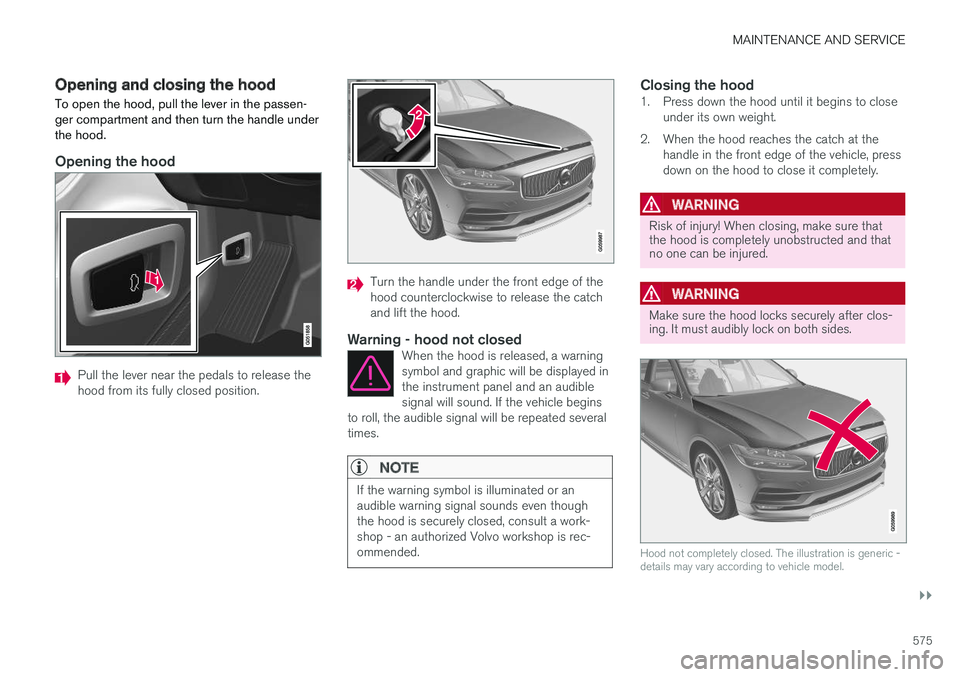
Opening and closing the hood To open the hood, pull the lever in the passen- ger compartment and then turn the handle underthe hood.
Opening the hood
Pull the lever near the pedals to release the hood from its fully closed position.
Turn the handle under the front edge of the hood counterclockwise to release the catchand lift the hood.
Warning - hood not closedWhen the hood is released, a warningsymbol and graphic will be displayed inthe instrument panel and an audiblesignal will sound. If the vehicle begins
to roll, the audible signal will be repeated severaltimes.
NOTE
If the warning symbol is illuminated or an audible warning signal sounds even thoughthe hood is securely closed, consult a work-shop - an authorized Volvo workshop is rec-ommended.
Closing the hood1. Press down the hood until it begins to close under its own weight.
2. When the hood reaches the catch at the handle in the front edge of the vehicle, press down on the hood to close it completely.
WARNING
Risk of injury! When closing, make sure that the hood is completely unobstructed and thatno one can be injured.
WARNING
Make sure the hood locks securely after clos- ing. It must audibly lock on both sides.
Hood not completely closed. The illustration is generic - details may vary according to vehicle model.
Page 589 of 656
MAINTENANCE AND SERVICE
}}
587
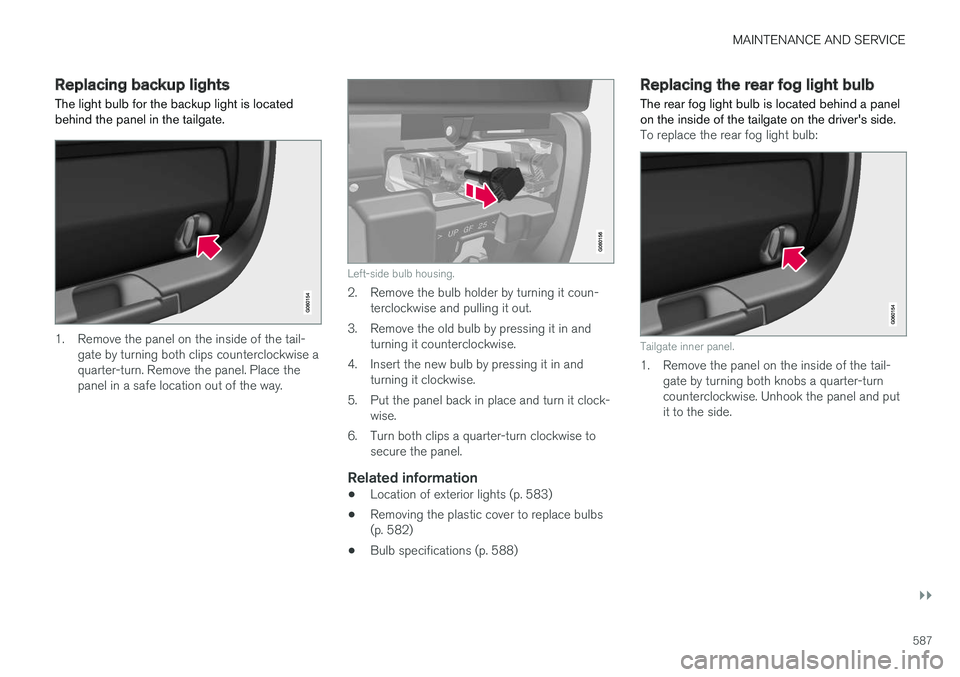
Replacing backup lights The light bulb for the backup light is located behind the panel in the tailgate.
1. Remove the panel on the inside of the tail-gate by turning both clips counterclockwise a quarter-turn. Remove the panel. Place thepanel in a safe location out of the way.
Left-side bulb housing.
2. Remove the bulb holder by turning it coun-terclockwise and pulling it out.
3. Remove the old bulb by pressing it in and turning it counterclockwise.
4. Insert the new bulb by pressing it in and turning it clockwise.
5. Put the panel back in place and turn it clock- wise.
6. Turn both clips a quarter-turn clockwise to secure the panel.
Related information
• Location of exterior lights (p. 583)
• Removing the plastic cover to replace bulbs (p. 582)
• Bulb specifications (p. 588)
Replacing the rear fog light bulb The rear fog light bulb is located behind a panel on the inside of the tailgate on the driver's side.
To replace the rear fog light bulb:
Tailgate inner panel.
1. Remove the panel on the inside of the tail-
gate by turning both knobs a quarter-turn counterclockwise. Unhook the panel and putit to the side.
Page 590 of 656
||
MAINTENANCE AND SERVICE
588
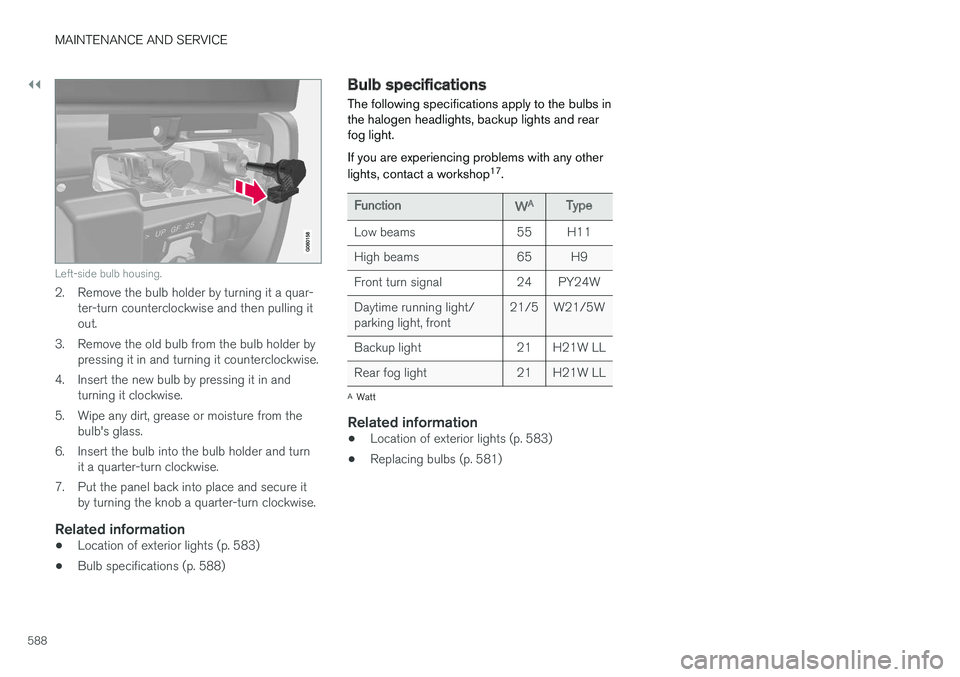
Left-side bulb housing.
2. Remove the bulb holder by turning it a quar-ter-turn counterclockwise and then pulling it out.
3. Remove the old bulb from the bulb holder by pressing it in and turning it counterclockwise.
4. Insert the new bulb by pressing it in and turning it clockwise.
5. Wipe any dirt, grease or moisture from the bulb's glass.
6. Insert the bulb into the bulb holder and turn it a quarter-turn clockwise.
7. Put the panel back into place and secure it by turning the knob a quarter-turn clockwise.
Related information
• Location of exterior lights (p. 583)
• Bulb specifications (p. 588)
Bulb specifications The following specifications apply to the bulbs in the halogen headlights, backup lights and rearfog light. If you are experiencing problems with any other lights, contact a workshop 17
.
FunctionWAType
Low beams 55 H11
High beams 65 H9
Front turn signal 24 PY24WDaytime running light/ parking light, front 21/5 W21/5W
Backup light 21 H21W LL
Rear fog light 21 H21W LL
A Watt
Related information
• Location of exterior lights (p. 583)
• Replacing bulbs (p. 581)
Page 616 of 656
MAINTENANCE AND SERVICE
614
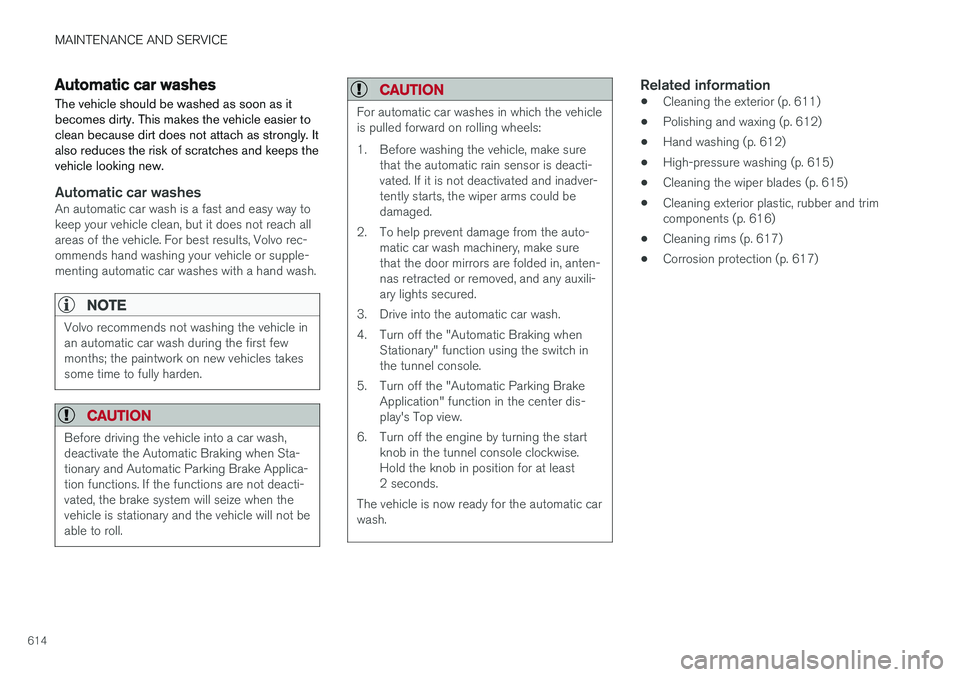
Automatic car washes The vehicle should be washed as soon as it becomes dirty. This makes the vehicle easier toclean because dirt does not attach as strongly. Italso reduces the risk of scratches and keeps thevehicle looking new.
Automatic car washesAn automatic car wash is a fast and easy way to keep your vehicle clean, but it does not reach allareas of the vehicle. For best results, Volvo rec-ommends hand washing your vehicle or supple-menting automatic car washes with a hand wash.
NOTE
Volvo recommends not washing the vehicle in an automatic car wash during the first fewmonths; the paintwork on new vehicles takessome time to fully harden.
CAUTION
Before driving the vehicle into a car wash, deactivate the Automatic Braking when Sta-tionary and Automatic Parking Brake Applica-tion functions. If the functions are not deacti-vated, the brake system will seize when thevehicle is stationary and the vehicle will not beable to roll.
CAUTION
For automatic car washes in which the vehicle is pulled forward on rolling wheels:
1. Before washing the vehicle, make surethat the automatic rain sensor is deacti- vated. If it is not deactivated and inadver-tently starts, the wiper arms could bedamaged.
2. To help prevent damage from the auto- matic car wash machinery, make surethat the door mirrors are folded in, anten-nas retracted or removed, and any auxili-ary lights secured.
3. Drive into the automatic car wash.
4. Turn off the "Automatic Braking when Stationary" function using the switch in the tunnel console.
5. Turn off the "Automatic Parking Brake Application" function in the center dis-play's Top view.
6. Turn off the engine by turning the start knob in the tunnel console clockwise.Hold the knob in position for at least2 seconds.
The vehicle is now ready for the automatic carwash.
Related information
• Cleaning the exterior (p. 611)
• Polishing and waxing (p. 612)
• Hand washing (p. 612)
• High-pressure washing (p. 615)
• Cleaning the wiper blades (p. 615)
• Cleaning exterior plastic, rubber and trim components (p. 616)
• Cleaning rims (p. 617)
• Corrosion protection (p. 617)
Page 643 of 656
INDEX
641
Child restraints 63, 65
booster cushions 71
convertible seats 69
infant seats 67
integrated booster cushion 75
ISOFIX/LATCH anchors 74
lower attachment points 73
recalls and registration 65
top tether anchors 72
Child safety 63
Child safety locks 253
City Safety 329, 330, 332, 333, 338, 340
City Safety in crossing traffic 335, 336 City Safety when evasive maneuver preven- ted 337
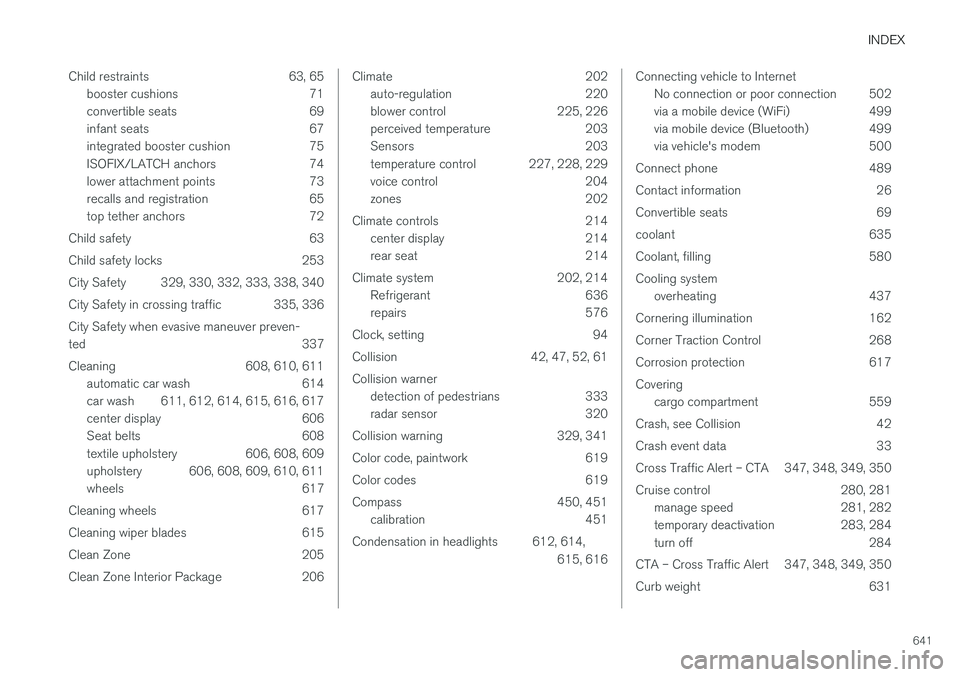
Cleaning 608, 610, 611 automatic car wash 614
car wash 611, 612, 614, 615, 616, 617
center display 606
Seat belts 608
textile upholstery 606, 608, 609
upholstery 606, 608, 609, 610, 611
wheels 617
Cleaning wheels 617
Cleaning wiper blades 615
Clean Zone 205
Clean Zone Interior Package 206
Climate 202 auto-regulation 220
blower control 225, 226
perceived temperature 203
Sensors 203
temperature control 227, 228, 229
voice control 204
zones 202
Climate controls 214 center display 214
rear seat 214
Climate system 202, 214 Refrigerant 636
repairs 576
Clock, setting 94
Collision 42, 47, 52, 61 Collision warner detection of pedestrians 333
radar sensor 320
Collision warning 329, 341
Color code, paintwork 619
Color codes 619
Compass 450, 451 calibration 451
Condensation in headlights 612, 614, 615, 616Connecting vehicle to InternetNo connection or poor connection 502
via a mobile device (WiFi) 499
via mobile device (Bluetooth) 499
via vehicle's modem 500
Connect phone 489
Contact information 26
Convertible seats 69
coolant 635
Coolant, filling 580 Cooling system overheating 437
Cornering illumination 162
Corner Traction Control 268
Corrosion protection 617Covering cargo compartment 559
Crash, see Collision 42
Crash event data 33
Cross Traffic Alert – CTA 347, 348, 349, 350
Cruise control 280, 281 manage speed 281, 282
temporary deactivation 283, 284
turn off 284
CTA – Cross Traffic Alert 347, 348, 349, 350
Curb weight 631