cruise control VOLVO V90 2018 Owner´s Manual
[x] Cancel search | Manufacturer: VOLVO, Model Year: 2018, Model line: V90, Model: VOLVO V90 2018Pages: 656, PDF Size: 11.78 MB
Page 314 of 656
||
DRIVER SUPPORT
* Option/accessory.
312
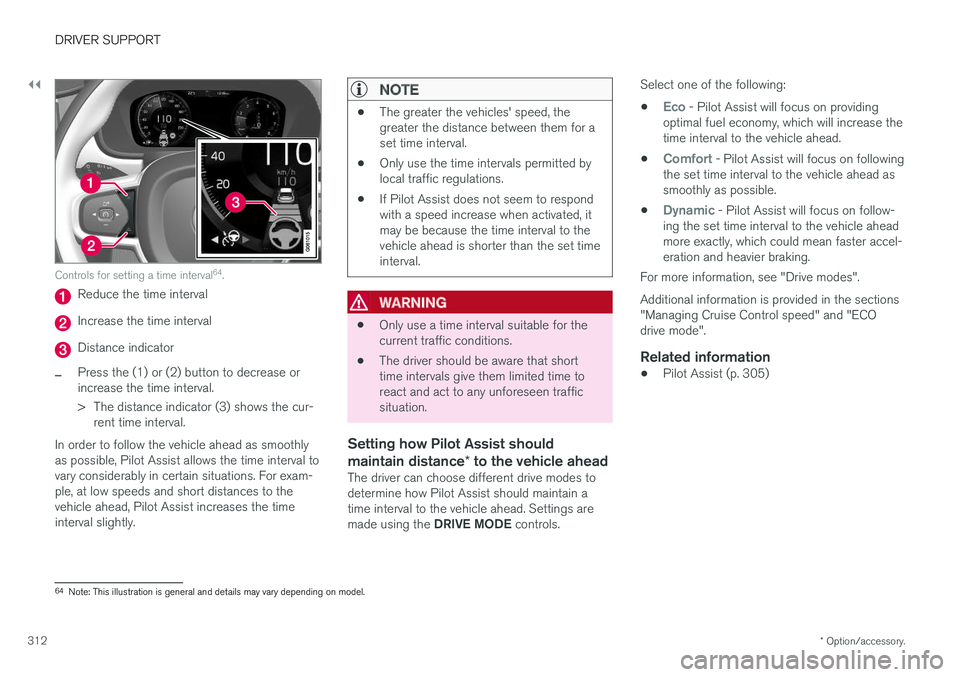
Controls for setting a time interval 64
.
Reduce the time interval
Increase the time interval
Distance indicator
–Press the (1) or (2) button to decrease or increase the time interval.
> The distance indicator (3) shows the cur-
rent time interval.
In order to follow the vehicle ahead as smoothly as possible, Pilot Assist allows the time interval tovary considerably in certain situations. For exam-ple, at low speeds and short distances to thevehicle ahead, Pilot Assist increases the timeinterval slightly.
NOTE
• The greater the vehicles' speed, the greater the distance between them for aset time interval.
• Only use the time intervals permitted bylocal traffic regulations.
• If Pilot Assist does not seem to respondwith a speed increase when activated, itmay be because the time interval to thevehicle ahead is shorter than the set timeinterval.
WARNING
•Only use a time interval suitable for the current traffic conditions.
• The driver should be aware that shorttime intervals give them limited time toreact and act to any unforeseen trafficsituation.
Setting how Pilot Assist should maintain distance
* to the vehicle ahead
The driver can choose different drive modes to determine how Pilot Assist should maintain atime interval to the vehicle ahead. Settings are made using the DRIVE MODE controls. Select one of the following:
•
Eco - Pilot Assist will focus on providing
optimal fuel economy, which will increase the time interval to the vehicle ahead.
•
Comfort - Pilot Assist will focus on following
the set time interval to the vehicle ahead as smoothly as possible.
•
Dynamic - Pilot Assist will focus on follow-
ing the set time interval to the vehicle ahead more exactly, which could mean faster accel-eration and heavier braking.
For more information, see "Drive modes". Additional information is provided in the sections "Managing Cruise Control speed" and "ECOdrive mode".
Related information
• Pilot Assist (p. 305)
64
Note: This illustration is general and details may vary depending on model.
Page 315 of 656
DRIVER SUPPORT
}}
313
Deactivating/reactivating PilotAssist
Pilot Assist can be temporarily put into standby mode and then reactivated.
Deactivating and putting Pilot Assist in standby mode
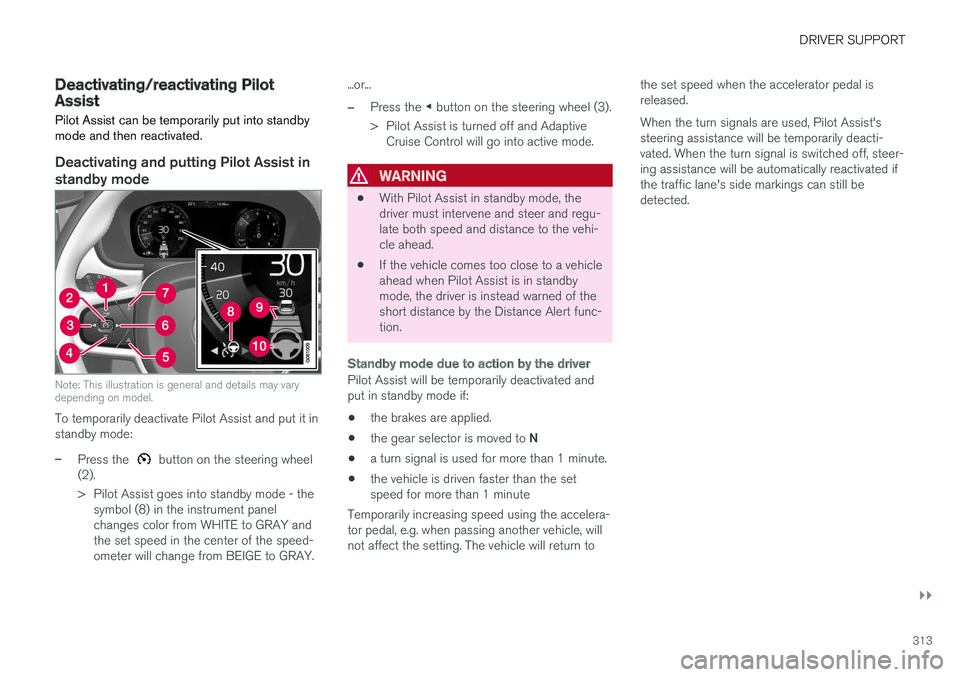
Note: This illustration is general and details may vary depending on model.
To temporarily deactivate Pilot Assist and put it in standby mode:
–Press the button on the steering wheel
(2).
> Pilot Assist goes into standby mode - the symbol (8) in the instrument panel changes color from WHITE to GRAY andthe set speed in the center of the speed-ometer will change from BEIGE to GRAY. ...or...
–Press the
◀ button on the steering wheel (3).
> Pilot Assist is turned off and Adaptive Cruise Control will go into active mode.
WARNING
• With Pilot Assist in standby mode, the driver must intervene and steer and regu-late both speed and distance to the vehi-cle ahead.
• If the vehicle comes too close to a vehicleahead when Pilot Assist is in standbymode, the driver is instead warned of theshort distance by the Distance Alert func-tion.
Standby mode due to action by the driver
Pilot Assist will be temporarily deactivated and put in standby mode if:
• the brakes are applied.
• the gear selector is moved to
N
• a turn signal is used for more than 1 minute.
• the vehicle is driven faster than the setspeed for more than 1 minute
Temporarily increasing speed using the accelera-tor pedal, e.g. when passing another vehicle, willnot affect the setting. The vehicle will return to the set speed when the accelerator pedal isreleased. When the turn signals are used, Pilot Assist's steering assistance will be temporarily deacti-vated. When the turn signal is switched off, steer-ing assistance will be automatically reactivated ifthe traffic lane's side markings can still bedetected.
Page 316 of 656
||
DRIVER SUPPORT
314
Automatic standby mode
Pilot Assist is dependent on other systems, such as Electronic Stability Control (ESC65
). If any of
these other systems stops working, Pilot Assist will automatically switch off.
WARNING
With automatic standby mode, the driver is warned by an acoustic signal and a messageon the instrument panel. • The driver must then regulate vehicle speed, apply the brakes if necessary, andmaintain a safe distance to other vehicles.
Adaptive Cruise Control may go into standbymode if, e.g.: • the driver opens the door.
• the brake temperature is high.
• the driver's hands are not on the steering wheel.
• the parking brake is applied.
• the engine speed (rpm) is too low/high.
• the driver unbuckles the seat belt.
• one or more of the wheels lose traction.
• the camera/radar sensor is covered by snowor heavy rain (the camera lens/radar wavesare blocked) •
your vehicle's speed goes below 5 km/h(3 mph) and Pilot Assist cannot determine ifthe vehicle ahead is stationary or if it isanother object, e.g. a speed bump.
• your vehicle's speed goes under 5 km/h(3 mph) and the vehicle ahead turns so thatPilot Assist no longer has a vehicle to follow.Reactivating Pilot Assist from standby
mode
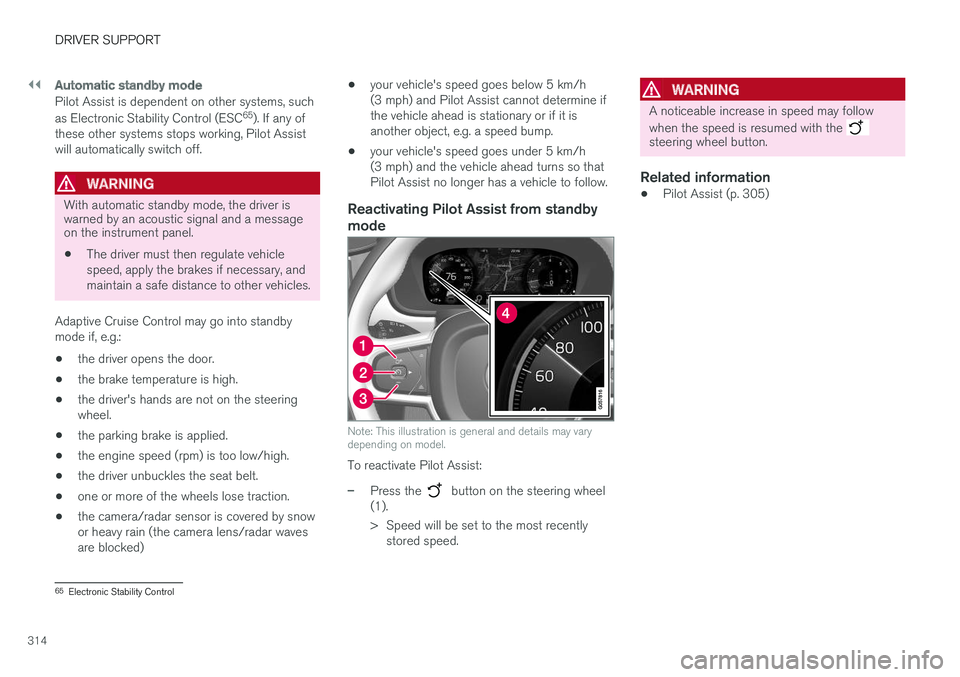
Note: This illustration is general and details may vary depending on model.
To reactivate Pilot Assist:
–Press the button on the steering wheel
(1).
> Speed will be set to the most recently stored speed.
WARNING
A noticeable increase in speed may follow when the speed is resumed with the
steering wheel button.
Related information
• Pilot Assist (p. 305)
65
Electronic Stability Control
Page 322 of 656
||
DRIVER SUPPORT
* Option/accessory.
320
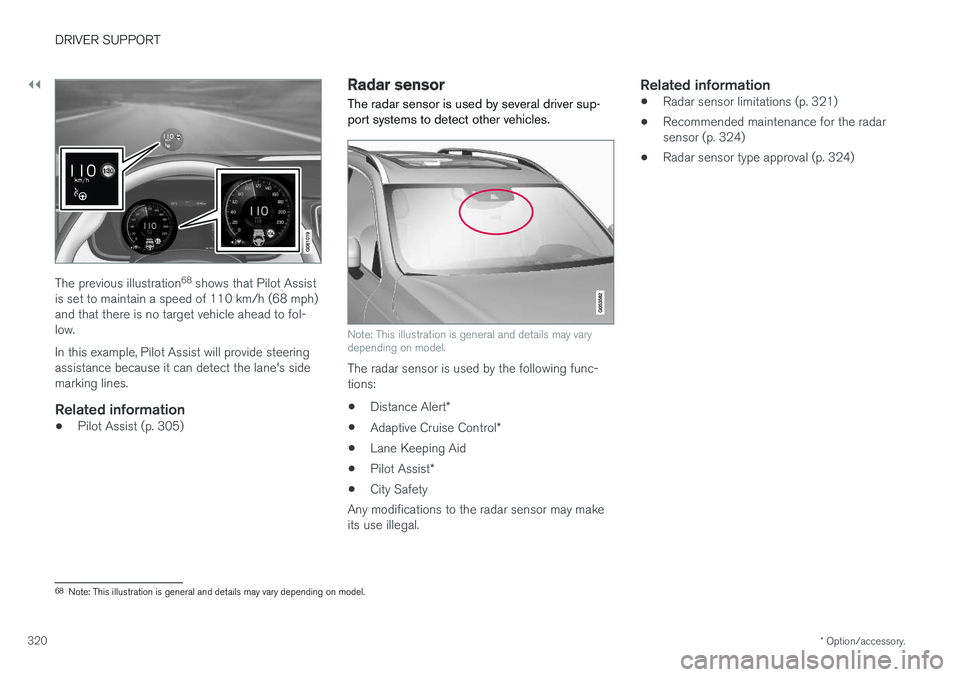
The previous illustration 68
shows that Pilot Assist
is set to maintain a speed of 110 km/h (68 mph) and that there is no target vehicle ahead to fol-low. In this example, Pilot Assist will provide steering assistance because it can detect the lane's sidemarking lines.
Related information
• Pilot Assist (p. 305)
Radar sensor
The radar sensor is used by several driver sup- port systems to detect other vehicles.
Note: This illustration is general and details may vary depending on model.
The radar sensor is used by the following func- tions:
• Distance Alert
*
• Adaptive Cruise Control
*
• Lane Keeping Aid
• Pilot Assist
*
• City Safety
Any modifications to the radar sensor may makeits use illegal.
Related information
• Radar sensor limitations (p. 321)
• Recommended maintenance for the radarsensor (p. 324)
• Radar sensor type approval (p. 324)
68
Note: This illustration is general and details may vary depending on model.
Page 324 of 656
||
DRIVER SUPPORT
322
CauseAction
Water or snow is spraying/swirling up and blocking the radar signals or the camera's range of visibility. No action. Very wet or snow-covered roads may sometimes prevent the cam-era/radar sensor from functioning.
There is dirt between the inside of the windshield and the camera/radarsensor. Consult a workshop to have the area of the windshield on the inside of the cam-era's casing cleaned. An authorized Volvo workshop is recommended.
NOTE
Keep the windshield in front of the camera and radar unit clean.
Vehicle speedThe radar sensor's ability to detect a vehicle ahead is significantly reduced if:
• the speed of the vehicle ahead differs greatlyfrom your vehicle's speed
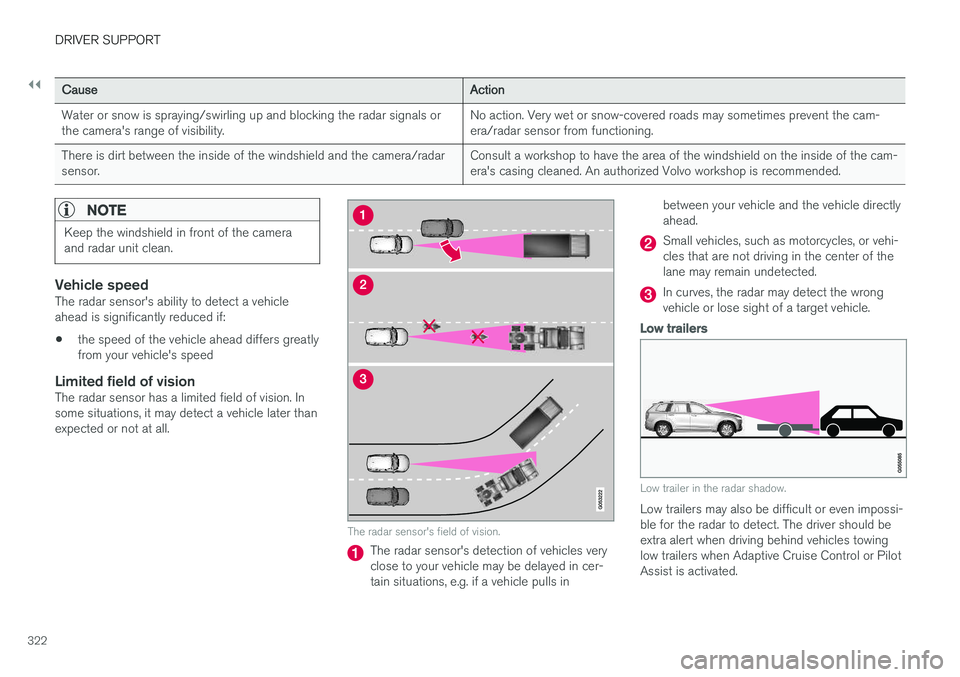
Limited field of visionThe radar sensor has a limited field of vision. Insome situations, it may detect a vehicle later thanexpected or not at all.
The radar sensor's field of vision.
The radar sensor's detection of vehicles very close to your vehicle may be delayed in cer-tain situations, e.g. if a vehicle pulls in between your vehicle and the vehicle directlyahead.
Small vehicles, such as motorcycles, or vehi- cles that are not driving in the center of thelane may remain undetected.
In curves, the radar may detect the wrong vehicle or lose sight of a target vehicle.
Low trailers
Low trailer in the radar shadow.
Low trailers may also be difficult or even impossi- ble for the radar to detect. The driver should beextra alert when driving behind vehicles towing low trailers when Adaptive Cruise Control or Pilot Assist is activated.
Page 327 of 656
DRIVER SUPPORT
* Option/accessory.325
Camera
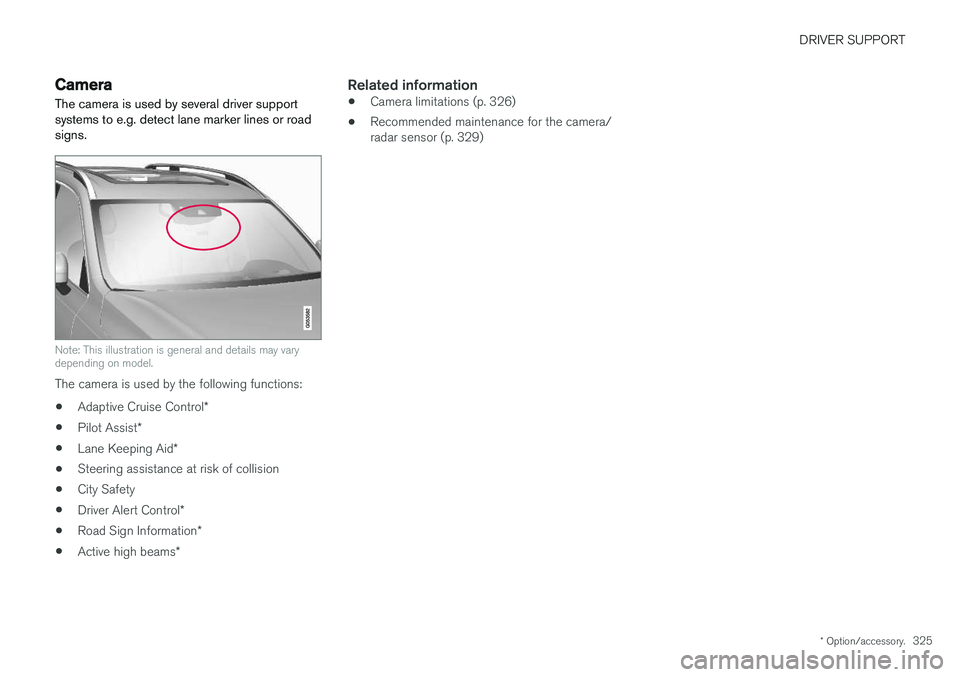
The camera is used by several driver support systems to e.g. detect lane marker lines or roadsigns.
Note: This illustration is general and details may vary depending on model.
The camera is used by the following functions:
• Adaptive Cruise Control
*
• Pilot Assist
*
• Lane Keeping Aid
*
• Steering assistance at risk of collision
• City Safety
• Driver Alert Control
*
• Road Sign Information
*
• Active high beams
*
Related information
•Camera limitations (p. 326)
• Recommended maintenance for the camera/ radar sensor (p. 329)
Page 424 of 656
||
STARTING AND DRIVING
* Option/accessory.
422 This function is most effective in driving situa- tions where the vehicle can roll freely for a longdistance, e.g. on roads with slight downgrades orwhen a decrease in speed is anticipated, such aswhen approaching an area with a lower speedlimit.
Activating Eco Coast
The function is activated when the accelerator pedal is fully released and the following condi-tions are met:
• Eco drive mode is activated.
• The gear selector is in
D.
• The vehicle's speed is approximately65-140 km/h (40-87 mph).
• The gradient of the downgrade is less thanapproximately 6%.
COASTING will be displayed in the instrument
panel when Eco Coast is being used.
Limitations
Eco Coast is not available if:
• The engine and/or transmission are not at normal working temperatures.
• The gear selector is moved from
D to manual
shifting mode.
• The vehicle's speed is not within the65-140 km/h (40-87 mph) range.
• The gradient of the downgrade is more thanapproximately 6%. •
The steering wheel paddles
* are being used
for manual shifting.
Deactivating and turning off Eco Coast
In certain situations, it may be advisable to deac- tivate or turn off Eco Coast so that engine brak-ing can be used. These situations might includedriving down steep hills or before passinganother vehicle to help ensure this can be doneas safely as possible. Deactivate Eco Coast by:
• Pressing the accelerator or brake pedal.
• Moving the gear selector to manual mode.
• Using the steering wheel paddles
* to shift.
Turn off Eco Coast by:
• Switching drive mode
* or switching off drive
mode Eco in Function view.
It is possible to roll short distances even without Eco Coast in order to help conserve fuel. How-ever, for the best fuel economy, Eco Coast shouldbe activated and used to roll longer distances.
Cruise control Eco CruiseWhen cruise control is activated in the Eco drivemode, the vehicle's acceleration and decelerationwill be slower than in other drive modes to helpfurther conserve fuel. Because of this, the vehi-cle's actual speed may be slightly above or belowthe set speed. •
On a level road, the vehicle's actual speedmay differ from the set speed when cruisecontrol is active and the vehicle is coasting.
• On a steep uphill gradient, the vehicle'sspeed is reduced until the transmissiondownshifts. Reduced acceleration is then ini-tiated in order to reach the set speed.
• On a downhill gradient in which the vehicle iscoasting, the vehicle's actual speed may beslightly above or below the set speed. Thefunction uses engine braking to keep the setspeed. If necessary, the normal brakes arealso applied.
ECO gauge in the instrument panelThe ECO gauge indicates how economical cur-rent driving is:
• A low reading in the green area of the gaugeindicates economical driving.
• A high reading is shown when driving is noteconomical, e.g. heavy braking or rapid accel-eration.
The ECO gauge also has an indicator showinghow a reference driver would drive in the samedriving situation. This is shown by the shortpointer in the gauge.
Page 426 of 656
STARTING AND DRIVING
* Option/accessory.
424
Start/Stop function
Start/Stop is a function that temporarily switches off the engine when the vehicle has stopped,e.g. at a traffic light or in heavy traffic, and thenstarts it again automatically when the brakepedal is released.
The Start/Stop function reduces fuel consump- tion, which helps to reduce exhaust emissions. The system makes it possible to drive more eco- nomically and climate-smart by letting the engineauto-stop when appropriate.
Related information
• Driving with the Start/Stop function (p. 424)
• Conditions for the Start/Stop function(p. 426)
• Drive modes
* (p. 419)
Driving with the Start/Stop function
Start/Stop is a function that temporarily turns off the engine when the vehicle is stationary andthen automatically starts it again when the vehi-cle starts moving.
The Start/Stop function is available when the engine is started and can be activated if certainconditions are met. The instrument panel indi-cates if the function is available, active or notavailable. All of the vehicle's ordinary systems, such as lighting, radio, etc. function normally when theengine has been auto-stopped. Certain functionsmay be temporarily reduced, however, such asthe climate system's blower speed or extremelyhigh audio system volume.
Auto-stopTo auto-stop the engine:
• Stop the vehicle by applying the brakes andkeep the brake pedal depressed. The enginewill auto-stop.
In Eco or Comfort 6
drive mode, the engine may
auto-stop before the vehicle has completely stop-ped. With Adaptive Cruise Control or Pilot Assist acti- vated, the engine will auto-stop after approxi-mately three seconds.
Auto-startThe following conditions must be met for theengine to auto-start. • Release the brake pedal. The engine will auto-start and the vehicle can be driven. Onan uphill gradient, Hill Start Assist (HSA) willactivate to help prevent the vehicle from roll-ing backward.
• When Auto-hold is activated, auto-start willbe delayed until the accelerator is pressed.
• When Adaptive Cruise Control or Pilot Assistare activated, the engine will auto-start whenthe accelerator pedal is depressed or the
button on the left-side steering wheel
keypad is pressed.
• Maintain pressure on the brake pedal and press the accelerator pedal. The engine willauto-start.
• On a downhill gradient: Release the brakepedal slightly so that the vehicle begins toroll. The engine will auto-start after a slightincrease in speed.
6
Normal start mode.
Page 641 of 656
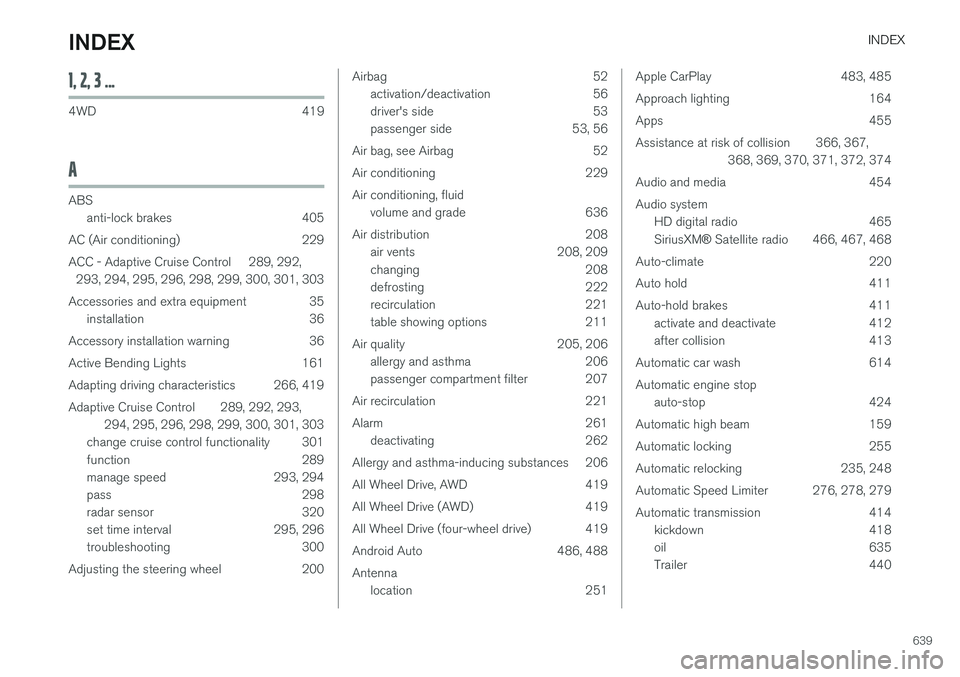
INDEX
639
1, 2, 3 ...
4WD 419
A
ABSanti-lock brakes 405
AC (Air conditioning) 229
ACC - Adaptive Cruise Control 289, 292, 293, 294, 295, 296, 298, 299, 300, 301, 303
Accessories and extra equipment 35 installation 36
Accessory installation warning 36
Active Bending Lights 161
Adapting driving characteristics 266, 419
Adaptive Cruise Control 289, 292, 293, 294, 295, 296, 298, 299, 300, 301, 303
change cruise control functionality 301
function 289
manage speed 293, 294
pass 298
radar sensor 320
set time interval 295, 296
troubleshooting 300
Adjusting the steering wheel 200
Airbag 52 activation/deactivation 56
driver's side 53
passenger side 53, 56
Air bag, see Airbag 52
Air conditioning 229Air conditioning, fluid volume and grade 636
Air distribution 208 air vents 208, 209
changing 208
defrosting 222
recirculation 221
table showing options 211
Air quality 205, 206 allergy and asthma 206
passenger compartment filter 207
Air recirculation 221
Alarm 261 deactivating 262
Allergy and asthma-inducing substances 206
All Wheel Drive, AWD 419
All Wheel Drive (AWD) 419
All Wheel Drive (four-wheel drive) 419
Android Auto 486, 488 Antenna location 251Apple CarPlay 483, 485
Approach lighting 164
Apps 455
Assistance at risk of collision 366, 367, 368, 369, 370, 371, 372, 374
Audio and media 454Audio system HD digital radio 465 SiriusXM ® Satellite radio 466, 467, 468
Auto-climate 220
Auto hold 411
Auto-hold brakes 411 activate and deactivate 412
after collision 413
Automatic car wash 614 Automatic engine stop auto-stop 424
Automatic high beam 159
Automatic locking 255
Automatic relocking 235, 248
Automatic Speed Limiter 276, 278, 279
Automatic transmission 414 kickdown 418
oil 635
Trailer 440
INDEX
Page 643 of 656
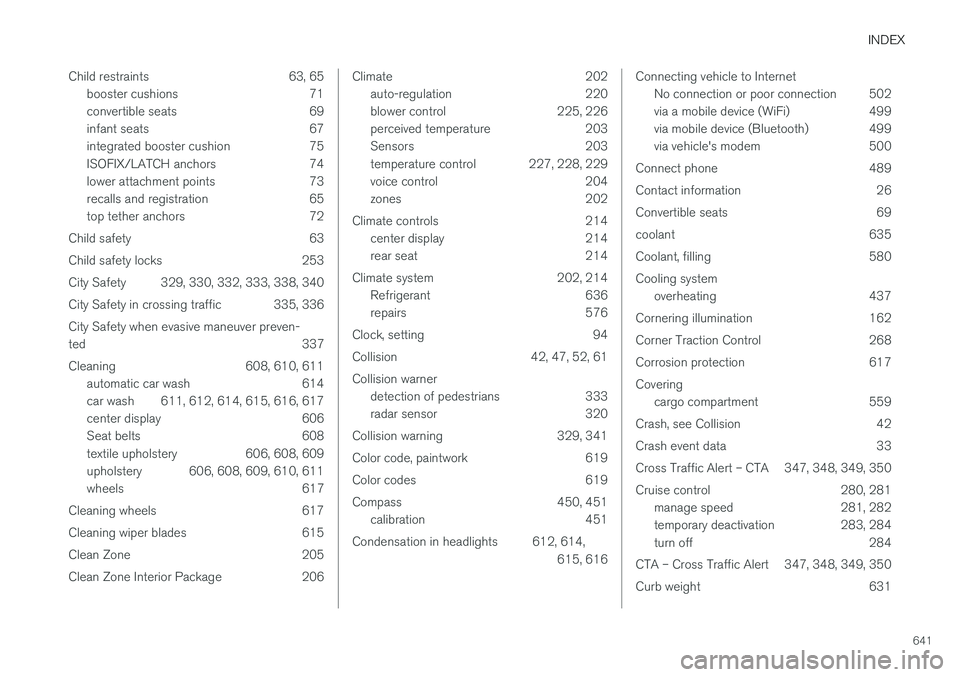
INDEX
641
Child restraints 63, 65
booster cushions 71
convertible seats 69
infant seats 67
integrated booster cushion 75
ISOFIX/LATCH anchors 74
lower attachment points 73
recalls and registration 65
top tether anchors 72
Child safety 63
Child safety locks 253
City Safety 329, 330, 332, 333, 338, 340
City Safety in crossing traffic 335, 336 City Safety when evasive maneuver preven- ted 337
Cleaning 608, 610, 611 automatic car wash 614
car wash 611, 612, 614, 615, 616, 617
center display 606
Seat belts 608
textile upholstery 606, 608, 609
upholstery 606, 608, 609, 610, 611
wheels 617
Cleaning wheels 617
Cleaning wiper blades 615
Clean Zone 205
Clean Zone Interior Package 206
Climate 202 auto-regulation 220
blower control 225, 226
perceived temperature 203
Sensors 203
temperature control 227, 228, 229
voice control 204
zones 202
Climate controls 214 center display 214
rear seat 214
Climate system 202, 214 Refrigerant 636
repairs 576
Clock, setting 94
Collision 42, 47, 52, 61 Collision warner detection of pedestrians 333
radar sensor 320
Collision warning 329, 341
Color code, paintwork 619
Color codes 619
Compass 450, 451 calibration 451
Condensation in headlights 612, 614, 615, 616Connecting vehicle to InternetNo connection or poor connection 502
via a mobile device (WiFi) 499
via mobile device (Bluetooth) 499
via vehicle's modem 500
Connect phone 489
Contact information 26
Convertible seats 69
coolant 635
Coolant, filling 580 Cooling system overheating 437
Cornering illumination 162
Corner Traction Control 268
Corrosion protection 617Covering cargo compartment 559
Crash, see Collision 42
Crash event data 33
Cross Traffic Alert – CTA 347, 348, 349, 350
Cruise control 280, 281 manage speed 281, 282
temporary deactivation 283, 284
turn off 284
CTA – Cross Traffic Alert 347, 348, 349, 350
Curb weight 631