ECO mode VOLVO V90 2018 Owner´s Manual
[x] Cancel search | Manufacturer: VOLVO, Model Year: 2018, Model line: V90, Model: VOLVO V90 2018Pages: 656, PDF Size: 11.78 MB
Page 380 of 656
||
DRIVER SUPPORT
* Option/accessory.
378
CAUTION
Objects such as chains, thin and glossy poles or low obstacles may end up in the "signalshadow" and then go temporarily undetectedby the sensors – the pulsating tone may thenunexpectedly stop instead of becoming aconstant tone as expected. The sensors cannot detect high objects, such as protruding ramps.
• In such situations, pay extra attention andmaneuver/drive the vehicle very slowly orstop the current parking maneuver –there may be a high risk of damage tothe vehicle or other objects since infor-mation from the sensors is not alwaysreliable in such situations.
CAUTION
In some circumstances, the Park Assist Sys- tem may produce false warnings due to exter-nal sound sources with the same ultrasonicfrequencies as those the system works with. Examples of such sources are horns, wet tires on asphalt, pneumatic brakes, exhaust noisefrom motorcycles, etc.
NOTE
When a trailer hitch is configured with the vehicle electrical system, the trailer hitch pro-trusion is included when the function meas-ures the distance to objects behind the vehi-cle.
Related information
•
Park Assist
* (p. 375)
Recommended maintenance forPark Assist
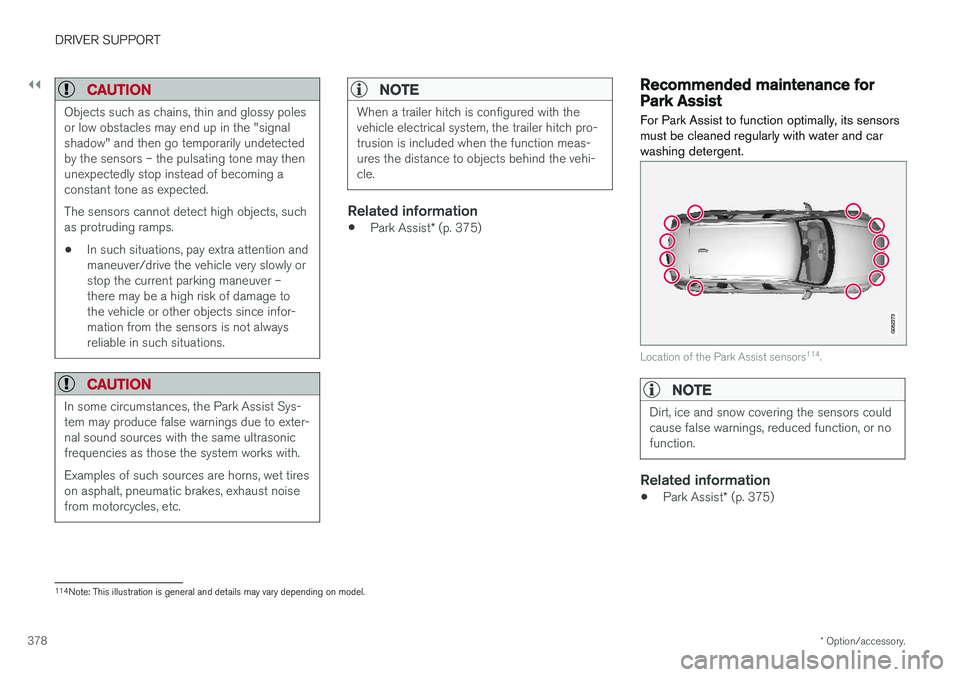
For Park Assist to function optimally, its sensors must be cleaned regularly with water and carwashing detergent.
Location of the Park Assist sensors 114
.
NOTE
Dirt, ice and snow covering the sensors could cause false warnings, reduced function, or nofunction.
Related information
• Park Assist
* (p. 375)
114
Note: This illustration is general and details may vary depending on model.
Page 382 of 656
DRIVER SUPPORT
* Option/accessory.
380
Park Assist Camera *
The Park Assist Camera can help provide the driver when maneuvering in tight spaces by alert-ing the driver to obstacles using the camerascreen and graphics in the center display.
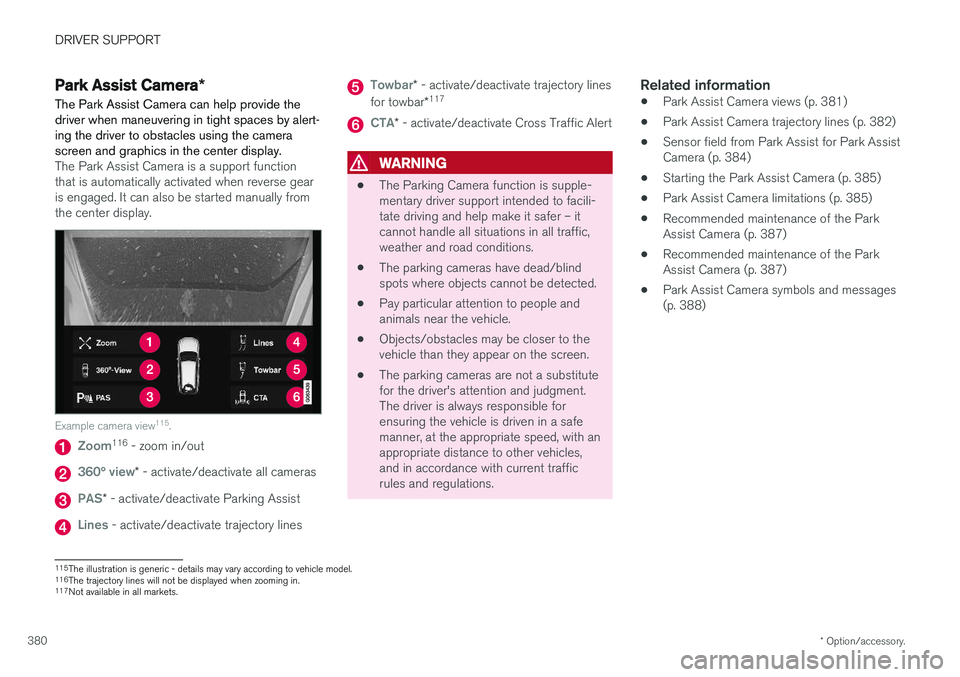
The Park Assist Camera is a support function that is automatically activated when reverse gearis engaged. It can also be started manually fromthe center display.
Example camera view 115
.
Zoom116
- zoom in/out
360° view* - activate/deactivate all cameras
PAS* - activate/deactivate Parking Assist
Lines - activate/deactivate trajectory lines
Towbar* - activate/deactivate trajectory lines
for towbar *117
CTA*
- activate/deactivate Cross Traffic Alert
WARNING
• The Parking Camera function is supple- mentary driver support intended to facili-tate driving and help make it safer – itcannot handle all situations in all traffic,weather and road conditions.
• The parking cameras have dead/blindspots where objects cannot be detected.
• Pay particular attention to people andanimals near the vehicle.
• Objects/obstacles may be closer to thevehicle than they appear on the screen.
• The parking cameras are not a substitutefor the driver's attention and judgment.The driver is always responsible forensuring the vehicle is driven in a safemanner, at the appropriate speed, with anappropriate distance to other vehicles,and in accordance with current trafficrules and regulations.
Related information
•Park Assist Camera views (p. 381)
• Park Assist Camera trajectory lines (p. 382)
• Sensor field from Park Assist for Park AssistCamera (p. 384)
• Starting the Park Assist Camera (p. 385)
• Park Assist Camera limitations (p. 385)
• Recommended maintenance of the ParkAssist Camera (p. 387)
• Recommended maintenance of the ParkAssist Camera (p. 387)
• Park Assist Camera symbols and messages(p. 388)
115
The illustration is generic - details may vary according to vehicle model.
116 The trajectory lines will not be displayed when zooming in.
117 Not available in all markets.
Page 398 of 656
DRIVER SUPPORT
* Option/accessory.
396
Recommended maintenance forPark Assist Pilot For Park Assist Pilot (PAP 128
) to function opti-
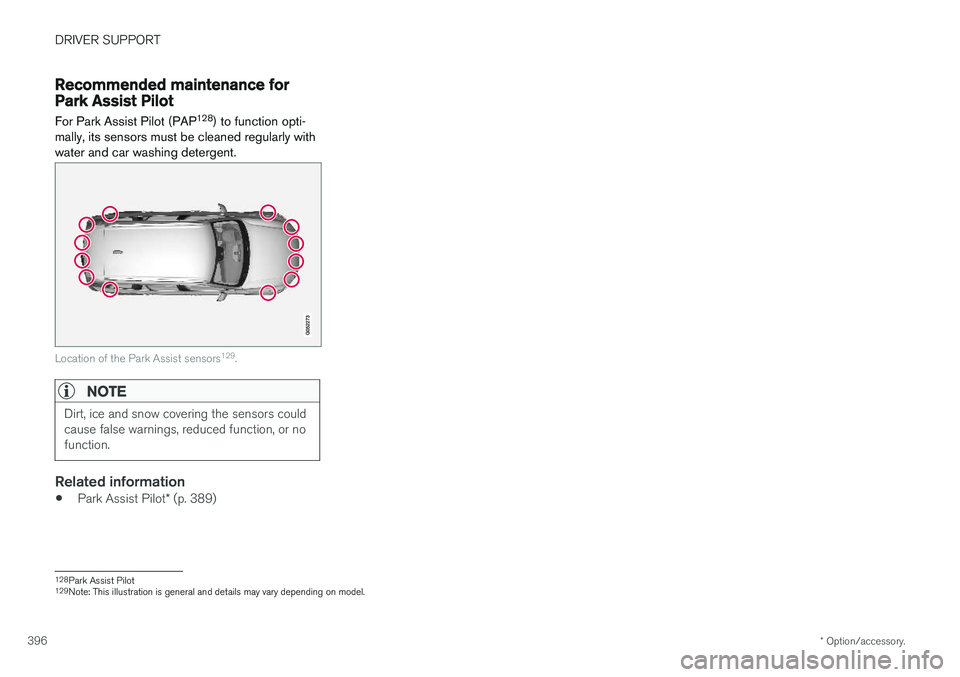
mally, its sensors must be cleaned regularly with water and car washing detergent.
Location of the Park Assist sensors 129
.
NOTE
Dirt, ice and snow covering the sensors could cause false warnings, reduced function, or nofunction.
Related information
• Park Assist Pilot
* (p. 389)
128
Park Assist Pilot
129 Note: This illustration is general and details may vary depending on model.
Page 403 of 656
STARTING AND DRIVING
}}
401
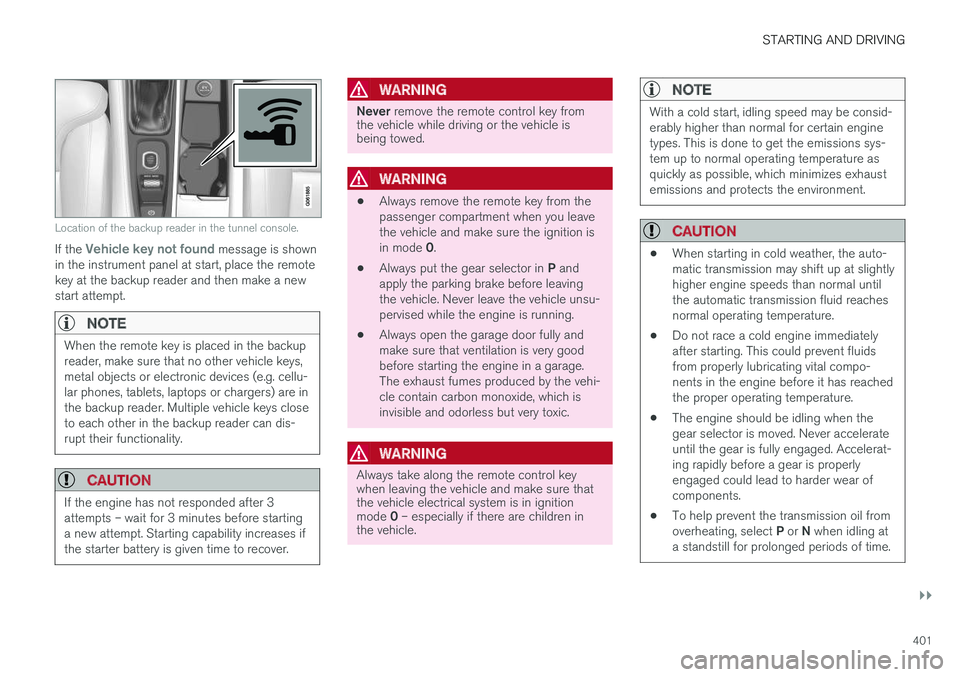
Location of the backup reader in the tunnel console.
If the Vehicle key not found message is shown
in the instrument panel at start, place the remote key at the backup reader and then make a newstart attempt.
NOTE
When the remote key is placed in the backup reader, make sure that no other vehicle keys,metal objects or electronic devices (e.g. cellu-lar phones, tablets, laptops or chargers) are inthe backup reader. Multiple vehicle keys closeto each other in the backup reader can dis-rupt their functionality.
CAUTION
If the engine has not responded after 3 attempts – wait for 3 minutes before startinga new attempt. Starting capability increases ifthe starter battery is given time to recover.
WARNING
Never remove the remote control key from
the vehicle while driving or the vehicle is being towed.
WARNING
• Always remove the remote key from the passenger compartment when you leavethe vehicle and make sure the ignition is in mode
0.
• Always put the gear selector in
P and
apply the parking brake before leaving the vehicle. Never leave the vehicle unsu-pervised while the engine is running.
• Always open the garage door fully andmake sure that ventilation is very goodbefore starting the engine in a garage.The exhaust fumes produced by the vehi-cle contain carbon monoxide, which isinvisible and odorless but very toxic.
WARNING
Always take along the remote control key when leaving the vehicle and make sure thatthe vehicle electrical system is in ignition mode
0 – especially if there are children in
the vehicle.
NOTE
With a cold start, idling speed may be consid- erably higher than normal for certain enginetypes. This is done to get the emissions sys-tem up to normal operating temperature asquickly as possible, which minimizes exhaustemissions and protects the environment.
CAUTION
• When starting in cold weather, the auto- matic transmission may shift up at slightlyhigher engine speeds than normal untilthe automatic transmission fluid reachesnormal operating temperature.
• Do not race a cold engine immediatelyafter starting. This could prevent fluidsfrom properly lubricating vital compo-nents in the engine before it has reachedthe proper operating temperature.
• The engine should be idling when thegear selector is moved. Never accelerateuntil the gear is fully engaged. Accelerat-ing rapidly before a gear is properlyengaged could lead to harder wear ofcomponents.
• To help prevent the transmission oil from overheating, select
P or N when idling at
a standstill for prolonged periods of time.
Page 405 of 656
STARTING AND DRIVING
* Option/accessory.403
Ignition modes
The vehicle's ignition can be put in various modes (levels) to make different functions availa-ble.
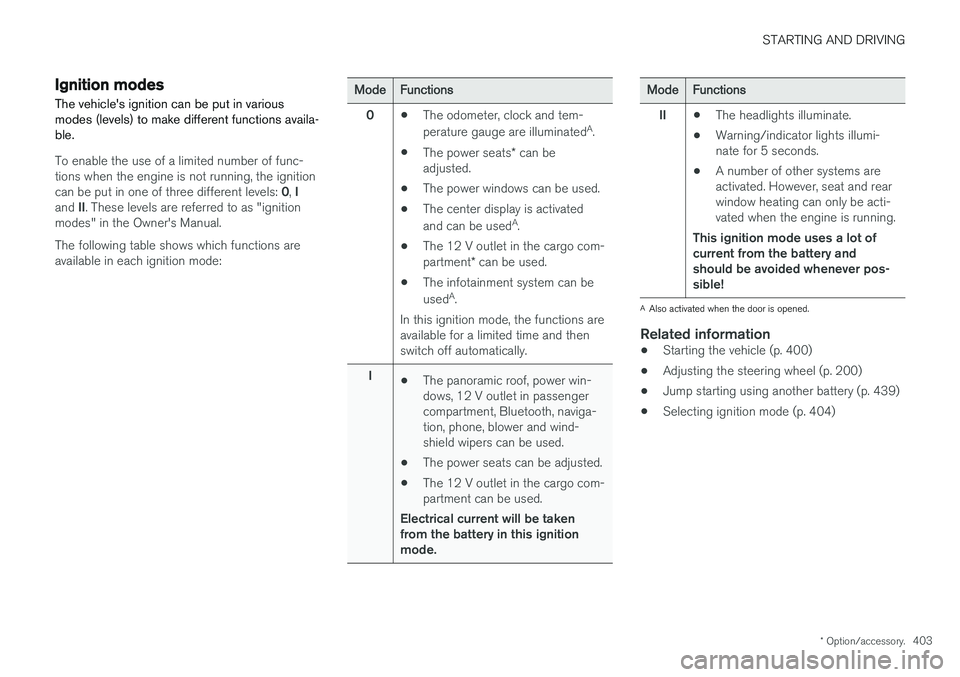
To enable the use of a limited number of func- tions when the engine is not running, the ignition can be put in one of three different levels: 0, I
and II. These levels are referred to as "ignition
modes" in the Owner's Manual. The following table shows which functions are available in each ignition mode:
ModeFunctions
0 •The odometer, clock and tem- perature gauge are illuminated A
.
• The power seats
* can be
adjusted.
• The power windows can be used.
• The center display is activatedand can be used A
.
• The 12 V outlet in the cargo com- partment
* can be used.
• The infotainment system can be used A
.
In this ignition mode, the functions are available for a limited time and then switch off automatically.
I •The panoramic roof, power win-dows, 12 V outlet in passengercompartment, Bluetooth, naviga-tion, phone, blower and wind-shield wipers can be used.
• The power seats can be adjusted.
• The 12 V outlet in the cargo com-partment can be used.
Electrical current will be takenfrom the battery in this ignitionmode.ModeFunctions
II •The headlights illuminate.
• Warning/indicator lights illumi- nate for 5 seconds.
• A number of other systems areactivated. However, seat and rearwindow heating can only be acti-vated when the engine is running.
This ignition mode uses a lot ofcurrent from the battery andshould be avoided whenever pos-sible!
A Also activated when the door is opened.
Related information
• Starting the vehicle (p. 400)
• Adjusting the steering wheel (p. 200)
• Jump starting using another battery (p. 439)
• Selecting ignition mode (p. 404)
Page 406 of 656
STARTING AND DRIVING
404
Selecting ignition modeThe vehicle's ignition can be put in various modes (levels) to make different functions availa-ble.
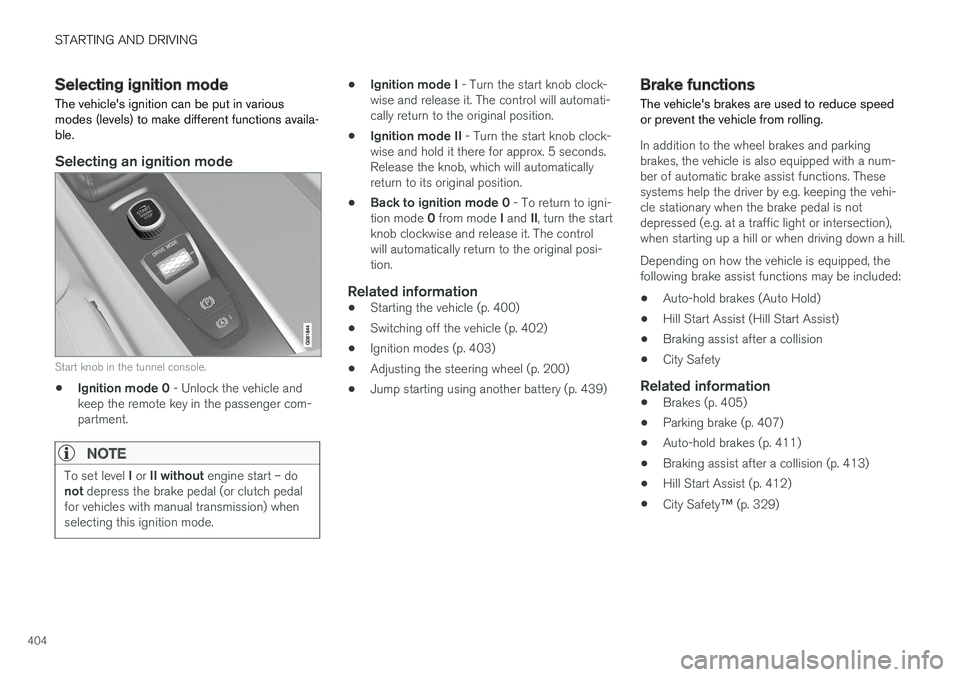
Selecting an ignition mode
Start knob in the tunnel console.
• Ignition mode 0
- Unlock the vehicle and
keep the remote key in the passenger com- partment.
NOTE
To set level I or II without engine start – do
not depress the brake pedal (or clutch pedal
for vehicles with manual transmission) when selecting this ignition mode.
• Ignition mode I
- Turn the start knob clock-
wise and release it. The control will automati- cally return to the original position.
• Ignition mode II
- Turn the start knob clock-
wise and hold it there for approx. 5 seconds.Release the knob, which will automaticallyreturn to its original position.
• Back to ignition mode 0
- To return to igni-
tion mode 0 from mode I and II, turn the start
knob clockwise and release it. The controlwill automatically return to the original posi-tion.
Related information
• Starting the vehicle (p. 400)
• Switching off the vehicle (p. 402)
• Ignition modes (p. 403)
• Adjusting the steering wheel (p. 200)
• Jump starting using another battery (p. 439)
Brake functions
The vehicle's brakes are used to reduce speed or prevent the vehicle from rolling.
In addition to the wheel brakes and parking brakes, the vehicle is also equipped with a num-ber of automatic brake assist functions. Thesesystems help the driver by e.g. keeping the vehi-cle stationary when the brake pedal is notdepressed (e.g. at a traffic light or intersection),when starting up a hill or when driving down a hill. Depending on how the vehicle is equipped, the following brake assist functions may be included:
• Auto-hold brakes (Auto Hold)
• Hill Start Assist (Hill Start Assist)
• Braking assist after a collision
• City Safety
Related information
•Brakes (p. 405)
• Parking brake (p. 407)
• Auto-hold brakes (p. 411)
• Braking assist after a collision (p. 413)
• Hill Start Assist (p. 412)
• City Safety
™ (p. 329)
Page 407 of 656
STARTING AND DRIVING
}}
405
Brakes The brake pedal is used to apply the vehicle's regular brakes, which are part of the brake sys-tem.
The vehicle is equipped with two brake circuits. If one brake circuit is damaged, the brake pedal willgo down further when depressed. More pressurewill then be required from the driver for normalbraking effect. The driver's pressure on the brake pedal is enhanced by a power braking function.
WARNING
Power braking only functions if the engine is running.
If the brake pedal is used when the engine is turned off, the pedal will feel stiffer than usualand greater pressure must be applied to brakethe vehicle. In very hilly areas or when driving with a heavy load, manual gear shifting can be used to aug-ment the brakes with engine braking. Enginebraking is most effective if the same gear is usedboth uphill and downhill.
Anti-lock brakesThe vehicle is equipped with an Anti-lock BrakingSystem (ABS), which can help prevent thewheels from locking and help maintain steeringcontrol when braking. Vibrations may be felt from the brake pedal when ABS is operating, which isnormal. After the vehicle is started, a brief test of the ABS system is automatically performed when thedriver releases the brake pedal. An additionalautomatic test of the system may be performedwhen the vehicle is traveling at a low speed. Dur-ing the test, the brake pedal may feel as though itis pulsating.
Symbols in the instrument panel
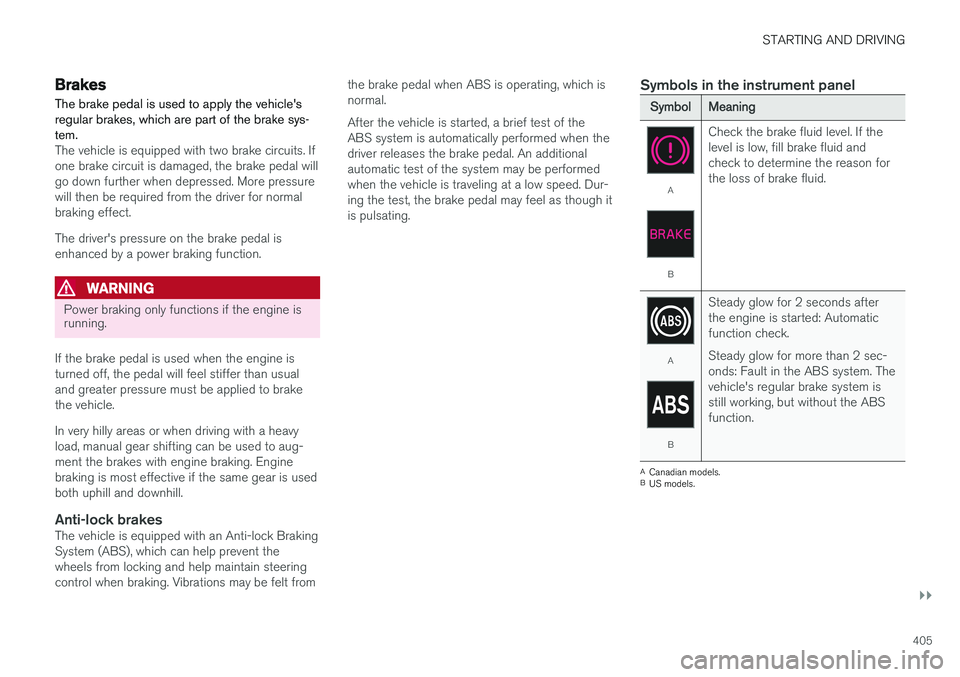
SymbolMeaning
A
B
Check the brake fluid level. If the level is low, fill brake fluid andcheck to determine the reason forthe loss of brake fluid.
A
B
Steady glow for 2 seconds after the engine is started: Automaticfunction check. Steady glow for more than 2 sec- onds: Fault in the ABS system. Thevehicle's regular brake system isstill working, but without the ABSfunction.
A
Canadian models.
B US models.
Page 412 of 656
STARTING AND DRIVING
410
Parking on a hill
Always use the parking brake when parking on a hill.
WARNING
Always apply the parking brake when parking on an incline. Selecting a gear or putting the automatic transmission in P may not be suffi-
cient to keep the vehicle stationary in all sit- uations.
If the vehicle is pointing uphill: • Turn the front wheels so they are pointing away from
the curb.
If the vehicle is pointing downhill:
• Turn the front wheels so they are pointingtoward
the curb.
Heavy load uphill
Heavy loads, such as a trailer, could cause the vehicle to roll backward when the parking brakeis released automatically on steep uphill gradi-ents. To help avoid this, pull the control upwardwhile you are driving away. Release the controlwhen the vehicle gains traction.
Related information
•Activating and deactivating the parking brake(p. 408)
Parking brake malfunction
If you are unable to deactivate or activate the parking brake after several attempts, contact anauthorized Volvo workshop.
A audible warning signal will sound if the parking brake is applied while the vehicle is being driven. If the vehicle must be parked before the problem is rectified, turn the wheels as when parking on an incline and put the gear selector in P.
Low battery charge levelIf the battery charge level is too low, it will not be possible to apply or release the parking brake.Connect an auxiliary battery to the vehicle if thebattery is discharged.
Replacing brake padsDue to the design of the electric parking brake,the rear brake pads must be replaced by a work-shop. An authorized Volvo workshop is recom-mended.
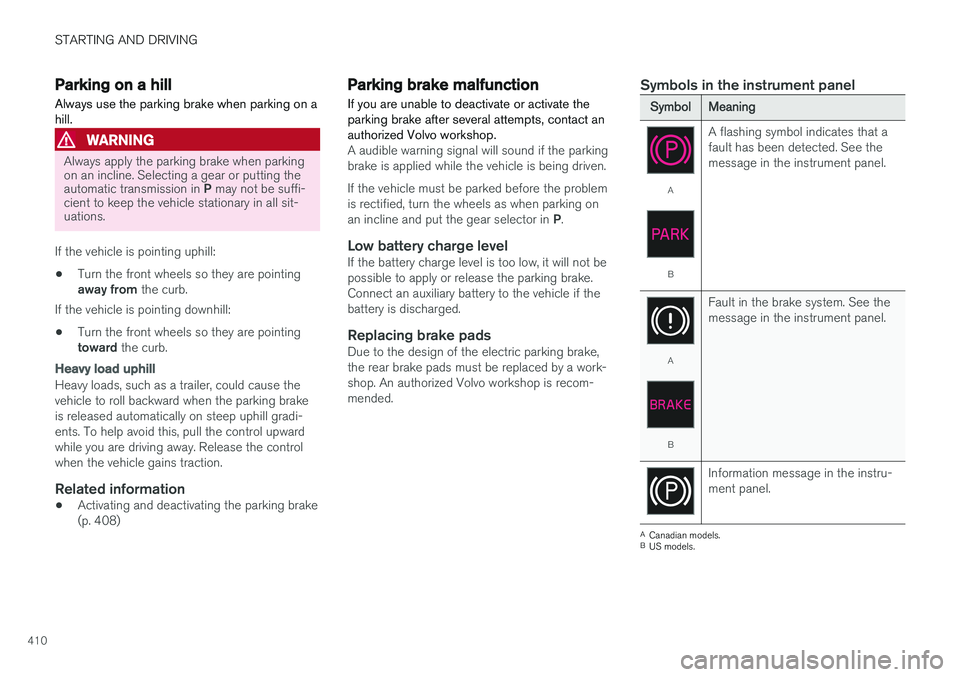
Symbols in the instrument panel
SymbolMeaning
A
B A flashing symbol indicates that a fault has been detected. See themessage in the instrument panel.
A
B
Fault in the brake system. See the message in the instrument panel.
Information message in the instru- ment panel.
A
Canadian models.
B US models.
Page 416 of 656
||
STARTING AND DRIVING
* Option/accessory.
414
SymbolMeaning
Information and messages related to the transmission. Follow the rec-ommendations provided.
Hot or overheated transmission. Follow the recommendations provi-ded.
Reduced performance/Acceler-
ation performance reduced
In the event of a temporary fault in the driveline, the vehicle may gointo a "limp home" mode withreduced power output to help avoiddamage to the driveline.
Related information
• Gear selector positions for automatic trans- missions (p. 414)
• Gear indicator
* (p. 418)
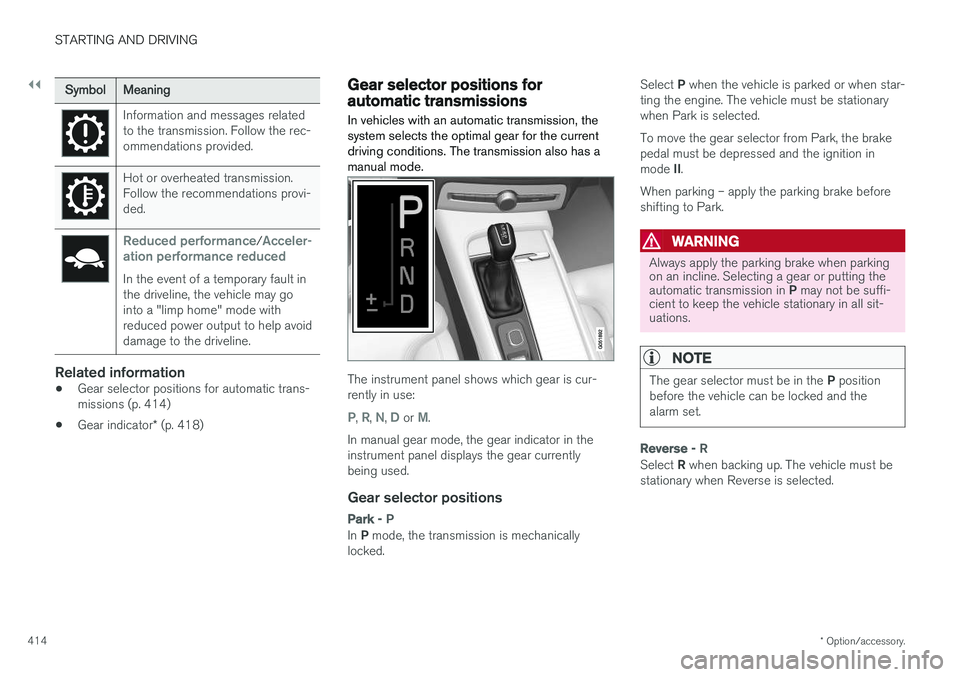
Gear selector positions forautomatic transmissions In vehicles with an automatic transmission, the system selects the optimal gear for the currentdriving conditions. The transmission also has amanual mode.
The instrument panel shows which gear is cur- rently in use:
P, R, N, D or M.
In manual gear mode, the gear indicator in the instrument panel displays the gear currentlybeing used.
Gear selector positions
Park - P
In P mode, the transmission is mechanically
locked. Select
P when the vehicle is parked or when star-
ting the engine. The vehicle must be stationary when Park is selected. To move the gear selector from Park, the brake pedal must be depressed and the ignition in mode II.
When parking – apply the parking brake before shifting to Park.
WARNING
Always apply the parking brake when parking on an incline. Selecting a gear or putting the automatic transmission in P may not be suffi-
cient to keep the vehicle stationary in all sit- uations.
NOTE
The gear selector must be in the P position
before the vehicle can be locked and the alarm set.
Reverse - R
Select R when backing up. The vehicle must be
stationary when Reverse is selected.
Page 417 of 656
STARTING AND DRIVING
}}
* Option/accessory.415
Neutral - N
No gear is selected and the engine can be started. Apply the parking brake if the vehicle is stationary with the gear selector in N.
To move the gear selector from Neutral to another gear, the brake pedal must be depressed and the ignition in mode II.
D drive mode
D is the normal driving gear position. The trans-
mission shifts up or down automatically depend- ing on acceleration and speed. The vehicle mustbe stationary when the gear selector is moved from R to D.
Manual shifting mode - M
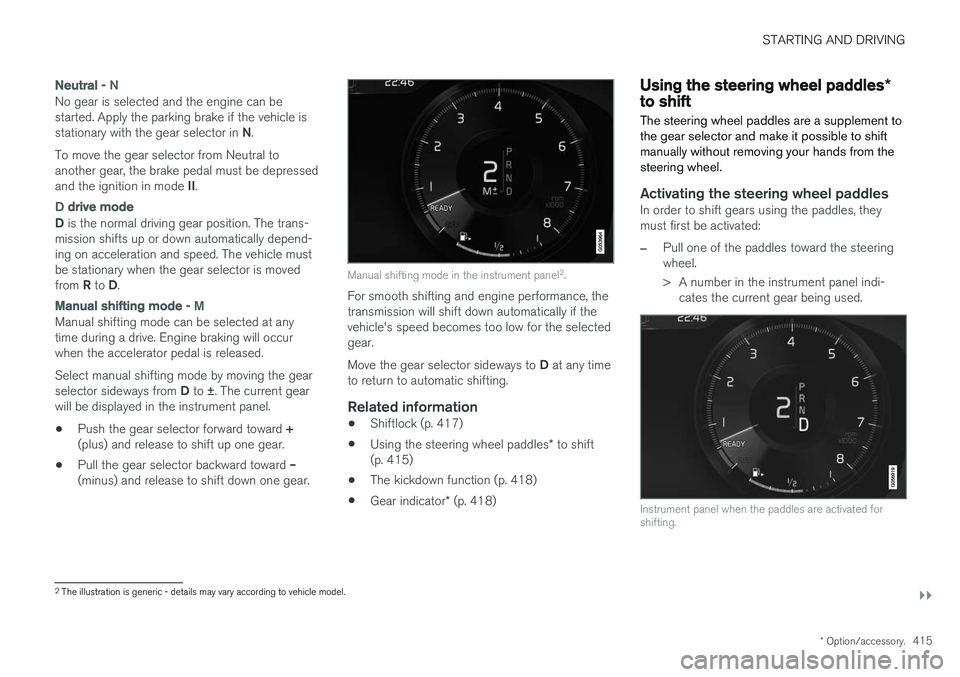
Manual shifting mode can be selected at any time during a drive. Engine braking will occurwhen the accelerator pedal is released. Select manual shifting mode by moving the gear selector sideways from D to ±
. The current gear
will be displayed in the instrument panel.
• Push the gear selector forward toward
+
(plus) and release to shift up one gear.
• Pull the gear selector backward toward
–
(minus) and release to shift down one gear.
Manual shifting mode in the instrument panel 2
.
For smooth shifting and engine performance, the transmission will shift down automatically if thevehicle's speed becomes too low for the selectedgear. Move the gear selector sideways to D at any time
to return to automatic shifting.
Related information
• Shiftlock (p. 417)
• Using the steering wheel paddles
* to shift
(p. 415)
• The kickdown function (p. 418)
• Gear indicator
* (p. 418)
Using the steering wheel paddles *to shift
The steering wheel paddles are a supplement to the gear selector and make it possible to shiftmanually without removing your hands from thesteering wheel.
Activating the steering wheel paddlesIn order to shift gears using the paddles, they must first be activated:
–Pull one of the paddles toward the steering wheel.
> A number in the instrument panel indi- cates the current gear being used.
Instrument panel when the paddles are activated for shifting.
2The illustration is generic - details may vary according to vehicle model.