sport mode VOLVO V90 2018 Owner´s Manual
[x] Cancel search | Manufacturer: VOLVO, Model Year: 2018, Model line: V90, Model: VOLVO V90 2018Pages: 656, PDF Size: 11.78 MB
Page 8 of 656
6
KEY, LOCKS AND ALARM
Lock indication232
Lock confirmation settings 233
Remote key 233
Locking and unlocking using the remote key 235
Settings for remote and inside doorunlock 236
Unlocking the tailgate using theremote key 237
Remote key range 237
Replacing the remote key's battery 238
Ordering additional remote keys 242
Red Key - restricted remote key *
242
Red Key * settings
243
Detachable key blade 244
Locking and unlocking with detacha-ble key blade 245
Electronic immobilizer 246
Start and lock system type designations 246
Keyless and touch-sensitive surfaces *
247
Keyless locking and unlocking *
248
Keyless unlock settings *
250
Keyless tailgate unlock *
250
Antenna locations for the start andlock system 251
Locking and unlocking from inside the vehicle251
Unlocking the tailgate from insidethe vehicle 253
Activating and deactivating childsafety locks 253
Automatic locking when driving 255
Opening and closing the power tailgate *
255
Setting a maximum height for the power tailgate * 258
Foot movement tailgate operation *
259
Private Locking 260
Activating and deactivating private locking 260
Alarm 261
Arming and disarming the alarm 262
Foreign Component Detection *
264
DRIVER SUPPORT
Driver support systems
266
Speed-dependent steering wheel resistance 266
Stability system Roll Stability Control 267
Electronic Stability Control 268
Electronic Stability Control Sport mode 269
Activating/deactivating Sport modein Electronic Stability Control 269
Electronic Stability Control Sportmode limitations 270
Electronic Stability Control symbolsand messages 271
Speed limiter 272
Activating and starting Speed Limiter 273
Managing Speed Limiter speed 273
Deactivating and putting Speed Lim-iter in standby mode 274
Reactivating Speed Limiter fromstandby mode 275
Turning off Cruise Control 275
Cruise Control limitations 276
Automatic Speed Limiter 276
Activating/deactivating AutomaticSpeed Limiter 278
Changing Automatic Speed Limitertolerance 279
Automatic Speed Limiter limitations 279
Page 99 of 656
DISPLAYS AND VOICE CONTROL
}}
97
SymbolMeaning
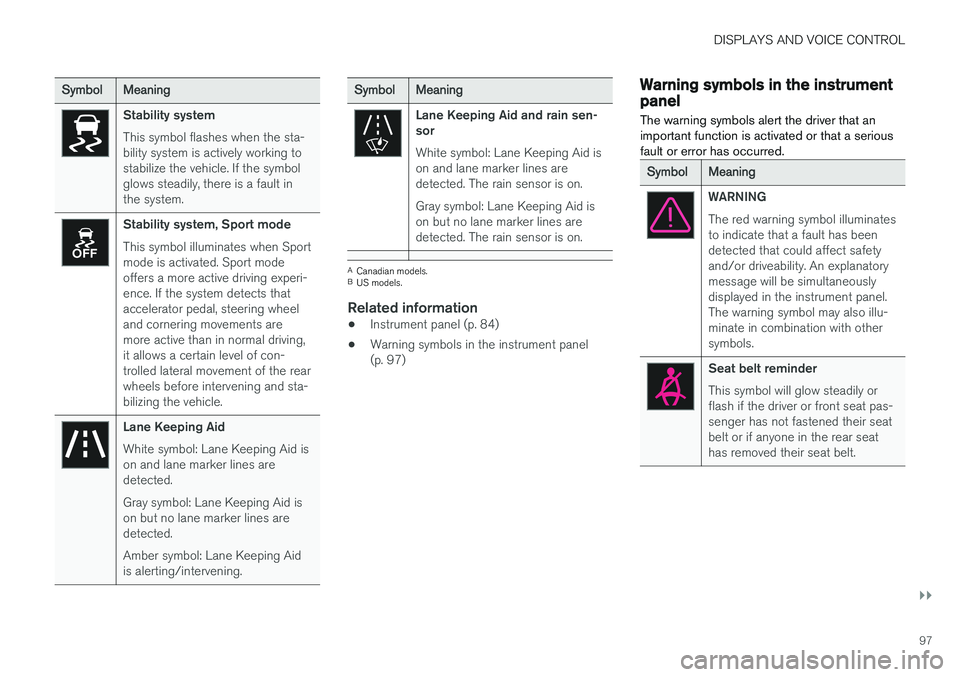
Stability system This symbol flashes when the sta- bility system is actively working tostabilize the vehicle. If the symbolglows steadily, there is a fault inthe system.
Stability system, Sport mode This symbol illuminates when Sport mode is activated. Sport modeoffers a more active driving experi-ence. If the system detects thataccelerator pedal, steering wheeland cornering movements aremore active than in normal driving,it allows a certain level of con-trolled lateral movement of the rearwheels before intervening and sta-bilizing the vehicle.
Lane Keeping Aid White symbol: Lane Keeping Aid is on and lane marker lines aredetected. Gray symbol: Lane Keeping Aid is on but no lane marker lines aredetected. Amber symbol: Lane Keeping Aid is alerting/intervening.
SymbolMeaning
Lane Keeping Aid and rain sen- sor White symbol: Lane Keeping Aid is on and lane marker lines aredetected. The rain sensor is on. Gray symbol: Lane Keeping Aid is on but no lane marker lines aredetected. The rain sensor is on.
ACanadian models.
B US models.
Related information
• Instrument panel (p. 84)
• Warning symbols in the instrument panel (p. 97)
Warning symbols in the instrumentpanel
The warning symbols alert the driver that an important function is activated or that a seriousfault or error has occurred.
SymbolMeaning
WARNING The red warning symbol illuminates to indicate that a fault has beendetected that could affect safetyand/or driveability. An explanatorymessage will be simultaneouslydisplayed in the instrument panel.The warning symbol may also illu-minate in combination with othersymbols.
Seat belt reminder This symbol will glow steadily or flash if the driver or front seat pas-senger has not fastened their seatbelt or if anyone in the rear seathas removed their seat belt.
Page 270 of 656
DRIVER SUPPORT
* Option/accessory.
268
Electronic Stability Control
The Electronic Stability Control (ESC 2
) function
helps the driver avoid skidding and improves the vehicle's directional stability.
This symbol will be displayed in the instrument panel when theESC system is intervening. When the ESC has intervened to apply the brakes, a pulsingsound may be heard and the
vehicle may accelerate more slowly than expec-ted when the accelerator pedal is depressed.
The ESC system consists of the following sub- functions: • Stability control 3
• Spin control and active yaw control
• Engine drag control
• Trailer Stability Assist
WARNING
•The Electronic Stability Control system ESC is supplementary driver supportintended to facilitate driving and make itsafer – it cannot handle all situations inall traffic, weather and road conditions.
• ESC is not a substitute for the driver'sattention and judgment. The driver isalways responsible for ensuring the vehi-cle is driven in a safe manner, at theappropriate speed, with an appropriatedistance to other vehicles, and in accord-ance with current traffic rules and regula-tions.
Stability control 3This function helps control the driving and brak-ing force of each individual wheel in an attemptto stabilize the vehicle.
Spin control and active yaw controlThis function is active at low speeds and brakesthe wheels that are spinning to transfer additionalpower from wheels that are not spinning. This function also helps prevent the wheels from spinning while the vehicle is accelerating.
Engine drag control
Engine drag control (EDC
4
) helps prevent inad-
vertent wheel lock, e.g. after downshifting orusing engine braking when driving at low speedson a slippery surface. Inadvertent wheel lock while driving could impair the driver's ability to steer the vehicle.
Trailer Stability Assist *5
Trailer Stability Assist (TSA
6
) is designed to help
stabilize a vehicle that is towing a trailer if thevehicle and trailer have begun to sway. For moreinformation, see "Trailer Stability Assist".
NOTE
The TSA function is deactivated if ESC Sport
Mode is activated.
Related information
• Electronic Stability Control Sport mode (p. 269)
• Activating/deactivating Sport mode in Elec-tronic Stability Control (p. 269)
1
Roll Stability Control
2 Electronic Stability Control
3 Also called traction control.
4 Engine Drag Control
5Trailer Stability Assist is included if the vehicle is equipped with a Volvo original towbar.6
Trailer Stability Assist
Page 271 of 656
DRIVER SUPPORT
269
•
Electronic Stability Control Sport mode limi- tations (p. 270)
• Electronic Stability Control symbols and mes-sages (p. 271)
Electronic Stability Control Sportmode
The ESC 7
system is always activated and can-
not be switched off. However, the driver can select
ESC Sport Mode, which offers more
active driving characteristics.
With the ESC Sport Mode sub-function
selected, intervention from ESC is reduced and more lateral movement is permitted, giving thedriver more control of the vehicle than usual. When
ESC Sport Mode is selected, ESC may
seem to be disabled even though it is often assisting the driver.
NOTE
When the ESC Sport Mode function is
selected, the trailer stabilizer (TSA 8
) is
switched off.
ESC Sport Mode also helps provide maximum
traction if the vehicle gets stuck or is driving on a loose surface such as deep snow or loose sand.
Related information
• Electronic Stability Control (p. 268)
Activating/deactivating Sport modein Electronic Stability Control The ESC 9
system is always activated and can-
not be switched off. However, the driver can select Sport mode, which offers more activedriving characteristics.
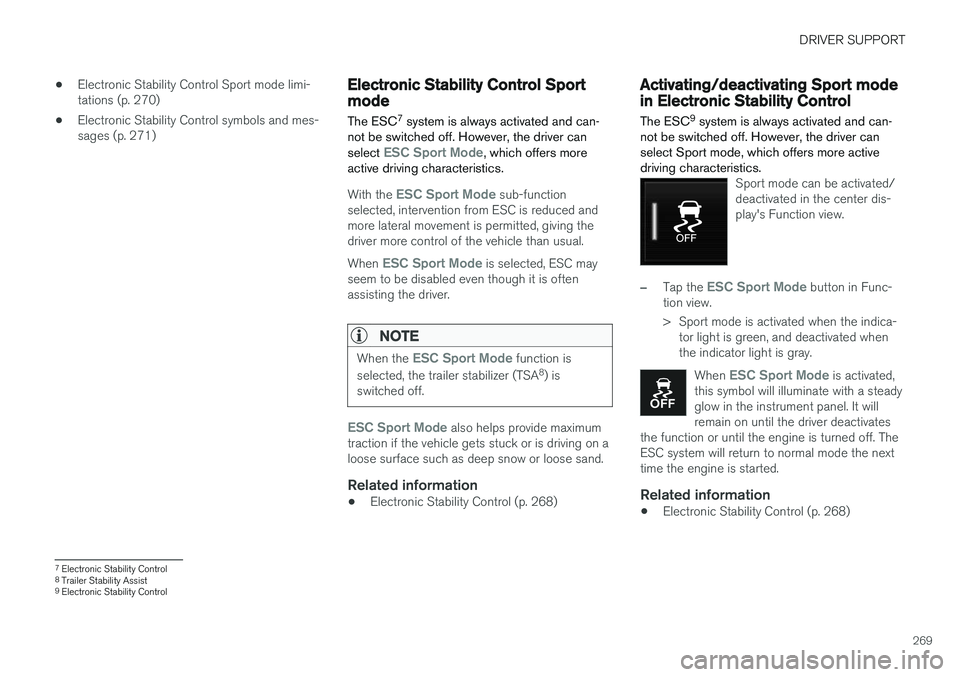
Sport mode can be activated/ deactivated in the center dis-play's Function view.
–Tap the ESC Sport Mode button in Func-
tion view.
> Sport mode is activated when the indica- tor light is green, and deactivated when the indicator light is gray.
When
ESC Sport Mode is activated,
this symbol will illuminate with a steady glow in the instrument panel. It willremain on until the driver deactivates
the function or until the engine is turned off. TheESC system will return to normal mode the nexttime the engine is started.
Related information
• Electronic Stability Control (p. 268)
7
Electronic Stability Control
8 Trailer Stability Assist
9 Electronic Stability Control
Page 272 of 656
DRIVER SUPPORT
270
Electronic Stability Control Sportmode limitations
There are certain limitations associated with the ESC 10
system's subfunction
ESC Sport Modebeing activated.The ESC Sport Mode function cannot be
selected when any of the following functions are activated:
• Speed limiter
• Cruise control
• Adaptive Cruise Control
• Pilot Assist.
Related information
•Electronic Stability Control (p. 268)
10
Electronic Stability Control
Page 273 of 656
DRIVER SUPPORT
271
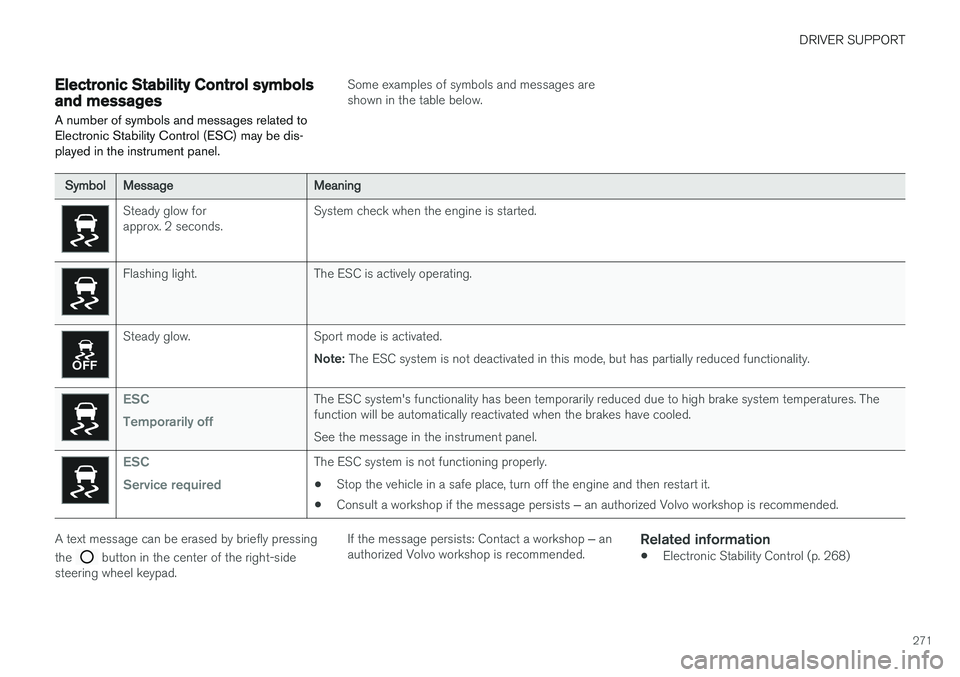
Electronic Stability Control symbolsand messages
A number of symbols and messages related to Electronic Stability Control (ESC) may be dis-played in the instrument panel.
Some examples of symbols and messages are shown in the table below.
SymbolMessageMeaning
Steady glow for approx. 2 seconds. System check when the engine is started.
Flashing light. The ESC is actively operating.
Steady glow. Sport mode is activated.
Note: The ESC system is not deactivated in this mode, but has partially reduced functionality.
ESC Temporarily offThe ESC system's functionality has been temporarily reduced due to high brake system temperatures. The function will be automatically reactivated when the brakes have cooled. See the message in the instrument panel.
ESC Service requiredThe ESC system is not functioning properly.
• Stop the vehicle in a safe place, turn off the engine and then restart it.
• Consult a workshop if the message persists
‒ an authorized Volvo workshop is recommended.
A text message can be erased by briefly pressing the
button in the center of the right-side
steering wheel keypad. If the message persists: Contact a workshop
‒ an
authorized Volvo workshop is recommended.
Related information
• Electronic Stability Control (p. 268)
Page 363 of 656
DRIVER SUPPORT
}}
361
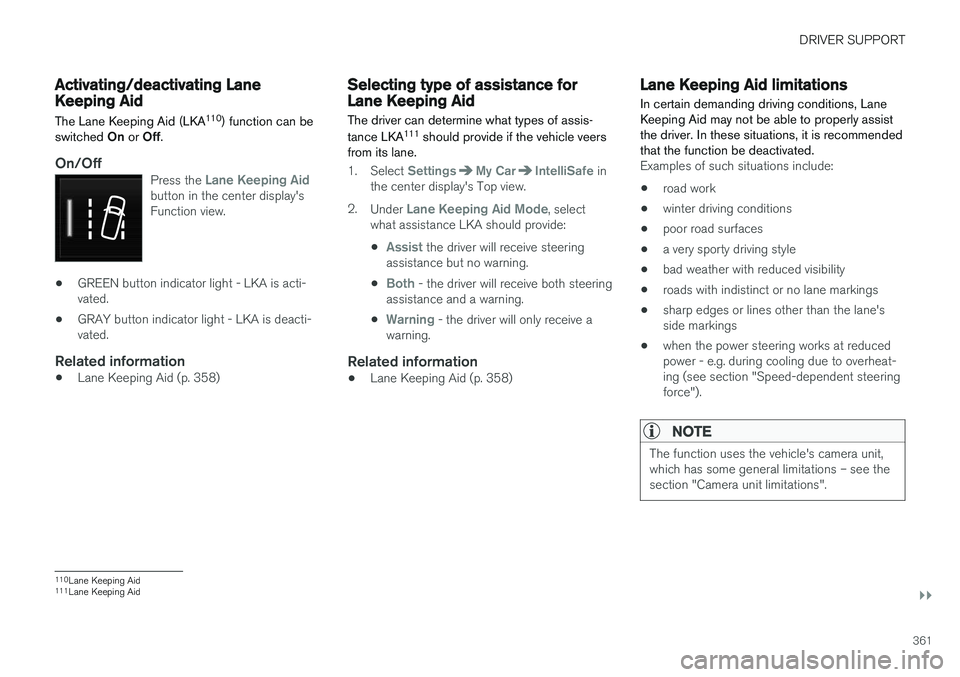
Activating/deactivating LaneKeeping Aid The Lane Keeping Aid (LKA110
) function can be
switched On or Off.
On/OffPress the Lane Keeping Aidbutton in the center display's Function view.
• GREEN button indicator light - LKA is acti- vated.
• GRAY button indicator light - LKA is deacti-vated.
Related information
•Lane Keeping Aid (p. 358)
Selecting type of assistance forLane Keeping Aid
The driver can determine what types of assis- tance LKA 111
should provide if the vehicle veers
from its lane.
1. Select SettingsMy CarIntelliSafe in
the center display's Top view.
2. Under
Lane Keeping Aid Mode, select
what assistance LKA should provide:
•
Assist the driver will receive steering
assistance but no warning.
•
Both - the driver will receive both steering
assistance and a warning.
•
Warning - the driver will only receive a
warning.
Related information
• Lane Keeping Aid (p. 358)
Lane Keeping Aid limitations
In certain demanding driving conditions, Lane Keeping Aid may not be able to properly assistthe driver. In these situations, it is recommendedthat the function be deactivated.
Examples of such situations include:
• road work
• winter driving conditions
• poor road surfaces
• a very sporty driving style
• bad weather with reduced visibility
• roads with indistinct or no lane markings
• sharp edges or lines other than the lane's side markings
• when the power steering works at reducedpower - e.g. during cooling due to overheat-ing (see section "Speed-dependent steeringforce").
NOTE
The function uses the vehicle's camera unit, which has some general limitations – see thesection "Camera unit limitations".
110
Lane Keeping Aid
111 Lane Keeping Aid
Page 422 of 656
||
STARTING AND DRIVING
* Option/accessory.
420
ECO
• Adapt the vehicle for more fuel-efficient and eco-friendly driving with Eco mode.
In this mode, the Start/Stop function is activatedand certain climate settings are reduced. The instrument panel has an ECO gauge to facili- tate fuel-efficient driving.
DYNAMIC
• Dynamic mode is designed to provide sport- ier driving characteristics and a faster accel-eration response.
Gear shifting will be faster and more distinct andthe transmission will prioritize gears with a highertraction force. Steering response is faster and suspension is stiffer 4
to help reduce body roll when cornering.
The Start/Stop function is deactivated.
INDIVIDUAL
• Customizes drive mode to personal preferen- ces.
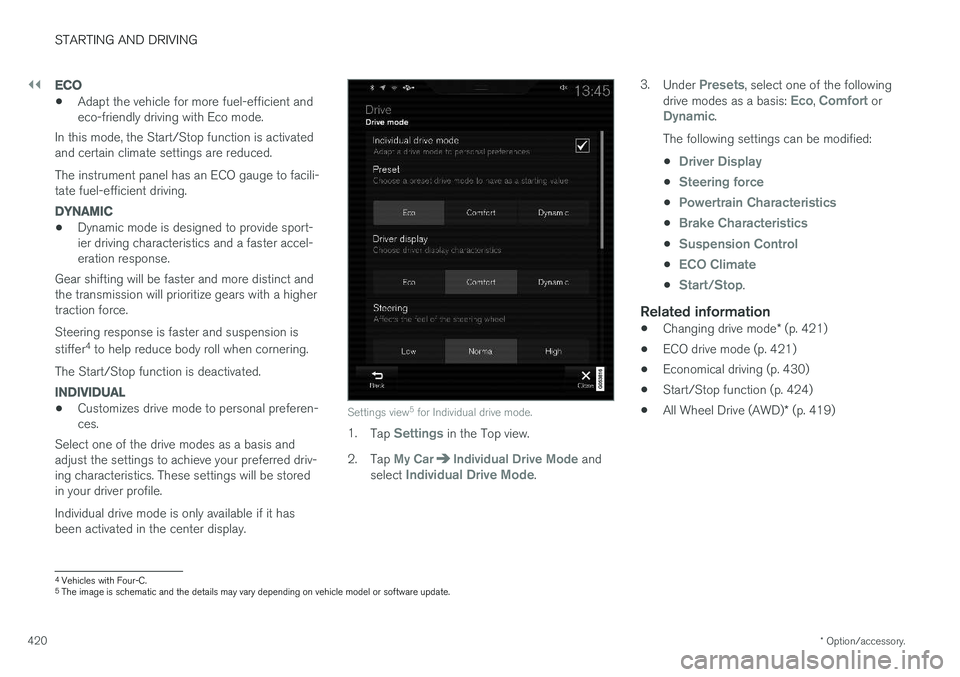
Select one of the drive modes as a basis andadjust the settings to achieve your preferred driv- ing characteristics. These settings will be stored in your driver profile. Individual drive mode is only available if it has been activated in the center display.Settings view 5
for Individual drive mode.
1. Tap Settings in the Top view.
2. Tap
My CarIndividual Drive Mode and
select Individual Drive Mode. 3.
Under
Presets, select one of the following
drive modes as a basis: Eco, Comfort orDynamic.
The following settings can be modified: •
Driver Display
•Steering force
•Powertrain Characteristics
•Brake Characteristics
•Suspension Control
•ECO Climate
•Start/Stop.
Related information
• Changing drive mode
* (p. 421)
• ECO drive mode (p. 421)
• Economical driving (p. 430)
• Start/Stop function (p. 424)
• All Wheel Drive (AWD)
* (p. 419)
4
Vehicles with Four-C.
5 The image is schematic and the details may vary depending on vehicle model or software update.
Page 430 of 656
STARTING AND DRIVING
* Option/accessory.
428
Leveling control * and suspension
Self-leveling and suspension functions are con- trolled automatically.
Rear leveling control keeps the rear section of the vehicle at the same height regardless of load.Leveling control may also remain active when thevehicle is parked.
Shock absorbers (Four-C)The shock absorbers are adapted to the selecteddrive mode and vehicle speed. The shock absorb-ers are normally set to provide the best possiblecomfort and are adjusted continuously accordingto the road surface and the vehicle's acceleration,braking and cornering.TransportingWhen transporting the vehicle on a ferry, train ortruck, only secure (lash) the vehicle around thetires, not using any other parts of the chassis.Changes in the pneumatic suspension may occurduring transport, which could adversely affect thelashing and result in damage.
Symbols and messages in driver display
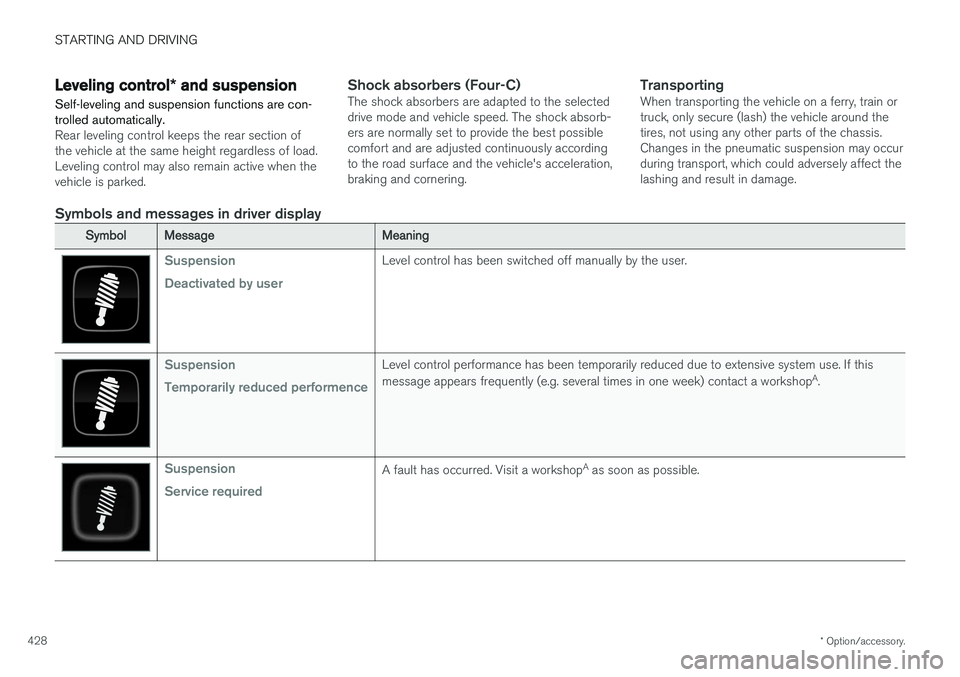
SymbolMessageMeaning
Suspension Deactivated by userLevel control has been switched off manually by the user.
Suspension Temporarily reduced performenceLevel control performance has been temporarily reduced due to extensive system use. If this message appears frequently (e.g. several times in one week) contact a workshop A
.
Suspension Service requiredA fault has occurred. Visit a workshop A
as soon as possible.
Page 444 of 656
STARTING AND DRIVING
* Option/accessory.
442
Trailer Stability Assist *
Trailer Stability Assist (TSA 10
) is a function
designed to help stabilize a vehicle that is tow- ing a trailer when the vehicle and trailer havebegun to sway. The function is part of the Elec- tronic Stability Control system ESC 11
.
Reasons for swayingA vehicle towing a trailer may begin to sway for various reasons. Normally this only occurs at highspeeds. However, if the trailer is overloaded orunevenly distributed, e.g. too far back, there is arisk of swaying even at low speeds. Swaying may be caused by factors such as:
• The vehicle and trailer are hit by a sudden, strong crosswind.
• The vehicle and trailer are traveling on anuneven road or over a bump.
• Sudden movements of the steering wheel.
Once swaying has begun, it can be difficult orimpossible to stop it. This makes the vehicle andtrailer difficult to control and there is a risk ofswerving into oncoming traffic or driving off theroad.
Trailer Stability Assist functionTrailer Stability Assist continuously monitors thevehicle's movements, particularly lateral move- ments. If swaying is detected, the brakes areapplied individually on the front wheels, which hasa stabilizing effect on the vehicle and trailer. Thisis often enough to enable the driver to regaincontrol of the vehicle. If the Trailer Stability Assist function's first attempt is not adequate to stop the swayingmotion, the brakes are applied on all wheels andengine power is temporarily reduced. As theswaying motion begins to decrease and the vehi-cle and trailer have once again become stable,TSA stops regulating the brakes/engine powerand the driver regains control of the vehicle.
NOTE
Trailer Stability Assist is deactivated if the driver selects the sport mode by deactivating
ESC in the center display's menu system.
Trailer Stability Assist may not intervene if the driver tries to compensate for the swaying motionby moving the steering wheel rapidly, becausethe system will then not be able to determine if itis the trailer or the driver causing the swaying.
When Trailer Stability Assist is activated, the
ESC symbol is
displayed in the instrument panel.
Related information
• Driving with a trailer (p. 440)
• Electronic Stability Control (p. 268)
10
Trailer Stability Assist
11 Electronic Stability Control