lock VOLVO V90 CROSS COUNTRY 2021 Owners Manual
[x] Cancel search | Manufacturer: VOLVO, Model Year: 2021, Model line: V90 CROSS COUNTRY, Model: VOLVO V90 CROSS COUNTRY 2021Pages: 683, PDF Size: 14.19 MB
Page 316 of 683
DRIVER SUPPORT
* Option/accessory.
314
Pilot Assist *63
symbols and
messages
A number of symbols and messages relating to Pilot Assist may be displayed in the instru- ment panel and/or the head-up display *.
Symbol Message Meaning
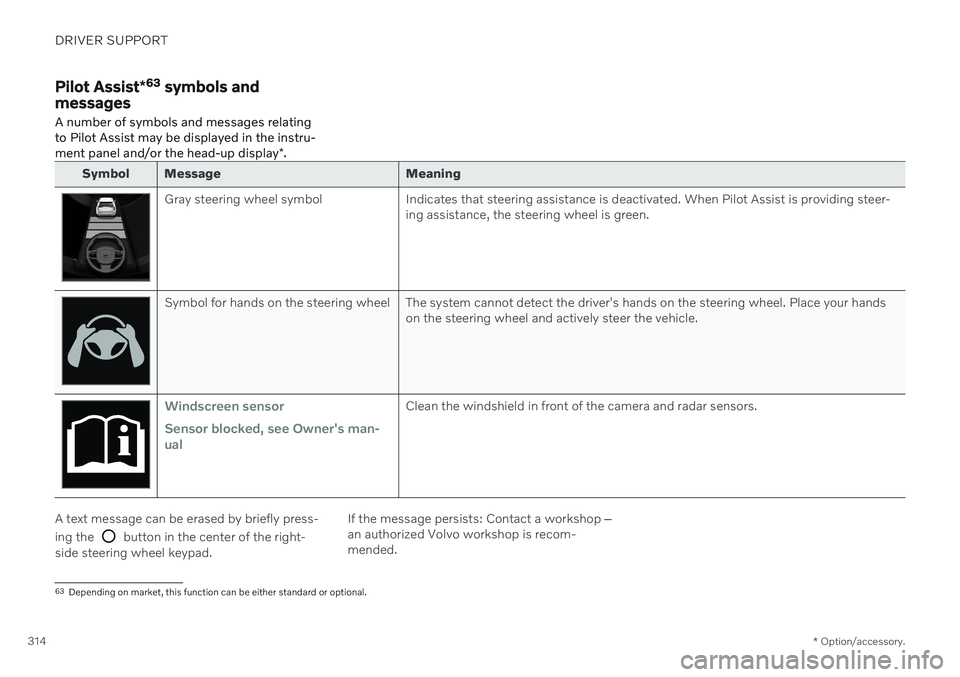
Gray steering wheel symbol Indicates that steering assistance is deactivated. When Pilot Assist is providing steer-
ing assistance, the steering wheel is green.
Symbol for hands on the steering wheel The system cannot detect the driver's hands on the steering wheel. Place your handson the steering wheel and actively steer the vehicle.
Windscreen sensor Sensor blocked, see Owner's man- ualClean the windshield in front of the camera and radar sensors.
A text message can be erased by briefly press- ing the
button in the center of the right-
side steering wheel keypad. If the message persists: Contact a workshop
‒
an authorized Volvo workshop is recom- mended.
63 Depending on market, this function can be either standard or optional.
Page 330 of 683
DRIVER SUPPORT
328
Lane Keeping Aid symbols and messages
A number of symbols and messages related to Lane Keeping Aid (LKA 73
) may be dis- played in the instrument panel. Several exam- ples are provided below.
Symbol Message Meaning
Driver support system Reduced functionality Service requiredThe system is not functioning as intended. Contact a workshop
A
.
Windscreen sensor Sensor blocked, see Owner's manualThe camera's ability to detect the lane in front of the vehicle is reduced.
73 Lane Keeping Aid
Page 343 of 683
DRIVER SUPPORT
}}
341
City Safety limitationsCity Safety 81
functionality may be reduced in
certain situations.
Surroundings
Low objects
Hanging objects, such as flags for overhang- ing loads or accessories such as auxiliarylights or front protective grids that extendbeyond the height of the hood, may limit City Safety functionality.
Slippery road conditions
The extended braking distance on slippery roads may reduce City Safety's capacity tohelp avoid a collision. In these types of situa-tions, the Anti-lock Braking System and Elec- tronic Stability Control (ESC 82
) are designed
for optimal braking power with maintained stability.
Backlighting
The visual warning signal in the windshield may be difficult to detect in bright sunlight, ifthere are reflections, or if the driver is wearingsunglasses or not looking straight ahead.
Heat
If the temperature in the passenger compart- ment is high due to e.g. bright sunlight, thevisual warning signal in the windshield may betemporarily disabled.
Camera and radar sensor's field of vision
The camera's field of vision is limited and in certain situations, it may be unable to detectpedestrians, large animals, cyclists or vehicles,or it may detect them later than expected. Vehicles that are dirty may be detected later than clean vehicles, and in dark conditions,motorcycles may be detected late or not at all. If a text message displayed in the instrument panel indicates that the camera or radar sen-sor is obstructed, it may be difficult for CitySafety to detect pedestrians, large animals,cyclists, vehicles or lane markings in front ofthe vehicle. City Safety functionality maytherefore be reduced. Text messages may not be displayed for all sit- uations in which the windshield sensors areblocked. The driver must therefore alwayskeep the windshield in front of the camera/radar sensor clean.
CAUTION
Only a workshop may perform mainte- nance on driver support components – anauthorized Volvo workshop is recom-mended.
Driver intervention
Backing up
City Safety is temporarily deactivated when the vehicle is backing up.
Low speed
City Safety is not activated at very low speeds under 4 km/h (3 mph). The system will there-fore not intervene in situations in which yourvehicle is approaching another vehicle veryslowly, such as when parking.
Active driver
Action by the driver always has priority. City Safety will therefore not react or will react at alater stage with a warning or intervention insituations in which the driver is clearly steeringand operating the accelerator pedal, even if acollision is unavoidable. An active and aware driving style may there- fore delay collision warnings and interventionin order to minimize unnecessary warnings.
81 This function is not available on all markets.
82 Electronic Stability Control
Page 352 of 683
DRIVER SUPPORT
350
Symbols and messages for steering assistance during collisionrisks
A number of symbols and messages related to steering assistance may be displayed in the instrument panel. Several examples areprovided below.
Symbol Message
Meaning
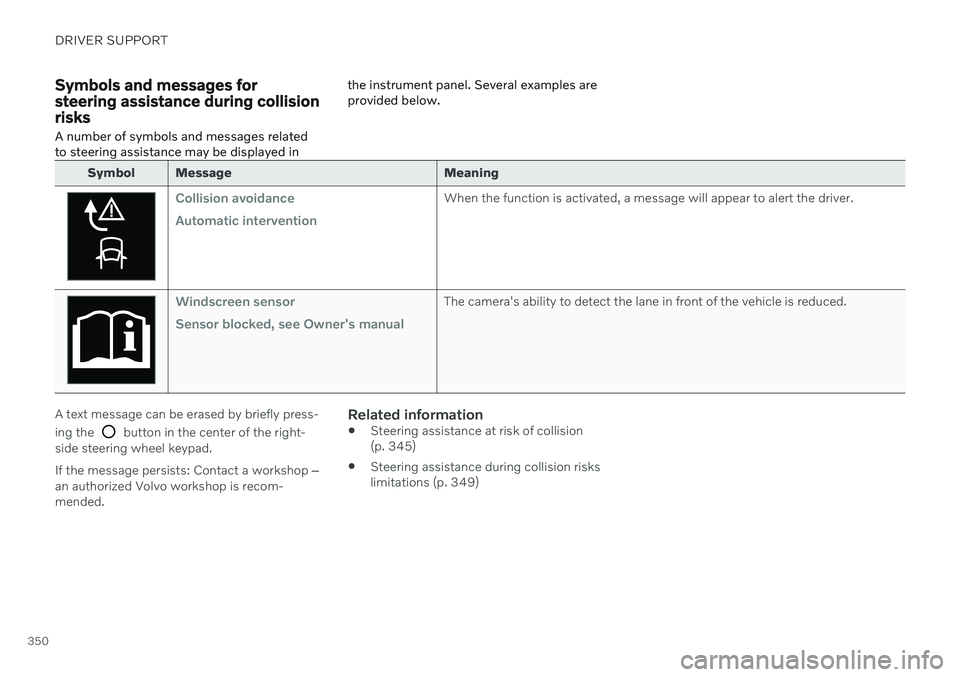
Collision avoidance Automatic interventionWhen the function is activated, a message will appear to alert the driver.
Windscreen sensor Sensor blocked, see Owner's manualThe camera's ability to detect the lane in front of the vehicle is reduced.
A text message can be erased by briefly press- ing the
button in the center of the right-
side steering wheel keypad. If the message persists: Contact a workshop ‒
an authorized Volvo workshop is recom- mended.
Related information
Steering assistance at risk of collision(p. 345)
Steering assistance during collision riskslimitations (p. 349)
Page 363 of 683
DRIVER SUPPORT
}}
* Option/accessory.361
Related information
Driver support systems (p. 278)
Activating or deactivating Cross Traffic Alert
* (p. 361)
Cross Traffic Alert
* limitations (p. 361)
Cross Traffic Alert
* messages (p. 363)
BLIS
* (p. 352)
Park Assist
* (p. 364)
Activating or deactivating Cross Traffic Alert *98
The driver can choose to deactivate the Cross
Traffic Alert (CTA) function.
Activate or deactivate the function using this button inthe center display's Functionview.
GREEN button indicator light – the func- tion is activated.
GRAY button indicator light – the functionis deactivated.
The function is automatically activated eachtime the engine is started.
Related information
Cross Traffic Alert
* (p. 360)
Cross Traffic Alert
* limitations (p. 361)
Cross Traffic Alert
* messages (p. 363)
Cross Traffic Alert *99
limitations
The Cross Traffic Alert (CTA) function with auto brake may have limited functionality in
certain situations. Auto-brake is active atspeeds under 15 km/h (9.3 mph).
WARNING
The auto-brake sub-function can only
detect and apply the brakes for other mov- ing vehicles – not for e.g. stationary obsta-
cles, cyclists or pedestrians.
The function has certain limitations – the sen- sors, for example, cannot "see" through otherparked vehicles or objects blocking the vehi-cle. Below are a few examples of situations in which the function's field of vision may be ini-tially limited and approaching vehicles maytherefore not be detected until they are veryclose to your vehicle:
98 Warning for crossing traffic when the vehicle is backing up.
99 Warning for crossing traffic when the vehicle is backing up.
Page 370 of 683
DRIVER SUPPORT
* Option/accessory.
368
Park Assist symbols and messages
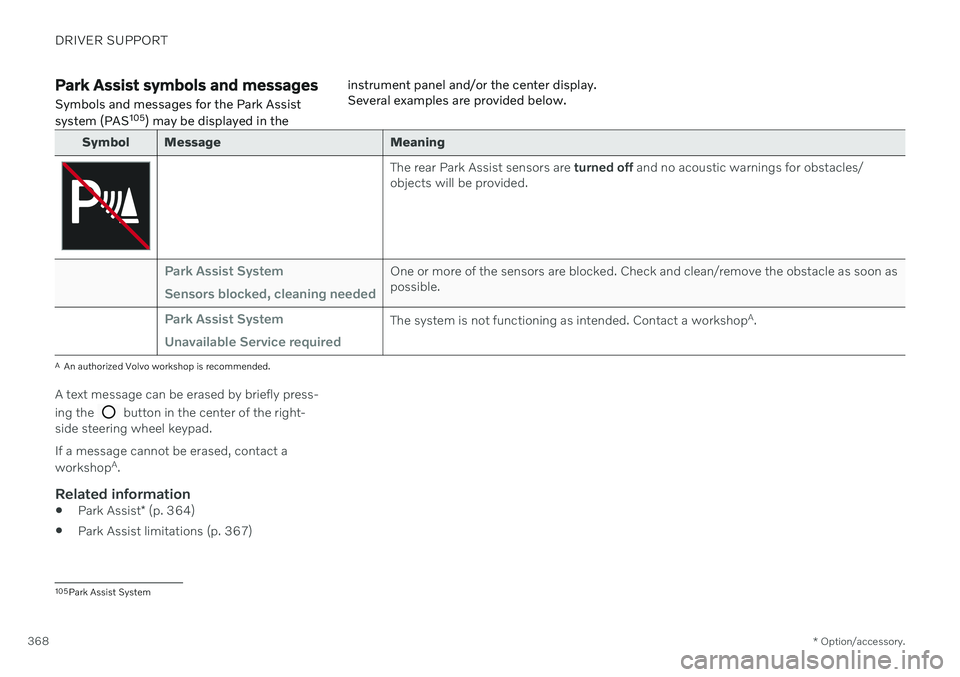
Symbols and messages for the Park Assist system (PAS 105
) may be displayed in the instrument panel and/or the center display. Several examples are provided below.
Symbol Message Meaning
The rear Park Assist sensors are
turned off and no acoustic warnings for obstacles/
objects will be provided.
Park Assist System Sensors blocked, cleaning neededOne or more of the sensors are blocked. Check and clean/remove the obstacle as soon as possible.
Park Assist System Unavailable Service requiredThe system is not functioning as intended. Contact a workshop A
.
A An authorized Volvo workshop is recommended.
A text message can be erased by briefly press- ing the
button in the center of the right-
side steering wheel keypad. If a message cannot be erased, contact a workshop A
.
Related information
Park Assist
* (p. 364)
Park Assist limitations (p. 367)
105
Park Assist System
Page 379 of 683
DRIVER SUPPORT
}}
377
Park Assist Camera symbols and messages
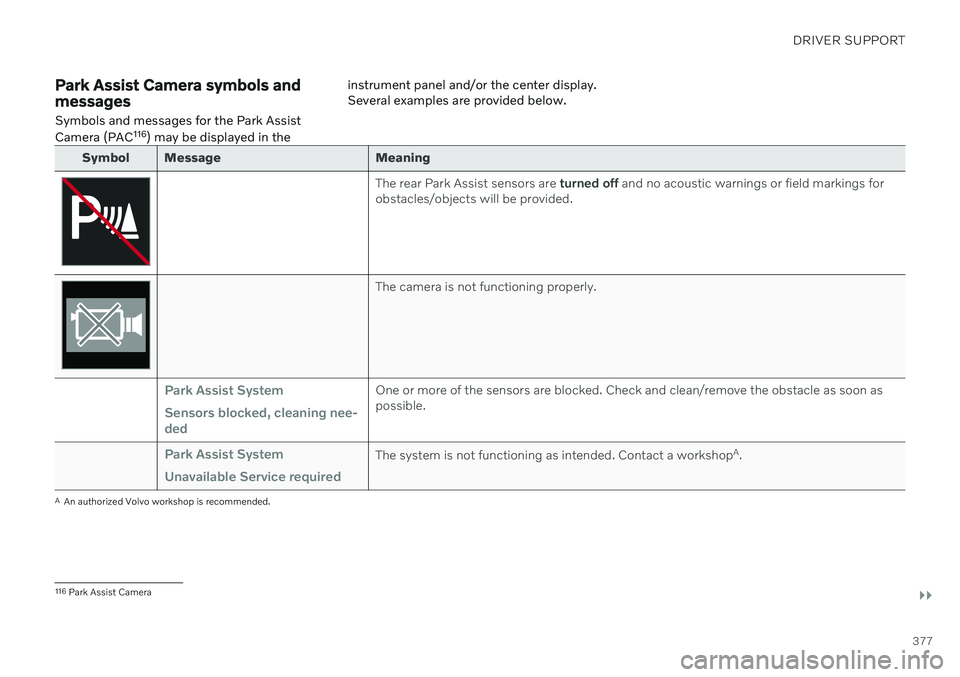
Symbols and messages for the Park Assist Camera (PAC 116
) may be displayed in the instrument panel and/or the center display. Several examples are provided below.
Symbol Message Meaning
The rear Park Assist sensors are
turned off and no acoustic warnings or field markings for
obstacles/objects will be provided.
The camera is not functioning properly.
Park Assist System Sensors blocked, cleaning nee- dedOne or more of the sensors are blocked. Check and clean/remove the obstacle as soon as possible.
Park Assist System Unavailable Service requiredThe system is not functioning as intended. Contact a workshop A
.
A An authorized Volvo workshop is recommended.
116 Park Assist Camera
Page 387 of 683
DRIVER SUPPORT
* Option/accessory.385
The parking sequence is cancelledA parking sequence will be cancelled if: the driver moves the steering wheel
the vehicle's speed exceeds 7 km/h (4 mph)
the driver taps
Cancel in the center dis-
play
when the anti-lock brakes or the Elec- tronic stability control are engaged - e.g.when a wheel loses grip on a slippery road
when speed-dependent power steeringwheel resistance is working at reducedpower – e.g. during cooling due to over-heating
A message in the center display will explainwhy the parking sequence was cancelled.
CAUTION
Under certain circumstances, the function may not be able to find parking spaces –one reason may be that the sensors aredisrupted by external sound sources thatemit the same ultrasonic frequencies thatthe system works with. Examples of such sources include horns, wet tires on asphalt, pneumatic brakes,exhaust noise from motorcycles, etc.
NOTE
Dirt, ice and snow covering the sensors reduce their function and can make meas-urement impossible.
Driver responsibilityThe driver should keep in mind that the func- tion is a parking aid ‒ not an infallible fully
automatic system. The driver must always beprepared to take control and cancel a parkingsequence if necessary. There are a number of things to keep in mind when parking, including:
The driver is always responsible for deter-mining if the space suggested by the func- tion is suitable for parking.
Do not use the function when using snow chains or a temporary spare tire.
Do not use the function if there are anyobjects protruding from the vehicle.
Heavy rain or snowfall may inhibit PAP'sability to accurately measure a parkingspace.
While searching and measuring the park-ing space, the function may be unable todetect objects located far into the space.
PAP may not suggest parking spaces onnarrow streets if it does not detect suffi-cient space for maneuvering the vehicle.
Use approved tires 122
inflated to the cor-
rect tire pressure because this affects thefunction's ability to provide parking assis-tance.
The function is based on the way the vehi-cles are parked behind and in front of yourparking space. If they are, for example,parked too close to the curb, there is a riskthat your vehicle's tires or wheel rimscould be damaged by the curb during theparking procedure.
Perpendicular parking spaces may not bedetected or may be suggested unneces-sarily if a parked vehicle is sticking outmore than other parked vehicles.
The function is intended to provide park-ing assistance on straight streets, not sec-tions of street with sharp curves or bends.Always make sure that your vehicle is par-allel to relevant parking spaces when thefunction is measuring the parking space.
Related information
Park Assist Pilot
* (p. 379)
Speed-dependent steering wheel resis-tance (p. 278)
Camera/radar sensor limitations (p. 390)
122
"Approved tires" refers to tires of the same type and make as the vehicle's original, factory-installed tires.
Page 388 of 683
DRIVER SUPPORT
* Option/accessory.
386
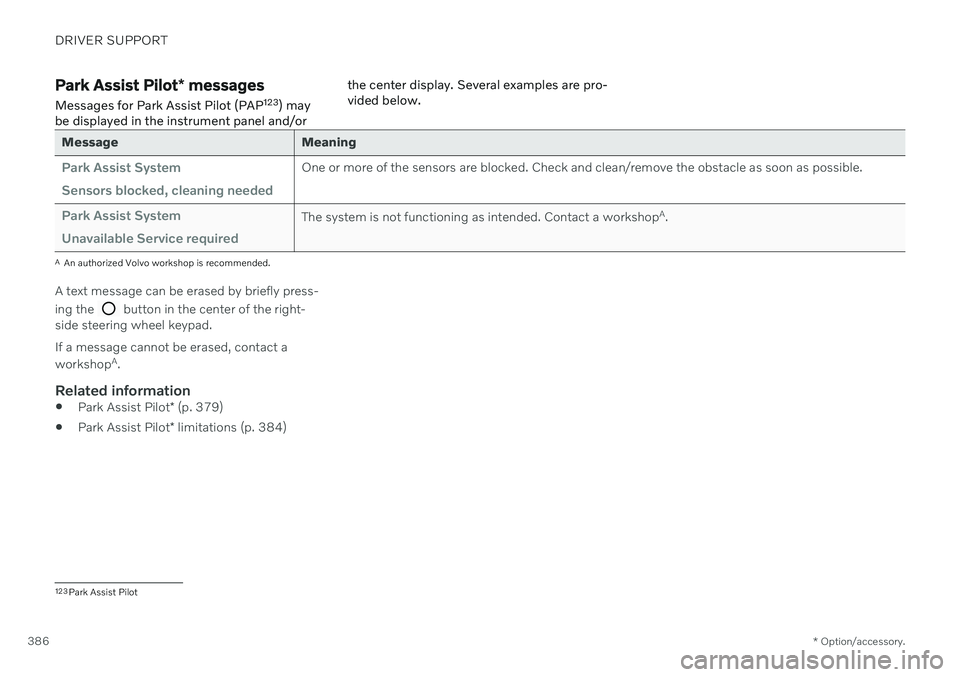
Park Assist Pilot * messages
Messages for Park Assist Pilot (PAP 123
) may
be displayed in the instrument panel and/or the center display. Several examples are pro- vided below.
Message Meaning
Park Assist System Sensors blocked, cleaning neededOne or more of the sensors are blocked. Check and clean/remove the obstacle as soon as possible.
Park Assist System Unavailable Service requiredThe system is not functioning as intended. Contact a workshop
A
.
A An authorized Volvo workshop is recommended.
A text message can be erased by briefly press- ing the
button in the center of the right-
side steering wheel keypad. If a message cannot be erased, contact a workshop A
.
Related information
Park Assist Pilot
* (p. 379)
Park Assist Pilot
* limitations (p. 384)
123
Park Assist Pilot
Page 397 of 683
DRIVER SUPPORT
}}
395
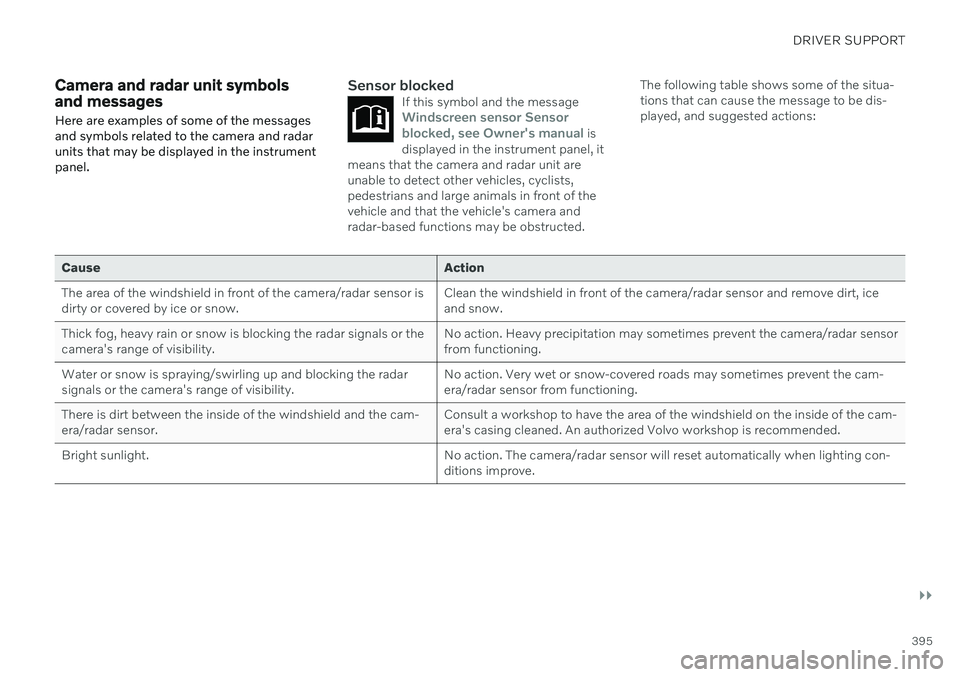
Camera and radar unit symbols and messages Here are examples of some of the messages and symbols related to the camera and radarunits that may be displayed in the instrumentpanel.Sensor blockedIf this symbol and the messageWindscreen sensor Sensor
blocked, see Owner's manual is
displayed in the instrument panel, it
means that the camera and radar unit are unable to detect other vehicles, cyclists,pedestrians and large animals in front of thevehicle and that the vehicle's camera andradar-based functions may be obstructed.
The following table shows some of the situa- tions that can cause the message to be dis-played, and suggested actions:
Cause Action
The area of the windshield in front of the camera/radar sensor is dirty or covered by ice or snow. Clean the windshield in front of the camera/radar sensor and remove dirt, iceand snow.
Thick fog, heavy rain or snow is blocking the radar signals or thecamera's range of visibility. No action. Heavy precipitation may sometimes prevent the camera/radar sensorfrom functioning.
Water or snow is spraying/swirling up and blocking the radarsignals or the camera's range of visibility. No action. Very wet or snow-covered roads may sometimes prevent the cam-era/radar sensor from functioning.
There is dirt between the inside of the windshield and the cam-era/radar sensor. Consult a workshop to have the area of the windshield on the inside of the cam-era's casing cleaned. An authorized Volvo workshop is recommended.
Bright sunlight. No action. The camera/radar sensor will reset automatically when lighting con-ditions improve.