tailgate VOLVO XC60 2009 Owner´s Manual
[x] Cancel search | Manufacturer: VOLVO, Model Year: 2009, Model line: XC60, Model: VOLVO XC60 2009Pages: 297, PDF Size: 21.16 MB
Page 68 of 297
02 Locks and alarmAlarm 02
66 The alarm system
The alarm is automatically armed whenever the
vehicle is locked with the remote key or
optional Personal Car Communicator.
USA FCC ID: NWD5481
This device complies with part 15 of the FCC
rules. Operation is subject to the following con-
ditions: (1) This device may not cause harmful
interference, and (2) this device must accept
any interference received, including interfer-
ence that may cause undesired operation.
When armed, the alarm continuously monitors
a number of points on the vehicle. The follow-
ing conditions will trigger the alarm:
\b
The hood is forced open.
\b The tailgate is forced open.
\b A door is forced open.
\b The ignition slot is tampered with.
\b An attempt is made to start the vehicle with
a non-approved key (a key not coded to
the car\fs ignition).
\b If there is movement in the passenger com-
partment (if the vehicle is equipped with
the accessory movement sensor).
\b The vehicle is lifted or towed (if the vehicle
is equipped with the accessory inclination
sensor). \b
The battery is disconnected (while the
alarm is armed).
\b The siren is disconnected when the alarm
is disarmed.
A message will appear in the information dis-
play if a fault should occur in the alarm system.
Contact an authorized Volvo service techni-
cian.
NOTE Do not attempt to repair any of the compo-
nents in the alarm system yourself. This
could affect the insurance policy on the
vehicle.
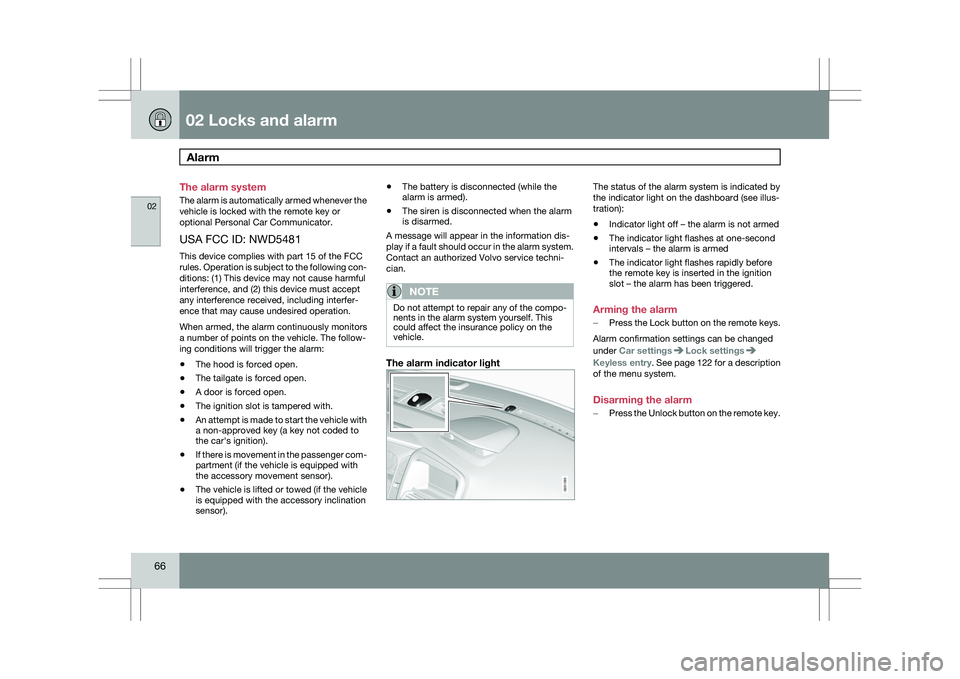
The alarm indicator light The status of the alarm system is indicated by
the indicator light on the dashboard (see illus-
tration):
\b
Indicator light off – the alarm is not armed
\b The indicator light flashes at one-second
intervals – the alarm is armed
\b The indicator light flashes rapidly before
the remote key is inserted in the ignition
slot – the alarm has been triggered.
Arming the alarm
– Press the Lock button on the remote keys.
Alarm confirmation settings can be changed
under Car settings Lock settings
Keyless entry
. See page 122 for a description
of the menu system.
Disarming the alarm
– Press the Unlock button on the remote key. G031385
Page 80 of 297
03 Your driving environmentInstruments and controls 03
78 ance with the message in the display. Clear
the message using
READ.
Reminder – doors not closedIf one of the doors, the hood or tailgate is not
closed properly, the information or warning
symbol comes on together with an explanatory
text message in the instrument panel. Stop the
vehicle in a safe place as soon as possible and
close the door, hood or tailgate.
If the vehicle is driven at a speed
lower than approximately 5 mph
(7 km/h), the information symbol comes on. If the vehicle is driven at a speed
higher than approximately 5 mph
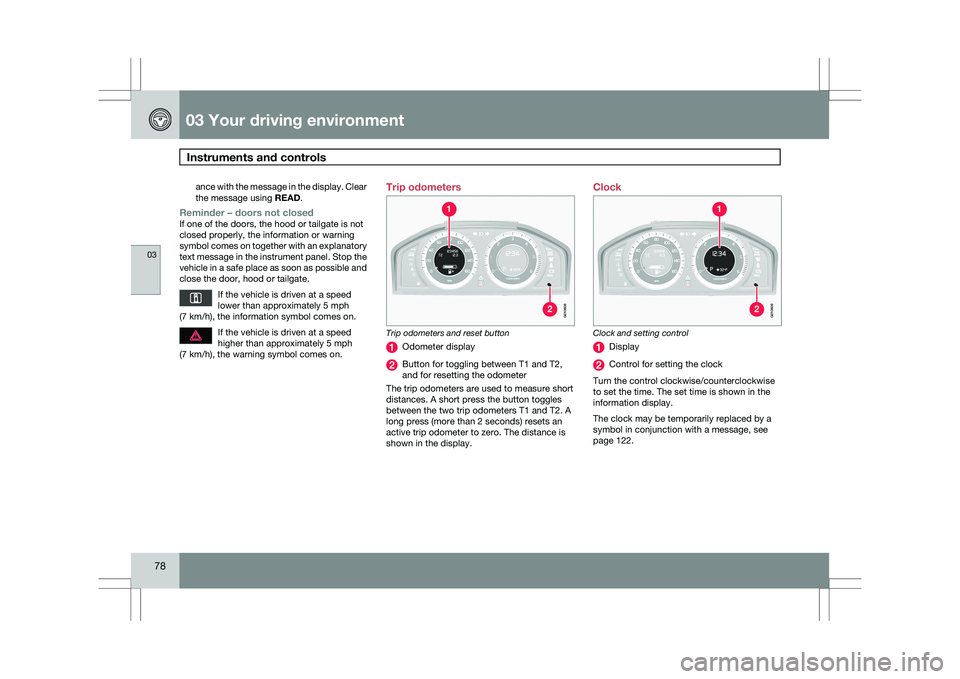
(7 km/h), the warning symbol comes on. Trip odometers
Trip odometers and reset button
Odometer display
Button for toggling between T1 and T2,
and for resetting the odometer
The trip odometers are used to measure short
distances. A short press the button toggles
between the two trip odometers T1 and T2. A
long press (more than 2 seconds) resets an
active trip odometer to zero. The distance is
shown in the display. Clock
Clock and setting control
Display
Control for setting the clock
Turn the control clockwise/counterclockwise
to set the time. The set time is shown in the
information display.
The clock may be temporarily replaced by a
symbol in conjunction with a message, see
page 122. G010608 G01060
9
Page 90 of 297
03 Your driving environmentLighting 03
88
* Option/accessory, for more information, see Introduction.>
The symbol illuminates in the
instrument panel to indicate that the
high beams are on.
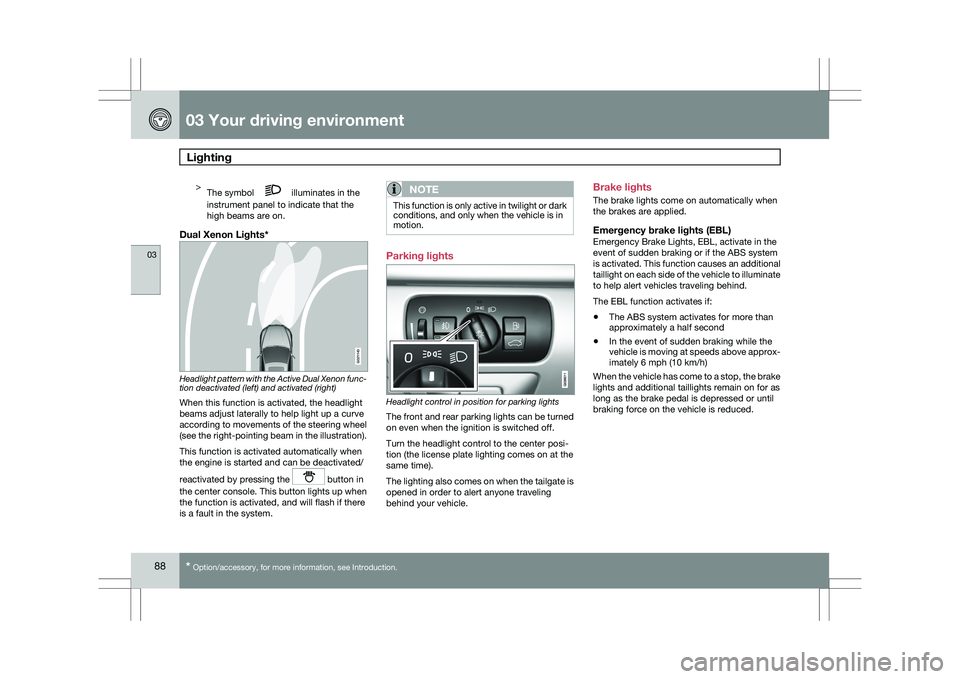
Dual Xenon Lights* Headlight pattern with the Active Dual Xenon func-
tion deactivated (left) and activated (right)
When this function is activated, the headlight
beams adjust laterally to help light up a curve
according to movements of the steering wheel
(see the right-pointing beam in the illustration).
This function is activated automatically when
the engine is started and can be deactivated/
reactivated by pressing the
button in
the center console. This button lights up when
the function is activated, and will flash if there
is a fault in the system.
NOTE This function is only active in twilight or dark
conditions, and only when the vehicle is in
motion.
Parking lights
Headlight control in position for parking lights
The front and rear parking lights can be turned
on even when the ignition is switched off.
Turn the headlight control to the center posi-
tion (the license plate lighting comes on at the
same time).
The lighting also comes on when the tailgate is
opened in order to alert anyone traveling
behind your vehicle.Brake lights
The brake lights come on automatically when
the brakes are applied.
Emergency brake lights (EBL)Emergency Brake Lights, EBL, activate in the
event of sudden braking or if the ABS system
is activated. This function causes an additional
taillight on each side of the vehicle to illuminate
to help alert vehicles traveling behind.
The EBL function activates if:
\b
The ABS system activates for more than
approximately a half second
\b In the event of sudden braking while the
vehicle is moving at speeds above approx-
imately 6 mph (10 km/h)
When the vehicle has come to a stop, the brake
lights and additional taillights remain on for as
long as the brake pedal is depressed or until
braking force on the vehicle is reduced. G021143
Page 96 of 297
03 Your driving environmentWipers and washers 03
94
* Option/accessory, for more information, see Introduction.
CAUTION The rain sensor should be deactivated when
washing the car in an automatic car wash,
etc. If the rain sensor function is left on, the
wipers will start inadvertently in the car
wash and could be damaged.
Windshield washing
Washing function
Move the lever toward the steering wheel to
start the windshield and headlight washers.
After the lever is released the wipers make sev-
eral extra sweeps.
Heated washer nozzles*The washer nozzles are heated automatically
in cold weather to help prevent the washer fluid
from freezing.
High-pressure headlight washing*High-pressure headlight washing consumes a
large quantity of washer fluid. To save fluid, the
headlights are washed using two alternatives:
\b
Low/high beam headlights on. The head-
lights will be washed the first time the wind-
shield is washed. Thereafter, the head-
lights will only be washed once for every
five times the windshield is washed within
a 10-minute period.
\b Parking lights on. Optional Active Dual
Xenon headlights will be washed once for
every five times the windshield is washed.
Normal halogen headlights will not be
washed.
CAUTION Use ample washer fluid when washing the
windshield. The windshield should be thor-
oughly wet when the wipers are in opera-
tion.
NOTE One headlight is washed at a time.
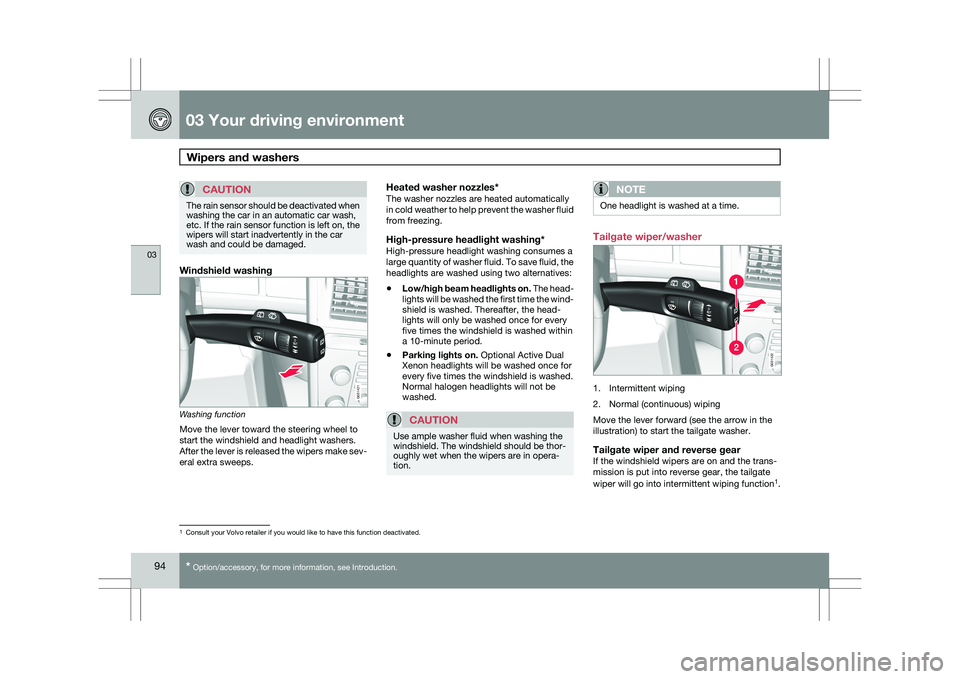
Tailgate wiper/washer
1. Intermittent wiping
2. Normal (continuous) wiping
Move the lever forward (see the arrow in the
illustration) to start the tailgate washer.
Tailgate wiper and reverse gearIf the windshield wipers are on and the trans-
mission is put into reverse gear, the tailgate
wiper will go into intermittent wiping function
1
. 1
Consult your Volvo retailer if you would like to have this function deac\
tivated. G031420G031421 G031420G031422
Page 97 of 297
03 Your driving environment
Wipers and washers03
95
This function is deactivated when a different
gear is selected.
NOTE
On vehicles with the optional rain sensor,
the tailgate wiper will be activated when
reverse is selected, if the rain sensor is acti-
vated and it is raining.
If the tailgate wiper is in the normal (continuous)
wiping mode, selecting different gears will not
affect its function.
Page 192 of 297
04 Comfort and driving pleasurePark Assist Camera (PAC)* 04
190
* Option/accessory, for more information, see Introduction.
Introduction
The Park Assist Camera uses the display on the
dashboard to show the area behind the car
while you are backing up.
PAC also shows guiding lines in the on-screen
image to indicate the direction that the vehicle
will take as it moves rearward, which helps
simplify parallel parking, backing into a tight
space or when attaching a trailer to the vehicle.
NOTE
PAC can only be installed on vehicles equip-
ped with the Volvo’s own navigation system
VNS.
WARNING
\b
PAC is designed to be a supplementary
aid when parking the vehicle. It is not,
however, intended to replace the
driver’s attention and judgment.
\b The camera has blind spots where it
cannot detect objects or people behind
the vehicle.
\b Pay particular attention to people or ani-
mals that are close to the vehicle. Function
The driver sees what is behind the vehicle and
if a person or animal should suddenly appear
from the side.
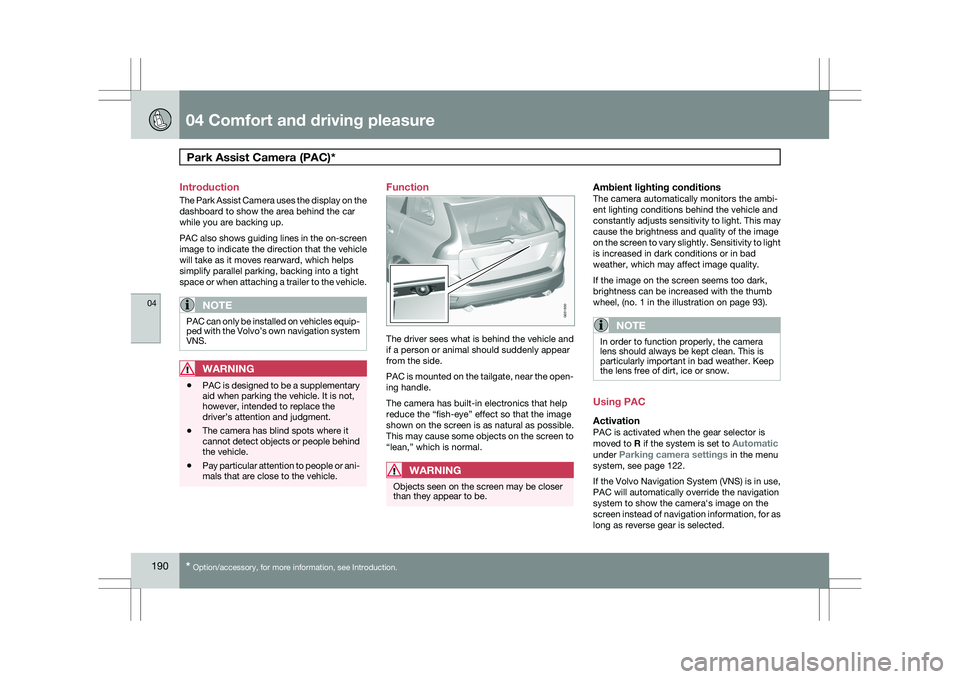
PAC is mounted on the tailgate, near the open-
ing handle.
The camera has built-in electronics that help
reduce the “fish-eye” effect so that the image
shown on the screen is as natural as possible.
This may cause some objects on the screen to
“lean,” which is normal.
WARNING
Objects seen on the screen may be closer
than they appear to be.
Ambient lighting conditionsThe camera automatically monitors the ambi-
ent lighting conditions behind the vehicle and
constantly adjusts sensitivity to light. This may
cause the brightness and quality of the image
on the screen to vary slightly. Sensitivity to light
is increased in dark conditions or in bad
weather, which may affect image quality.
If the image on the screen seems too dark,
brightness can be increased with the thumb
wheel, (no. 1 in the illustration on page 93).
NOTE In order to function properly, the camera
lens should always be kept clean. This is
particularly important in bad weather. Keep
the lens free of dirt, ice or snow.
Using PAC
ActivationPAC is activated when the gear selector is
moved to R if the system is set to Automatic
under Parking camera settings in the menu
system, see page 122.
If the Volvo Navigation System (VNS) is in use,
PAC will automatically override the navigation
system to show the camera\fs image on the
screen instead of navigation information, for as
long as reverse gear is selected. G031930
Page 194 of 297
04 Comfort and driving pleasurePark Assist Camera (PAC)* 04
192
* Option/accessory, for more information, see Introduction. Marker (color) Distance to
object Green > 5 ft (1.5 m)
Yellow 5–1 ft (0.3–1.5)
Red 0–1 ft (0–0.3)
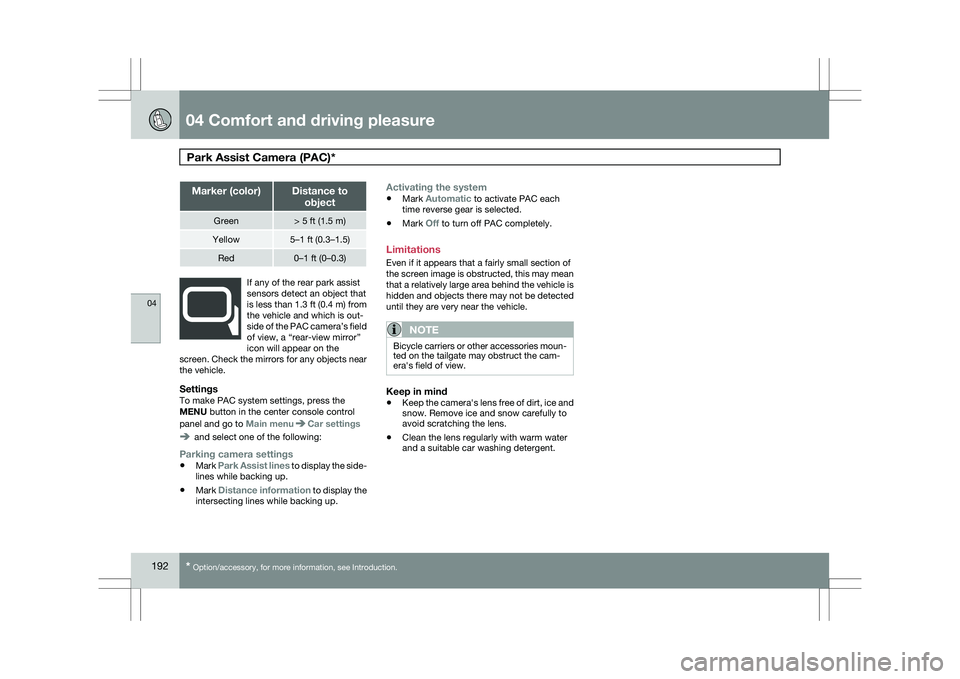
If any of the rear park assist
sensors detect an object that
is less than 1.3 ft (0.4 m) from
the vehicle and which is out-
side of the PAC camera’s field
of view, a “rear-view mirror”
icon will appear on the
screen. Check the mirrors for any objects near
the vehicle.
SettingsTo make PAC system settings, press the
MENU button in the center console control
panel and go to Main menu Car settings
and select one of the following:
Parking camera settings
\b
Mark Park Assist lines to display the side-
lines while backing up.
\b Mark Distance information to display the
intersecting lines while backing up.
Activating the system
\bMark Automatic to activate PAC each
time reverse gear is selected.
\b Mark Off to turn off PAC completely.
Limitations
Even if it appears that a fairly small section of
the screen image is obstructed, this may mean
that a relatively large area behind the vehicle is
hidden and objects there may not be detected
until they are very near the vehicle.
NOTE Bicycle carriers or other accessories moun-
ted on the tailgate may obstruct the cam-
era\fs field of view.
Keep in mind
\b
Keep the camera\fs lens free of dirt, ice and
snow. Remove ice and snow carefully to
avoid scratching the lens.
\b Clean the lens regularly with warm water
and a suitable car washing detergent.
Page 204 of 297
05 During your tripDriving recommendations 05
202 General information
Economical driving conserves natural
resources
Better driving economy may be obtained by
thinking ahead, avoiding rapid starts and stops
and adjusting the speed of your vehicle to
immediate traffic conditions.
Observe the following rules:
\b
Bring the engine to normal operating tem-
perature as soon as possible by driving
with a light foot on the accelerator pedal for
the first few minutes of operation. A cold
engine uses more fuel and is subject to
increased wear.
\b Whenever possible, avoid using the vehicle
for driving short distances. This does not
allow the engine to reach normal operating
temperature.
\b Drive carefully and avoid rapid acceleration
and hard braking.
\b Use the transmission\fs Drive (
D) position
as often as possible and avoid using kick-
down.
\b Do not exceed posted speed limits.
\b Avoid carrying unnecessary items (extra
load) in the vehicle.
\b Maintain correct tire pressure. Check tire
pressure regularly (when tires are cold). \b
Remove snow tires when threat of snow or
ice has ended.
\b Note that roof racks, ski racks, etc,
increase air resistance and also fuel con-
sumption.
\b At highway driving speeds, fuel consump-
tion will be lower with the air conditioning
on and the windows closed than with the
air conditioning off and the windows open.
\b Using the onboard trip computer\fs fuel
consumption modes can help you learn
how to drive more economically.
Other factors that decrease gas mileage
are:
\b Dirty air cleaner
\b Dirty engine oil and clogged oil filter
\b Dragging brakes
\b Incorrect front end alignment
Some of the above mentioned items and others
are checked at the standard maintenance
intervals.
WARNING Driving with the tailgate open: Driving with
the tailgate open could lead to poisonous
exhaust gases entering the passenger com-
partment. If the tailgate must be kept open
for any reason, proceed as follows:
\b
Close the windows
\b Set the ventilation system control to air
flow to floor, windshield and side win-
dows and the blower control to its high-
est setting.
Weight distribution affects handlingAt the specified curb weight your vehicle has a
tendency to understeer, which means that the
steering wheel has to be turned more than
might seem appropriate for the curvature of a
bend. This ensures good stability and reduces
the risk of rear wheel skid. Remember that
these properties can alter with the vehicle load.
The heavier the load in the cargo area, the less
the tendency to understeer.
Handling, roadholdingVehicle load, tire design and inflation pressure
all affect vehicle handling. Therefore, check
that the tires are inflated to the recommended
pressure according to the vehicle load. See the
"Tire pressure" section. Loads should be dis-
tributed so that capacity weight or maximum
permissible axle loads are not exceeded.
Page 210 of 297
05 During your tripRefueling 05
208
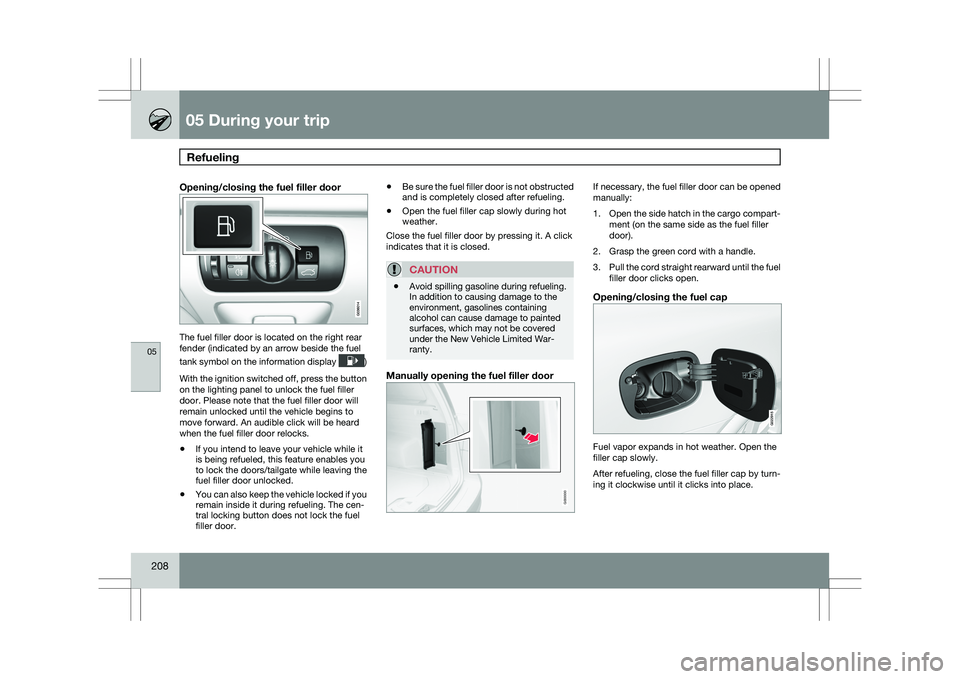
Opening/closing the fuel filler door The fuel filler door is located on the right rear
fender (indicated by an arrow beside the fuel
tank symbol on the information display
)
With the ignition switched off, press the button
on the lighting panel to unlock the fuel filler
door. Please note that the fuel filler door will
remain unlocked until the vehicle begins to
move forward. An audible click will be heard
when the fuel filler door relocks.
\b If you intend to leave your vehicle while it
is being refueled, this feature enables you
to lock the doors/tailgate while leaving the
fuel filler door unlocked.
\b You can also keep the vehicle locked if you
remain inside it during refueling. The cen-
tral locking button does not lock the fuel
filler door. \b
Be sure the fuel filler door is not obstructed
and is completely closed after refueling.
\b Open the fuel filler cap slowly during hot
weather.
Close the fuel filler door by pressing it. A click
indicates that it is closed.
CAUTION \b
Avoid spilling gasoline during refueling.
In addition to causing damage to the
environment, gasolines containing
alcohol can cause damage to painted
surfaces, which may not be covered
under the New Vehicle Limited War-
ranty.
Manually opening the fuel filler door If necessary, the fuel filler door can be opened
manually:
1.
Open the side hatch in the cargo compart-
ment (on the same side as the fuel filler
door).
2. Grasp the green cord with a handle.
3. Pull the cord straight rearward until the fuel
filler door clicks open.
Opening/closing the fuel cap Fuel vapor expands in hot weather. Open the
filler cap slowly.
After refueling, close the fuel filler cap by turn-
ing it clockwise until it clicks into place. G000000 G022915
Page 243 of 297
06 Maintenance and specifications
Wiper blades and washer fluid06
241
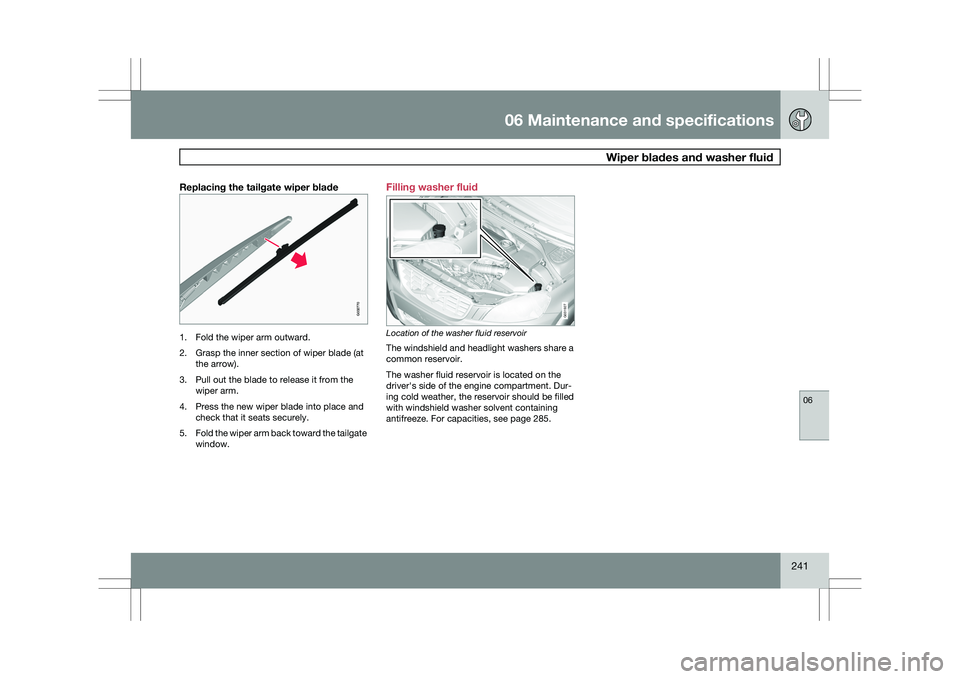
Replacing the tailgate wiper blade1. Fold the wiper arm outward.
2. Grasp the inner section of wiper blade (at
the arrow).
3. Pull out the blade to release it from the wiper arm.
4. Press the new wiper blade into place and check that it seats securely.
5. Fold the wiper arm back toward the tailgate
window. Filling washer fluid
Location of the washer fluid reservoir
The windshield and headlight washers share a
common reservoir.
The washer fluid reservoir is located on the
driver\fs side of the engine compartment. Dur-
ing cold weather, the reservoir should be filled
with windshield washer solvent containing
antifreeze. For capacities, see page 285. G032770 G031927