change wheel VOLVO XC60 2009 Owner´s Manual
[x] Cancel search | Manufacturer: VOLVO, Model Year: 2009, Model line: XC60, Model: VOLVO XC60 2009Pages: 297, PDF Size: 21.16 MB
Page 33 of 297
01 Safety
Rollover Protection System (ROPS)01
31
Volvo’s Rollover Protection System utilizes the
Roll Stability Control (RSC) function, which is
designed to help minimize the risk of a rollover
in emergency maneuvers or if a skid should
occur.
RSC uses a gyroscopic sensor that registers
the amount of change in the lateral angle at
which the vehicle is leaning. Using this infor-
mation, RSC calculates the likelihood of a roll-
over. If there is an imminent risk of a rollover,
the Dynamic Stability and Traction Control sys-
tem (DSTC) is activated, power to the engine is
cut and the brakes are applied to one or more
of the wheels until the vehicle regains stability.
For additional information on DSTC,
see
page 155.
WARNING The vehicle’s stability systems, including
ROPS and RSC, do not replace the driver’s
responsibility for operating the vehicle in a
safe manner. Speed and driving style
should always be adapted to the current
road, traffic and weather conditions. Posted
speed limits should always be respected.
Page 147 of 297
04 Comfort and driving pleasure
Audio system04
}}
145
Playing a CD (CD player
9
)If a music CD is in the player when CD is
pressed, it will be played automatically. Other-
wise, insert a disc and press CD.
Playing a CD (CD changer)If a CD position with a music CD is already
selected when CD is pressed, it will be played
automatically. Otherwise select a disc with the
number buttons 1 – 6 or / on the naviga-
tion button.
Insert a CD (CD changer)1. Select an empty position with the number
buttons 1 – 6 or / on the navigation
button.
> An empty position is marked on the dis-
play. The text Insert disc shows that a
new disc can be inserted. The CD
changer can hold up to six CDs.
2. Insert a CD in the CD changer slot.
Disc ejectFor reasons of traffic safety, an ejected CD
must be removed within 12 seconds or it will
be automatically drawn back into the slot and
the CD player will enter pause mode. Press the
CD button to restart the disc. Eject individual discs by pressing the eject but-
ton.
Eject all discs with a long press on the eject
button. The entire magazine is emptied disc by
disc.
NOTE
The Eject all function can only be used while
the vehicle is at a standstill and will be can-
celled if the vehicle begins to move.
PauseWhen the audio system volume is turned off
completely, the CD player will pause and will
resume playing when the volume is turned up
again.
Sound filesIn addition to playing normal music CDs, the
CD player/changer can also play discs con-
taining files in mp3 or wma format.
NOTE
Some copy protected sound files may not
be read by the player.
When a CD containing sound files is inserted
into the player the disc\fs folder structure isscanned before the CD begins playing. The
length of time that this takes depends on the
quality of the disc.
Navigating the disc and playing tracksIf a disc containing sound files is inside the CD
player, press ENTER to display the disc\fs
directory structure. The directory structure is
navigated in the same way as the audio sys-
tem\fs menu structure. Sound files have the
symbol and directories have the
symbol. Press ENTER to play a selected folder
or a file.
When the music file has been played, the
player will continue to play the rest of the files
in the current folder. When all of the files in the
folder have been played, the player will auto-
matically go to the next folder and play the files
in it.
Fast-forward/change CD tracks and
sound files
Short presses / on the navigation button
are used to scroll between CD tracks/sound
files. Long presses are used to search within
CD tracks/sound files. TUNING (or the steering
wheel keypad) can also be used for this pur-
pose.
9 Certain markets only.
Page 153 of 297
04 Comfort and driving pleasure
Bluetooth® hands-free connection04
}}
151
Searching for contactsThe easiest way to search for a contact in the
phone book is to press and hold any of the
buttons 2–9 (see the illustration on page 147).
This starts a search based on the first letter on
the button that has been pressed.
The phone book can also be accessed by
pressing the navigation buttons / on the
center console or by pressing / on the
steering wheel keypad. A search can also be
made in the phone book’s search menu in
Phone book Search:
1.
Enter the first letter of the contact’s name and press ENTER or simply press ENTER.
2. Select the desired contact and press ENTER to make a call to that person.
Voice controlIf the cell phone that is currently connected
allows calls to be made via voice commands,
this function can be used by pressing and hold-
ing ENTER.
Voice mail numberThe phone number to your voice mail can be
changed in the menu Phone settings Call
options Voice mail number. If no number
has been stored, this menu can be accessed
by a prolonged press on button 1. Once a phone number has been stored, press and hold
1 to dial this number.
Call listsLists of calls in a particular cell phone are cop-
ied to the hands-free system each time that
phone is connected. These lists are then upda-
ted while the phone is connected. Press
ENTER to show the most recently dialed num-
bers. Other call lists can be found under Call
register.
NOTE
Certain cell phones display the list of the
most recently dialed numbers in reverse
order.
Entering textText is entered by using the number buttons in
the center console. Press a button once to
enter the first letter on the button, twice to enter
the second letter, etc. Continue to press the
button to display other characters.
–
Press EXIT briefly to erase a character.
– Press and hold EXIT to erase all of the
characters that have been entered.
Use the / buttons on the center console
to navigate among the characters. Button Function
Space .1-? ! , : " \f ( )
A B C 2 \b Å À Æ Ç
D E F 3 È É
G H I 4 Ì
J K L 5
M N O 6 Ñ Ö Ò Ø
P Q R S 7 ß
T U V 8 Ü Ù
W X Y Z 9
Press briefly if two characters are
to be entered in succession from
the same button.
+ 0 @ * # & $ £ / %
Shift between uppercase and
lowercase letters
Page 155 of 297
04 Comfort and driving pleasure
Trip computer04
153
Introduction
Information display and controls
READ–press to acknowledge/confirm/
erase a message)
Thumb wheel (used to scroll among the trip
computer menus)
RESET–resets certain functions
To scroll through trip computer information,
move the thumb wheel up or down. Continue
turning to return to the starting point. Functions
NOTE If a warning message appears while you are
using the trip computer, this message must
be acknowledged in order to return to the
trip computer function. Acknowledge a
message by pressing READ.
To change the unit of measure specified for
distance and speed, contact an authorized
Volvo workshop.
Average speedThe system calculates the average speed from
the last resetting. Reset using
RESET.
Current speed in mph (Canadian models
only)
This function provides the driver with an instan-
taneous conversion of the car\fs current speed
from km/h to mph.
Current speed in km/h (U.S. models only)This function provides the driver with an instan-
taneous conversion of the car\fs current speed
from mph to km/h.
Current fuel consumption
(Instantaneous)
Current fuel consumption is calculated every
second. The information on the display is updated every few seconds. When the vehicle
is stationary, "----" appears on the display.
Average fuel consumptionThe average fuel consumption since the last
reset. Reset using RESET.
Driving distance on current fuel reserveThis function shows the approximate distance
that can be driven on the fuel remaining in the
tank. The calculation is based on average fuel
consumption during the last 20 miles (30 km)
of driving and the amount of fuel remaining in
the tank when the reading was taken. When the
message ---- miles to empty tank appears in
the display, refuel as soon as possible.
NOTE The actual distance that can be driven on
the usable fuel remaining in the tank may be
influenced by a change in driving style.
Resetting1.
Select Average speed or Average fuel
consumption.
2. Press and hold RESET for approx. 1 sec-
ond to reset the selected function. If
RESET is kept depressed for at 3 three
seconds, Average speed and Average fuel
consumption are reset simultaneously. G022909
Page 206 of 297
05 During your tripDriving recommendations 05
204
Before a long distance tripIt is always worthwhile to have your vehicle
checked by a trained and qualified Volvo serv-
ice technician before driving long distances.
Your retailer will also be able to supply you with
bulbs, fuses, spark plugs and wiper blades for
your use in the event that problems occur.
As a minimum, the following items should be
checked before any long trip:
\b
Check that engine runs smoothly and that
fuel consumption is normal.
\b Check for fuel, oil, and fluid leakage
\b Have the transmission oil level checked.
\b Check condition of drive belts.
\b Check state of the battery\fs charge.
\b Examine tires carefully (the spare tire as
well), and replace those that are worn.
Check tire pressures.
\b The brakes, front wheel alignment, and
steering gear should be checked by a
trained and qualified Volvo service techni-
cian only.
\b Check all lights, including high beams.
\b Reflective warning triangles are legally
required in some states/provinces.
\b Have a word with a trained and qualified
Volvo service technician if you intend to
drive in countries where it may be difficult
to obtain the correct fuel. \b
Consider your destination. If you will be
driving through an area where snow or ice
are likely to occur, consider snow tires.
Cold weather precautionsIf you wish to check your vehicle before the
approach of cold weather, the following advice
is worth noting:
\bMake sure that the engine coolant contains
50 percent antifreeze. Any other mixture
will reduce freeze protection. This gives
protection against freezing down to
–31 °F (–35 °C). The use of "recycled" anti-
freeze is not approved by Volvo. Different
types of antifreeze must not be mixed.
\b Volvo recommends using only genuine
Volvo antifreeze in your vehicle\fs radiator.
\b Try to keep the fuel tank well filled – this
helps prevent the formation of condensa-
tion in the tank. In addition, in extremely
cold weather conditions it is worthwhile to
add fuel line de-icer before refueling.
\b The viscosity of the engine oil is important.
Oil with low viscosity (thinner oil) improves
cold-weather starting as well as decreas-
ing fuel consumption while the engine is
warming up. For winter use, 5W-30 oil, par-
ticularly the synthetic type, is recom-
mended. Be sure to use good quality oil but
do not use cold-weather oil for hard driving
or in warm weather, see page 283 for more
information on engine oil.
NOTE Synthetic oil is not used when the oil is
changed at the normal maintenance inter-
vals except at owner request and at addi-
tional charge.
\b
The load placed on the battery is greater
during the winter since the windshield wip-
ers, lighting, etc. are used more often.
Moreover, the capacity of the battery
decreases as the temperature drops. In
very cold weather, a poorly charged bat-
tery can freeze and be damaged. It is there-
fore advisable to check the state of charge
more frequently and spray an anti-rust oil
on the battery posts.
\b Volvo recommends the use of snow tires
on all four wheels for winter driving, see
page 262.
\b To prevent the washer fluid reservoir from
freezing, add washer solvents containing
antifreeze. This is important since dirt is
often splashed on the windshield during
winter driving, requiring the frequent use of
the washers and wipers. Volvo Washer
Solvent should be diluted as follows: Down
to 14 °F (–10 °C): 1 part washer solvent and
4 parts water Down to 5 °F (–15 °C): 1 part
washer solvent and 3 parts water Down to
0 °F (–18 °C): 1 part washer solvent and
Page 258 of 297
06 Maintenance and specificationsWheels and tires 06
256
NOTE \b
The placards shown indicate inflation
pressure for the tires installed on the
vehicle at the factory only.
\b A certain amount of air seepage from
the tires occurs naturally and tire pres-
sure fluctuates with seasonal changes
in temperature. Always check tire pres-
sure regularly. \b
Use a tire gauge to check the tire inflation
pressure, including the spare, at least once
a month and before long trips. You are
strongly urged to buy a reliable tire pres-
sure gauge, as automatic service station
gauges may be inaccurate.
\b Use the recommended cold inflation pres-
sure for optimum tire performance and
wear.
\b Under-inflation or over-inflation may cause
uneven treadwear patterns.
NOTE A certain amount of air seepage from the
tires occurs naturally and tire pressure fluc-
tuates with seasonal changes in tempera-
ture. Always check tire pressure regularly.
WARNING \b
Under-inflation is the most common
cause of tire failure and may result in
severe tire cracking, tread separation,
or "blow-out," with unexpected loss of
vehicle control and increased risk of
injury.
\b Under-inflated tires reduce the load car-
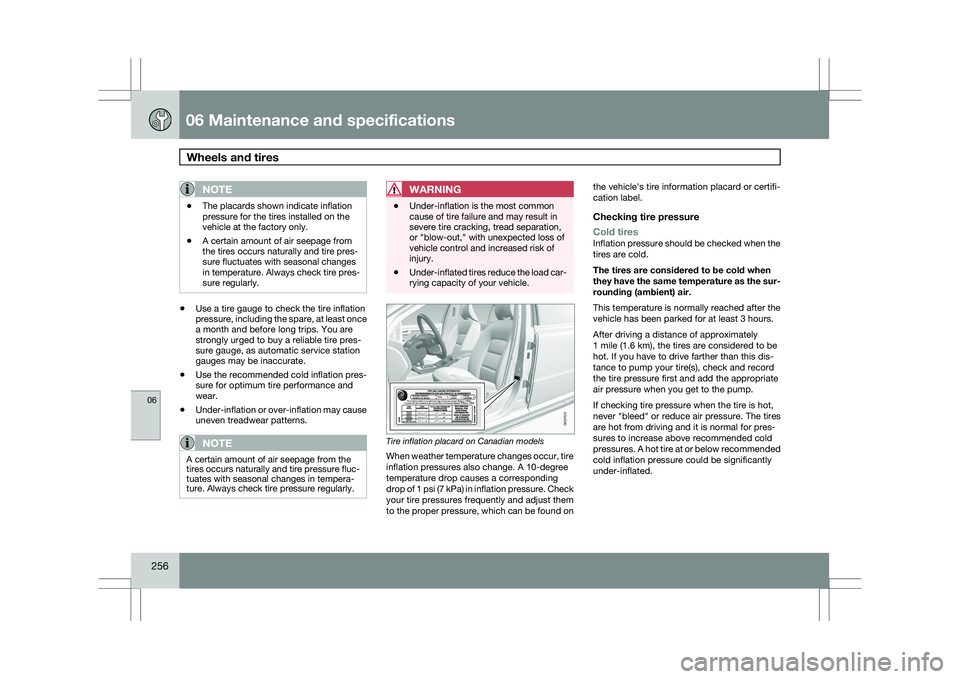
rying capacity of your vehicle. Tire inflation placard on Canadian models
When weather temperature changes occur, tire
inflation pressures also change. A 10-degree
temperature drop causes a corresponding
drop of 1 psi (7 kPa) in inflation pressure. Check
your tire pressures frequently and adjust them
to the proper pressure, which can be found onthe vehicle\fs tire information placard or certifi-
cation label.
Checking tire pressure
Cold tires
Inflation pressure should be checked when the
tires are cold.
The tires are considered to be cold when
they have the same temperature as the sur-
rounding (ambient) air.
This temperature is normally reached after the
vehicle has been parked for at least 3 hours.
After driving a distance of approximately
1 mile (1.6 km), the tires are considered to be
hot. If you have to drive farther than this dis-
tance to pump your tire(s), check and record
the tire pressure first and add the appropriate
air pressure when you get to the pump.
If checking tire pressure when the tire is hot,
never "bleed" or reduce air pressure. The tires
are hot from driving and it is normal for pres-
sures to increase above recommended cold
pressures. A hot tire at or below recommended
cold inflation pressure could be significantly
under-inflated. G032522
Page 267 of 297
06 Maintenance and specifications
Wheels and tires06
}}
265
After useThe foam block and spare wheel must be
replaced in the reverse order. Note the arrow
on the upper foam block. It should point for-
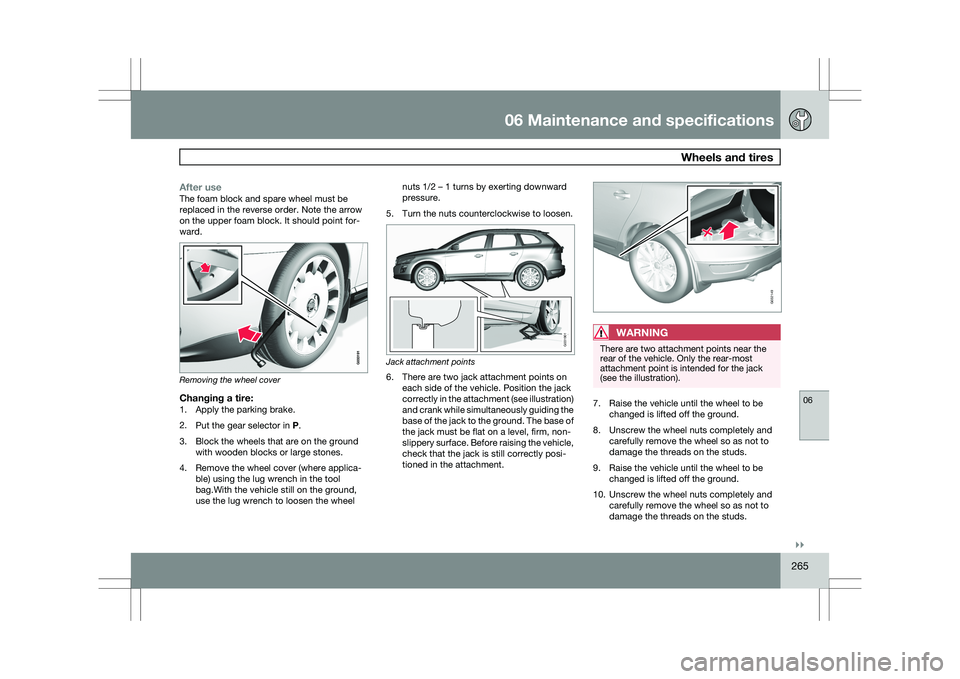
ward.Removing the wheel cover
Changing a tire:1. Apply the parking brake.
2.
Put the gear selector in P.
3. Block the wheels that are on the ground with wooden blocks or large stones.
4. Remove the wheel cover (where applica- ble) using the lug wrench in the tool
bag.With the vehicle still on the ground,
use the lug wrench to loosen the wheel nuts 1/2 – 1 turns by exerting downward
pressure.
5. Turn the nuts counterclockwise to loosen. Jack attachment points
6. There are two jack attachment points on
each side of the vehicle. Position the jack
correctly in the attachment (see illustration)
and crank while simultaneously guiding the
base of the jack to the ground. The base of
the jack must be flat on a level, firm, non-
slippery surface. Before raising the vehicle,
check that the jack is still correctly posi-
tioned in the attachment.
WARNING There are two attachment points near the
rear of the vehicle. Only the rear-most
attachment point is intended for the jack
(see the illustration).
7. Raise the vehicle until the wheel to be
changed is lifted off the ground.
8. Unscrew the wheel nuts completely and carefully remove the wheel so as not to
damage the threads on the studs.
9. Raise the vehicle until the wheel to be changed is lifted off the ground.
10. Unscrew the wheel nuts completely and carefully remove the wheel so as not to
damage the threads on the studs. G031901 G032149
Page 275 of 297
06 Maintenance and specifications
Wheels and tires06
273
WARNINGIncorrect inflation pressure could lead to tire
failure, resulting in a loss of control of the
vehicle.
Changing wheels with TPMSPlease note the following when changing or
replacing the factory installed TPMS wheels/
tires on the vehicle:
\b
Only the factory-mounted wheels are
equipped with TPMS sensors in the valves.
\b If the vehicle is equipped with a temporary
spare tire, this tire does not have a TPMS
sensor.
\b If wheels without TPMS sensors are moun-
ted on the vehicle, TIRE PRESS SYST
SERVICE REQUIRED will be displayed
each time the vehicle is driven above
25 mph (40 km/h) for 10 minutes or more.
\b Once TPMS sensors are properly installed,
the warning message should not reappear.
If the message is still displayed, drive the
vehicle for several minutes at a speed of
20 mph (30 km/h) or faster to erase the
message.
\b Volvo recommends that TPMS sensors be
fitted on all wheels used on the vehicle.
Volvo does not recommend moving sen-
sors back and forth between sets of
wheels.
NOTE \b
If you change to tires with a different
recommended inflation pressure, the
TPMS system must be recalibrated to
these tires. This must be done by a
trained and qualified Volvo service tech-
nician.
\b If a tire is changed, or if the TPMS sen-
sor is moved to another wheel, the sen-
sor\fs seal, nut, and valve core should be
replaced.
\b When installing TPMS sensors, the
vehicle must be parked for at least
15 minutes with the ignition off. if the
vehicle is driven within 15 minutes, a
TPMS error message will be displayed.
CAUTION When inflating tires with TPMS valves, press
the pump\fs mouthpiece straight onto the
valve to help avoid bending or otherwise
damaging the valve.
Page 290 of 297
07 Index07
288 1, 2, 3 ...
12-volt sockets
........................................ 199
A Accessory installation warning
.................... 8
Active chassis system .............................157
Active yaw control ................................... 155
Adaptive cruise control ....172, 173, 174, 175
Airbags disconnecting the front passenger’s
side................................................. 22, 23
front.......................................... 18, 19, 20
inflatable curtain ................................... 28
side impact........................................... 26
Air conditioning ........................................ 129
Air distribution..........................................
127
Air distribution table................................. 131
Air vents................................................... 127
All Wheel Drive ......................................... 111
Anti-freeze ....................................... 204, 230
Anti-lock brake system ............................112
warning light ......................................... 74Approach lighting................................. 52, 92
Audio system
audio functions ................................... 136
CD player/changer
...................... 144, 145
Digital Audio Broadcasting (DAB) .......140
HD digital radio ................................... 139
menu control....................................... 135
overview.............................................. 133
radio functions .................................... 138
Sirius satellite radio ............141, 143, 144
sound settings .................................... 136
steering wheel keypad ........................133
USB/iPod® connector ........................134
Auto-dim rearview mirror ...........................99
Automatic locking retractor .......................34
Automatic transmission Geartronic ................................... 109, 110
general description .....................109, 110
oil ........................................................ 285
shiftlock override ................................ 110
Axle weight .............................................. 261B Battery
changing ..................................... 242, 243
maintenance ....................................... 242
remote control, replacing .....................56
specifications ...................................... 286
warning symbols.................................
242
Black box............................................. 7, 224
Blind Spot Information System
(BLIS)....................................... 193, 194, 195
Booster cushion, integrated ......................45
Booster cushions ....................................... 41
Brake lights ................................................ 88
emergency brake lights ........................88
Brake system checking fluid level ............................. 230
emergency brake assistance ..............113
fluid..................................................... 285
general information ............................. 112
Hill Descent Control ............................114
warning light ......................................... 76
Bulbs cargo area lighting .............................. 237
footwell lighting................................... 237
headlights ................................... 232, 234