climate control VOLVO XC60 2009 Owner´s Manual
[x] Cancel search | Manufacturer: VOLVO, Model Year: 2009, Model line: XC60, Model: VOLVO XC60 2009Pages: 297, PDF Size: 21.16 MB
Page 5 of 297
Contents* Option/accessory, for more information, see Introduction. 3
03
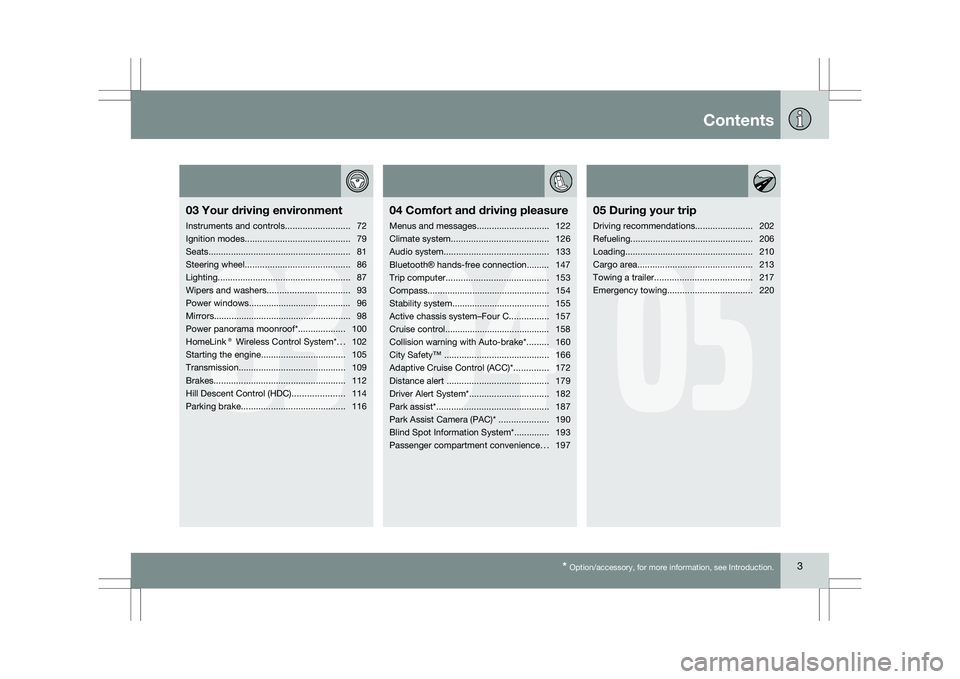
03
Your driving environment
Instruments and controls ..........................72
Ignition modes .......................................... 79
Seats......................................................... 81
Steering wheel .......................................... 86
Lighting ..................................................... 87
Wipers and washers................................. 93
Power windows......................................... 96
Mirrors....................................................... 98
Power panorama moonroof*................... 100
HomeLink® Wireless Control System* ...102
Starting the engine .................................. 105
Transmission ........................................... 109
Brakes..................................................... 112
Hill Descent Control (HDC) .....................114
Parking brake .......................................... 116
04
04Comfort and driving pleasure
Menus and messages .............................122
Climate system ....................................... 126
Audio system.......................................... 133
Bluetooth ® hands-free connection......... 147
Trip computer......................................... 153
Compass................................................. 154
Stability system....................................... 155
Active chassis system–Four C ................157
Cruise control.......................................... 158
Collision warning with Auto-brake*......... 160
City Safety™ .......................................... 166
Adaptive Cruise Control (ACC)* ..............172
Distance alert ......................................... 179
Driver Alert System*................................ 182
Park assist*............................................. 187
Park Assist Camera (PAC)* .................... 190
Blind Spot Information System*.............. 193
Passenger compartment convenience ...197
05
05 During your trip
Driving recommendations .......................202
Refueling ................................................. 206
Loading ................................................... 210
Cargo area .............................................. 213
Towing a trailer ....................................... 217
Emergency towing .................................. 220
Page 75 of 297
03 Your driving environment
Instruments and controls03
}}
* Option/accessory, for more information, see Introduction. 73Function Page
Menus and mes-
sages, turn signals,
high/low beams,
trip computer 122 , 90,
87, 153
Cruise control 158
Horn, airbag 86, 17
Main instrument
panel 73
Menu system,
audio, Bluetooth
hands-free controls 152
START/STOP
ENGINE button 79
Ignition slot 79
Information display 89
Door handle –
In-door control pan-
els (power win-
dows, mirrors,
power child safety
locks, central lock-
ing button) 122 , 96,
98, 65, 61 Function Page
Hazard warning
flashers 122 , 136
Audio system con-
trols 126
Climate system
controls 109
Gear selector 157
Controls for active
chassis (Four-C)* 93
Wipers and washers 86
Steering wheel
adjustment 227
Hood opening con-
trol 116
Parking brake 81
Power seat* adjust-
ment controls 87, 208
Lighting panel, con-
trols for opening
fuel filler door/tail-
gate 87, 208,
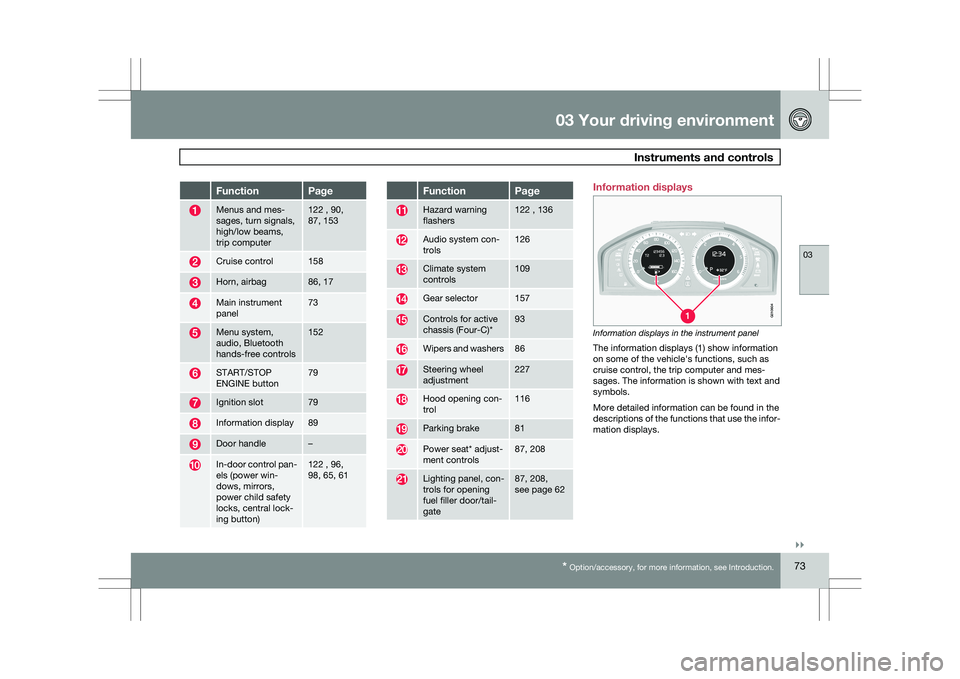
see page 62 Information displays
Information displays in the instrument panel
The information displays (1) show information
on some of the vehicle\fs functions, such as
cruise control, the trip computer and mes-
sages. The information is shown with text and
symbols.
More detailed information can be found in the
descriptions of the functions that use the infor-
mation displays. G01060
4
Page 101 of 297
03 Your driving environment
Mirrors03
99
to the neutral position for electric retracting/
extending to work.
\b
Retract the mirrors with the L and R but-
tons.
\b Fold them out again with the
L and R but-
tons.
The mirrors are now reset in neutral position.
Home safe and approach lightingThe light on the door mirrors comes on when
approach lighting or home safe lighting is
selected, see page 91.
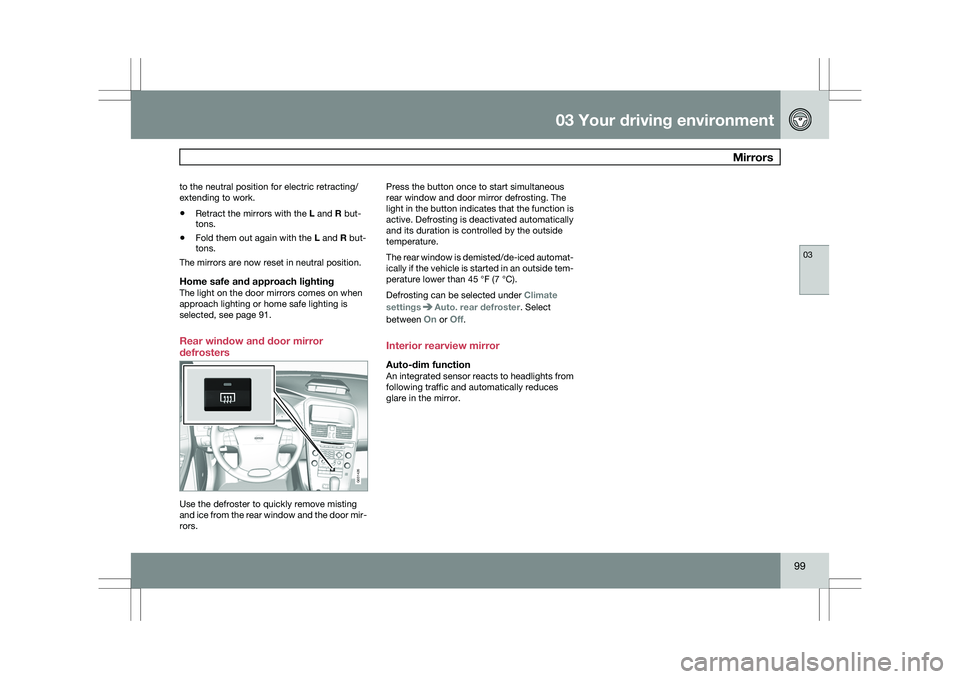
Rear window and door mirror
defrosters Use the defroster to quickly remove misting
and ice from the rear window and the door mir-
rors. Press the button once to start simultaneous
rear window and door mirror defrosting. The
light in the button indicates that the function is
active. Defrosting is deactivated automatically
and its duration is controlled by the outside
temperature.
The rear window is demisted/de-iced automat-
ically if the vehicle is started in an outside tem-
perature lower than 45 °F (7 °C).
Defrosting can be selected under
Climate
settings Auto. rear defroster. Select
between On or Off.
Interior rearview mirror
Auto-dim functionAn integrated sensor reacts to headlights from
following traffic and automatically reduces
glare in the mirror. G031426
Page 122 of 297

120
* Option/accessory, for more information, see Introduction. Menus and messages
........................................................................\
... 122
Climate system ........................................................................\
............. 126
Audio system........................................................................\
................ 133
Bluetooth ® hands-free connection ....................................................... 147
Trip computer...........................................................\
.............................
153
Compass........................................................................\
....................... 154
Stability system........................................................................\
............. 155
Active chassis system–Four C .............................................................. 157
Cruise control ........................................................................\
................ 158
Collision warning with Auto-brake*....................................................... 160
City Safety™ ........................................................................\
................ 166
Adaptive Cruise Control (ACC)* ............................................................ 172
Distance alert ........................................................................\
............... 179
Driver Alert System*........................................................................\
...... 182
Park assist*........................................................................\
................... 187
Park Assist Camera (PAC)* .................................................................. 190
Blind Spot Information System*............................................................ 193
Passenger compartment convenience .................................................197
G02090
8
Page 125 of 297
04 Comfort and driving pleasure
Menus and messages04
}}
* Option/accessory, for more information, see Introduction. 123
City Safety
Light settings
Lock settings
Reduced guard
1
Parking camera settings*
Steering force level*
Information
Climate settings Automatic blower adjust
Recirculation timer
Auto. rear defroster
Reset climate settings
Main menu AM
Audio settings 2
Sound stage
Equalizer, front
Equalizer, rear
Auto. volume control
Resets all audio settings.
Main menu FMFM settings Radio text
Advanced radio settings
Audio settings
Main menu CDRandom Off
Folder
Disc
Single disc
All discs
CD settings Disc text*
Audio settings
Main menu AUXVolume, AUX input
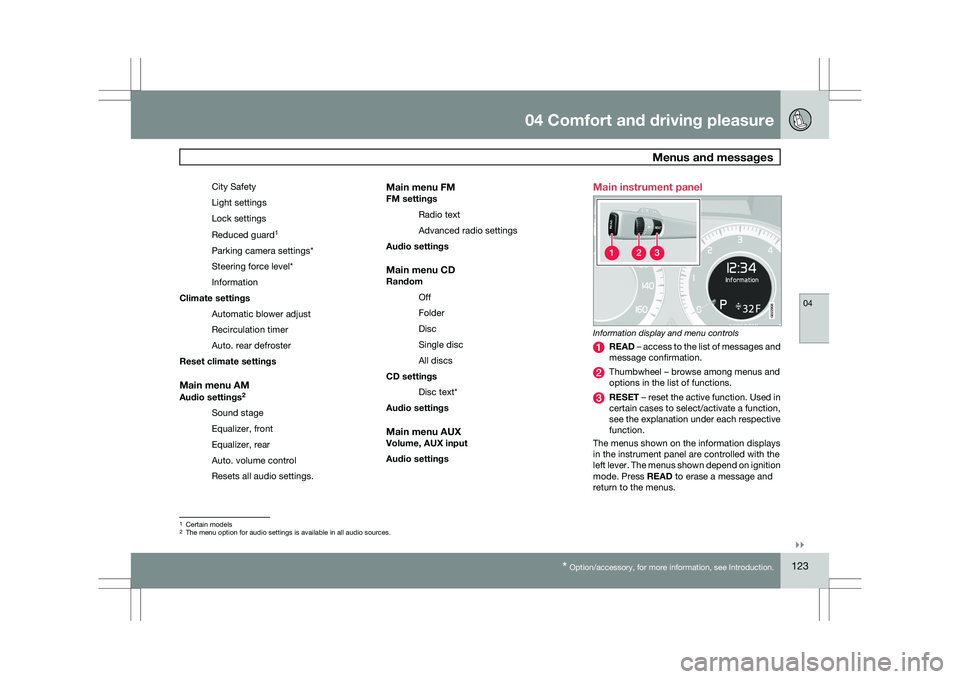
Audio settings Main instrument panel
Information display and menu controls
READ – access to the list of messages and
message confirmation.
Thumbwheel – browse among menus and
options in the list of functions.
RESET – reset the active function. Used in
certain cases to select/activate a function,
see the explanation under each respective
function.
The menus shown on the information displays
in the instrument panel are controlled with the
left lever. The menus shown depend on ignition
mode. Press READ to erase a message and
return to the menus. 1
Certain models
2 The menu option for audio settings is available in all audio sources. G022908
Page 128 of 297
04 Comfort and driving pleasureClimate system 04
126
* Option/accessory, for more information, see Introduction.
Introduction
Air conditioningThe vehicle is equipped with Electronic Climate
Control (ECC). The climate control system
cools, heats or dehumidifies the air in the pas-
senger compartment.
NOTE
\b
The air conditioning can be switched
off, but to ensure the best possible cli-
mate comfort in the passenger com-
partment and to prevent the windows
from misting, it should always be on.
\b In warm weather, a small amount of
water may accumulate under the car
when it has been parked. This water is
condensation from the A/C system and
is normal.
Sensor location
\b
The sunlight sensor is located on the top
side of the dashboard.
NOTE The sunlight sensor monitors which side of
the car that is most exposed to sunlight.
This can mean that the temperature may
differ between the right and left-side air
vents, even if the temperatures set for both
sides of the passenger compartment are the
same.
\b
The temperature sensor for the passenger
compartment is located below the climate
control panel.
\b The outside temperature sensor is located
on the door mirror.
\b The humidity sensor
* is located in the inte-
rior rearview mirror.
NOTE Do not cover or block the sensors with
clothing or other objects.
Side windows and moonroofTo ensure that the air conditioning works opti-
mally, the side windows, and the optional
moonroof should be closed.
Fog on the inside of the windowsThe defroster function should be used to
remove fog or mist from the inside of the win-
dows. Keeping the windows clean with a com-mercially available window washing spray will
also help prevent fogging or misting.
Temporary shut-off of the air
conditioning
The air conditioning is momentarily disen-
gaged during full-throttle acceleration or when
driving uphill with a trailer. This may result in a
temporary increase in cabin temperature.
Ice and snowAlways keep the air intake grille at the base of
the windshield free of snow.
Climate system maintenanceSpecial tools and equipment are required to
maintain and carry out repairs on the climate
system. Work of this type should only be done
by a trained and qualified Volvo service tech-
nician.
RefrigerantVolvo cares about the environment. The air
conditioning system in your car contains a
CFC-free refrigerant – R134a. This substance
will not deplete the ozone layer. The air condi-
tioning system contains 1.8 lbs (800 g) of
R134a. The systems uses PAG oil.
Passenger compartment filterReplace the cabin air filter with a new one at
the recommended intervals. Please refer to
Page 129 of 297
04 Comfort and driving pleasure
Climate system04
}}
127
your Warranty and Service Records Informa-
tion booklet, or consult a trained and qualified
Volvo service technician for these intervals.
The filter should be replaced more often when
driving under dirty and dusty conditions. The
filter cannot be cleaned and therefore should
always be replaced with a new one.
NOTE
There are different types of cabin air filters.
Ensure that the correct type is installed.
Interior Air Quality System (IAQS)A multifilter helps reduce gases and particles
in the incoming air, thereby reducing the levels
of odors and contaminants entering the vehi-
cle. The air quality sensor detects increased
levels of contaminants in the outside air. When
the air quality sensor detects contaminated
outside air, the air intake closes and the air
inside the passenger compartment is recircu-
lated, i.e. no outside air enters the vehicle. The
filter also cleans recirculated passenger com-
partment air.
NOTE
Contact your Volvo retailer for IAQS air filter
replacement intervals.
Menu settingsThe default settings for three of the climate
system\fs functions can be changed in the
menu system, see page 122:
\b
Blower speed in automatic mode.
\b Recirculation timer for passenger com-
partment air.
\b Automatic rear window defrosting.
The functions can also be returned to factory
settings in the menu system.
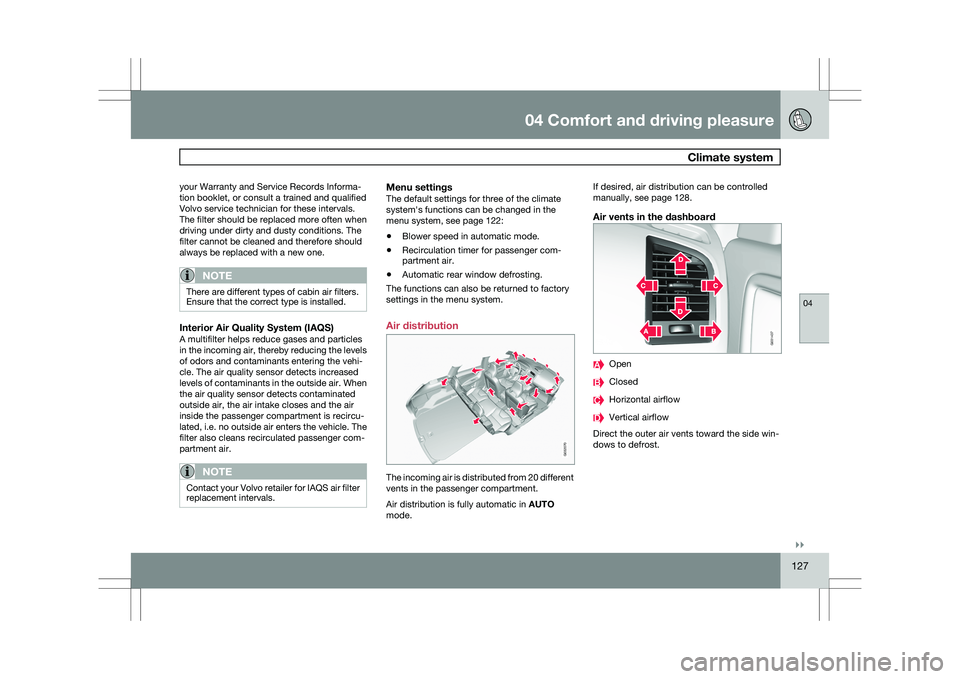
Air distribution The incoming air is distributed from 20 different
vents in the passenger compartment.
Air distribution is fully automatic in
AUTO
mode. If desired, air distribution can be controlled
manually, see page 128.
Air vents in the dashboard
Open
Closed
Horizontal airflow
Vertical airflow
Direct the outer air vents toward the side win-
dows to defrost. G032070 G031437
Page 130 of 297
04 Comfort and driving pleasureClimate system 04
128
* Option/accessory, for more information, see Introduction.
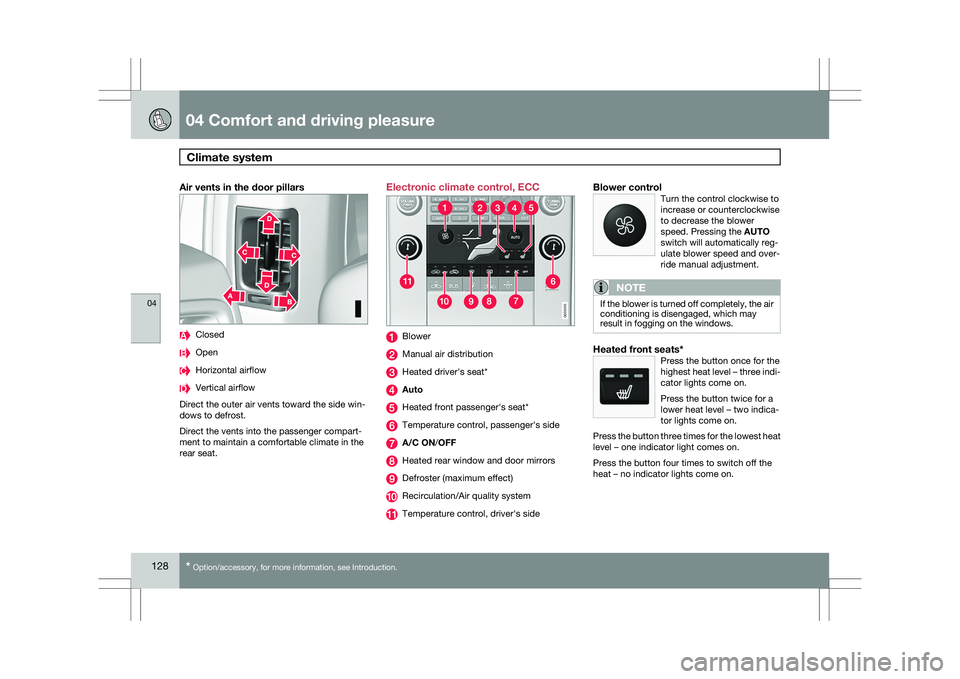
Air vents in the door pillars Closed
Open
Horizontal airflow
Vertical airflow
Direct the outer air vents toward the side win-
dows to defrost.
Direct the vents into the passenger compart-
ment to maintain a comfortable climate in the
rear seat. Electronic climate control, ECC
Blower
Manual air distribution
Heated driver\fs seat*
Auto
Heated front passenger\fs seat*
Temperature control, passenger\fs side
A/C ON/OFF
Heated rear window and door mirrors
Defroster (maximum effect)
Recirculation/Air quality system
Temperature control, driver\fs sideBlower controlTurn the control clockwise to
increase or counterclockwise
to decrease the blower
speed. Pressing the AUTO
switch will automatically reg-
ulate blower speed and over-
ride manual adjustment.
NOTE If the blower is turned off completely, the air
conditioning is disengaged, which may
result in fogging on the windows.
Heated front seats*Press the button once for the
highest heat level – three indi-
cator lights come on.
Press the button twice for a
lower heat level – two indica-
tor lights come on.
Press the button three times for the lowest heat
level – one indicator light comes on.
Press the button four times to switch off the
heat – no indicator lights come on. G033202 G033203
Page 131 of 297
04 Comfort and driving pleasure
Climate system04
}}
* Option/accessory, for more information, see Introduction. 129
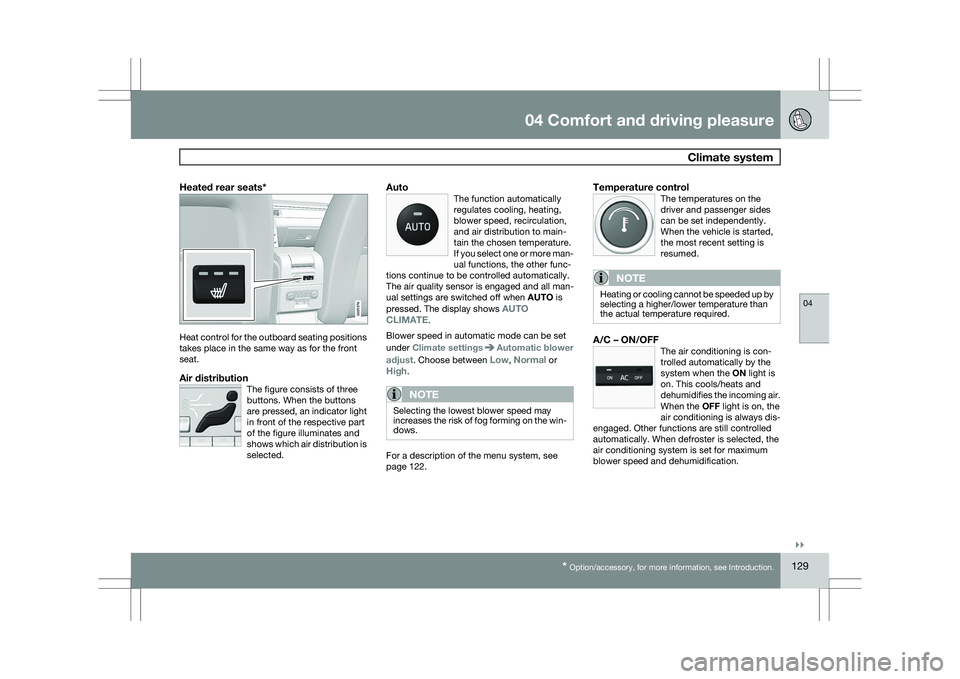
Heated rear seats*Heat control for the outboard seating positions
takes place in the same way as for the front
seat.
Air distributionThe figure consists of three
buttons. When the buttons
are pressed, an indicator light
in front of the respective part
of the figure illuminates and
shows which air distribution is
selected.
AutoThe function automatically
regulates cooling, heating,
blower speed, recirculation,
and air distribution to main-
tain the chosen temperature.
If you select one or more man-
ual functions, the other func-
tions continue to be controlled automatically.
The air quality sensor is engaged and all man-
ual settings are switched off when AUTO is
pressed. The display shows AUTO
CLIMATE.
Blower speed in automatic mode can be set
under Climate settings Automatic blower
adjust. Choose between Low, Normal or
High.
NOTE Selecting the lowest blower speed may
increases the risk of fog forming on the win-
dows.
For a description of the menu system, see
page 122.
Temperature controlThe temperatures on the
driver and passenger sides
can be set independently.
When the vehicle is started,
the most recent setting is
resumed.
NOTE Heating or cooling cannot be speeded up by
selecting a higher/lower temperature than
the actual temperature required.
A/C – ON/OFFThe air conditioning is con-
trolled automatically by the
system when the ON light is
on. This cools/heats and
dehumidifies the incoming air.
When the OFF light is on, the
air conditioning is always dis-
engaged. Other functions are still controlled
automatically. When defroster is selected, the
air conditioning system is set for maximum
blower speed and dehumidification. G021376
Page 132 of 297
04 Comfort and driving pleasureClimate system 04
130
* Option/accessory, for more information, see Introduction.
DefrosterThis function defrosts/de-ices
the windshield and front side
windows. The indicator light
in the defroster button lights
when the function is active.\b
Blower speed increases automatically and
the air conditioning will switch on (if not
already on and if the passenger compart-
ment blower is not turned off) to dehumid-
ify the air in the passenger compartment.
Air conditioning can be switched off by
pressing the AC button.
\b Recirculation will not function while defrost
is engaged.
The climate system will return to its previous
settings when the defroster function is
switched off.Recirculation/air quality system
Recirculation
This function can be used to
shut out exhaust fumes,
smoke, etc from the passen-
ger compartment. The air in
the passenger compartment
is then recirculated, i.e., no air
from outside the car is taken
into the car when this function is activated. The
indicator light in the button will illuminate when
recirculation is selected.
If the air in the car recirculates for too long,
there is a risk of condensation forming on the
insides of the windows, especially in winter.
TimerThe timer function minimizes the risk of fog-
ging, or stale air when the recirculation function
is selected by automatically switching off the
function after a certain length of time, depend-
ing on the ambient temperature. Activate/
deactivate the function under Climate control
settings Recirculation timer. For a
description of the menu system, see
page 122.
NOTE When Defroster is selected, recirculation is
always deactivated.
Interior Air Quality System–IAQS*This system consists of a mul-
tifilter and an air quality sen-
sor. The filter helps remove
gases and particles from the
incoming air, thereby reduc-
ing the amounts of odors and
contaminants entering the
vehicle. The air quality sensor detects
increased levels of contaminants in the outside
air. When the air quality sensor detects conta-
minated outside air, the air intake closes and
the air inside the passenger compartment is
recirculated, i.e., no outside air enters the vehi-
cle. The filter also cleans recirculated passen-
ger compartment air. When the AUTO button
is depressed the air quality sensor is always
engaged.
Activating the air quality sensorSwitch between the three
functions by pressing the but-
ton repeatedly.