USB VOLVO XC60 2011 Owner´s Manual
[x] Cancel search | Manufacturer: VOLVO, Model Year: 2011, Model line: XC60, Model: VOLVO XC60 2011Pages: 360, PDF Size: 6.95 MB
Page 224 of 360
05 Infotainment
AUX/USB sockets
05
224
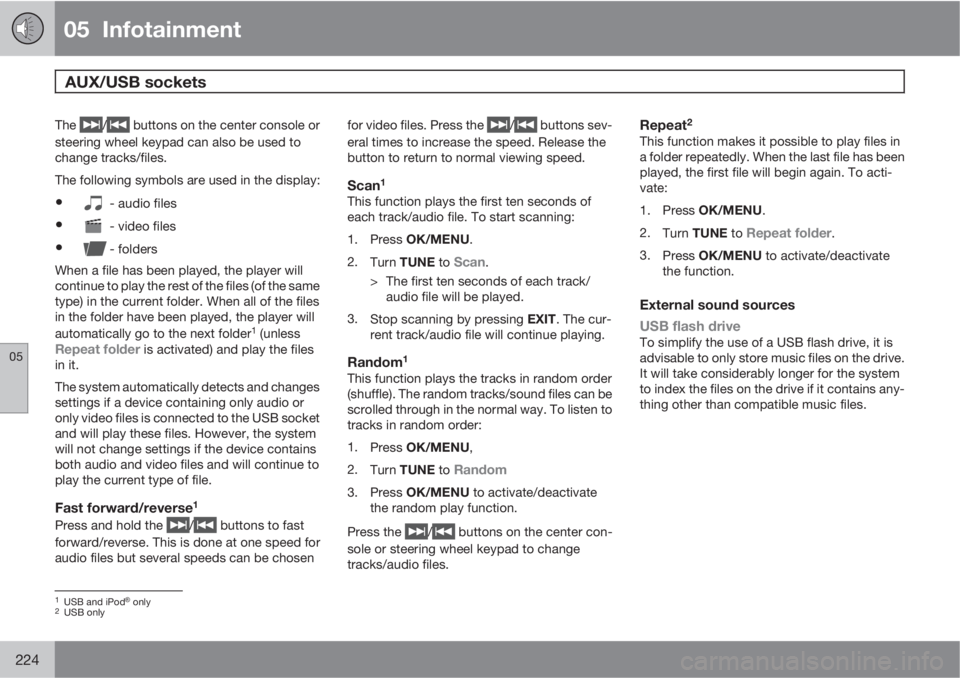
The / buttons on the center console or
steering wheel keypad can also be used to
change tracks/files.
The following symbols are used in the display:
•- audio files
•- video files
•- folders
When a file has been played, the player will
continue to play the rest of the files (of the same
type) in the current folder. When all of the files
in the folder have been played, the player will
automatically go to the next folder
1 (unlessRepeat folder is activated) and play the files
in it.
The system automatically detects and changes
settings if a device containing only audio or
only video files is connected to the USB socket
and will play these files. However, the system
will not change settings if the device contains
both audio and video files and will continue to
play the current type of file.
Fast forward/reverse1
Press and hold the / buttons to fast
forward/reverse. This is done at one speed for
audio files but several speeds can be chosenfor video files. Press the
/ buttons sev-
eral times to increase the speed. Release the
button to return to normal viewing speed.
Scan1
This function plays the first ten seconds of
each track/audio file. To start scanning:
1.
Press OK/MENU.
2.
Turn TUNE to
Scan.
> The first ten seconds of each track/
audio file will be played.
3.
Stop scanning by pressing EXIT. The cur-
rent track/audio file will continue playing.
Random1
This function plays the tracks in random order
(shuffle). The random tracks/sound files can be
scrolled through in the normal way. To listen to
tracks in random order:
1.
Press OK/MENU,
2.
Turn TUNE to
Random
3.
Press OK/MENU to activate/deactivate
the random play function.
Press the
/ buttons on the center con-
sole or steering wheel keypad to change
tracks/audio files.
Repeat2
This function makes it possible to play files in
a folder repeatedly. When the last file has been
played, the first file will begin again. To acti-
vate:
1.
Press OK/MENU.
2.
Turn TUNE to
Repeat folder.
3.
Press OK/MENU to activate/deactivate
the function.
External sound sources
USB flash drive
To simplify the use of a USB flash drive, it is
advisable to only store music files on the drive.
It will take considerably longer for the system
to index the files on the drive if it contains any-
thing other than compatible music files.
1USB and iPodŸ only2USB only
Page 225 of 360
05 Infotainment
AUX/USB sockets
05
225
NOTE
•The system supports removable media
that uses the USB 2.0 standard and the
FAT32 file system. It can index up to
1,000 folders and a maximum of 254
sub-folders/files for each folder. How-
ever, the highest folder level can sup-
port up to 1,000 sub-folders/files.
•When using a longer type of USB
device, connecting it with a USB
adapter cable will help reduce mechan-
ical wear on the USB socket and on the
device.
USB hubA USB hub can be connected to the USB
socket, making it possible to connect several
USB devices at the same time. To select one
of the devices, go to the menu USB menu
Select USB device
MP3 playerMany MP3 players have a file indexing system
that is not supported by the vehicle's audio
system. In order to use an MP3 player, the sys-
tem must be set to
USB Removable device/
Mass Storage Device.
iPodŸ
An iPodŸ receives current and its battery is
charged through the USB cable.The system will only play audio files from an
iPod
Ÿ.
NOTE
When an iPodŸ is used as a sound source,
the vehicle's audio system has a menu
structure similar to the one in the iPod
Ÿ. See
the iPod's manual for detailed information.
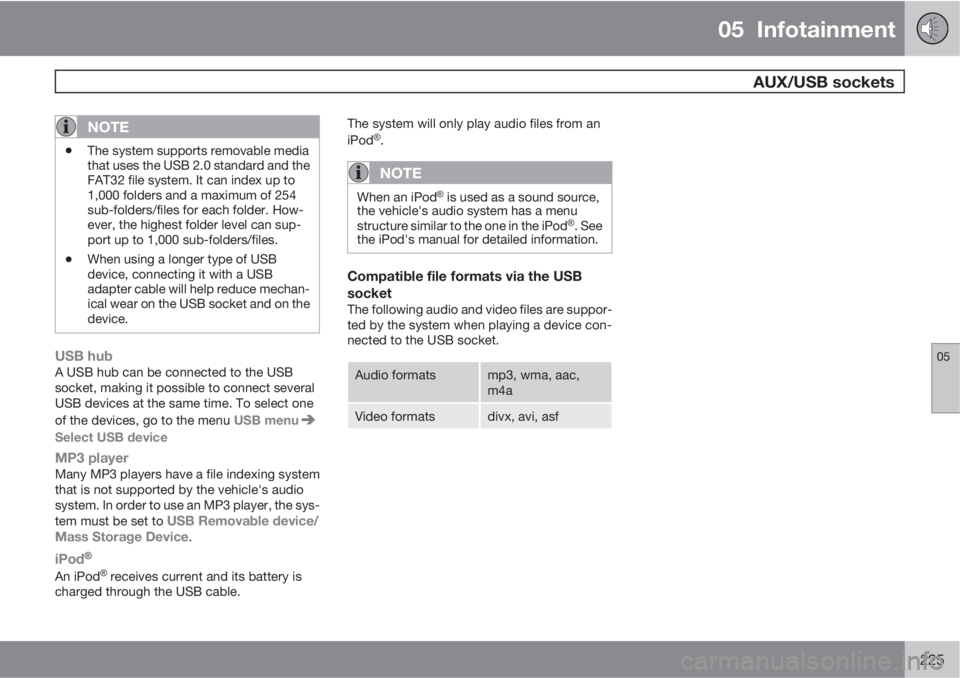
Compatible file formats via the USB
socket
The following audio and video files are suppor-
ted by the system when playing a device con-
nected to the USB socket.
Audio formatsmp3, wma, aac,
m4a
Video formatsdivx, avi, asf
Page 242 of 360
05 Infotainment
Infotainment system menus
05
242
Song memory
Add song
Song seek
Delete song
View song memory
Channel list information
Station name
Artist
Title
Information
Show presets
Category list
Advanced SIRIUS settings
Skip options
Channel skip list
Lock options
Channel lock list
Unlock all channels
Temporarily unlock all chan-
nels
Change codeAudio settings1
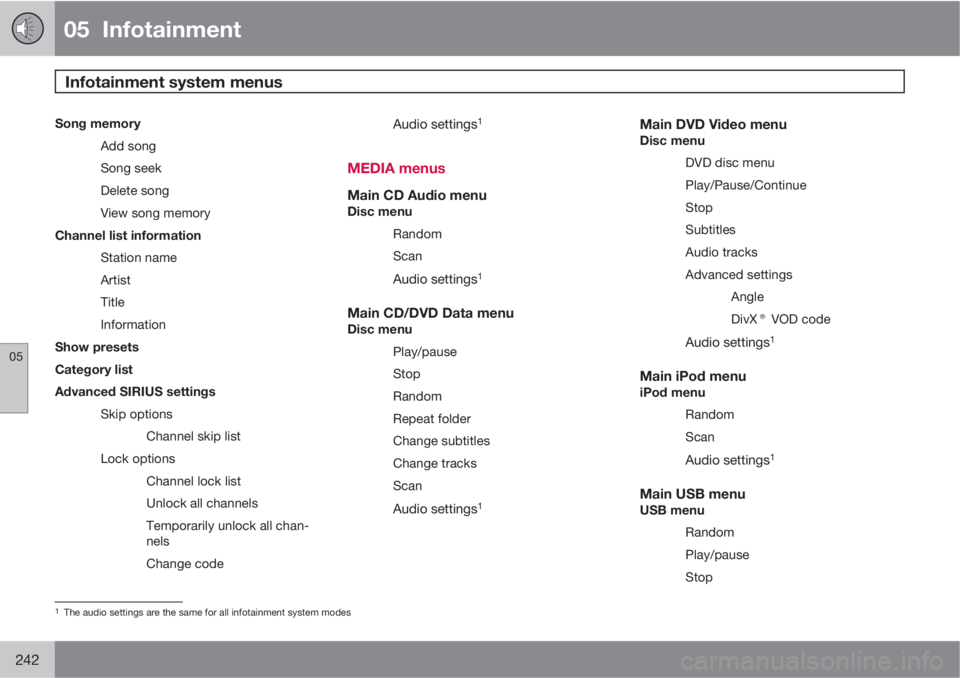
MEDIA menus
Main CD Audio menuDisc menu
Random
Scan
Audio settings1
Main CD/DVD Data menuDisc menu
Play/pause
Stop
Random
Repeat folder
Change subtitles
Change tracks
Scan
Audio settings1
Main DVD Video menuDisc menu
DVD disc menu
Play/Pause/Continue
Stop
Subtitles
Audio tracks
Advanced settings
Angle
DivX® VOD code
Audio settings1
Main iPod menuiPod menu
Random
Scan
Audio settings1
Main USB menuUSB menu
Random
Play/pause
Stop
1The audio settings are the same for all infotainment system modes
Page 243 of 360
05 Infotainment
Infotainment system menus
05
243
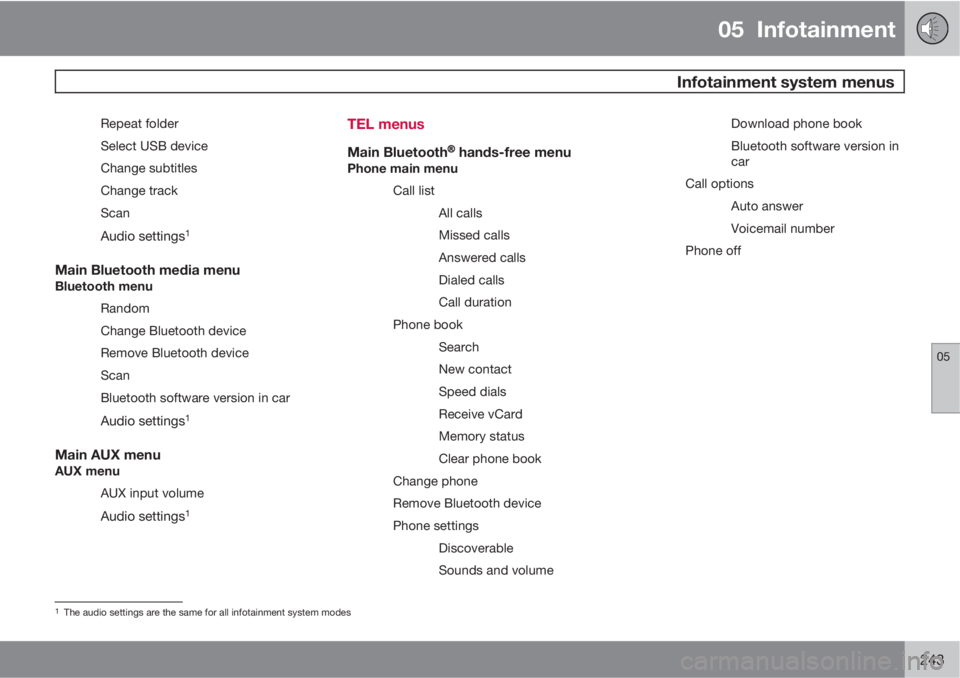
Repeat folder
Select USB device
Change subtitles
Change track
Scan
Audio settings1
Main Bluetooth media menuBluetooth menu
Random
Change Bluetooth device
Remove Bluetooth device
Scan
Bluetooth software version in car
Audio settings1
Main AUX menuAUX menu
AUX input volume
Audio settings1
TEL menus
Main BluetoothŸŸ hands-free menuPhone main menu
Call list
All calls
Missed calls
Answered calls
Dialed calls
Call duration
Phone book
Search
New contact
Speed dials
Receive vCard
Memory status
Clear phone book
Change phone
Remove Bluetooth device
Phone settings
Discoverable
Sounds and volumeDownload phone book
Bluetooth software version in
car
Call options
Auto answer
Voicemail number
Phone off
1The audio settings are the same for all infotainment system modes
Page 350 of 360
10 Index
10
350
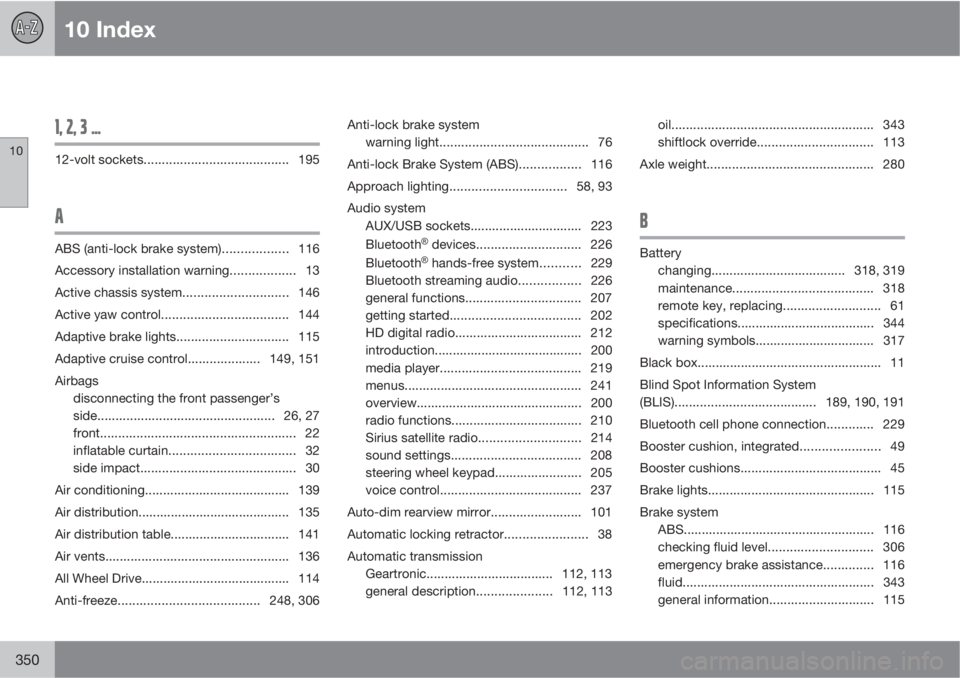
1, 2, 3 ...
12-volt sockets........................................ 195
A
ABS (anti-lock brake system).................. 116
Accessory installation warning.................. 13
Active chassis system.............................146
Active yaw control................................... 144
Adaptive brake lights............................... 115
Adaptive cruise control.................... 149, 151
Airbags
disconnecting the front passenger’s
side.................................................26, 27
front...................................................... 22
inflatable curtain................................... 32
side impact........................................... 30
Air conditioning........................................ 139
Air distribution.......................................... 135
Air distribution table................................. 141
Air vents................................................... 136
All Wheel Drive......................................... 114
Anti-freeze.......................................248, 306Anti-lock brake system
warning light......................................... 76
Anti-lock Brake System (ABS)................. 116
Approach lighting................................58, 93
Audio system
AUX/USB sockets............................... 223
BluetoothŸ devices............................. 226
BluetoothŸ hands-free system........... 229
Bluetooth streaming audio................. 226
general functions................................ 207
getting started.................................... 202
HD digital radio................................... 212
introduction......................................... 200
media player....................................... 219
menus................................................. 241
overview.............................................. 200
radio functions.................................... 210
Sirius satellite radio............................214
sound settings.................................... 208
steering wheel keypad........................ 205
voice control....................................... 237
Auto-dim rearview mirror......................... 101
Automatic locking retractor....................... 38
Automatic transmission
Geartronic................................... 112, 113
general description.....................112, 113oil........................................................ 343
shiftlock override................................ 113
Axle weight.............................................. 280
B
Battery
changing..................................... 318, 319
maintenance....................................... 318
remote key, replacing........................... 61
specifications...................................... 344
warning symbols................................. 317
Black box................................................... 11
Blind Spot Information System
(BLIS)....................................... 189, 190, 191
Bluetooth cell phone connection............. 229
Booster cushion, integrated...................... 49
Booster cushions....................................... 45
Brake lights.............................................. 115
Brake system
ABS..................................................... 116
checking fluid level............................. 306
emergency brake assistance.............. 116
fluid..................................................... 343
general information............................. 115
Page 353 of 360
10 Index
10
353
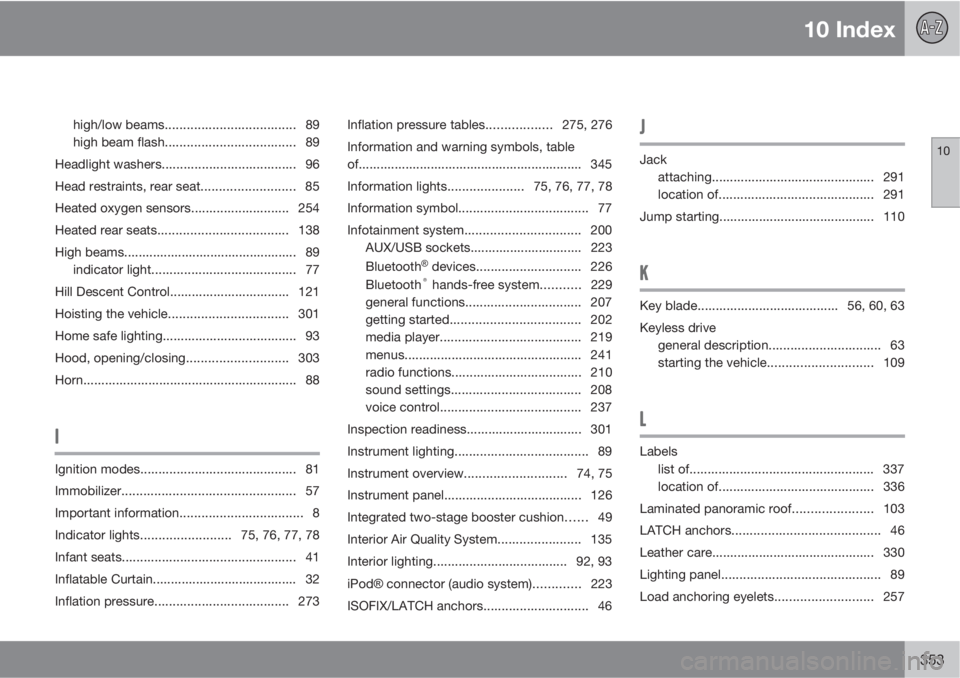
high/low beams.................................... 89
high beam flash.................................... 89
Headlight washers..................................... 96
Head restraints, rear seat.......................... 85
Heated oxygen sensors........................... 254
Heated rear seats.................................... 138
High beams................................................ 89
indicator light........................................ 77
Hill Descent Control................................. 121
Hoisting the vehicle.................................301
Home safe lighting..................................... 93
Hood, opening/closing............................303
Horn........................................................... 88
I
Ignition modes........................................... 81
Immobilizer................................................ 57
Important information.................................. 8
Indicator lights.........................75, 76, 77, 78
Infant seats................................................ 41
Inflatable Curtain........................................ 32
Inflation pressure..................................... 273Inflation pressure tables..................275, 276
Information and warning symbols, table
of.............................................................. 345
Information lights.....................75, 76, 77, 78
Information symbol.................................... 77
Infotainment system................................ 200
AUX/USB sockets............................... 223
Bluetooth
Ÿ devices............................. 226
Bluetooth® hands-free system........... 229
general functions................................ 207
getting started.................................... 202
media player....................................... 219
menus................................................. 241
radio functions.................................... 210
sound settings.................................... 208
voice control....................................... 237
Inspection readiness................................ 301
Instrument lighting..................................... 89
Instrument overview............................74, 75
Instrument panel...................................... 126
Integrated two-stage booster cushion...... 49
Interior Air Quality System....................... 135
Interior lighting..................................... 92, 93
iPodŸ connector (audio system)............. 223
ISOFIX/LATCH anchors............................. 46
J
Jack
attaching.............................................291
location of........................................... 291
Jump starting........................................... 110
K
Key blade.......................................56, 60, 63
Keyless drive
general description............................... 63
starting the vehicle.............................109
L
Labels
list of................................................... 337
location of........................................... 336
Laminated panoramic roof...................... 103
LATCH anchors......................................... 46
Leather care............................................. 330
Lighting panel............................................ 89
Load anchoring eyelets...........................257