instrument panel VOLVO XC60 2013 Owner´s Manual
[x] Cancel search | Manufacturer: VOLVO, Model Year: 2013, Model line: XC60, Model: VOLVO XC60 2013Pages: 382, PDF Size: 7.08 MB
Page 128 of 382
03 Your driving environment
Brakes
03
126
NOTE
•When the EBA system is activated, the
brake pedal will go down and pressure
in the brake system immediately increa-
ses to the maximum level. You must
maintain full pressure on the brake
pedal in order to utilize the system com-
pletely. There will be no braking effect if
the pedal is released. EBA is automati-
cally deactivated when the brake pedal
is released.
•When the vehicle has been parked for
some time, the brake pedal may sink
more than usual when the engine is
started. This is normal and the pedal will
return to its usual position when it is
released.
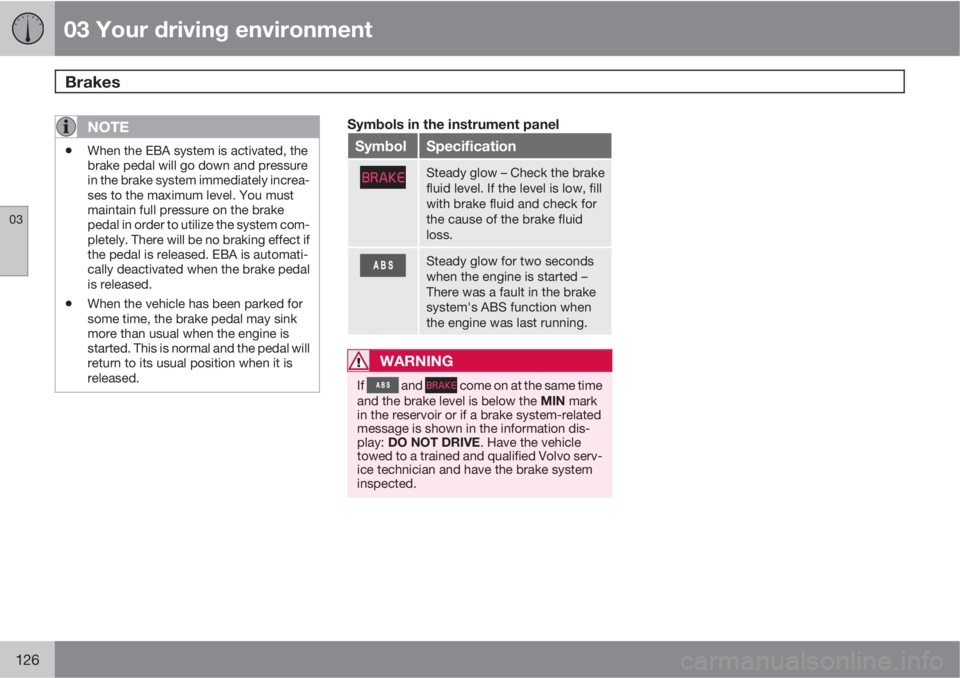
Symbols in the instrument panel
SymbolSpecification
Steady glow – Check the brake
fluid level. If the level is low, fill
with brake fluid and check for
the cause of the brake fluid
loss.
Steady glow for two seconds
when the engine is started –
There was a fault in the brake
system's ABS function when
the engine was last running.
WARNING
If and come on at the same time
and the brake level is below the MIN mark
in the reservoir or if a brake system-related
message is shown in the information dis-
play: DO NOT DRIVE. Have the vehicle
towed to a trained and qualified Volvo serv-
ice technician and have the brake system
inspected.
Page 129 of 382
03 Your driving environment
Parking brake
03
127 Electric parking brake
An electric parking brake has the same func-
tion as a manual parking brake.
NOTE
•A faint sound from the parking brake's
electric motor can be heard when the
parking brake is being applied. This
sound can also be heard during the
automatic function check of the parking
brake.
•The brake pedal will move slightly when
the electric parking brake is applied or
released.
Low battery voltageIf the battery voltage is too low, the parking
brake cannot be applied or released. Connect
an auxiliary battery if the battery voltage is too
low, see page 119.
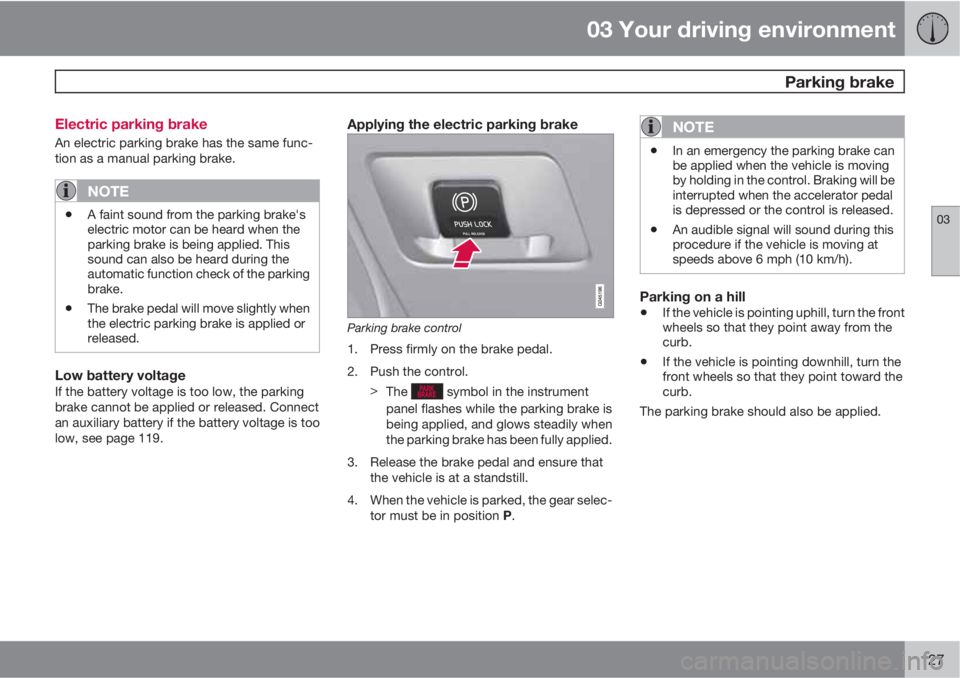
Applying the electric parking brake
Parking brake control
1. Press firmly on the brake pedal.
2. Push the control.
>
The
symbol in the instrument
panel flashes while the parking brake is
being applied, and glows steadily when
the parking brake has been fully applied.
3. Release the brake pedal and ensure that
the vehicle is at a standstill.
4. When the vehicle is parked, the gear selec-
tor must be in position P.
NOTE
•In an emergency the parking brake can
be applied when the vehicle is moving
by holding in the control. Braking will be
interrupted when the accelerator pedal
is depressed or the control is released.
•An audible signal will sound during this
procedure if the vehicle is moving at
speeds above 6 mph (10 km/h).
Parking on a hill
•If the vehicle is pointing uphill, turn the front
wheels so that they point away from the
curb.
•If the vehicle is pointing downhill, turn the
front wheels so that they point toward the
curb.
The parking brake should also be applied.
Page 132 of 382
03 Your driving environment
Hill Descent Control (HDC)*
03
130* Option/accessory, for more information, see Introduction.
Introduction
Normally, when the accelerator pedal is
released while driving down hills, the vehicle's
speed slows as the engine runs at lower rpm
(the normal engine braking effect). However, if
the downhill gradient becomes steeper and if
the vehicle is carrying a load, speed increases
despite the engine braking effect. In this situa-
tion, the brakes must be applied to reduce the
vehicle's speed.
HDC is a type of automatic engine brake and
makes it possible to increase or decrease the
vehicle's speed on downhill gradients using
only the accelerator pedal, without applying
the brakes. The brake system functions auto-
matically to maintain a low and steady speed.
HDC is particularly useful when driving down
steep hills with rough surfaces, and where the
road may have slippery patches.
WARNING
HDC does not function in all situations, and
is a supplementary braking aid. The driver
has full responsibility for driving in a safe
manner.
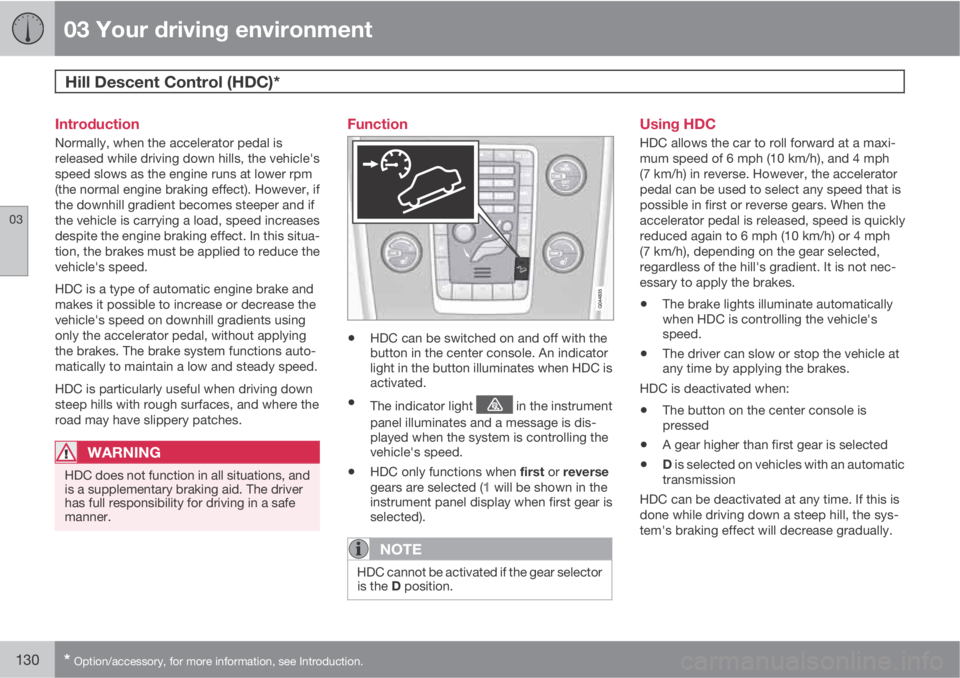
Function
•HDC can be switched on and off with the
button in the center console. An indicator
light in the button illuminates when HDC is
activated.
•The indicator light in the instrument
panel illuminates and a message is dis-
played when the system is controlling the
vehicle's speed.
•HDC only functions when first or reverse
gears are selected (1 will be shown in the
instrument panel display when first gear is
selected).
NOTE
HDC cannot be activated if the gear selector
is the D position.
Using HDC
HDC allows the car to roll forward at a maxi-
mum speed of 6 mph (10 km/h), and 4 mph
(7 km/h) in reverse. However, the accelerator
pedal can be used to select any speed that is
possible in first or reverse gears. When the
accelerator pedal is released, speed is quickly
reduced again to 6 mph (10 km/h) or 4 mph
(7 km/h), depending on the gear selected,
regardless of the hill's gradient. It is not nec-
essary to apply the brakes.
•The brake lights illuminate automatically
when HDC is controlling the vehicle's
speed.
•The driver can slow or stop the vehicle at
any time by applying the brakes.
HDC is deactivated when:
•The button on the center console is
pressed
•A gear higher than first gear is selected
•D is selected on vehicles with an automatic
transmission
HDC can be deactivated at any time. If this is
done while driving down a steep hill, the sys-
tem's braking effect will decrease gradually.
Page 137 of 382
04 Driver support
Stability system
04
135
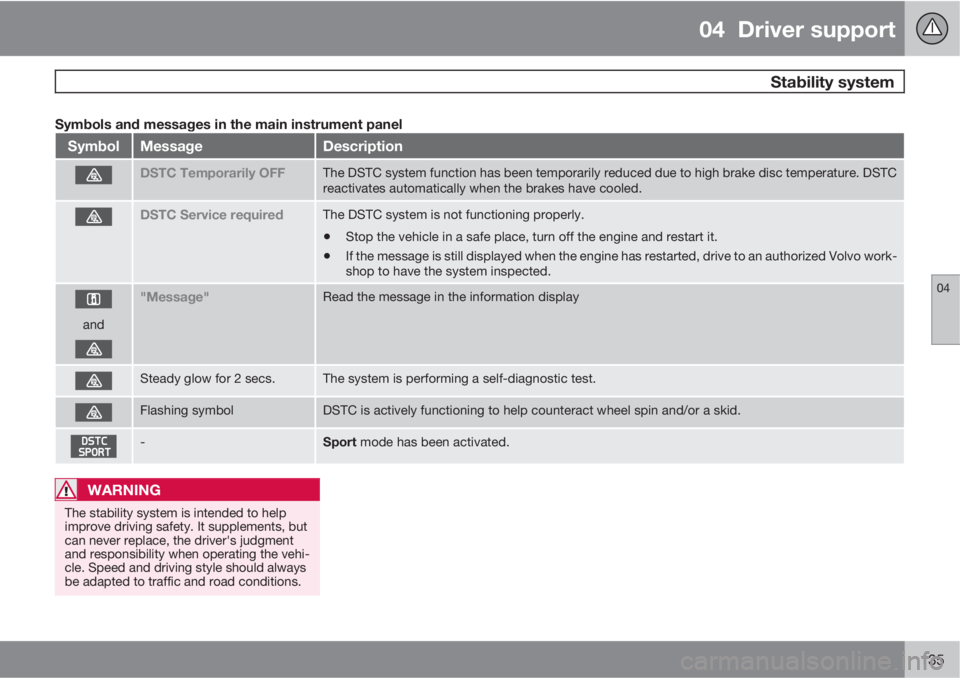
Symbols and messages in the main instrument panel
SymbolMessageDescription
DSTC Temporarily OFFThe DSTC system function has been temporarily reduced due to high brake disc temperature. DSTC
reactivates automatically when the brakes have cooled.
DSTC Service requiredThe DSTC system is not functioning properly.
•Stop the vehicle in a safe place, turn off the engine and restart it.
•If the message is still displayed when the engine has restarted, drive to an authorized Volvo work-
shop to have the system inspected.
and
"Message"Read the message in the information display
Steady glow for 2 secs.The system is performing a self-diagnostic test.
Flashing symbolDSTC is actively functioning to help counteract wheel spin and/or a skid.
-Sport mode has been activated.
WARNING
The stability system is intended to help
improve driving safety. It supplements, but
can never replace, the driver's judgment
and responsibility when operating the vehi-
cle. Speed and driving style should always
be adapted to traffic and road conditions.
Page 138 of 382
04 Driver support
Road sign information (RSI)
04
136
Introduction
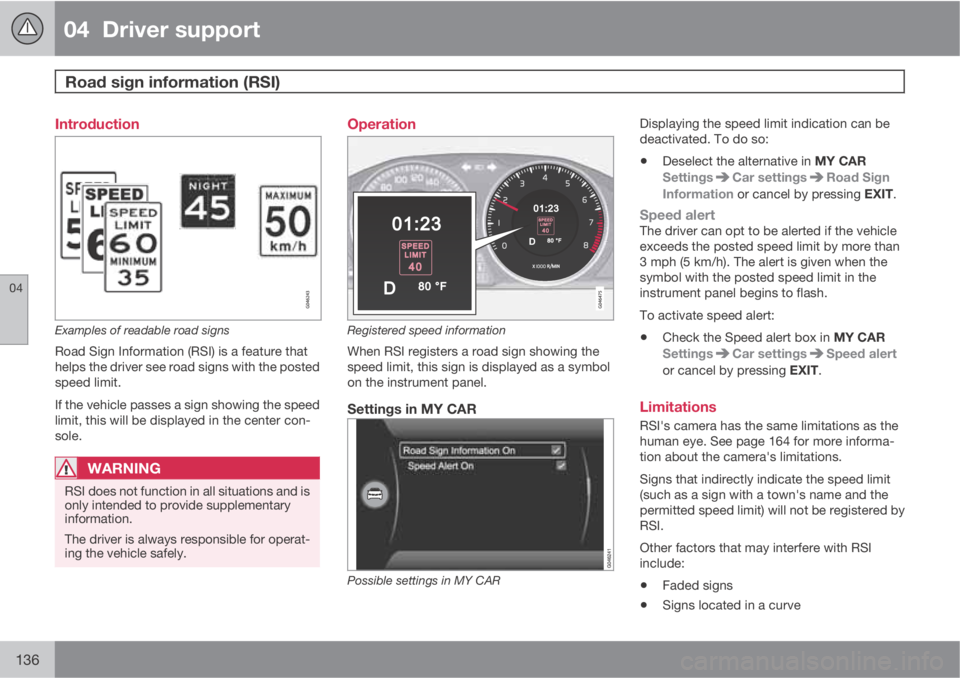
Examples of readable road signs
Road Sign Information (RSI) is a feature that
helps the driver see road signs with the posted
speed limit.
If the vehicle passes a sign showing the speed
limit, this will be displayed in the center con-
sole.
WARNING
RSI does not function in all situations and is
only intended to provide supplementary
information.
The driver is always responsible for operat-
ing the vehicle safely.
Operation
Registered speed information
When RSI registers a road sign showing the
speed limit, this sign is displayed as a symbol
on the instrument panel.
Settings in MY CAR
Possible settings in MY CAR
Displaying the speed limit indication can be
deactivated. To do so:
•Deselect the alternative in MY CAR
Settings
Car settingsRoad Sign
Information or cancel by pressing EXIT.
Speed alertThe driver can opt to be alerted if the vehicle
exceeds the posted speed limit by more than
3 mph (5 km/h). The alert is given when the
symbol with the posted speed limit in the
instrument panel begins to flash.
To activate speed alert:
•Check the Speed alert box in MY CAR
Settings
Car settingsSpeed alert
or cancel by pressing EXIT.
Limitations
RSI's camera has the same limitations as the
human eye. See page 164 for more informa-
tion about the camera's limitations.
Signs that indirectly indicate the speed limit
(such as a sign with a town's name and the
permitted speed limit) will not be registered by
RSI.
Other factors that may interfere with RSI
include:
•Faded signs
•Signs located in a curve
Page 153 of 382
04 Driver support
Distance Alert*
04
* Option/accessory, for more information, see Introduction.151 Introduction
Distance Alert is part of Adaptive Cruise Con-
trol and is a function that provides information
about the time interval to the vehicle ahead.
Distance Alert is active at speeds above
approximately 18 mph (30 km/h). Time interval
information is only given for a vehicle that is
driving ahead of your vehicle in the same direc-
tion. No information is provided for vehicles
driving toward you, moving very slowly, or at a
standstill.
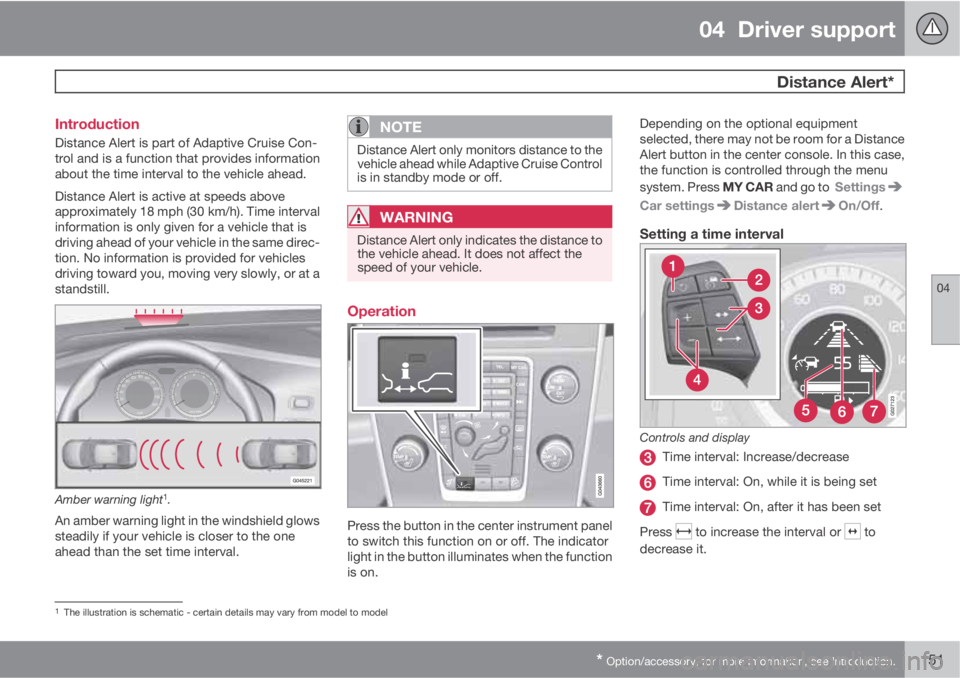
Amber warning light1.
An amber warning light in the windshield glows
steadily if your vehicle is closer to the one
ahead than the set time interval.
NOTE
Distance Alert only monitors distance to the
vehicle ahead while Adaptive Cruise Control
is in standby mode or off.
WARNING
Distance Alert only indicates the distance to
the vehicle ahead. It does not affect the
speed of your vehicle.
Operation
Press the button in the center instrument panel
to switch this function on or off. The indicator
light in the button illuminates when the function
is on.Depending on the optional equipment
selected, there may not be room for a Distance
Alert button in the center console. In this case,
the function is controlled through the menu
system. Press MY CAR and go to Settings
Car settingsDistance alertOn/Off.
Setting a time interval
Controls and display
Time interval: Increase/decrease
Time interval: On, while it is being set
Time interval: On, after it has been set
Press
to increase the interval or to
decrease it.
1The illustration is schematic - certain details may vary from model to model
Page 160 of 382
04 Driver support
City Safety™
04
158
WARNING
Eye injury may occur if any of the following
points are not followed:
•It is essential that all pertinent instruc-
tions be followed when handling laser
instruments. Testing, repairing, remov-
ing, adjusting and/or replacing any
components in the laser sensor may
only be done by a trained and qualified
Volvo service technician.
•Do not remove the laser sensor (includ-
ing removal of the lenses). A laser sen-
sor that has been removed belongs to
laser class 3B according to standard
IEC 60825-1. Devices in laser class 3B
present a risk of injury to the eyes.
•The laser sensor’s connector must be
disconnected before the sensor is
removed from the windshield.
•The laser sensor must be mounted in
place on the windshield before con-
necting the sensor’s connector.
•Do not view the laser sensor (which
emits spreading, invisible laser beams)
with optical instruments from a distance
of less than 4 inches (100 mm).
Symbols and messages in the display
When City Safety™ automatically applies the
brakes, one or more of the symbols in the main
instrument panel may illuminate and its asso-
ciated message will be displayed.
A text message can be erased by pressing
briefly on the OK button on the turn signal
lever.
Page 171 of 382
04 Driver support
Driver Alert System*
04
* Option/accessory, for more information, see Introduction.169 Operating DAC
Certain settings can be made from the menu
system controlled from the center instrument
panel.
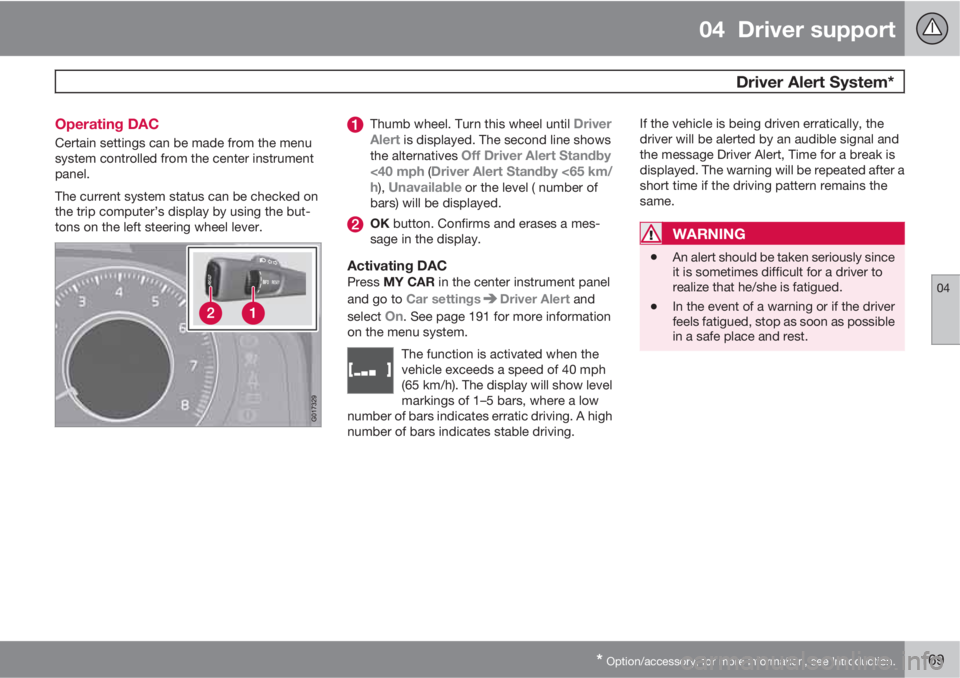
The current system status can be checked on
the trip computer’s display by using the but-
tons on the left steering wheel lever.
Thumb wheel. Turn this wheel until Driver
Alert is displayed. The second line shows
the alternatives Off Driver Alert Standby
<40 mph (Driver Alert Standby <65 km/
h), Unavailable or the level ( number of
bars) will be displayed.
OK button. Confirms and erases a mes-
sage in the display.
Activating DACPress MY CAR in the center instrument panel
and go to Car settings
Driver Alert and
select
On. See page 191 for more information
on the menu system.
The function is activated when the
vehicle exceeds a speed of 40 mph
(65 km/h). The display will show level
markings of 1–5 bars, where a low
number of bars indicates erratic driving. A high
number of bars indicates stable driving.
If the vehicle is being driven erratically, the
driver will be alerted by an audible signal and
the message Driver Alert, Time for a break is
displayed. The warning will be repeated after a
short time if the driving pattern remains the
same.
WARNING
•An alert should be taken seriously since
it is sometimes difficult for a driver to
realize that he/she is fatigued.
•In the event of a warning or if the driver
feels fatigued, stop as soon as possible
in a safe place and rest.
Page 184 of 382
04 Driver support
Blind Spot Information System*
04
182* Option/accessory, for more information, see Introduction.
Introduction
G031404
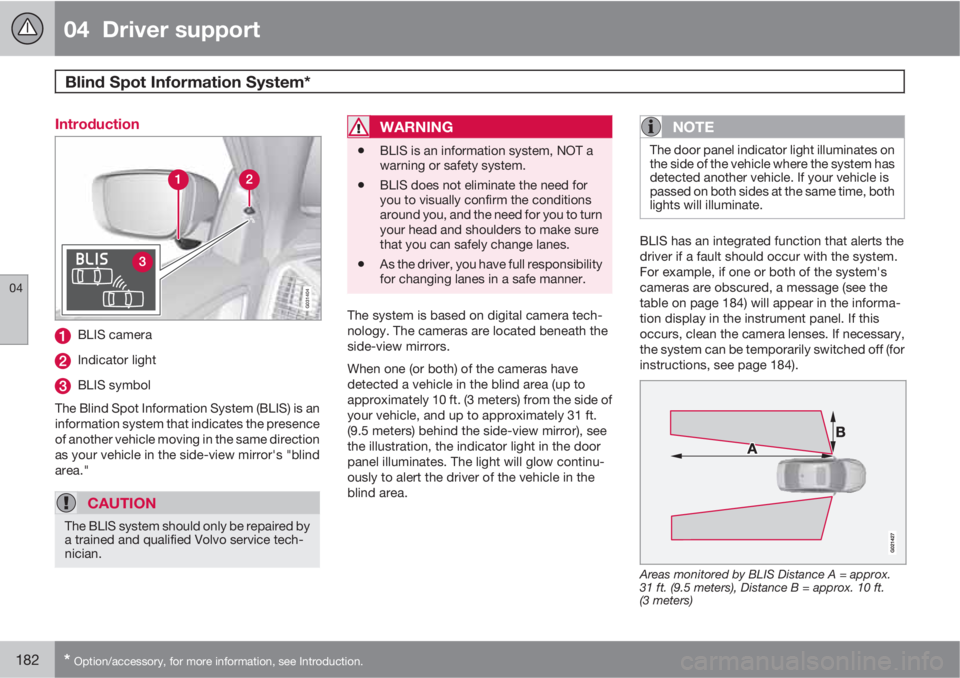
BLIS camera
Indicator light
BLIS symbol
The Blind Spot Information System (BLIS) is an
information system that indicates the presence
of another vehicle moving in the same direction
as your vehicle in the side-view mirror's "blind
area."
CAUTION
The BLIS system should only be repaired by
a trained and qualified Volvo service tech-
nician.
WARNING
•BLIS is an information system, NOT a
warning or safety system.
•BLIS does not eliminate the need for
you to visually confirm the conditions
around you, and the need for you to turn
your head and shoulders to make sure
that you can safely change lanes.
•As the driver, you have full responsibility
for changing lanes in a safe manner.
The system is based on digital camera tech-
nology. The cameras are located beneath the
side-view mirrors.
When one (or both) of the cameras have
detected a vehicle in the blind area (up to
approximately 10 ft. (3 meters) from the side of
your vehicle, and up to approximately 31 ft.
(9.5 meters) behind the side-view mirror), see
the illustration, the indicator light in the door
panel illuminates. The light will glow continu-
ously to alert the driver of the vehicle in the
blind area.
NOTE
The door panel indicator light illuminates on
the side of the vehicle where the system has
detected another vehicle. If your vehicle is
passed on both sides at the same time, both
lights will illuminate.
BLIS has an integrated function that alerts the
driver if a fault should occur with the system.
For example, if one or both of the system's
cameras are obscured, a message (see the
table on page 184) will appear in the informa-
tion display in the instrument panel. If this
occurs, clean the camera lenses. If necessary,
the system can be temporarily switched off (for
instructions, see page 184).
Areas monitored by BLIS Distance A = approx.
31 ft. (9.5 meters), Distance B = approx. 10 ft.
(3 meters)
Page 190 of 382
05 Comfort and driving pleasure
Volvo Sensus
05
188* Option/accessory, for more information, see Introduction.
Introduction
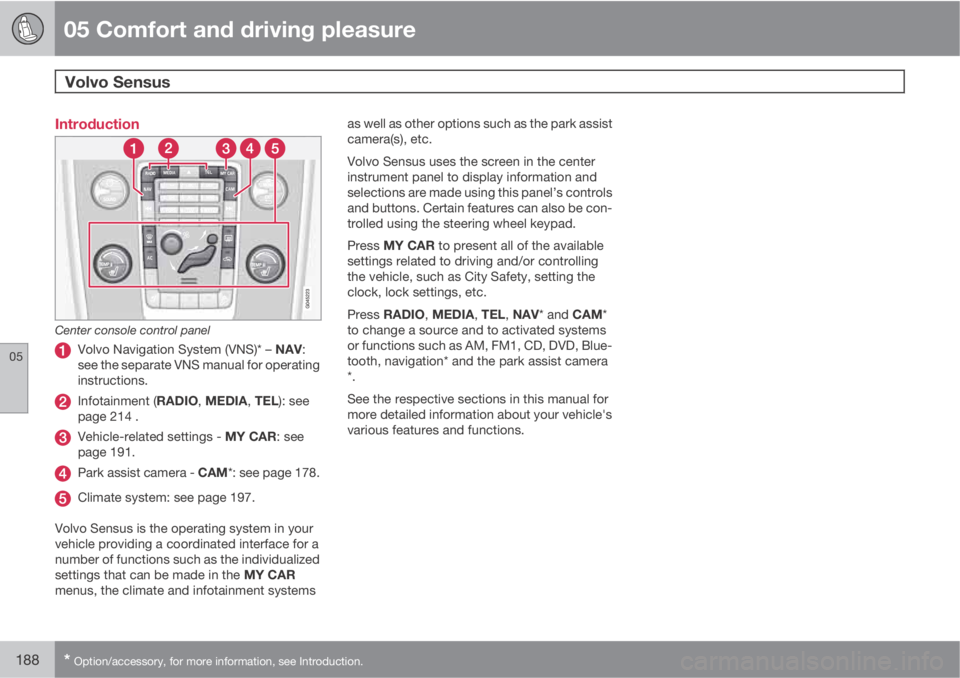
Center console control panel
Volvo Navigation System (VNS)* – NAV:
see the separate VNS manual for operating
instructions.
Infotainment (RADIO, MEDIA, TEL): see
page 214 .
Vehicle-related settings - MY CAR: see
page 191.
Park assist camera - CAM*: see page 178.
Climate system: see page 197.
Volvo Sensus is the operating system in your
vehicle providing a coordinated interface for a
number of functions such as the individualized
settings that can be made in the MY CAR
menus, the climate and infotainment systemsas well as other options such as the park assist
camera(s), etc.
Volvo Sensus uses the screen in the center
instrument panel to display information and
selections are made using this panel’s controls
and buttons. Certain features can also be con-
trolled using the steering wheel keypad.
Press MY CAR to present all of the available
settings related to driving and/or controlling
the vehicle, such as City Safety, setting the
clock, lock settings, etc.
Press RADIO, MEDIA, TEL, NAV* and CAM*
to change a source and to activated systems
or functions such as AM, FM1, CD, DVD, Blue-
tooth, navigation* and the park assist camera
*.
See the respective sections in this manual for
more detailed information about your vehicle's
various features and functions.