display VOLVO XC60 2016 Owner´s Manual
[x] Cancel search | Manufacturer: VOLVO, Model Year: 2016, Model line: XC60, Model: VOLVO XC60 2016Pages: 398, PDF Size: 9.98 MB
Page 124 of 398
03 Instruments and controls
03
122* Option/accessory, for more information, see Introduction.
Trip computer – Supplementary information
General information for both Analog and Digi- tal trip computer functions.
Average fuel consumptionFuel consumption since the last time thisfunction was reset.
Average speedThe vehicle's average speed since the lasttime this function was reset.
Current fuel consumptionCurrent fuel consumption is calculatedapproximately once a second. When the vehi-cle is moving at low speed, fuel consumptionis displayed per unit of time. At higherspeeds, it is displayed in terms of distance. Miles or kilometers can be displayed, see the heading "Changing units".
Distance to emptyThis function shows the approximate dis-tance that can be driven on the fuel remaining in the tank. When
Distance to empty shows
"----", there is very little useable fuel remain- ing in that tank; refuel as soon as possible.The calculation is based on average fuel con-sumption during the last 20 miles (30 km) ofdriving and the amount of fuel remaining inthe tank (the accuracy of this figure may varyif your driving style changes). An economical driving style will generally increase this dis-tance. See Economical driving (p. 280) for informa- tion about driving economically.
Digital speed display*Speed is expressed in the unit not used bythe instrument panel's speedometer e.g., ifthe normal speedometer is in mph, the tripcomputer will display in the speed in km/hand vice versa.
Resetting an analog instrument panel
Trip odometer(s) and average speed1. Display trip odometer T1 or T1, or Aver-
age speed.
2. Press and hold RESET until selected
function is reset.
Each trip computer heading must be reset individually.
Resetting a digital instrument panel
Trip odometer1. Turn the thumb wheel to select the com-
bination of headings containing the trip odometer to be reset.
2. Press and hold RESET until selected trip
odometer is reset.
Average speed and fuel consumption1. Select Trip computer reset and press
OK . 2. Select one of the following alternatives
using the thumb wheel and press OK:
• mpg
• mph
• Reset both
3. Finish by pressing RESET.
Changing unitsTo change the unit (miles/km) used to meas- ure distance and speed, go to
MY CAR
SettingsSystem optionsDistance
and fuel units.
NOTE
In addition to changing units in the trip computer, this also changes the units usedin the Volvo Navigation System (VNS)*.
Related information
• Trip computer – introduction (p. 115)
• Trip computer – functions, analog instru- ment panel (p. 117)
• Trip computer – functions, digital instru-ment panel (p. 120)
• Trip computer – Trip statistics (p. 123)
Page 125 of 398
03 Instruments and controls
03
* Option/accessory, for more information, see Introduction.123
Trip computer – Trip statistics
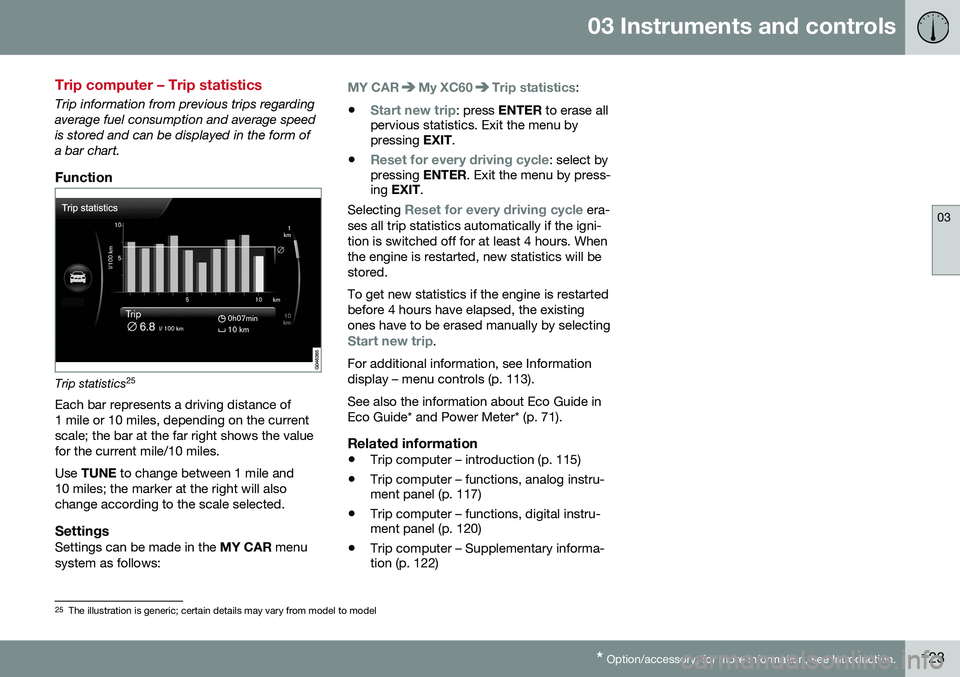
Trip information from previous trips regarding average fuel consumption and average speedis stored and can be displayed in the form ofa bar chart.
Function
Trip statistics 25
Each bar represents a driving distance of 1 mile or 10 miles, depending on the currentscale; the bar at the far right shows the valuefor the current mile/10 miles. Use TUNE to change between 1 mile and
10 miles; the marker at the right will also change according to the scale selected.
SettingsSettings can be made in the MY CAR menu
system as follows:
MY CARMy XC60Trip statistics:
•
Start new trip: press ENTER to erase all
pervious statistics. Exit the menu by pressing EXIT.
•
Reset for every driving cycle: select by
pressing ENTER. Exit the menu by press-
ing EXIT .
Selecting
Reset for every driving cycle era-
ses all trip statistics automatically if the igni- tion is switched off for at least 4 hours. Whenthe engine is restarted, new statistics will bestored. To get new statistics if the engine is restarted before 4 hours have elapsed, the existingones have to be erased manually by selecting
Start new trip.
For additional information, see Information display – menu controls (p. 113). See also the information about Eco Guide in Eco Guide* and Power Meter* (p. 71).
Related information
• Trip computer – introduction (p. 115)
• Trip computer – functions, analog instru- ment panel (p. 117)
• Trip computer – functions, digital instru-ment panel (p. 120)
• Trip computer – Supplementary informa-tion (p. 122)
25
The illustration is generic; certain details may vary from model to model
Page 132 of 398
04 Climate
04
130* Option/accessory, for more information, see Introduction.
Heated seats
The front seat heating has three levels to increase comfort for the driver and passengerin cold weather. The rear outboard seat heating has three lev- els to increase comfort for the passengers incold weather.
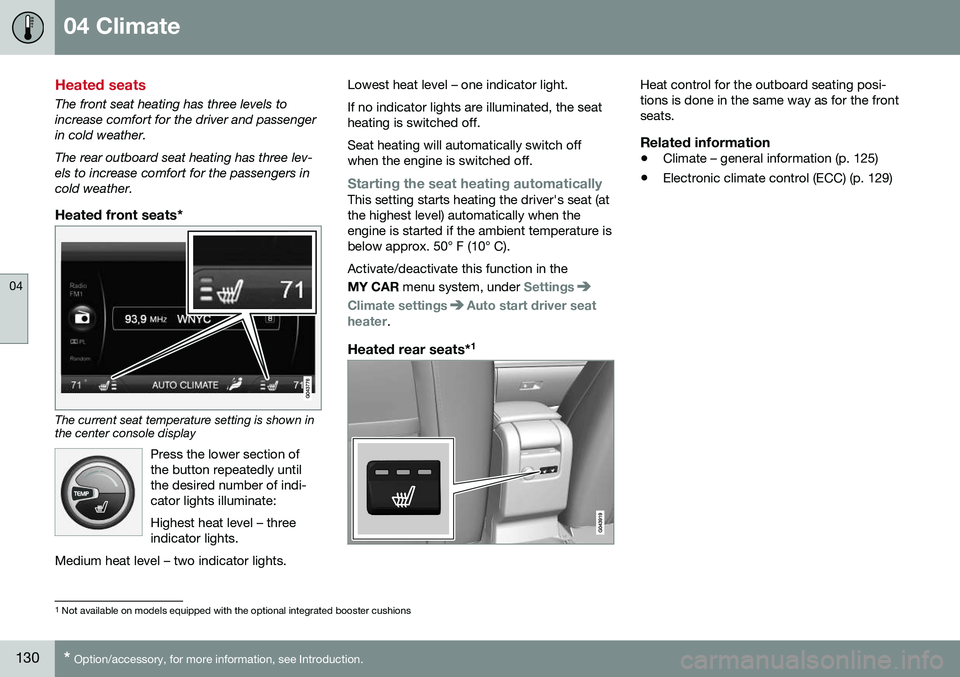
Heated front seats*
The current seat temperature setting is shown in the center console display
Press the lower section of the button repeatedly untilthe desired number of indi-cator lights illuminate: Highest heat level – three indicator lights.
Medium heat level – two indicator lights.
Lowest heat level – one indicator light. If no indicator lights are illuminated, the seat heating is switched off. Seat heating will automatically switch off when the engine is switched off.
Starting the seat heating automaticallyThis setting starts heating the driver's seat (at the highest level) automatically when theengine is started if the ambient temperature isbelow approx. 50° F (10° C). Activate/deactivate this function in the MY CAR menu system, under
Settings
Climate settingsAuto start driver seat
heater.
Heated rear seats* 1
Heat control for the outboard seating posi- tions is done in the same way as for the frontseats.
Related information
•
Climate – general information (p. 125)
• Electronic climate control (ECC) (p. 129)
1
Not available on models equipped with the optional integrated booster cushions
Page 133 of 398
04 Climate
04
131
Temperature and blower control
When the vehicle is started, the most recent setting is resumed. The blower should always be activated to help avoid condensation and fogging on thewindows.
Temperature controlThe temperatures on thedriver and passenger sidescan be set separately.
NOTE
Heating or cooling cannot be speeded up by selecting a higher/lower temperaturethan the actual temperature required.
Blower controlTurn the control clockwise to increase or counterclockwiseto decrease the blowerspeed. If AUTO (p. 131) is
selected, blower speed willbe regulated automaticallyand this will override manual
adjustment.
NOTE
If the blower is turned off completely, the air conditioning is disengaged, which mayresult in fogging on the windows.
Related information
• Climate – general information (p. 125)
• Electronic climate control (ECC) (p. 129)
• Air conditioning (p. 132)
• Climate – sensors (p. 125)
Automatic climate control
The Auto function automatically controls tem- perature (p. 131), air conditioning (p. 132),blower speed (p. 131), recirculation (p. 134)and air distribution (p. 127).
If you select one or moremanual functions, the otherfunctions continue to becontrolled automatically. Theair quality (p. 126) sensor isengaged and all manual set-tings are switched off when
AUTO is pressed. The display shows
AUTO
CLIMATE.
Blower speed in automatic mode can be set under
Climate settingsAutomatic blower
adjustment
. Choose between Low, Normalor High.
NOTE
Selecting the lowest blower speed may increases the risk of fog forming on thewindows.
Related information
• Climate – general information (p. 125)
Page 134 of 398
04 Climate
04
132* Option/accessory, for more information, see Introduction.
Air conditioning
The air conditioning function cools and dehu- midifies the air in the passenger compart-ment.
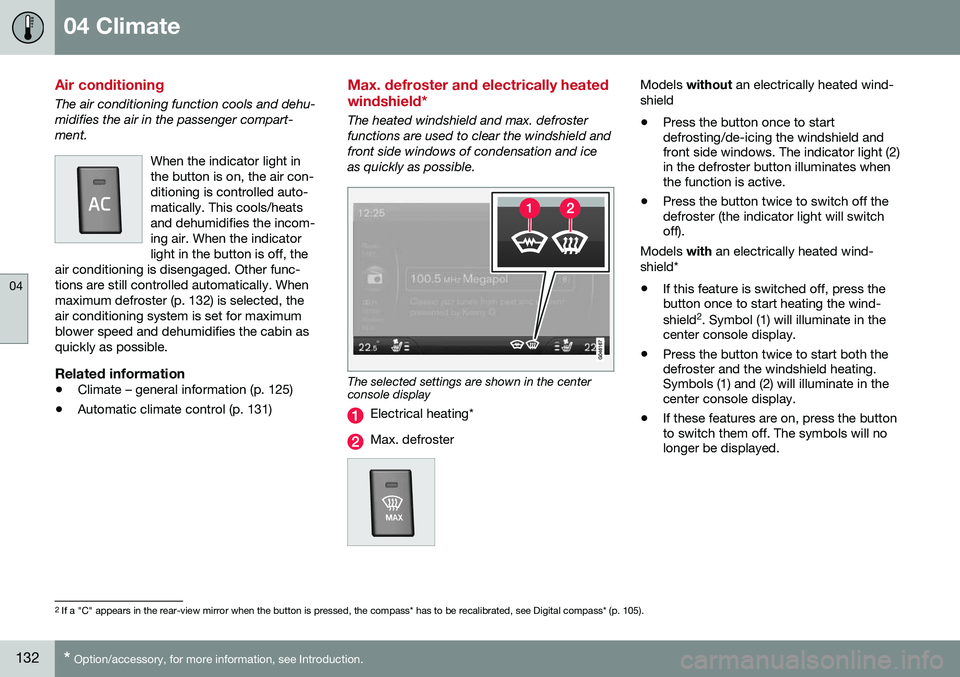
When the indicator light inthe button is on, the air con-ditioning is controlled auto-matically. This cools/heatsand dehumidifies the incom-ing air. When the indicatorlight in the button is off, the
air conditioning is disengaged. Other func-tions are still controlled automatically. Whenmaximum defroster (p. 132) is selected, theair conditioning system is set for maximumblower speed and dehumidifies the cabin asquickly as possible.
Related information
• Climate – general information (p. 125)
• Automatic climate control (p. 131)
Max. defroster and electrically heated windshield*
The heated windshield and max. defroster functions are used to clear the windshield andfront side windows of condensation and iceas quickly as possible.
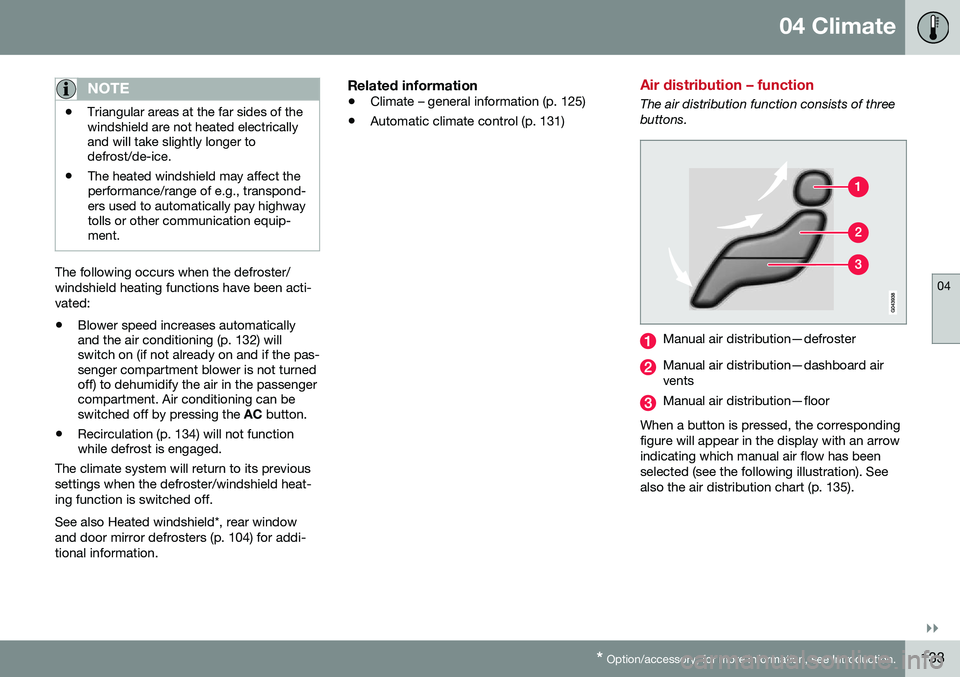
The selected settings are shown in the center console display
Electrical heating*
Max. defroster
Models
without an electrically heated wind-
shield • Press the button once to start defrosting/de-icing the windshield andfront side windows. The indicator light (2)in the defroster button illuminates whenthe function is active.
• Press the button twice to switch off thedefroster (the indicator light will switchoff).
Models with an electrically heated wind-
shield*
• If this feature is switched off, press thebutton once to start heating the wind- shield 2
. Symbol (1) will illuminate in the
center console display.
• Press the button twice to start both the defroster and the windshield heating.Symbols (1) and (2) will illuminate in thecenter console display.
• If these features are on, press the buttonto switch them off. The symbols will nolonger be displayed.
2
If a "C" appears in the rear-view mirror when the button is pressed, the compass* has to be recalibrated, see Digital compass* (p. 105).
Page 135 of 398
04 Climate
04
}}
* Option/accessory, for more information, see Introduction.133
NOTE
• Triangular areas at the far sides of the windshield are not heated electricallyand will take slightly longer todefrost/de-ice.
• The heated windshield may affect theperformance/range of e.g., transpond-ers used to automatically pay highwaytolls or other communication equip-ment.
The following occurs when the defroster/ windshield heating functions have been acti-vated: •
Blower speed increases automatically and the air conditioning (p. 132) willswitch on (if not already on and if the pas-senger compartment blower is not turnedoff) to dehumidify the air in the passengercompartment. Air conditioning can beswitched off by pressing the
AC button.
• Recirculation (p. 134) will not functionwhile defrost is engaged.
The climate system will return to its previous
settings when the defroster/windshield heat- ing function is switched off. See also Heated windshield*, rear window and door mirror defrosters (p. 104) for addi-tional information.
Related information
• Climate – general information (p. 125)
• Automatic climate control (p. 131)
Air distribution – function
The air distribution function consists of three buttons.
Manual air distribution—defroster
Manual air distribution—dashboard air vents
Manual air distribution—floor
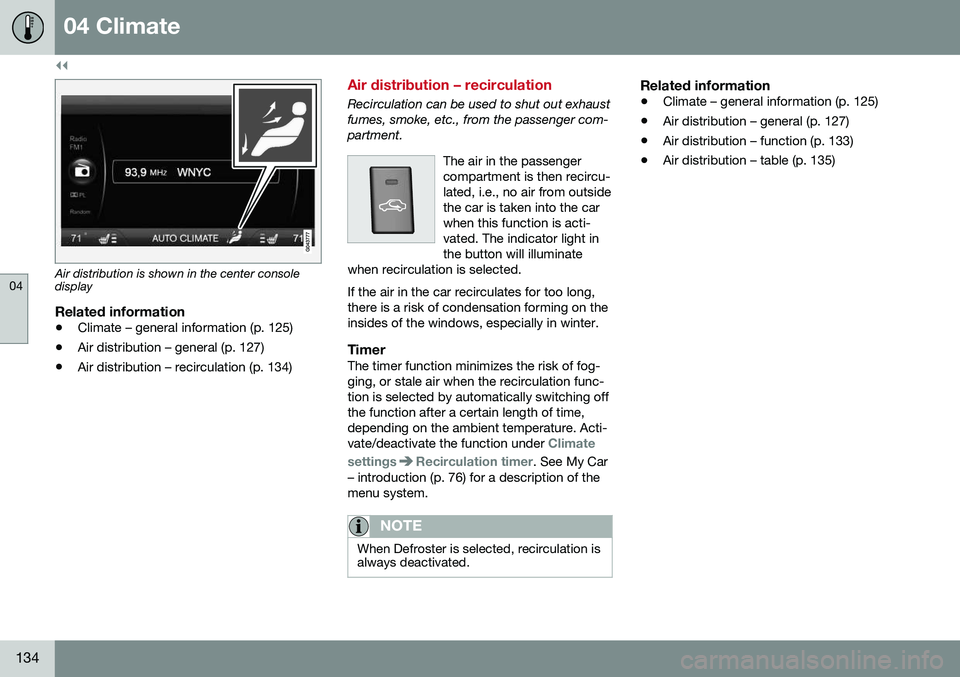
When a button is pressed, the corresponding figure will appear in the display with an arrowindicating which manual air flow has beenselected (see the following illustration). Seealso the air distribution chart (p. 135).
Page 136 of 398
||
04 Climate
04
134
Air distribution is shown in the center console display
Related information
•Climate – general information (p. 125)
• Air distribution – general (p. 127)
• Air distribution – recirculation (p. 134)
Air distribution – recirculation
Recirculation can be used to shut out exhaust fumes, smoke, etc., from the passenger com-partment.
The air in the passengercompartment is then recircu-lated, i.e., no air from outsidethe car is taken into the carwhen this function is acti-vated. The indicator light inthe button will illuminate
when recirculation is selected. If the air in the car recirculates for too long, there is a risk of condensation forming on theinsides of the windows, especially in winter.
TimerThe timer function minimizes the risk of fog- ging, or stale air when the recirculation func-tion is selected by automatically switching offthe function after a certain length of time,depending on the ambient temperature. Acti-vate/deactivate the function under
Climate
settings
Recirculation timer. See My Car
– introduction (p. 76) for a description of the menu system.
NOTE
When Defroster is selected, recirculation is always deactivated.
Related information
• Climate – general information (p. 125)
• Air distribution – general (p. 127)
• Air distribution – function (p. 133)
• Air distribution – table (p. 135)
Page 154 of 398
||
06 Locks and alarm
06
152
Making a settingDifferent alternatives for locking/unlocking confirmation can be selected in the menus bypressing MY CAR on the center console con-
trol panel. • To activate visual confirmation: go to
SettingsCar settingsLight
settings and select Door lock
confirmation light and/or Unlock
confirmation light by pressing OK/
MENU .
• To activate audible confirmation: go to
SettingsCar settingsLock
settings and select Audible
confirmation by pressing OK/MENU.
For a description of the menu system, see My Car – introduction (p. 76).
Lock indicator
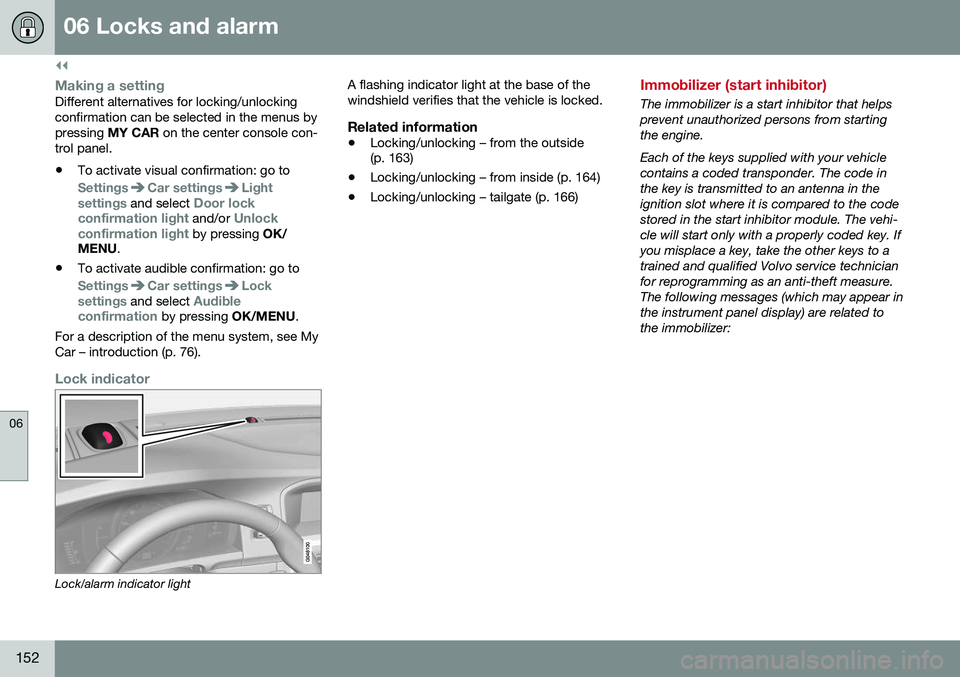
Lock/alarm indicator light A flashing indicator light at the base of the windshield verifies that the vehicle is locked.
Related information
•
Locking/unlocking – from the outside (p. 163)
• Locking/unlocking – from inside (p. 164)
• Locking/unlocking – tailgate (p. 166)
Immobilizer (start inhibitor)
The immobilizer is a start inhibitor that helps prevent unauthorized persons from startingthe engine. Each of the keys supplied with your vehicle contains a coded transponder. The code inthe key is transmitted to an antenna in theignition slot where it is compared to the codestored in the start inhibitor module. The vehi-cle will start only with a properly coded key. Ifyou misplace a key, take the other keys to atrained and qualified Volvo service technicianfor reprogramming as an anti-theft measure.The following messages (which may appear inthe instrument panel display) are related tothe immobilizer:
Page 156 of 398
||
06 Locks and alarm
06
154* Option/accessory, for more information, see Introduction.
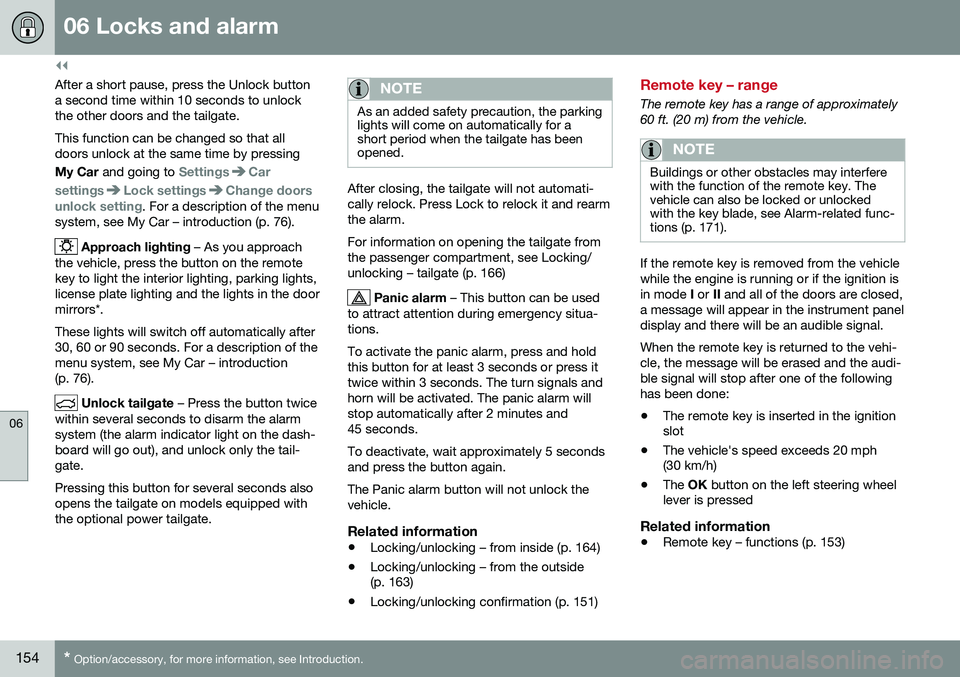
After a short pause, press the Unlock button a second time within 10 seconds to unlockthe other doors and the tailgate. This function can be changed so that all doors unlock at the same time by pressing My Car and going to
SettingsCar
settings
Lock settingsChange doors
unlock setting. For a description of the menu
system, see My Car – introduction (p. 76).
Approach lighting – As you approach
the vehicle, press the button on the remote key to light the interior lighting, parking lights,license plate lighting and the lights in the doormirrors*. These lights will switch off automatically after 30, 60 or 90 seconds. For a description of themenu system, see My Car – introduction(p. 76).
Unlock tailgate – Press the button twice
within several seconds to disarm the alarm system (the alarm indicator light on the dash-board will go out), and unlock only the tail-gate. Pressing this button for several seconds also opens the tailgate on models equipped withthe optional power tailgate.
NOTE
As an added safety precaution, the parking lights will come on automatically for ashort period when the tailgate has beenopened.
After closing, the tailgate will not automati- cally relock. Press Lock to relock it and rearmthe alarm. For information on opening the tailgate from the passenger compartment, see Locking/unlocking – tailgate (p. 166)
Panic alarm – This button can be used
to attract attention during emergency situa- tions. To activate the panic alarm, press and hold this button for at least 3 seconds or press ittwice within 3 seconds. The turn signals andhorn will be activated. The panic alarm willstop automatically after 2 minutes and45 seconds. To deactivate, wait approximately 5 seconds and press the button again. The Panic alarm button will not unlock the vehicle.
Related information
• Locking/unlocking – from inside (p. 164)
• Locking/unlocking – from the outside (p. 163)
• Locking/unlocking confirmation (p. 151)
Remote key – range
The remote key has a range of approximately 60 ft. (20 m) from the vehicle.
NOTE
Buildings or other obstacles may interfere with the function of the remote key. Thevehicle can also be locked or unlockedwith the key blade, see Alarm-related func-tions (p. 171).
If the remote key is removed from the vehicle while the engine is running or if the ignition isin mode
I or II and all of the doors are closed,
a message will appear in the instrument paneldisplay and there will be an audible signal. When the remote key is returned to the vehi- cle, the message will be erased and the audi-ble signal will stop after one of the followinghas been done: • The remote key is inserted in the ignition slot
• The vehicle's speed exceeds 20 mph(30 km/h)
• The
OK button on the left steering wheel
lever is pressed
Related information
• Remote key – functions (p. 153)
Page 159 of 398
06 Locks and alarm
06
}}
157
G017870
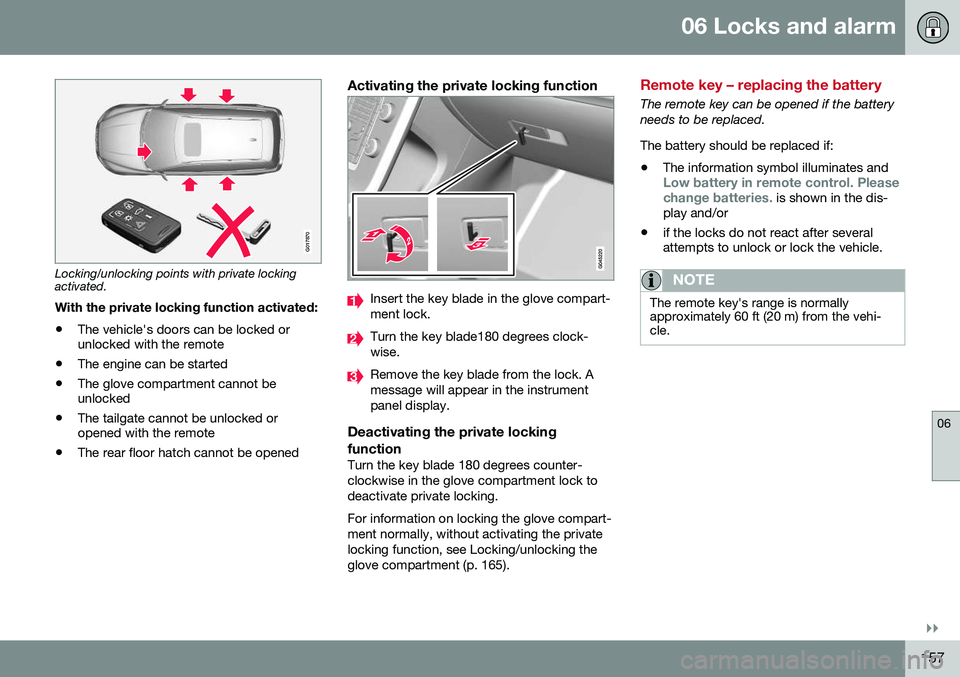
Locking/unlocking points with private locking activated.With the private locking function activated:
• The vehicle's doors can be locked or unlocked with the remote
• The engine can be started
• The glove compartment cannot beunlocked
• The tailgate cannot be unlocked oropened with the remote
• The rear floor hatch cannot be opened
Activating the private locking function
Insert the key blade in the glove compart- ment lock.
Turn the key blade180 degrees clock- wise.
Remove the key blade from the lock. A message will appear in the instrumentpanel display.
Deactivating the private locking function
Turn the key blade 180 degrees counter- clockwise in the glove compartment lock todeactivate private locking. For information on locking the glove compart- ment normally, without activating the privatelocking function, see Locking/unlocking theglove compartment (p. 165).
Remote key – replacing the battery
The remote key can be opened if the battery needs to be replaced. The battery should be replaced if:
• The information symbol illuminates and
Low battery in remote control. Please change batteries. is shown in the dis-
play and/or
• if the locks do not react after several attempts to unlock or lock the vehicle.
NOTE
The remote key's range is normally approximately 60 ft (20 m) from the vehi-cle.