display VOLVO XC60 2018 Owner´s Manual
[x] Cancel search | Manufacturer: VOLVO, Model Year: 2018, Model line: XC60, Model: VOLVO XC60 2018Pages: 660, PDF Size: 11.77 MB
Page 181 of 660
WINDOWS, GLASS AND MIRRORS
* Option/accessory.179
Using the windshield and headlightwashers
The windshield and headlight washers clean the windshield and headlights. Use the right-sidesteering wheel lever to start the windshield andheadlight washers.
Starting the windshield and headlight washers
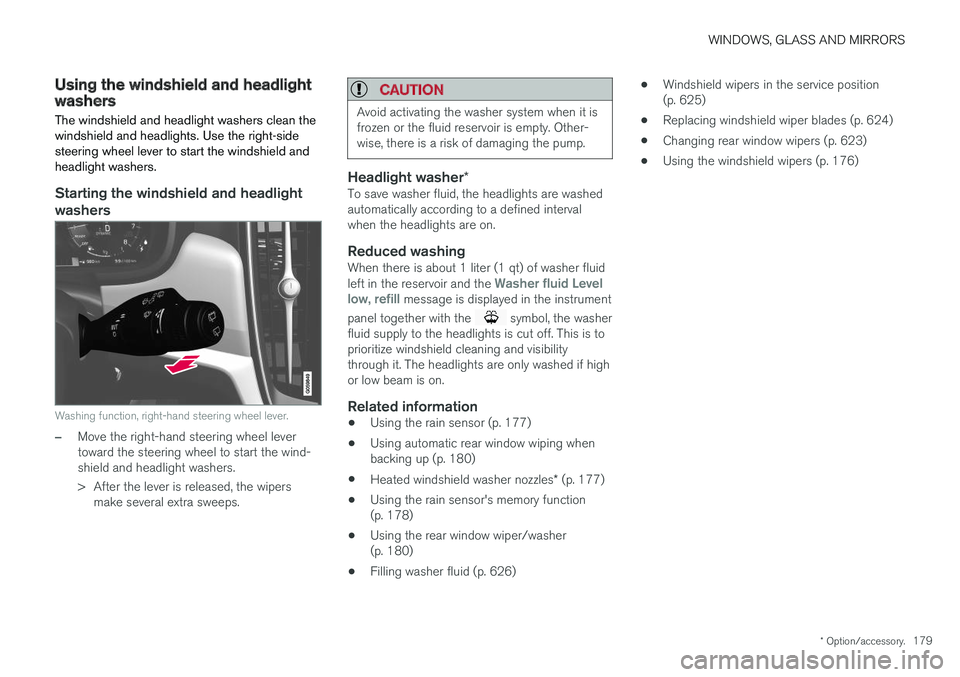
Washing function, right-hand steering wheel lever.
–Move the right-hand steering wheel lever toward the steering wheel to start the wind-shield and headlight washers.
> After the lever is released, the wipers make several extra sweeps.
CAUTION
Avoid activating the washer system when it is frozen or the fluid reservoir is empty. Other-wise, there is a risk of damaging the pump.
Headlight washer *To save washer fluid, the headlights are washed automatically according to a defined intervalwhen the headlights are on.
Reduced washingWhen there is about 1 liter (1 qt) of washer fluid left in the reservoir and the Washer fluid Level
low, refill message is displayed in the instrument
panel together with the
symbol, the washer
fluid supply to the headlights is cut off. This is to prioritize windshield cleaning and visibilitythrough it. The headlights are only washed if highor low beam is on.
Related information
• Using the rain sensor (p. 177)
• Using automatic rear window wiping whenbacking up (p. 180)
• Heated windshield washer nozzles
* (p. 177)
• Using the rain sensor's memory function(p. 178)
• Using the rear window wiper/washer(p. 180)
• Filling washer fluid (p. 626) •
Windshield wipers in the service position(p. 625)
• Replacing windshield wiper blades (p. 624)
• Changing rear window wipers (p. 623)
• Using the windshield wipers (p. 176)
Page 182 of 660
WINDOWS, GLASS AND MIRRORS
* Option/accessory.
180
Using the rear window wiper/washer
The rear window wiper/washer cleans the rear window. Use the right-side steering wheel leverto start and control the wiper/washer.
Activating the rear window wiper/ washer
NOTE
The rear window wiper is equipped with over- heating protection that switches off the motorwiper if it becomes overheated. The rear win-dow wiper can be operated again after a cool-ing-down period.
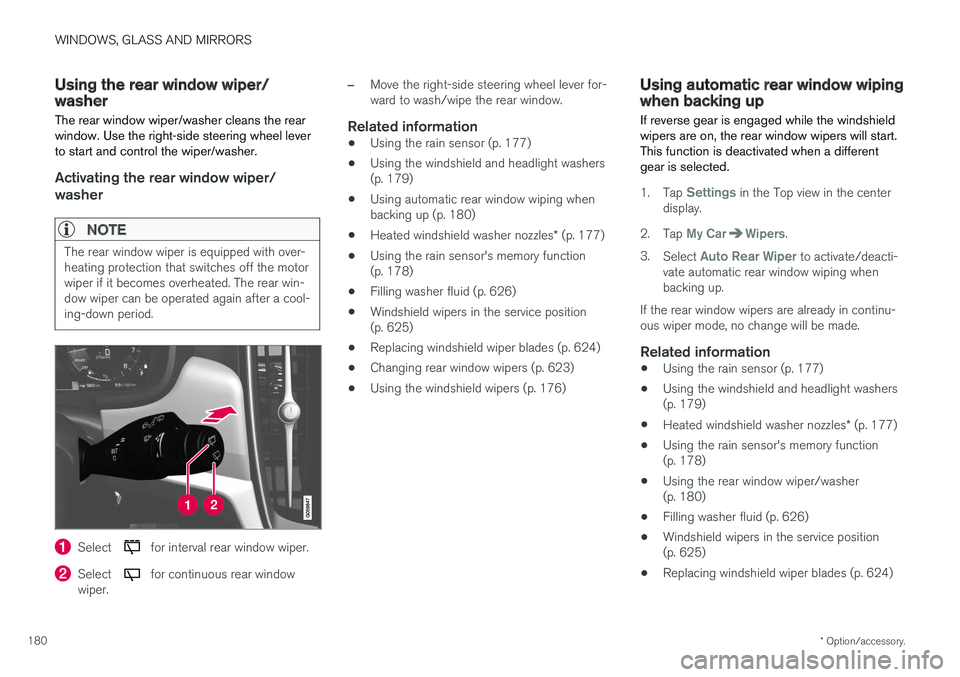
Select for interval rear window wiper.
Select for continuous rear window
wiper.
–Move the right-side steering wheel lever for- ward to wash/wipe the rear window.
Related information
• Using the rain sensor (p. 177)
• Using the windshield and headlight washers(p. 179)
• Using automatic rear window wiping whenbacking up (p. 180)
• Heated windshield washer nozzles
* (p. 177)
• Using the rain sensor's memory function(p. 178)
• Filling washer fluid (p. 626)
• Windshield wipers in the service position(p. 625)
• Replacing windshield wiper blades (p. 624)
• Changing rear window wipers (p. 623)
• Using the windshield wipers (p. 176)
Using automatic rear window wipingwhen backing up
If reverse gear is engaged while the windshield wipers are on, the rear window wipers will start.This function is deactivated when a differentgear is selected.
1. Tap Settings in the Top view in the center
display.
2. Tap
My CarWipers.
3. Select
Auto Rear Wiper to activate/deacti-
vate automatic rear window wiping when backing up.
If the rear window wipers are already in continu-ous wiper mode, no change will be made.
Related information
• Using the rain sensor (p. 177)
• Using the windshield and headlight washers(p. 179)
• Heated windshield washer nozzles
* (p. 177)
• Using the rain sensor's memory function(p. 178)
• Using the rear window wiper/washer(p. 180)
• Filling washer fluid (p. 626)
• Windshield wipers in the service position(p. 625)
• Replacing windshield wiper blades (p. 624)
Page 188 of 660
||
SEATS AND STEERING WHEEL
* Option/accessory.
186 Only one movement (forward/rearward/up/ down) can be performed at a time. The front seat backrests cannot be folded down completely.
Related information
•
Manual front seats (p. 184)
• Power front seats
* (p. 185)
• Storing memory settings in power front seats
* (p. 186)
• Using stored memory in a powered front seat (p. 187)
• Adjusting front seat massage settings
*
(p. 188)
• Adjusting front seat cushion length (p. 189)
• Front seat massage settings
* (p. 188)
• Adjusting front seat side bolster settings
*
(p. 190)
• Adjusting front seat lumbar support
* (p. 190)
• Adjusting the passenger seat from the driv- er's seat
* (p. 191)
Storing memory settings in power
front seats *
The memory function can be used to store the settings for the seat, door mirrors and head-up display *.
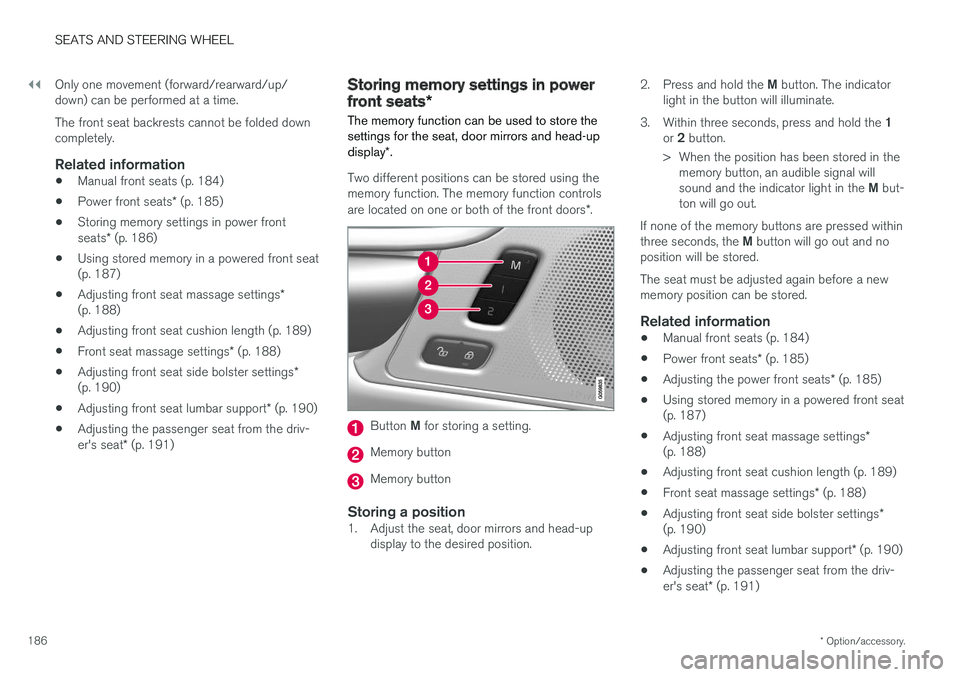
Two different positions can be stored using the memory function. The memory function controls are located on one or both of the front doors *.
Button M for storing a setting.
Memory button
Memory button
Storing a position1. Adjust the seat, door mirrors and head-up
display to the desired position. 2.
Press and hold the M button. The indicator
light in the button will illuminate.
3. Within three seconds, press and hold the 1
or 2 button.
> When the position has been stored in the memory button, an audible signal will sound and the indicator light in the M but-
ton will go out.
If none of the memory buttons are pressed withinthree seconds, the M button will go out and no
position will be stored. The seat must be adjusted again before a new memory position can be stored.
Related information
• Manual front seats (p. 184)
• Power front seats
* (p. 185)
• Adjusting the power front seats
* (p. 185)
• Using stored memory in a powered front seat(p. 187)
• Adjusting front seat massage settings
*
(p. 188)
• Adjusting front seat cushion length (p. 189)
• Front seat massage settings
* (p. 188)
• Adjusting front seat side bolster settings
*
(p. 190)
• Adjusting front seat lumbar support
* (p. 190)
• Adjusting the passenger seat from the driv- er's seat
* (p. 191)
Page 189 of 660
SEATS AND STEERING WHEEL
* Option/accessory.187
Using stored memory in a poweredfront seat
The memory function can be used to store the settings for the seat, door mirrors and head-up display *.
Using a stored positionA stored position can be used with the front door open or closed:
Front door open
–Briefly press one of the memory buttons ( 1
or 2). The seat, door mirrors and head-up
display will move and stop at the positions stored in that button.
Front door closed
–Press and hold one of the memory buttons ( 1 or 2) until the seat, door mirrors and
head-up display stop in the positions stored in that memory button.
If the memory button is released, the seat, doormirrors and head-up display will stop moving.
WARNING
• Because the front seats can be adjusted with the ignition off, children should neverbe left unattended in the vehicle.
• Movement of the seat can be STOPPEDat any time by pressing any button on thepower seat control panel.
• Do not adjust the seat while driving.
• The seat should be adjusted so that thebrake pedal can be depressed fully. Inaddition, position the seat as far rearwardas comfort and control allow.
• The seat rails on the floor must not beobstructed in any way when the seat is inmotion.
Related information
• Manual front seats (p. 184)
• Power front seats
* (p. 185)
• Adjusting the power front seats
* (p. 185)
• Storing memory settings in power front seats
* (p. 186)
• Adjusting front seat massage settings
*
(p. 188)
• Adjusting front seat cushion length (p. 189)
• Front seat massage settings
* (p. 188)
• Adjusting front seat side bolster settings
*
(p. 190) •
Adjusting front seat lumbar support
* (p. 190)
• Adjusting the passenger seat from the driv-er's seat
* (p. 191)
Page 190 of 660
SEATS AND STEERING WHEEL
* Option/accessory.
188
Front seat massage settings *
The settings can be adjusted using either the multifunction control * on the seat or the center
display. The adjustment settings are shown in the center display.
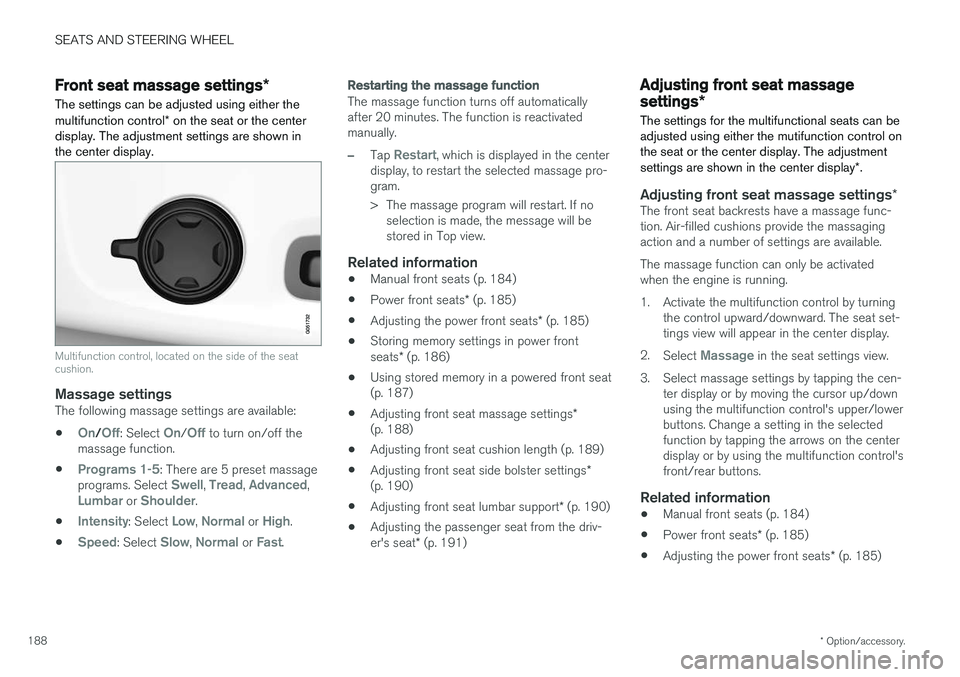
Multifunction control, located on the side of the seat cushion.
Massage settingsThe following massage settings are available:
•
On/Off: Select On/Off to turn on/off the
massage function.
•
Programs 1-5: There are 5 preset massage
programs. Select Swell, Tread, Advanced,Lumbar or Shoulder.
•
Intensity: Select Low, Normal or High.
•
Speed: Select Slow, Normal or Fast.
Restarting the massage function
The massage function turns off automatically after 20 minutes. The function is reactivatedmanually.
–Tap Restart, which is displayed in the center
display, to restart the selected massage pro- gram.
> The massage program will restart. If no selection is made, the message will be stored in Top view.
Related information
• Manual front seats (p. 184)
• Power front seats
* (p. 185)
• Adjusting the power front seats
* (p. 185)
• Storing memory settings in power front seats
* (p. 186)
• Using stored memory in a powered front seat (p. 187)
• Adjusting front seat massage settings
*
(p. 188)
• Adjusting front seat cushion length (p. 189)
• Adjusting front seat side bolster settings
*
(p. 190)
• Adjusting front seat lumbar support
* (p. 190)
• Adjusting the passenger seat from the driv- er's seat
* (p. 191)
Adjusting front seat massage
settings *
The settings for the multifunctional seats can be adjusted using either the mutifunction control onthe seat or the center display. The adjustment settings are shown in the center display *.
Adjusting front seat massage settings *The front seat backrests have a massage func- tion. Air-filled cushions provide the massagingaction and a number of settings are available. The massage function can only be activated when the engine is running.
1. Activate the multifunction control by turning
the control upward/downward. The seat set- tings view will appear in the center display.
2. Select
Massage in the seat settings view.
3. Select massage settings by tapping the cen- ter display or by moving the cursor up/down using the multifunction control's upper/lowerbuttons. Change a setting in the selectedfunction by tapping the arrows on the centerdisplay or by using the multifunction control'sfront/rear buttons.
Related information
• Manual front seats (p. 184)
• Power front seats
* (p. 185)
• Adjusting the power front seats
* (p. 185)
Page 191 of 660
SEATS AND STEERING WHEEL
* Option/accessory.189
•
Storing memory settings in power front seats
* (p. 186)
• Using stored memory in a powered front seat (p. 187)
• Adjusting front seat cushion length (p. 189)
• Front seat massage settings
* (p. 188)
• Adjusting front seat side bolster settings
*
(p. 190)
• Adjusting front seat lumbar support
* (p. 190)
• Adjusting the passenger seat from the driv- er's seat
* (p. 191)
Adjusting front seat cushion length
The settings can be adjusted using either the multifunction control * on the seat or the center
display. The adjustment settings are shown in the center display.
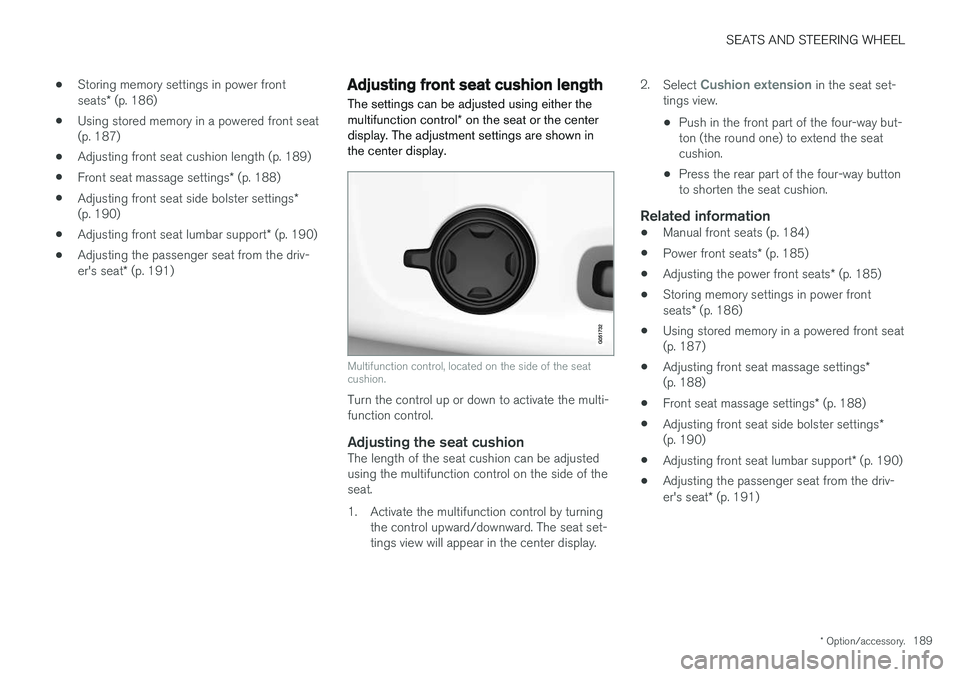
Multifunction control, located on the side of the seat cushion.
Turn the control up or down to activate the multi- function control.
Adjusting the seat cushionThe length of the seat cushion can be adjustedusing the multifunction control on the side of theseat.
1. Activate the multifunction control by turning the control upward/downward. The seat set- tings view will appear in the center display. 2.
Select
Cushion extension in the seat set-
tings view.
• Push in the front part of the four-way but- ton (the round one) to extend the seatcushion.
• Press the rear part of the four-way buttonto shorten the seat cushion.
Related information
• Manual front seats (p. 184)
• Power front seats
* (p. 185)
• Adjusting the power front seats
* (p. 185)
• Storing memory settings in power front seats
* (p. 186)
• Using stored memory in a powered front seat (p. 187)
• Adjusting front seat massage settings
*
(p. 188)
• Front seat massage settings
* (p. 188)
• Adjusting front seat side bolster settings
*
(p. 190)
• Adjusting front seat lumbar support
* (p. 190)
• Adjusting the passenger seat from the driv- er's seat
* (p. 191)
Page 192 of 660
SEATS AND STEERING WHEEL
* Option/accessory.
190
Adjusting front seat side bolster
settings *
The settings can be adjusted using either the multifunction control * on the seat or the center
display. The adjustment settings are shown in the center display.
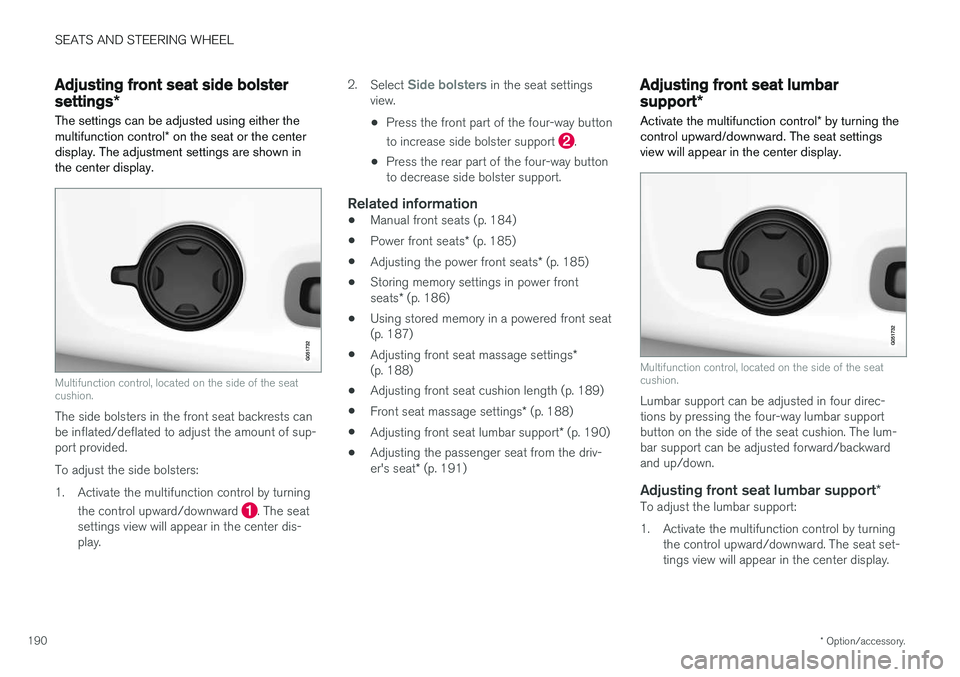
Multifunction control, located on the side of the seat cushion.
The side bolsters in the front seat backrests can be inflated/deflated to adjust the amount of sup-port provided. To adjust the side bolsters:
1. Activate the multifunction control by turning
the control upward/downward
. The seat
settings view will appear in the center dis- play. 2.
Select
Side bolsters in the seat settings
view.
• Press the front part of the four-way button to increase side bolster support
.
• Press the rear part of the four-way button to decrease side bolster support.
Related information
• Manual front seats (p. 184)
• Power front seats
* (p. 185)
• Adjusting the power front seats
* (p. 185)
• Storing memory settings in power front seats
* (p. 186)
• Using stored memory in a powered front seat (p. 187)
• Adjusting front seat massage settings
*
(p. 188)
• Adjusting front seat cushion length (p. 189)
• Front seat massage settings
* (p. 188)
• Adjusting front seat lumbar support
* (p. 190)
• Adjusting the passenger seat from the driv- er's seat
* (p. 191)
Adjusting front seat lumbar
support *
Activate the multifunction control * by turning the
control upward/downward. The seat settings view will appear in the center display.
Multifunction control, located on the side of the seat cushion.
Lumbar support can be adjusted in four direc- tions by pressing the four-way lumbar supportbutton on the side of the seat cushion. The lum-bar support can be adjusted forward/backwardand up/down.
Adjusting front seat lumbar support *To adjust the lumbar support:
1. Activate the multifunction control by turning
the control upward/downward. The seat set- tings view will appear in the center display.
Page 193 of 660
SEATS AND STEERING WHEEL
}}
* Option/accessory.191
2.
Select
Lumbar in the seat settings view.
• Press the four-way button (the round but- ton) up/down to move the lumbar supportupward/downward.
• Press the front part of the four-way buttonto increase lumbar support.
• Press the rear part of the four-way buttonto decrease lumbar support.
Related information
•
Manual front seats (p. 184)
• Power front seats
* (p. 185)
• Adjusting the power front seats
* (p. 185)
• Storing memory settings in power front seats
* (p. 186)
• Using stored memory in a powered front seat (p. 187)
• Adjusting front seat massage settings
*
(p. 188)
• Adjusting front seat cushion length (p. 189)
• Front seat massage settings
* (p. 188)
• Adjusting front seat side bolster settings
*
(p. 190)
• Adjusting the passenger seat from the driv- er's seat
* (p. 191)
Adjusting the passenger seat from
the driver's seat *
The front passenger seat can be adjusted from the driver's seat.
Activating the functionThe function is activated via the function view in the center display:
Tap the
Adjust Passenger
Seat button to activate.
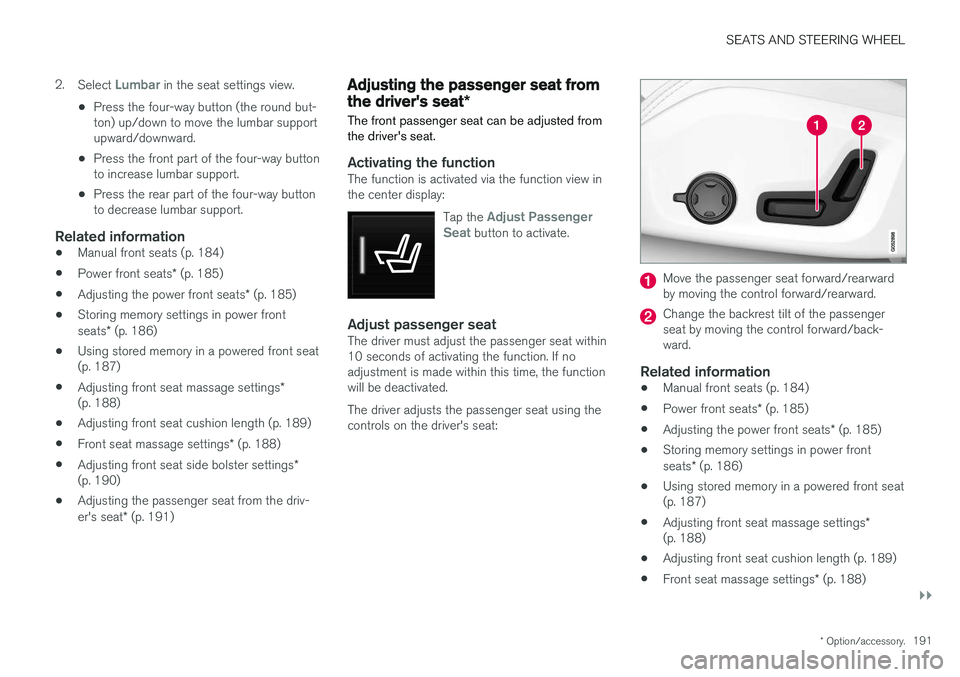
Adjust passenger seatThe driver must adjust the passenger seat within 10 seconds of activating the function. If noadjustment is made within this time, the functionwill be deactivated. The driver adjusts the passenger seat using the controls on the driver's seat:
Move the passenger seat forward/rearward by moving the control forward/rearward.
Change the backrest tilt of the passenger seat by moving the control forward/back-ward.
Related information
• Manual front seats (p. 184)
• Power front seats
* (p. 185)
• Adjusting the power front seats
* (p. 185)
• Storing memory settings in power front seats
* (p. 186)
• Using stored memory in a powered front seat (p. 187)
• Adjusting front seat massage settings
*
(p. 188)
• Adjusting front seat cushion length (p. 189)
• Front seat massage settings
* (p. 188)
Page 197 of 660
SEATS AND STEERING WHEEL
}}
* Option/accessory.195
Adjusting the rear seat headrestraints
Adjust the center head restraint in the rear seat to the seat occupant's height. Fold down theoutboard head restraints to improve rear visibil-ity.
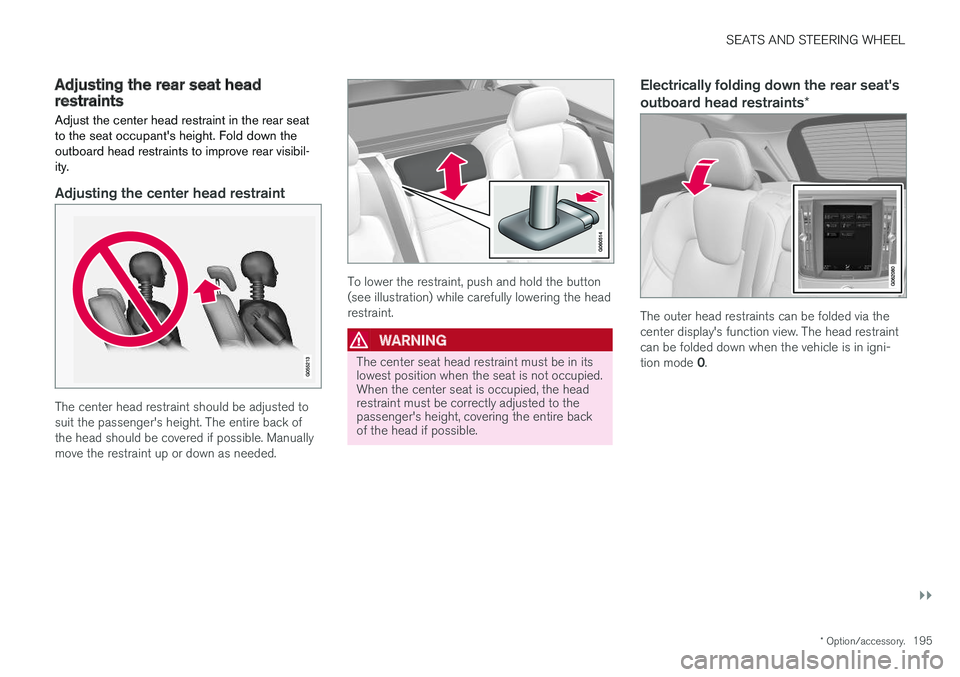
Adjusting the center head restraint
The center head restraint should be adjusted to suit the passenger's height. The entire back ofthe head should be covered if possible. Manuallymove the restraint up or down as needed.
To lower the restraint, push and hold the button (see illustration) while carefully lowering the headrestraint.
WARNING
The center seat head restraint must be in its lowest position when the seat is not occupied.When the center seat is occupied, the headrestraint must be correctly adjusted to thepassenger's height, covering the entire backof the head if possible.
Electrically folding down the rear seat's outboard head restraints *
The outer head restraints can be folded via the center display's function view. The head restraintcan be folded down when the vehicle is in igni- tion mode 0.
Page 198 of 660
||
SEATS AND STEERING WHEEL
* Option/accessory.
196 Tap the
Headrest Fold button
to activate/deactivate folding.
Manually push the head restraint until it clicks into position.
WARNING
Do not lower the head restraint if there are passengers in any of the rear seats.
WARNING
The head restraint must be locked in the upright position after it has been folded up.
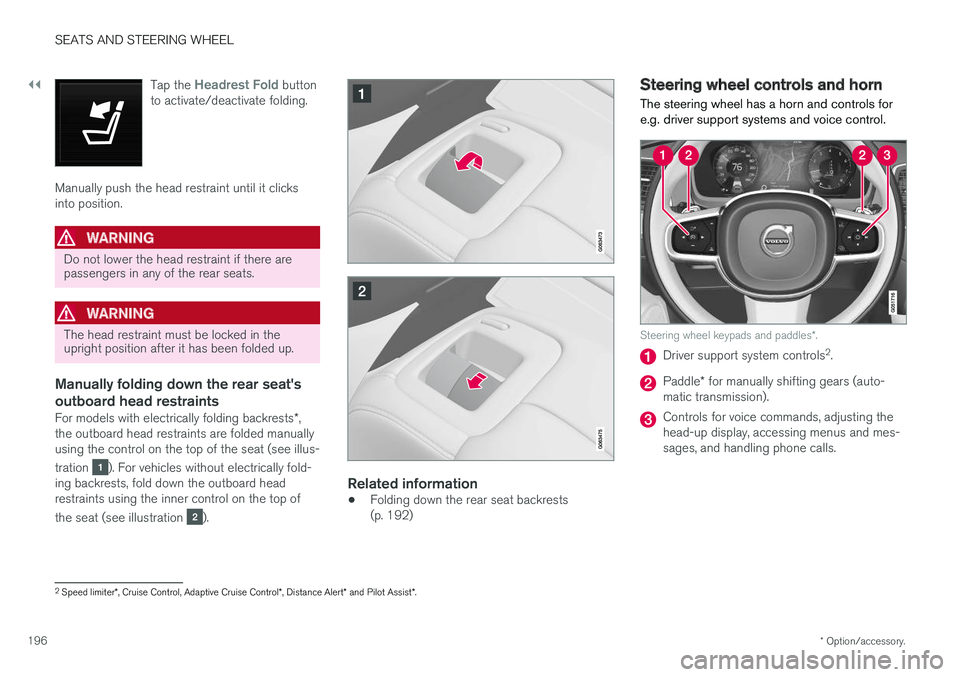
Manually folding down the rear seat's outboard head restraints
For models with electrically folding backrests *,
the outboard head restraints are folded manually using the control on the top of the seat (see illus- tration
). For vehicles without electrically fold-
ing backrests, fold down the outboard head restraints using the inner control on the top of the seat (see illustration
).
Related information
• Folding down the rear seat backrests (p. 192)
Steering wheel controls and horn The steering wheel has a horn and controls for e.g. driver support systems and voice control.
Steering wheel keypads and paddles
*.
Driver support system controls 2
.
Paddle * for manually shifting gears (auto-
matic transmission).
Controls for voice commands, adjusting the head-up display, accessing menus and mes-sages, and handling phone calls.
2 Speed limiter *, Cruise Control, Adaptive Cruise Control *, Distance Alert * and Pilot Assist *.