radio VOLVO XC60 2018 Owner´s Manual
[x] Cancel search | Manufacturer: VOLVO, Model Year: 2018, Model line: XC60, Model: VOLVO XC60 2018Pages: 660, PDF Size: 11.77 MB
Page 136 of 660
||
DISPLAYS AND VOICE CONTROL
* Option/accessory.
134
Type ofsettingDescription
Slider Select a level for a function by pressing and dragging the slider control, e.g. to set volume level.
Informa-tion dis-play This is not an actual setting, butinstead displays information suchas the vehicle's VIN number.
Related information
•
Center display overview (p. 107)
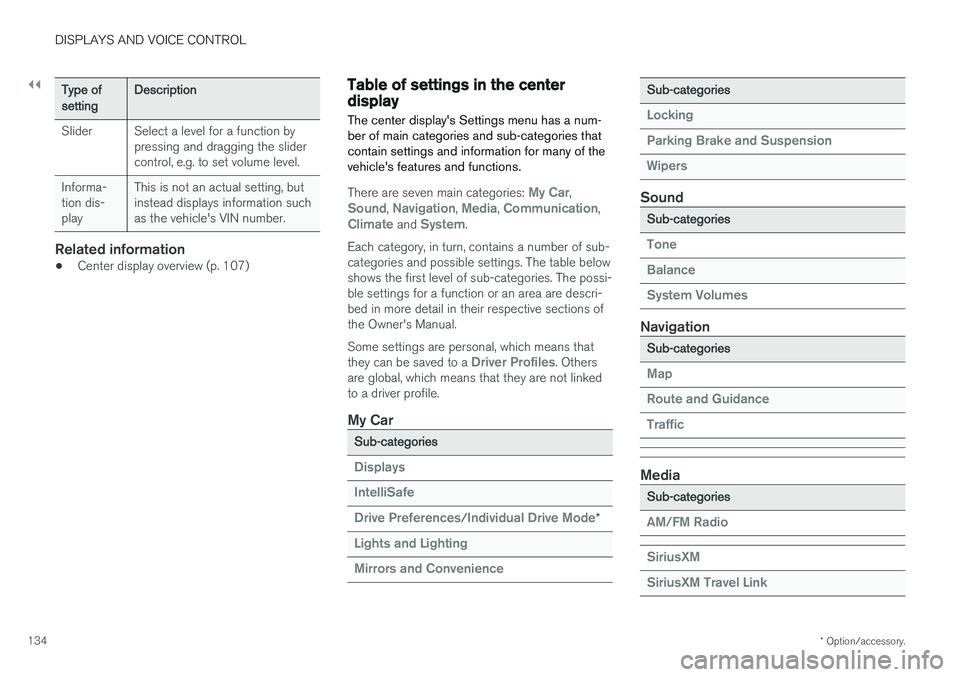
Table of settings in the centerdisplay The center display's Settings menu has a num- ber of main categories and sub-categories thatcontain settings and information for many of thevehicle's features and functions.
There are seven main categories: My Car,Sound, Navigation, Media, Communication,Climate and System.
Each category, in turn, contains a number of sub- categories and possible settings. The table belowshows the first level of sub-categories. The possi-ble settings for a function or an area are descri-bed in more detail in their respective sections ofthe Owner's Manual. Some settings are personal, which means that they can be saved to a
Driver Profiles. Others
are global, which means that they are not linked to a driver profile.
My Car
Sub-categories
Displays IntelliSafe Drive Preferences
/Individual Drive Mode*
Lights and Lighting Mirrors and Convenience
Sub-categories
Locking Parking Brake and SuspensionWipers
Sound
Sub-categories
Tone BalanceSystem Volumes
Navigation
Sub-categories
Map Route and GuidanceTraffic
Media
Sub-categories
AM/FM Radio SiriusXM SiriusXM Travel Link
Page 146 of 660
||
DISPLAYS AND VOICE CONTROL
* Option/accessory.
144 Voice control is carried out as a dialog, with spo- ken commands from the user and verbal respon-ses from the system. The voice control systemuses the same microphone as devices connectedwith Bluetooth, and the voice control systemresponds through the vehicle's loudspeakers. Incertain cases, text messages will also be dis-played in the instrument panel. The functions arecontrolled using the right-side steering wheelkeypad and settings are made in the center dis-play.
System updates
The voice control system is continuously improved. For optimal functionality, always down-load the latest update at support.volvocars.com.
Related information
•
Using voice commands (p. 144)
• Voice control for cellular phones (p. 145)
• Voice control for radio and media (p. 146)
• Climate control system voice commands(p. 202)
• Voice control settings (p. 146)
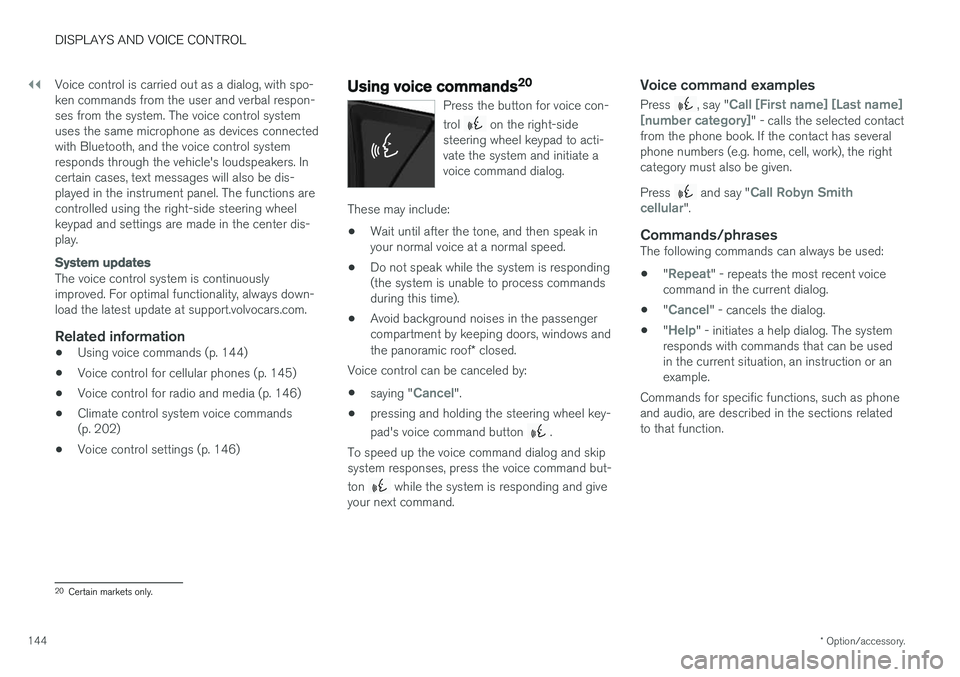
Using voice commands20
Press the button for voice con- trol
on the right-side
steering wheel keypad to acti- vate the system and initiate avoice command dialog.
These may include:
• Wait until after the tone, and then speak in your normal voice at a normal speed.
• Do not speak while the system is responding(the system is unable to process commandsduring this time).
• Avoid background noises in the passengercompartment by keeping doors, windows and the panoramic roof
* closed.
Voice control can be canceled by:
• saying "
Cancel".
• pressing and holding the steering wheel key- pad's voice command button
.
To speed up the voice command dialog and skip system responses, press the voice command but- ton
while the system is responding and give
your next command.
Voice command examples
Press , say "Call [First name] [Last name]
[number category]" - calls the selected contact
from the phone book. If the contact has several phone numbers (e.g. home, cell, work), the rightcategory must also be given. Press
and say "Call Robyn Smith
cellular".
Commands/phrasesThe following commands can always be used: • "
Repeat" - repeats the most recent voice
command in the current dialog.
• "
Cancel" - cancels the dialog.
• "
Help" - initiates a help dialog. The system
responds with commands that can be used in the current situation, an instruction or anexample.
Commands for specific functions, such as phoneand audio, are described in the sections relatedto that function.
20 Certain markets only.
Page 147 of 660
DISPLAYS AND VOICE CONTROL
* Option/accessory.145
Numbers
Number commands can be given in different ways depending on the function to be controlled: •Phone numbers and zip codes
should be
given by stating each number individually, e.g. zero three one two two four four three(03122443).
• Addresses
can be given by stating each
number individually or in a group, e.g. two twoor twenty-two (22). For English and Dutchlanguage settings, groups of numbers canalso be said in sequence, e.g. twenty-twotwenty-two (22 22). For English, double ortriple digits can also be used, e.g. doublezero (00). Numbers in the range 0-2300 canbe used.
• Frequencies
can be given as ninety-eight
point eight (98.8), one hundred four pointtwo, or hundred four point two (104.2).
Related information
• Voice control (p. 143)
• Voice control for cellular phones (p. 145)
• Voice control for radio and media (p. 146)
• Climate control system voice commands(p. 202)
• Voice control settings (p. 146)
Voice control for cellular phones21
Call a contact in the phone book, have a text message read aloud or dictate short messagesusing voice commands to a Bluetooth-con-nected phone.
To access a contact in the phone book, the voice command must contain the contact informationentered in the phone book. If a contact, e.g.
Robyn Smith, has several phone numbers listed
in the phone book, a number category such as
home or cellular can also be specified, i.e. "Call
Robyn Smith cellular".
Tap
and say one of the following commands:
• "
Call [contact]" - call the selected contact
from the phone book.
• "
Call [phone number]" - call a phone num-
ber.
• "
Recent calls" - display the list of recent
calls.
• "
Read message" - read a text message
aloud. If there are several messages, select the message to read aloud.
• "
Message to [contact]" - the user is
prompted to dictate a short message. The message will then be read aloud and the user can choose to send 22
or re-dictate the
message. The vehicle must be connected to the Internet to access this function.
Related information
• Voice control (p. 143)
• Using voice commands (p. 144)
• Voice control for radio and media (p. 146)
• Climate control system voice commands(p. 202)
• Voice control settings (p. 146)
• Internet-connected vehicle
* (p. 501)
21
Certain markets only.
22 Only certain phones can send messages via the vehicle. For additional information on compatibility, see support.volvocars.com.
Page 148 of 660
DISPLAYS AND VOICE CONTROL
* Option/accessory.
146
Voice control for radio and media23
Voice commands for the radio and media play- ers are shown below.
Tap and say one of the following commands:
• "
Media" - initiates a dialog for media and
radio and displays examples of commands.
• "
Play [artist]" - plays music by the selected
artist.
• "
Play [song title]" - plays the selected
song.
• "
Play [song title] from [album]" - plays
the selected song from the selected album.
• "
Play [radio station]" - starts the selected
radio station.
• "
Tune to [frequency]" - tunes to the
selected radio frequency in the currently active waveband. If no radio source is active,the FM band will be started as default.
• "
Tune to [frequency] [waveband]" - tunes
to the selected radio frequency on the selected waveband.
• "
Radio" - starts FM radio.
• "
Radio FM" - starts FM radio.
• "
Radio AM" - starts AM radio.
• "
SiriusXM" - starts SiriusXM radio
*
• "
CD" - starts playback from CD
*. •
"
USB" - starts playback from USB.
• "
iPod" - starts playback from iPod.
• "
Bluetooth" - starts playback from a Blue-
tooth-connected media source.
• "
Similar music" - plays music from a USB-
connected device with music similar to that currently playing.
Related information
• Voice control (p. 143)
• Using voice commands (p. 144)
• Voice control for cellular phones (p. 145)
• Climate control system voice commands(p. 202)
• Voice control settings (p. 146)
Voice control settings24
Settings for the voice control system are made here.
SettingsSystemVoice Control
Settings can be personalized in the following areas:
•
Repeat Voice Command
•Gender
•Speech Rate
Sound settingsSelect sound settings under:
SettingsSoundSystem VolumesVoice Control
Language settingsThe voice control system is not available for all languages. The languages available for voice commands are indicated by the
icon in the
list of languages. Changing the language here will also change the language in the menus, messages and help texts.
SettingsSystemSystem Languages
and Units
System Language
23 Certain markets only.
24 Certain markets only.
Page 149 of 660
DISPLAYS AND VOICE CONTROL
147
Related information
•Voice control (p. 143)
• Using voice commands (p. 144)
• Voice control for cellular phones (p. 145)
• Climate control system voice commands (p. 202)
• Voice control for radio and media (p. 146)
• Sound settings (p. 458)
• Changing system language (p. 130)
Page 238 of 660
||
KEY, LOCKS AND ALARM
* Option/accessory.
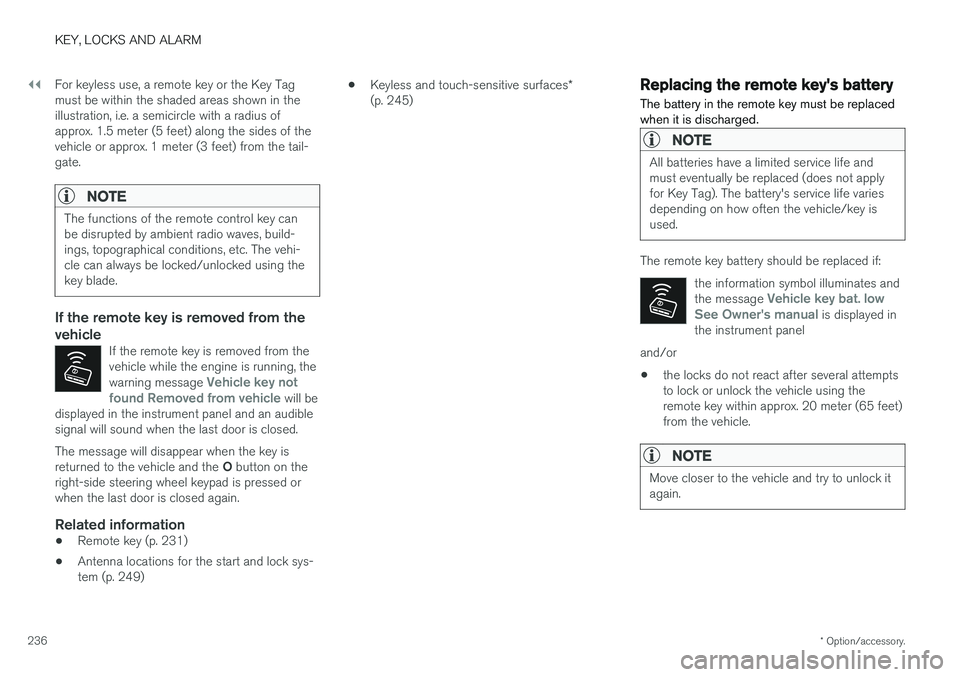
236 For keyless use, a remote key or the Key Tag must be within the shaded areas shown in theillustration, i.e. a semicircle with a radius ofapprox. 1.5 meter (5 feet) along the sides of thevehicle or approx. 1 meter (3 feet) from the tail-gate.
NOTE
The functions of the remote control key can be disrupted by ambient radio waves, build-ings, topographical conditions, etc. The vehi-cle can always be locked/unlocked using thekey blade.
If the remote key is removed from the vehicle
If the remote key is removed from the vehicle while the engine is running, the warning message
Vehicle key not
found Removed from vehicle will be
displayed in the instrument panel and an audible signal will sound when the last door is closed.
The message will disappear when the key is returned to the vehicle and the O button on the
right-side steering wheel keypad is pressed or when the last door is closed again.
Related information
• Remote key (p. 231)
• Antenna locations for the start and lock sys-tem (p. 249) •
Keyless and touch-sensitive surfaces
*
(p. 245)
Replacing the remote key's battery
The battery in the remote key must be replaced when it is discharged.
NOTE
All batteries have a limited service life and must eventually be replaced (does not applyfor Key Tag). The battery's service life variesdepending on how often the vehicle/key isused.
The remote key battery should be replaced if:
the information symbol illuminates and the message
Vehicle key bat. low
See Owner's manual is displayed in
the instrument panel
and/or
• the locks do not react after several attempts to lock or unlock the vehicle using theremote key within approx. 20 meter (65 feet)from the vehicle.
NOTE
Move closer to the vehicle and try to unlock it again.
Page 424 of 660
STARTING AND DRIVING
* Option/accessory.
422
Activating and deactivating ECOdrive mode using the functionbutton
Vehicles equipped with drive mode controls in the tunnel console have a function button forEco drive mode in the center display's Functionview.
When the engine is switched off, ECO mode is deactivated and must therefore be reactivated each time the engine is started. ECO will be dis-
played in the instrument panel when the function is activated.
Selecting Eco drive mode in the center
display's Function view
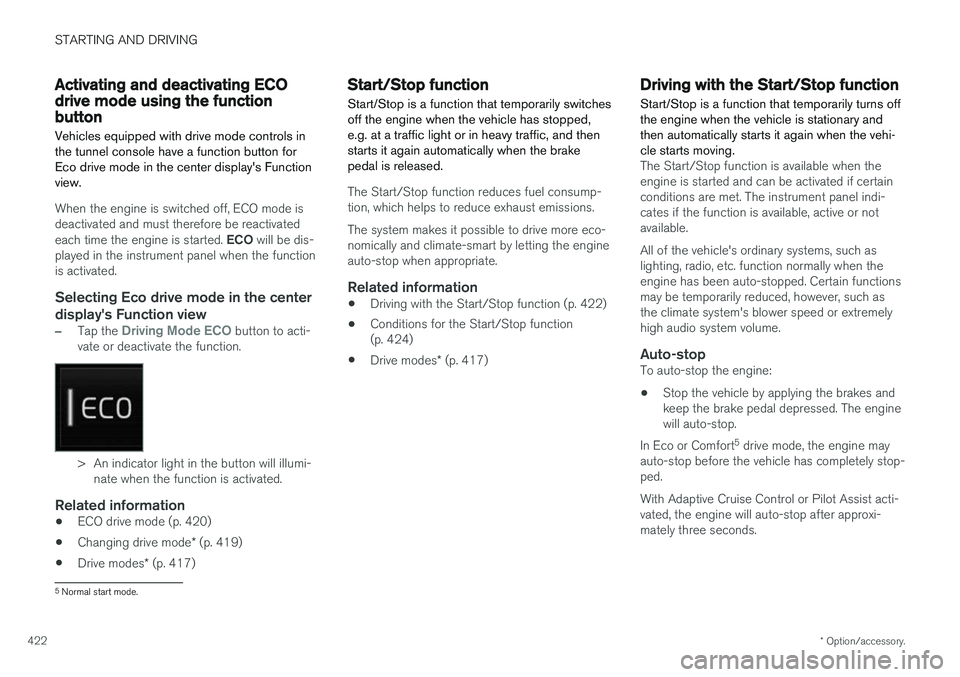
–Tap the Driving Mode ECO button to acti-
vate or deactivate the function.
> An indicator light in the button will illumi- nate when the function is activated.
Related information
• ECO drive mode (p. 420)
• Changing drive mode
* (p. 419)
• Drive modes
* (p. 417)
Start/Stop function
Start/Stop is a function that temporarily switches off the engine when the vehicle has stopped,e.g. at a traffic light or in heavy traffic, and thenstarts it again automatically when the brakepedal is released.
The Start/Stop function reduces fuel consump- tion, which helps to reduce exhaust emissions. The system makes it possible to drive more eco- nomically and climate-smart by letting the engineauto-stop when appropriate.
Related information
• Driving with the Start/Stop function (p. 422)
• Conditions for the Start/Stop function(p. 424)
• Drive modes
* (p. 417)
Driving with the Start/Stop function
Start/Stop is a function that temporarily turns off the engine when the vehicle is stationary andthen automatically starts it again when the vehi-cle starts moving.
The Start/Stop function is available when the engine is started and can be activated if certainconditions are met. The instrument panel indi-cates if the function is available, active or notavailable. All of the vehicle's ordinary systems, such as lighting, radio, etc. function normally when theengine has been auto-stopped. Certain functionsmay be temporarily reduced, however, such asthe climate system's blower speed or extremelyhigh audio system volume.
Auto-stopTo auto-stop the engine:
• Stop the vehicle by applying the brakes andkeep the brake pedal depressed. The enginewill auto-stop.
In Eco or Comfort 5
drive mode, the engine may
auto-stop before the vehicle has completely stop-ped. With Adaptive Cruise Control or Pilot Assist acti- vated, the engine will auto-stop after approxi-mately three seconds.
5 Normal start mode.
Page 453 of 660
STARTING AND DRIVING
}}
* Option/accessory.451
HomeLink
®
is delivered integrated in the rearview
mirror. The HomeLink ®
panel consists of three
programmable buttons and an indicator light in the mirror. For more information about HomeLink ®
, please
visit www.HomeLink.com, www.youtube.com/ HomeLinkGentex or call 1-800-355-3515. Save the original remote controls for future pro- gramming (e.g. for use in another vehicle). It isalso advisable to delete the button programmingif the vehicle is sold.
Related information
• Using HomeLink (p. 452)
• Programming HomeLink ®
* (p. 451)
• Type approval for HomeLink ®
* (p. 453)
Programming HomeLink®
*13
Follow these instructions to program HomeLink ®
, reset all programming, or program
individual buttons.
NOTE
In some vehicles, the ignition must be on or in the "accessory position" before HomeLink ®
can be programmed or used. It can be a good idea to put new batteries in the remote con- trol being replaced by HomeLink ®
for faster
programming and better radio signal trans-mission. The HomeLink ®
buttons should be
reset before programming.
WARNING
While HomeLink ®
is being programmed, the
garage door or gate being programmed may be activated. Make sure that no one is nearthe door or gate during programming. Whenprogramming a garage door opener, it isadvised to park outside of the garage. 1.
Point the remote control at the HomeLink ®
button to be programmed and hold it about 2-8 cm (1-3 inches) from the button. Do not obstruct the HomeLink ®
indicator light.
Note: Some remote controls are more effec-
tive at programming HomeLink ®
from a dis-
tance of about 15-20 cm (6-12 inches). Try moving the remote control closer or furtheraway if you are experiencing any difficultiesprogramming.
2. Press and hold both the remote control but- ton and the HomeLink ®
button to be pro-
grammed.
3. Do not release the buttons until the indicator light has stopped flashing slowly (about oncea second) and either flashes quickly (about10 times a second) or glows steadily. >Steady glow: Indication that program-
ming is complete. Press the programmed button twice to activate. Flashing quickly: The device being pro-
grammed with HomeLink ®
may have a
security function that requires an extra step. Try pressing the programmed buttontwice to see whether the programmingworks. Otherwise, continue with the fol-lowing steps.
12 HomeLink and the HomeLink house symbol are registered trademarks of Gentex Corporation.
13 Certain markets only.
Page 455 of 660
STARTING AND DRIVING
* Option/accessory.453
WARNING
•If you use HomeLink ®
to open a garage
door or gate, be sure no one is near the gate or door while it is in motion.
• Do not use HomeLink ®
with any garage
door opener that lacks safety stop andreverse features as required by US fed-eral safety standards (this includes anygarage door opener model manufacturedbefore April 1, 1982). A garage door thatcannot detect an object - signaling thedoor to stop and reverse - does not meetcurrent U.S. federal safety standards. Formore information, contact HomeLink at:www.homelink.com.
Related information
• HomeLink ®
* (p. 450)
• Programming HomeLink ®
* (p. 451)
• Type approval for HomeLink ®
* (p. 453)
Type approval for HomeLink®
*15
FCC (USA) and IC (Canada)This device complies with FCC rules part 15 and Industry Canada RSS-210. Operation is subjectto the following two conditions: (1) This devicemay not cause harmful interference, and (2) Thisdevice must accept any interference that may bereceived including interference that may causeundesired operation.
WARNING
The transmitter has been tested and complies with FCC and IC rules. Changes or modifica-tions not expressly approved by the partyresponsible for compliance could void the user's authority to operate the device. 16
Type approval for EUGentex Corporation hereby declares that HomeLink®
Model UAHL5 complies with the
Radio equipment directive 2014/53/EU. Wavelengths within which the radio equipment operates:
• 433.05MHz-434.79MHz <10mW E.R.P.
• 868.00MHz-868.60MHz <25mW E.R.P.
• 868.70MHz-868.20MHz <25mW E.R.P.
• 869.40MHz-869.65MHz <25mW E.R.P. •
869.70MHz-870.00MHz <25mW E.R.P.
Certificate holder address: Gentex Corporation,600 North Centennial Street, Zeeland MI 49464,USA For more information, see support.volvocars.com.
Related information
• HomeLink ®
* (p. 450)
15
Certain markets only.
16 The term "IC:" before the certification/registration number only signifies that Industry Canada technical specifications were met.
Page 460 of 660
AUDIO, MEDIA AND INTERNET
* Option/accessory.
458
Audio, media and Internet
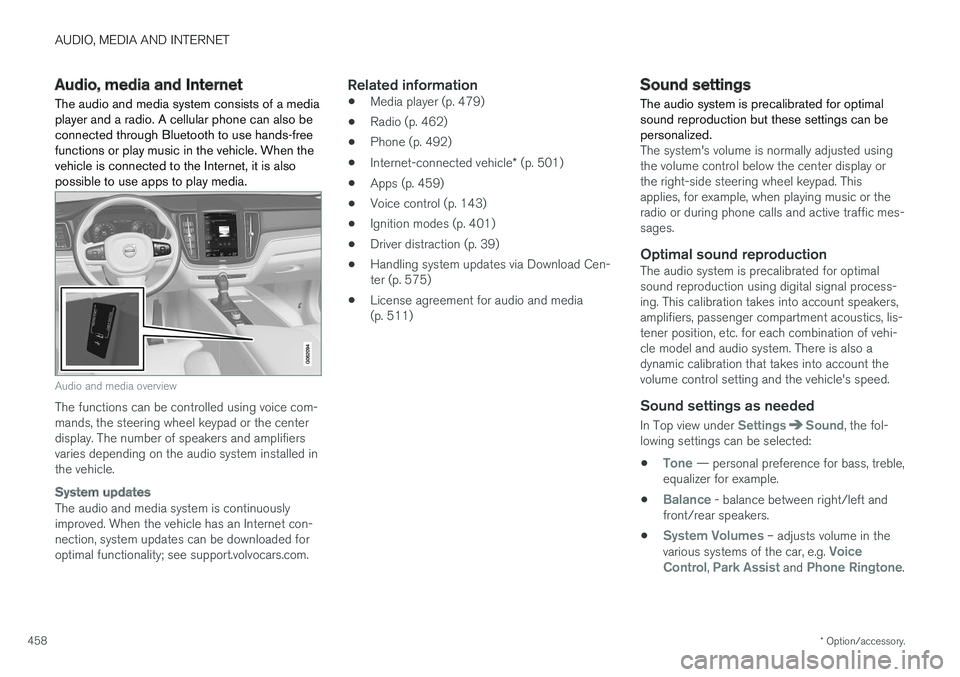
The audio and media system consists of a media player and a radio. A cellular phone can also beconnected through Bluetooth to use hands-freefunctions or play music in the vehicle. When thevehicle is connected to the Internet, it is alsopossible to use apps to play media.
Audio and media overview
The functions can be controlled using voice com- mands, the steering wheel keypad or the centerdisplay. The number of speakers and amplifiersvaries depending on the audio system installed inthe vehicle.
System updates
The audio and media system is continuously improved. When the vehicle has an Internet con-nection, system updates can be downloaded foroptimal functionality; see support.volvocars.com.
Related information
• Media player (p. 479)
• Radio (p. 462)
• Phone (p. 492)
• Internet-connected vehicle
* (p. 501)
• Apps (p. 459)
• Voice control (p. 143)
• Ignition modes (p. 401)
• Driver distraction (p. 39)
• Handling system updates via Download Cen-ter (p. 575)
• License agreement for audio and media(p. 511)
Sound settings
The audio system is precalibrated for optimal sound reproduction but these settings can bepersonalized.
The system's volume is normally adjusted using the volume control below the center display orthe right-side steering wheel keypad. Thisapplies, for example, when playing music or theradio or during phone calls and active traffic mes-sages.
Optimal sound reproductionThe audio system is precalibrated for optimalsound reproduction using digital signal process-ing. This calibration takes into account speakers,amplifiers, passenger compartment acoustics, lis-tener position, etc. for each combination of vehi-cle model and audio system. There is also adynamic calibration that takes into account thevolume control setting and the vehicle's speed.
Sound settings as needed
In Top view under SettingsSound, the fol-
lowing settings can be selected:
•
Tone — personal preference for bass, treble,
equalizer for example.
•
Balance - balance between right/left and
front/rear speakers.
•
System Volumes – adjusts volume in the
various systems of the car, e.g. Voice
Control, Park Assist and Phone Ringtone.