remote key VOLVO XC60 2018 Owner´s Manual
[x] Cancel search | Manufacturer: VOLVO, Model Year: 2018, Model line: XC60, Model: VOLVO XC60 2018Pages: 660, PDF Size: 11.77 MB
Page 175 of 660
WINDOWS, GLASS AND MIRRORS
}}
* Option/accessory.173
Operating the panoramic roof *
The panoramic roof and sun curtain are oper- ated using a control in the ceiling panel, andboth are equipped with pinch protection.
WARNING
Children, other passengers or objects can be trapped by the moving parts.
• Always operate the windows with caution.
• Do not allow children to play with the operating controls.
• Never leave a child alone in the vehicle.
• Remember to always cut the current tothe power windows by setting the vehi- cle's electrical system to ignition mode
0
and then taking the remote key with you when leaving the vehicle.
• Never stick objects or body parts outthrough the windows, even if the vehicleelectrical system is completely turned off.
CAUTION
•Do not open the panoramic roof when load carriers are installed.
• Never place heavy objects on the panor-amic roof.
CAUTION
• Remove ice and snow before opening the panoramic roof.
• Do not operate the panoramic roof if it isfrozen in place.
To operate the panoramic roof and sun curtain, the ignition must be in mode
I or II.
It can also be operated using keyless opening *
with the door handle.
WARNING
Make sure that no child or other passenger comes into contact with the windows as they are closing with keyless closing *.
CAUTION
Check that the panoramic roof is properly closed when closing.
The movement of the roof will stop if the control is released during manual operation or when the glass has reached the comfort 4
or fully open/
closed position. The movement of both the pan- oramic roof and the sun curtain is also stopped ifthe control in the ceiling is operated again in the direction opposite that of the current direction ofmovement. The panoramic roof and sun curtain are also equipped with pinch protection.
NOTE
For manual opening, the sun curtain must be completely open before the panoramic roofcan be opened. For the reverse procedure,the panoramic roof must be completelyclosed before the sun curtain can be com-pletely closed.
4
The comfort position is a position which helps keep wind and resonance sounds to a comfortably low level.
Page 177 of 660
WINDOWS, GLASS AND MIRRORS
* Option/accessory.175
•
Keyless locking and unlocking
* (p. 246)
• Locking and unlocking using the remote key (p. 233)
• Locking and unlocking from inside the vehi-cle (p. 249)
Auto closing the panoramic roof
*sun curtain
With this function, the sun curtain closes auto- matically 15 minutes after the car has beenlocked if it is parked in hot weather. This is doneto lower the passenger compartment tempera-ture and protect the upholstery against beingbleached by the sun.
The function is deactivated as the default factory setting and can be activated or deactivated usingthe center display. 1. Tap
Settings in the Top view in the center
display.
2. Tap
My CarLocking.
Select
Auto Close Sunroof Curtain to
activate/deactivate.
NOTE
The sun curtain also closes when all windows are closed with keyless closing *.
Related information
• Panoramic roof
* (p. 172)
• Operating the panoramic roof
* (p. 173)
• Pinch protection for windows and sun cur- tains (p. 166)
• Keyless locking and unlocking
* (p. 246) •
Locking and unlocking using the remote key(p. 233)
• Locking and unlocking from inside the vehi-cle (p. 249)
Page 206 of 660
||
CLIMATE CONTROL
* Option/accessory.
204 •
The blower is activated.
• Air recirculation is deactivated.
NOTE
Clean Zone does not indicate that the air quality is good, but only that the conditions forgood air quality have been met.
Related information
• Air quality (p. 203)
• Clean Zone Interior Package
* (p. 204)
• Interior Air Quality System
* (p. 204)
• Passenger compartment air filter (p. 205)
Clean Zone Interior Package
*
Clean Zone Interior Package (CZIP) is a series of modifications that filters even more allergy andasthma-inducing substances from the passengercompartment.
CZIP includes the following:
• An enhanced function that starts the blower when the vehicle is unlocked using theremote key. The blower will then fill the pas-senger compartment with fresh air. The func-tion starts when required and switches offautomatically after a period of time or whenone of the passenger compartment doors isopened. The amount of time the blower runsgradually decreases due to reduced need upuntil the vehicle is 4 years old.
• The fully automatic Interior Air QualitySystem (IAQS).
Related information
•Air quality (p. 203)
• Clean Zone
* (p. 203)
• Interior Air Quality System
* (p. 204)
• Passenger compartment air filter (p. 205)
Interior Air Quality System
*
Interior Air Quality System (IAQS) is a fully auto- matic air quality system that removes gases andparticles to reduce odors and contaminants inthe passenger compartment.
IAQS is part of the Clean Zone Interior Package (CZIP) and removes air contaminants such asparticles, hydrocarbons, nitric oxides and ground-level ozone. If the system's air quality sensors detect contami- nants in the outside air, the air intake closes andair recirculation is activated.
NOTE
To ensure optimal air quality in the passenger compartment, the air quality sensor shouldalways be engaged. Recirculation is limited in cold weather to pre- vent fogging. In the event of fogging, use the defroster functions for the windshield, side windowsand rear window.
Related information
• Activating and deactivating the air quality sensor
* (p. 205)
• Air quality (p. 203)
• Clean Zone
* (p. 203)
Page 233 of 660
KEY, LOCKS AND ALARM
}}
* Option/accessory.231
In rear door*
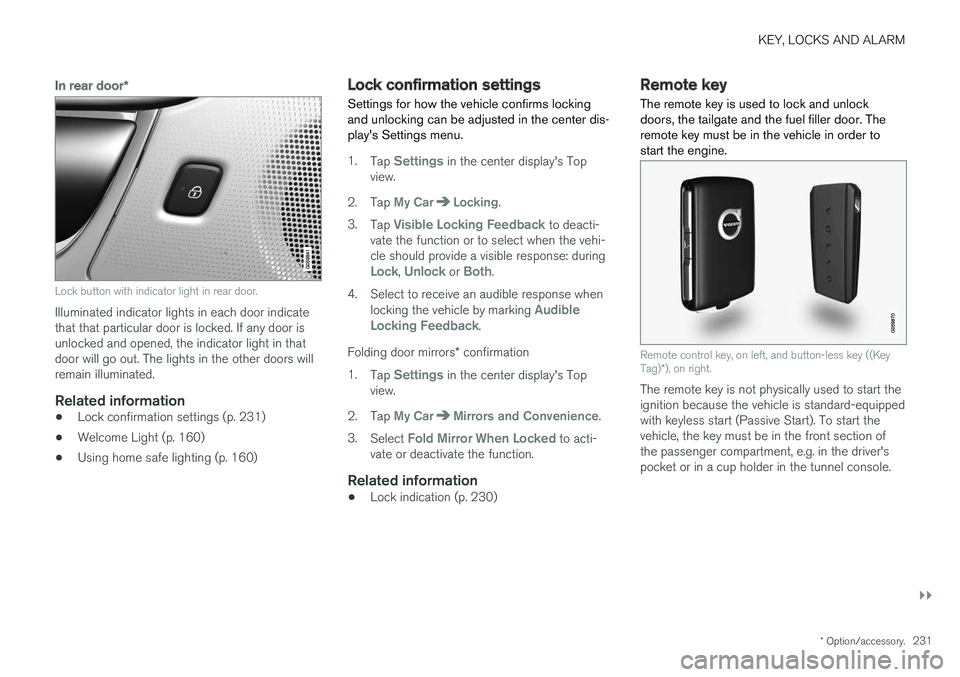
Lock button with indicator light in rear door.
Illuminated indicator lights in each door indicate that that particular door is locked. If any door isunlocked and opened, the indicator light in thatdoor will go out. The lights in the other doors willremain illuminated.
Related information
•Lock confirmation settings (p. 231)
• Welcome Light (p. 160)
• Using home safe lighting (p. 160)
Lock confirmation settings Settings for how the vehicle confirms locking and unlocking can be adjusted in the center dis-play's Settings menu.
1.
Tap Settings in the center display's Top
view.
2. Tap
My CarLocking.
3. Tap
Visible Locking Feedback to deacti-
vate the function or to select when the vehi- cle should provide a visible response: during
Lock, Unlock or Both.
4. Select to receive an audible response when locking the vehicle by marking
Audible
Locking Feedback.
Folding door mirrors * confirmation
1. Tap
Settings in the center display's Top
view.
2. Tap
My CarMirrors and Convenience.
3. Select
Fold Mirror When Locked to acti-
vate or deactivate the function.
Related information
• Lock indication (p. 230)
Remote key
The remote key is used to lock and unlock doors, the tailgate and the fuel filler door. Theremote key must be in the vehicle in order tostart the engine.
Remote control key, on left, and button-less key ((Key Tag) *), on right.
The remote key is not physically used to start the ignition because the vehicle is standard-equippedwith keyless start (Passive Start). To start thevehicle, the key must be in the front section ofthe passenger compartment, e.g. in the driver'spocket or in a cup holder in the tunnel console.
Page 234 of 660
||
KEY, LOCKS AND ALARM
* Option/accessory.
232 The keyless system for locking/unlocking the doors, tailgate (Passive Entry
*) and fuel filler door
is available as an option. This system has a range in a semicircle with a radius of approximately1.5 meter (5 feet) out from the driver's door andapprox. 1 meter (3 feet) out from the tailgate. With keyless start in combination with keyless locking and unlocking, the remote key can belocated anywhere in the passenger compartmentor cargo compartment in order to start theengine. Each remote key supplied with the vehicle can be linked to a driver profile with unique settings forthe vehicle. When a key with a specific profile isused, the vehicle settings are adjusted accordingto that profile.
Buttonless key, Key TagFor vehicles equipped with keyless locking and unlocking *, a smaller, lighter and button-less key
(Key Tag 3
) is also provided. It works the same
way as the regular remote key as regard keyless start and keyless locking and unlocking 4
. It does
not have a detachable key blade and its battery cannot be replaced.
Remote key buttons
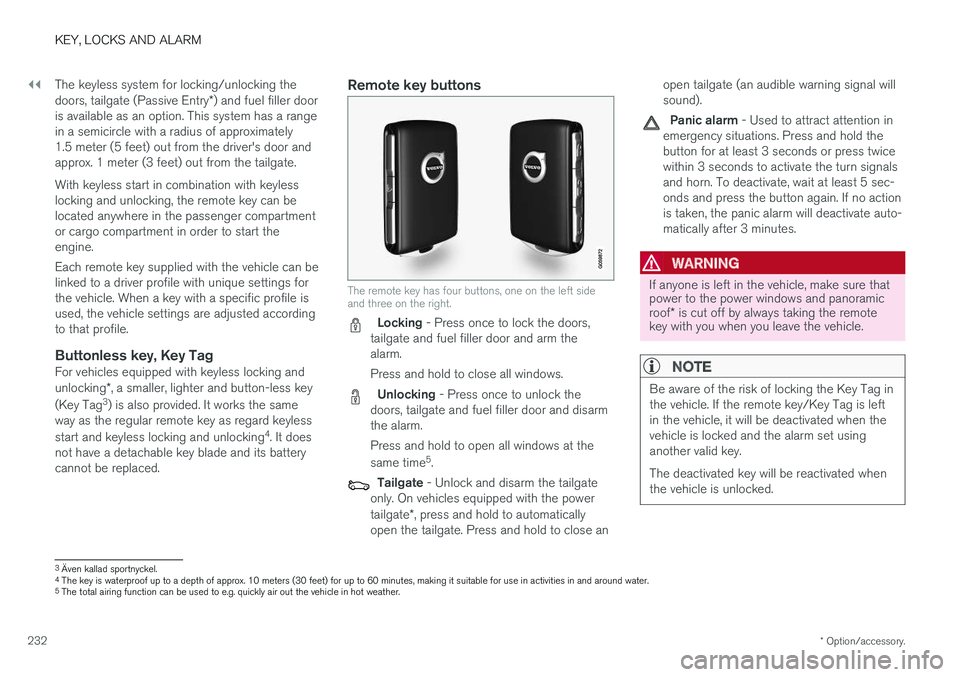
The remote key has four buttons, one on the left side and three on the right.
Locking - Press once to lock the doors,
tailgate and fuel filler door and arm the alarm. Press and hold to close all windows.
Unlocking - Press once to unlock the
doors, tailgate and fuel filler door and disarm the alarm. Press and hold to open all windows at the same time 5
.
Tailgate - Unlock and disarm the tailgate
only. On vehicles equipped with the power tailgate *, press and hold to automatically
open the tailgate. Press and hold to close an open tailgate (an audible warning signal will sound).
Panic alarm - Used to attract attention in
emergency situations. Press and hold the button for at least 3 seconds or press twicewithin 3 seconds to activate the turn signalsand horn. To deactivate, wait at least 5 sec-onds and press the button again. If no actionis taken, the panic alarm will deactivate auto-matically after 3 minutes.
WARNING
If anyone is left in the vehicle, make sure that power to the power windows and panoramic roof * is cut off by always taking the remote
key with you when you leave the vehicle.
NOTE
Be aware of the risk of locking the Key Tag in the vehicle. If the remote key/Key Tag is leftin the vehicle, it will be deactivated when thevehicle is locked and the alarm set usinganother valid key. The deactivated key will be reactivated when the vehicle is unlocked.
3 Även kallad sportnyckel.
4 The key is waterproof up to a depth of approx. 10 meters (30 feet) for up to 60 minutes, making it suitable for use in activities in and around water.
5 The total airing function can be used to e.g. quickly air out the vehicle in hot weather.
Page 235 of 660
KEY, LOCKS AND ALARM
}}
* Option/accessory.233
InterferenceElectromagnetic fields or obstructing objects may interfere with the remote key's functions for key- less start and keyless locking and unlocking *.
NOTE
Avoid storing the remote control key near metal objects or electronic devices, e.g. cellphones, tablets, laptops or chargers – pref-erably no closer than 10-15 cm (4-6 in.).
If you experience interference, use the remote key's detachable blade to unlock the vehicle andplace the remote key in the backup key reader inthe tunnel console cup holder to disarm thealarm.
NOTE
When the remote control key is placed in the cup holder, make sure that no other vehiclekeys, metal objects or electronic devices (e.g.cell phones, tablets, laptops or chargers) arefound in the cup holder. Multiple vehicle keysclose to each other in the cup holder can dis-rupt their functionality.
Related information
• Locking and unlocking using the remote key (p. 233)
• Remote key range (p. 235) •
Replacing the remote key's battery (p. 236)
• Detachable key blade (p. 242)
• Red Key - restricted remote key
* (p. 240)
• Electronic immobilizer (p. 244)
Locking and unlocking using theremote key
All doors, tailgate and fuel filler door can be locked and unlocked simultaneously using thebuttons on the remote key.
Locking with remote key
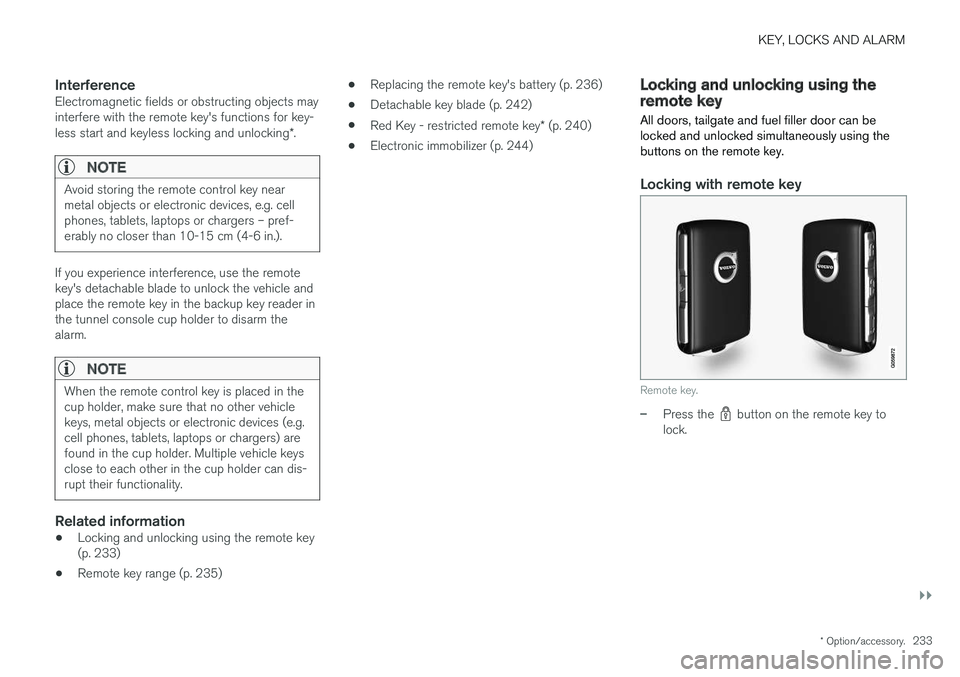
Remote key.
–Press the button on the remote key to
lock.
Page 236 of 660
||
KEY, LOCKS AND ALARM
* Option/accessory.
234 To activate the locking sequence, the driver's door must be closed
6
. If any of the other doors or
the tailgate are open, they will be locked and the alarm will be armed once they are closed.
NOTE
Be aware of the risk of locking the Key Tag in the vehicle. If the remote key/Key Tag is leftin the vehicle, it will be deactivated when thevehicle is locked and the alarm set usinganother valid key. The deactivated key will be reactivated when the vehicle is unlocked.
Locking when the tailgate is open
NOTE
If the vehicle is locked and the tailgate is still open, make sure that the remote key is notleft in the cargo compartment when the tail-gate is closed and the entire vehicle is locked 7
.
Unlocking with remote key
–Press the button on the remote key to
unlock.
Automatic relockingIf none of the doors or tailgate are opened within two minutes after being unlocked, they will auto-matically relock. This function reduces the risk ofinadvertently leaving the vehicle unlocked.
Remote key not working
NOTE
Move closer to the vehicle and try to unlock it again.
If the remote key is not working to lock or unlock the vehicle, its battery may be discharged. Usethe detachable key blade to lock/unlock the driv-er's door instead.
Related information
• Settings for remote and inside door unlock(p. 234)
• Unlocking the tailgate using the remote key(p. 235)
• Remote key (p. 231)
• Replacing the remote key's battery (p. 236)
• Locking and unlocking with detachable keyblade (p. 243)
Settings for remote and inside doorunlock
Several different sequences are available for
remote unlocking.
1. Tap Settings in the center display's Top
view.
2. Tap
My CarLockingRemote and
Interior Unlock.
3. Select alternative:
•
All Doors
- unlocks all doors at the same time.
•
Single Door
- unlocks the driver's door. Press the remote key unlock button twice to unlock all doors.
The settings made here also affect central lock-ing using the inside door handle.
Related information
• Locking and unlocking using the remote key(p. 233)
• Locking and unlocking from inside the vehi-cle (p. 249)
6
If the vehicle is equipped with keyless locking/unlocking, all side doors must be closed.
7 If the vehicle is equipped with keyless locking/unlocking and the key is detected inside the vehicle, the tailgate will not lock when it is closed. *
Page 237 of 660
KEY, LOCKS AND ALARM
}}
* Option/accessory.235
Unlocking the tailgate using theremote key
The remote key can be used to unlock the tail- gate while keeping the rest of the vehicle locked.
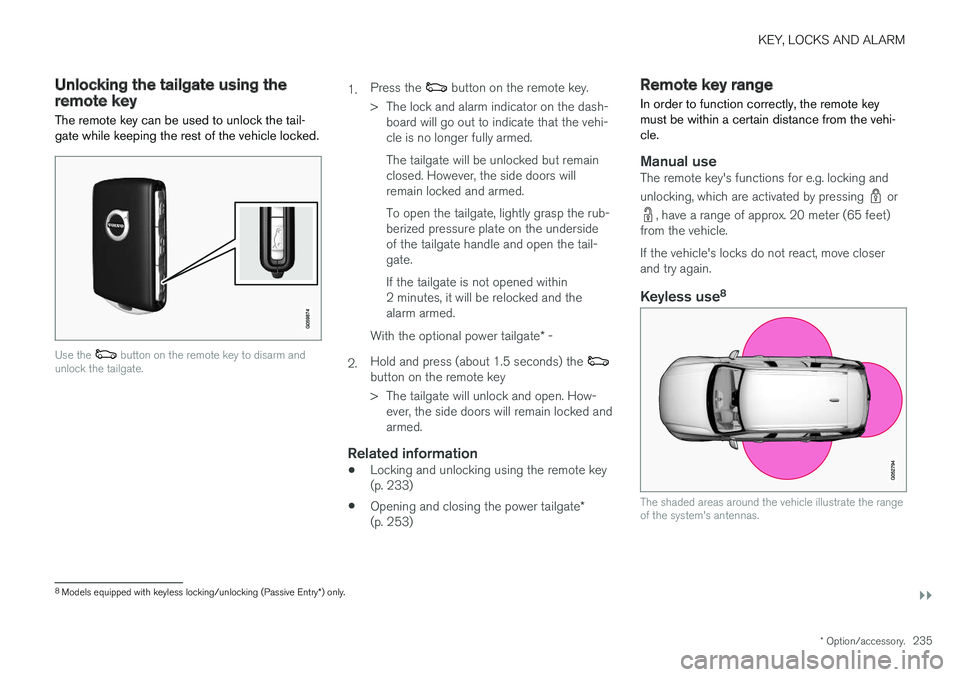
Use the button on the remote key to disarm and
unlock the tailgate.
1. Press the button on the remote key.
> The lock and alarm indicator on the dash- board will go out to indicate that the vehi- cle is no longer fully armed. The tailgate will be unlocked but remain closed. However, the side doors willremain locked and armed. To open the tailgate, lightly grasp the rub- berized pressure plate on the undersideof the tailgate handle and open the tail-gate. If the tailgate is not opened within 2 minutes, it will be relocked and thealarm armed.
2. With the optional power tailgate
* -
Hold and press (about 1.5 seconds) the
button on the remote key
> The tailgate will unlock and open. How- ever, the side doors will remain locked and armed.
Related information
• Locking and unlocking using the remote key(p. 233)
• Opening and closing the power tailgate
*
(p. 253)
Remote key range
In order to function correctly, the remote key must be within a certain distance from the vehi-cle.
Manual useThe remote key's functions for e.g. locking and unlocking, which are activated by pressing
or
, have a range of approx. 20 meter (65 feet)
from the vehicle. If the vehicle's locks do not react, move closer and try again.
Keyless use 8
The shaded areas around the vehicle illustrate the range of the system's antennas.
8
Models equipped with keyless locking/unlocking (Passive Entry *) only.
Page 238 of 660
||
KEY, LOCKS AND ALARM
* Option/accessory.
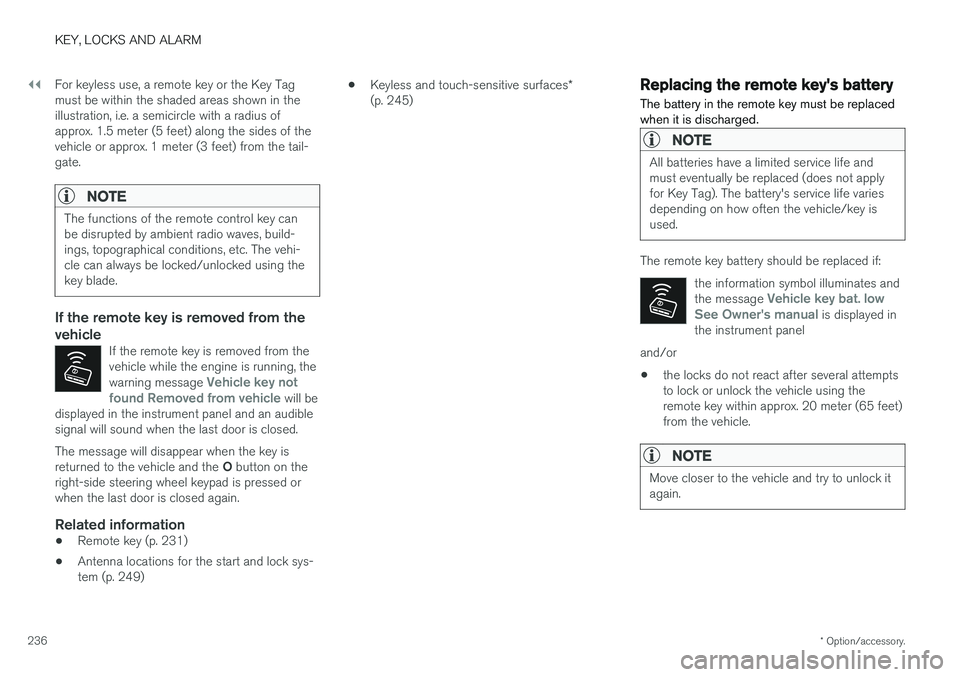
236 For keyless use, a remote key or the Key Tag must be within the shaded areas shown in theillustration, i.e. a semicircle with a radius ofapprox. 1.5 meter (5 feet) along the sides of thevehicle or approx. 1 meter (3 feet) from the tail-gate.
NOTE
The functions of the remote control key can be disrupted by ambient radio waves, build-ings, topographical conditions, etc. The vehi-cle can always be locked/unlocked using thekey blade.
If the remote key is removed from the vehicle
If the remote key is removed from the vehicle while the engine is running, the warning message
Vehicle key not
found Removed from vehicle will be
displayed in the instrument panel and an audible signal will sound when the last door is closed.
The message will disappear when the key is returned to the vehicle and the O button on the
right-side steering wheel keypad is pressed or when the last door is closed again.
Related information
• Remote key (p. 231)
• Antenna locations for the start and lock sys-tem (p. 249) •
Keyless and touch-sensitive surfaces
*
(p. 245)
Replacing the remote key's battery
The battery in the remote key must be replaced when it is discharged.
NOTE
All batteries have a limited service life and must eventually be replaced (does not applyfor Key Tag). The battery's service life variesdepending on how often the vehicle/key isused.
The remote key battery should be replaced if:
the information symbol illuminates and the message
Vehicle key bat. low
See Owner's manual is displayed in
the instrument panel
and/or
• the locks do not react after several attempts to lock or unlock the vehicle using theremote key within approx. 20 meter (65 feet)from the vehicle.
NOTE
Move closer to the vehicle and try to unlock it again.
Page 239 of 660
KEY, LOCKS AND ALARM
}}
* Option/accessory.237
The battery in the smaller key without buttons
9
(the Key Tag) cannot be replaced. A new key can be ordered from an authorized Volvo workshop.
CAUTION
An end-of-life Key Tag must be turned in to an authorized Volvo workshop. The key mustbe deleted from the vehicle because it canstill be used to start the vehicle via backupstart.
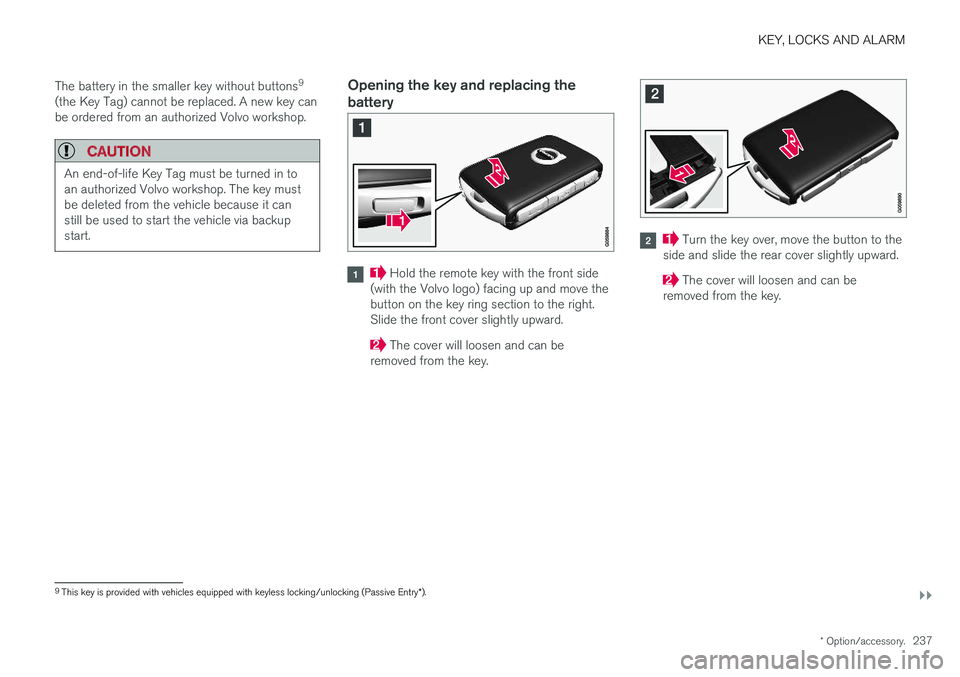
Opening the key and replacing the battery
Hold the remote key with the front side
(with the Volvo logo) facing up and move the button on the key ring section to the right.Slide the front cover slightly upward.
The cover will loosen and can be
removed from the key.
Turn the key over, move the button to the
side and slide the rear cover slightly upward.
The cover will loosen and can be
removed from the key.
9 This key is provided with vehicles equipped with keyless locking/unlocking (Passive Entry *).