change wheel VOLVO XC60 2018 Owner´s Manual
[x] Cancel search | Manufacturer: VOLVO, Model Year: 2018, Model line: XC60, Model: VOLVO XC60 2018Pages: 660, PDF Size: 11.77 MB
Page 435 of 660
STARTING AND DRIVING
}}
433
•
Fuel consumption is increased at high speeds - air resistance increases with speed.
• Remove unnecessary items from the vehicle- the heavier the load, the higher the fuelconsumption.
• Maintain the correct pressure in the tires andcheck pressure regularly.
• The type of tires used could affect fuel con-sumption - consult a retailer for advice onsuitable tires.
• Do not use winter tires after the winter sea-son has ended.
• Roof loads increase air resistance andincrease fuel consumption. Remove roofboxes, ski racks, etc. that are not in use.
• Avoid driving with the windows open.
• Using the trip computer's fuel consumptionindicators can help you learn how to drivemore economically.
Other factors that decrease fuel
consumption
• Dirty air cleaner.
• Dirty engine oil and clogged oil filter.
• Incorrect front-end alignment.
• Incorrect wheel alignment.
Some of the above items and others are checked as part of Volvo's standard maintenance sched-ule.
Related information
• Drive-E
‒ purer driving pleasure (p. 27)
• ECO drive mode (p. 420)
• Checking tire pressure (p. 529)
Preparing for a long trip
It is important to have the vehicle's systems and equipment checked carefully before driving longdistances.
Check that:
• the engine is running properly and that fuel consumption is normal
• there are no leaks (fuel, oil or other fluid)
• the brake pedal is functioning optimally
• all lights are working
‒
adjust the headlight
height if the vehicle is carrying a heavy load
• tire tread depth and air pressure are at cor-rect levels. Change to snow tires when driv-ing in areas where there is a risk of snowy oricy roads.
• the start battery is sufficiently charged
• the wiper blades are in good condition
Related information
• Checking tire pressure (p. 529)
• Filling washer fluid (p. 626)
• Winter driving (p. 434)
• Economical driving (p. 432)
• Vehicle modem settings (p. 505)
• Loading recommendations (p. 561)
• Driving with a trailer (p. 443)
• Pilot Assist (p. 303)
Page 466 of 660
||
AUDIO, MEDIA AND INTERNET
464
Genres - only plays channels broadcasting the
selected genre or program type, e.g. pop, classi- cal, etc.
Changing radio stations in a selected
list
–Press or under the center display
or on the right-side steering wheel keypad.
> Move step-by-step through the selected list.
It is also possible to change radio station in the selected list via the center display.
Related information
• Radio (p. 462)
• Searching for a radio station (p. 464)
• Voice control for radio and media (p. 146)
• Storing radio favorites (p. 465)
• Radio settings (p. 465)
• App menu in instrument panel (p. 100)
Searching for a radio station
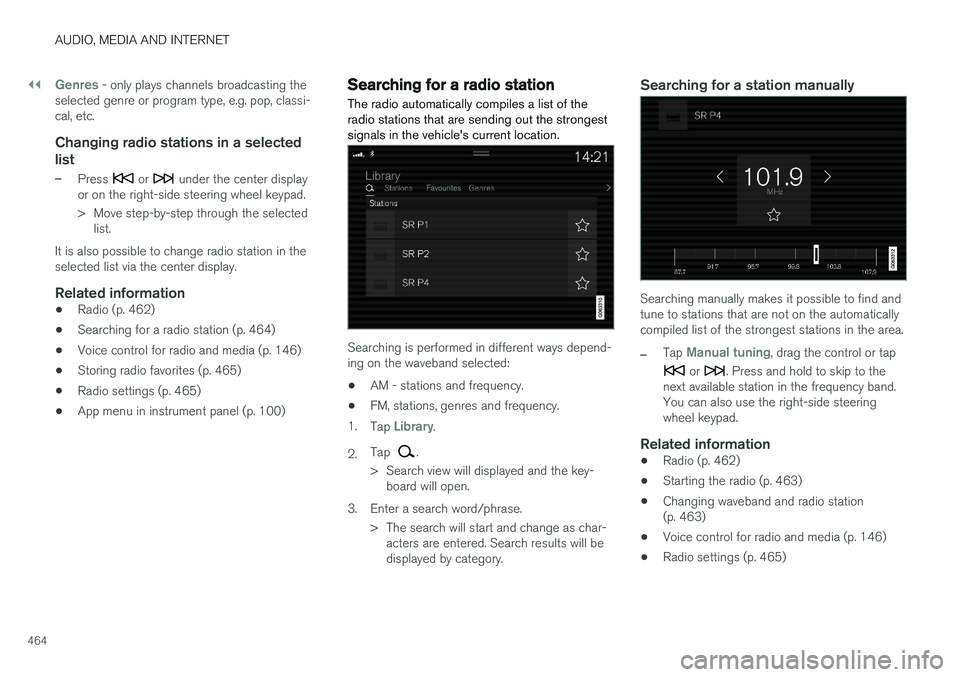
The radio automatically compiles a list of the radio stations that are sending out the strongestsignals in the vehicle's current location.
Searching is performed in different ways depend- ing on the waveband selected:
• AM - stations and frequency.
• FM, stations, genres and frequency.
1. Tap
Library.
2. Tap
.
> Search view will displayed and the key- board will open.
3. Enter a search word/phrase. > The search will start and change as char-acters are entered. Search results will be displayed by category.
Searching for a station manually
Searching manually makes it possible to find and tune to stations that are not on the automaticallycompiled list of the strongest stations in the area.
–Tap Manual tuning, drag the control or tap
or . Press and hold to skip to the
next available station in the frequency band. You can also use the right-side steeringwheel keypad.
Related information
• Radio (p. 462)
• Starting the radio (p. 463)
• Changing waveband and radio station(p. 463)
• Voice control for radio and media (p. 146)
• Radio settings (p. 465)
Page 471 of 660
AUDIO, MEDIA AND INTERNET
469
Selecting sub-channels
To listen to a station's sub-channel(s), tap the station on the screen or press the forward/backarrow keys on the right-side steering wheel key-pad or below the screen. Sub-channels can also be saved as radio favor- ites. If you tap a sub-channel favorite, it may take up to 6 seconds before the channel becomes audi-
ble. If you tap a station while you are out of digital range of the transmitter,
No reception will be
displayed.
Related information
• HD Radio
™ (p. 466)
• Activating and deactivating the HD Radio
™
(p. 468)
• Changing waveband and radio station (p. 463)
• Searching for a radio station (p. 464)
• HD Radio
™ limitations (p. 469)
HD Radio™ limitations
Limitations
• Main channel vs. sub-channels (FM only)
:
The main channel is the only channel that can receive in hybrid mode (both digital andanalog). If a frequency has sub-channels,they are broadcast in digital mode only. Themain FM channel will be displayed as, forexample, "WRIF-FM HD1". The sub-FMchannels will be displayed as"WRIF-FMHD2", "WRIF-FM HD3", etc.
• Reception coverage area
: Due to current
IBOC transmitter power limitations, thereception coverage area in digital mode issomewhat more limited than the station'sanalog coverage area. Be aware that, like allradio transmission technology, terrain, time ofday, vegetation and buildings can have apositive or negative effect on radio reception.
• Analog to digital/digital to analog blend-ing
: Analog to digital blending will occur as
the signal strength reaches a preset thresh-old in the receiver. This will be noticeable infringe areas (areas with weak reception) andis normal.
NOTE
There may be a noticeable difference in sound quality when a change from analogueto digital or digital to analogue occurs, suchas:
• Volume increase or decrease
• Equalizer settings, i.e., Bass/ Midrange/Treble cut or boost
• Time alignment (Digital program materialin extreme cases can be as much as 8seconds behind the analogue). This willnoticeable as a "stuttering" effect.
The above items are dependant on thebroadcaster's equipment settings and donot indicate a fault in the vehicle's radioreceiver or antenna systems .
Related information
•HD Radio
™ (p. 466)
• Activating and deactivating the HD Radio
™
(p. 468)
• HD Radio
™
sub-channels (p. 468)
Page 531 of 660
WHEELS AND TIRES
* Option/accessory.529
Checking tire pressure
Correct inflation pressure helps improve driving stability, save fuel and increase the service life ofthe tires.
Tire pressure decreases over time, which is nor- mal. Tire pressure also varies depending on theambient temperature. Driving on under-inflatedtires could cause the vehicle to overheat and leadto damage. Tire pressure affects traveling com-fort, road noise and driving characteristics. Check the pressure in the tires every month. Use the recommended inflation pressure for cold tiresfor optimal tire performance and wear. Under-inflated or over-inflated tires could cause uneventread wear. Use an air pressure gauge and check the infla- tion pressure on all the tires, including the spare tire 4
, at least once a month and before long trips.
Volvo strongly recommends buying a reliable air pressure gauge, as the automatic gauges provi-ded at service stations may be inaccurate.
WARNING
• Under-inflation is the most common cause of tire failure and may result insevere tire cracking, tread separation, or"blow-out," with unexpected loss of vehi-cle control and increased risk of injury.
• Under-inflated tires reduce the load car-rying capacity of your vehicle.
Cold tiresInflation pressure should be checked when thetires are cold. The tires are considered to be cold when they have the same temperature as the surrounding(ambient) air. This temperature is normally reached after the vehicle has been parked for at least 3 hours. After driving for approximately 1.6 km (1 mile), the tires are considered to be warm. If you needto drive longer than that to inflate the tires, checkand record the inflation pressure of the tires firstand inflate accordingly when you arrive at thepump. When the ambient temperature changes, so does the inflation pressure. A 10-degree temperaturedrop causes a corresponding drop in inflationpressure of 1 psi (7 kPa). Check the inflationpressure of the tires regularly and adjust to the correct pressure, which can be found on the vehi-cle's tire information placard or certification label. If you check inflation pressure when the tires are warm, you should never release air. The tiresbecome warm after driving and it is normal forwarm tires to have an inflation pressure abovethe recommended pressure for cold tires. A warmtire with an inflation pressure equal to or underthe recommended pressure for cold tires couldbe significantly under-inflated.Related information
•
Adjusting tire pressure (p. 530)
• Recommended tire pressure (p. 531)
• Tire pressure monitoring system
* (p. 531)
• Tires (p. 522)
4
Not available in all models.
Page 533 of 660
WHEELS AND TIRES
}}
* Option/accessory.531
Recommended tire pressure
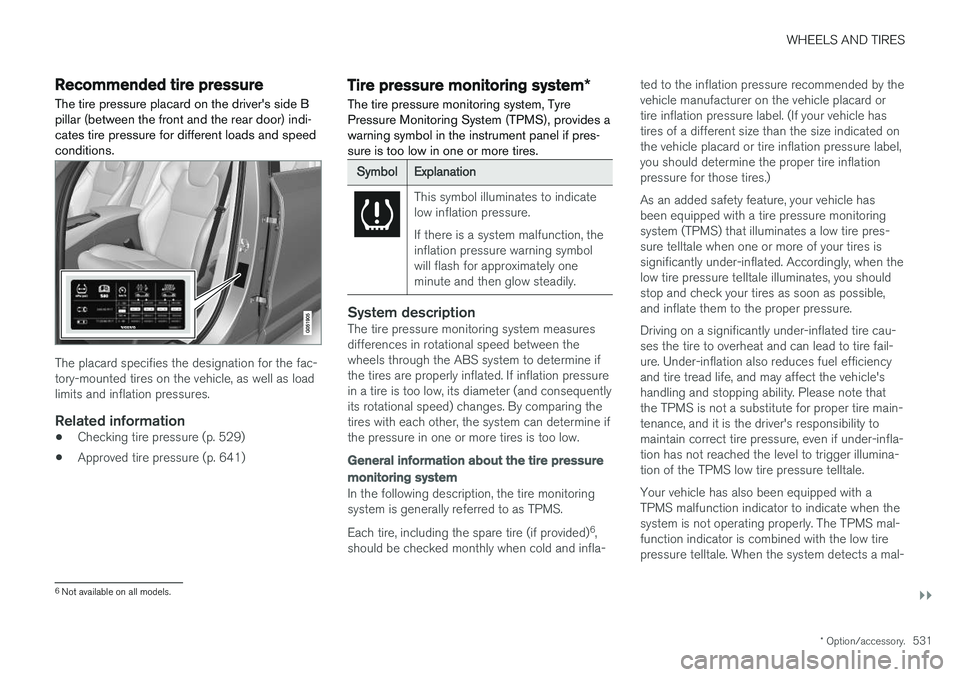
The tire pressure placard on the driver's side B pillar (between the front and the rear door) indi-cates tire pressure for different loads and speedconditions.
The placard specifies the designation for the fac- tory-mounted tires on the vehicle, as well as loadlimits and inflation pressures.
Related information
• Checking tire pressure (p. 529)
• Approved tire pressure (p. 641)
Tire pressure monitoring system
*
The tire pressure monitoring system, Tyre Pressure Monitoring System (TPMS), provides awarning symbol in the instrument panel if pres-sure is too low in one or more tires.
SymbolExplanation
This symbol illuminates to indicate low inflation pressure. If there is a system malfunction, the inflation pressure warning symbolwill flash for approximately oneminute and then glow steadily.
System descriptionThe tire pressure monitoring system measures differences in rotational speed between thewheels through the ABS system to determine ifthe tires are properly inflated. If inflation pressure in a tire is too low, its diameter (and consequently its rotational speed) changes. By comparing thetires with each other, the system can determine ifthe pressure in one or more tires is too low.
General information about the tire pressure
monitoring system
In the following description, the tire monitoring system is generally referred to as TPMS. Each tire, including the spare tire (if provided) 6
,
should be checked monthly when cold and infla- ted to the inflation pressure recommended by the vehicle manufacturer on the vehicle placard ortire inflation pressure label. (If your vehicle hastires of a different size than the size indicated onthe vehicle placard or tire inflation pressure label,you should determine the proper tire inflationpressure for those tires.) As an added safety feature, your vehicle has been equipped with a tire pressure monitoringsystem (TPMS) that illuminates a low tire pres-sure telltale when one or more of your tires issignificantly under-inflated. Accordingly, when thelow tire pressure telltale illuminates, you shouldstop and check your tires as soon as possible,and inflate them to the proper pressure. Driving on a significantly under-inflated tire cau- ses the tire to overheat and can lead to tire fail-ure. Under-inflation also reduces fuel efficiencyand tire tread life, and may affect the vehicle'shandling and stopping ability. Please note thatthe TPMS is not a substitute for proper tire main-tenance, and it is the driver's responsibility tomaintain correct tire pressure, even if under-infla-tion has not reached the level to trigger illumina-tion of the TPMS low tire pressure telltale. Your vehicle has also been equipped with a TPMS malfunction indicator to indicate when thesystem is not operating properly. The TPMS mal-function indicator is combined with the low tirepressure telltale. When the system detects a mal-
6
Not available on all models.
Page 535 of 660
WHEELS AND TIRES
}}
* Option/accessory.533
Calibrating the tire pressure
monitoring system *
In order for the tire pressure monitoring system, Tyre Pressure Monitoring System (TPMS), tofunction correctly, tire pressure reference valuesmust be set correctly. This must be done eachtime the tires are changed or the tire pressure isadjusted.
For example, when driving with a heavy load or at high speeds (over 160 km/h (100 mph)), tirepressure should be adjusted to the Volvo-recom-mended tire pressure values. The system shouldthen be recalibrated.
1. Switch off the ignition.
2. Inflate the tires to the pressure indicated on the tire pressure placard on the driver's side B pillar.
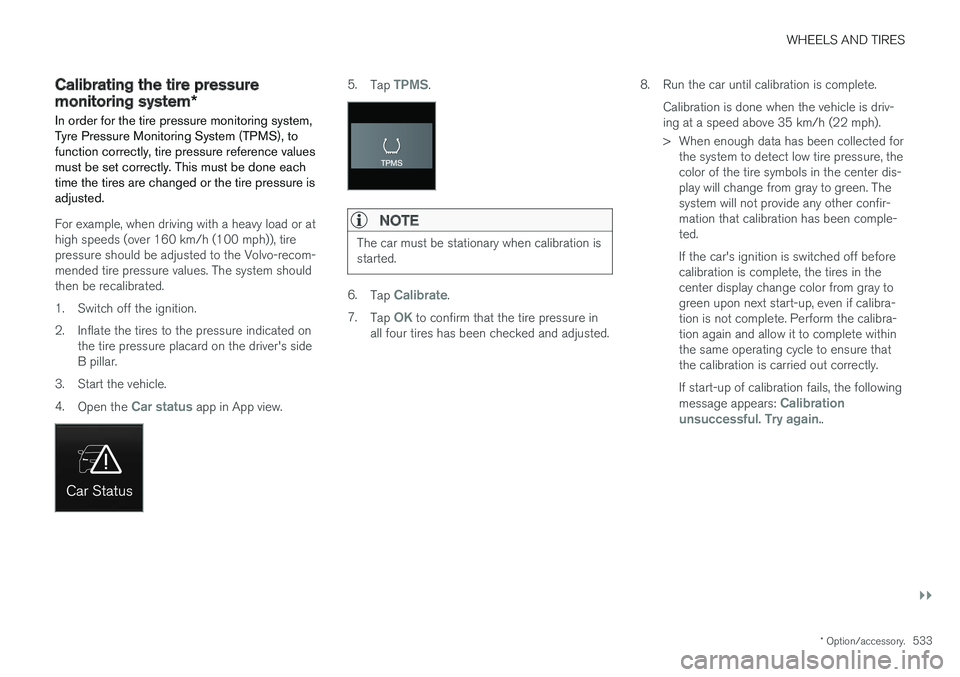
3. Start the vehicle. 4. Open the
Car status app in App view.
5.Tap TPMS.
NOTE
The car must be stationary when calibration is started.
6.Tap Calibrate.
7. Tap
OK to confirm that the tire pressure in
all four tires has been checked and adjusted. 8. Run the car until calibration is complete.
Calibration is done when the vehicle is driv- ing at a speed above 35 km/h (22 mph).
> When enough data has been collected forthe system to detect low tire pressure, the color of the tire symbols in the center dis-play will change from gray to green. Thesystem will not provide any other confir-mation that calibration has been comple-ted. If the car's ignition is switched off before calibration is complete, the tires in thecenter display change color from gray togreen upon next start-up, even if calibra-tion is not complete. Perform the calibra-tion again and allow it to complete withinthe same operating cycle to ensure thatthe calibration is carried out correctly. If start-up of calibration fails, the following message appears:
Calibration
unsuccessful. Try again..
Page 536 of 660
||
WHEELS AND TIRES
* Option/accessory.
534
NOTE
Always remember to calibrate the Tire Pres- sure Monitoring System when the wheelshave been changed or the tire inflation pres-sure has been corrected according to the tirepressure decal or tire inflation pressure table. If correct reference values have not been set, the system cannot issue low tire pressurealerts correctly. The vehicle must be stationary with the engine running to access the calibration but-ton and to start the calibration process.
WARNING
The exhaust gases contain carbon monoxide, which is invisible and odorless but very poi-sonous. For this reason, always perform thecalibration procedure outdoors or in a work-shop with exhaust gas evacuation equipment.
Related information
• Recommended tire pressure (p. 531)
• Adjusting tire pressure (p. 530)
• Viewing tire pressure status in the center display
* (p. 534)
• Action when warned of low tire pressure (p. 535)
• Tire pressure monitoring system
* (p. 531)
Viewing tire pressure status in the
center display *
With the system for tire pressure monitoring, Tyre Pressure Monitoring System (TPMS), tirepressure status can be viewed in the center dis-play.
Checking status1. Open the Car status app in App view.
2.Tap TPMS to display the status of the tires.
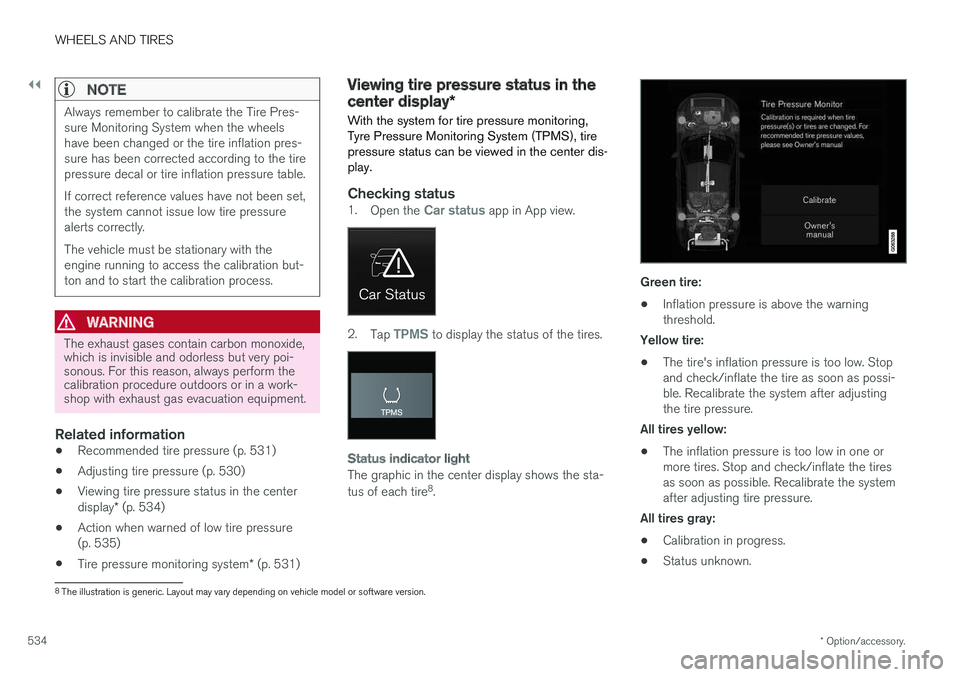
Status indicator light
The graphic in the center display shows the sta- tus of each tire 8
.
Green tire:
• Inflation pressure is above the warning threshold.
Yellow tire:
• The tire's inflation pressure is too low. Stopand check/inflate the tire as soon as possi-ble. Recalibrate the system after adjustingthe tire pressure.
All tires yellow:
• The inflation pressure is too low in one ormore tires. Stop and check/inflate the tiresas soon as possible. Recalibrate the systemafter adjusting tire pressure.
All tires gray: • Calibration in progress.
• Status unknown.
8
The illustration is generic. Layout may vary depending on vehicle model or software version.
Page 538 of 660
||
WHEELS AND TIRES
* Option/accessory.
536
Related information
• Recommended tire pressure (p. 531)
• Adjusting tire pressure (p. 530)
• Calibrating the tire pressure monitoring sys- tem
* (p. 533)
• Viewing tire pressure status in the centerdisplay
* (p. 534)
• Tire pressure monitoring system
* (p. 531)
• Inflate tires with the compressor included in the tire sealing system (p. 549)
When changing wheels
The wheels can be changed, e.g. to switch to snow tires or spare tires. Follow the applicableinstructions for removing and installing thewheel.
Changing to tires of another dimensionMake sure that the tire dimension is approved for use on the vehicle. If you change to tires of another dimension, con- tact an authorized Volvo workshop to update thevehicle's software. A software update may benecessary when changing to tires of larger/smaller dimensions or when changing to or fromsnow tires.
Related information
• Removing a wheel (p. 538)
• Installing a wheel (p. 540)
• Tool kit (p. 536)
• Snow tires (p. 543)
• Spare wheel (p. 541)
• Wheel bolts (p. 537)
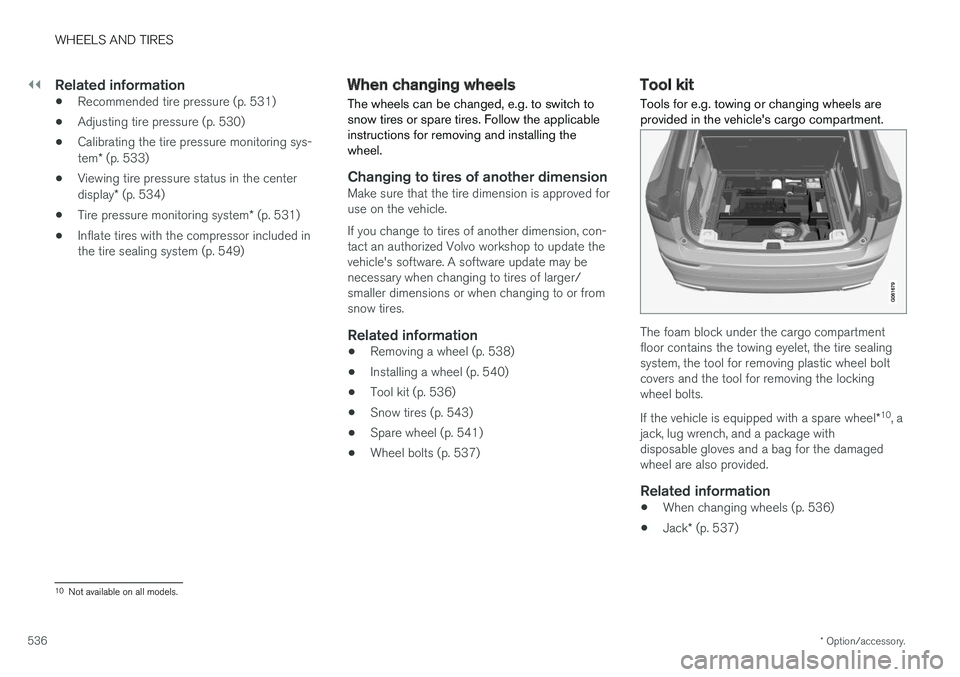
Tool kit Tools for e.g. towing or changing wheels are provided in the vehicle's cargo compartment.
The foam block under the cargo compartment floor contains the towing eyelet, the tire sealingsystem, the tool for removing plastic wheel boltcovers and the tool for removing the lockingwheel bolts. If the vehicle is equipped with a spare wheel
*10
, a
jack, lug wrench, and a package with disposable gloves and a bag for the damagedwheel are also provided.
Related information
• When changing wheels (p. 536)
• Jack
* (p. 537)
10
Not available on all models.
Page 539 of 660
WHEELS AND TIRES
}}
* Option/accessory.537
Jack*
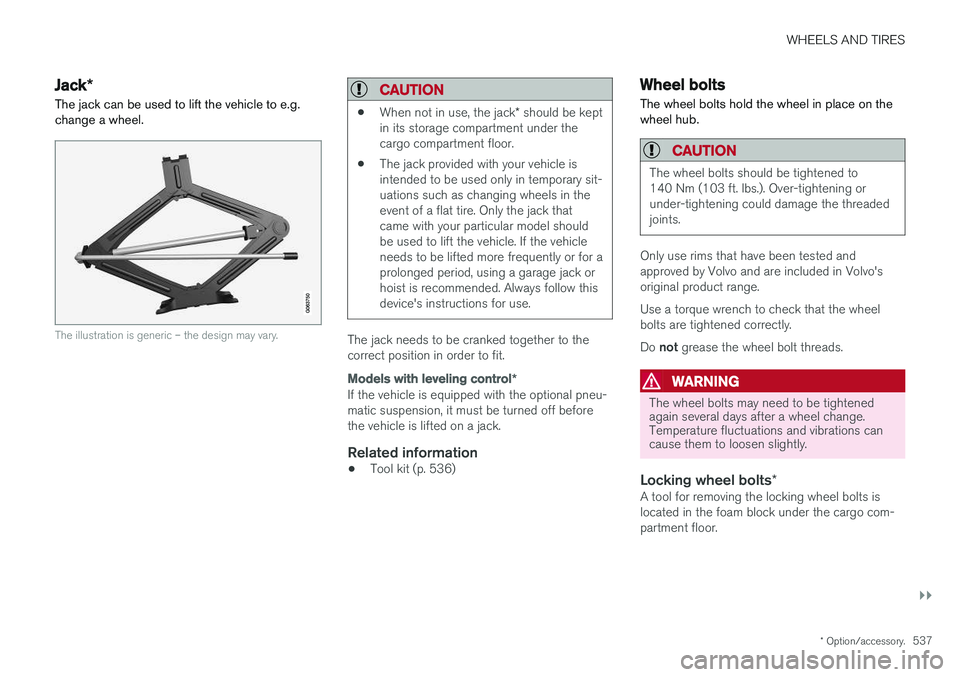
The jack can be used to lift the vehicle to e.g. change a wheel.
The illustration is generic – the design may vary.
CAUTION
• When not in use, the jack
* should be kept
in its storage compartment under the cargo compartment floor.
• The jack provided with your vehicle isintended to be used only in temporary sit-uations such as changing wheels in theevent of a flat tire. Only the jack thatcame with your particular model shouldbe used to lift the vehicle. If the vehicleneeds to be lifted more frequently or for aprolonged period, using a garage jack orhoist is recommended. Always follow thisdevice's instructions for use.
The jack needs to be cranked together to the correct position in order to fit.
Models with leveling control
*
If the vehicle is equipped with the optional pneu- matic suspension, it must be turned off beforethe vehicle is lifted on a jack.
Related information
•Tool kit (p. 536)
Wheel bolts
The wheel bolts hold the wheel in place on the wheel hub.
CAUTION
The wheel bolts should be tightened to 140 Nm (103 ft. lbs.). Over-tightening orunder-tightening could damage the threadedjoints.
Only use rims that have been tested and approved by Volvo and are included in Volvo'soriginal product range. Use a torque wrench to check that the wheel bolts are tightened correctly. Do not grease the wheel bolt threads.
WARNING
The wheel bolts may need to be tightened again several days after a wheel change.Temperature fluctuations and vibrations cancause them to loosen slightly.
Locking wheel bolts *A tool for removing the locking wheel bolts is located in the foam block under the cargo com-partment floor.
Page 540 of 660
||
WHEELS AND TIRES
* Option/accessory.
538
Related information
• Removing a wheel (p. 538)
• Installing a wheel (p. 540)
Removing a wheel
Instructions for removing a wheel when chang- ing wheels. Wheel changes must always be car-ried out correctly.
CAUTION
• When not in use, the jack
* should be kept
in its storage compartment under the cargo compartment floor.
• The jack provided with your vehicle isintended to be used only in temporary sit-uations such as changing wheels in theevent of a flat tire. Only the jack thatcame with your particular model shouldbe used to lift the vehicle. If the vehicleneeds to be lifted more frequently or for aprolonged period, using a garage jack orhoist is recommended. Always follow thisdevice's instructions for use.
WARNING
•Apply the parking brake and put the gear selector in the Park (
P) position.
• Block the wheels standing on the ground, use rigid wooden blocks or large stones.
• Check that the jack is not damaged, thethreads are properly lubricated and it isfree from dirt.
• Be sure the jack is on a firm, level, non-slippery surface and that it is upright andnot leaning.
• The jack must correctly engage in thejack attachment.
• No objects should be placed between thebase of the jack and the ground, orbetween the jack and the attachment baron the vehicle.
• Never let anyone remain in the vehiclewhen it is raised on a jack.
• If a tire must be changed near passingtraffic, make sure all passengers move toa safe location.
• Use a jack intended for the vehicle whenchanging a tire. For any other job, usestands to support the vehicle.
• Never crawl under or allow any part ofyour body to be extended under a vehiclesupported by a jack.