instrument panel VOLVO XC60 2018 Owner´s Manual
[x] Cancel search | Manufacturer: VOLVO, Model Year: 2018, Model line: XC60, Model: VOLVO XC60 2018Pages: 660, PDF Size: 11.77 MB
Page 263 of 660
KEY, LOCKS AND ALARM
}}
* Option/accessory.261
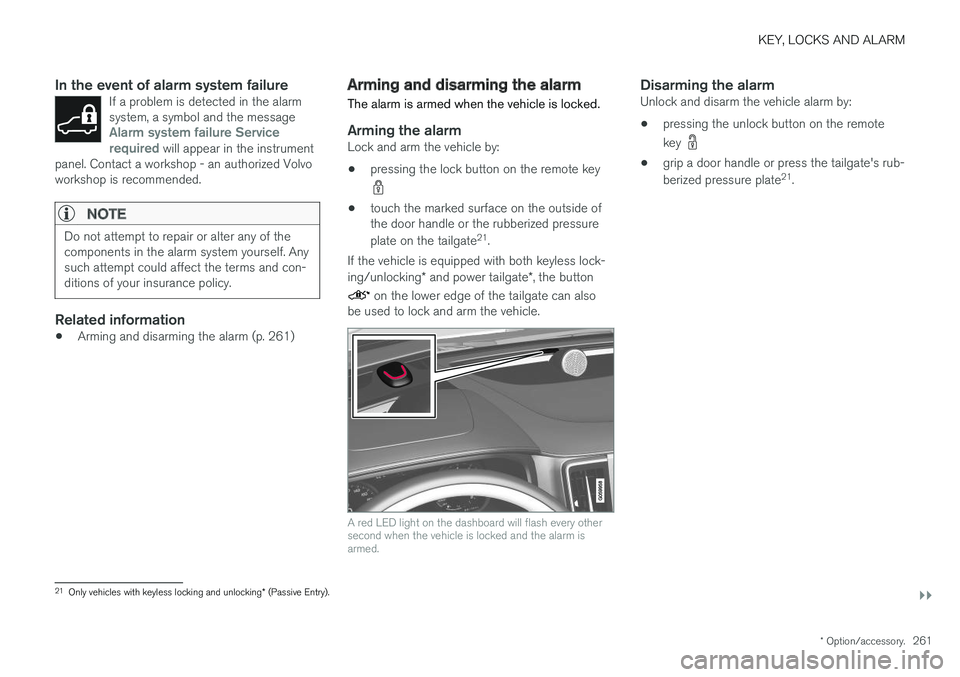
In the event of alarm system failureIf a problem is detected in the alarm system, a symbol and the message
Alarm system failure Service
required will appear in the instrument
panel. Contact a workshop - an authorized Volvo workshop is recommended.
NOTE
Do not attempt to repair or alter any of the components in the alarm system yourself. Anysuch attempt could affect the terms and con-ditions of your insurance policy.
Related information
• Arming and disarming the alarm (p. 261)
Arming and disarming the alarm
The alarm is armed when the vehicle is locked.
Arming the alarmLock and arm the vehicle by:
• pressing the lock button on the remote key
• touch the marked surface on the outside of the door handle or the rubberized pressure plate on the tailgate 21
.
If the vehicle is equipped with both keyless lock- ing/unlocking * and power tailgate *, the button
on the lower edge of the tailgate can also
be used to lock and arm the vehicle.
A red LED light on the dashboard will flash every other second when the vehicle is locked and the alarm isarmed.
Disarming the alarmUnlock and disarm the vehicle alarm by:
• pressing the unlock button on the remote key
•
grip a door handle or press the tailgate's rub- berized pressure plate 21
.
21 Only vehicles with keyless locking and unlocking * (Passive Entry).
Page 264 of 660
||
KEY, LOCKS AND ALARM
* Option/accessory.
262
Disarming the alarm without a functioning
remote key
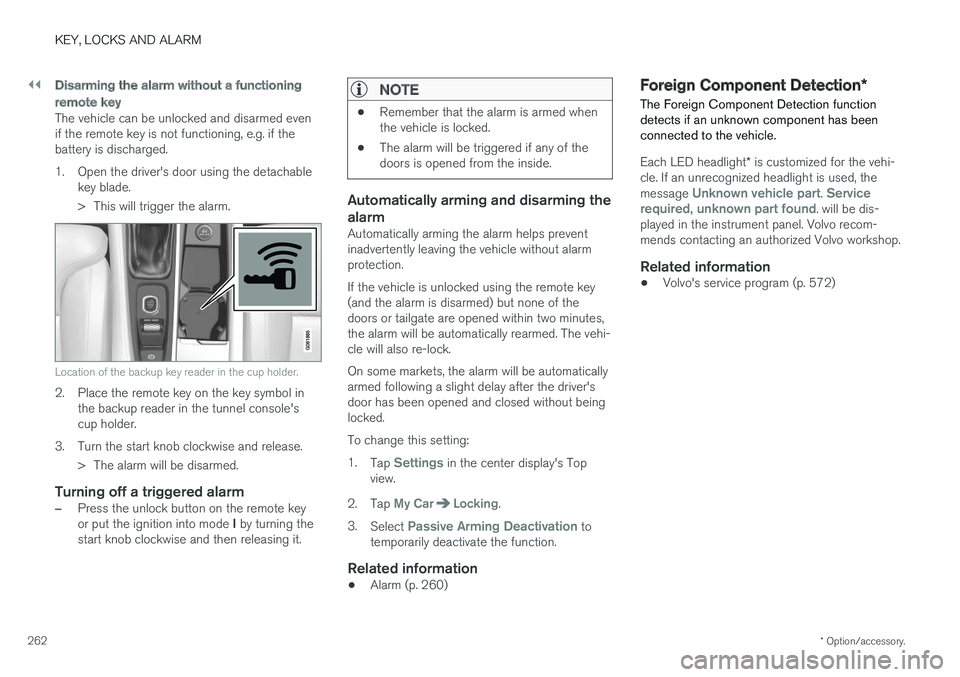
The vehicle can be unlocked and disarmed even if the remote key is not functioning, e.g. if thebattery is discharged.
1. Open the driver's door using the detachable
key blade.
> This will trigger the alarm.
Location of the backup key reader in the cup holder.
2. Place the remote key on the key symbol inthe backup reader in the tunnel console's cup holder.
3. Turn the start knob clockwise and release. > The alarm will be disarmed.
Turning off a triggered alarm
–Press the unlock button on the remote key or put the ignition into mode I by turning the
start knob clockwise and then releasing it.
NOTE
• Remember that the alarm is armed when the vehicle is locked.
• The alarm will be triggered if any of thedoors is opened from the inside.
Automatically arming and disarming the alarm
Automatically arming the alarm helps prevent inadvertently leaving the vehicle without alarmprotection. If the vehicle is unlocked using the remote key (and the alarm is disarmed) but none of thedoors or tailgate are opened within two minutes,the alarm will be automatically rearmed. The vehi-cle will also re-lock. On some markets, the alarm will be automatically armed following a slight delay after the driver'sdoor has been opened and closed without beinglocked. To change this setting:1.
Tap
Settings in the center display's Top
view.
2. Tap
My CarLocking.
3. Select
Passive Arming Deactivation to
temporarily deactivate the function.
Related information
• Alarm (p. 260)
Foreign Component Detection
*
The Foreign Component Detection function detects if an unknown component has beenconnected to the vehicle.
Each LED headlight * is customized for the vehi-
cle. If an unrecognized headlight is used, the message
Unknown vehicle part. Service
required, unknown part found. will be dis-
played in the instrument panel. Volvo recom- mends contacting an authorized Volvo workshop.
Related information
• Volvo's service program (p. 572)
Page 268 of 660
DRIVER SUPPORT
* Option/accessory.
266
Electronic Stability Control
The Electronic Stability Control (ESC 2
) function
helps the driver avoid skidding and improves the vehicle's directional stability.
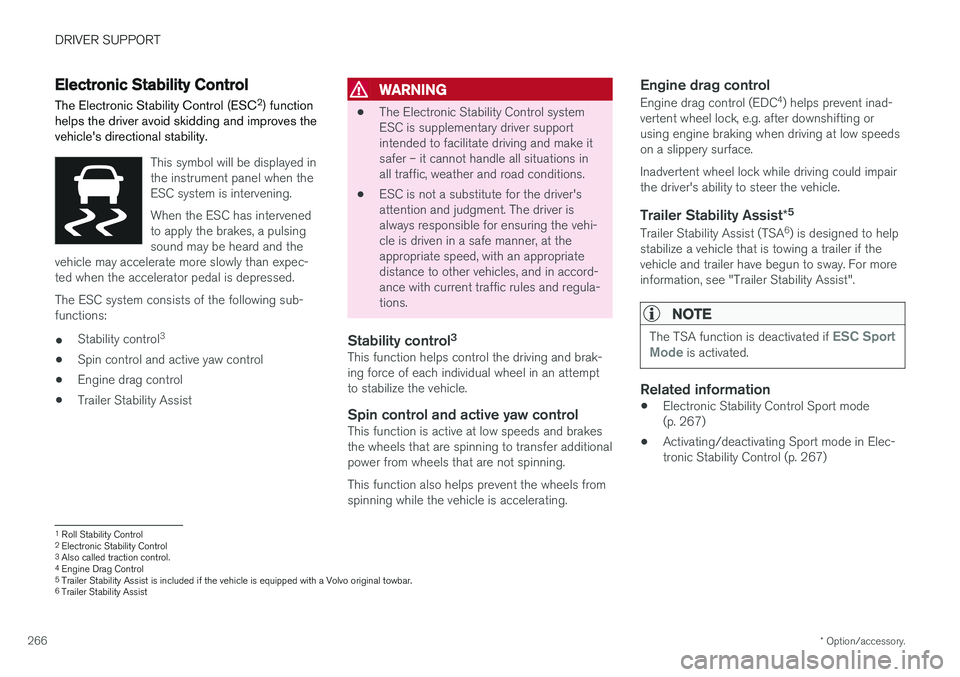
This symbol will be displayed in the instrument panel when theESC system is intervening. When the ESC has intervened to apply the brakes, a pulsingsound may be heard and the
vehicle may accelerate more slowly than expec-ted when the accelerator pedal is depressed.
The ESC system consists of the following sub- functions: • Stability control 3
• Spin control and active yaw control
• Engine drag control
• Trailer Stability Assist
WARNING
•The Electronic Stability Control system ESC is supplementary driver supportintended to facilitate driving and make itsafer – it cannot handle all situations inall traffic, weather and road conditions.
• ESC is not a substitute for the driver'sattention and judgment. The driver isalways responsible for ensuring the vehi-cle is driven in a safe manner, at theappropriate speed, with an appropriatedistance to other vehicles, and in accord-ance with current traffic rules and regula-tions.
Stability control 3This function helps control the driving and brak-ing force of each individual wheel in an attemptto stabilize the vehicle.
Spin control and active yaw controlThis function is active at low speeds and brakesthe wheels that are spinning to transfer additionalpower from wheels that are not spinning. This function also helps prevent the wheels from spinning while the vehicle is accelerating.
Engine drag control
Engine drag control (EDC
4
) helps prevent inad-
vertent wheel lock, e.g. after downshifting orusing engine braking when driving at low speedson a slippery surface. Inadvertent wheel lock while driving could impair the driver's ability to steer the vehicle.
Trailer Stability Assist *5
Trailer Stability Assist (TSA
6
) is designed to help
stabilize a vehicle that is towing a trailer if thevehicle and trailer have begun to sway. For moreinformation, see "Trailer Stability Assist".
NOTE
The TSA function is deactivated if ESC Sport
Mode is activated.
Related information
• Electronic Stability Control Sport mode (p. 267)
• Activating/deactivating Sport mode in Elec-tronic Stability Control (p. 267)
1
Roll Stability Control
2 Electronic Stability Control
3 Also called traction control.
4 Engine Drag Control
5Trailer Stability Assist is included if the vehicle is equipped with a Volvo original towbar.6
Trailer Stability Assist
Page 269 of 660
DRIVER SUPPORT
267
•
Electronic Stability Control Sport mode limi- tations (p. 268)
• Electronic Stability Control symbols and mes-sages (p. 269)
Electronic Stability Control Sportmode
The ESC 7
system is always activated and can-
not be switched off. However, the driver can select
ESC Sport Mode, which offers more
active driving characteristics.
With the ESC Sport Mode sub-function
selected, intervention from ESC is reduced and more lateral movement is permitted, giving thedriver more control of the vehicle than usual. When
ESC Sport Mode is selected, ESC may
seem to be disabled even though it is often assisting the driver.
NOTE
When the ESC Sport Mode function is
selected, the trailer stabilizer (TSA 8
) is
switched off.
ESC Sport Mode also helps provide maximum
traction if the vehicle gets stuck or is driving on a loose surface such as deep snow or loose sand.
Related information
• Electronic Stability Control (p. 266)
Activating/deactivating Sport modein Electronic Stability Control The ESC 9
system is always activated and can-
not be switched off. However, the driver can select Sport mode, which offers more activedriving characteristics.
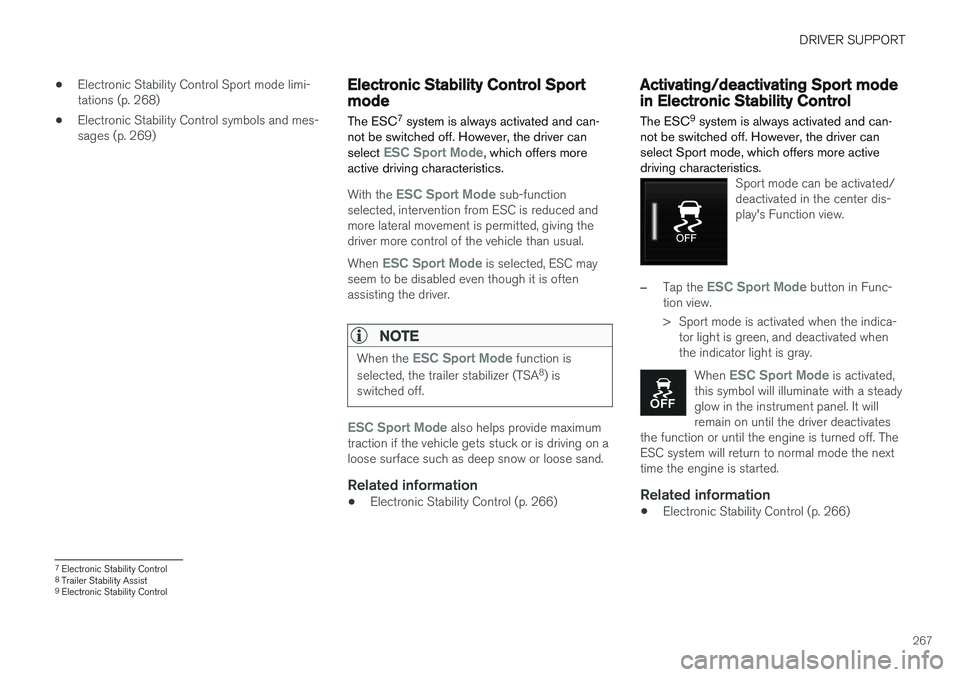
Sport mode can be activated/ deactivated in the center dis-play's Function view.
–Tap the ESC Sport Mode button in Func-
tion view.
> Sport mode is activated when the indica- tor light is green, and deactivated when the indicator light is gray.
When
ESC Sport Mode is activated,
this symbol will illuminate with a steady glow in the instrument panel. It willremain on until the driver deactivates
the function or until the engine is turned off. TheESC system will return to normal mode the nexttime the engine is started.
Related information
• Electronic Stability Control (p. 266)
7
Electronic Stability Control
8 Trailer Stability Assist
9 Electronic Stability Control
Page 271 of 660
DRIVER SUPPORT
269
Electronic Stability Control symbolsand messages
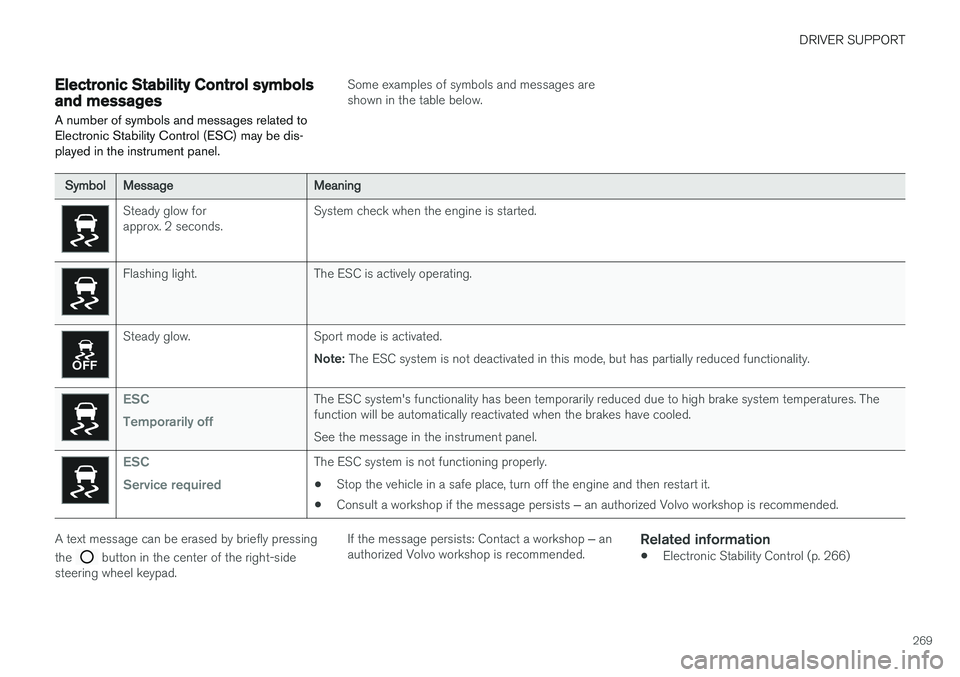
A number of symbols and messages related to Electronic Stability Control (ESC) may be dis-played in the instrument panel.
Some examples of symbols and messages are shown in the table below.
SymbolMessageMeaning
Steady glow for approx. 2 seconds. System check when the engine is started.
Flashing light. The ESC is actively operating.
Steady glow. Sport mode is activated.
Note: The ESC system is not deactivated in this mode, but has partially reduced functionality.
ESC Temporarily offThe ESC system's functionality has been temporarily reduced due to high brake system temperatures. The function will be automatically reactivated when the brakes have cooled. See the message in the instrument panel.
ESC Service requiredThe ESC system is not functioning properly.
• Stop the vehicle in a safe place, turn off the engine and then restart it.
• Consult a workshop if the message persists
‒ an authorized Volvo workshop is recommended.
A text message can be erased by briefly pressing the
button in the center of the right-side
steering wheel keypad. If the message persists: Contact a workshop
‒ an
authorized Volvo workshop is recommended.
Related information
• Electronic Stability Control (p. 266)
Page 274 of 660
||
DRIVER SUPPORT
272
Related information
•Speed limiter (p. 270)
Deactivating and putting SpeedLimiter in standby mode
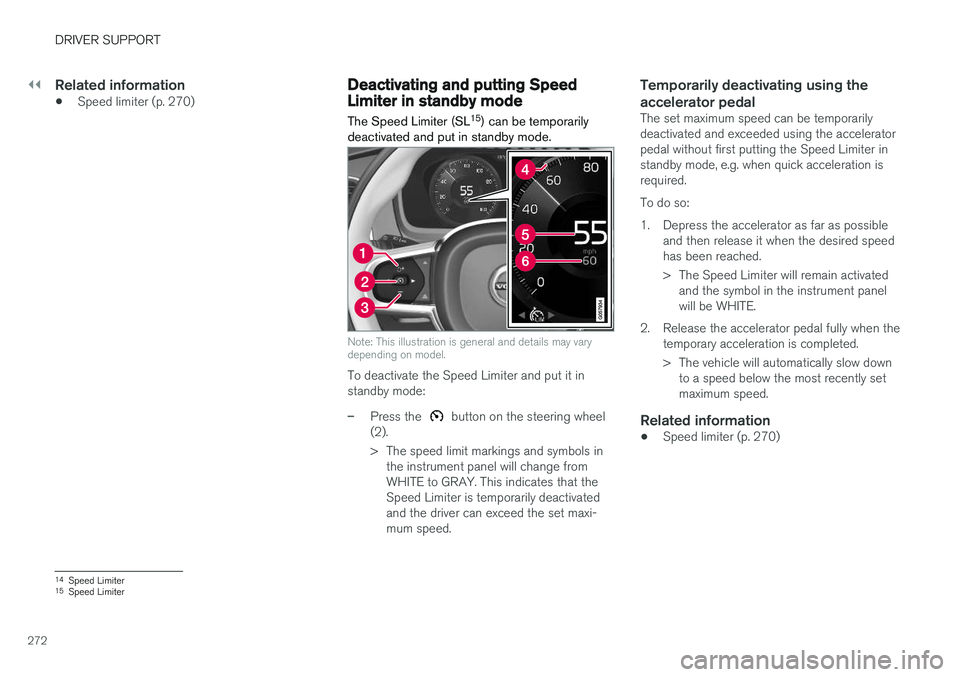
The Speed Limiter (SL 15
) can be temporarily
deactivated and put in standby mode.
Note: This illustration is general and details may vary depending on model.
To deactivate the Speed Limiter and put it in standby mode:
–Press the button on the steering wheel
(2).
> The speed limit markings and symbols in the instrument panel will change from WHITE to GRAY. This indicates that theSpeed Limiter is temporarily deactivatedand the driver can exceed the set maxi-mum speed.
Temporarily deactivating using the accelerator pedal
The set maximum speed can be temporarily deactivated and exceeded using the acceleratorpedal without first putting the Speed Limiter instandby mode, e.g. when quick acceleration isrequired. To do so:
1. Depress the accelerator as far as possible and then release it when the desired speed has been reached.
> The Speed Limiter will remain activatedand the symbol in the instrument panel will be WHITE.
2. Release the accelerator pedal fully when the temporary acceleration is completed.
> The vehicle will automatically slow downto a speed below the most recently set maximum speed.
Related information
• Speed limiter (p. 270)
14
Speed Limiter
15 Speed Limiter
Page 275 of 660
DRIVER SUPPORT
}}
273
Reactivating Speed Limiter fromstandby modeSpeed Limiter (SL 16
) can be reactivated after
having been temporarily deactivated and put in standby mode.
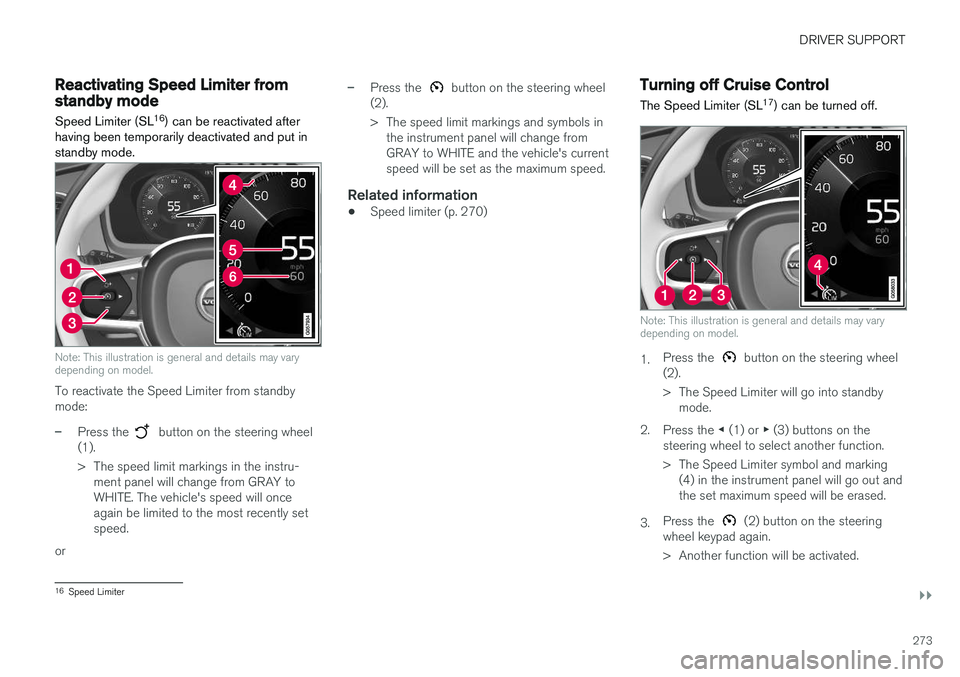
Note: This illustration is general and details may vary depending on model.
To reactivate the Speed Limiter from standby mode:
–Press the button on the steering wheel
(1).
> The speed limit markings in the instru- ment panel will change from GRAY to WHITE. The vehicle's speed will onceagain be limited to the most recently setspeed.
or
–Press the button on the steering wheel
(2).
> The speed limit markings and symbols in the instrument panel will change from GRAY to WHITE and the vehicle's currentspeed will be set as the maximum speed.
Related information
• Speed limiter (p. 270)
Turning off Cruise Control
The Speed Limiter (SL 17
) can be turned off.
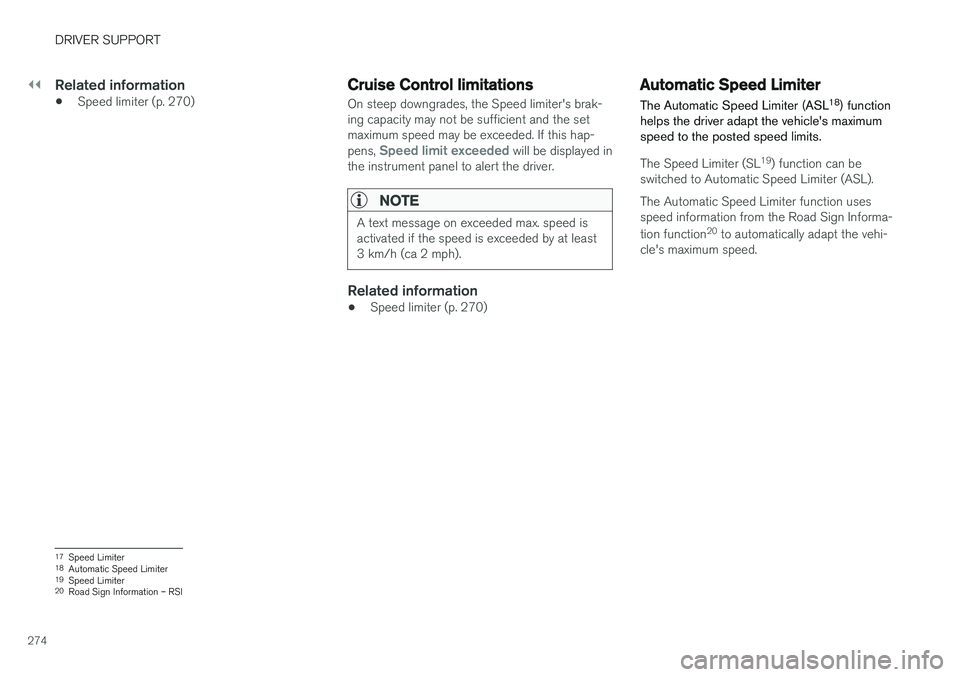
Note: This illustration is general and details may vary depending on model.
1. Press the button on the steering wheel
(2).
> The Speed Limiter will go into standby mode.
2. Press the ◀ (1) or ▶ (3) buttons on the
steering wheel to select another function.
> The Speed Limiter symbol and marking (4) in the instrument panel will go out and the set maximum speed will be erased.
3. Press the
(2) button on the steering
wheel keypad again.
> Another function will be activated.
16 Speed Limiter
Page 276 of 660
||
DRIVER SUPPORT
274
Related information
•Speed limiter (p. 270)
Cruise Control limitations
On steep downgrades, the Speed limiter's brak- ing capacity may not be sufficient and the setmaximum speed may be exceeded. If this hap- pens,
Speed limit exceeded will be displayed in
the instrument panel to alert the driver.
NOTE
A text message on exceeded max. speed is activated if the speed is exceeded by at least3 km/h (ca 2 mph).
Related information
• Speed limiter (p. 270)
Automatic Speed Limiter
The Automatic Speed Limiter (ASL 18
) function
helps the driver adapt the vehicle's maximum speed to the posted speed limits.
The Speed Limiter (SL 19
) function can be
switched to Automatic Speed Limiter (ASL). The Automatic Speed Limiter function uses speed information from the Road Sign Informa- tion function 20
to automatically adapt the vehi-
cle's maximum speed.
17 Speed Limiter
18 Automatic Speed Limiter
19 Speed Limiter
20 Road Sign Information – RSI
Page 277 of 660
DRIVER SUPPORT
275
WARNING
•The ASL function is supplementary driver support intended to facilitate driving andhelp make it safer – it cannot handle allsituations in all traffic, weather and roadconditions.
• Even if the driver can clearly see thespeed limit sign, the speed informationfrom the Road Sign Information (RSI)function to ASL may be incorrect. In suchcases, the driver must intervene andaccelerate or brake to an appropriatespeed.
• ASL is not a substitute for the driver'sattention and judgment. The driver isalways responsible for ensuring the vehi-cle is driven in a safe manner, at theappropriate speed, with an appropriatedistance to other vehicles, and in accord-ance with current traffic rules and regula-tions.
• See also the heading "Road Sign Infor-mation limitations".
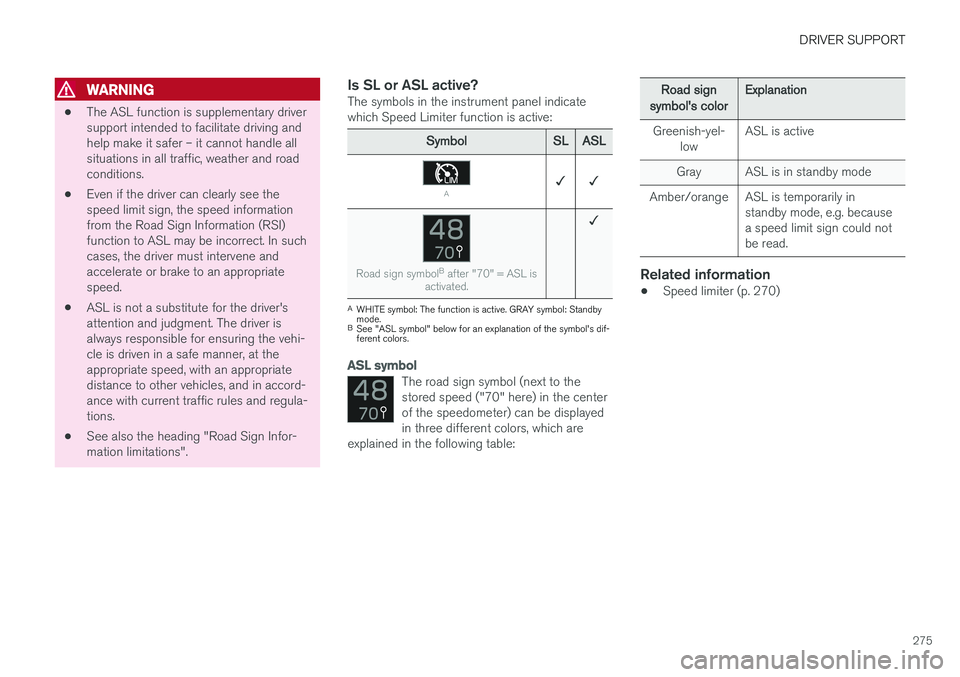
Is SL or ASL active?The symbols in the instrument panel indicatewhich Speed Limiter function is active:
SymbolSLASL
A✓ ✓
Road sign symbol B
after "70" = ASL is
activated.
✓
A WHITE symbol: The function is active. GRAY symbol: Standby mode.
B See "ASL symbol" below for an explanation of the symbol's dif-ferent colors.
ASL symbol
The road sign symbol (next to the stored speed ("70" here) in the centerof the speedometer) can be displayedin three different colors, which are
explained in the following table:
Road signsymbol's colorExplanation
Greenish-yel- low ASL is active
Gray ASL is in standby mode
Amber/orange ASL is temporarily in standby mode, e.g. because a speed limit sign could notbe read.
Related information
•Speed limiter (p. 270)
Page 278 of 660
DRIVER SUPPORT
276
Activating/deactivating AutomaticSpeed Limiter
The Automatic Speed Limiter (ASL 21
) is a sup-
plement to the Speed Limiter (SL 22
) and can be
activated/deactivated.
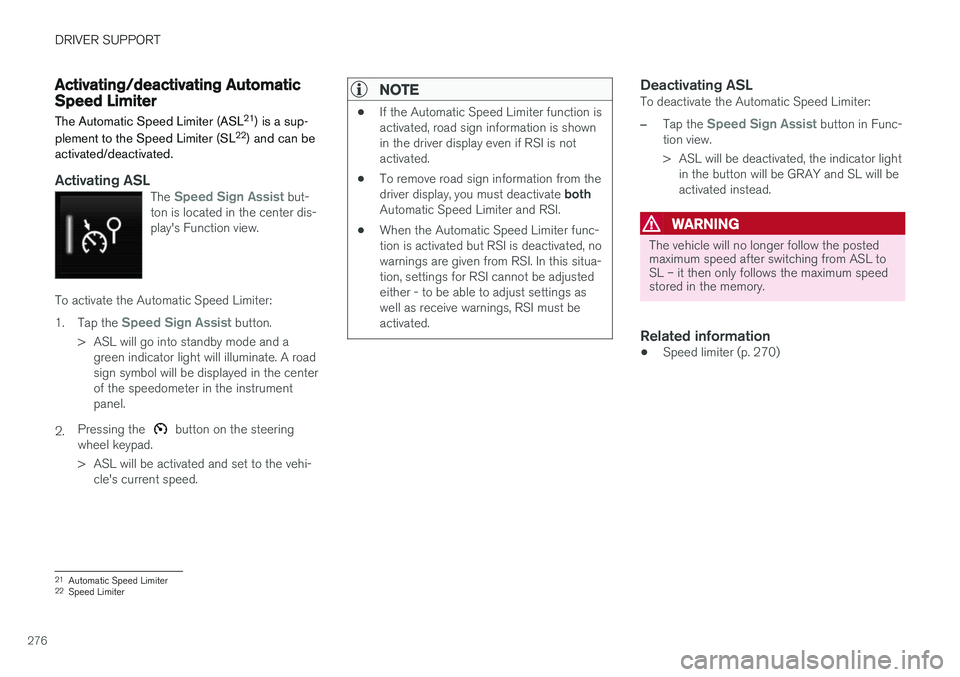
Activating ASLThe Speed Sign Assist but-
ton is located in the center dis- play's Function view.
To activate the Automatic Speed Limiter: 1. Tap the
Speed Sign Assist button.
> ASL will go into standby mode and a green indicator light will illuminate. A road sign symbol will be displayed in the centerof the speedometer in the instrumentpanel.
2. Pressing the
button on the steering
wheel keypad.
> ASL will be activated and set to the vehi- cle's current speed.
NOTE
• If the Automatic Speed Limiter function is activated, road sign information is shownin the driver display even if RSI is notactivated.
• To remove road sign information from the driver display, you must deactivate
both
Automatic Speed Limiter and RSI.
• When the Automatic Speed Limiter func- tion is activated but RSI is deactivated, nowarnings are given from RSI. In this situa-tion, settings for RSI cannot be adjustedeither - to be able to adjust settings aswell as receive warnings, RSI must beactivated.
Deactivating ASLTo deactivate the Automatic Speed Limiter:
–Tap the Speed Sign Assist button in Func-
tion view.
> ASL will be deactivated, the indicator light in the button will be GRAY and SL will be activated instead.
WARNING
The vehicle will no longer follow the posted maximum speed after switching from ASL toSL – it then only follows the maximum speedstored in the memory.
Related information
• Speed limiter (p. 270)
21
Automatic Speed Limiter
22 Speed Limiter